
Community listing page, reviews here may not be monitored by the author.
CraftProxy - Play with your friends

No reviews yet
Open your LAN World to the public while only YOU need to have the Mod installed.
Community voices
Reviews
No reviews yet. Be the first to review this project!
Get it on
Available Platforms
About
Project Details
For authors
Embed Badge
If you're the author of this project, you can embed a live badge anywhere that supports HTML or Markdown. It updates automatically whenever ratings change.
Use HTML for any page that supports it, or Markdown for README files and Markdown-based descriptions.
Identifiers
Platform IDs
About
Description
CraftProxy - Global LAN Multiplayer
CraftProxy is a Fabric mod that allows you to easily share your singleplayer LAN world with friends over the internet. It eliminates the need for port forwarding, or exposing your home IP address.
CraftProxy will forever remain a host-only requirement. Your friends will always be able to join your world using a standard, vanilla Minecraft client without downloading anything.
Core Features
- Strictly Host-Only to Play: Guests connect directly via the vanilla multiplayer menu. No external VPN software or client-side mods are required just to join and play.
- Bypass Port Forwarding: The mod creates a secure tunnel for your local connection, bypassing manual router configuration, strict firewalls, and CGNAT restrictions.
- Privacy and DDoS Protection: Your actual home IP address is never exposed to the public. All traffic routes securely through our proxy network.
- Lightweight Alternative: A direct, open-source alternative to heavy mods or complex tunneling tools, built specifically for Minecraft.
Roadmap: Upcoming Features
While CraftProxy will always remain host-only for basic connections, we are actively working on optional updates designed to make playing together even smoother.
Planned features include:
- Static Subdomains: Say goodbye to randomized proxy addresses. Hosts will be able to claim a permanent, static IP (e.g.,
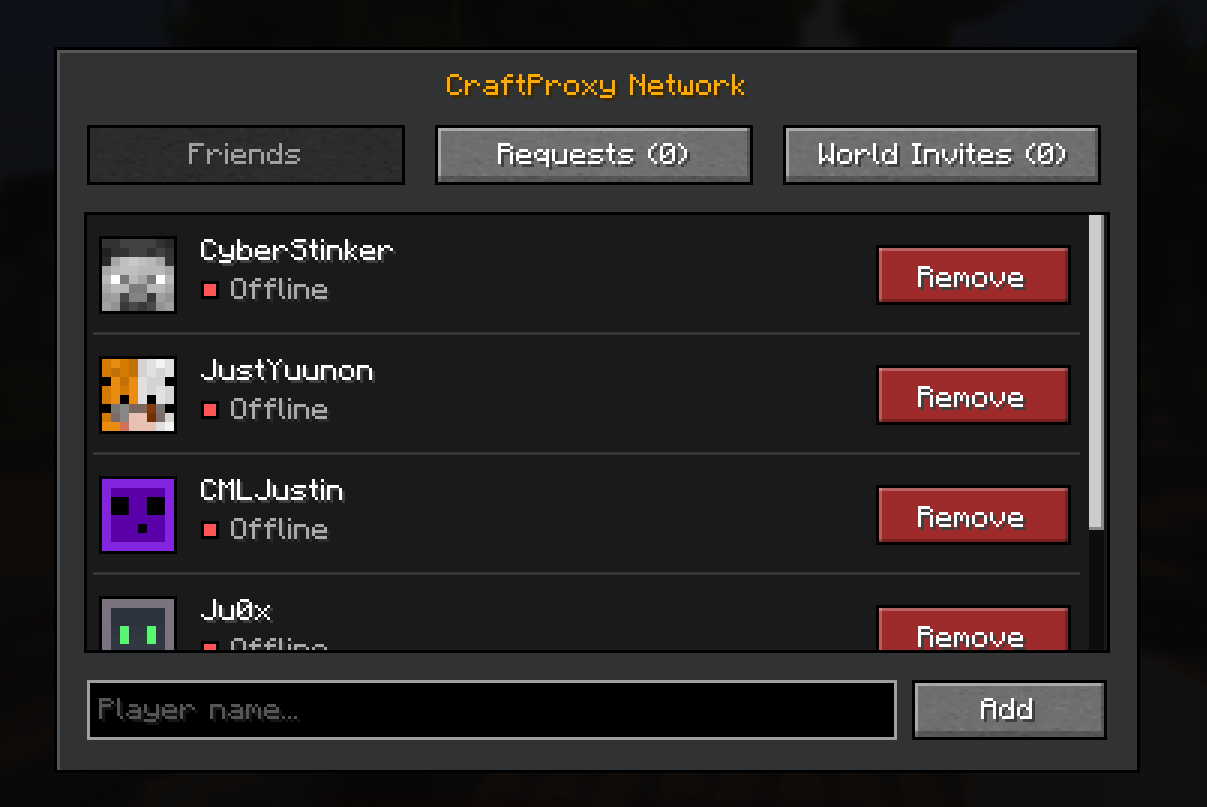
yourname.craftproxy.net), making it much easier to share your world in Discord servers or on server lists. - Friend System & Quick Invites: Players who choose to install the mod will be able to add friends in-game and send direct world invites with a single click—bypassing the need to copy IPs entirely.
How to Use
- Place the mod into your Fabric
modsfolder. - Load into your singleplayer world and open it to LAN.
- Run the
/hostcommand in the in-game chat. - Provide the generated proxy IP (e.g.,
123abcd.craftproxy.net) to your friends.
Links
Screenshots
Gallery
-
 Screenshot 2026-07-26 004238.png Screenshot 2026-07-26 004238.png
Versions
Files
Relations
Project Relations
More like this
Similar Mods
Suggestions use data such as tags, dependencies, dependents, descriptions, titles, and more to rank how much they overlap with this mod.
On ModDex
Community snapshot
By the numbers
Statistics
Want to reach Minecraft players?
We're looking for a server hosting partner to feature here and other parts of the site. Interested? Send us a message!
Get in touchGet it on
Available Platforms
On ModDex
Community snapshot
By the numbers