
Community listing page, reviews here may not be monitored by the author.
CraftStudio

No reviews yet
A client-side visual IDE for browsing, previewing, editing, validating, and exporting Minecraft resource packs.
Community voices
Reviews
No reviews yet. Be the first to review this project!
Get it on
Available Platforms
Compatibility
Supported Environments
Runs entirely on the client. Works on vanilla servers.
About
Project Details
For authors
Embed Badge
If you're the author of this project, you can embed a live badge anywhere that supports HTML or Markdown. It updates automatically whenever ratings change.
Use HTML for any page that supports it, or Markdown for README files and Markdown-based descriptions.
Identifiers
Platform IDs
Resources
External Links
About
Description












CraftStudio is a client-side visual IDE for creating Minecraft resource packs directly inside Minecraft.
CraftStudio helps resource-pack creators browse Minecraft assets, understand their dependencies, preview changes, validate projects, and export finished resource packs without manually extracting the Minecraft JAR or finding asset paths by hand.
⚠️ Current game support: CraftStudio currently supports Minecraft: Java Edition 1.21.11 only. Support for more Minecraft versions is planned for future updates.
Features and functions
Project management
- Create new resource-pack projects.
- Open existing CraftStudio projects.
- Quickly access recent projects.
- Generate valid Minecraft 1.21.11 pack metadata.
- Keep editable pack files separated from CraftStudio's internal files.
Block and item browser
- Browse Minecraft 1.21.11 blocks and items.
- Search assets using names or identifiers.
- Inspect asset identifiers and translation keys.
- Access clean vanilla assets without manually extracting the Minecraft JAR.
Dependency resolver
CraftStudio automatically finds and explains the files required by an asset, including:
- Blockstates
- Item definitions
- Model parents
- Texture variables
- PNG textures
- Animation metadata
- Atlas dependencies
Dependencies are displayed in clear groups so you can understand what every file does.
Flexible asset bundles
- Add Complete — add the complete dependency bundle.
- Add Unique Only — add only files not already present.
- Choose Files — manually select which resolved files to add.
Interactive previews
- Preview supported block models.
- Preview supported item models.
- Rotate and inspect models.
- Switch between block and inventory viewing modes.
- Preview project texture overrides.
- Refresh previews after external edits.
External editor integration
- Open textures with your operating system's default application.
- Select a preferred external image editor.
- Watch project files for changes.
- Refresh affected previews after edited files are saved.
- Optionally reload Minecraft resources automatically.
Project validation
CraftStudio checks your project for:
- Invalid JSON
- Invalid image files
- Missing models and textures
- Broken dependency references
- Atlas problems
- Invalid pack metadata
- Unsafe export paths
- CraftStudio metadata accidentally placed inside the pack
Critical problems are shown before exporting and invalid packs are blocked.
Safe ZIP export
- Export directly into the current Minecraft instance's
resourcepacksfolder. - Export to a custom location.
- Create a correctly structured resource-pack ZIP.
- Verify that
pack.mcmetais at the ZIP root. - Validate staged files before creating the final archive.
- Back up an existing ZIP before replacing it.
- Generate an export report and SHA-256 hash.
Planned future features
Future CraftStudio updates are planned to expand support for:
- More Minecraft versions
- GUI and menu textures
- Entities and mobs
- Sounds
- Fonts
- Paintings
- Particles
- Sky assets
- Additional asset types
- Improved preview and editing workflows
- More customization options
More features and improvements will be added through future updates.
Important information
- CraftStudio is a client-only Fabric mod.
- Fabric API is required.
- Java 21 is required.
- Mod Menu is optional.
- The default opening key is F8 and can be changed in Minecraft's Controls menu.
- CraftStudio currently exports resource packs as ZIP files only.
Screenshots
Gallery
-
 Banner
 -
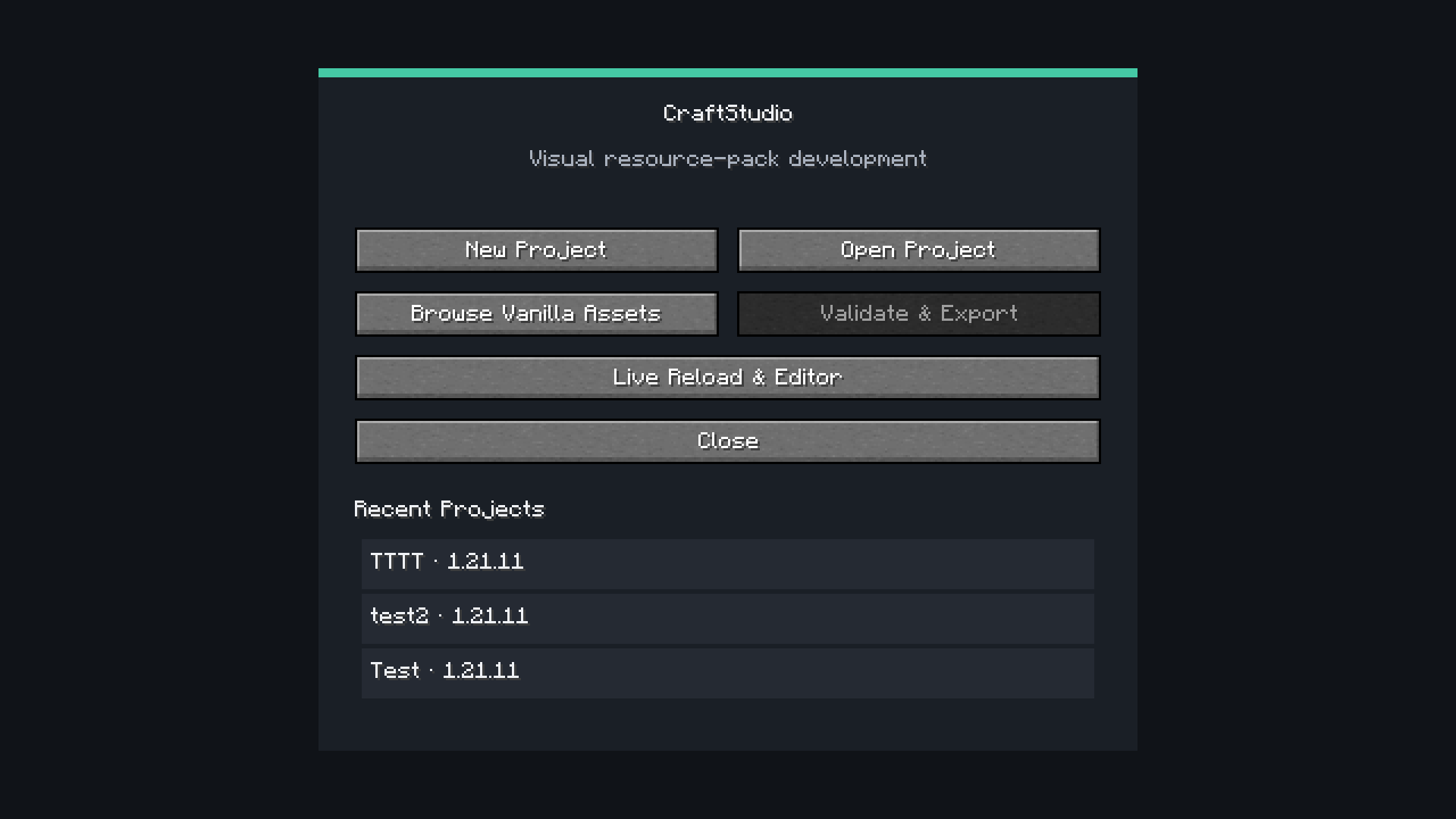 CraftStudio Home
 -
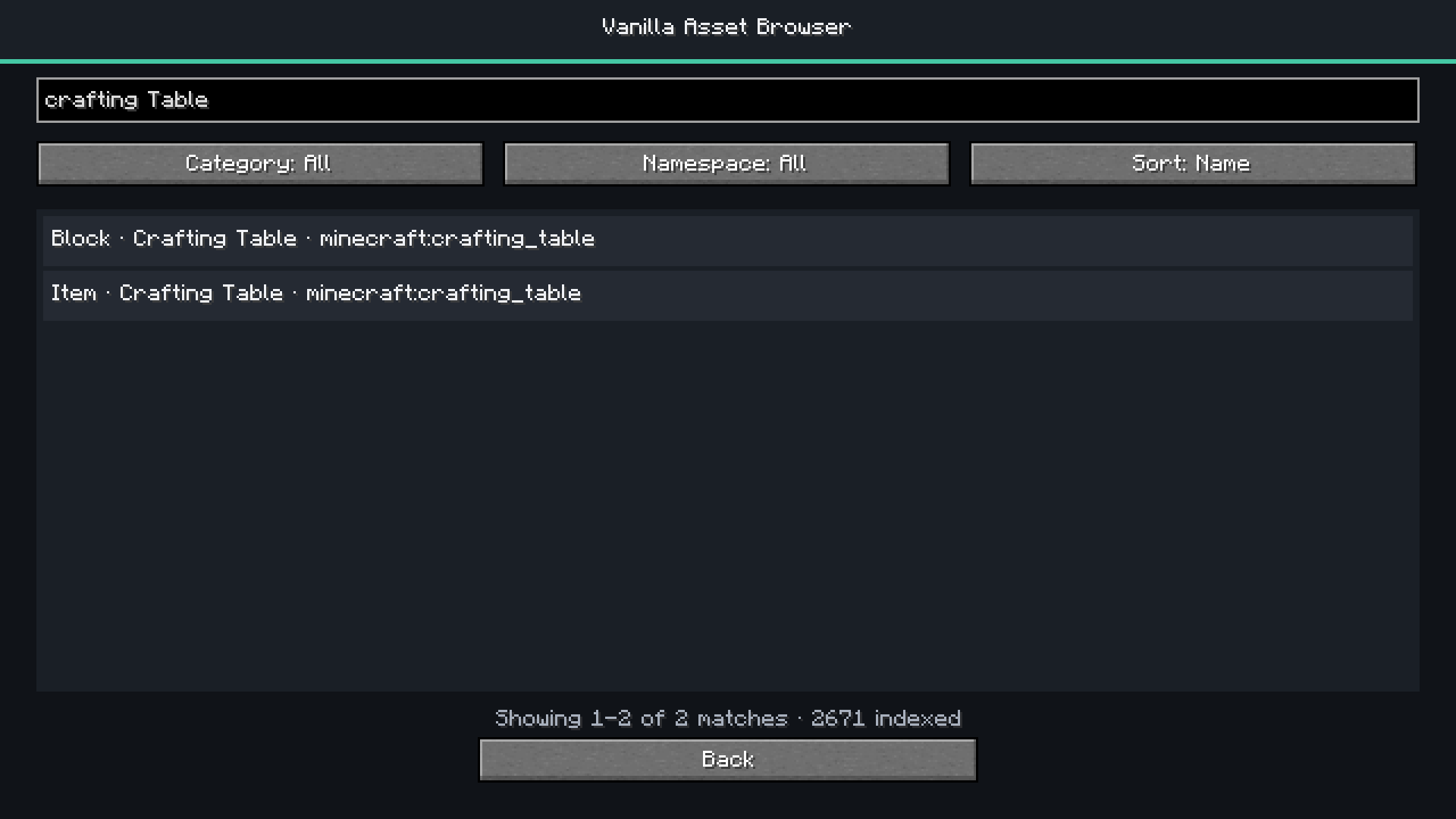 Vanilla Asset Browser
 -
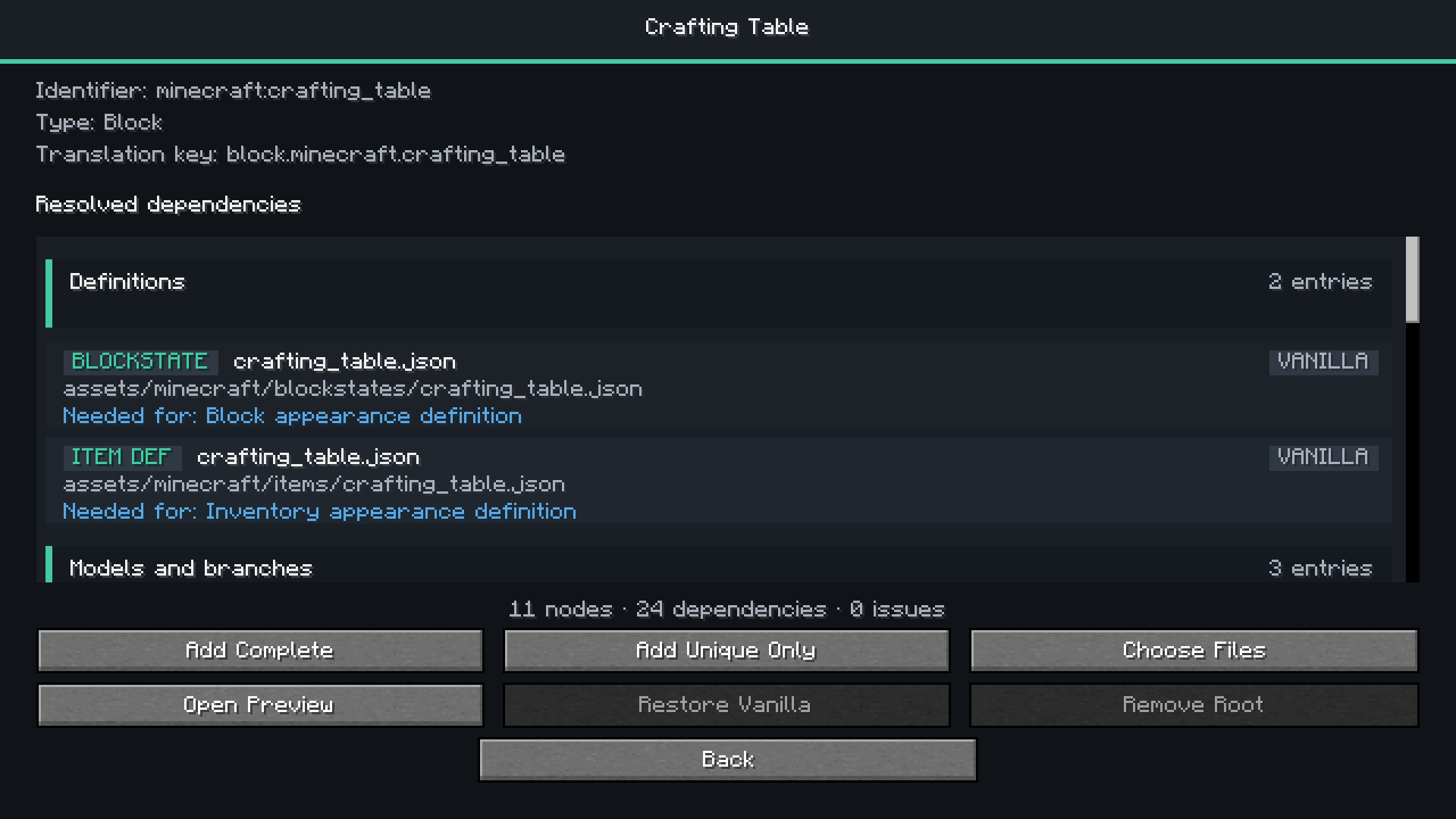 Dependency Resolver
 -
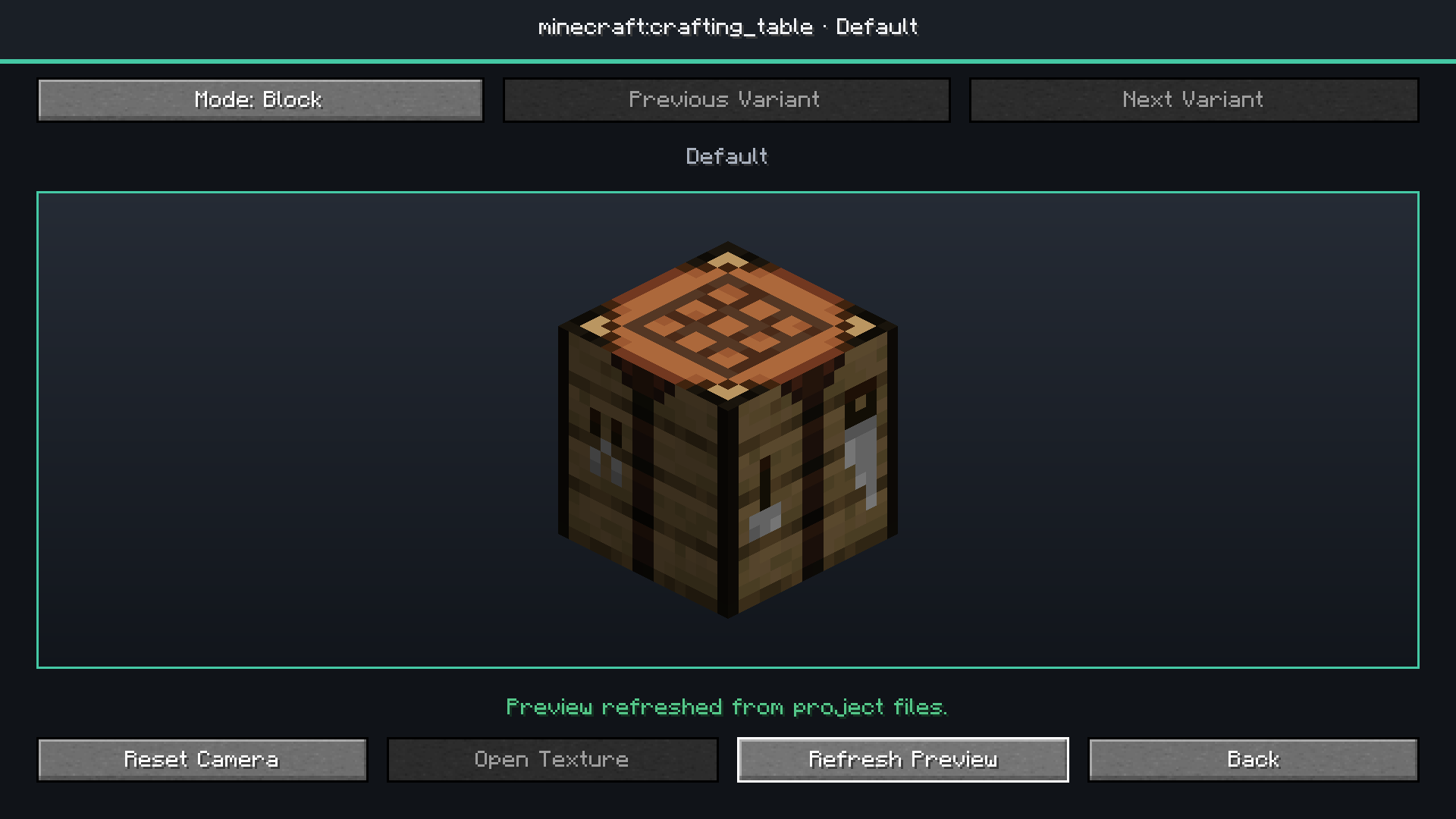 Block Model Preview
 -
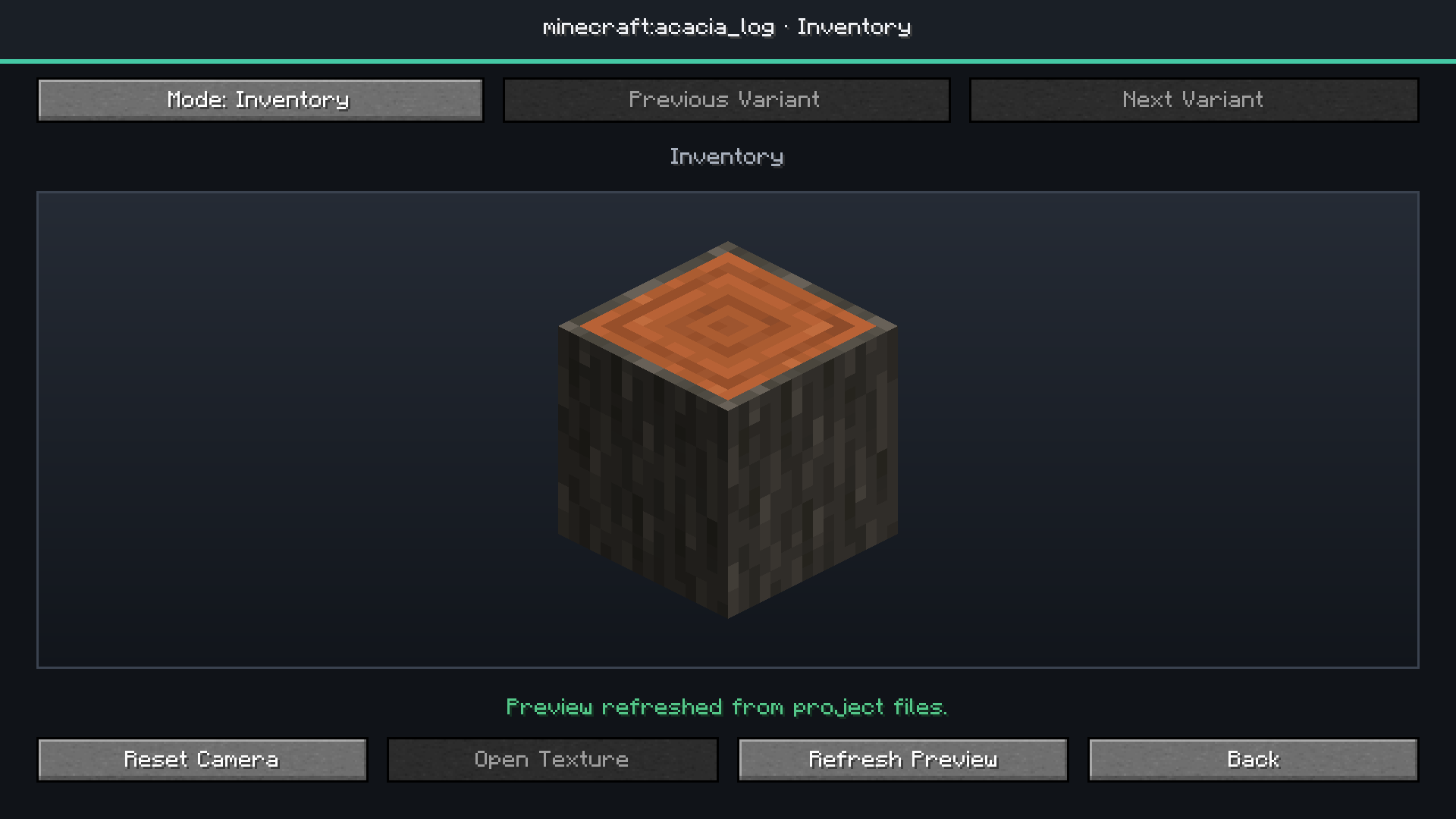 Inventory Mode Preview
 -
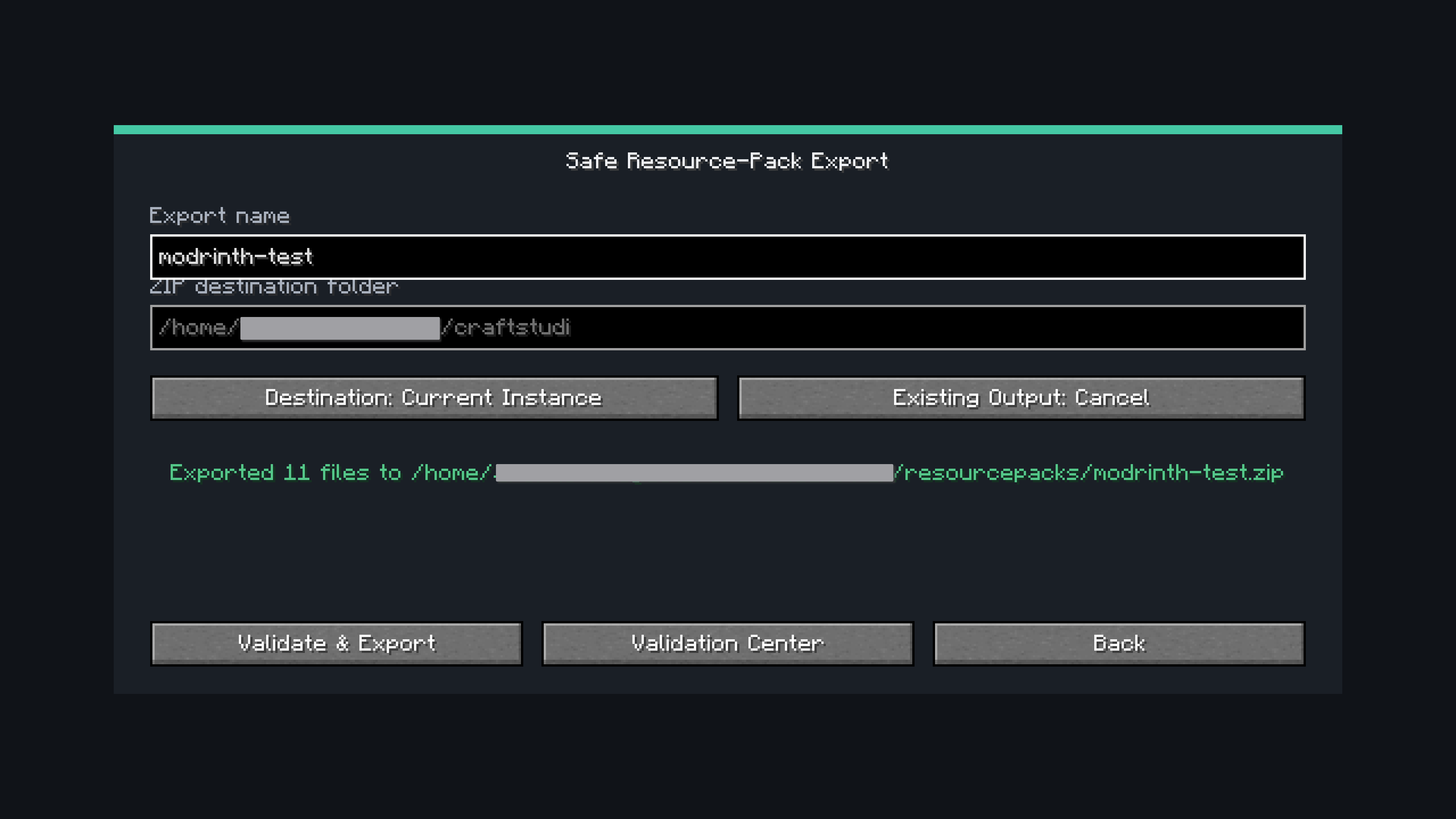 Safe ZIP Export
Versions
Files
Relations
Project Relations
More like this
Similar Mods
Suggestions use data such as tags, dependencies, dependents, descriptions, titles, and more to rank how much they overlap with this mod.
On ModDex
Community snapshot
By the numbers
Statistics

Want to reach Minecraft players?
We're looking for a server hosting partner to feature here and other parts of the site. Interested? Send us a message!
Get in touchGet it on
Available Platforms
On ModDex
Community snapshot
By the numbers
Statistics
Resources