
Community listing page, reviews here may not be monitored by the author.

Community voices
Reviews
No reviews yet. Be the first to review this project!
Get it on
Available Platforms
Compatibility
Supported Environments
Must be installed on both the client and the server.
About
Project Details
For authors
Embed Badge
If you're the author of this project, you can embed a live badge anywhere that supports HTML or Markdown. It updates automatically whenever ratings change.
Use HTML for any page that supports it, or Markdown for README files and Markdown-based descriptions.
Identifiers
Platform IDs
About
Description
Welcome to Crazy Painting! The mod allows players to create and show off art in-game through paintings!
First of all, before anything, huge shoutout to Xerca's Joy of Painting mod. That mod is what inspired me to create my own version with features I wanted to see, on a newer version of the game. Some concepts used from this project are derived from their project.
With that aside...
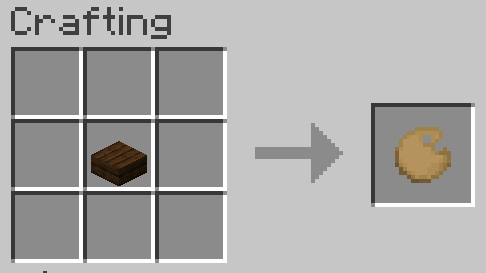
Craft a palette, using one of any wooden slab,
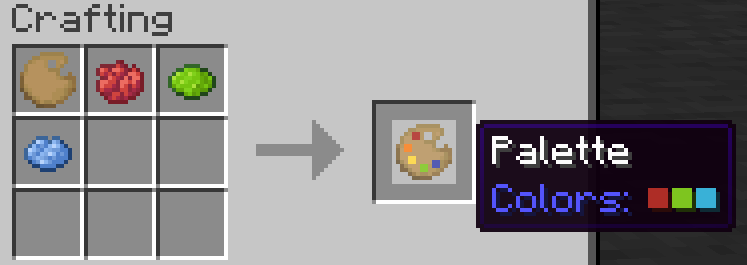
Add some colors to your palette using dyes,
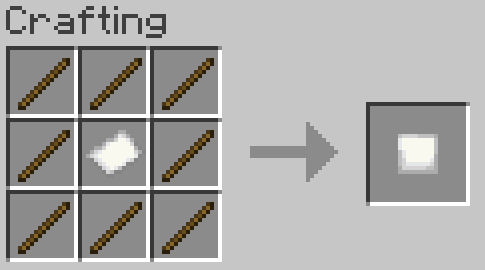
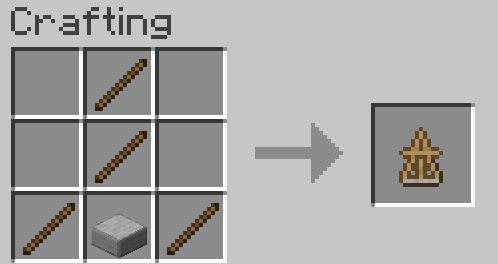
Make a canvas and easel,
And start painting!
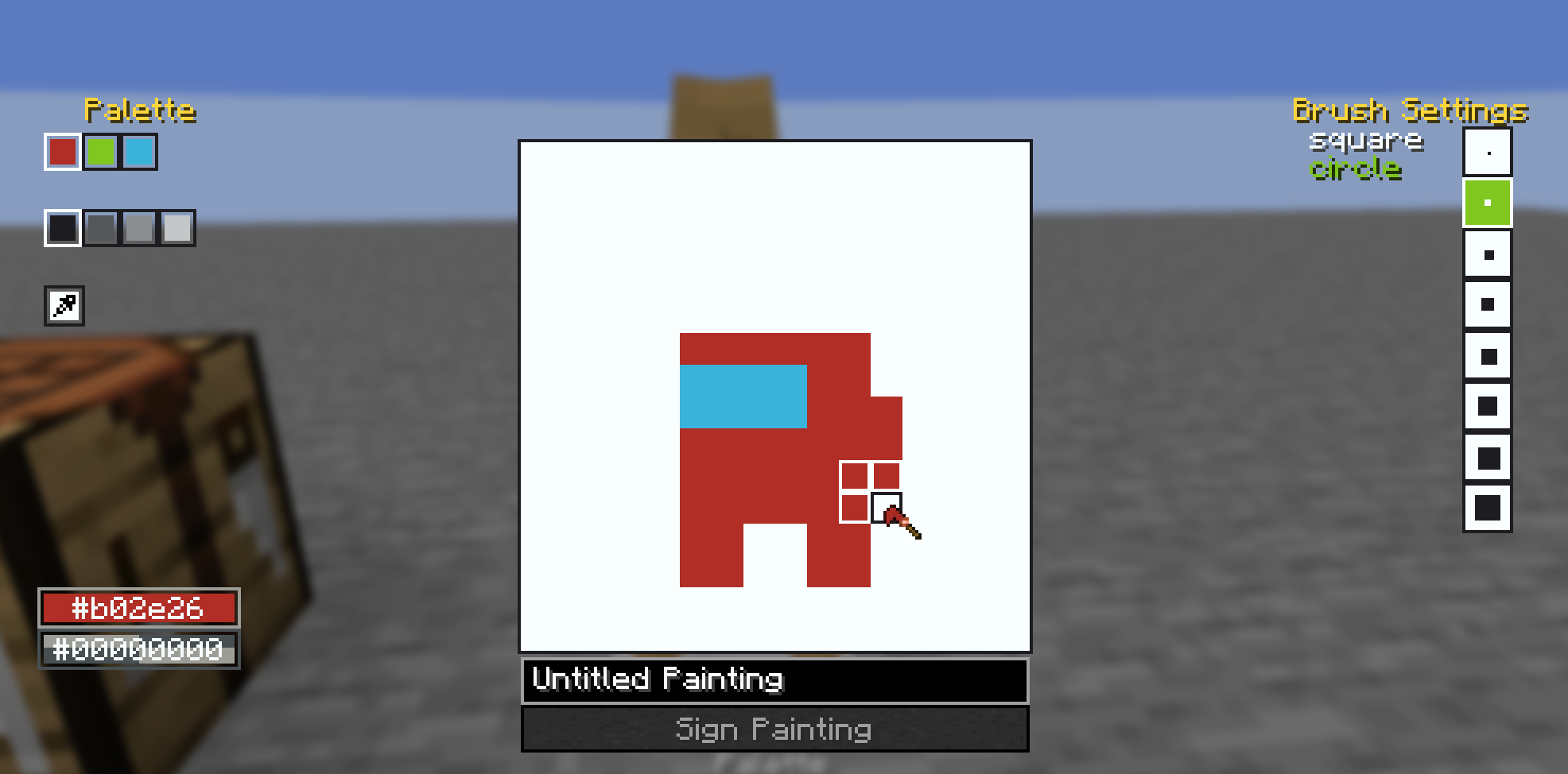
You can also craft larger canvases by combining multiple smaller canvas into a large one in the crafting table, the recipe book can help you with this.
Once you've finished your painting, you can display them on an easel, as well as walls, floors, ceilings, and even shields! See the gallery for examples. You may also combine your finished painting with an empty canvas of the same size to create a copy. Copies are treated the same way as written books are in vanilla, where each subsequent copy of a copy gets older until you cannot create copies anymore.
Also, the editor comes with a built-in help button in the top left of the screen, which goes over the controls and features of the editor in more detail.
Also also, this mod's brushes are data driven! They are stored as .qoi files under assets/crazypainting/brushes/(category_name)/(brush_name).qoi
To actually load these brushes into the game, you need to define them in a json file at the location assets/crazypainting/brushes/brushes.json. For specifics on the formatting, see here. After that, you can load up your resource pack and enjoy your custom brushes!
Screenshots
Gallery
-
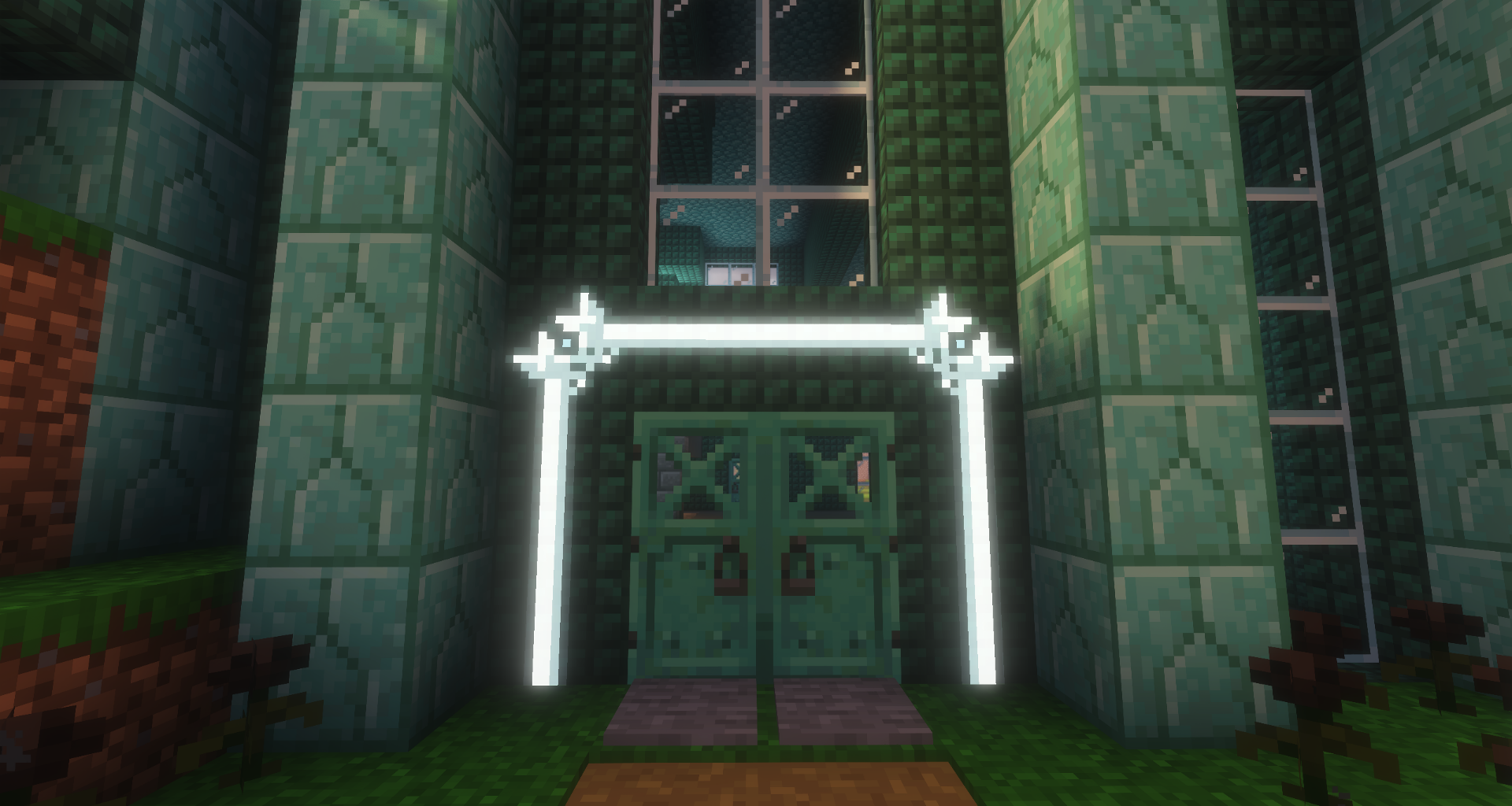 Apply glow ink to make your art glow in the dark! Even works with shaders! Shader is Solas Shader V2.9. Here's a secret: Add a glass pane to your palette to unlock a hidden "transparent" color!
 -
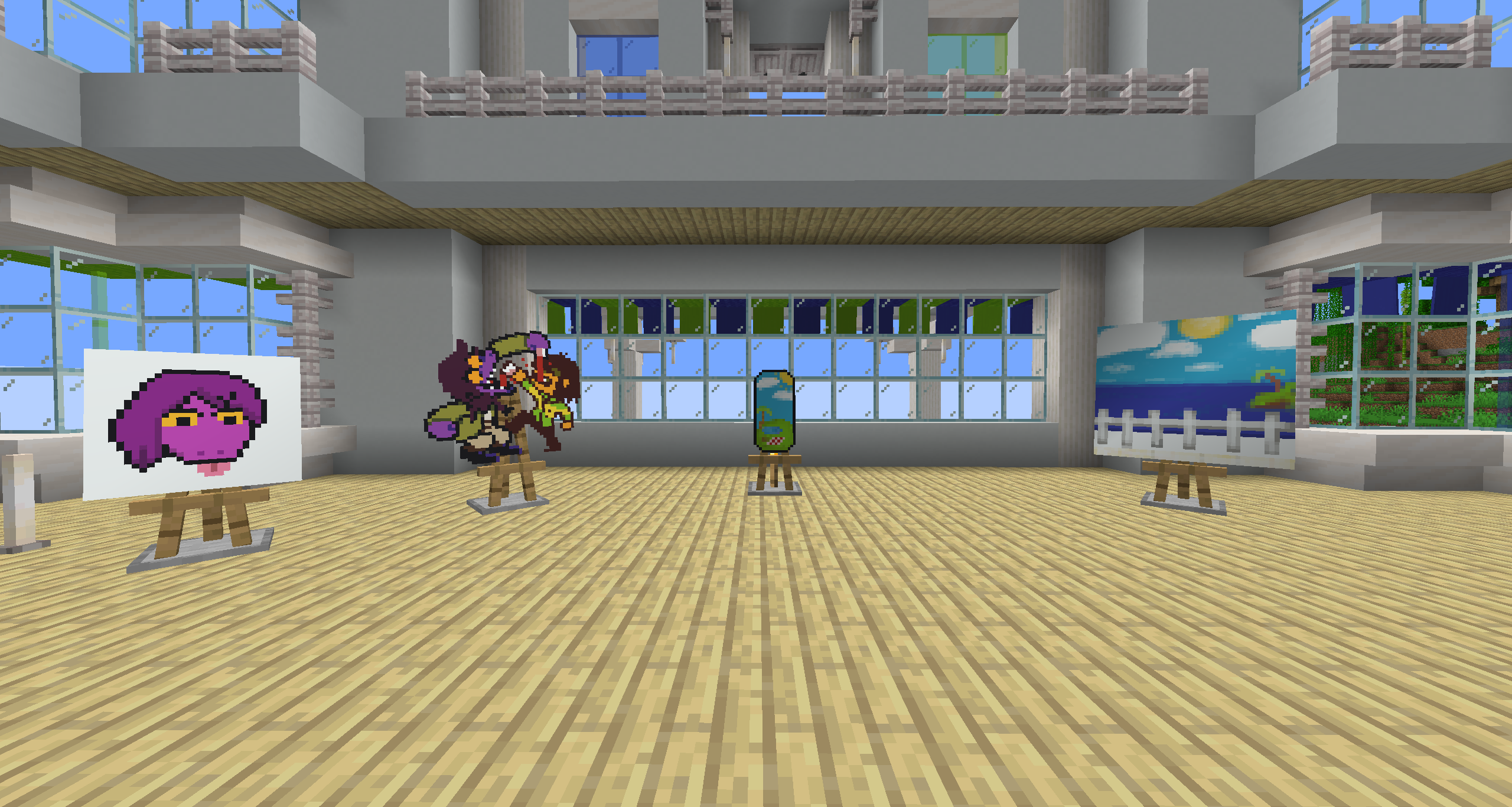 Art Gallery Canvases can be displayed on easels!
 -
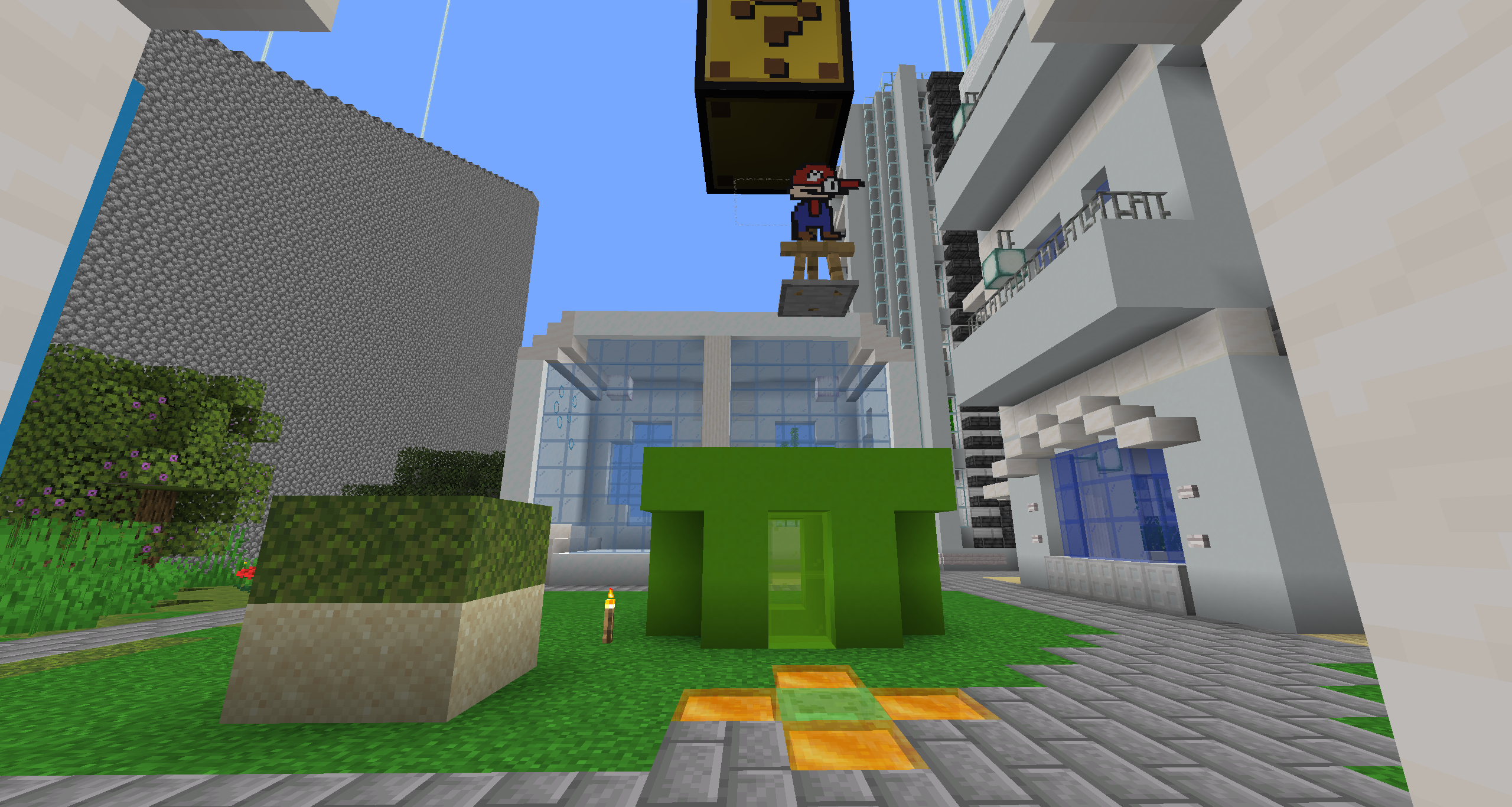 If mario, then only bros... Easels can be moved by water, pistons, slime blocks, etc!
 -
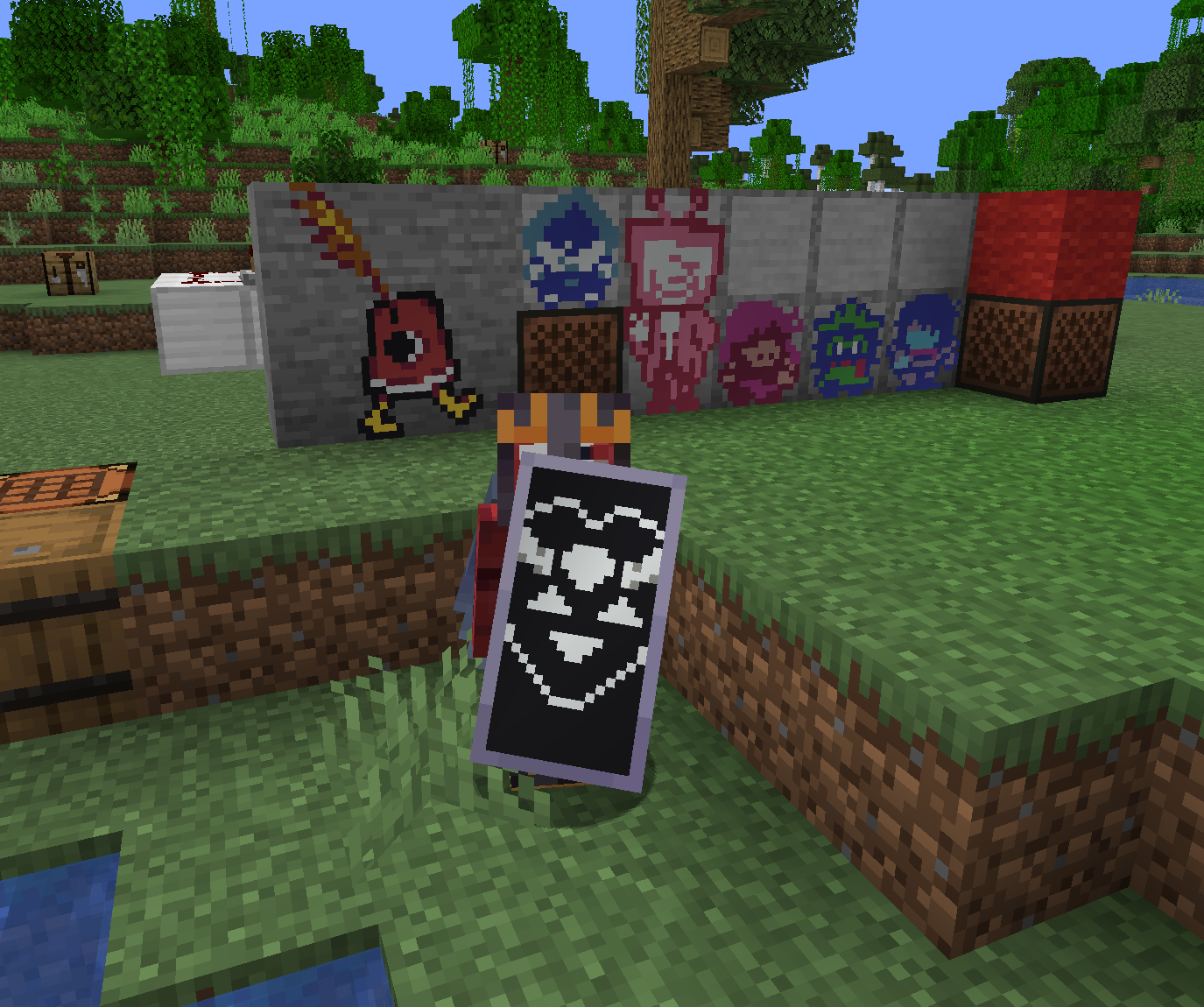 Shields! This mod has nothing to do with Deltarune btw I just like it
 -
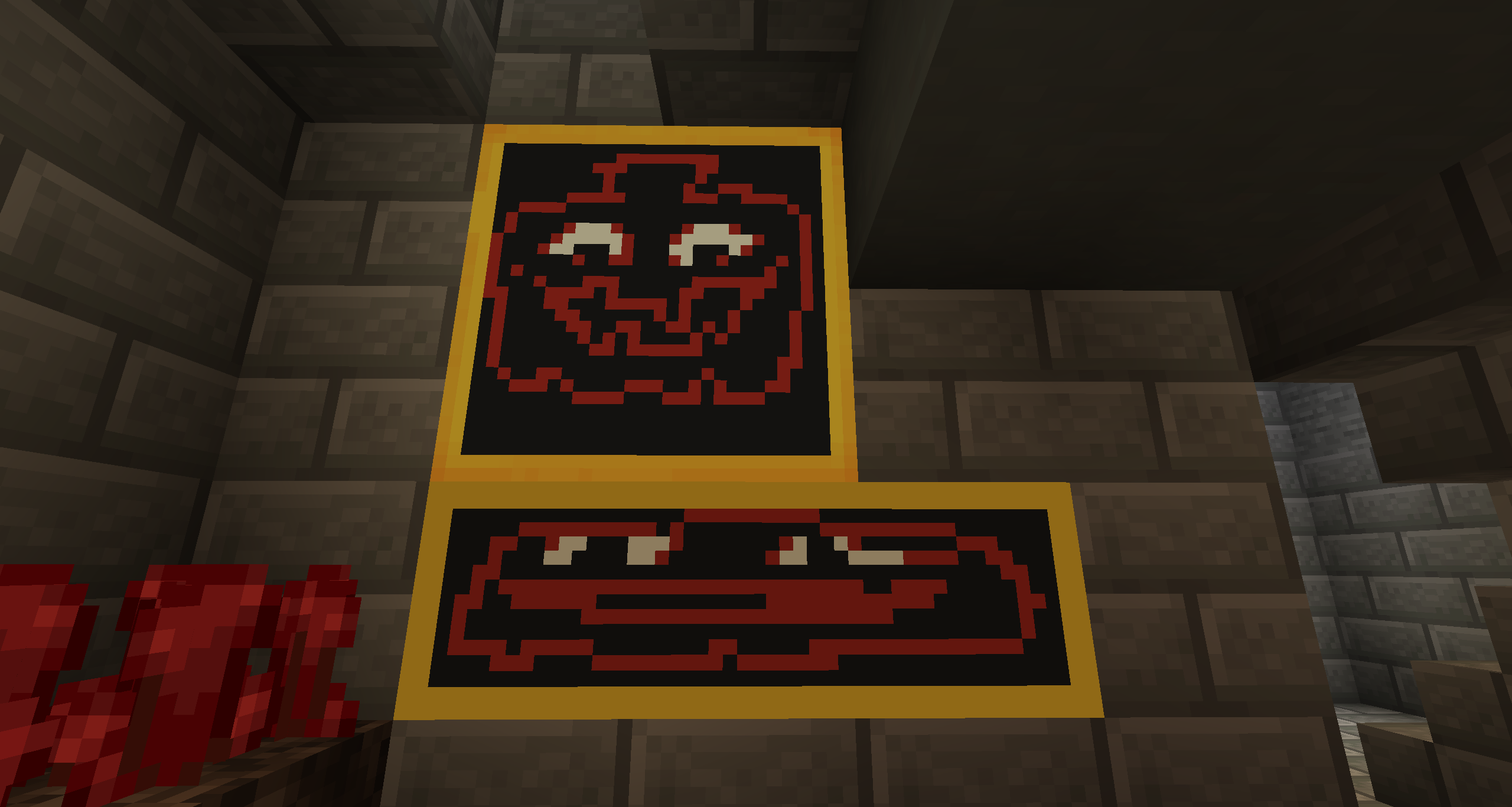 Supports various canvas sizes! Someone was taking too long...
Versions
Files
Relations
Project Relations
More like this
Similar Mods
Suggestions use data such as tags, dependencies, dependents, descriptions, titles, and more to rank how much they overlap with this mod.
On ModDex
Community snapshot
By the numbers
Statistics

Want to reach Minecraft players?
We're looking for a server hosting partner to feature here and other parts of the site. Interested? Send us a message!
Get in touchGet it on
Available Platforms
On ModDex
Community snapshot
By the numbers