Community listing page, reviews may not be monitored by the author.
Create Big Cannons: controller

No reviews yet
Allows remote control of all cannons through an interface

Community voices
Reviews
No reviews yet. Be the first to review this project!
Get it on
Available Platforms
About
Project Details
For authors
Embed Badge
If you're the author of this project, you can embed a live badge anywhere that supports HTML or Markdown. It updates automatically whenever ratings change.
Use HTML for any page that supports it, or Markdown for README files and Markdown-based descriptions.
Identifiers
Platform IDs
Resources
External Links
About
Description
# Create Big Cannons Controller
**An unofficial addon for CBC Scope by Elice** (linked under Relations).
Not affiliated with or endorsed by CBC Scope, Create Big Cannons or Create.
CBC Scope lets you aim cannons through a scope. This addon makes that aiming **smooth and precise**, shows you **where your round will actually land**, and adds the **CRT Gunnery Station** so you can run a whole battery of cannons from one control room.
## CRT Gunnery Station
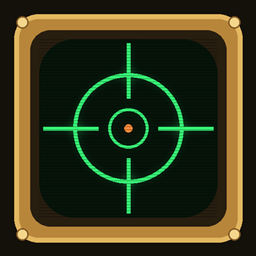
A screen the size of an item frame, with a brass bezel and a glowing green phosphor display.
- **Link a Scope Connector to a cannon** (right-click the cannon with it), then **right-click the screen with it** to load it. The connector is only a link now: scopes open from CRT screens, not from your hand.
- **Right-click the screen** with an empty hand to look through that cannon and control it; **right-click again** to leave. **Left click fires.** While you're scoped your character stays put (no walking or breaking blocks). **Sneak + right-click** takes the connector back out.
- The screen shows the cannon's name (rename the connector in an anvil), **bearing, elevation, cannon type, loaded round, ammo and distance**, with scanlines and flicker. It shows `NO SIGNAL` while the cannon is disassembled or out of reach, `OUT OF RANGE` past the configured range, and `> MANNED` when a player is seated on the cannon.
- One screen per cannon, as many as you like, each link independent. Several screens can watch the same cannon.
- **Works on Sable airships**, including while moving.
**Recipe** (shapeless): Brass Casing + Electron Tube + Glass Pane + Redstone. In CBC Scope's creative tab and Functional Blocks.
## Landing marker
A cross in the scope, replacing CBC Scope's barrel marker, shows where the loaded round will hit, drop included, with its distance and round type. **Green** = it will hit something, **red** = it won't.
- **Autocannons:** exact from the start. Reads barrel material and length, the round in the breech or magazine, and High-Velocity Cartridges. Uses **CBC Going Ballistic**'s own physics when it's installed.
- **Big cannons, Modern Warfare medium and rotary cannons:** learned from the cannon's **first shot** (the screen says `RANGING: FIRE 1` until then), then kept for that mount, even across reassembly.
- Accounts for **airship motion** (rounds inherit the ship's velocity) and stays put when zoomed or moving.
- Rocket launchers keep CBC Scope's own marker (guided rockets can't be predicted).
## Smooth, steady aim
- **Fixes the barrel shake:** the cannon settles and stays exactly on target.
- **Fixes the jerky barrel:** the angle reaches your screen every tick it moves. A still cannon sends nothing.
- **Correct scope camera on airships** (Sable): no jitter against the ship.
## Cannons, mounts and gunners
- Works with **CBC big cannons, autocannons and Modern Warfare cannons**, on **cannon mounts, fixed mounts, upside-down mounts and carriages**.
- **Cosmetic telescopic sight** on every linked cannon, sized to its barrel (hangs underneath on upside-down mounts). Hidden when the cannon already has a Modern Warfare sight.
- **Disassemble and reassemble** a cannon on the same mount and its screens re-link by themselves.
- **A player seated on a cannon keeps control**; linked screens become view-only.
## Cutting links
Someone linked a connector to your cannon? **Sneak + right-click the cannon's barrel with an empty hand.** Every connector and screen linked to it stops working at once, wherever it is (screens show `LINK CUT`). Re-link your own connector afterwards.
## Config
Mods list -> Create Big Cannons Controller -> **Config** (or `config/cbc_controller-common.toml`): CRT reach, max cannon range, link cutting, seated-gunner control, auto re-link, landing marker, learning from shots, cannon sight and its render distance.
## Requirements
- Minecraft **1.21.1**, **NeoForge**
- **CBC Scope 2.2.1+**, **Create Big Cannons 5.11+**, **Create 6.0+**
- Optional: **Sable** (airships), **CBC Going Ballistic** (realistic ballistics), **CBC Modern Warfare**
Install on **both client and server** (it adds a block).
---
MIT licensed. Contains no CBC Scope, Create Big Cannons or Create code or artwork. All textures are original.
Screenshots
Gallery
Versions
Files
Relations
Project Relations
More like this
Similar Mods
Suggestions use data such as tags, dependencies, dependents, descriptions, titles, and more to rank how much they overlap with this mod.
- Create Big Cannons
- Create Big Cannons: Advanced Technologies
- Create Big Cannons: Going Ballistic
- Create Big Cannons: Equally Opposite
- Create Big Cannons: Scope and Laser | Sable Aeronautics Compatible | CBC
- Create Big Cannons: Peripherals
- Create Big Cannons: Damage Nerf
- Create Big Cannons:Simple Scope
- Create Big Cannons: Security Breach
- Create Big Cannons: Fire Support [DEPRECATED]
- Create big cannons - Explosive TNT
- CBC Ballistic Computer
On ModDex
Community snapshot
By the numbers
Statistics

Get it on
Available Platforms
On ModDex
Community snapshot
By the numbers
Statistics
Resources