
Create: Canvas Contraptions
No reviews yet
Adds support for Create contraptions — place images as map-based block entities.
Community voices
Reviews
Click once to include, again to exclude, again to clear
No reviews yet. Be the first to review this project!
Get it on
Available Platforms
 Modrinth
Compatibility
Supported Environments
About
Project Details
For authors
Embed Badge
If you're the author of this project, you can embed a live badge anywhere that supports HTML or Markdown. It updates automatically whenever ratings change.
Use HTML for any page that supports it, or Markdown for README files and Markdown-based descriptions.
Identifiers
Platform IDs
About
Description
Create: Canvas Contraptions
🇯🇵日本語の説明は英語の下にあります!
| Minecraft | Create | ~0.1.2 | 0.2.0~ |
|---|---|---|---|
| NeoForge 1.21.1 | 6.0.6-6.0.10 | 〇 | 〇 |
| Forge 1.20.1 | 6.0.6-6.0.8 | 〇 | × |
Overview
Create: Canvas Contraptions is a Minecraft mod that brings dynamic image display to your world. Import images from your system as maps and place them on blocks. Because it is fully integrated with the Create mod, these images can be placed on moving Contraptions and Trains.
Features
Items
- Blank Drafting Paper: The starting point for your art. Right-click this item to import an image from your system. Once imported, it becomes a Filled Drafting Paper.
- Filled Drafting Paper: Allows you to select image tiles and place them onto blocks.
- Note: This item is consumed upon use.
- Drafting Tablet: The ultimate tool for artists. It retains all the functionality of the Drafting Papers but features a built-in library that can store up to 16 images. It does not break upon use.
- Painted Block: The visual output block that displays your image. This is a system-generated block and is not available as a standard craftable item.
Mechanics
-
Image Placement: When placing an image while survival using a Filled Drafting Paper or Drafting Tablet, the process consumes Cyan, Magenta, Yellow, and Black dyes from your inventory (This is configurable on 0.2.0+).
-
Create Compatibility: Images placed using this mod remain intact and visible when moved by Create Contraptions or Trains.
-
TIP: You can rotate the image using a wrench.
Recommendations
- Duplicate your papers: Since the Filled Drafting Paper is consumed when you place an image, it is highly recommended to duplicate your filled papers in a crafting grid before using them.
- Work in Progress: This mod was originally developed for a private server. Please be aware that debugging and optimization are currently incomplete. You may encounter minor issues or performance quirks.
Requirements
- Minecraft: 1.20.1 / 1.21.1
- Loader: Forge (1.20.1) / NeoForge (1.21.1)
- Create Mod: 6.0.6-6.0.8 / 6.0.6-6.0.10
License
MIT License
Create: Canvas Contraptions 日本語版
| Minecraft | Create | ~0.1.2 | 0.2.0~ |
|---|---|---|---|
| NeoForge 1.21.1 | 6.0.6-6.0.10 | 〇 | 〇 |
| Forge 1.20.1 | 6.0.6-6.0.8 | 〇 | × |
概要
Create: Canvas Contraptions は、コンピューター上の画像をマップとしてMinecraft内にインポートし、ブロックとして配置できるModです。Create Modのために作られ、配置した画像は「からくり」や「列車」に乗せて動かすことができます。
- Create Aeronauticsとも一緒に使えます!
特徴
アイテム・ブロック詳細
- 白紙の設計図:
- 右クリックで使用すると、システム内の画像をマップとしてインポートできます。インポートが完了すると「書き込み済みの設計図」に変化します。
- 書き込み済みの設計図:
- 右クリックで画像のタイルを選択し、対象のブロックを右クリックすることで画像を設置できます。
- 注意: 設置時に消費されて消滅します。使用する前に、作業台で「白紙の設計図」と合わせて複製しておくとよいでしょう。
- 設計用タブレット:
- 「白紙の設計図」と「書き込み済みの設計図」の両方の機能を備えた上位アイテムです。
- 最大16件の画像をライブラリとして保存可能で、使用してもアイテム自体は壊れません。
- 塗装済みブロック:
- 画像を表示するためのブロックです。アイテムとしては存在せず、設置時にシステムによって自動的に生成されます。
メカニクス
-
染料の消費: サバイバルで画像を設置する際、青緑色、赤紫色、黄色、黒色の染料を各1個ずつ消費します。(この仕組みは設定で無効にできます)
-
Create互換性: このModで設置した画像は、Createのからくりや列車で移動させても正しく表示・追従します。
-
ヒント: レンチを使って画像を回転できます
重要:注意事項
このModは元々制作者個人のサーバー用に作成されたものです。デバッグや最適化は完全ではありません。予期せぬ挙動やパフォーマンスへの影響が生じる可能性があることをご理解の上、ご利用ください。
ライセンス
MIT License
Screenshots
Gallery
-
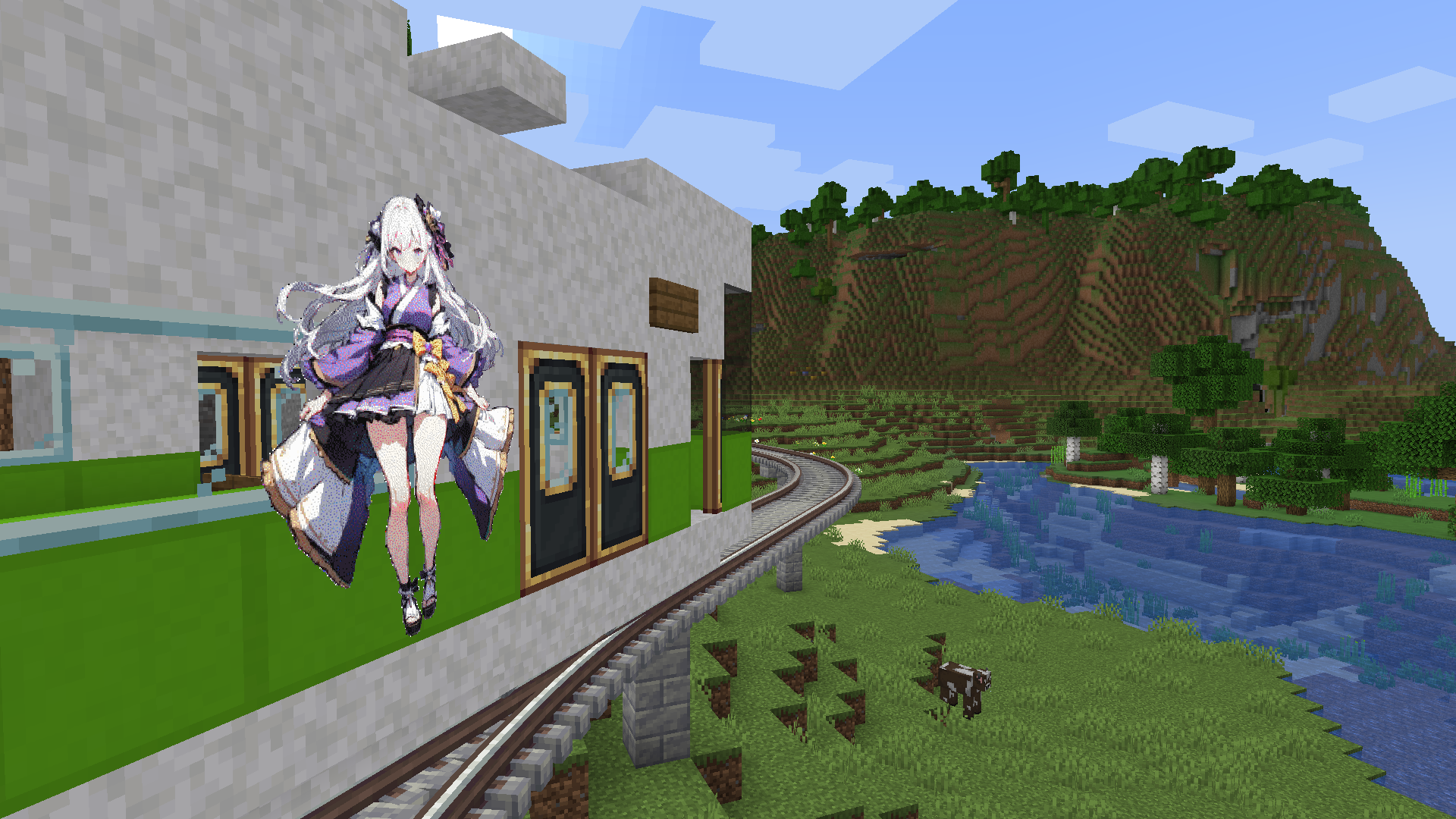
Placed Images (Contraptions) A train decorated with anime-style illustrations
-
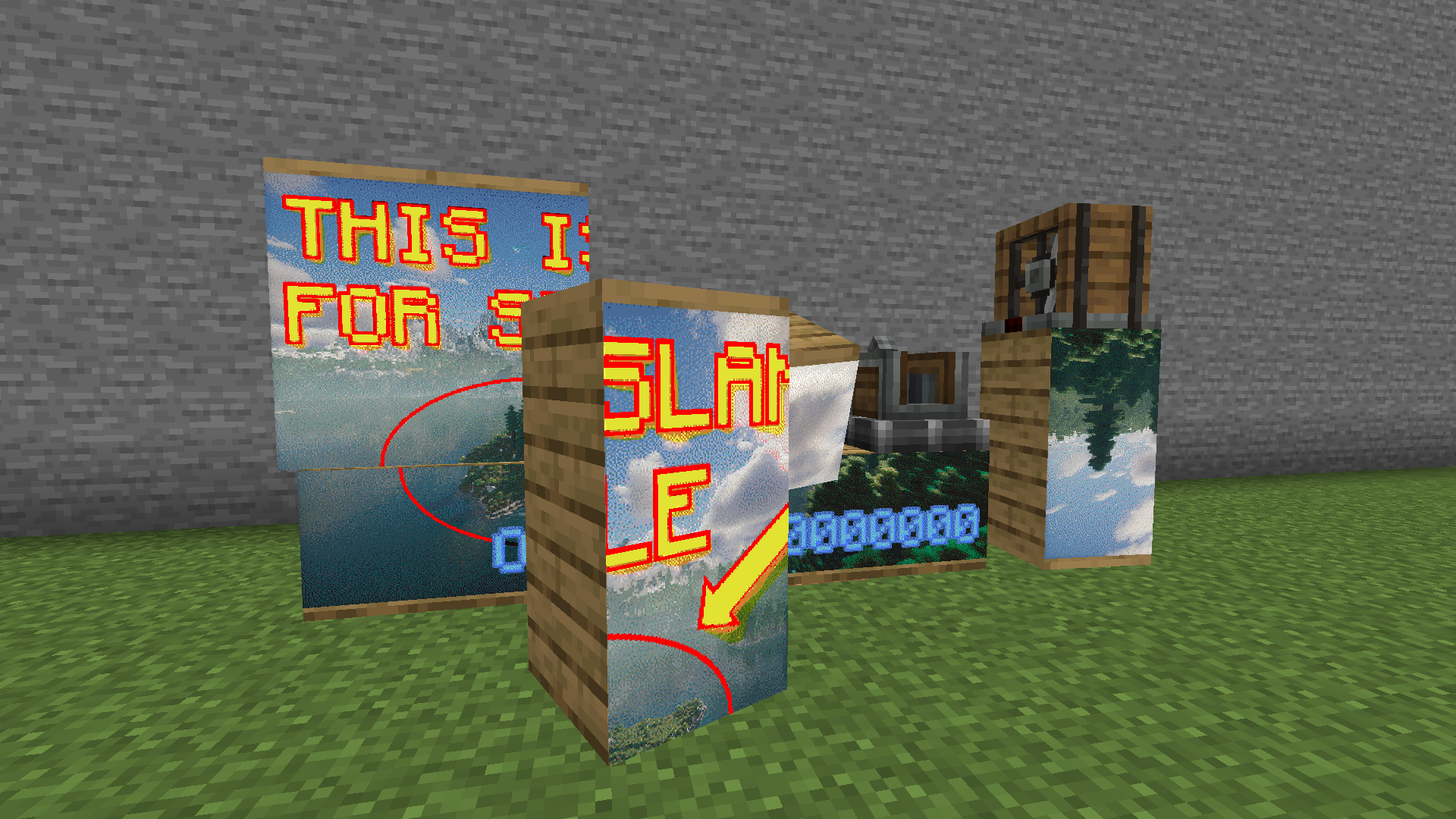 Placed Images (sub-levels) Images exist within the sub-levels of Sable, along with the Create Aeronautics block.
 -
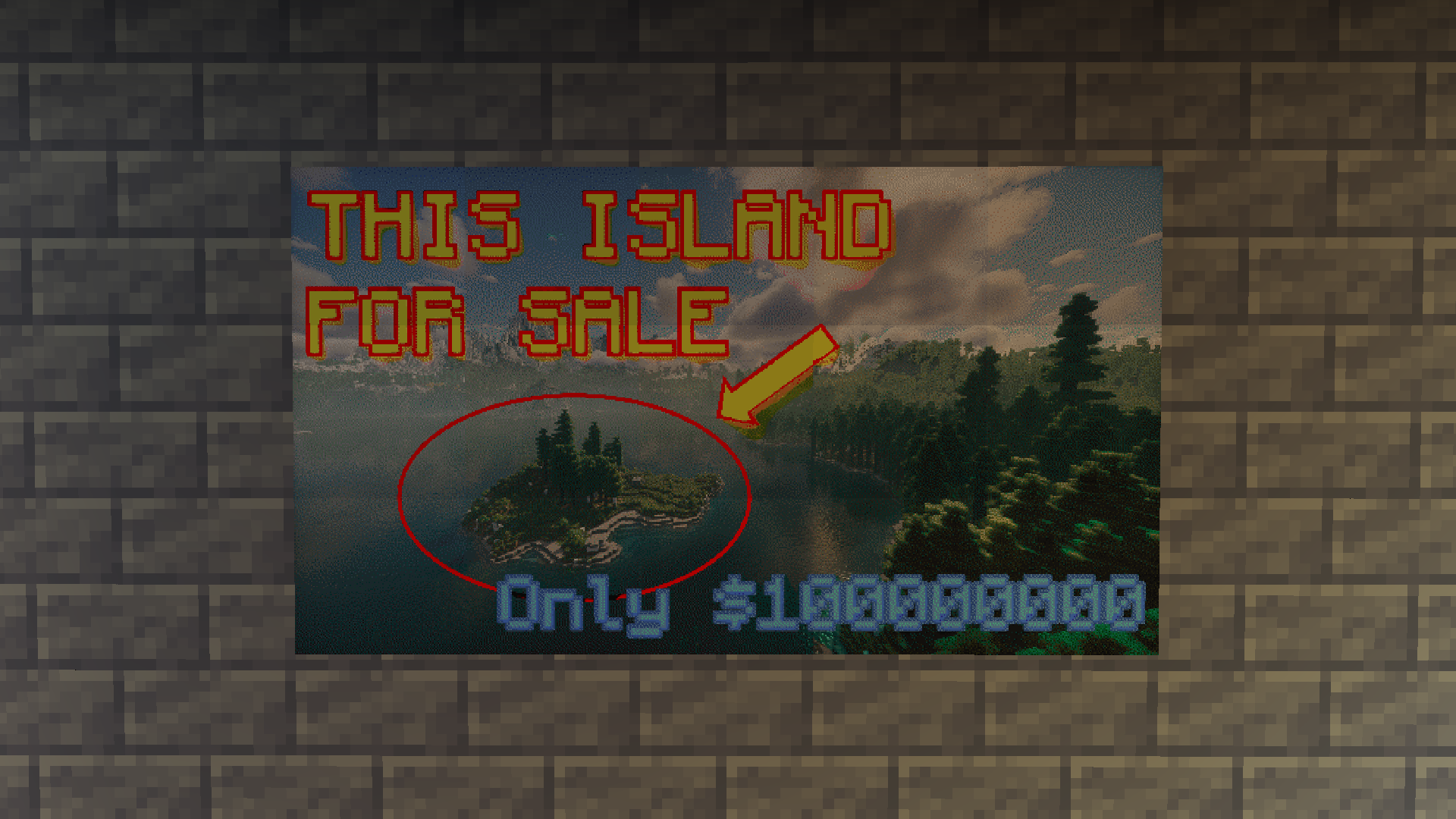 Placed Images Advertisement image placed on the wall
 -
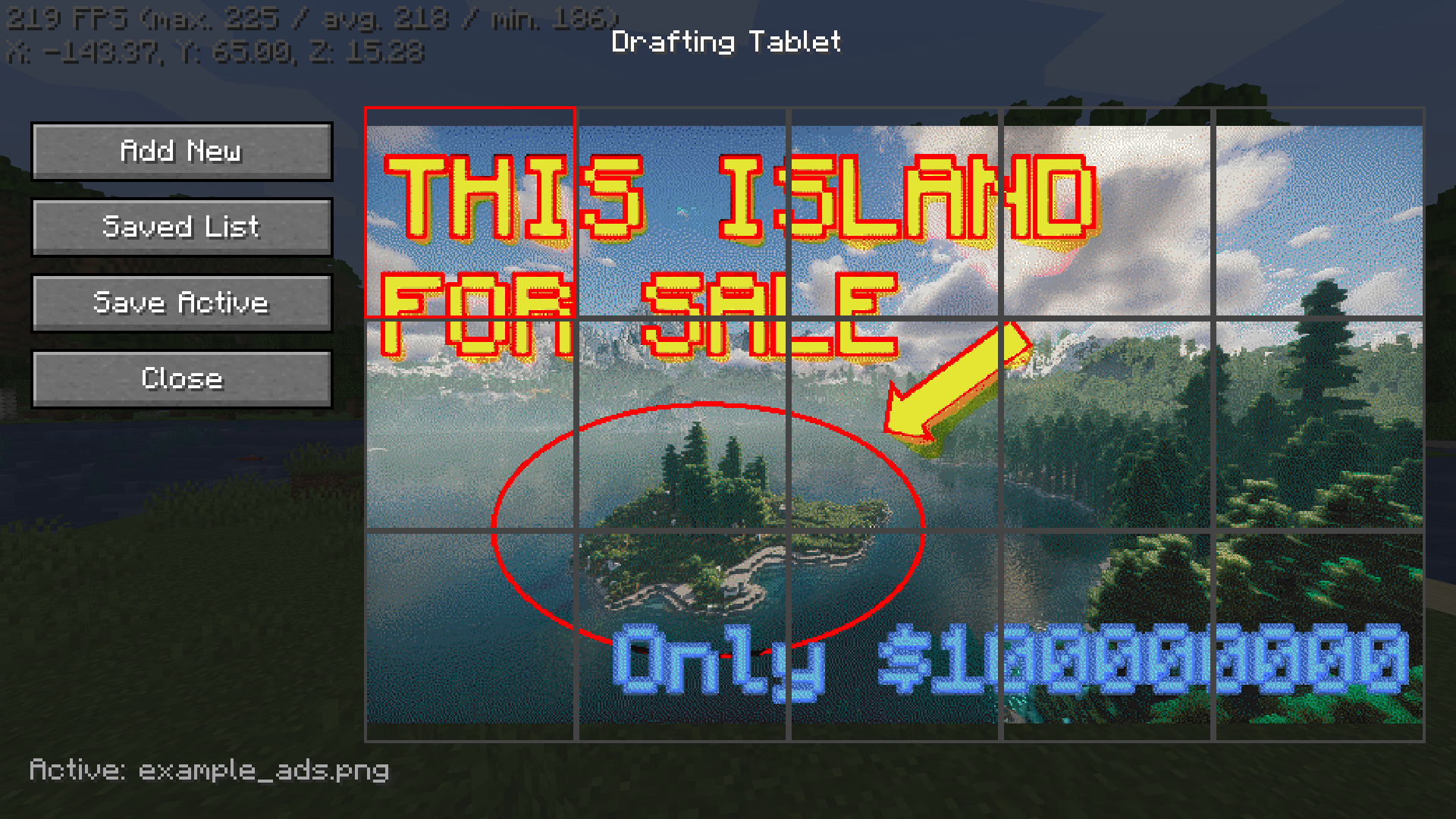 Drafting Tablet GUI Intuitive image tile selection GUI
Versions
Files
Relations
Project Relations
More like this
Similar Mods
Suggestions use data such as tags, dependencies, dependents, descriptions, titles, and more to rank how much they overlap with this mod.
On ModDex
Community snapshot
By the numbers
Statistics

Want to reach Minecraft players?
We're looking for a server hosting partner to feature here and other parts of the site. Interested? Send us a message!
Get in touchGet it on
Available Platforms
On ModDex
Community snapshot
By the numbers