
Community listing page, reviews here may not be monitored by the author.
Create: Capsule Corp.


No reviews yet
Capture, store, and redeploy Sable simulated contraptions using capsules.
Community voices
Reviews
No reviews yet. Be the first to review this project!
Get it on
Available Platforms
Compatibility
Supported Environments
Must be installed on both the client and the server.
About
Project Details
For authors
Embed Badge
If you're the author of this project, you can embed a live badge anywhere that supports HTML or Markdown. It updates automatically whenever ratings change.
Use HTML for any page that supports it, or Markdown for README files and Markdown-based descriptions.
Identifiers
Platform IDs
About
Description
Haven't you ever thought, “Man, it would be great if I could just easily transport my little off-road vehicle into the Nether,” or “If only I could easily bring my portable drill onto my airship to go mine a few thousand blocks away”? No? Okay, move along.
But if transporting all your contraptions is a headache for you, and you don’t know what to do with your five different aircraft models, then this addon is for you.
Feature
- Use the Capsule Reader to scan and capture nearby contraptions.
- Capture named simulated contraptions inside tiered capsules.
- Throw filled capsules to redeploy contraptions anywhere you want.
- Use the Capsule Wallet to easily transport your capsules.
- Lots of configuration options available to meet your needs.
- Thanks to the API developed by Rew1nd, retain all the original settings of your contraption.
Items and Blocks
Capsule Reader
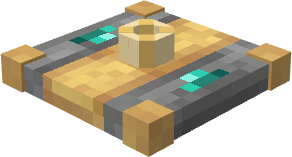
The Capsule Reader is used to capture a simulated contraption.
Place it on the contraption you want to capture, then right-click it with an empty capsule. The contraption must be named before it can be captured.
Capsules
Capsules are used to store captured contraptions.
Available tiers:
- Copper Capsule 
- Iron Capsule 
- Gold Capsule 
- Diamond Capsule 
- Netherite Capsule
Once filled, a capsule takes the name of the captured contraption.
Throw a filled capsule to redeploy the contraption.
Capsule Wallet
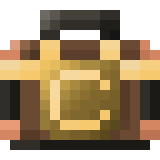
The Capsule Wallet can store multiple capsules in a single item. We keep it simple. Max capacity is configurable.
Demo
Configuration
You can configure:
- capsule capacities
- capsule wallet slots
- capsule throw velocity
- automatic deploy delay
- post-deployment stabilization time
- nearby deployment search radius
Default maximum capsule capacity is currently capped at 8192 blocks to avoid oversized ItemStack NBT and network issues. This is subject to change later !
Dependencies
Required:
NeoForge;
Create;
Sable;
Sable Schematic API by Rew1nd
LDLib2
Contributing
This project is open source and released under the MIT license.
Anyone is welcome to use it, test it, report issues, suggest improvements, or contribute code.
Feedback is especially welcome for:
- Sable compatibility
- large contraption behavior
- deployment edge cases
- multiplayer/server testing
- balancing capsule capacities
Haven't you ever thought, “Man, it would be great if I could just easily transport my little off-road vehicle into the Nether,” or “If only I could easily bring my portable drill onto my airship to go mine a few thousand blocks away”? No? Okay, move along.
But if transporting all your contraptions is a headache for you, and you don’t know what to do with your five different aircraft models, then this addon is for you.
Features:
- Use the Capsule Reader to scan and capture nearby contraptions.
- Capture named simulated contraptions inside tiered capsules.
- Throw filled capsules to redeploy contraptions anywhere you want.
- Use the Capsule Wallet to easily transport your capsules.
- Lots of configuration options available to meet your needs.
- Thanks to the API developed by Rew1nd, retain all the original settings of your contraption.
Items and Blocks
Capsule Reader
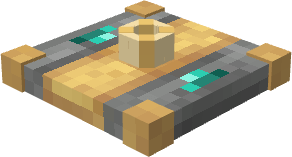
The Capsule Reader is used to capture a simulated contraption.
Place it on the contraption you want to capture, then right-click it with an empty capsule. The contraption must be named before it can be captured.
Capsules
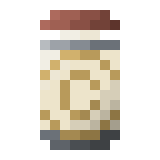
Capsules are used to store captured contraptions.
Available tiers:
- Copper Capsule
- Iron Capsule
- Gold Capsule
- Diamond Capsule
- Netherite Capsule
Once filled, a capsule takes the name of the captured contraption.
Throw a filled capsule to redeploy the contraption.
Capsule Wallet
The Capsule Wallet can store multiple capsules in a single item. We keep it simple. Max capacity is configurable.
Demo
Configuration
You can configure:
- capsule capacities
- capsule wallet slots
- capsule throw velocity
- automatic deploy delay
- post-deployment stabilization time
- nearby deployment search radius
Default maximum capsule capacity is currently capped at 8192 blocks to avoid oversized ItemStack NBT and network issues. This is subject to change later !
Dependencies
Required:
NeoForge; Create; Sable; Sable Schematic API by Rew1nd ; LDLib2
/!\ Important : use the sable-schematic-api.jar from my github for it to work (will fix this later) /!\
Contributing
This project is open source and released under the MIT license.
Anyone is welcome to use it, test it, report issues, suggest improvements, or contribute code.
Feedback is especially welcome for:
- Sable compatibility
- large contraption behavior
- deployment edge cases
- multiplayer/server testing
- balancing capsule capacities
Screenshots
Gallery
-
 model.png model.png
 -
 netherite_capsule1.png netherite_capsule1.png
 -
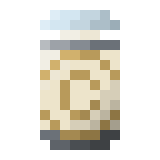 iron_capsule1.png iron_capsule1.png
 -
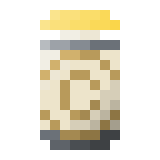 gold_capsule1.png gold_capsule1.png
 -
 diamond_capsule1.png diamond_capsule1.png
 -
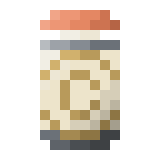 copper_capsule1.png copper_capsule1.png
 -
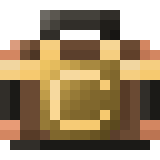 capsule_wallet1.png capsule_wallet1.png
-
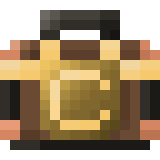 Capsule Wallet
 -
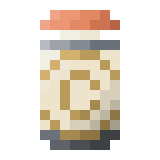 Copper Capsule
 -
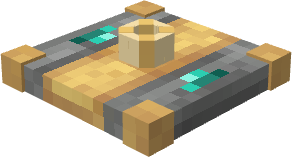 Capsule Reader
 -
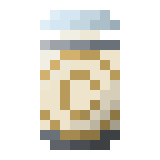 Iron Capsule
 -
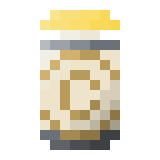 Gold Capsule
 -
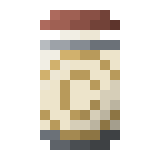 Netherite Capsule
 -
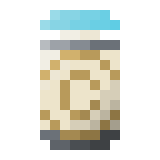 Diamond Capsule
Versions
Files
Relations
Project Relations
More like this
Similar Mods
Suggestions use data such as tags, dependencies, dependents, descriptions, titles, and more to rank how much they overlap with this mod.
On ModDex
Community snapshot
By the numbers
Statistics
Want to reach Minecraft players?
We're looking for a server hosting partner to feature here and other parts of the site. Interested? Send us a message!
Get in touchGet it on
Available Platforms
On ModDex
Community snapshot
By the numbers