Community listing page, reviews here may not be monitored by the author.
Create Delivery Area

No reviews yet
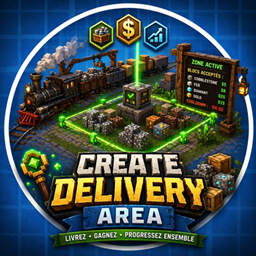
Community logistics mod for NeoForge 1.21.1. Create delivery zones where players drop off blocks to earn money. Auto-detection, configurable rewards, cooldowns, particle borders, leaderboard, and HUDCreator economy integration. Perfect for SMP servers.
Community voices
Reviews
No reviews yet. Be the first to review this project!
Get it on
Available Platforms
About
Project Details
For authors
Embed Badge
If you're the author of this project, you can embed a live badge anywhere that supports HTML or Markdown. It updates automatically whenever ratings change.
Use HTML for any page that supports it, or Markdown for README files and Markdown-based descriptions.
Identifiers
Platform IDs
Resources
External Links
About
Description
● Create Delivery Area
A community logistics mod for NeoForge 1.21.1 designed for multiplayer servers. Set up delivery
zones where players transport and deposit resources to earn money. Perfect for train-based logistics
with Create mod or any SMP economy.
---
How it works
1. An admin places a Delivery Zone Controller block and creates a zone
2. The admin defines the zone area with the Zone Wand and configures which blocks are accepted and
how much they pay
3. Players deposit whitelisted blocks inside the zone
4. Every 30 seconds, the zone automatically scans for valid blocks, removes them, and credits money
to the nearest player
5. The zone enters a configurable cooldown (default 5 min) before accepting new deliveries
---
Features
- Automatic delivery detection - No manual validation needed, zones scan periodically and pay
players automatically
- Manual validation - Right-click the controller or use /deliveryzone validate as a backup
- HUDCreator economy integration - Delivery rewards are credited directly as server money (optional,
works without HUDCreator too)
- Visual zone borders - Green particles when available, red particles during cooldown
- Zone entry notification - Players see accepted blocks and prices when entering a zone
- Shift+click info - Shift+right-click the controller to see zone details anytime
- Leaderboard - Track top contributors across the server
- Fully configurable - Cooldown, scan interval, zone size, reward values, minimum threshold, and
more
---
Items & Blocks
Delivery Zone Controller - The core block. Links to a delivery zone. Right-click to validate,
Shift+click for info.
Zone Wand - Selection tool. Left-click = corner 1, Right-click = corner 2. Used with /deliveryzone
setarea.
---
Commands
All commands require permission level 2 (OP).
Zone Setup
- /deliveryzone create <name> - Create a zone linked to the controller you're looking at
- /deliveryzone setarea <name> - Set the zone area using your Zone Wand selection
- /deliveryzone delete <name> - Delete a zone
Block Configuration
- /deliveryzone setpoints <name> <block> <value> - Set price per block (auto-adds to whitelist)
- /deliveryzone whitelist <name> add <block> - Add a block to the whitelist
- /deliveryzone whitelist <name> remove <block> - Remove a block from the whitelist
- /deliveryzone whitelist <name> list - Show all accepted blocks and their values
Information
- /deliveryzone info <name> - Show zone details (area, status, whitelist)
- /deliveryzone list - List all zones with their status
- /deliveryzone validate <name> - Manually trigger zone validation
Player Stats
- /deliveryzone points [player] - Show delivery points (yours or another player's)
- /deliveryzone leaderboard - Show top 10 contributors
Admin
- /deliveryzone reload - Reload configuration
---
Configuration
Located in serverconfig/createdeliveryarea-server.toml :
- cooldownSeconds (default: 300) - Cooldown after validation in seconds
- maxZoneSize (default: 64) - Max zone size per axis
- defaultPointValue (default: 1) - Default point value if not set per block
- minimumDeliveryThreshold (default: 1) - Minimum points to accept a delivery
- autoScanIntervalSeconds (default: 30) - Auto-scan interval, 0 = manual only
- autoScanPlayerRadius (default: 32) - Radius to find nearest player for auto-scan
- moneyPerPoint (default: 1.0) - Money per point, 0 = no money rewards
- particlesEnabled (default: true) - Show border particles
- soundEnabled (default: true) - Play sound on validation
---
Quick Setup Guide
1. /give @s createdeliveryarea:delivery_zone_controller
2. /give @s createdeliveryarea:zone_wand
3. Place the controller block
4. Look at it -> /deliveryzone create myzone
5. Left-click corner 1 with wand, right-click corner 2
6. /deliveryzone setarea myzone
7. /deliveryzone setpoints myzone minecraft:cobblestone 5
8. Place cobblestone in the zone -> auto-validated after 30s!
---
Dependencies
- NeoForge 1.21.1 (21.1.77+) - Required
- HUDCreator - Optional (for money rewards)
- Create - Optional (designed for train logistics but works standalone)
Screenshots
Gallery
Versions
Files
Relations
Project Relations
More like this
Similar Mods
Suggestions use data such as tags, dependencies, dependents, descriptions, titles, and more to rank how much they overlap with this mod.
On ModDex
Community snapshot
By the numbers
Statistics
Want to reach Minecraft players?
We're looking for a server hosting partner to feature here and other parts of the site. Interested? Send us a message!
Get in touchGet it on
Available Platforms
On ModDex
Community snapshot
By the numbers
Statistics
Resources