
Community listing page, reviews may not be monitored by the author.
Create: Display Link Plus

No reviews yet
One Create Display Link, many displays: multiple targets, label templates, list formats and clipboard support

Community voices
Reviews
No reviews yet. Be the first to review this project!
Get it on
Available Platforms
About
Project Details
For authors
Embed Badge
If you're the author of this project, you can embed a live badge anywhere that supports HTML or Markdown. It updates automatically whenever ratings change.
Use HTML for any page that supports it, or Markdown for README files and Markdown-based descriptions.
Identifiers
Platform IDs
Resources
External Links
About
Description
Create: Display Link Plus
One Display Link, many displays. An addon for Create that makes the Display Link far more flexible: one link can feed several displays and lines, labels can put the value anywhere you like, lists get custom row formats, and link settings can be copied with Create's Clipboard.
Requires Create 6.0.10+ on NeoForge 1.21.1. Install on both the client and the server.
🔗 Multiple displays per link
- Open a Display Link: each numbered tab on the left is one entry with its own information type, settings, display and line.
- + adds an entry on the next free line of the same display. The trash button removes the current entry.
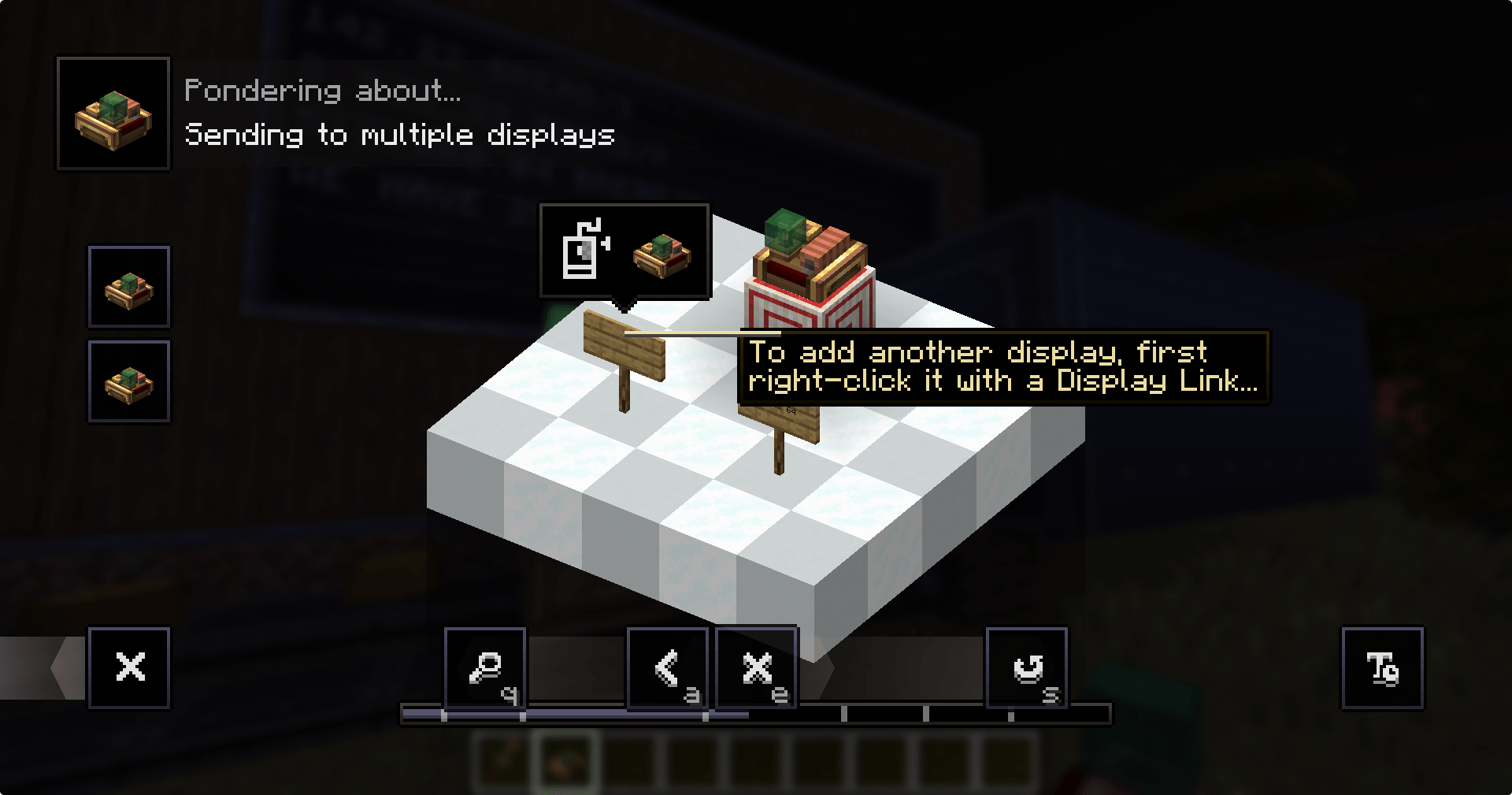
- Add another display: right-click the display with a Display Link item (as usual), then right-click the existing Display Link. The display is added as a new entry instead of placing a second link.
- Up to 8 entries per link (server config
maxEntriesPerLink). - Entries respect each other's lines just like separate links do: a list stops where another entry writes. Tabs show a red ! when two entries start on the same line.
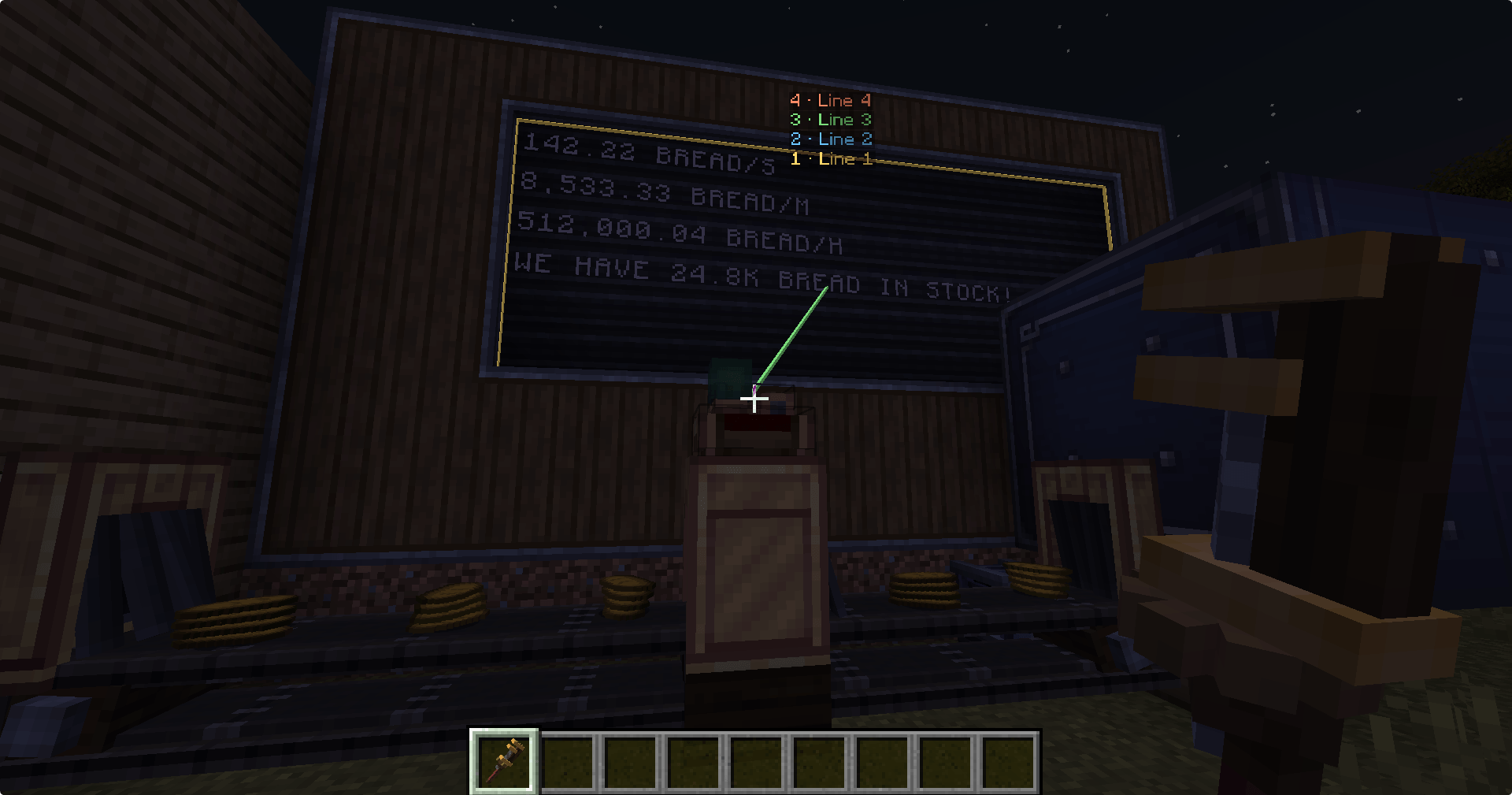
👀 See where a link writes
Look at a Display Link while holding a Wrench, Display Link or Clipboard, or while wearing Goggles: every target is outlined, connected with a line, and labelled with its entry number and line.
🏷️ Label templates
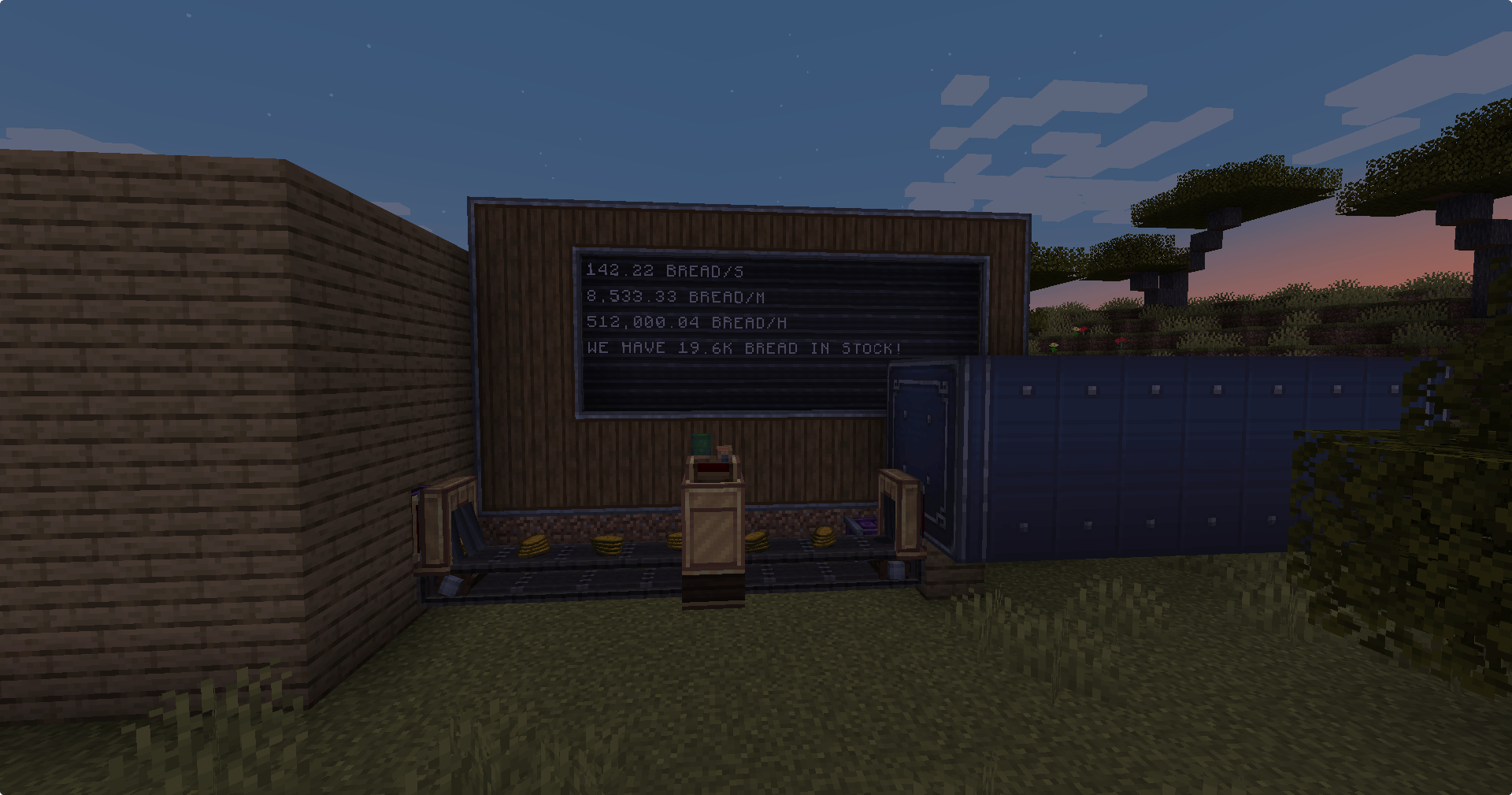
Put {} in a label to place the value where you want it.
| Label | Shows |
|---|---|
We have {} bread in stock |
We have 64 bread in stock |
{} items/s |
12 items/s |
Bread (no {}) |
Bread 64 (Create's normal format) |
Number formats: {k} → 1.2k / 3.4M · {,} → 1,234,567 · {.1} → one decimal ({.0}–{.3}). Units such as mB or RPM are kept.
📋 List row formats
List sources (List matching Items / Fluids, Factory Gauge status, Scoreboard) get a Row format box.
| Row format | Shows |
|---|---|
{name}: {count} |
Bread: 1k |
{count:,}x {name} |
1,234x Bread |
| (empty) | Create's own layout |
{count} follows the list's Shortened / Full Number setting; {count:k}, {count:,} and {count:.N} format the full amount.
📎 Clipboard support
Right-click a Display Link with Create's Clipboard to copy all its entries, left-click another link to paste. Each existing entry keeps its own display and gets the copied information, settings and line. Extra copied entries are added with the same relative target, so an identical setup next to the original is reproduced completely.
📖 Ponder
Hold a Display Link and press W: a new Ponder scene walks through all of the above.
Compatibility
- Existing Display Links keep working: Create's own data is entry 1, extra entries are stored separately.
- Removing the addon falls back to entry 1 of each link. Labels containing
{}then show the raw text. - Modpacks: feel free to include it.
Not affiliated with the Create team. Create is © the Create Team.
Screenshots
Gallery
-
 java_wHA6ljmMrK.png java_wHA6ljmMrK.png
-
 java_cIADIxFE3D.png java_cIADIxFE3D.png
-
 java_dV6VLetkUM.png java_dV6VLetkUM.png
Versions
Files
Relations
Project Relations
More like this
Similar Mods
Suggestions use data such as tags, dependencies, dependents, descriptions, titles, and more to rank how much they overlap with this mod.
On ModDex
Community snapshot
By the numbers
Statistics

Get it on
Available Platforms
On ModDex
Community snapshot
By the numbers
Statistics
Resources