
Community listing page, reviews here may not be monitored by the author.
Create: Factory Controller


No reviews yet
Centralized Factory Gauge management with a virtual dashboard and advanced logistics control.
Community voices
Reviews
No reviews yet. Be the first to review this project!
Get it on
Available Platforms
Compatibility
Supported Environments
Must be installed on both the client and the server.
About
Project Details
For authors
Embed Badge
If you're the author of this project, you can embed a live badge anywhere that supports HTML or Markdown. It updates automatically whenever ratings change.
Use HTML for any page that supports it, or Markdown for README files and Markdown-based descriptions.
Identifiers
Platform IDs
About
Description
Create: Factory Controller
CurseForge | Modrinth | Discord | Manual
Having a large wall of factory gauges can get unwieldy. This addon introduces the "factory controller", where you can place factory gauges (and more) in a virtual dashboard, condensing the wall of gauges into a single block.
Additionally, using a factory controller allows you to:
- Quickly tune a new factory gauge to a network already tuned to by existing gauges. 🕮
- Select and move multiple gauges at once. 🕮
- Save your setups in blueprints. 🕮
- See the item count labels of all gauges at once.
- Disable all factory gauges in the controller with redstone. 🕮
- Change individual connection's arrow bending path. 🕮
- Display information with a display link. 🕮
- Import existing gauge walls into a factory controller. 🕮
- Read a controller's gauges, logic tubes, networks, production orders and promises from a CC: Tweaked computer (read-only).
Factory gauges placed in factory controllers also receive a number of functional enhancements:
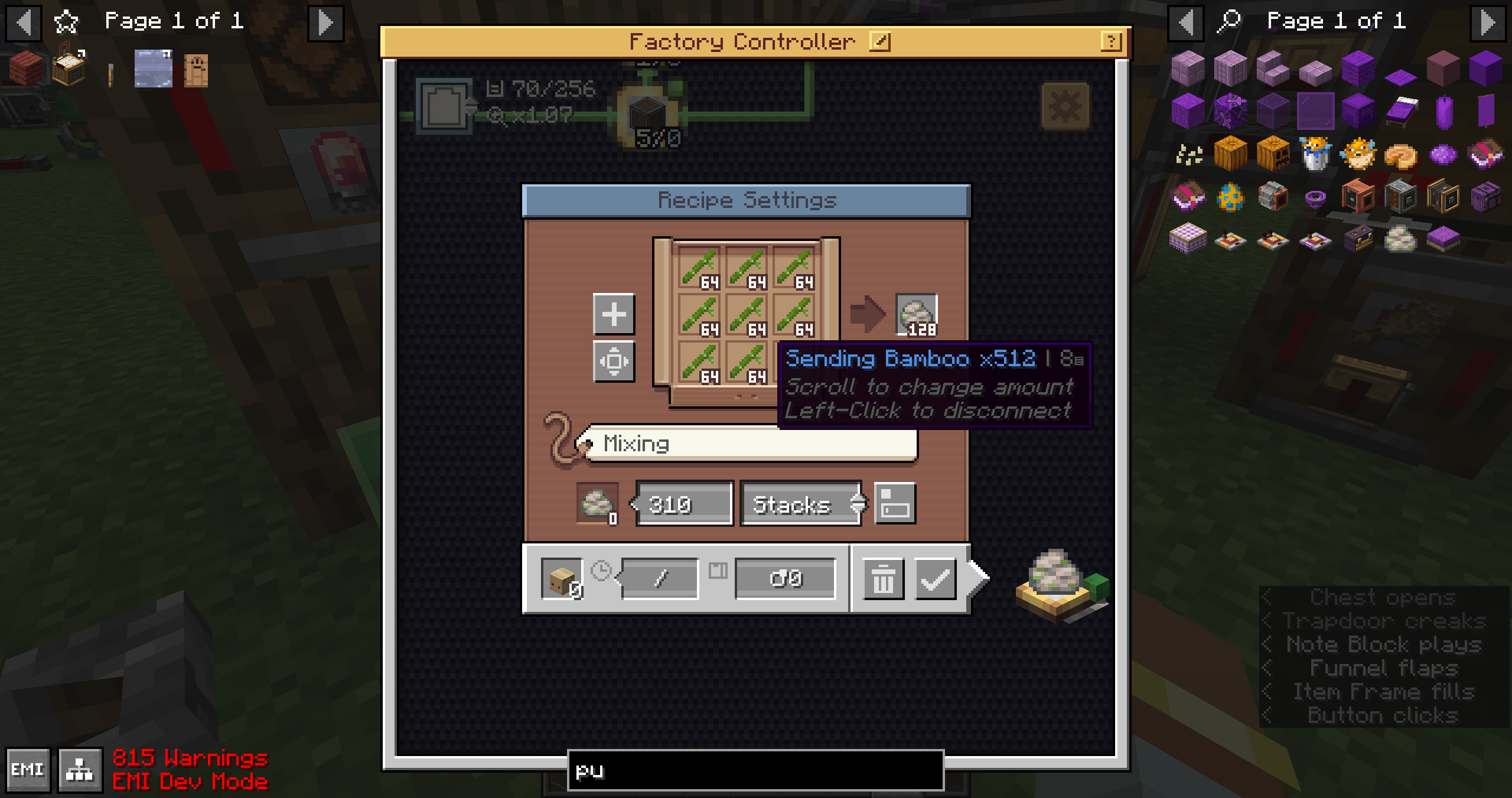
- More than 1 stack of the same ingredient.
- Up to 64 stacks of expected outputs.
- Mechanical crafting:
- Optionally ignore item NBT data. 🕮
- Custom-arrange ingredients into arbitrary patterns (for sequence assembly or vanilla crafter). 🕮
- Produce only when there is demand, minimize intermediate items in storage. 🕮
- Produce according to manually placed orders from a stock keeper. 🕮
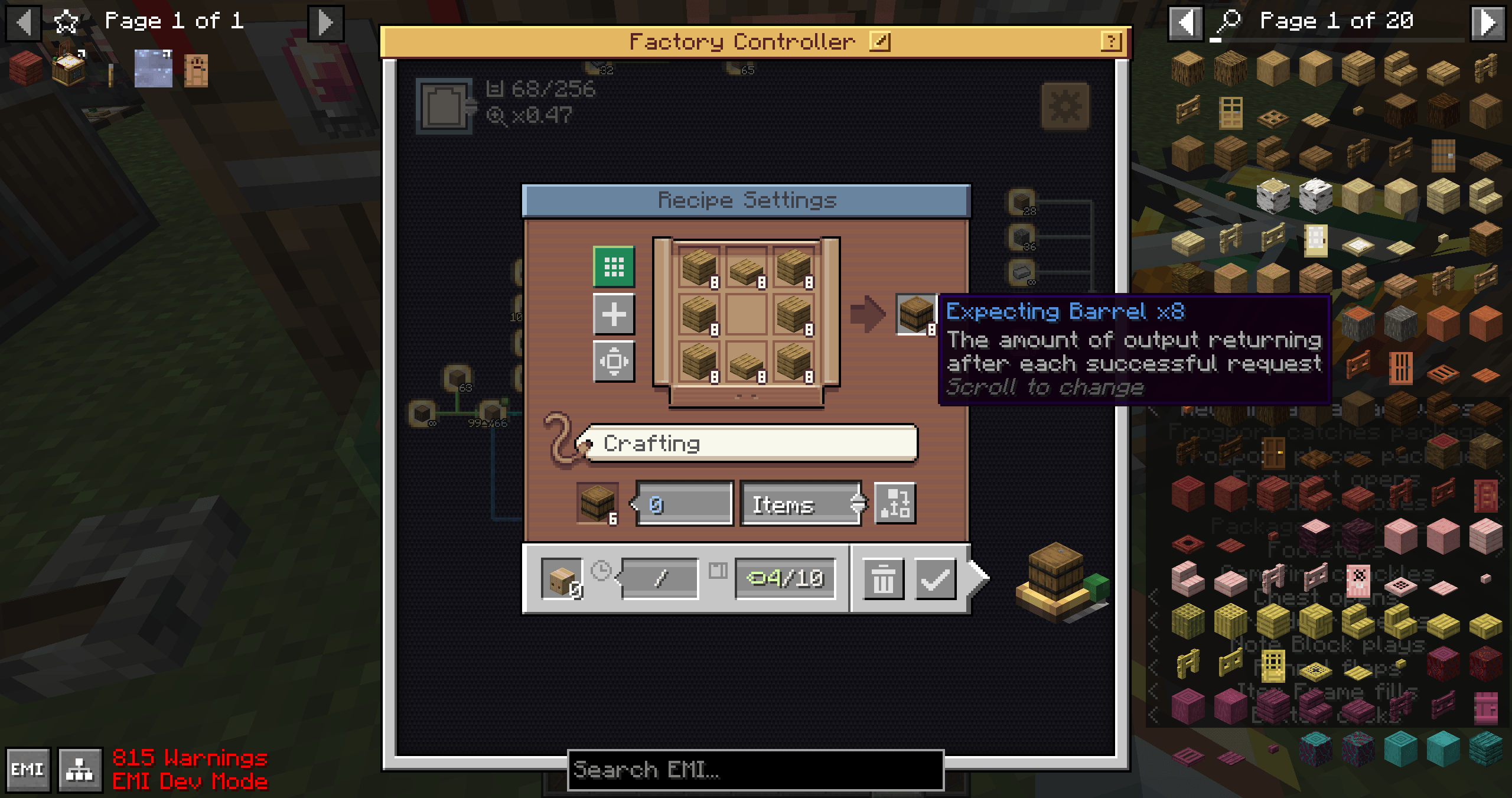
- Requests multiple sets of ingredients at once if stock allows. 🕮
- Customize request interval of individual gauges. 🕮
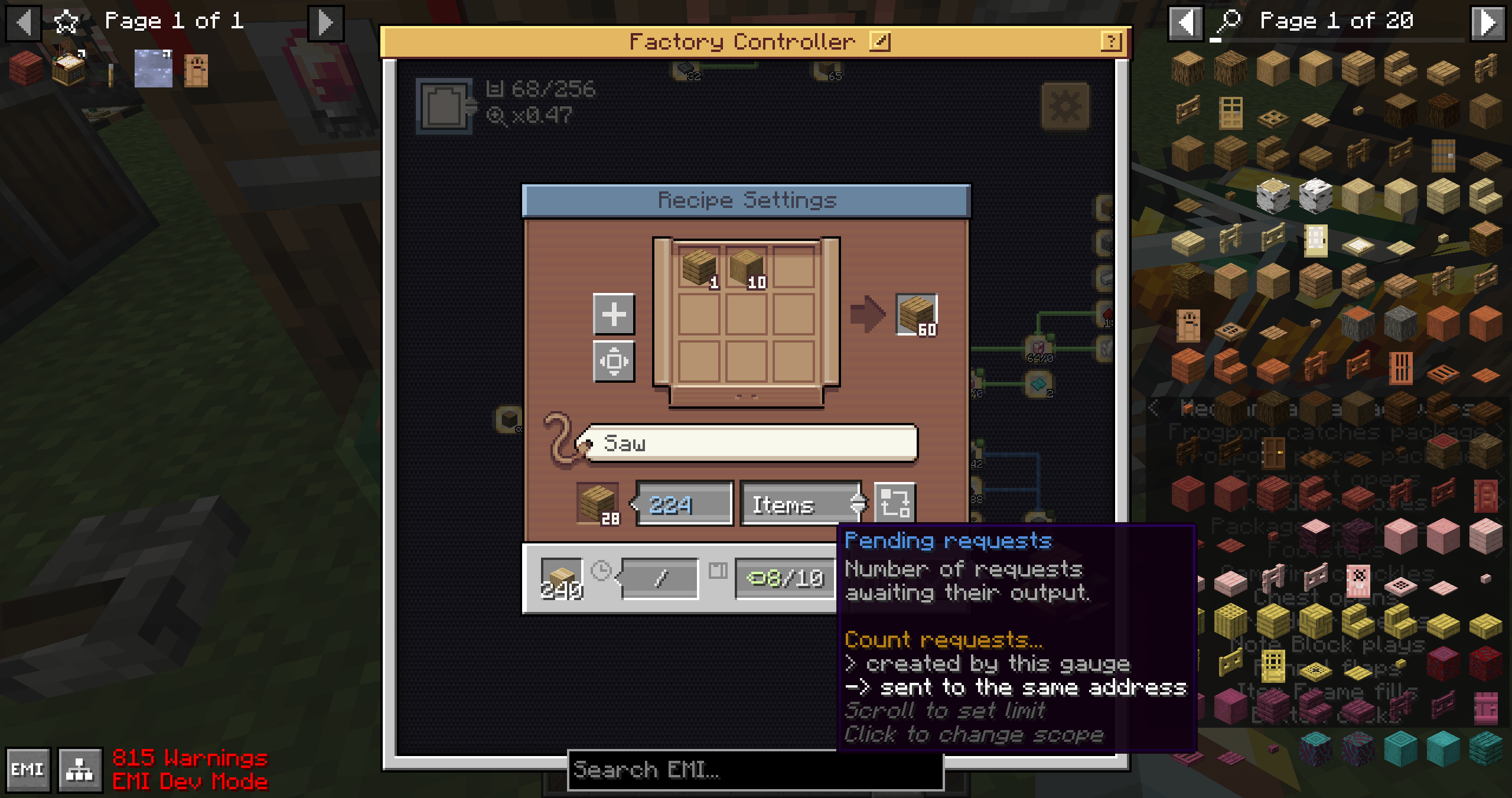
- Limit promises created by the gauge. 🕮
- Limit promises by shared destination address. 🕮
You can also place these in factory controllers:
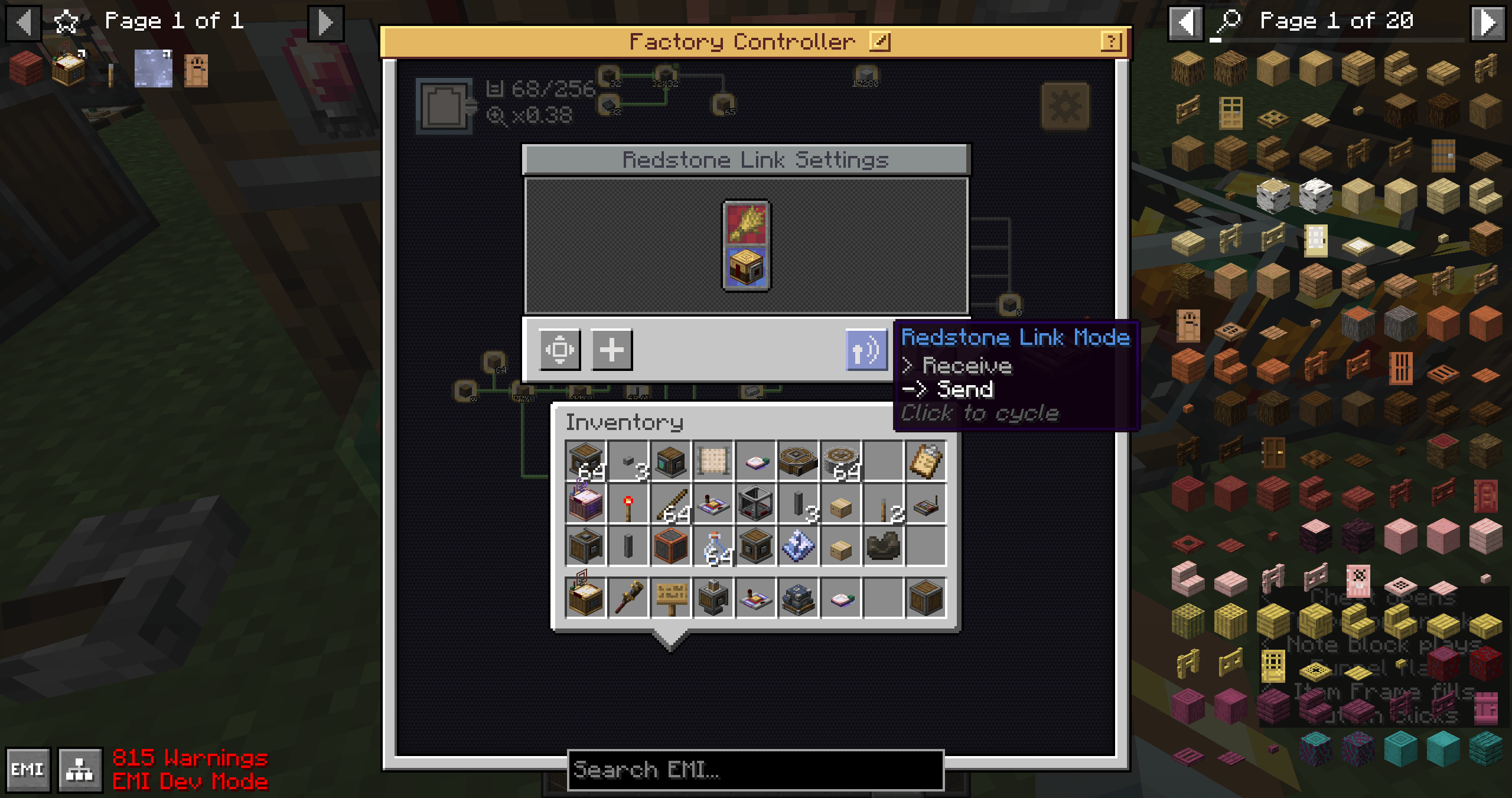
- Redstone Link 🕮
- Electron Tube: Act as logical gates for redstone signals. 🕮
- Arithmetic Tube: New item, for number calculations in factory controller.
This mod does not:
- Manage an external wall of factory gauges.
Bundled Mods
The following mods are bundled in Factory Controller mod release.
Create: Higher Logistics Patch
- Fix number of logistics related bugs in Create.
Create: Logistics Control
- Filter Link: for dynamically set filter to blocks when unpack package.
Mod Compatibility
This mod replicates the logic of the vanilla factory gauge system. It is unlikely to conflict with other mods that modifies vanilla gauge behaviour, but it cannot also receive their enhancements, unless explicit support was made.
Explicit support is also required for items added by other mods to be placeable in a factory controller. See supported components. Notably, Create: Extra Gauges can coexist in a game installation, but the extra gauges may not be placed in factory controllers.
See also:
Dependencies
| Dependency | Version |
|---|---|
| Minecraft | 1.21.1 |
| NeoForge | 21.1.234 |
| Create | 6.0.10 |
| Deployer (Recommended) | 0.1.2 |
Contributing
- Game translation: https://crowdin.com/project/createfactorycontroller
- Documentation translation: https://weblate.fiveyellowmice.com/engage/create-factory-controller/
Credits
Graphics & documentation:
Translations:
- Russian: Makisk
- Polish: Makisk
- Franch: totof-prod
Sounds:
- Winding Noise - Music Box by charcrone -- https://freesound.org/s/347035/ -- License: Creative Commons 0
- Pocket watch. Clicking open and closed, chain noise and picking up by JarredKarp -- https://freesound.org/s/490968/ -- License: Attribution NonCommercial 4.0
AI Disclosure
I never expect that I need to extend this part to more than 1 line, but I have to do this now, which makes me very disappointed.
In short, AI has been used in this project for some parts of code implementation, documentation, debugging and solution improvement, but I have reviewed all AI's involvement, and code architecture design, complex code implementations and all graphics assets are still produced by me and my friend. However, I won't consider include AI in the modding process means I produced "AI slop" mod or low-effort mod; AI slop mod won't put AI disclosure section in their mod description.
As a software engineer and an experienced mod developer, I don't trust AI's work, but AI is a new tool and a collaborator for me. For small and well-defined task, AI does extremely well; they can often produce functional code without my modification (but sometimes I still need to fix things after close review). Therefore, it save my time so I can focus on design the code architecture of larger features, doing testing, etc. In this case, AI is a tool to allow me to parallel the development process, which is important since I don't have plenty of time after work.
For large feature, AI's solution is problematic; it can only use for prototyping but also enable me to understand the underlying technical limitation before spend large amount of time in development. Meanwhile, AI is also used in design improvement; it reviews my code & design and may sometime point me a new direction of solving problems, which could be more efficient and optimized. AI's suggestion may not always be true, but it is so valuable to get another technical point of view during the development, to make the mod more optimized and allow me to identify bugs early. In fact, I found that this collaboration pattern significantly reduced the bugs produced, compare to my previous mod; I received almost no bug reports during the first month of release, which is hard to believe when put this amount of features into one system.
In this case, AI has improved the quality of the mod and my productivity, instead of produced "AI slop mod". In fact, I am more worry about the growing "AI hate" in the community. If people keep getting pissed by any AI involve project regardless how AI get used, fewer developers would decide to disclose the use of AI, and player will have to facing more mods without labeled how AI get used.
Create: Factory Controller
CurseForge | Modrinth | Discord | Manual
Having a large wall of factory gauges can get unwieldy. This addon introduces the "factory controller", where you can place factory gauges (and more) in a virtual dashboard, condensing the wall of gauges into a single block.
Additionally, using a factory controller allows you to:
- Quickly tune a new factory gauge to a network already tuned to by existing gauges. 🕮
- Select and move multiple gauges at once. 🕮
- Save your setups in blueprints. 🕮
- See the item count labels of all gauges at once.
- Disable all factory gauges in the controller with redstone. 🕮
- Change individual connection's arrow bending path. 🕮
- Display information with a display link. 🕮
- Import existing gauge walls into a factory controller. 🕮
- Read a controller's gauges, logic tubes, networks, production orders and promises from a CC: Tweaked computer (read-only).
Factory gauges placed in factory controllers also receive a number of functional enhancements:
- More than 1 stack of the same ingredient.
- Up to 64 stacks of expected outputs.
- Mechanical crafting:
- Optionally ignore item NBT data. 🕮
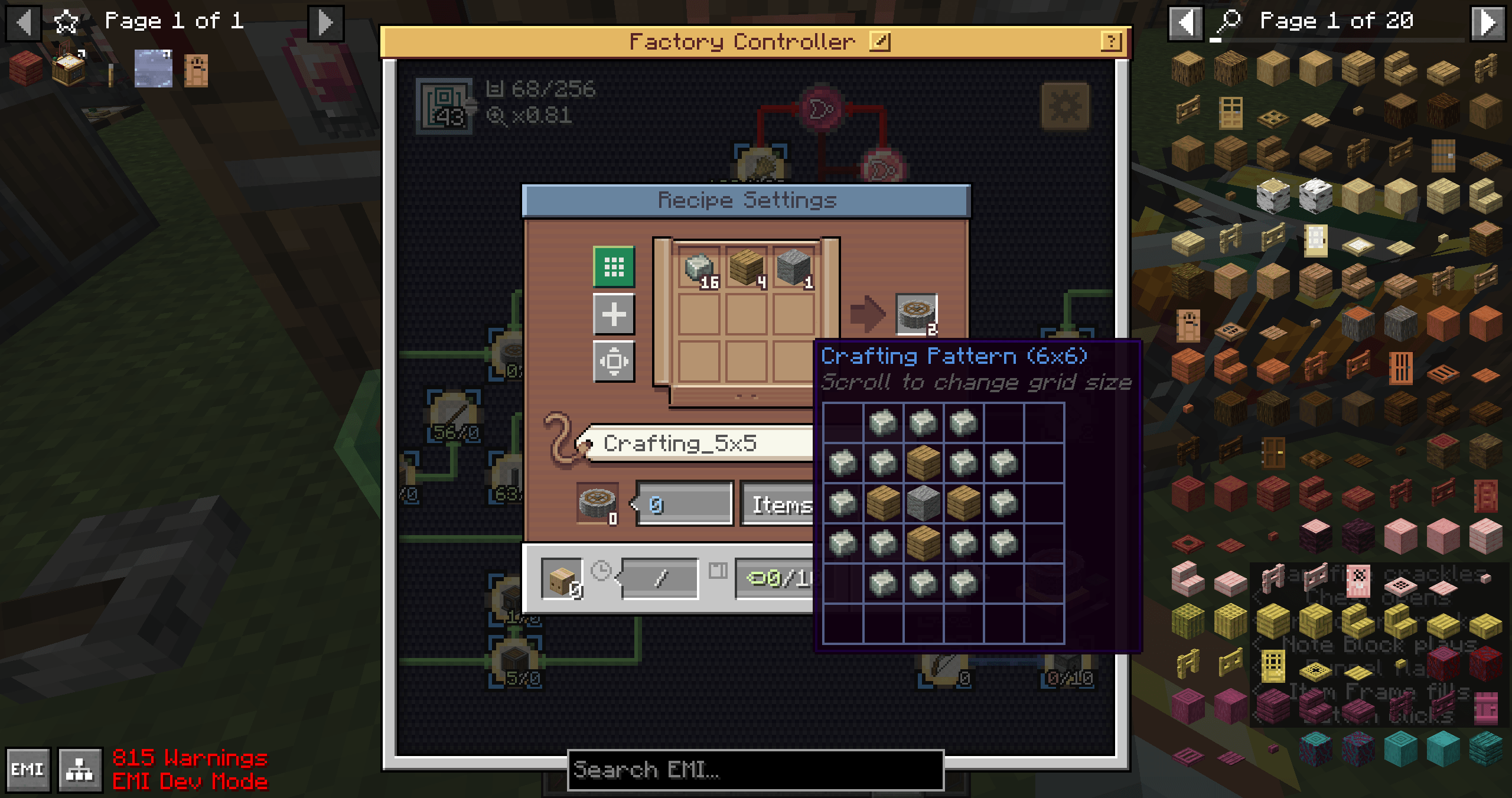
- Custom-arrange ingredients into arbitrary patterns (for sequence assembly or vanilla crafter). 🕮
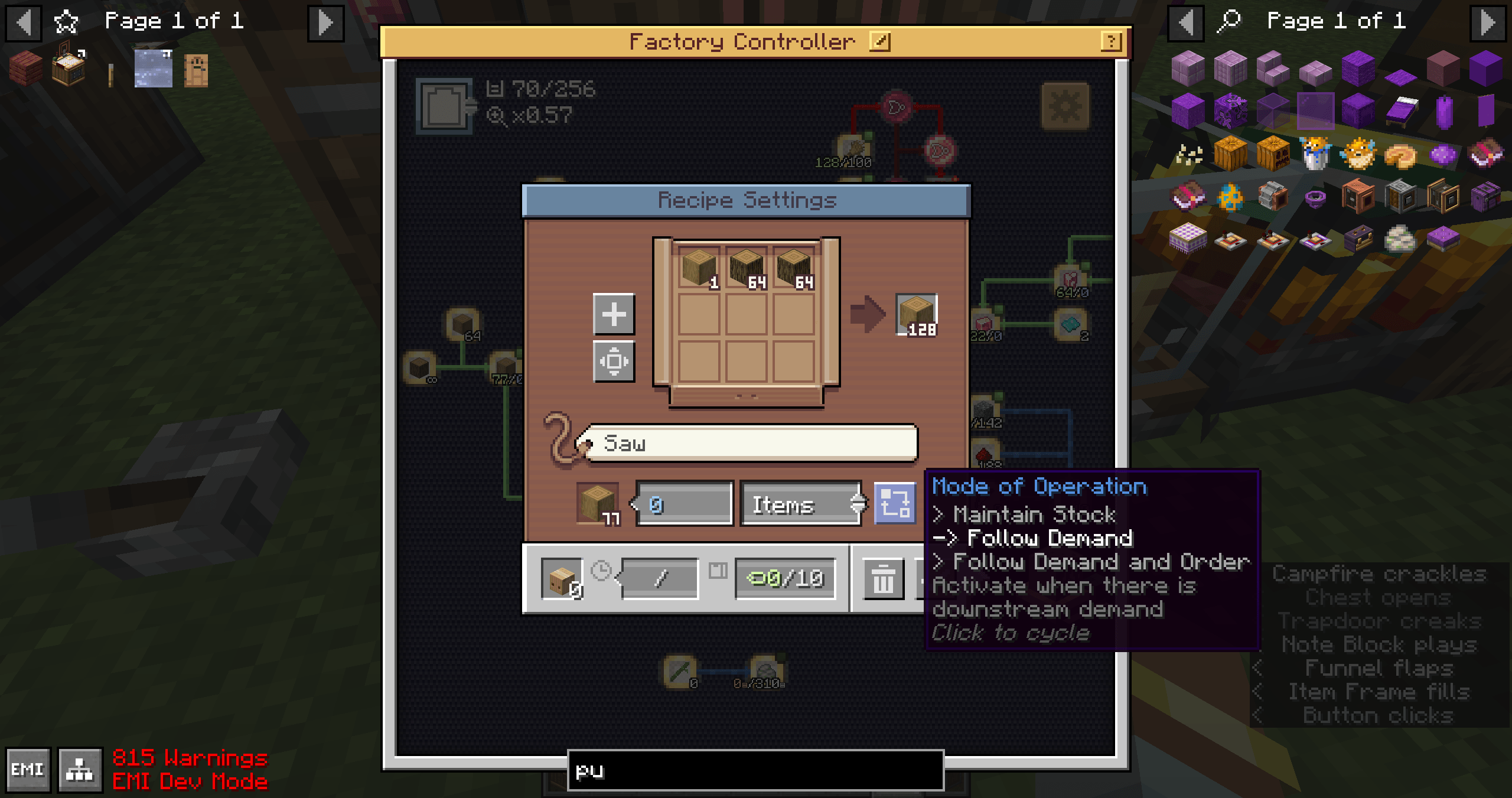
- Produce only when there is demand, minimize intermediate items in storage. 🕮
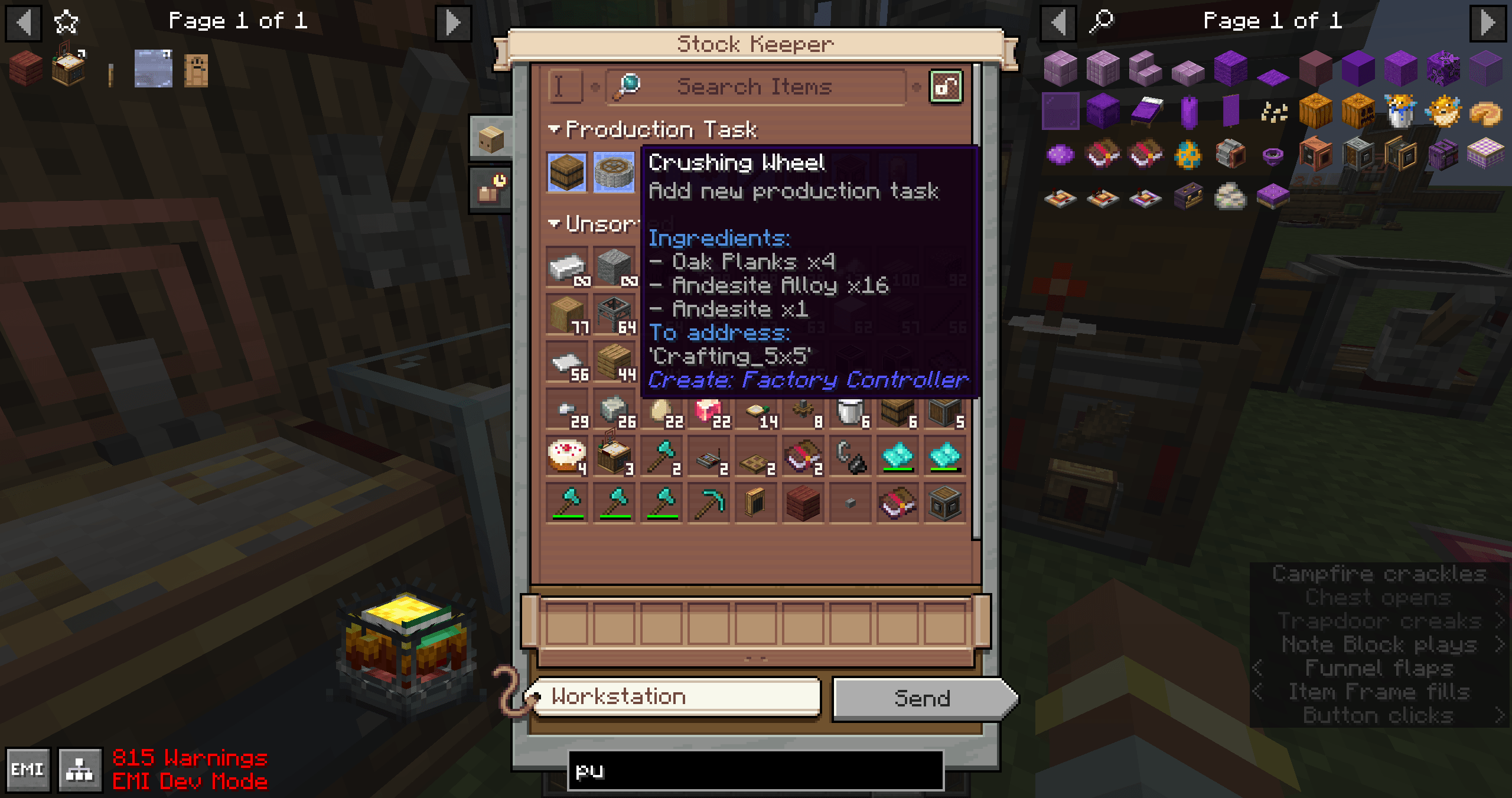
- Produce according to manually placed orders from a stock keeper. 🕮
- Requests multiple sets of ingredients at once if stock allows. 🕮
- Customize request interval of individual gauges. 🕮
- Limit promises created by the gauge. 🕮
- Limit promises by shared destination address. 🕮
You can also place these in factory controllers:
- Redstone Link 🕮
- Electron Tube: Act as logical gates for redstone signals. 🕮
- Arithmetic Tube: New item, for number calculations in factory controller.
This mod does not:
- Manage an external wall of factory gauges.
Bundled Mods
The following mods are bundled in Factory Controller mod release.
Create: Higher Logistics Patch
- Fix number of logistics related bugs in Create.
Create: Logistics Control
- Filter Link: for dynamically set filter to blocks when unpack package.
Mod Compatibility
This mod replicates the logic of the vanilla factory gauge system. It is unlikely to conflict with other mods that modifies vanilla gauge behaviour, but it cannot also receive their enhancements, unless explicit support was made.
Explicit support is also required for items added by other mods to be placeable in a factory controller. See supported components. Notably, Create: Extra Gauges can coexist in a game installation, but the extra gauges may not be placed in factory controllers.
See also:
Dependencies
| Dependency | Version |
|---|---|
| Minecraft | 1.21.1 |
| NeoForge | 21.1.234 |
| Create | 6.0.10 |
| Deployer (Recommended) | 0.1.2 |
Contributing
- Game translation: https://crowdin.com/project/createfactorycontroller
- Documentation translation: https://weblate.fiveyellowmice.com/engage/create-factory-controller/
Credits
Graphics & documentation:
Translations:
- Russian: Makisk
- Polish: Makisk
- Franch: totof-prod
Sound assets
- Winding Noise - Music Box by charcrone -- https://freesound.org/s/347035/ -- License: Creative Commons 0
- Pocket watch. Clicking open and closed, chain noise and picking up by JarredKarp -- https://freesound.org/s/490968/ -- License: Attribution NonCommercial 4.0
AI Disclosure
AI Disclosure
I never expect that I need to extend this part to more than 1 line, but I have to do this now, which makes me very disappointed.
In short, AI has been used in this project for some parts of code implementation, documentation, debugging and solution improvement, but I have reviewed all AI's involvement, and code architecture design, complex code implementations and all graphics assets are still produced by me and my friend. However, I won't consider include AI in the modding process means I produced "AI slop" mod or low-effort mod; AI slop mod won't put AI disclosure section in their mod description.
As a software engineer and an experienced mod developer, I don't trust AI's work, but AI is a new tool and a collaborator for me. For small and well-defined task, AI does extremely well; they can often produce functional code without my modification (but sometimes I still need to fix things after close review). Therefore, it save my time so I can focus on design the code architecture of larger features, doing testing, etc. In this case, AI is a tool to allow me to parallel the development process, which is important since I don't have plenty of time after work.
For large feature, AI's solution is problematic; it can only use for prototyping but also enable me to understand the underlying technical limitation before spend large amount of time in development. Meanwhile, AI is also used in design improvement; it reviews my code & design and may sometime point me a new direction of solving problems, which could be more efficient and optimized. AI's suggestion may not always be true, but it is so valuable to get another technical point of view during the development, to make the mod more optimized and allow me to identify bugs early. In fact, I found that this collaboration pattern significantly reduced the bugs produced, compare to my previous mod; I received almost no bug reports during the first month of release, which is hard to believe when put this amount of features into one system.
In this case, AI has improved the quality of the mod and my productivity, instead of produced "AI slop mod". In fact, I am more worry about the growing "AI hate" in the community. If people keep getting pissed by any AI involve project regardless how AI get used, fewer developers would decide to disclose the use of AI, and player will have to facing more mods without labeled how AI get used.
Screenshots
Gallery
-
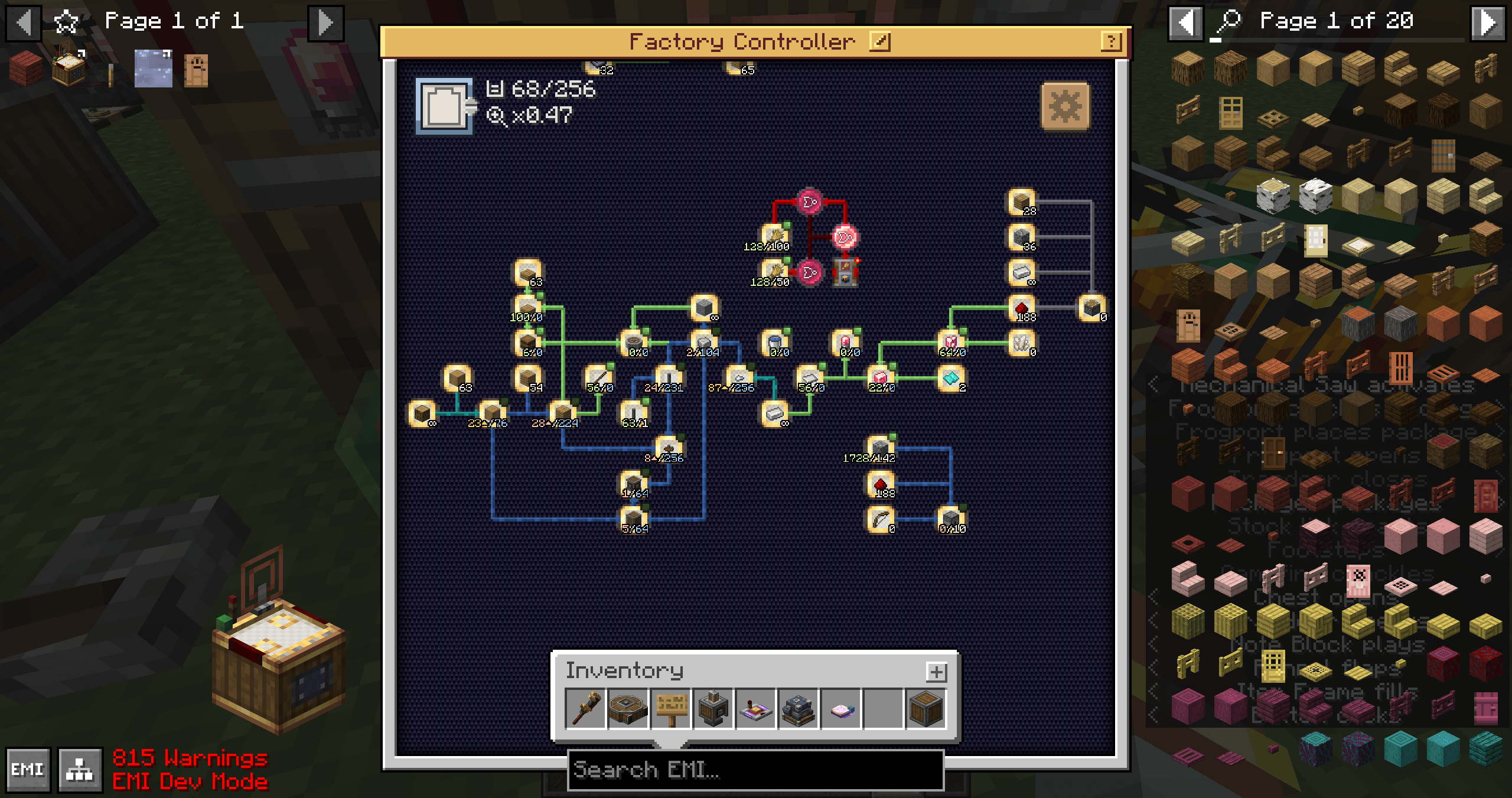 Controller GUI.png Controller GUI.png
 -
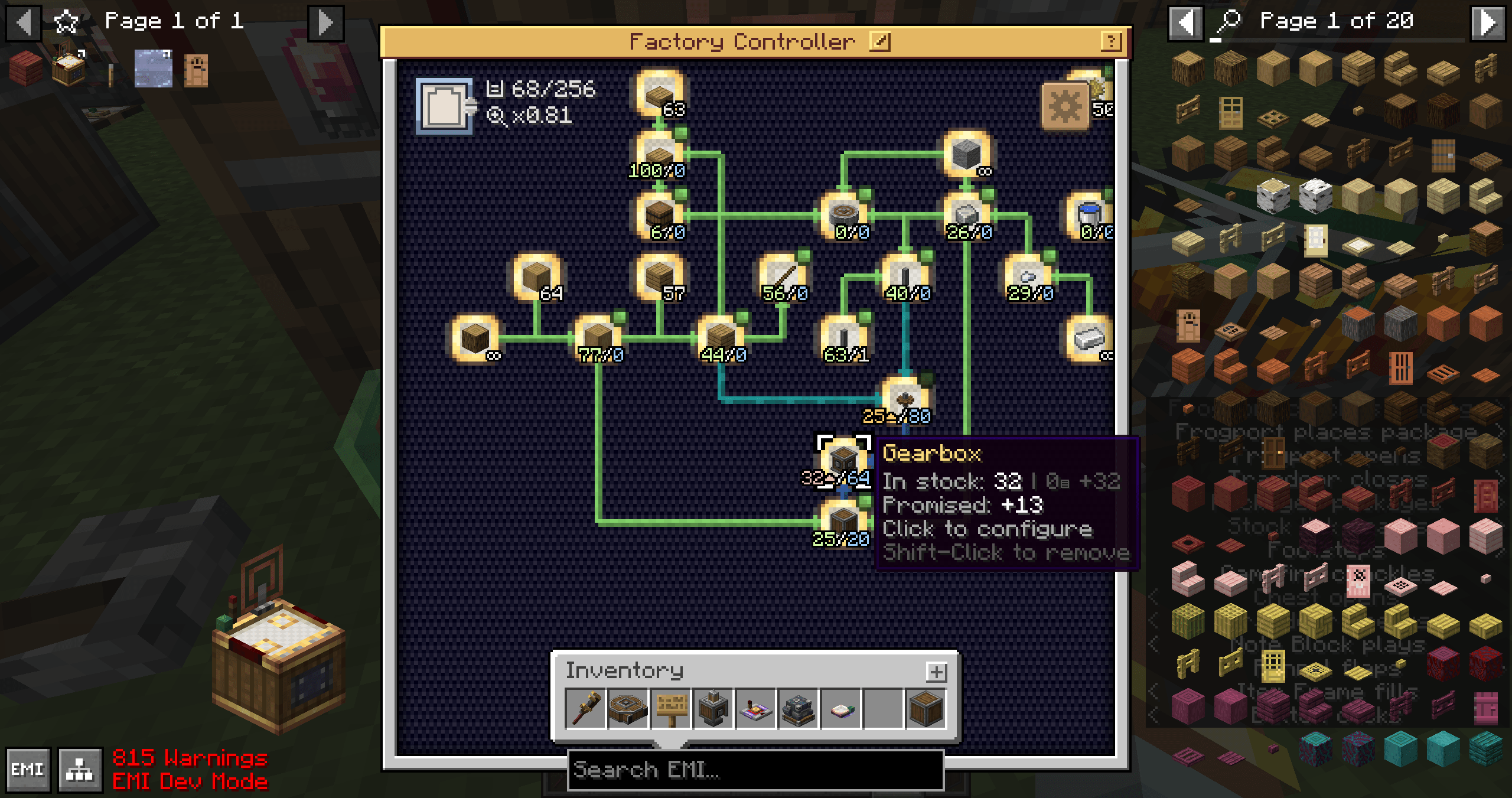 Controller GUI 2.png Controller GUI 2.png
 -
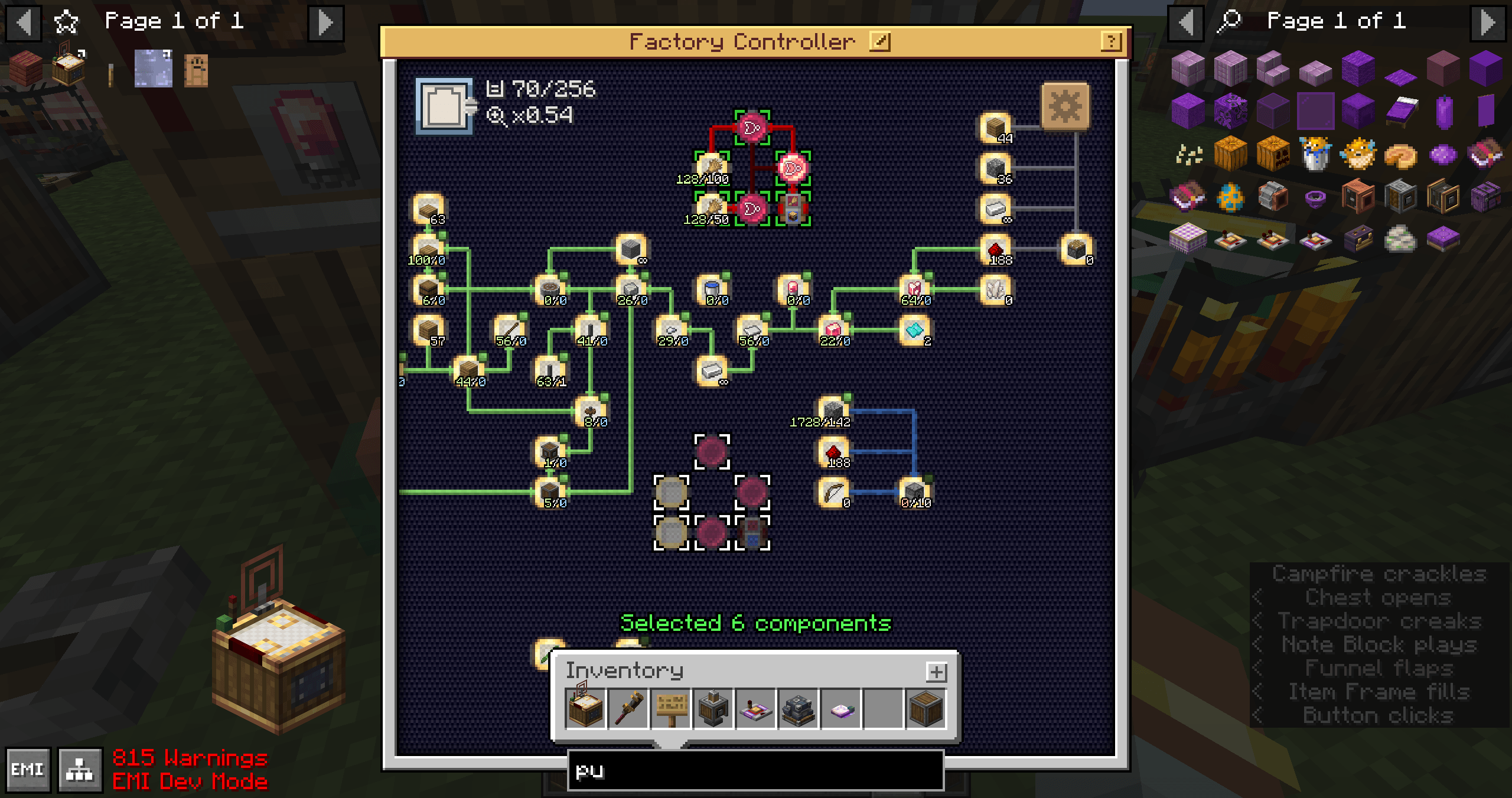 Select and move.png Select and move.png
 -
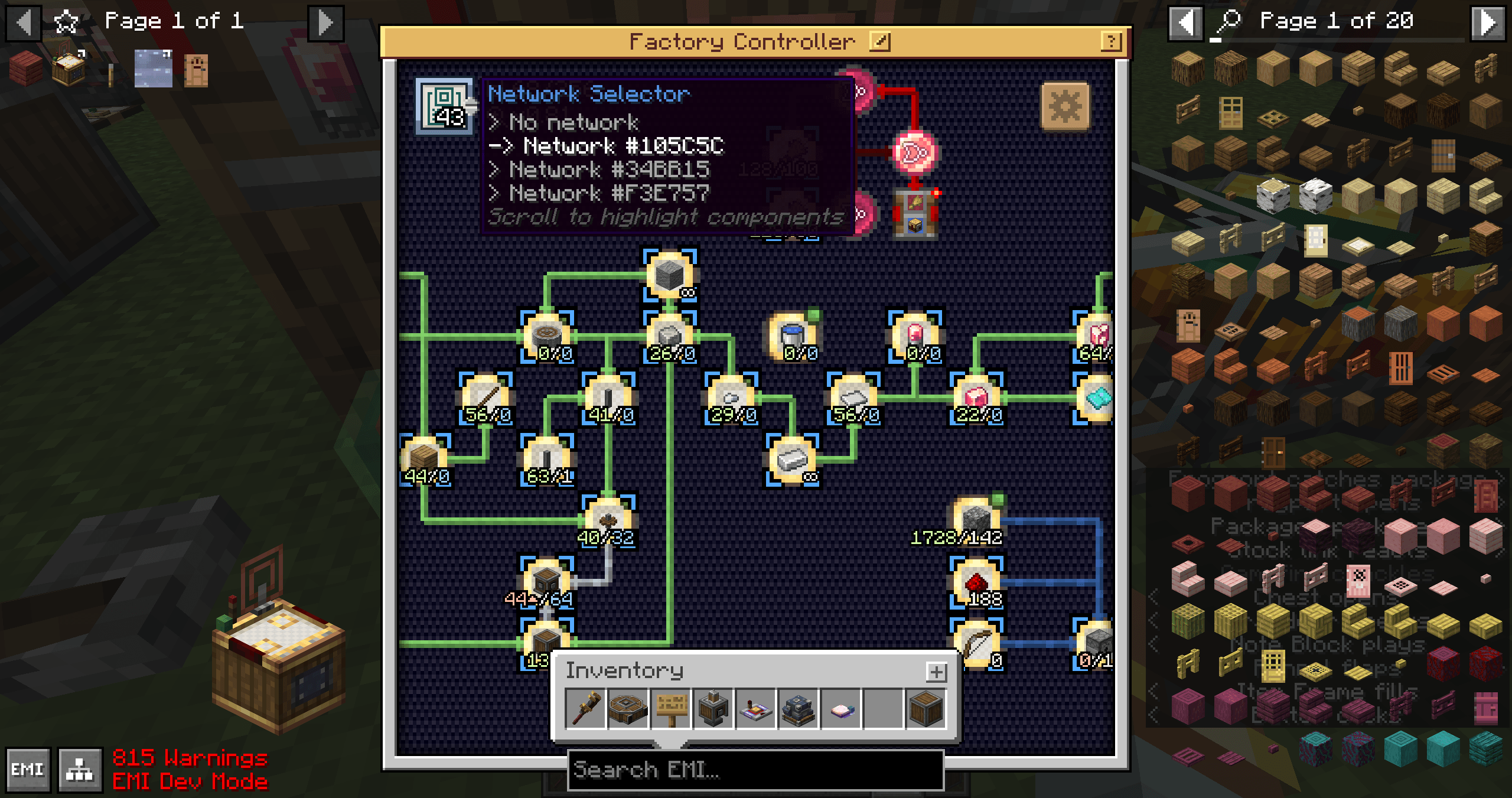 Network Selector.png Network Selector.png
 -
 Order from Stock Keeper.png Order from Stock Keeper.png
 -
 Production Orders Tracker Production Orders Tracker
 -
 Follow Demand Mode.png Follow Demand Mode.png
 -
 Large Crafting Grid.png Large Crafting Grid.png
 -
 Batch Crafting.png Batch Crafting.png
 -
 Larger Input Output Limit.png Larger Input Output Limit.png
 -
 Request Limit.png Request Limit.png
 -
 Redstone Link Support.png Redstone Link Support.png
 -
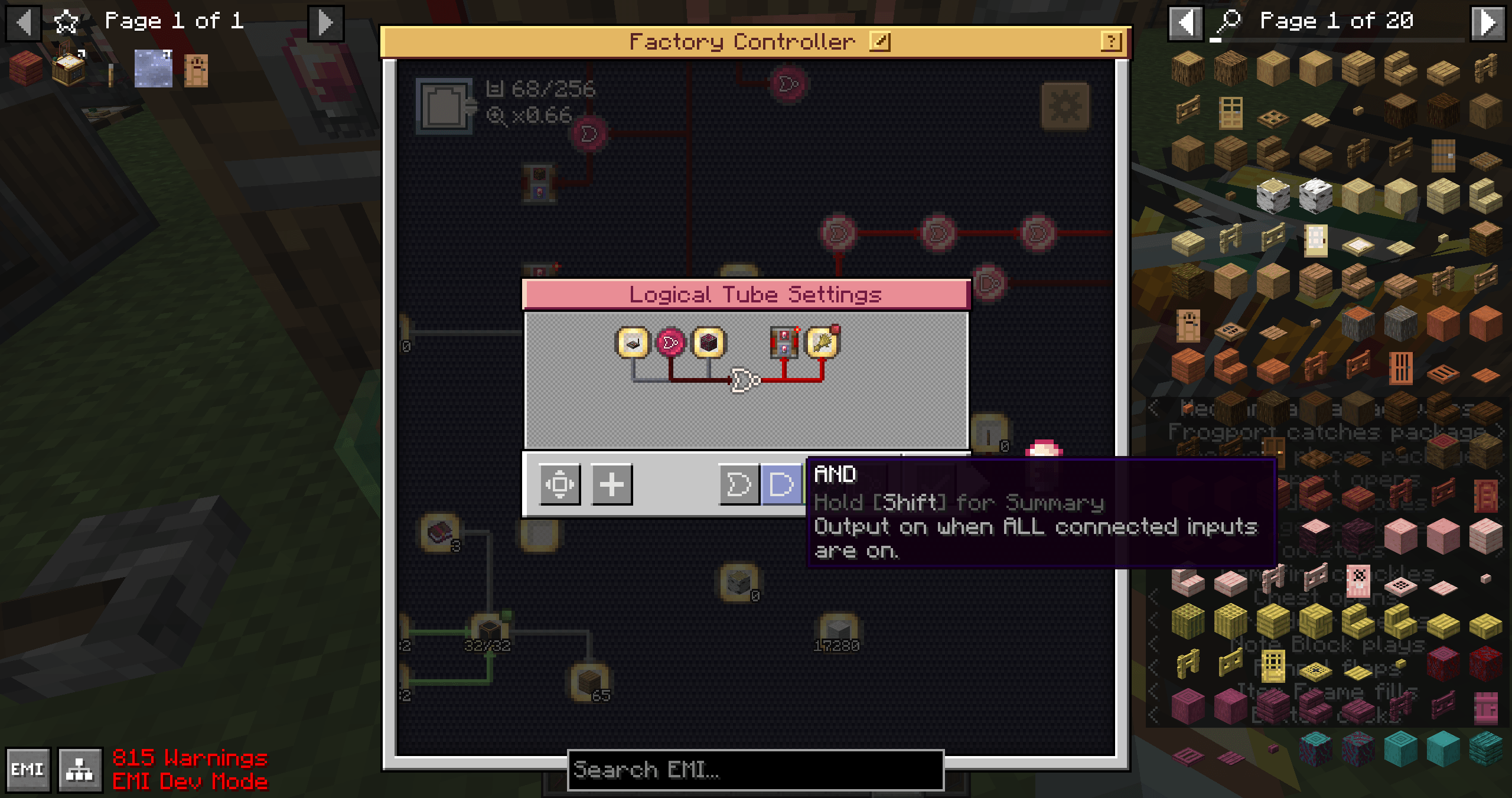 Logical Tube.png Logical Tube.png
 -
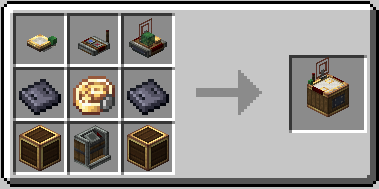 Crafting Recipe Crafting Recipe
-
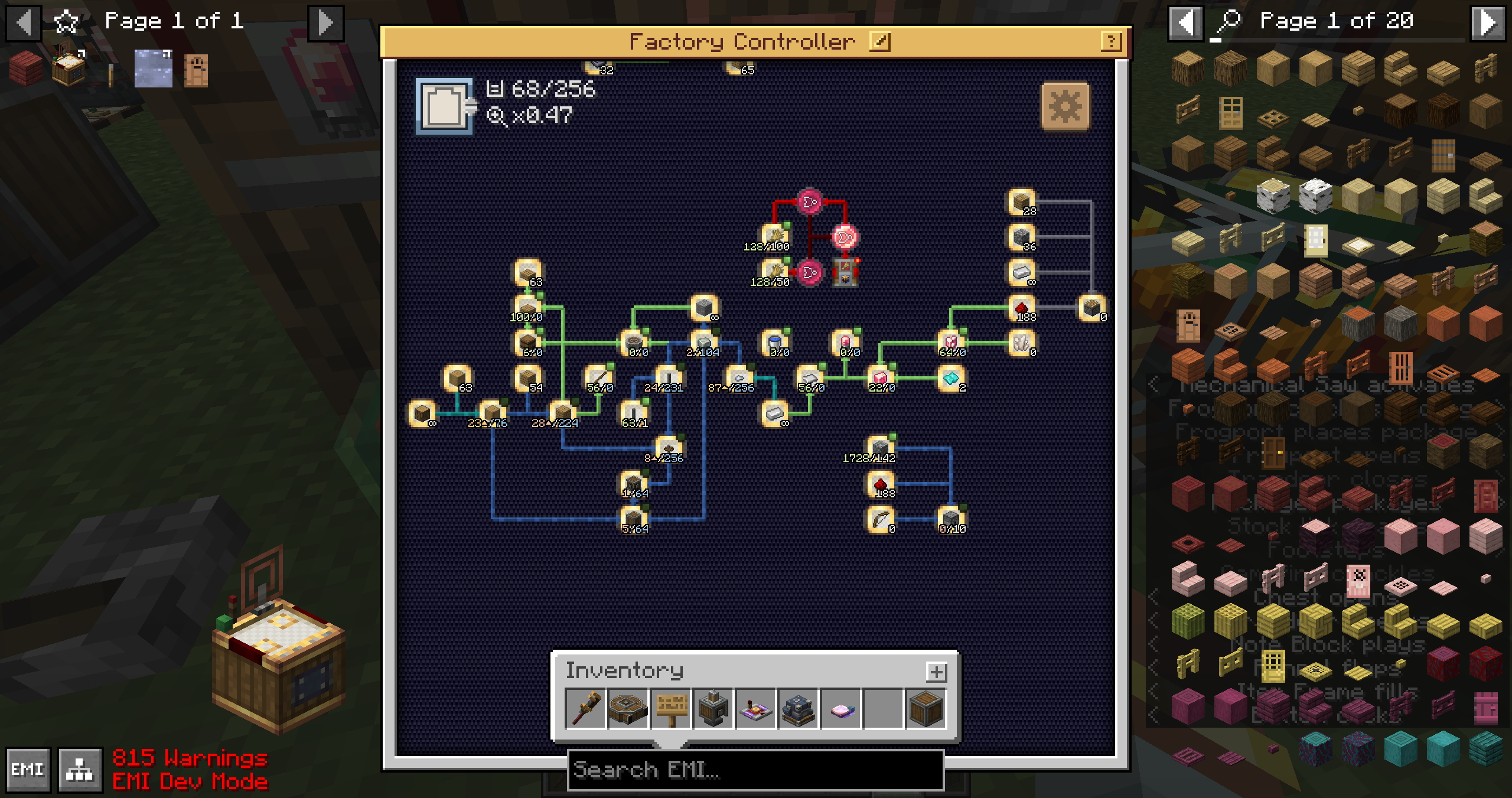 Controller GUI Controller GUI
 -
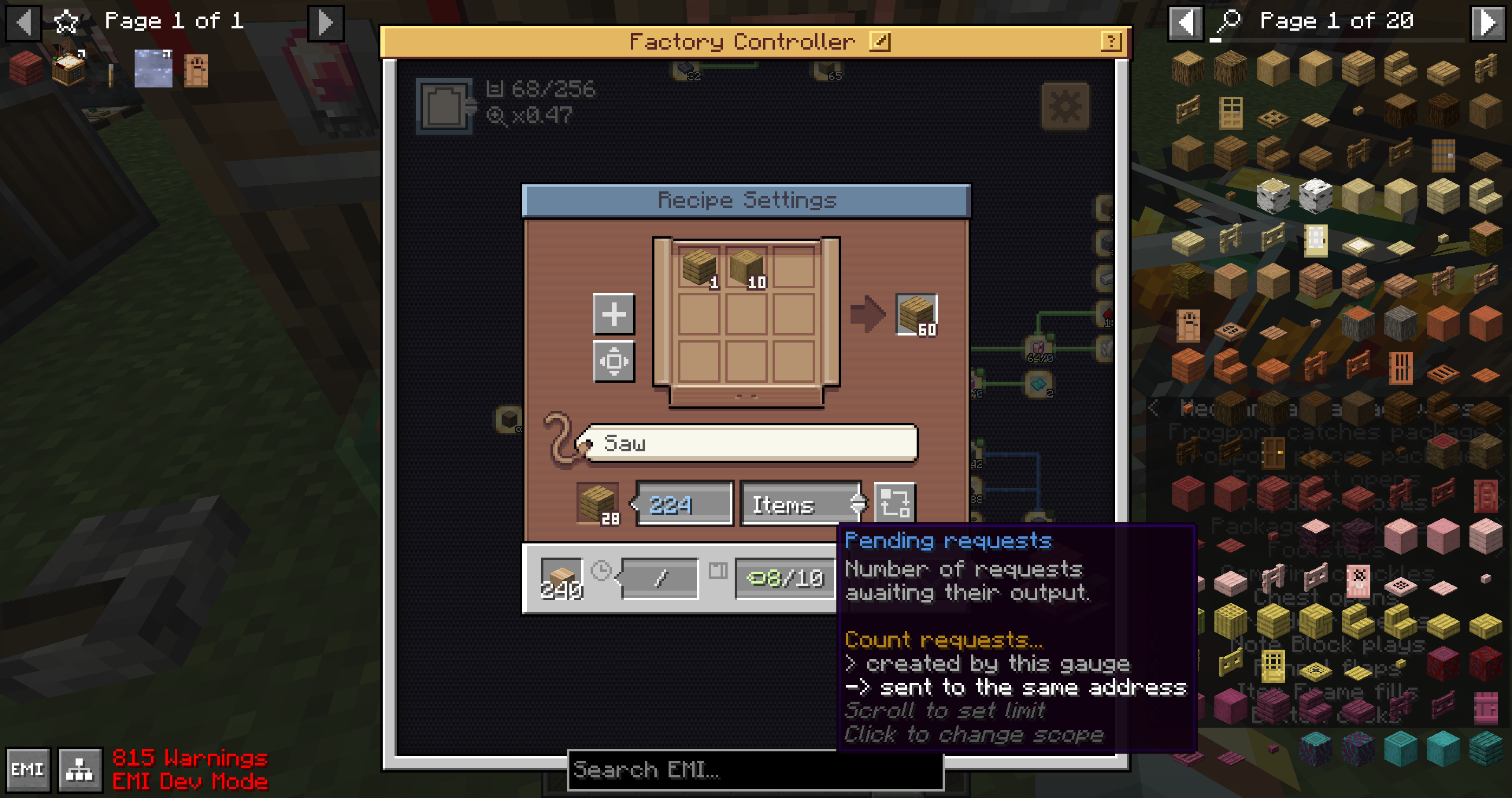 Request Limit Prevent the gauge from send more requests when there are too many requests created by the gauge or heading to target address.
 -
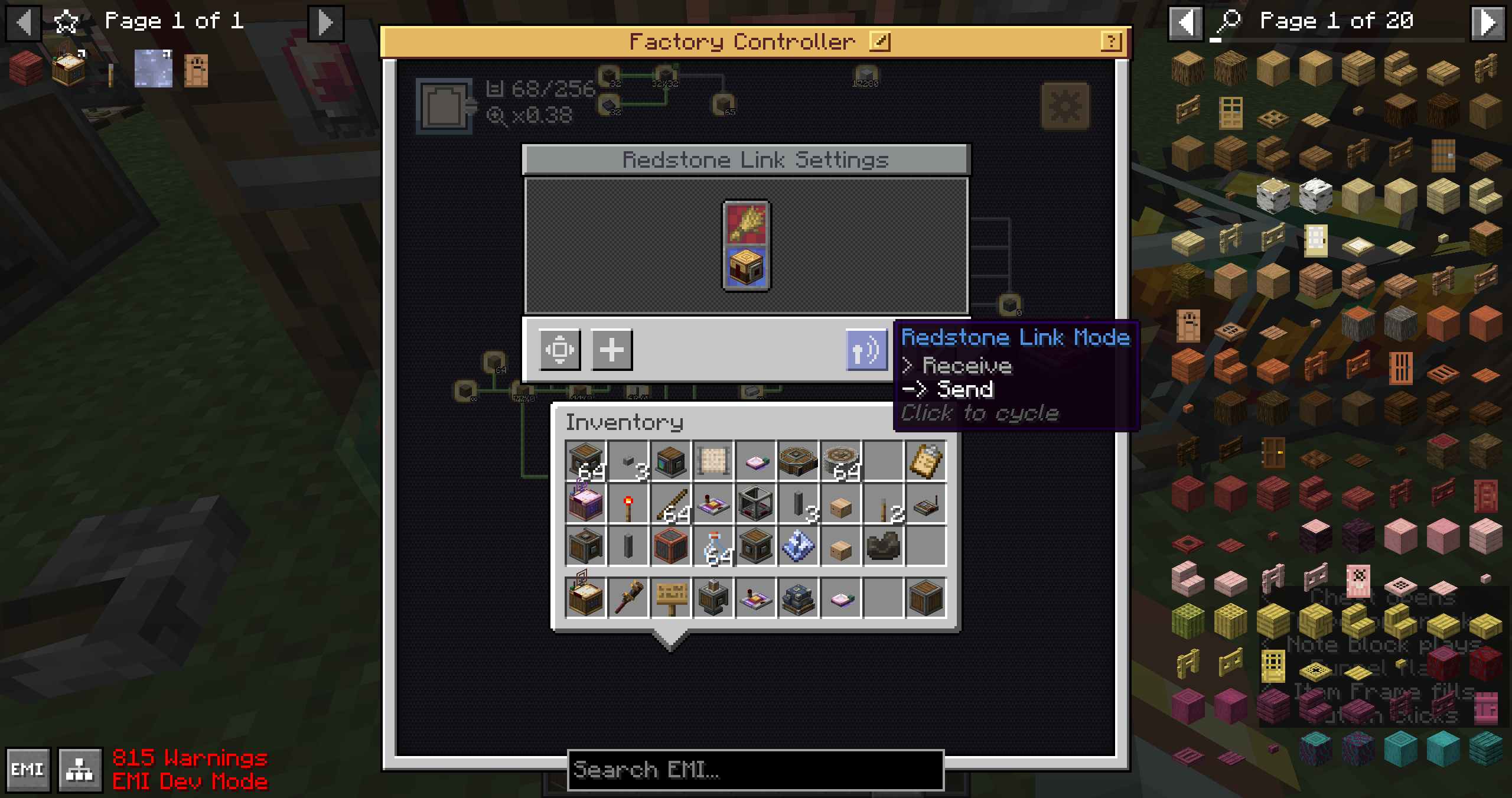 Redstone Link Redstone Link is allowed in Controller GUI
 -
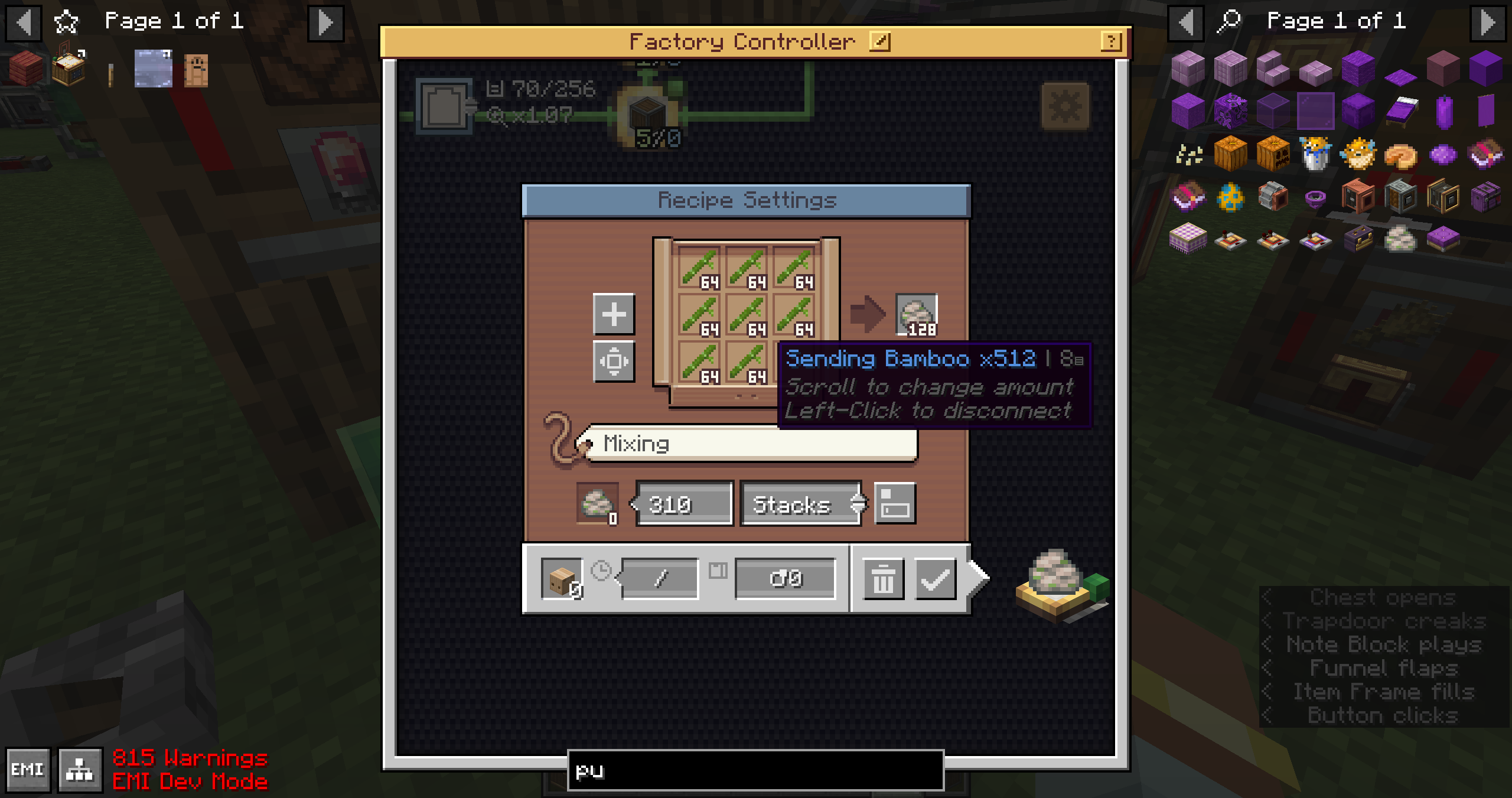 Larger Input Output Limit Output slot and each connected ingredient no longer only able to have up to 64 items. You can continue to scroll & increase the item amount exceed 64.
 -
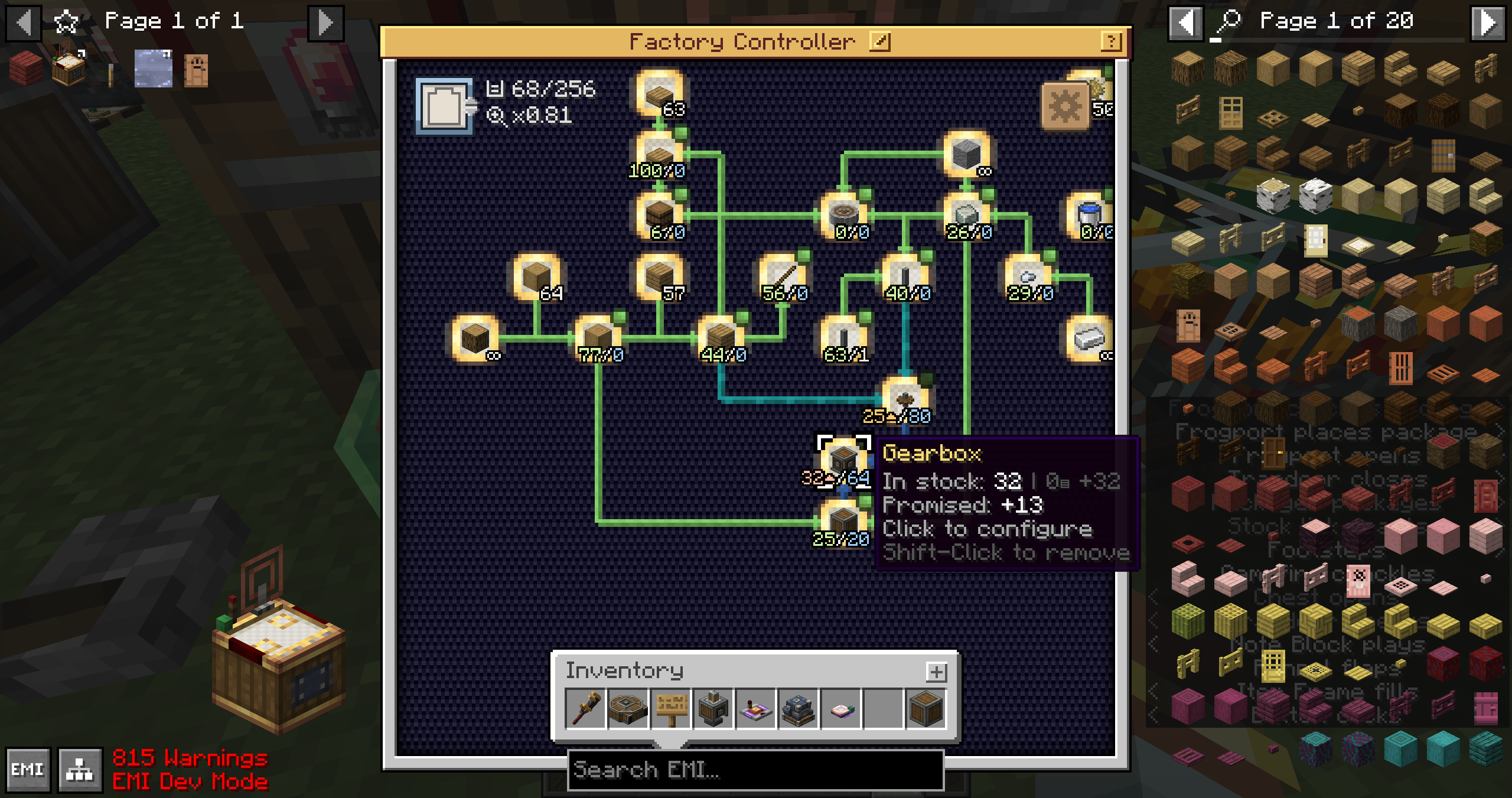 Controller GUI 2
 -
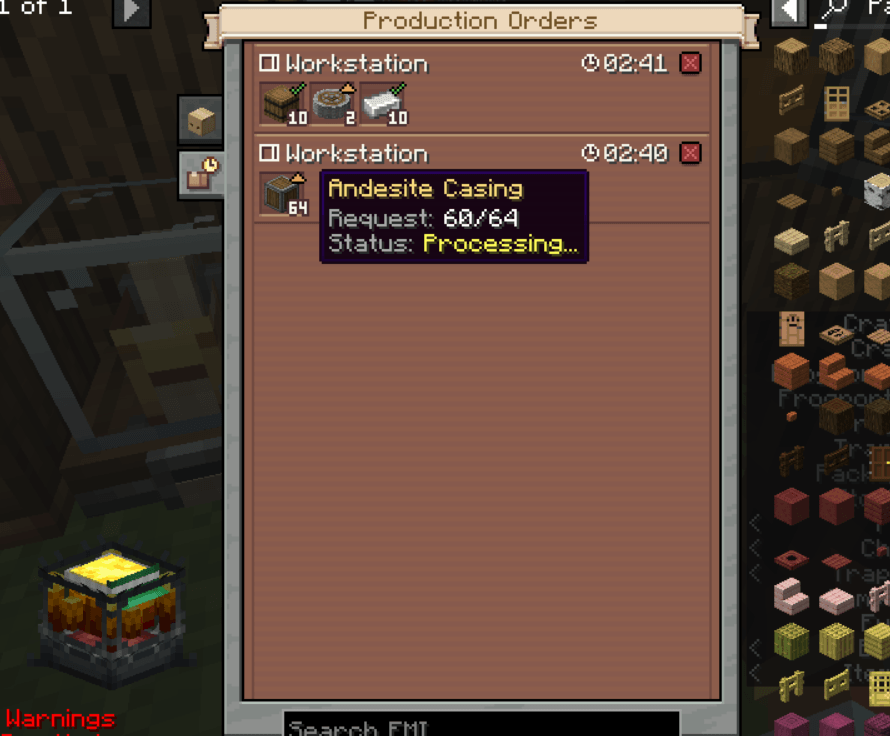
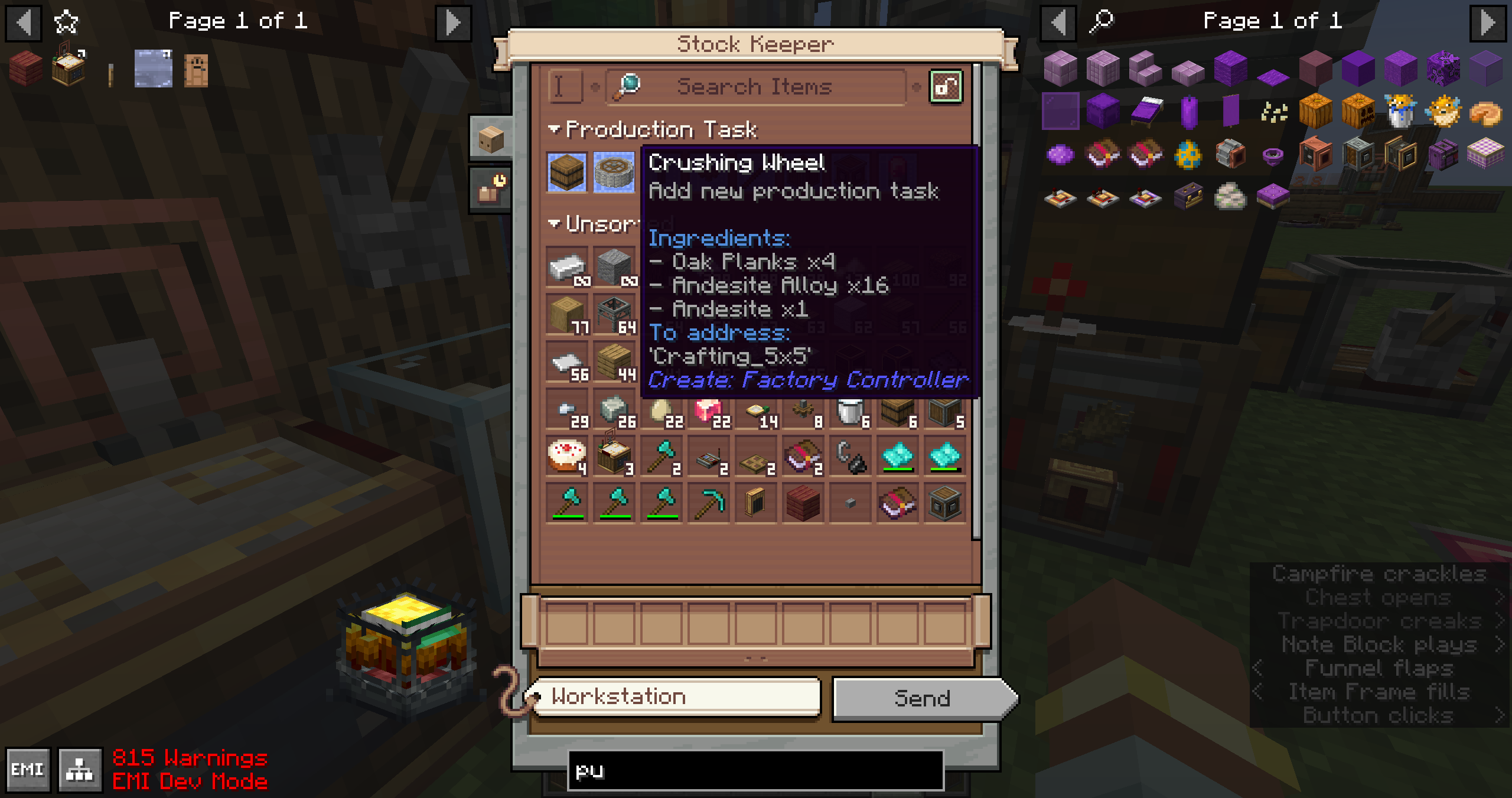 Order from Stock Keeper When Follow Order mode is enabled, beyond automatically set request amount, the recipe of the gauge would be added to Stock Keeper GUI to allow manually initialize production orders. You can also track ongoing production order in Stock Keeper now.
 -
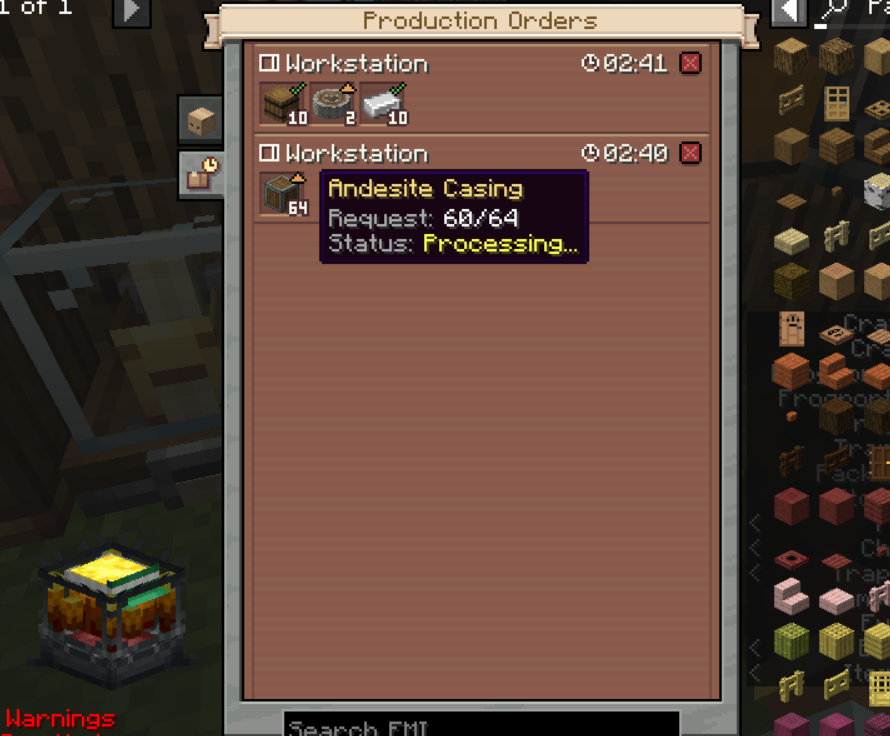 ProductionOrderList ProductionOrderList
 -
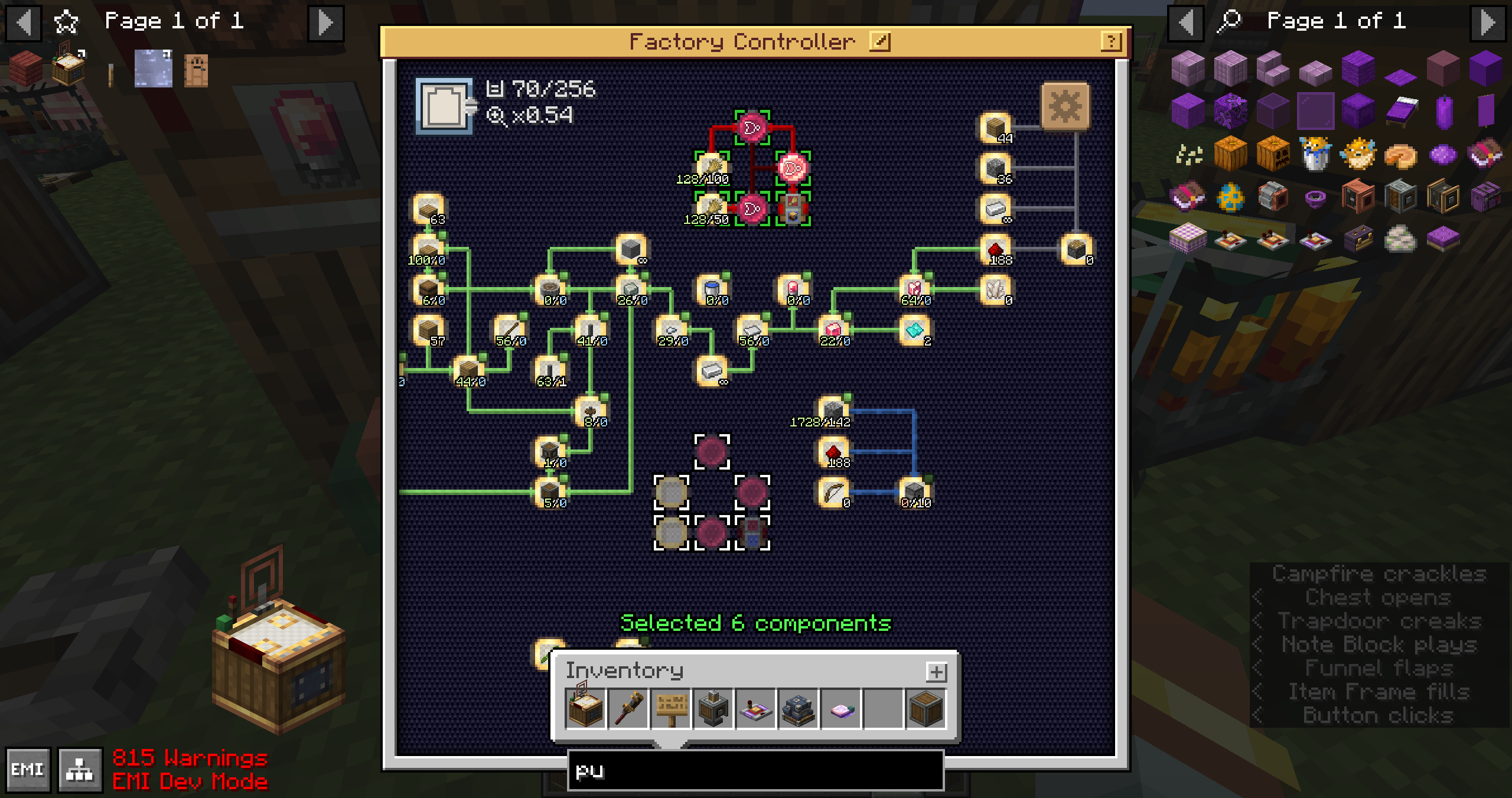 Select and move By hold Selection Mode key (Ctrl by default), you can drag to select multiple components, and perform batch move/delete.
 -
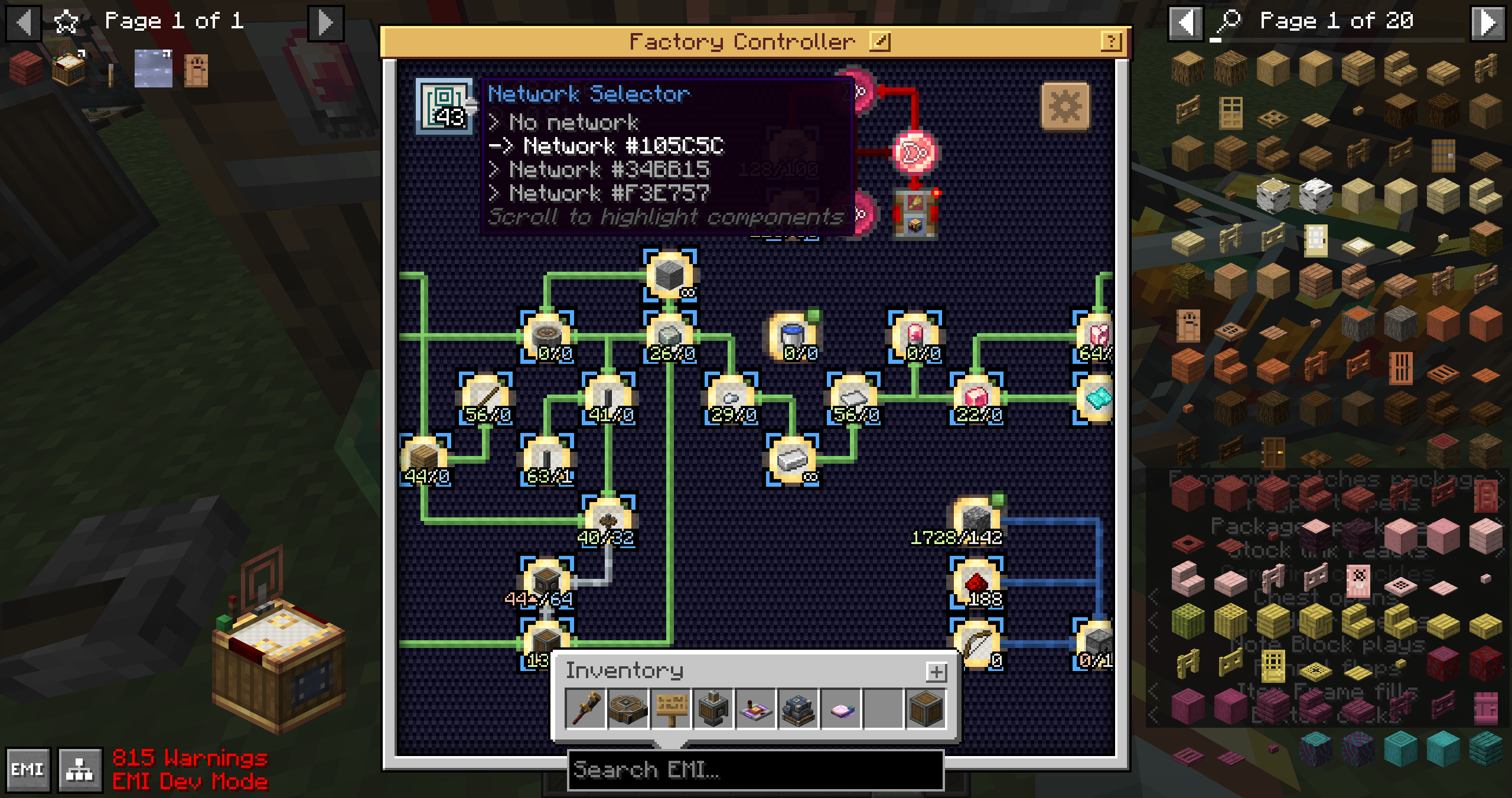 Network Selector Network Selector
 -
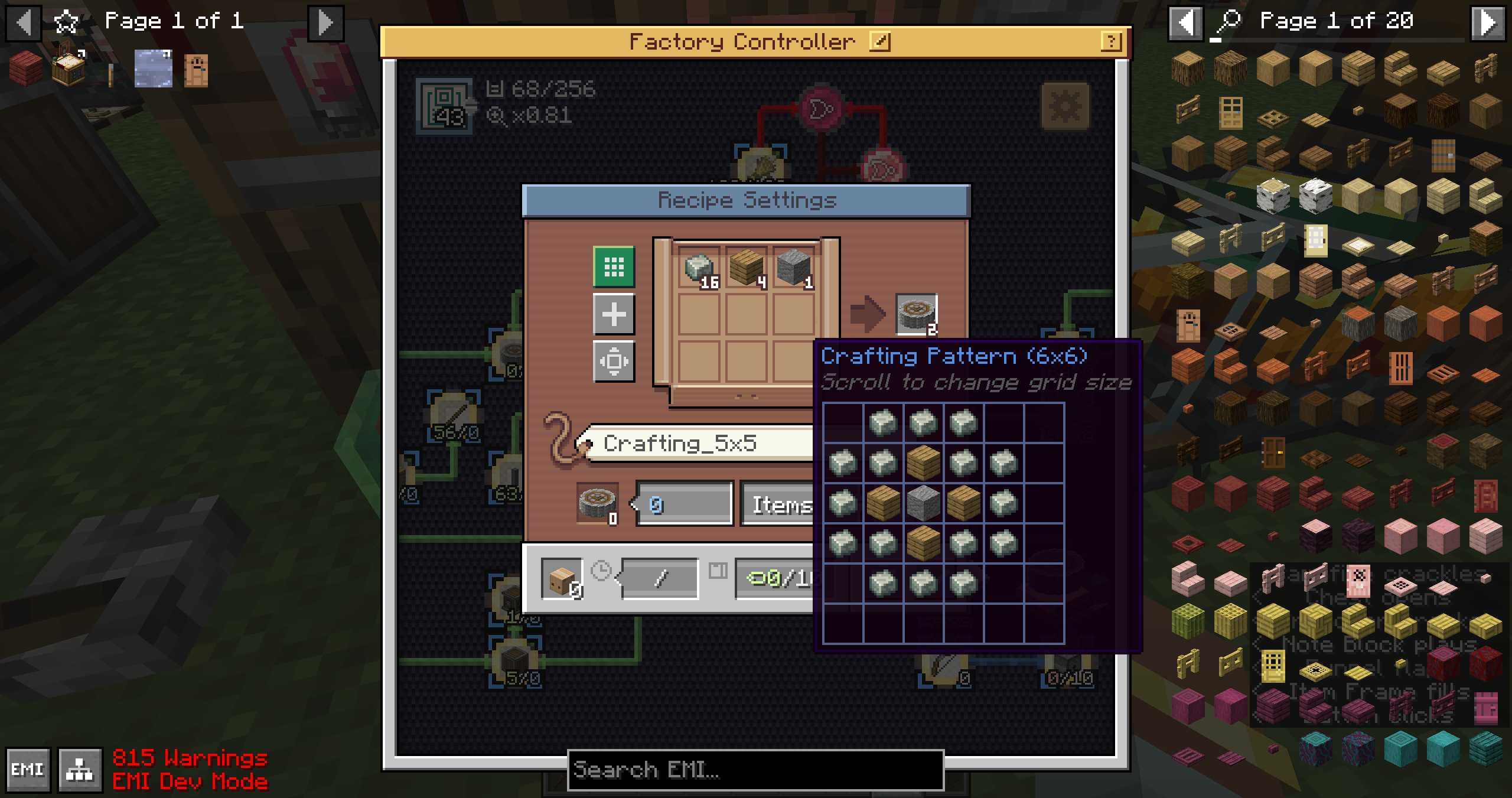 Large Crafting Grid Large Crafting Grid
 -
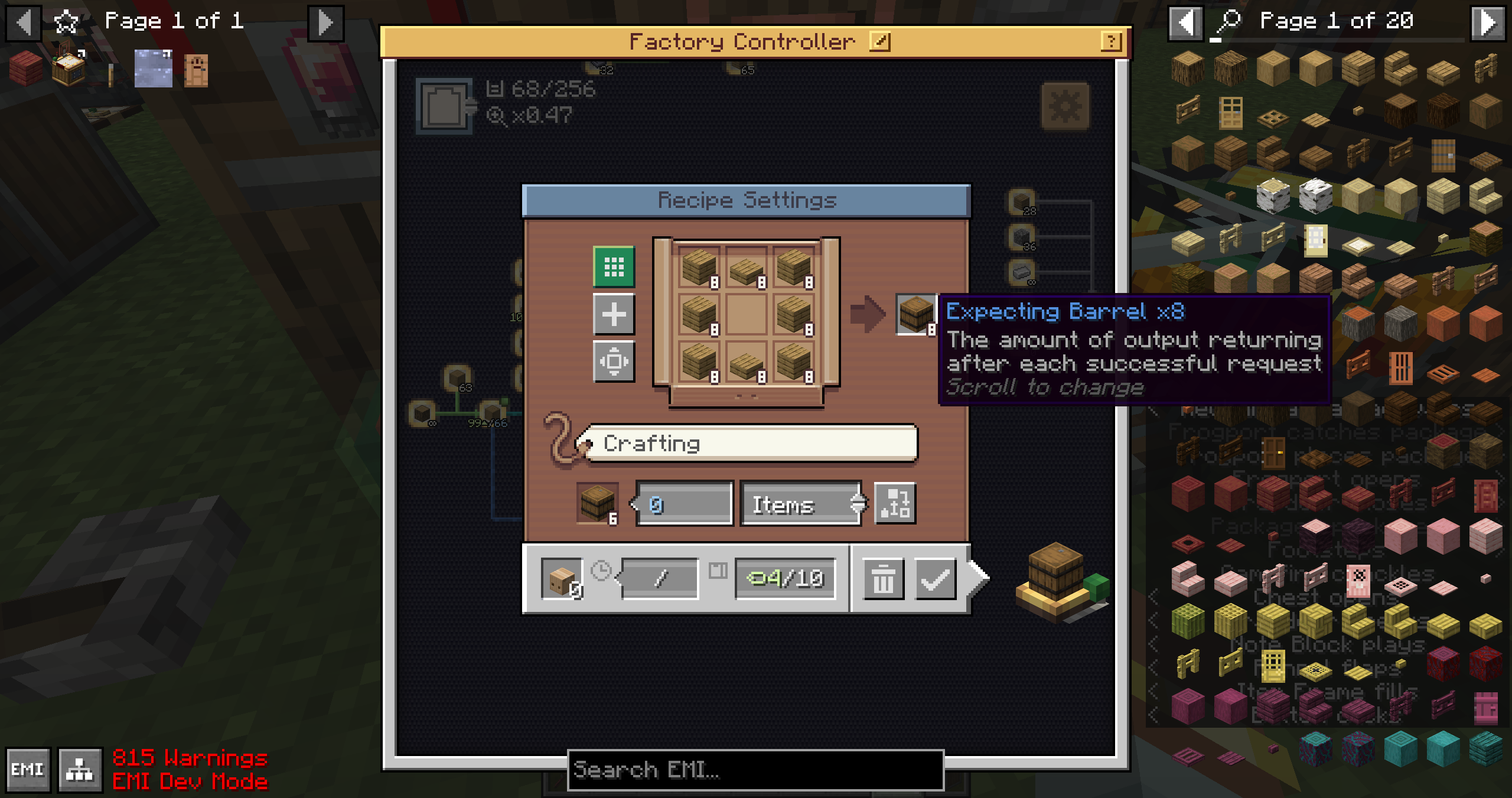 Batch Crafting Batch Crafting
 -
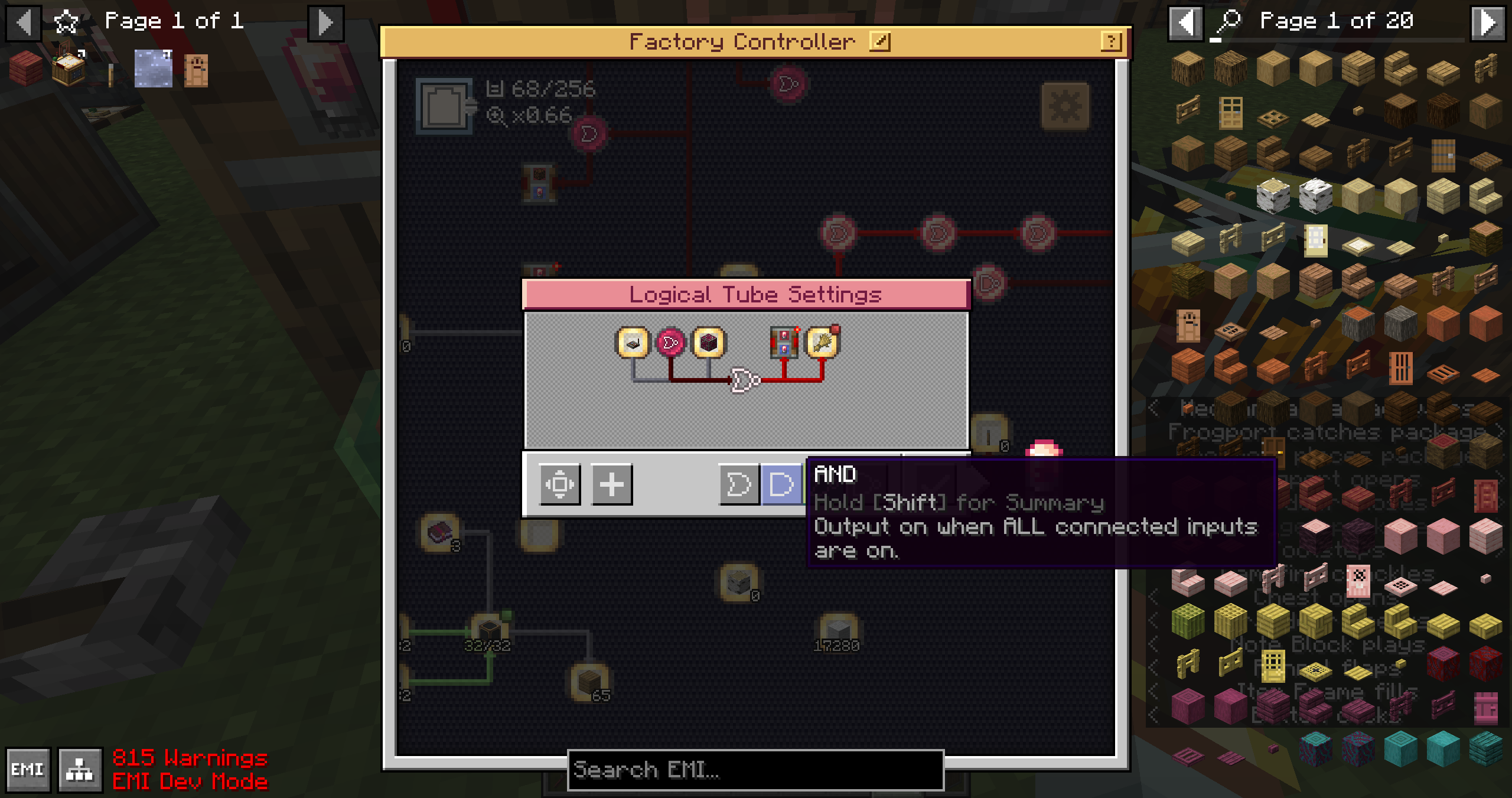 Logical Tube Logical Tube can perform redstone AND/OR/NOR/NAND operation
 -
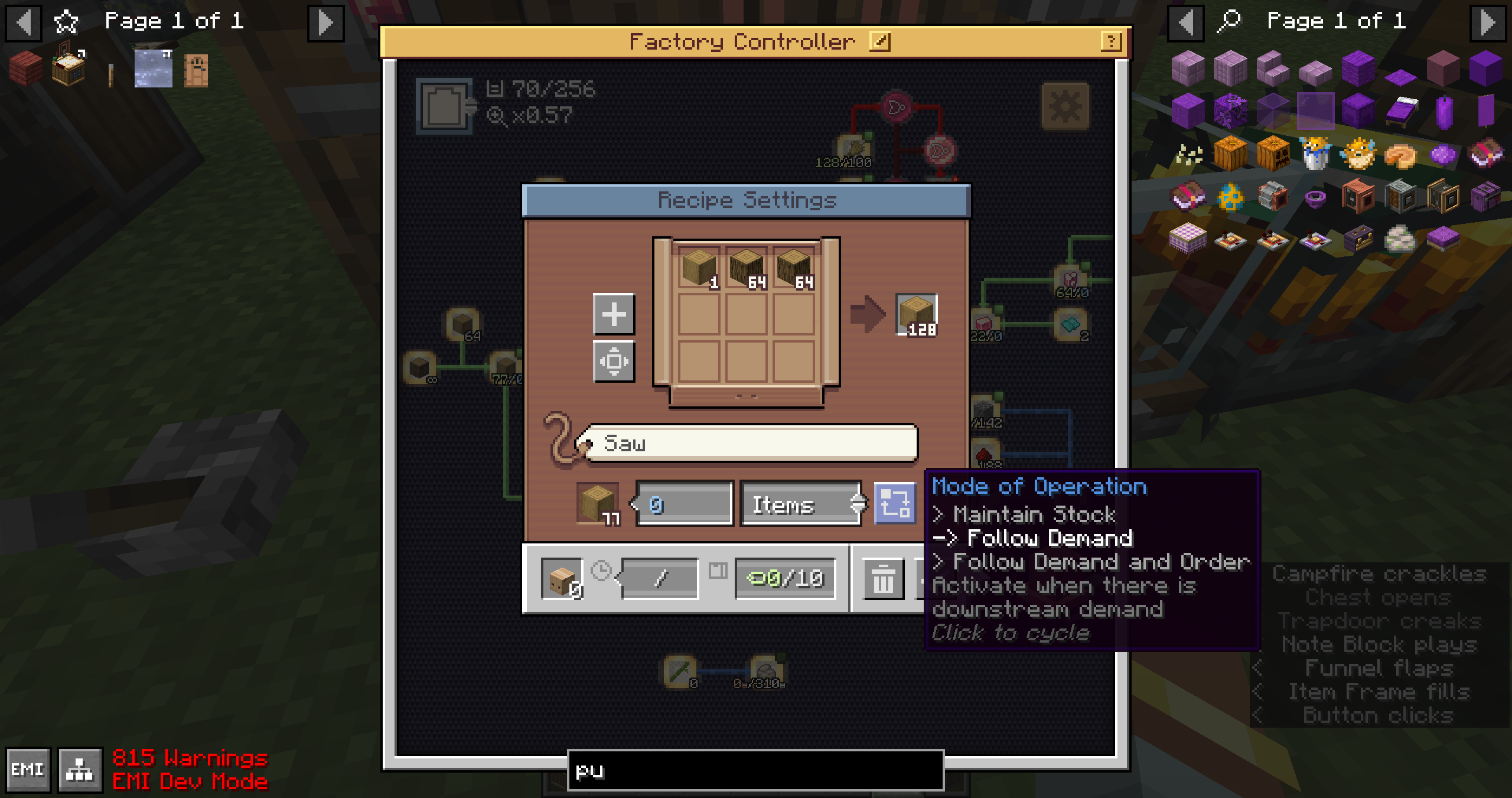 Follow Demand Mode Follow Demand Mode
Versions
Files
Relations
Project Relations
More like this
Similar Mods
Suggestions use data such as tags, dependencies, dependents, descriptions, titles, and more to rank how much they overlap with this mod.
- Create: Extra Gauges
- Create: Repackaged
- Create: Factory Routing
- Create: Stock Instant Craft
- Create: Factory
- Create Factory Logistics
- Create Factory Ball
- Create: Factory Metrics
- Create: Factory Logistics - Re-Packager Fix
- Create : Factory Processing
- Create: Factory Benchmark
- Create: Factory HUD Goggles
On ModDex
Community snapshot
By the numbers
Statistics
Want to reach Minecraft players?
We're looking for a server hosting partner to feature here and other parts of the site. Interested? Send us a message!
Get in touchGet it on
Available Platforms
On ModDex
Community snapshot
By the numbers