
Create Heads Up Display
No reviews yet
Create Heads Up Display is an addon for the Create mod that lets players freely display custom information on screens or a wearable HUD.
Neoforge is a fork of the Minecraft Forge available for versions 1.20.1+ of Minecraft. Many Forge mods are compatible with Neoforge and vice versa.
Community voices
Reviews
Click once to include, again to exclude, again to clear
No reviews yet. Be the first to review this project!
Get it on
Available Platforms
 Modrinth
Compatibility
Supported Environments
About
Project Details
For authors
Embed Badge
If you're the author of this project, you can embed a live badge anywhere that supports HTML or Markdown. It updates automatically whenever ratings change.
Use HTML for any page that supports it, or Markdown for README files and Markdown-based descriptions.
Identifiers
Platform IDs
Resources
External Links
About
Description
Create Heads Up Display is an addon for the Create mod that allows players to display various information as they wish.
Features 📺 Data Integration Core – Acts as a data reception and configuration hub that can connect to any terminal block.
📺 Terminal Block – Works as a data reception and configuration hub, capable of connecting to multiple data sources.
📺 Display – Binds to a terminal to render custom content onto a display, forming a multiblock structure.
🎮 Head‑Up Display (HUD) – When equipped, shows a custom HUD based on the bound terminal.
🎨 Highly Customizable – Each slot can independently adjust position, scale, rotation, color, and transparency.
📝 Static Text Slot – Adds custom text without needing any data source.
📡 Radar Addon Support – Can display radar renders from Create‑Radar‑Sable (without using its weapon network).
📹 Image Feature – Images need to be sent to the server for synchronisation with other players. Server admins can disable this feature via the config file. When an image is uploaded, the server console logs who uploaded it, making server management easier.
Dependencies Minecraft 1.21.1
NeoForge 21.1.219 or higher
Create 6.0.10‑280 or higher
Integration Radar from Create‑Radar‑Sable.
Installation Make sure NeoForge and Create are already installed.
Place the mod’s JAR file into the .minecraft/mods folder.
Usage Guide Please check in‑game for usage details.
Configuration & Synchronisation The server stores all slot configurations and the latest data on the terminal entity.
Development Status The core features of this mod are basically finished. Future work will focus on compatibility. I’m too lazy to keep this description fully up‑to‑date, so some new features may not be mentioned here. For efficiency, I used Claude. I probably won’t backport to 1.20.1 Forge because it’s too much trouble.
Acknowledgements The Create team for their powerful API, examples, and some texture assets.
Create‑Radar‑Sable for the display block model and texture resources – thank you so much!
All testers and contributors.
License MIT © 2026 HAOYIYU994
Screenshots
Gallery
-
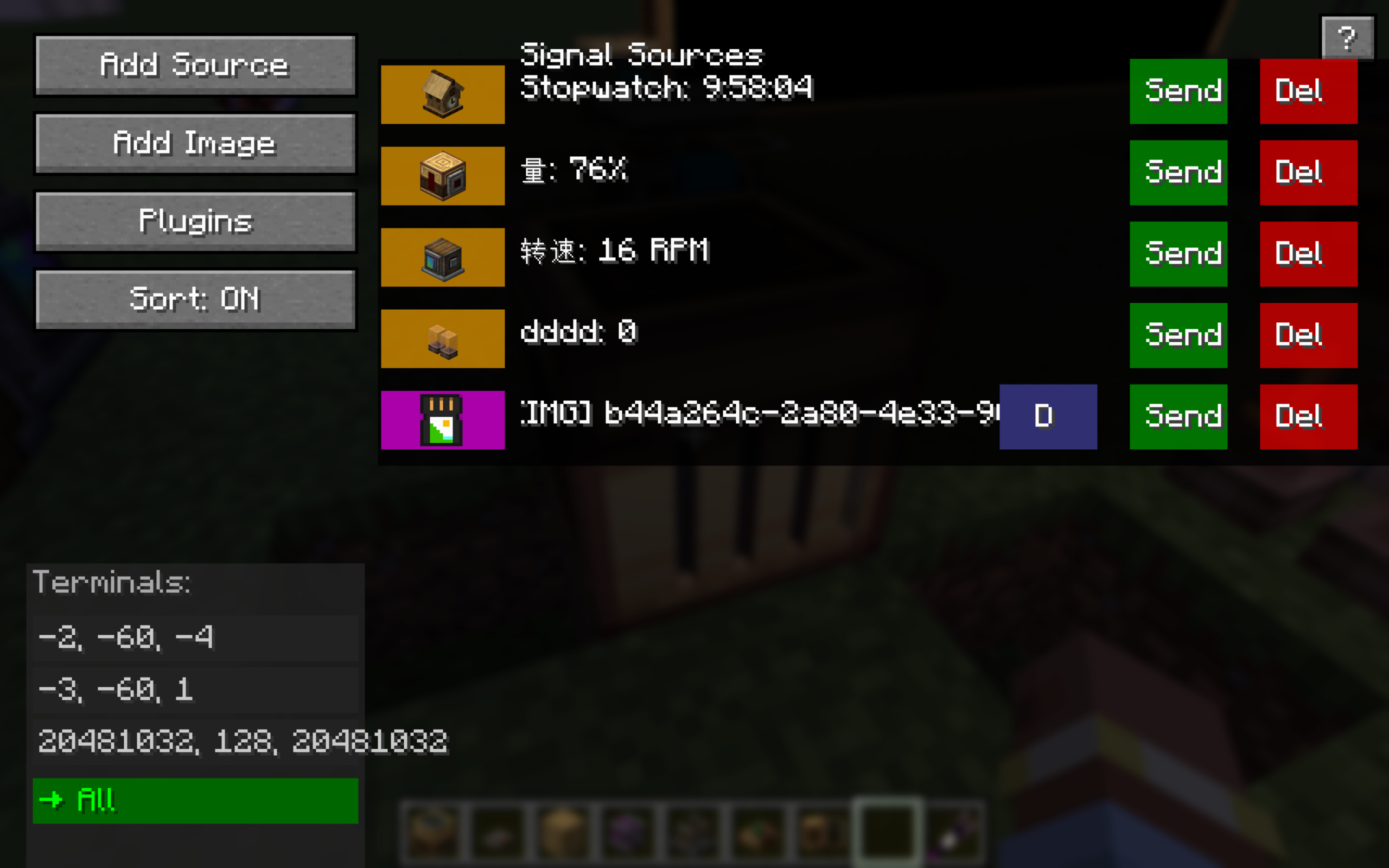 Data Integration Core Interface It is responsible for receiving data information, including extended content such as the contents of the connector, the contents of wireless redstone signals, and images. Clicking “Send” will transmit the data to your display terminal.
 -
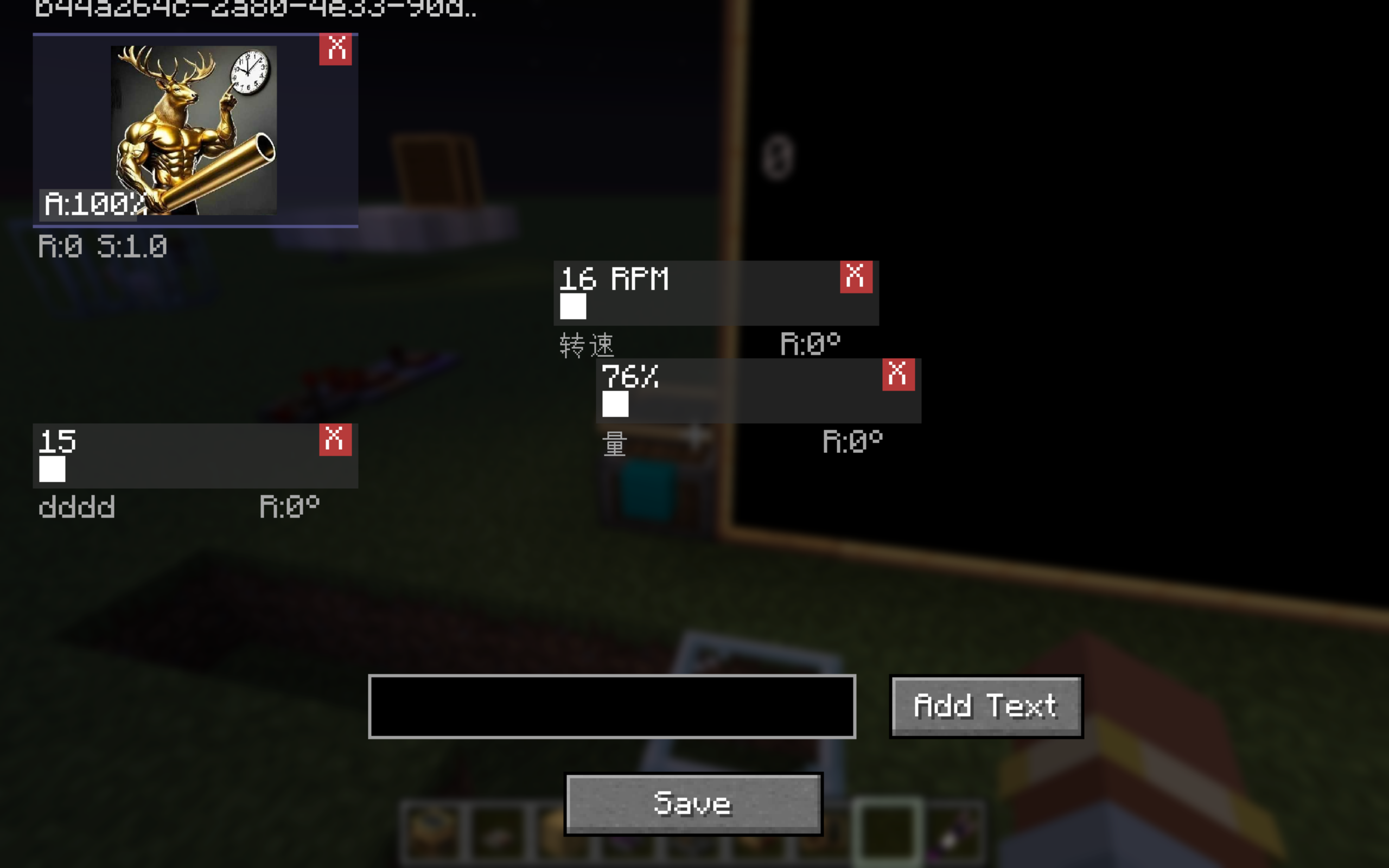 display terminal interface This is the display terminal interface. It can be used to adjust the position, size, and rotation of each data item. Clicking "Add text" allows you to add static text.
 -
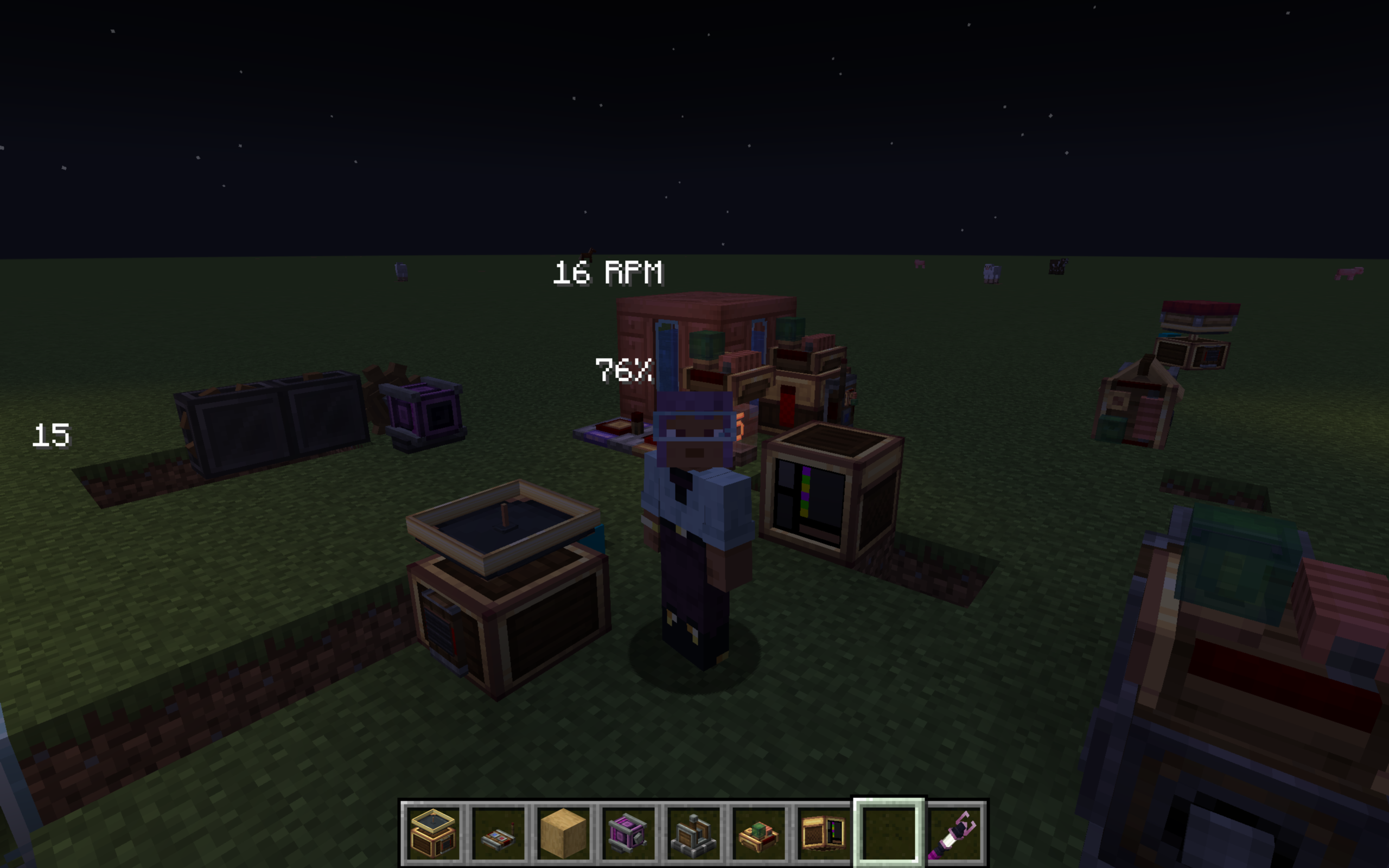 Head-mounted display and its rendering effect When you connect the head-mounted display to the display terminal and put it on, the content of the display terminal can be rendered on the screen in the form of a HUD.
 -
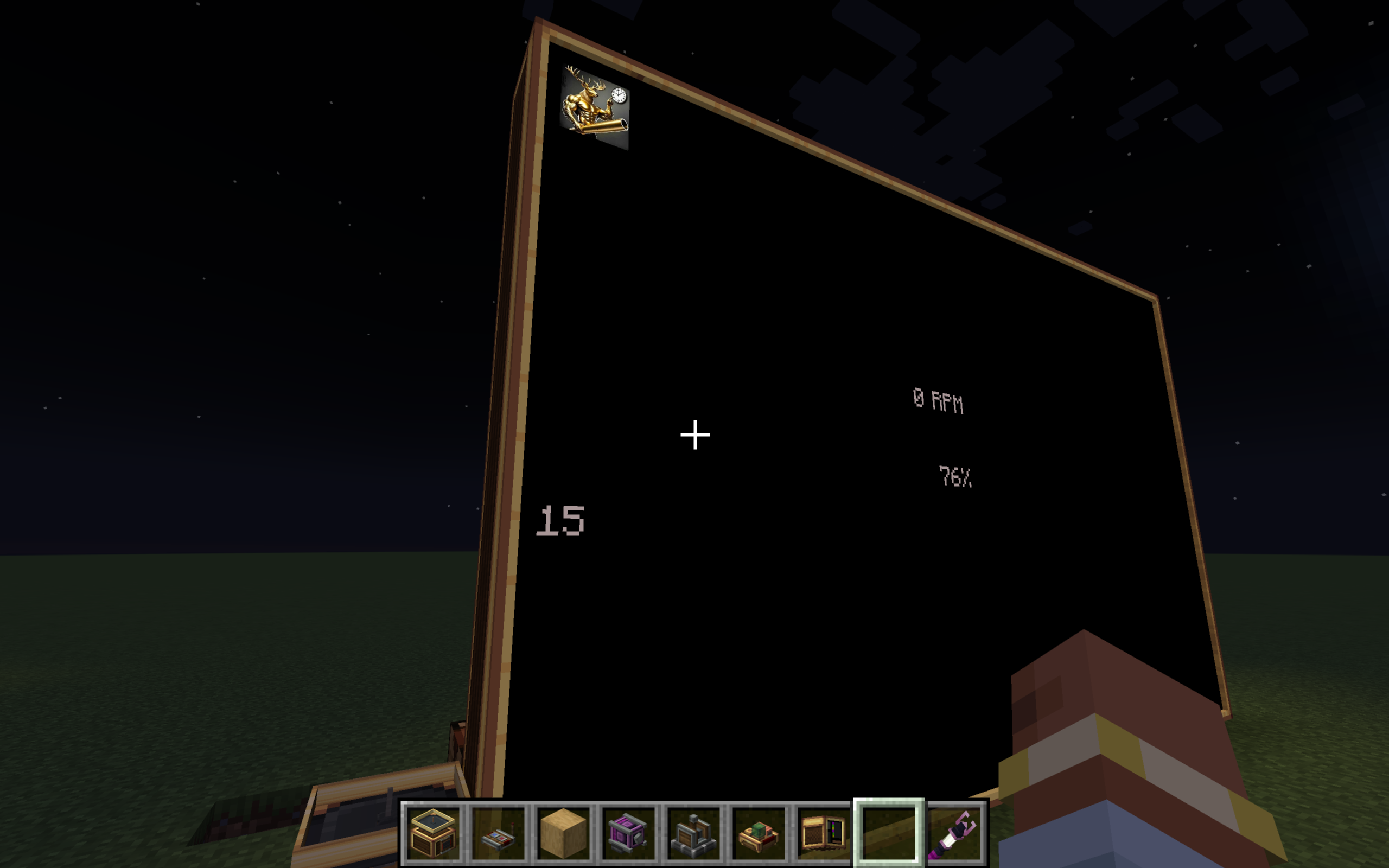 Display rendering effect Connect the display to the display terminal to achieve fixed rendering on the display.
 -
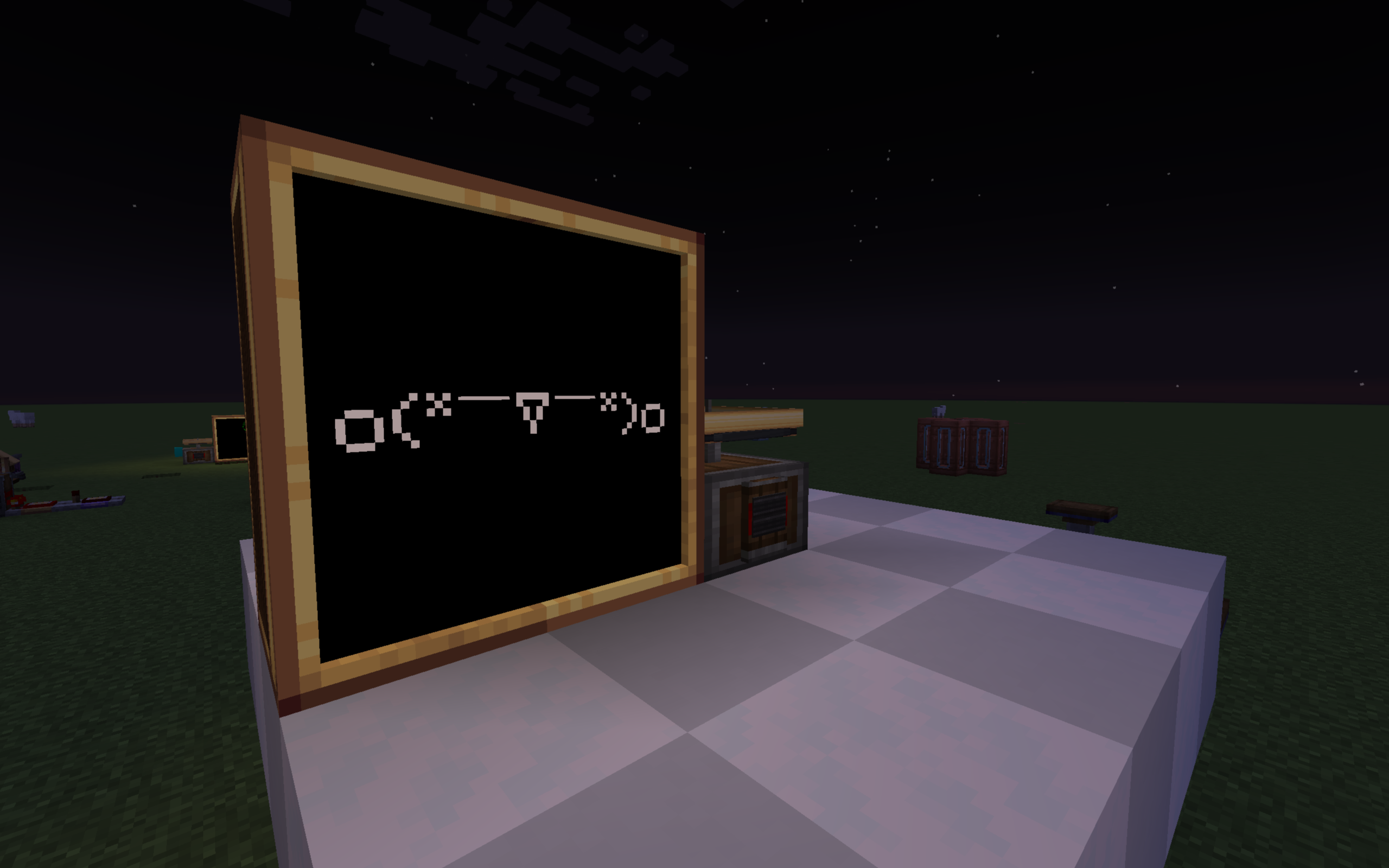 可爱捏 这个颜文字甚至可以动!
Versions
Files
Relations
Project Relations
More like this
Similar Mods
Suggestions use data such as tags, dependencies, dependents, descriptions, titles, and more to rank how much they overlap with this mod.
On ModDex
Community snapshot
By the numbers
Statistics

Want to reach Minecraft players?
We're looking for a server hosting partner to feature here and other parts of the site. Interested? Send us a message!
Get in touchGet it on
Available Platforms
On ModDex
Community snapshot
By the numbers
Statistics
Resources