
Community listing page, reviews here may not be monitored by the author.
Create: Kinetic Chutes


No reviews yet
A Create addon that adds the Kinetic Chute, a filterable item transport block capable of moving items horizontally, downward, and upward without rotational power.
Community voices
Reviews
No reviews yet. Be the first to review this project!
Get it on
Available Platforms
Compatibility
Supported Environments
Must be installed on both the client and the server.
About
Project Details
For authors
Embed Badge
If you're the author of this project, you can embed a live badge anywhere that supports HTML or Markdown. It updates automatically whenever ratings change.
Use HTML for any page that supports it, or Markdown for README files and Markdown-based descriptions.
Identifiers
Platform IDs
About
Description
⚙️ Create: Kinetic Chutes
🚚 Transport items horizontally and vertically — without rotational power!
Create: Kinetic Chutes adds one new Create-style block: the Kinetic Chute.
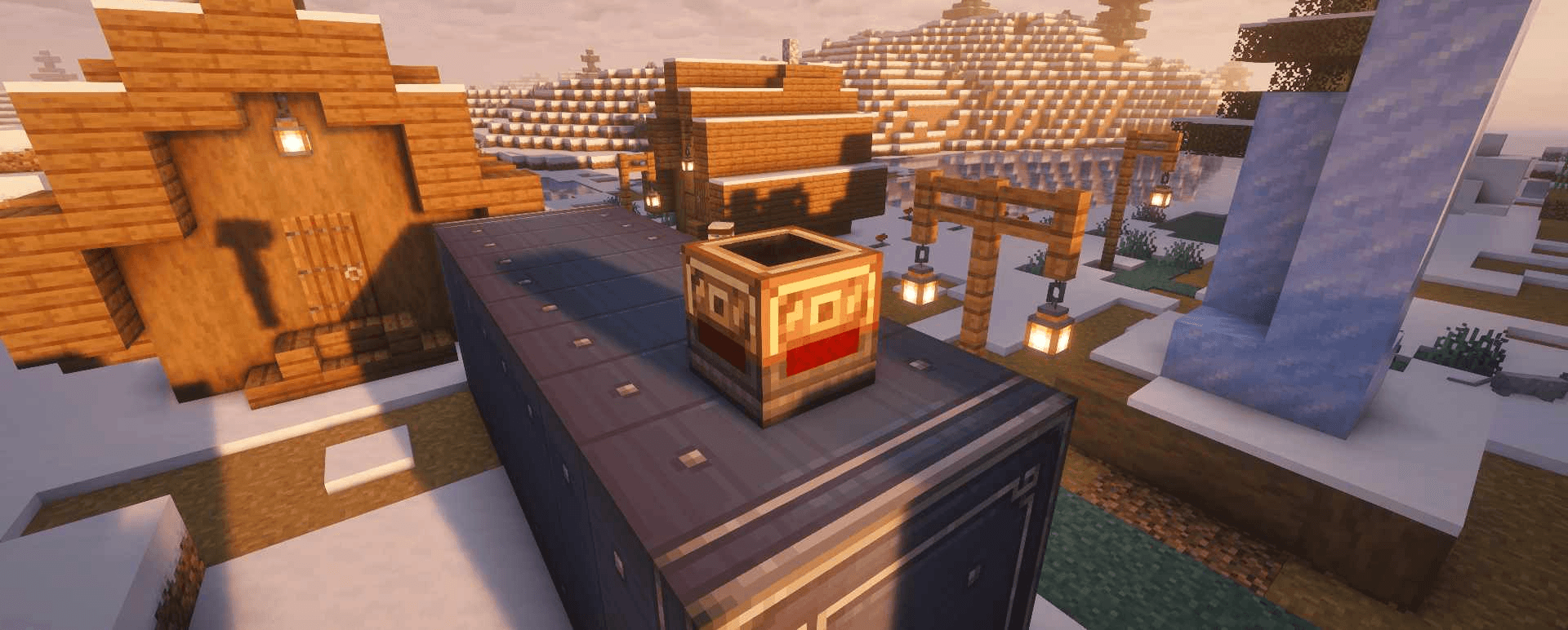
The Kinetic Chute provides a compact and flexible way to transport items between inventories and Item Vaults. It can move items horizontally, downward, and even upward without requiring rotational power.
✨ Features
-
↔️ Horizontal item transport
-
⬇️ Downward item transport
-
⬆️ Upward item transport
-
⚙️ No rotational power required
-
🔧 Rotate horizontal chutes using a wrench
-
🎛️ Configure vertical chutes with
Move UpandMove Down -
🔍 Supports filters like a Smart Chute
-
📦 Works with inventories and Item Vaults
-
📘 Includes an in-game Ponder scene
-
🏆 Includes a custom advancement
-
🧰 Found in the Create creative tab next to the Smart Chute
↔️ Horizontal Transport
Place a Kinetic Chute horizontally next to an inventory or Item Vault.
The chute extracts items from the inventory directly behind it and pushes them toward the direction it is facing.
Use a wrench to rotate the chute and change its transport direction.
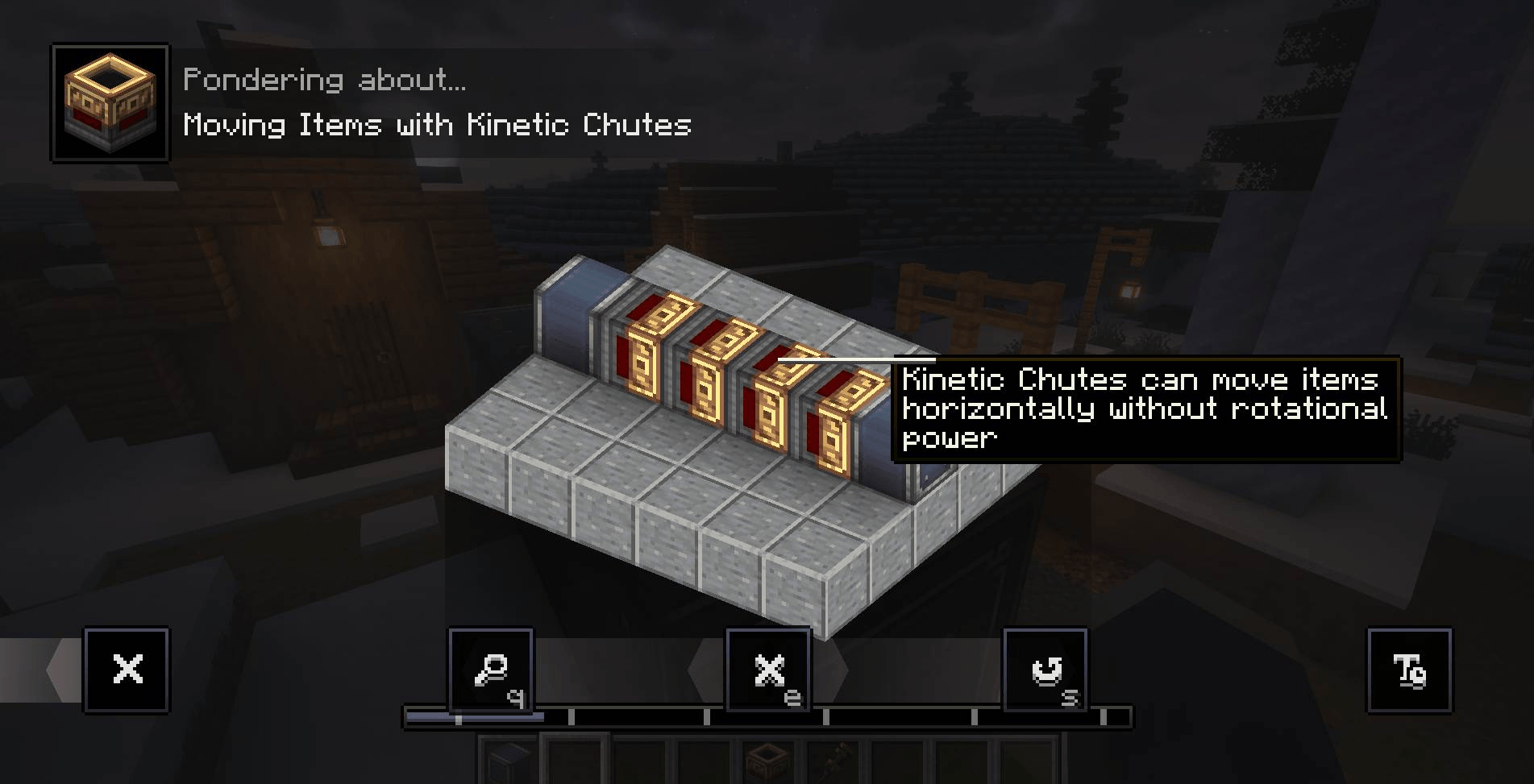
You can also place multiple Kinetic Chutes behind each other to create longer horizontal transport lines.
↕️ Vertical Transport
Vertical Kinetic Chutes move items downward by default.
To change their transport direction:
-
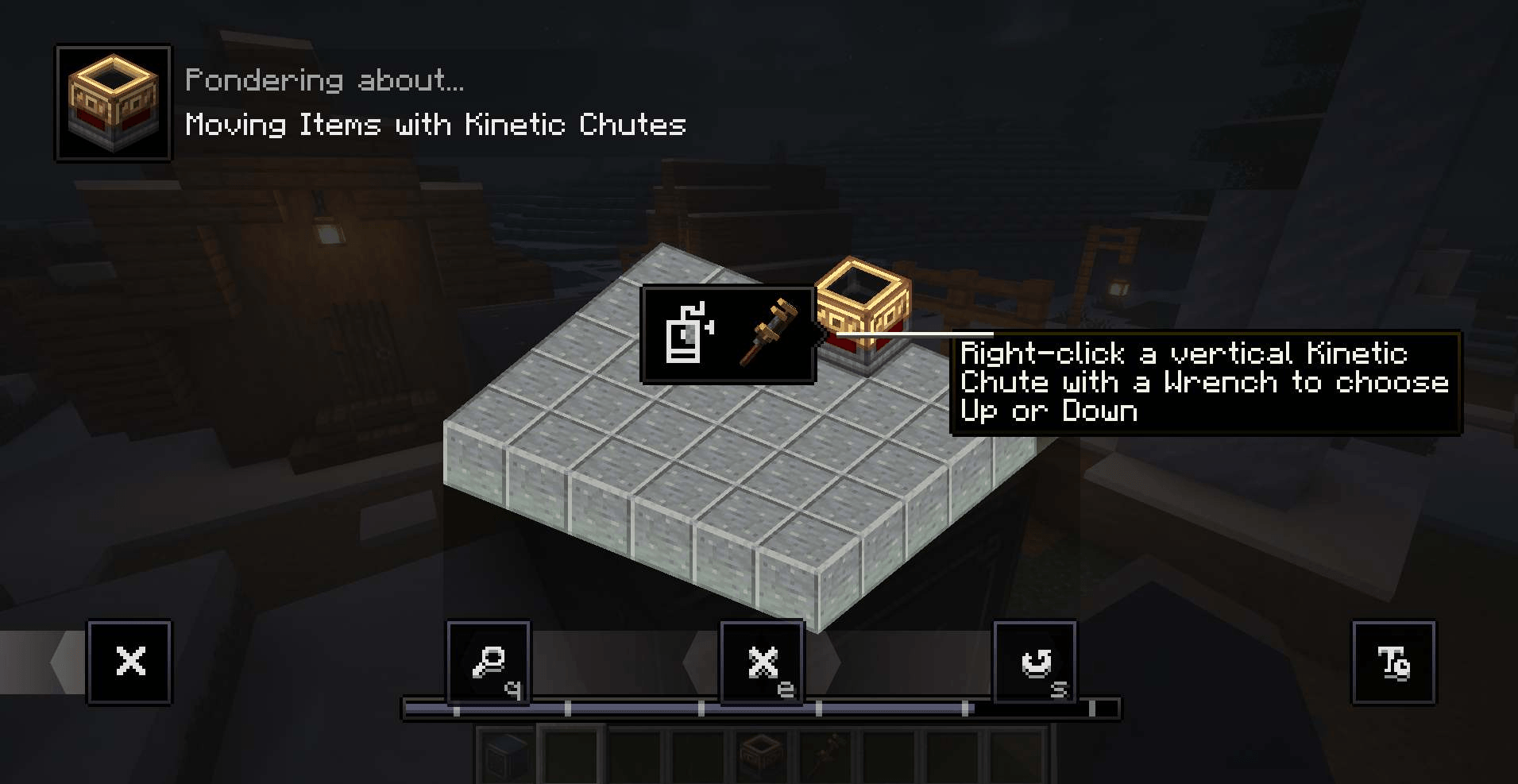
Right-click a vertical Kinetic Chute with a wrench
-
Open the configuration menu
-
Select
Move UporMove Down
⬆️ Move Up
When set to Move Up, the Kinetic Chute extracts items from the inventory below it and inserts them into the inventory above it.
⬇️ Move Down
When set to Move Down, the Kinetic Chute extracts items from the inventory above it and inserts them into the inventory below it.
🔍 Item Filtering
Use a Create filter item to control which items are allowed or blocked from passing through the Kinetic Chute.
This allows you to create organized transport systems and prevent unwanted items from entering the wrong inventory.
📘 Ponder and Advancement
The mod includes an in-game Ponder scene that explains how horizontal and vertical transport works.
A custom advancement is also included to introduce players to the Kinetic Chute.
🏭 Compact Create Logistics
Whether you want to move items sideways, transport resources between different floors, or create a compact factory layout, Create: Kinetic Chutes provides a simple and flexible item transport solution that fits naturally into Create.


This mod have been created with IntelliJ
⚠️ This is an unofficial create addon. Do not report addon bugs to the original create developers.
Disclaimer about product: NOT AN OFFICIAL MINECRAFT PRODUCT. NOT APPROVED BY OR ASSOCIATED WITH MOJANG OR MICROSOFT
Create: Kinetic Chutes
🚚 Transport items horizontally and vertically — without rotational power!
Create: Kinetic Chutes adds a new Create-style block: the Kinetic Chute.
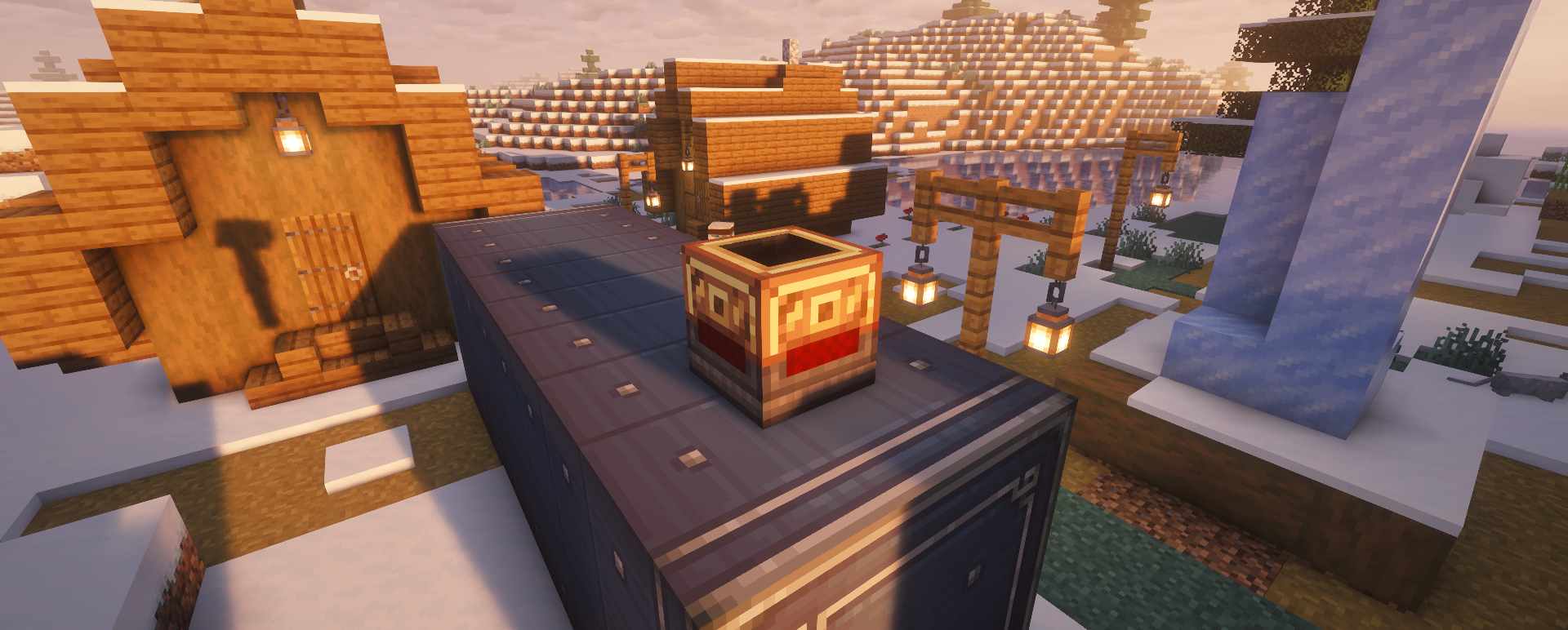
The Kinetic Chute offers a compact and flexible way to move items between inventories and Item Vaults. It can transport items horizontally, downward, or even upward — all without requiring any rotational power.
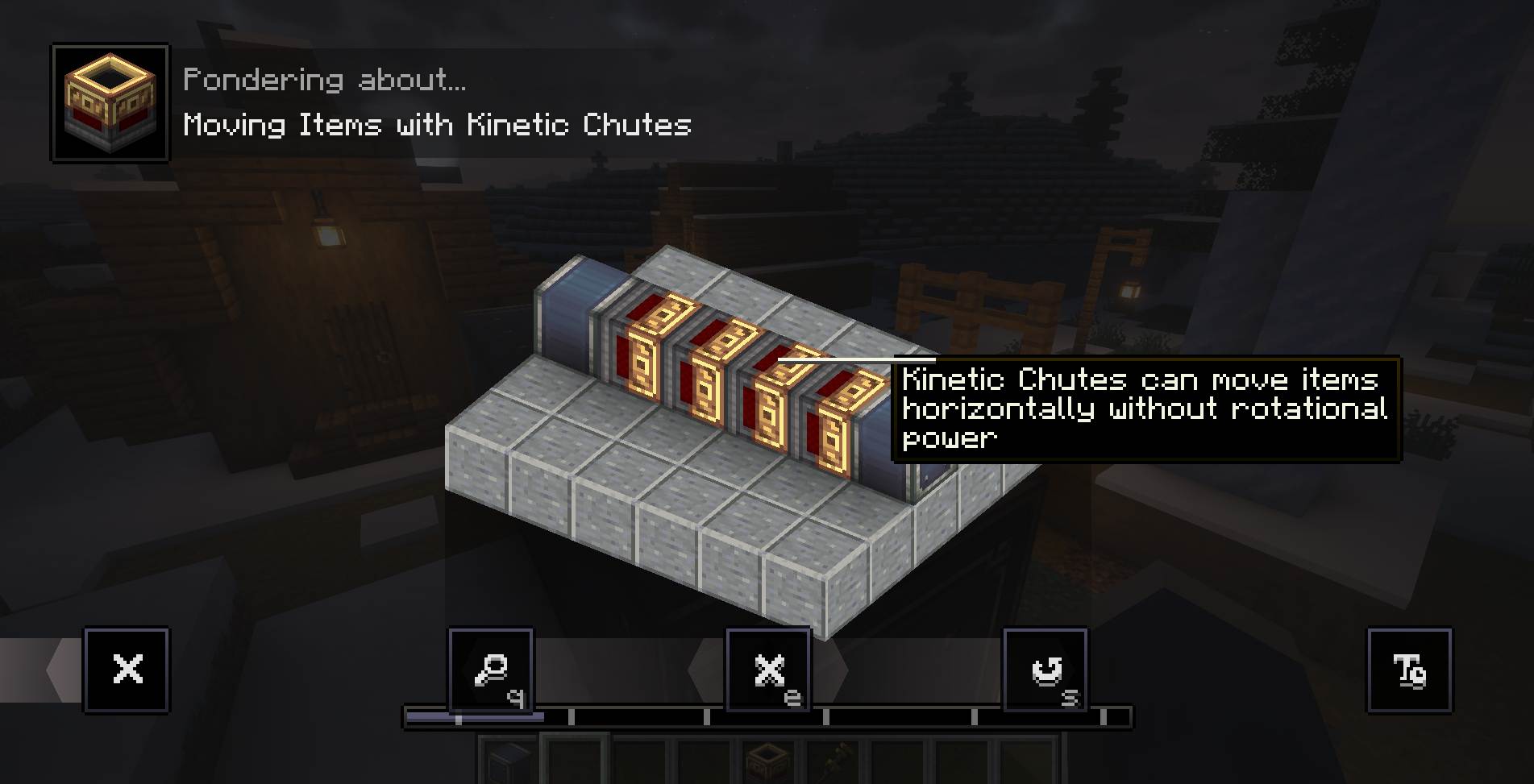
✨ Features
- ↔️ Transport items horizontally
- ⬇️ Move items vertically downward
- ⬆️ Move items vertically upward
- ⚙️ No rotational power required
- 🔧 Rotate horizontal chutes using a wrench
- 🎛️ Configure vertical chutes to
Move UporMove Down - 🔍 Supports filters, similar to the Smart Chute
- 📦 Works with inventories and Item Vaults
- 📘 Includes an in-game Ponder explanation
- 🏆 Includes a custom advancement
- 🧰 Appears in the Create creative tab next to the Smart Chute
↔️ Horizontal Transport
Place a Kinetic Chute horizontally next to an inventory or Item Vault.
The chute extracts items from the inventory directly behind it and pushes them toward the direction it is facing.
Use a wrench to rotate the chute and change its transport direction.
↕️ Vertical Transport
Vertical Kinetic Chutes transport items downward by default.
To change the direction:
- Right-click a vertical Kinetic Chute with a wrench
- Open its configuration menu
- Select
Move UporMove Down
⬆️ Move Up
When set to Move Up, the chute extracts items from the inventory below it and inserts them into the inventory above it.
⬇️ Move Down
When set to Move Down, the chute extracts items from the inventory above it and inserts them into the inventory below it.
🔍 Filtering
Use a compatible filter item to control which items are allowed or blocked from passing through the Kinetic Chute.
This makes it easy to create organized transport systems and prevent unwanted items from entering the wrong inventory.
🏭 Compact and Flexible Item Transport
Whether you need to move items sideways, transport materials between floors, or build a compact factory, Create: Kinetic Chutes provides a simple and Create-inspired solution for item logistics.

This mod have been created with IntelliJ
⚠️ This is an unofficial create addon. Do not report addon bugs to the original create developers.
Disclaimer about product: NOT AN OFFICIAL MINECRAFT PRODUCT. NOT APPROVED BY OR ASSOCIATED WITH MOJANG OR MICROSOFT
Screenshots
Gallery
-
Up or down item transport_compressed.png Up or down item transport_compressed.png
-
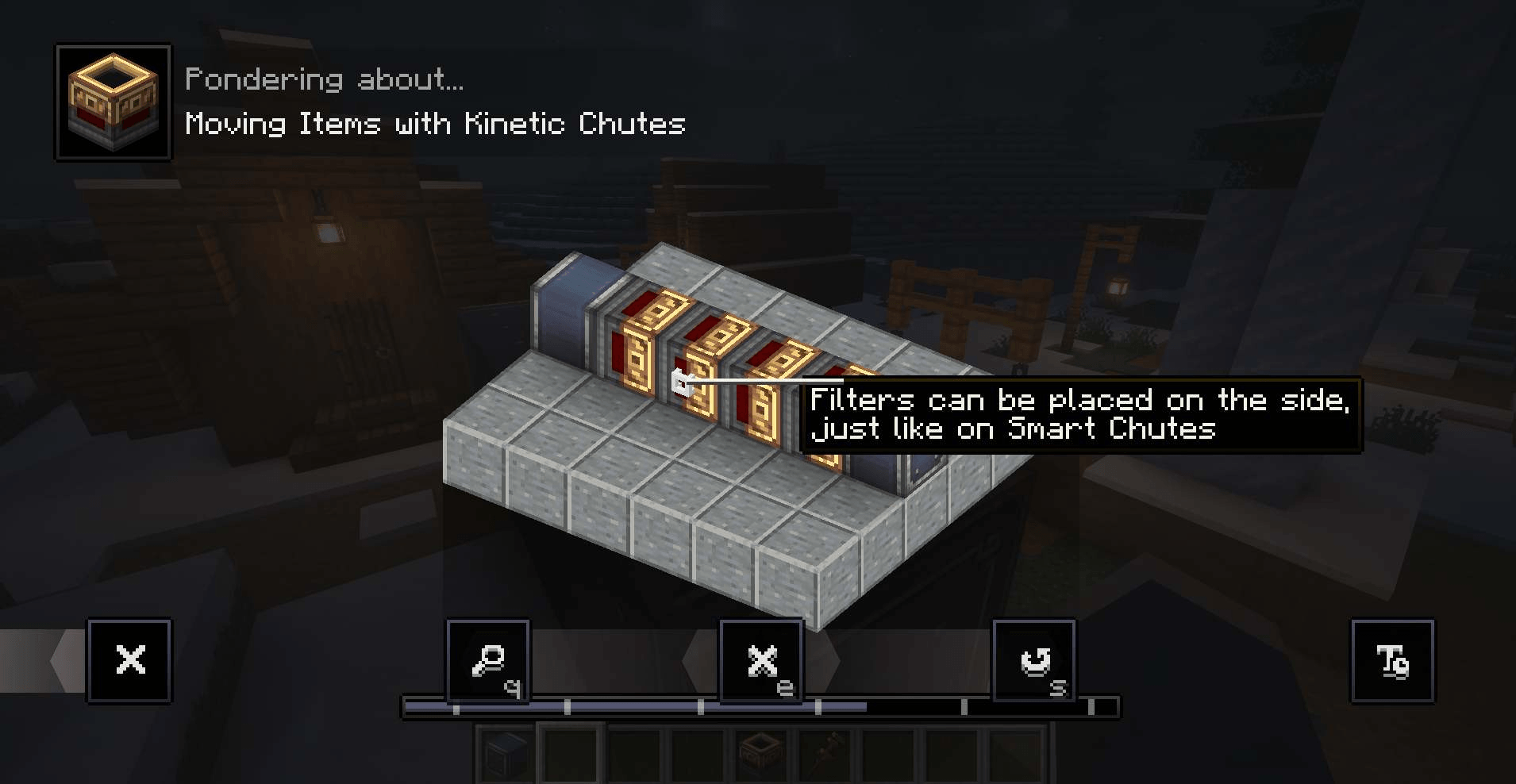 Filter placement_compressed.png Filter placement_compressed.png
 -
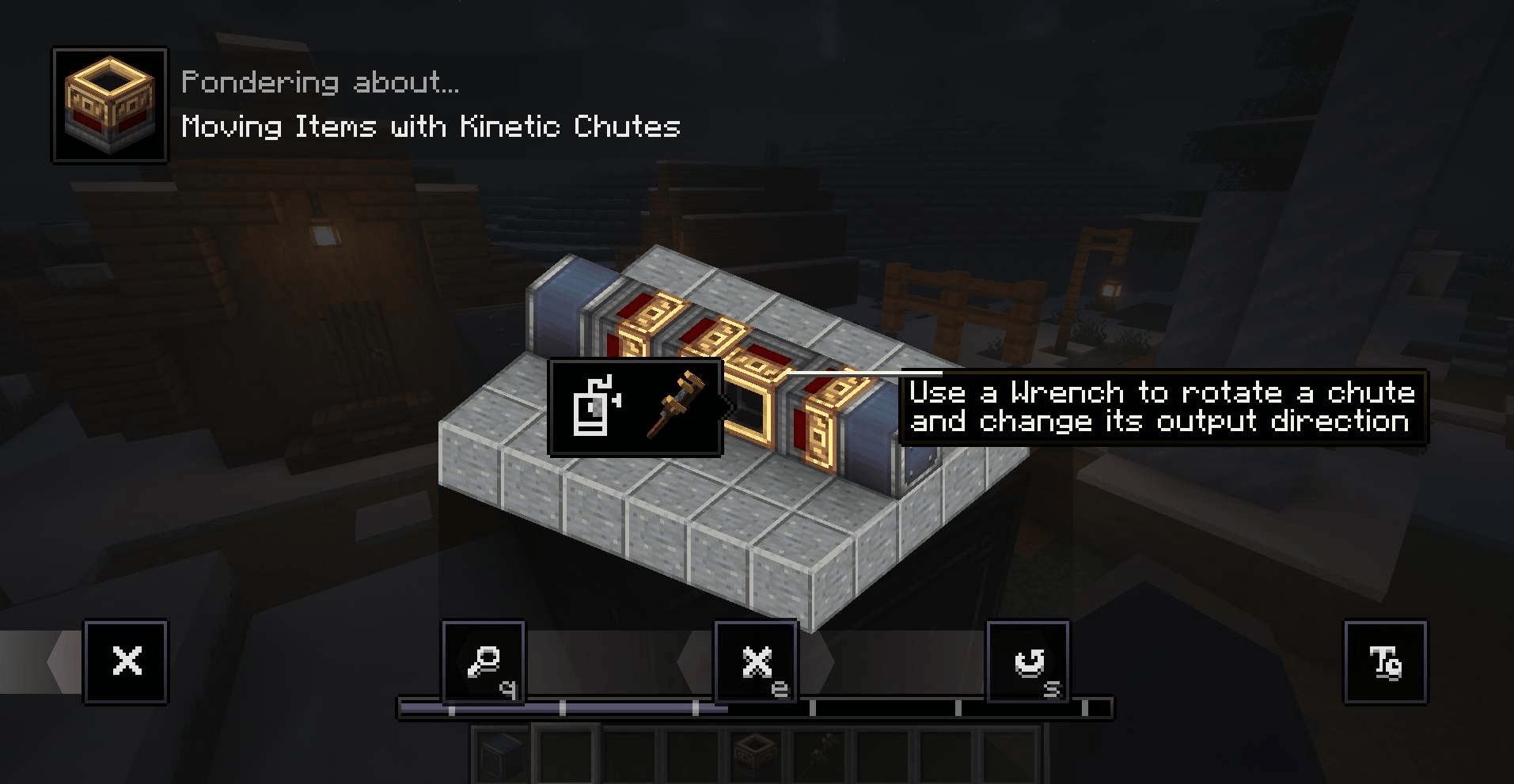 change position_compressed.png change position_compressed.png
 -
Ponder vertical chute_compressed.png Ponder vertical chute_compressed.png
-
In game_compressed.png In game_compressed.png
-
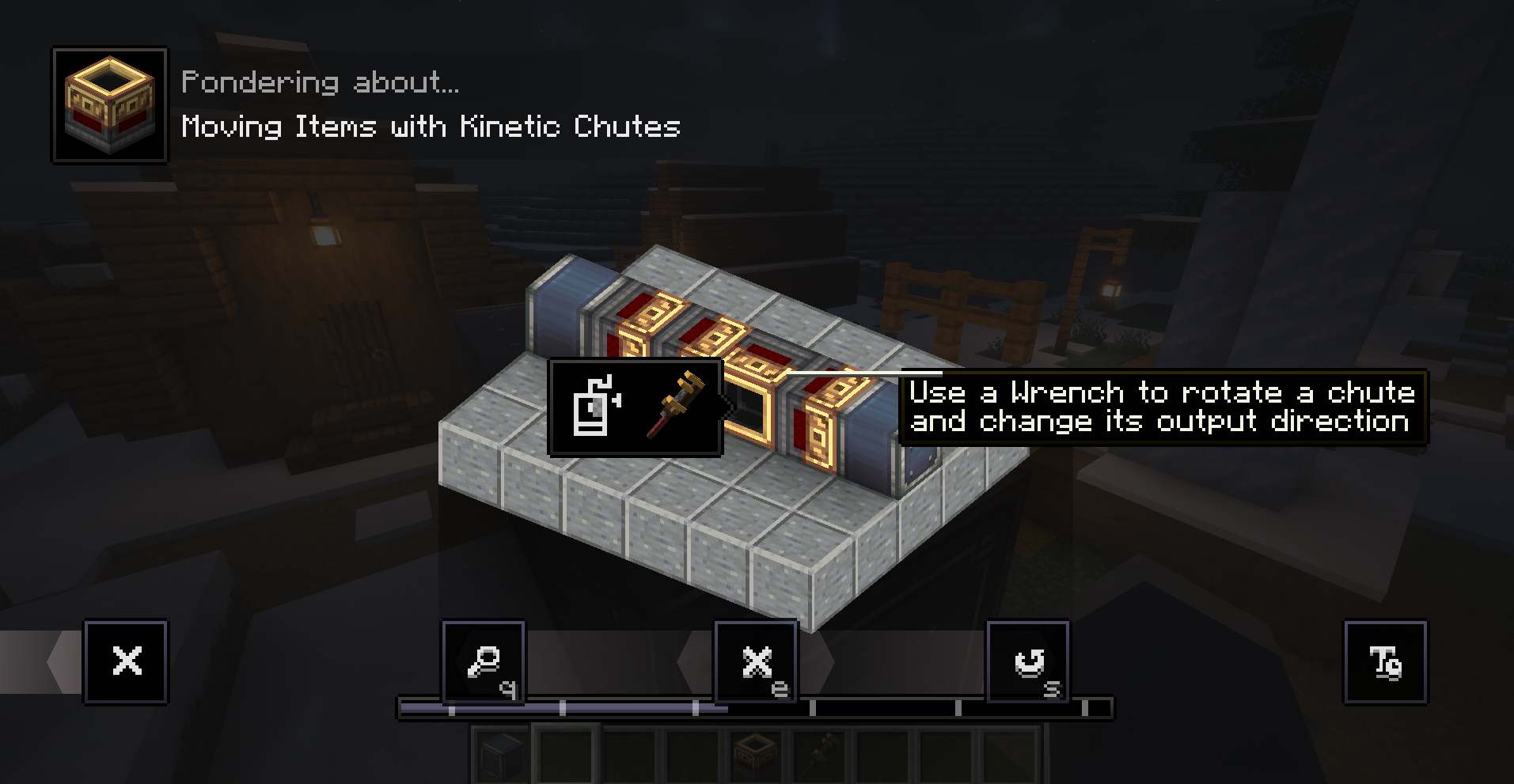 change position
 -
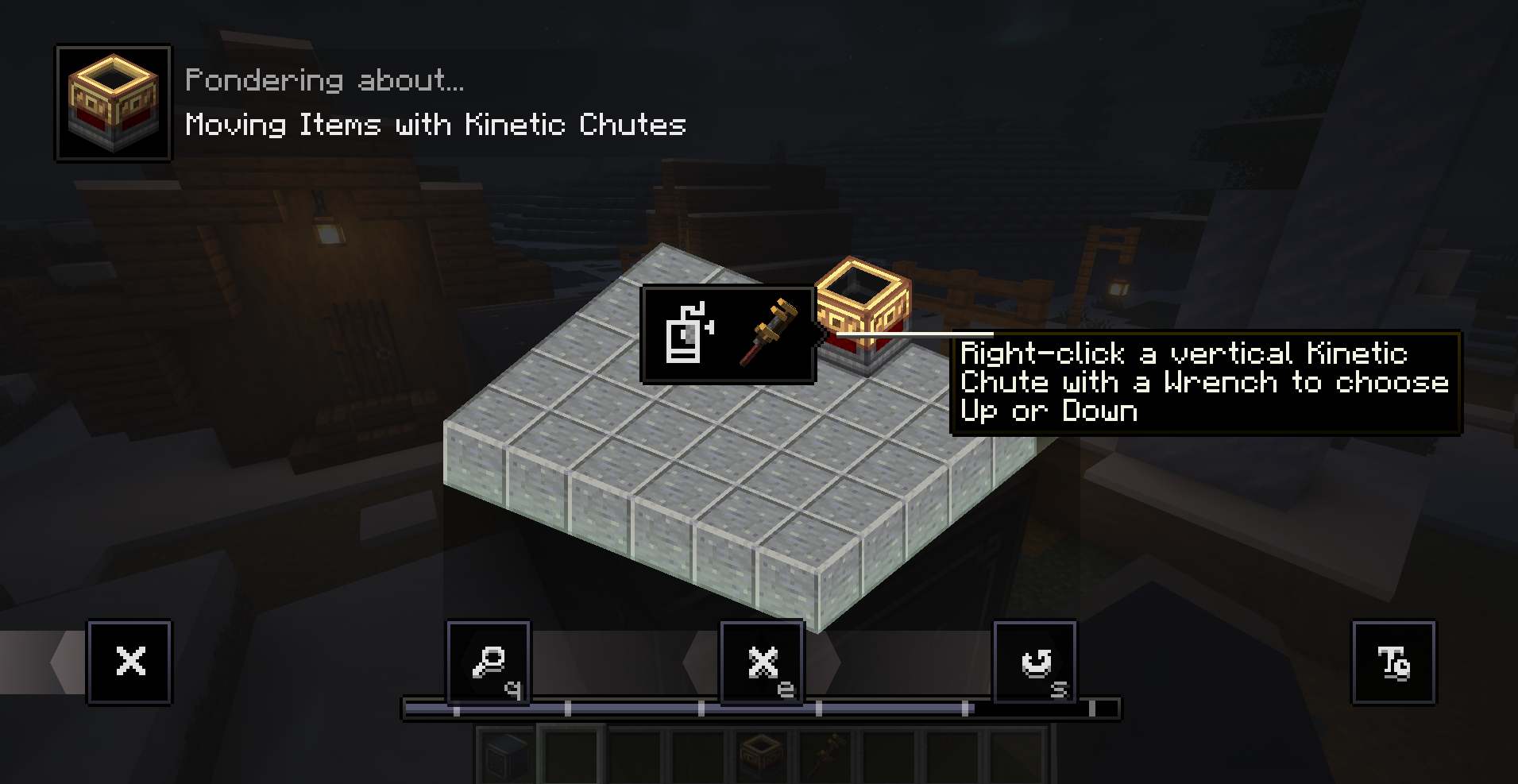 Up or down item transport
 -
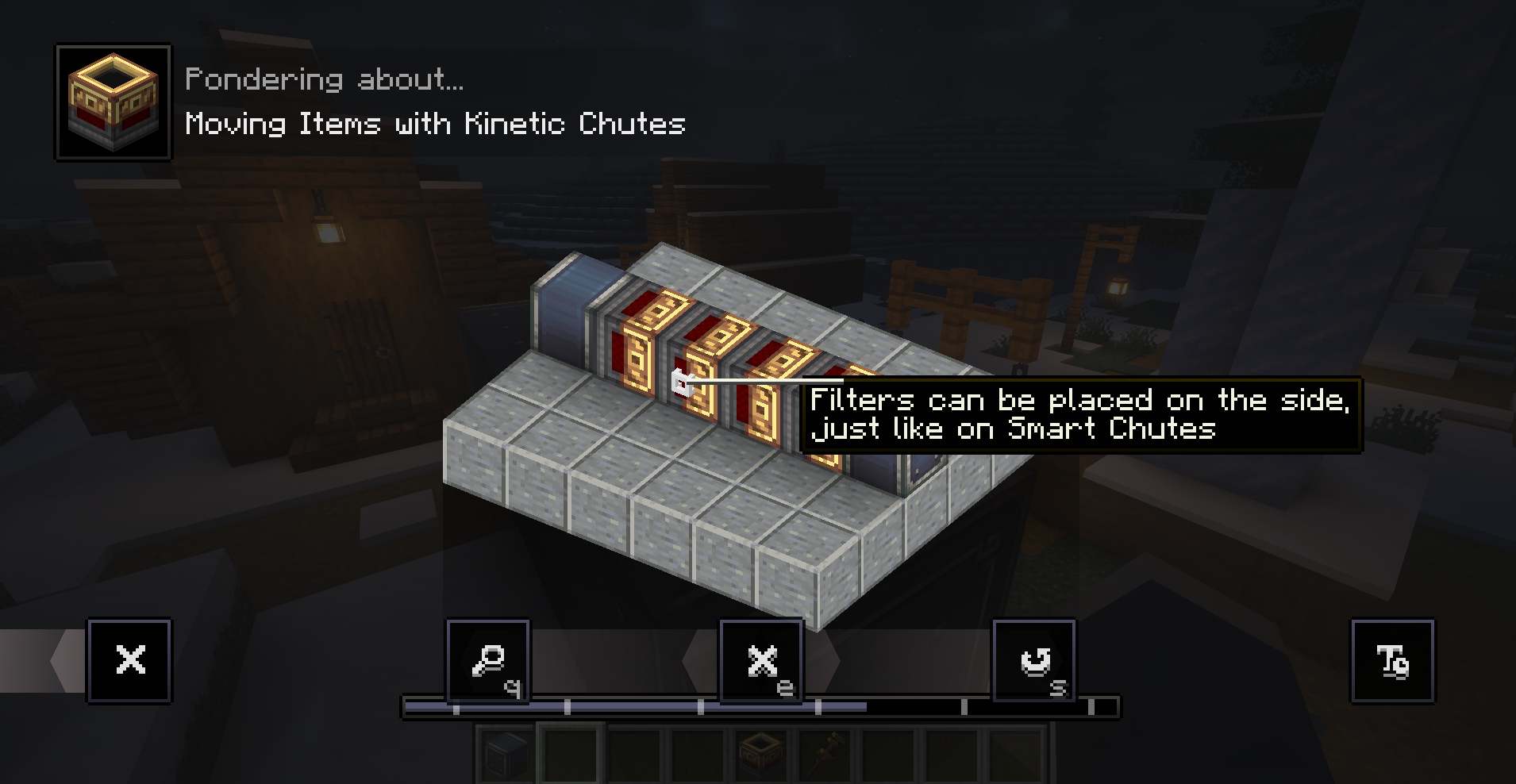 Filter placement
 -
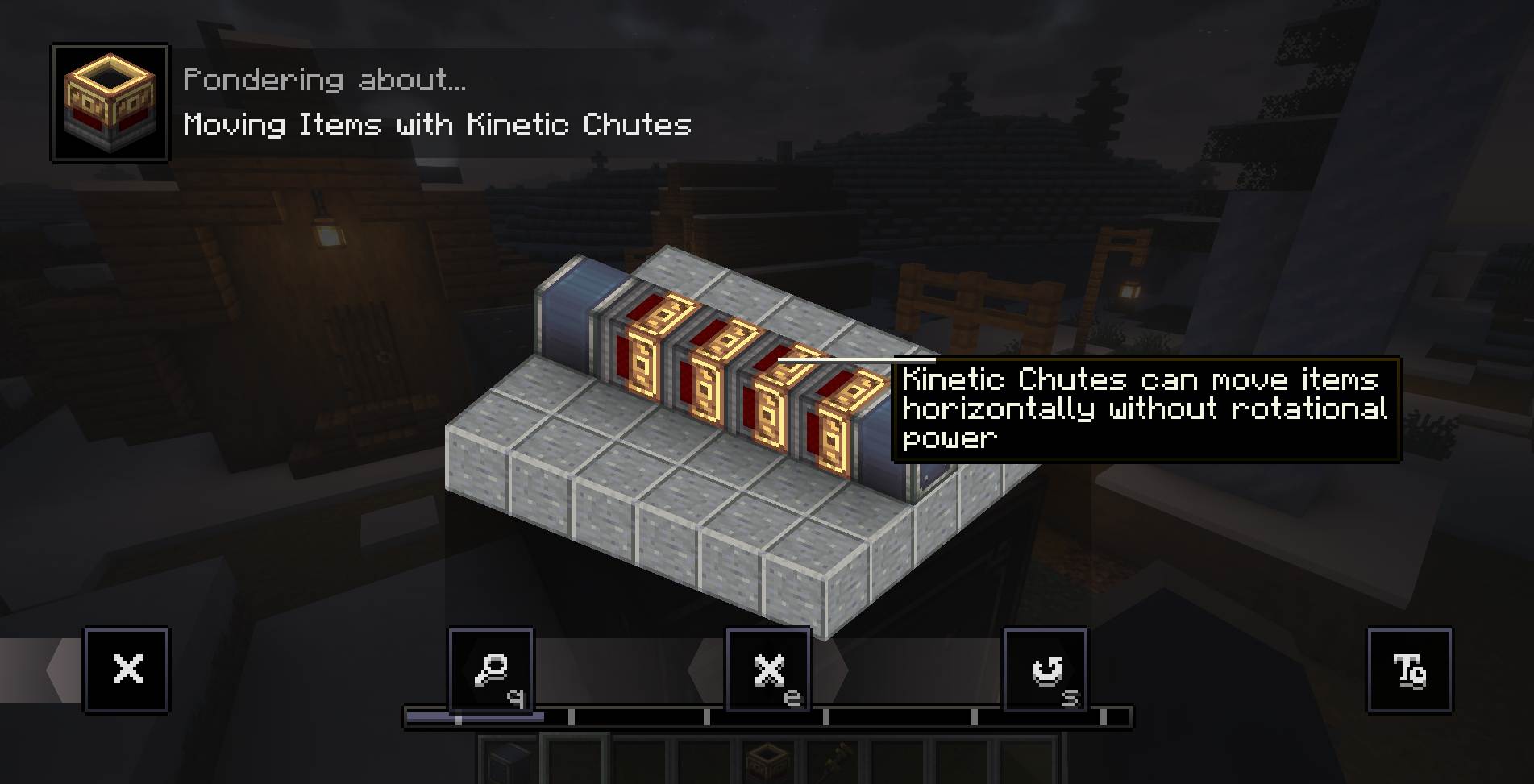 Ponder vertical chute
 -
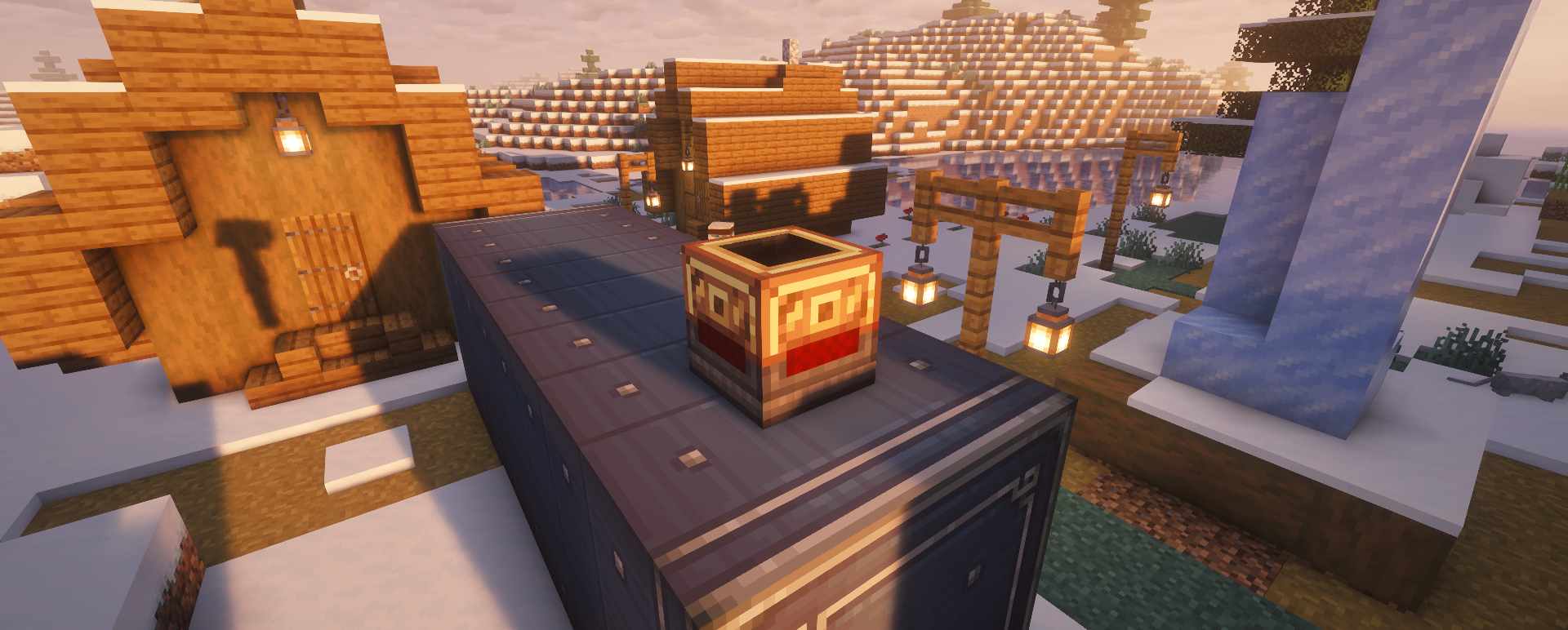 In game
Versions
Files
Relations
Project Relations
More like this
Similar Mods
Suggestions use data such as tags, dependencies, dependents, descriptions, titles, and more to rank how much they overlap with this mod.
On ModDex
Community snapshot
By the numbers
Statistics
Want to reach Minecraft players?
We're looking for a server hosting partner to feature here and other parts of the site. Interested? Send us a message!
Get in touchGet it on
Available Platforms
On ModDex
Community snapshot
By the numbers