Community listing page, reviews here may not be monitored by the author.
Create: Let's become a real train controller


No reviews yet
You can become a real train controller with this mod.
Community voices
Reviews
No reviews yet. Be the first to review this project!
Get it on
Available Platforms
Compatibility
Supported Environments
Must be installed on both the client and the server.
About
Project Details
For authors
Embed Badge
If you're the author of this project, you can embed a live badge anywhere that supports HTML or Markdown. It updates automatically whenever ratings change.
Use HTML for any page that supports it, or Markdown for README files and Markdown-based descriptions.
Identifiers
Platform IDs
Resources
External Links
About
Description
You can become a real train controller with this mod.
You must use this mod with create mod.
<How to use>
The train operation method used is that of Japanese trains.
- You manipulate the acceleration. The train moves with that acceleration.
- Pressing the w key decreases the acceleration.
- Pressing the s key increases the acceleration.
- N indicates a state in which the speed remains almost unchanged, B indicates deceleration, and P indicates acceleration; the larger the number, the greater the absolute value of the acceleration.
- The absolute value of the acceleration for P4 and B4 will match the acceleration set on the Create settings screen.
- If you press the p key, you can open the setting, but it's experimental.
You can become a real train controller with this mod.
You must use this mod with create mod.
The train operation method used is that of Japanese trains.
You manipulate the acceleration. The train moves with that acceleration. Pressing the w key decreases the acceleration. Pressing the s key increases the acceleration. N indicates a state in which the speed remains almost unchanged, B indicates deceleration, and P indicates acceleration; the larger the number, the greater the absolute value of the acceleration. The absolute value of the acceleration for P4 and B4 will match the acceleration set on the Create settings screen. If you press the p key, you can open the setting, but it's experimental.
Screenshots
Gallery
-
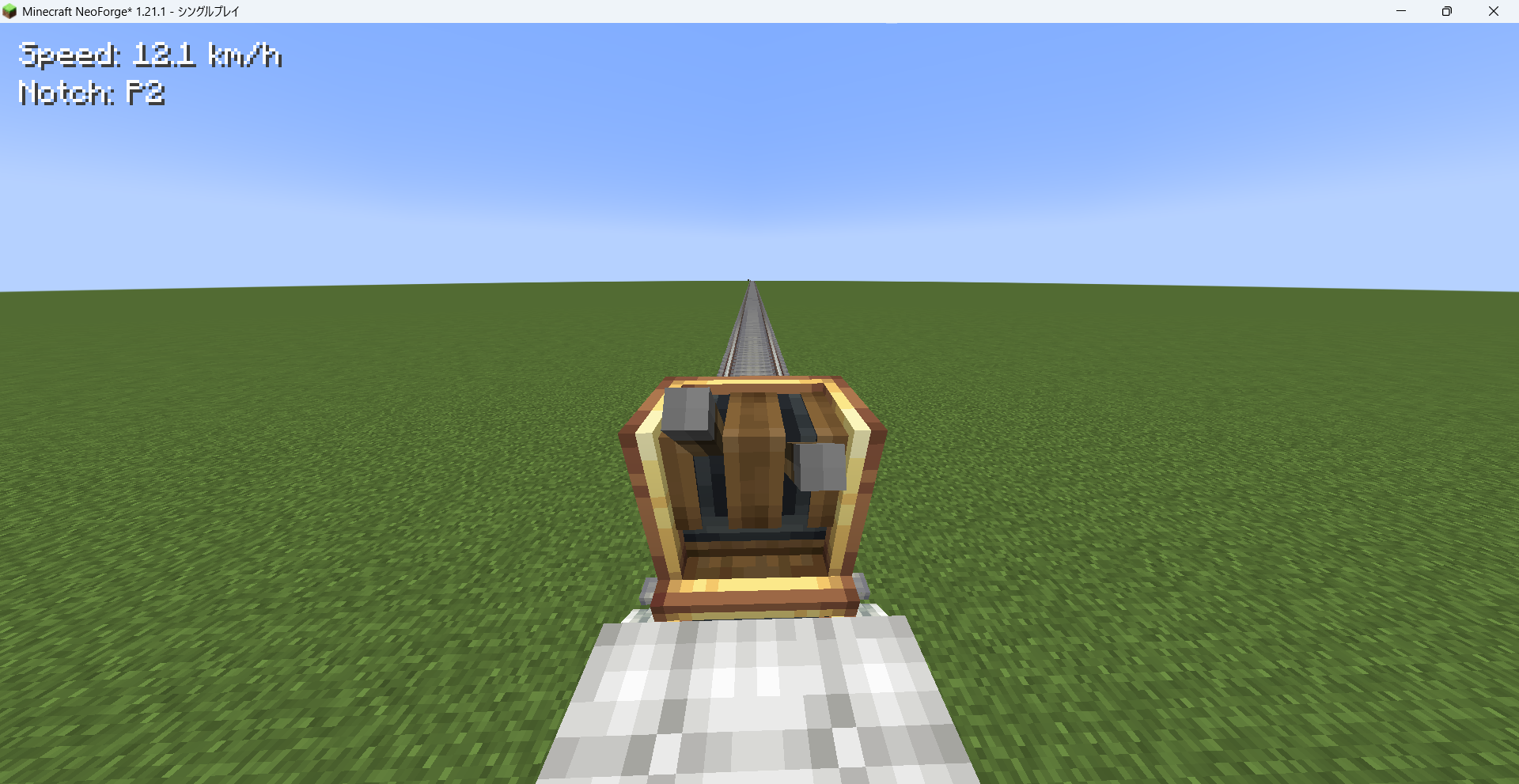 The screen controlling trains It's displayed the Speed and the Notch no the top left.
Versions
Files
Relations
Project Relations
More like this
Similar Mods
Suggestions use data such as tags, dependencies, dependents, descriptions, titles, and more to rank how much they overlap with this mod.
On ModDex
Community snapshot
By the numbers
Statistics
Want to reach Minecraft players?
We're looking for a server hosting partner to feature here and other parts of the site. Interested? Send us a message!
Get in touchGet it on
Available Platforms
On ModDex
Community snapshot
By the numbers
Statistics
Resources