Community listing page, reviews may not be monitored by the author.
Create: Modular Propellers

No reviews yet
Adds modular propellers to Create: Aeronautics with three blade types, balanced thrust, and Ponder tutorials.

Community voices
Reviews
No reviews yet. Be the first to review this project!
Get it on
Available Platforms
About
Project Details
For authors
Embed Badge
If you're the author of this project, you can embed a live badge anywhere that supports HTML or Markdown. It updates automatically whenever ratings change.
Use HTML for any page that supports it, or Markdown for README files and Markdown-based descriptions.
Identifiers
Platform IDs
Resources
External Links
About
Description
Create: Modular Propellers adds individually installable blades to Create: Aeronautics. Regular propellers start as empty hubs, so you choose the blade material and count when building your aircraft.
There are three blade types:
- Wooden: up to 7 blades per hub.
- Andesite: up to 6 blades per hub.
- Copper: up to 4 blades per hub, with a custom wide shape inspired by helicopter tail rotors.
Right-click a hub with a blade to install it. A propeller needs at least two matching blades to produce thrust. Different materials cannot be mixed on the same hub. To change materials, stop the propeller and remove the existing blades with Shift + right-click using an empty hand. Removed blades are returned to you.
Thrust increases with the number of installed blades. Two wooden blades preserve the original wooden propeller’s thrust, while four andesite blades preserve the original andesite propeller’s thrust. Copper blades produce less thrust than wooden blades at the same blade count and RPM. These values describe output, so the three materials are different building options rather than a straight progression from weakest to strongest.
Wooden and andesite blades retain their Aeronautics appearance. The smart, automatically balanced propeller keeps its original behavior.
All three blade types have crafting recipes, appear in JEI, and sit in the Aeronautics creative section. Hold W over a hub or blade to open Ponder. Three scenes cover wooden, andesite, and copper setups, including installation, removal, blade limits, and thrust.
Propeller Blur is supported, and item names, tooltips, and Ponder instructions are available in English and Russian.
This is an early beta for Minecraft 1.21.1 on NeoForge, built for Create and Aeronautics.
Screenshots
Gallery
-
 all propellers Снимок ÑкÑана 2026-10-16 210604.png
 -
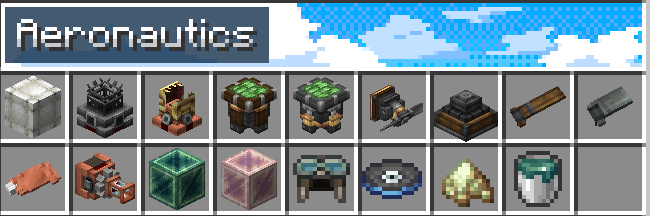 Снимок ÑкÑана 2026-10-16 211525.png Снимок ÑкÑана 2026-10-16 211525.png
Versions
Files
Relations
Project Relations
More like this
Similar Mods
Suggestions use data such as tags, dependencies, dependents, descriptions, titles, and more to rank how much they overlap with this mod.
On ModDex
Community snapshot
By the numbers
Statistics

Get it on
Available Platforms
On ModDex
Community snapshot
By the numbers
Statistics
Resources