Community listing page, reviews may not be monitored by the author.
Create ReAutomated: Traces


No reviews yet
A NeoForge 1.21.1 add-on for Create ReAutomated that scatters small ore outcrops on the surface above buried Ore Nodes

Community voices
Reviews
No reviews yet. Be the first to review this project!
Get it on
Available Platforms
Compatibility
Supported Environments
Must be installed on both the client and the server.
About
Project Details
For authors
Embed Badge
If you're the author of this project, you can embed a live badge anywhere that supports HTML or Markdown. It updates automatically whenever ratings change.
Use HTML for any page that supports it, or Markdown for README files and Markdown-based descriptions.
Identifiers
Platform IDs
Resources
External Links
About
Description
Create ReAutomated: Traces makes Create ReAutomated's buried Ore Nodes easier to discover without turning them into ordinary surface ores.
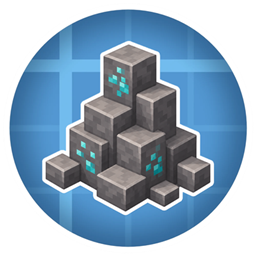
Instead of leaving Nodes completely hidden underground, this add-on places small natural-looking outcrops on the surface above them. These outcrops, called Traces, act as world-level clues: if you spot one while exploring, there is probably a real Ore Node somewhere below worth digging for.
The goal is to make prospecting feel more intentional. You still have to explore, read the terrain, and dig, but you are no longer guessing blindly.
Features
- Adds small surface Traces above generated Create ReAutomated Ore Nodes.
- Uses natural-looking stone/deepslate outcrops with an ore or material accent on top.
- Supports land, underwater terrain, lava-covered terrain, and ice-covered water.
- Includes a Trace Finder item that can point toward selected Node types and show beacon-style beams for nearby undiscovered Traces.
- Adds an in-game Create-style config screen for tuning Trace placement.
- Supports custom Nodes through tags and data maps, making it friendly to modpacks, KubeJS setups, and sibling mods.
How It Plays
When a new chunk generates, the mod looks for Ore Nodes created by Create ReAutomated. If it finds one, it tries to place a small Trace somewhere nearby on the surface. By default, Traces stay close to the Node below, but the placement can be tuned if you want them to sit more naturally in the terrain or more directly above the Node.
Traces are only hints. The visible surface block is not the Node itself, and mining it will not replace the need to dig. It simply tells you that the area is worth investigating.
The Trace Finder expands this idea later in progression: select the Node types you care about, carry the Finder, and it will help track nearby undiscovered Traces.
For Modpack Makers
Create ReAutomated: Traces is data-driven. Custom Nodes can be supported as long as they are tagged as Create ReAutomated Ore Nodes and have a data map entry that tells this mod which surface accent block to use. [More detail in the GitHub repo Readme]
By default, Traces generate in Overworld and Nether biomes through biome tags. Modded biomes and custom dimensions can be added with a datapack.
Only newly generated chunks are affected. Existing chunks are not retrofitted with new Traces, and Nodes placed manually after worldgen will not automatically create one.
Tuning Node Density
If you use Create ReAutomated's default Node generation settings, you may see a lot of Traces. For a more exploration-focused experience, consider reducing Ore Node generation in your pack.
Deafult Create ReAutomated spawn rate settings:

Bugs and Issues
For any problems or questions, feel free to join the discord by clicking on the image below

Support Us
Click on the image below and buy a server using code TYP to get 25% off! 
A NeoForge 1.21.1 add-on for Create ReAutomated that scatters small ore outcrops on the surface above buried Ore Nodes. The point is simple: give you something to spot at world level, a hint that there's a Node worth digging for underneath, the way real ore deposits leave traces on the ground.
What it does
Whenever a chunk generates with an Ore Node in it, the mod looks for a flat patch of ground above the Node and stamps a small surface outcrop, a "trace". The trace is built from the Node's host stone (matching the deepslate, stone, or whatever the Node is buried in) studded with a configurable accent block on top. Cobblestone and cobbled deepslate are smoothed back to their natural variants, so traces look like exposed deposits rather than a pile of mining drops.
Works with custom Nodes (KubeJS, datapacks, sibling mods)
The mod doesn't care who registered a Node. As long as:
- The block extends
createreautomated:ore_node(with itsbaseStone(...)set so the host material is correct). - The block carries the
createreautomated:ore_nodestag. - There's an entry in the
createreautomatedtraces:trace_block_for_nodedata map mapping the Node block id to the surface accent block.
Biome coverage
By default traces are added to #minecraft:is_overworld and #minecraft:is_nether via the createreautomatedtraces:has_traces biome tag. To extend coverage to modded biomes (e.g. custom dimensions), add the biome or its parent tag to data/createreautomatedtraces/tags/worldgen/biome/has_traces.json in a datapack.
Notes
Detection runs only on freshly generated chunks. Existing worlds won't be retrofitted, and Nodes placed by hand or commands after worldgen won't trigger trace placement either.
⚠️Using this mod with the default Create ReAutomated Node generation settings could result in a lot of traces. We recommend reducing the tries per chunk; you can do so by downloading this datapack (or use the 0.5x version to halve the number of nodes generated). Here is an example:

Screenshots
Gallery
Versions
Files
Relations
Project Relations
More like this
Similar Mods
Suggestions use data such as tags, dependencies, dependents, descriptions, titles, and more to rank how much they overlap with this mod.
On ModDex
Community snapshot
By the numbers
Statistics
 (opens in a new tab)
Get it on
Available Platforms
On ModDex
Community snapshot
By the numbers
Statistics
Resources