
Community listing page, reviews may not be monitored by the author.
🔍 Create: Storage Terminal


No reviews yet
Create: Storage Terminal makes large storage systems easier to search, manage, and access—without opening every container individually.

Community voices
Reviews
No reviews yet. Be the first to review this project!
Get it on
Available Platforms
Compatibility
Supported Environments
Must be installed on both the client and the server.
About
Project Details
For authors
Embed Badge
If you're the author of this project, you can embed a live badge anywhere that supports HTML or Markdown. It updates automatically whenever ratings change.
Use HTML for any page that supports it, or Markdown for README files and Markdown-based descriptions.
Identifiers
Platform IDs
About
Description
📦 Create: Storage Terminal
Create: Storage Terminal adds a convenient, Create-inspired storage interface to Minecraft!
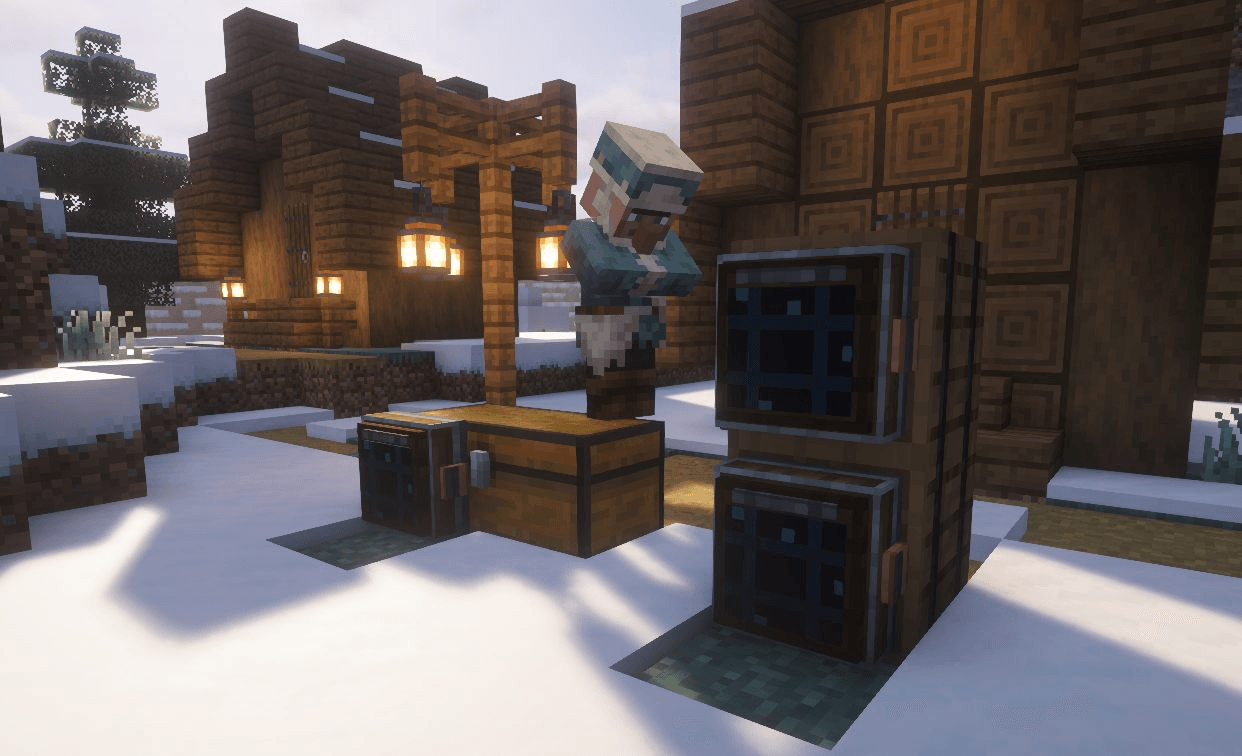
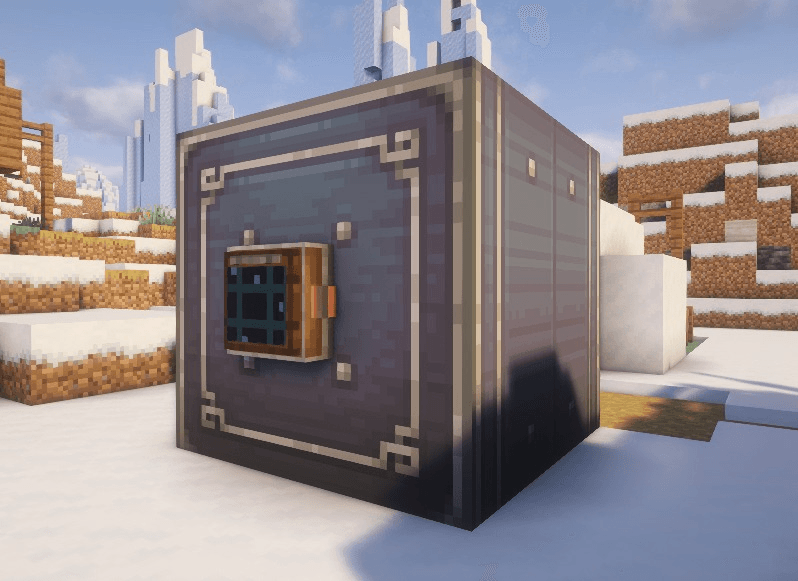
Place the Storage Terminal next to compatible storage—especially Create Item Vaults—to view, search, deposit, and retrieve stored items from one clean terminal screen.
⚙️ Features
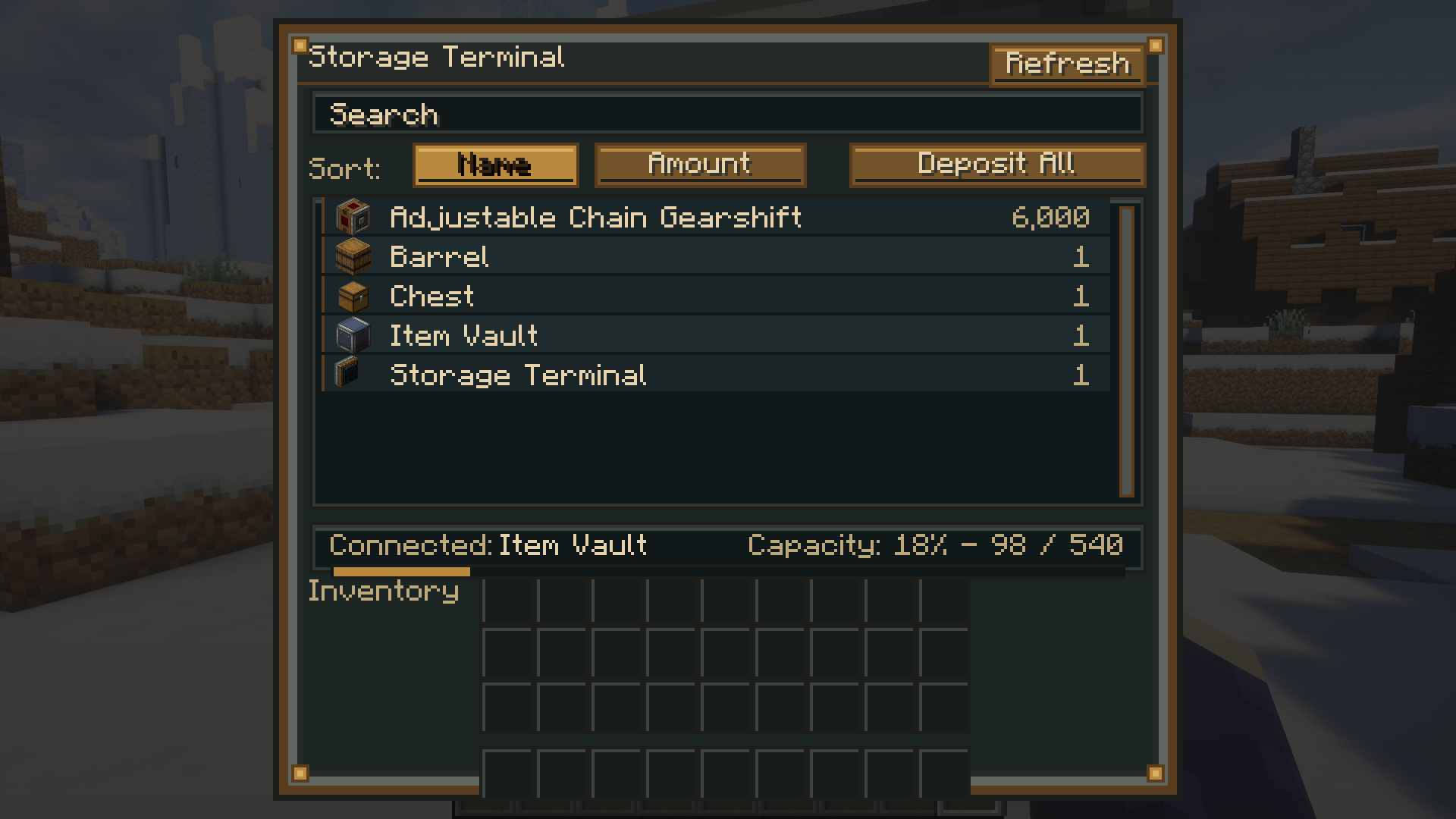
🔍 Search your storage
Quickly find specific items by typing their name into the search bar.
📊 Sort stored items
Sort the item list by:
- Item name
- Stored amount
📥 Deposit items
Move items directly from your player inventory into the connected storage.
📦 Deposit All
Automatically deposits as many compatible items from your inventory as possible.
📤 Retrieve items
Take items out of the connected storage directly through the terminal interface.
🔄 Refresh button
Instantly refresh the displayed contents of the connected storage.
📈 Storage information
See which storage is connected, how many items are stored, and how much capacity remains.
🖱️ Item Controls
- Left-click: Retrieve one stack
- Right-click: Retrieve half a stack
- Shift-click: Retrieve as many items as possible
- Double-click: Retrieve a full stack
- Shift-click from your inventory: Deposit the selected stack
- Deposit All: Deposit all possible inventory items
The terminal will only transfer as many items as the connected storage or your inventory can hold, preventing items from being lost.
🧱 How to Use
- Craft a Storage Terminal
- Place it against or next to compatible storage
- Open the terminal
- Search, sort, deposit, and retrieve your items!
The terminal is designed especially for Create Item Vaults, while also supporting compatible inventories that expose item storage.

This mod have been created with IntelliJ
⚠️ This is an unofficial create addon. Do not report addon bugs to the original create developers.
Disclaimer about product: NOT AN OFFICIAL MINECRAFT PRODUCT. NOT APPROVED BY OR ASSOCIATED WITH MOJANG OR MICROSOFT
📦 Create: Storage Terminal
Create: Storage Terminal adds a convenient, Create-inspired storage interface to Minecraft.
Place a Storage Terminal next to compatible storage—especially Create Item Vaults—to browse, search, deposit, and retrieve items through a single terminal.
✨ Features
- 🔍 Search stored items instantly
- 📋 Sort items by Name or Amount
- 📤 Retrieve items directly from connected storage
- 📥 Deposit items from your inventory
- 📦 Deposit All button to quickly store your inventory
- 🔄 Refresh the storage contents at any time
- 📊 View connected storage and capacity information
- 🎨 Designed to match the Create mod aesthetic
🖱️ Controls
| Action | Result |
|---|---|
| Left Click | Extract one stack |
| Right Click | Extract half a stack |
| Shift + Click | Extract as many items as possible |
| Double Click | Extract a full stack |
| Shift + Click (Inventory) | Deposit the selected stack |
| Deposit All | Deposit all compatible items |
📖 How to Use
- Craft a Storage Terminal
- Place it against or next to compatible storage
- Open the terminal
- Search, sort, deposit, and retrieve your items
The terminal is designed primarily for Create Item Vaults, but also supports compatible inventories that expose an item handler.
🎨 Designed for Create
The Storage Terminal has been designed to blend naturally with the Create mod, using a mechanical style inspired by Create's industrial aesthetic.
📌 Requirements
- Create
- The correct Minecraft version and mod loader
🚧 Planned Features
Future updates may include:
- 📡 Support for larger connected storage networks
- 📦 More supported storage blocks
- 🔍 Additional sorting and filtering options
- ⚙️ More terminal customization
💡 Simple. Fast. Mechanical.
Create: Storage Terminal makes managing large Create storage systems easier without opening every container individually.
⚠️ This is an unofficial create addon. Do not report addon bugs to the original create developers.

This mod have been created with IntelliJ
⚠️ This is an unofficial create addon. Do not report addon bugs to the original create developers.
Disclaimer about product: NOT AN OFFICIAL MINECRAFT PRODUCT. NOT APPROVED BY OR ASSOCIATED WITH MOJANG OR MICROSOFT
Screenshots
Gallery
-
Terminal placed on an item vault_compressed.png Terminal placed on an item vault_compressed.png
-
Terminal can be placed on any chest or modded storage block_compressed.png Terminal can be placed on any chest or modded storage block_compressed.png
-
GUI terminal.png GUI terminal.png
-
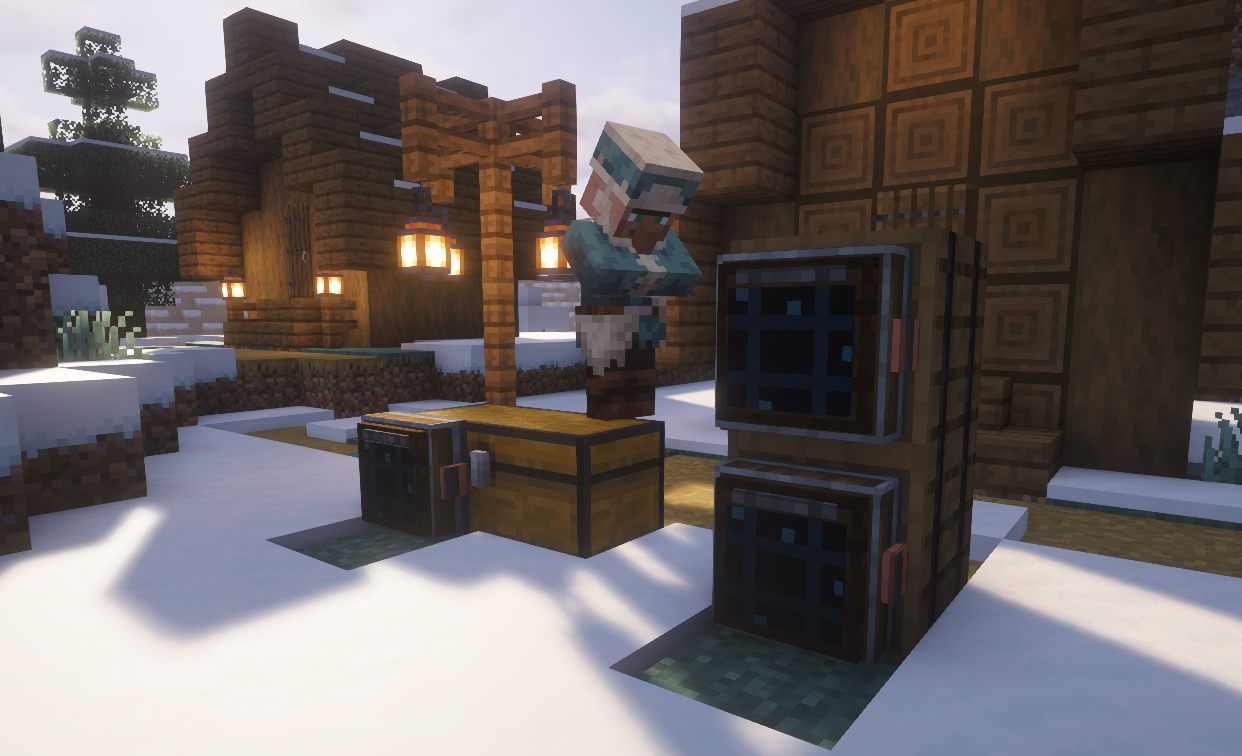 Terminal can be placed on any chest or modded storage block
 -
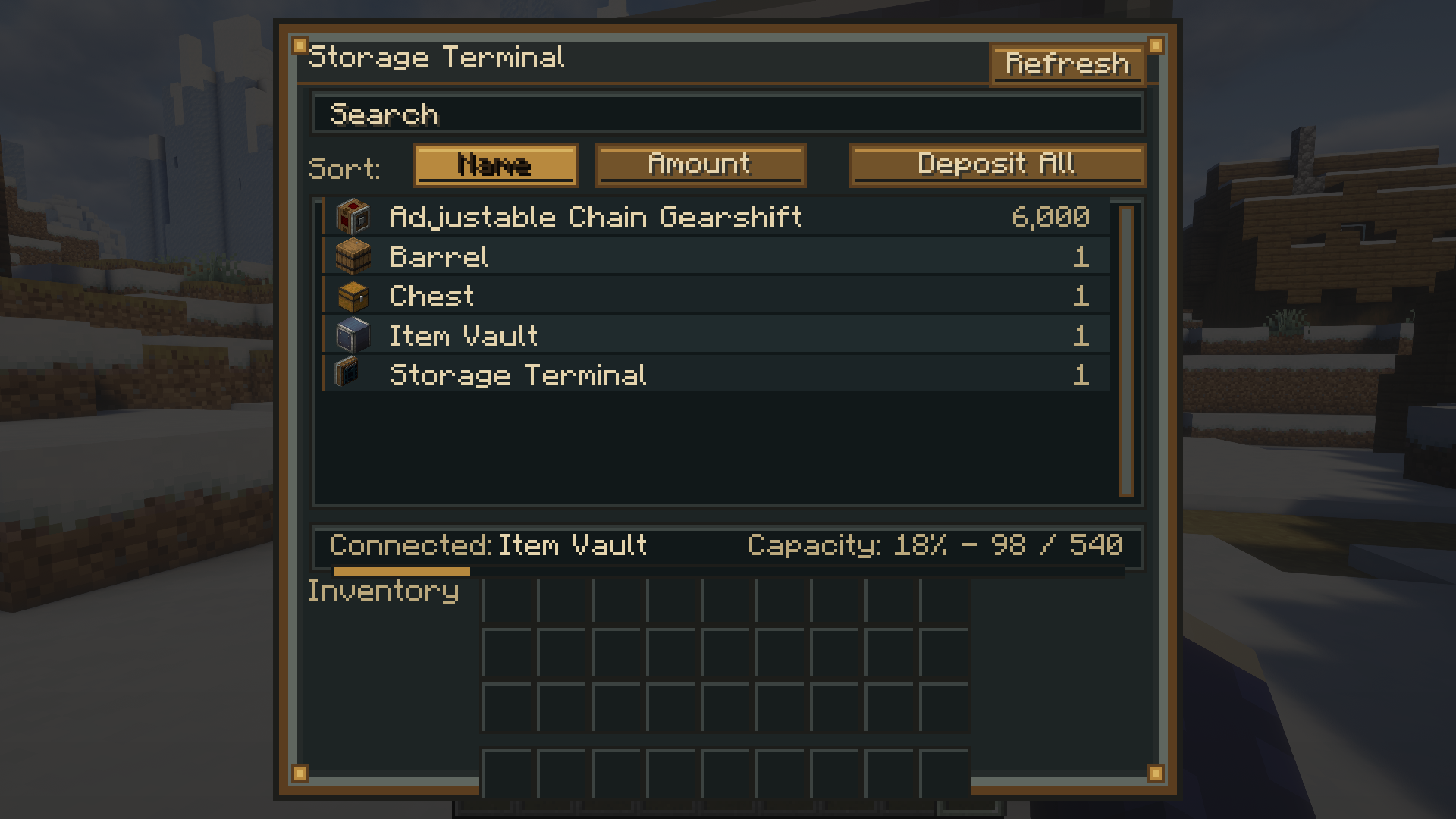 GUI terminal
 -
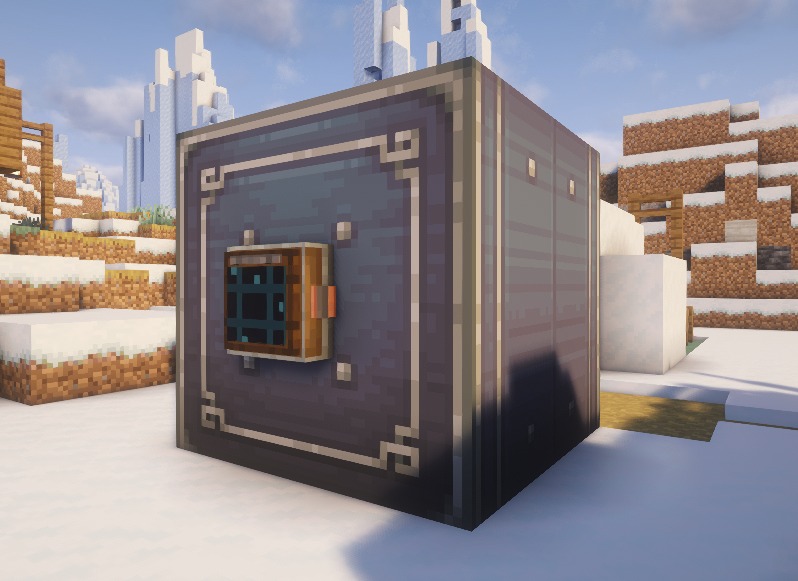 Terminal placed on an item vault
Versions
Files
Relations
Project Relations
More like this
Similar Mods
Suggestions use data such as tags, dependencies, dependents, descriptions, titles, and more to rank how much they overlap with this mod.
On ModDex
Community snapshot
By the numbers
Statistics

Get it on
Available Platforms
On ModDex
Community snapshot
By the numbers