Community listing page, reviews here may not be monitored by the author.
Creative Tab Search

No reviews yet
Filter items in the creative search tab by mod using @modname or @modid, and by tags with #tag. Features a vanilla-style autocomplete popup with smooth scrolling and animations.
Community voices
Reviews
No reviews yet. Be the first to review this project!
Get it on
Available Platforms
About
Project Details
For authors
Embed Badge
If you're the author of this project, you can embed a live badge anywhere that supports HTML or Markdown. It updates automatically whenever ratings change.
Use HTML for any page that supports it, or Markdown for README files and Markdown-based descriptions.
Identifiers
Platform IDs
Resources
External Links
About
Description
Creative Tab Search
A lightweight, client-side quality-of-life mod for Minecraft that enhances the creative inventory search bar with mod, tag, and registry name filtering, accompanied by a vanilla-styled autocomplete dropdown.
Features
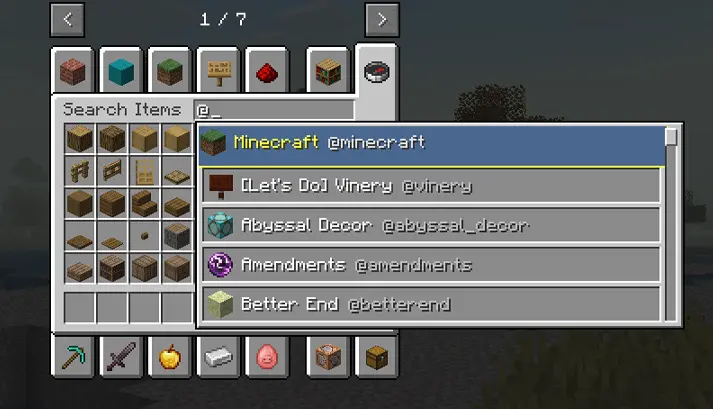
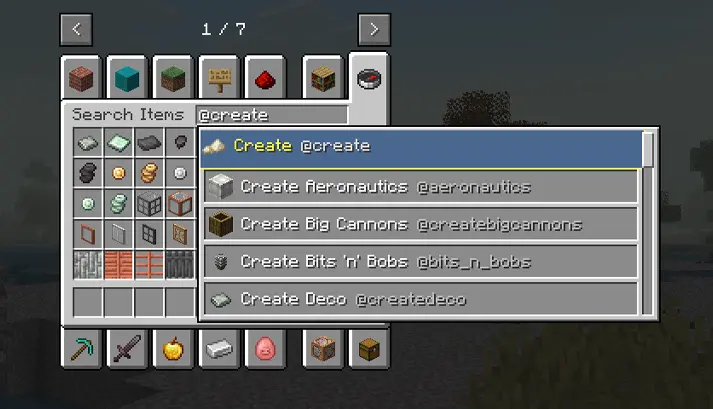
1. Mod Filtering (@)
- Type
@followed by a mod ID or mod name to display only items from that specific mod (e.g.,@create,@farmersdelight,@minecraft).
2. Tag Filtering (#)
- Type
#followed by a tag name to show items belonging to that tag (e.g.,#tools,#logs,#c:ores).
3. Registry Name Filtering ($)
- Type
$to search directly by item registry ID (e.g.,$diamond_sword).
4. Combined Search
- Combine multiple filters and normal text in a single query (e.g.,
@create #tools,iron @minecraft).
5. Vanilla-Styled Autocomplete Menu
- Typing
@or#opens a dropdown list of available mods or tags. - Item-based index: Only mods that actually add items to the game appear in suggestions (no clutter from pure library/performance mods).
- Vanilla look: Designed to match the standard Minecraft inventory UI (
#C6C6C6container with slot-styled rows and item icons). - Navigation: Use mouse click or
Up/Downarrow keys +Tab/Enterto select,Escto close. - Automatically applies the search immediately upon selection without extra trailing spaces.
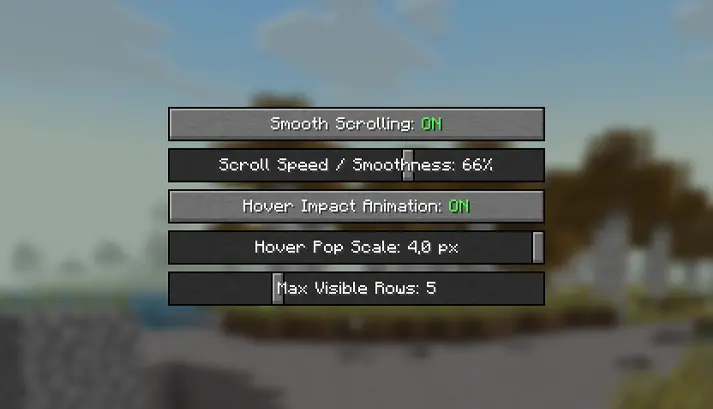
6. Client Configuration Screen
Accessible via the Mod List (Mods -> Creative Tab Search -> Config):
- Smooth Scrolling: Toggle and adjust the smoothness/speed of scrolling in the suggestion list.
- Hover Impact Animation: Toggle and configure the subtle scale pop effect when hovering over suggestion rows.
- Max Visible Rows: Set how many suggestions are displayed at once (from 3 to 10).
Notes
- Client-Side Only: Works in singleplayer and on any vanilla or modded multiplayer server without needing the server to have the mod installed.
- Compatibility: Built for NeoForge 1.21.1.

Screenshots
Gallery
Versions
Files
Relations
Project Relations
More like this
Similar Mods
Suggestions use data such as tags, dependencies, dependents, descriptions, titles, and more to rank how much they overlap with this mod.
On ModDex
Community snapshot
By the numbers
Statistics
Want to reach Minecraft players?
We're looking for a server hosting partner to feature here and other parts of the site. Interested? Send us a message!
Get in touchGet it on
Available Platforms
On ModDex
Community snapshot
By the numbers
Statistics
Resources