
Creative Toggle
No reviews yet
Switch betwenn Creative and your last gamemode with F3 + X.
Fabric is a mod loader for versions 1.14+ of Minecraft, particularly popular for client side and optimization mods.
Community voices
Reviews
Click once to include, again to exclude, again to clear
No reviews yet. Be the first to review this project!
Get it on
Available Platforms
 Modrinth
Compatibility
Supported Environments
About
Project Details
For authors
Embed Badge
If you're the author of this project, you can embed a live badge anywhere that supports HTML or Markdown. It updates automatically whenever ratings change.
Use HTML for any page that supports it, or Markdown for README files and Markdown-based descriptions.
Identifiers
Platform IDs
About
Description
English 
Creative Toggle – Fabric Mod
Minecraft 1.21.x | Fabric
What does the mod do?
Press F3 + X (default) to switch to Creative Mode - just like F3+N switches to Spectator Mode.
Press F3 + X again to return to your previous game mode.
Only works if the player has permission to use
/gamemode(Singleplayer or OP on a server).
Configuration
The key can be changed in the Settings under the Creative Toggle category:
- Via Mod Menu → Gear icon next to Creative Toggle
- Or directly in-game through the settings-key-screen
Manually (config file)
config/f3toggle.json:
{
  "toggleKeyCode": 88
}
GLFW key codes: X = 88, Z = 90, C = 67, V = 86, etc.
Compatibility
| Version | Compatible |
|---|---|
| 1.20.6 | ❌️ |
| 1.21 | ✅️ |
The mod uses only stable Fabric API and Vanilla APIs, with no version-specific hacks.
Languages
| Version | English | Portuguese | Russian | Frensh | German | English Accent | Portuguese Accent | Russian Accent | Frensh Accent | German Accent |
|---|---|---|---|---|---|---|---|---|---|---|
| 1.0.0 | ✅ | ✅ | ✅ | ✅ | ✅ | ❌ | ❌ | ❌ | ❌ | ❌ |
| 1.1.0 | ✅ | ✅ | ✅ | ✅ | ✅ | ✅ | ✅ | ✅ | ✅ | ✅ |
Deutsch 
Creative Toggle – Fabric Mod
Minecraft 1.21.x | Fabric
Was macht die Mod?
Drücke F3 + X (Standard), um in den Kreativmodus zu wechseln – genau wie F3+N in den Spectator-Modus schaltet.
Drücke F3 + X nochmal, um in deinen vorherigen Spielmodus zurückzukehren.
Funktioniert nur, wenn der Spieler die
/gamemode-Berechtigung hat (Singleplayer oder OP auf Servern).
Einstellungen
Die Taste kann in den Einstellungen unter dem Reiter Creative Toggle geändert werden:
- Über Mod Menu → Zahnrad-Symbol neben „Creative Toggle"
- Oder direkt im Spiel über den Einstellung-Steuerung-Bildschirm
Manuell (config-Datei)
config/f3toggle.json:
{
  "toggleKeyCode": 88
}
GLFW-Key-Codes: X = 88, Z = 90, C = 67, V = 86, usw.
Kompatibilität
| Version | Kompatibel |
|---|---|
| 1.20.6 | ❌️ |
| 1.21 | ✅️ |
Die Mod nutzt ausschließlich stabile Fabric-API und Vanilla-APIs, keine versionsspezifischen Hacks.
Sprachen
| Version | Englisch | Portugiesich | Russisch | Französich | Deutsch | Englische Akzente | Portugiesiche Akzente | Russische Akzente | Französiche Akzente | Deutsche Akzente |
|---|---|---|---|---|---|---|---|---|---|---|
| 1.0.0 | ✅ | ✅ | ✅ | ✅ | ✅ | ❌ | ❌ | ❌ | ❌ | ❌ |
| 1.1.0 | ✅ | ✅ | ✅ | ✅ | ✅ | ✅ | ✅ | ✅ | ✅ | ✅ |
Screenshots
Gallery
-
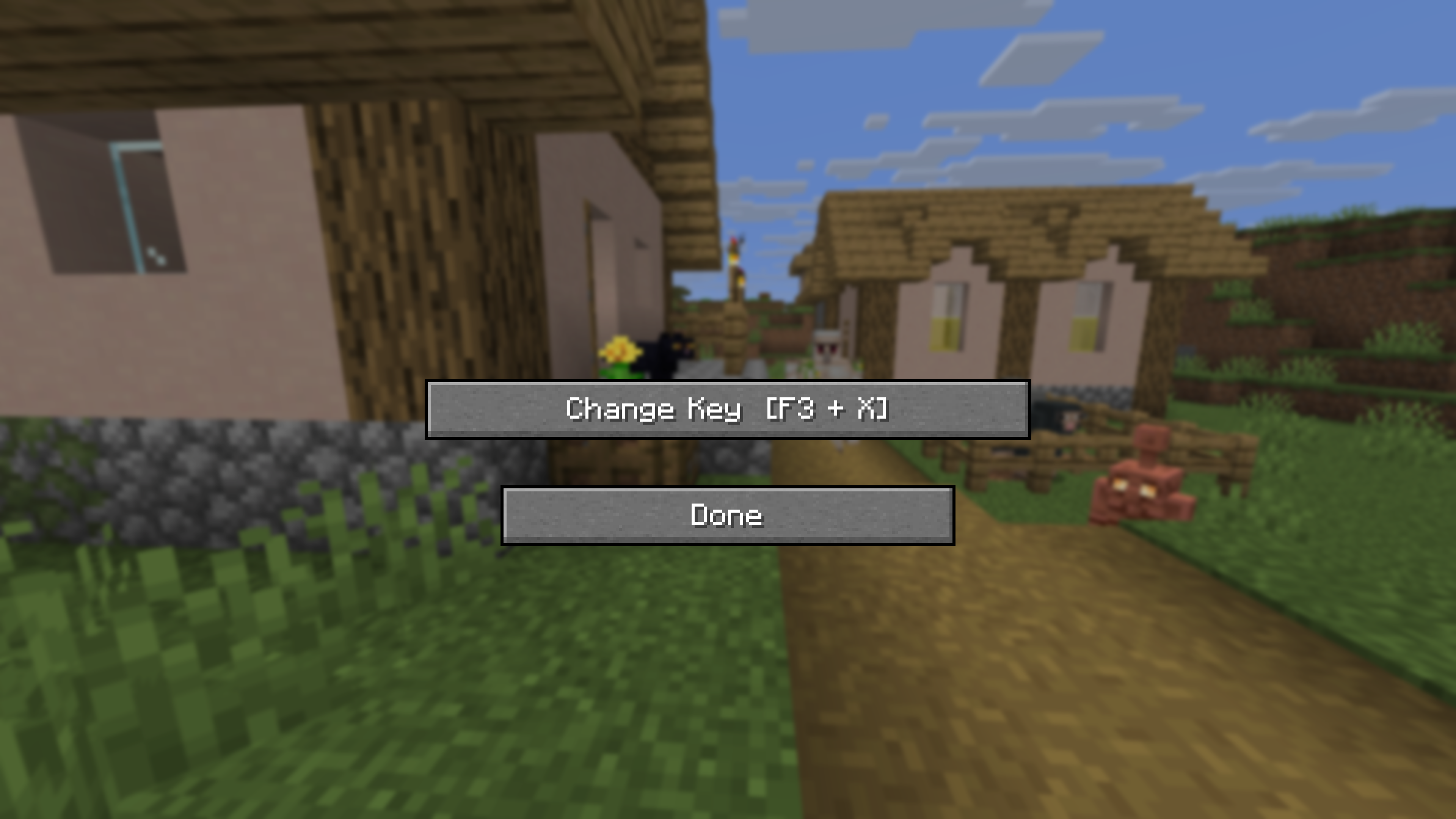 Key Change Menu This is the screen where you can change the key.You can open it in the mod menu and then the mod settings.
 -
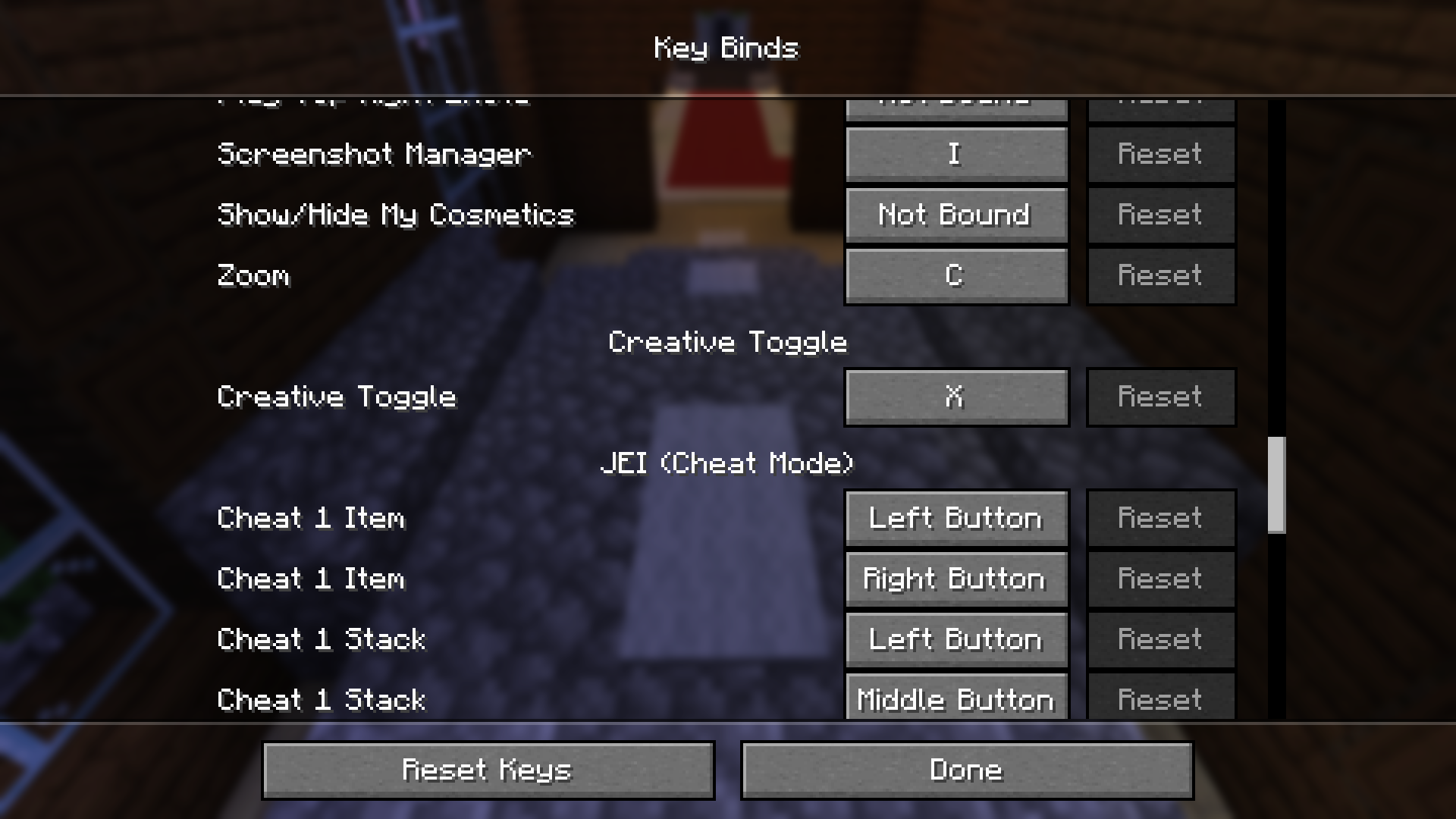 Settings Key Change Screen This is the screen where you can change the key.You can open it in the settings and key configurations.
Versions
Files
Relations
Project Relations
More like this
Similar Mods
Suggestions use data such as tags, dependencies, dependents, descriptions, titles, and more to rank how much they overlap with this mod.
On ModDex
Community snapshot
By the numbers
Statistics

Want to reach Minecraft players?
We're looking for a server hosting partner to feature here and other parts of the site. Interested? Send us a message!
Get in touchGet it on
Available Platforms
On ModDex
Community snapshot
By the numbers