
creeprchain
No reviews yet
blockchain for minecraft servers for installation and building, visit github
Includes systems for trading and managing economies.
Fabric is a mod loader for versions 1.14+ of Minecraft, particularly popular for client side and optimization mods.
Community voices
Reviews
Click once to include, again to exclude, again to clear
No reviews yet. Be the first to review this project!
Get it on
Available Platforms
 Modrinth
Compatibility
Supported Environments
About
Project Details
For authors
Embed Badge
If you're the author of this project, you can embed a live badge anywhere that supports HTML or Markdown. It updates automatically whenever ratings change.
Use HTML for any page that supports it, or Markdown for README files and Markdown-based descriptions.
Identifiers
Platform IDs
Resources
External Links
About
Description
Creeprchain
for installation and building, visit github
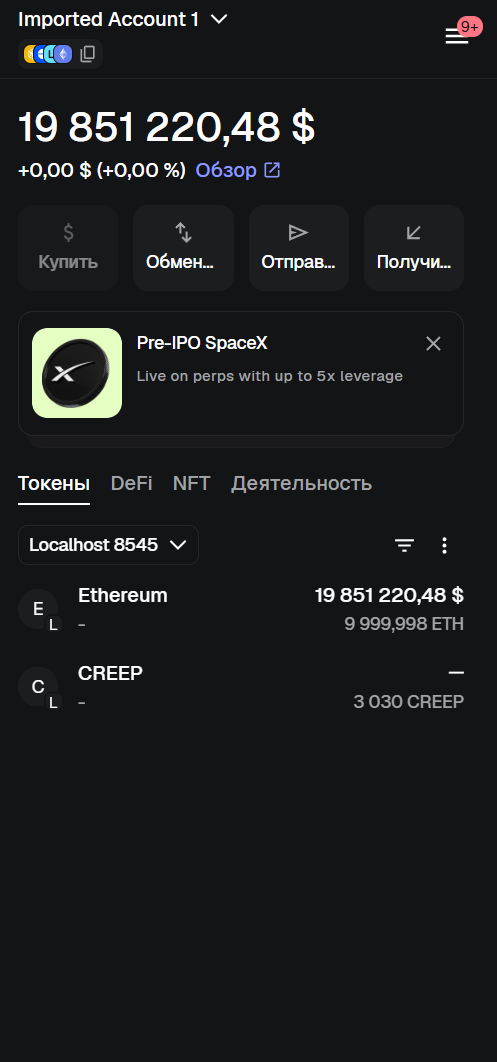
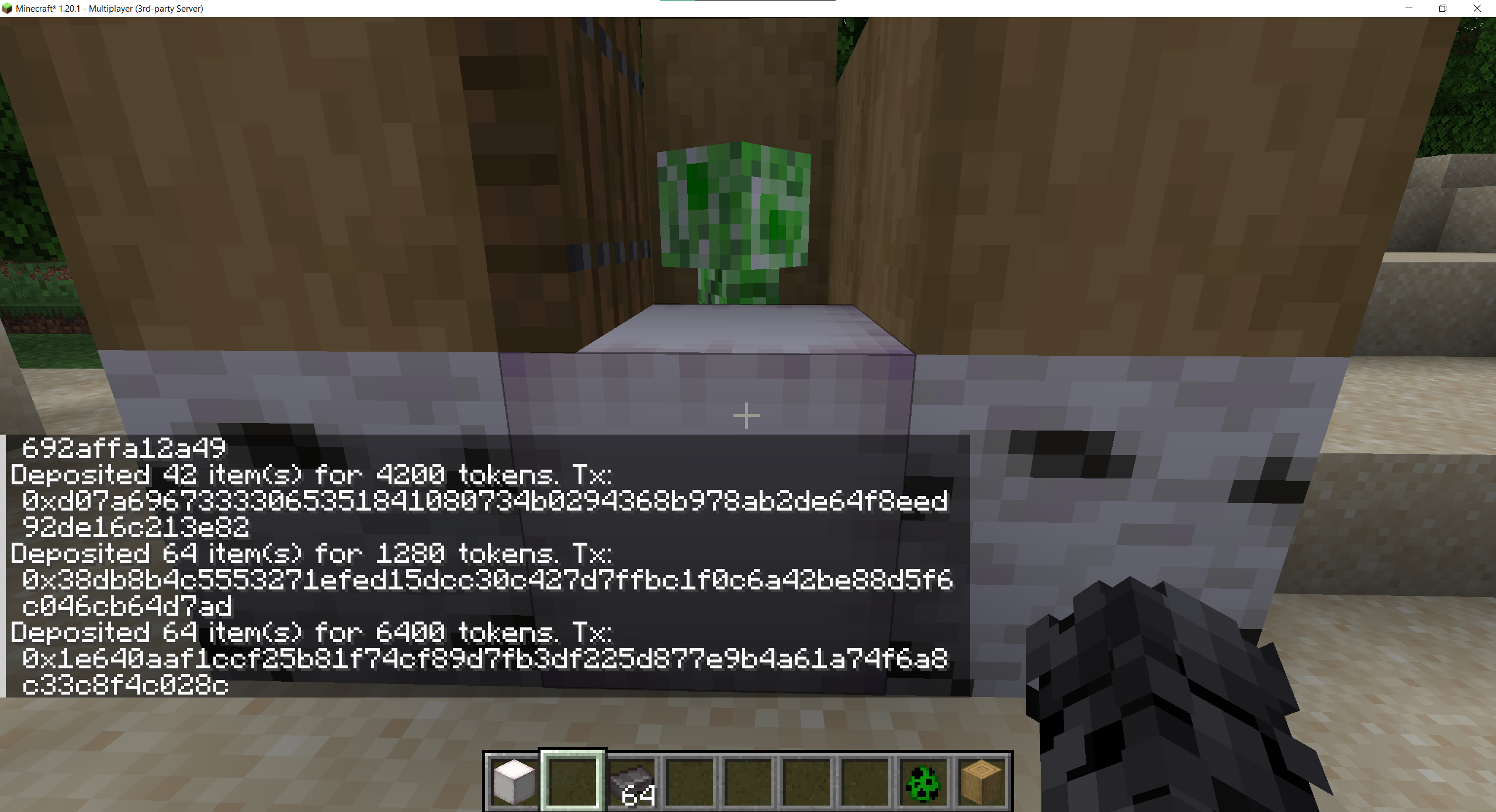
Minecraft Fabric 1.20.1 economy mod. Players deposit items at an ATM block and receive ERC-20-style tokens on an Ethereum-compatible blockchain. Tokens are visible in MetaMask.
Requirements
| Tool | Version |
|---|---|
| Java JDK | 21 |
| Fabric Loader | 0.19.2 |
| Fabric API | 0.92.9+1.20.1 |
| Node.js | 18+ (for Hardhat) |
| Hardhat | installed in blockchain/ |
Building the mod
./gradlew build
The output jar is at:
build/libs/creeprchain-1.0.0.jar
On Windows use
gradlew.bat build
Installing on a Fabric server
- Download Fabric Installer and install Fabric server for Minecraft 1.20.1.
- Copy
build/libs/creeprchain-1.0.0.jarinto the server'smods/folder. - Download Fabric API for 1.20.1 and place it in
mods/as well. - Start the server once — it will create the config directory at
config/creeprchain/. - Edit
config/creeprchain/blockchain.json(see Blockchain setup). - Restart the server.
Installing on a client
- Install Fabric Loader for Minecraft 1.20.1 in the launcher.
- Copy
build/libs/creeprchain-1.0.0.jarinto.minecraft/mods/. - Copy Fabric API for 1.20.1 into
.minecraft/mods/as well. - Launch the game and connect to the server.
The client and server must use the exact same jar. A version mismatch causes registry sync errors (
missing creeprchain:atm_block).
Blockchain setup (tested on LINUX)
The blockchain runs on a separate Linux machine. All commands below are run on that machine inside the blockchain/ folder.
Step 1 — Install dependencies
cd blockchain
npm install
Step 2 — Start Hardhat node
scripts/start-local-chain.sh
This starts a local Ethereum node at 0.0.0.0:8545 (chain ID 31337). Leave this terminal open.
Step 3 — Deploy the contract
Open a second terminal on the same machine:
scripts/deploy-contract.sh
Output example:
Token deployed to: 0xAbCd1234...
Copy the contract address.
Step 4 — Configure blockchain.json
On the Minecraft server machine, edit config/creeprchain/blockchain.json:
{
  "rpcUrl": "http://192.168.0.108:8545",
  "chainId": 31337,
  "contractAddress": "0xAbCd1234...",
  "privateKey": "0xd345b787fa175fa22321746c8e0289ad88eac2de8c39ce67215c8b362af621e5"
}
rpcUrl— IP of the Linux machine running the Hardhat nodecontractAddress— address printed by the deploy scriptprivateKey— the Hardhat deployer account; this wallet signs mint/burn transactions on behalf of the server
Restart the Minecraft server. The log will show:
BlockchainService connected: rpc=http://192.168.0.108:8545 chainId=31337 contract=0x...
MetaMask setup
- Open MetaMask → Settings → Networks → Add network manually:
- RPC URL:
http://192.168.0.108:8545 - Chain ID:
31337 - Currency symbol: ETH
- RPC URL:
- Add the token: MetaMask → Tokens → Import token → paste the contract address.
- Note your MetaMask wallet address — you will use it with
/linkwallet.
In-game setup and test
/linkwallet 0xYourMetaMaskAddress
Place an ATM block (/give @p creeprchain:atm_block) and right-click it while holding a diamond (or another configured item). The tokens will appear in MetaMask.
Commands
| Command | Description |
|---|---|
/linkwallet <address> |
Bind your Minecraft account to an Ethereum wallet address |
/balance |
Show your token balance |
/send <player> <amount> |
Transfer tokens to another online player |
/withdraw <amount> |
Burn tokens (blockchain withdraw) |
/withdraw <item> <count> |
Burn tokens and receive Minecraft items |
Configuration
Config files live in config/creeprchain/ on the server. If absent, bundled defaults from src/main/resources/config/ are used.
economy.json — deposit and withdraw rates
{
  "depositRates": {
    "minecraft:diamond": 100,
    "minecraft:iron_ingot": 10,
    "minecraft:gold_ingot": 20
  },
  "withdrawRates": {
    "minecraft:diamond": 95,
    "minecraft:iron_ingot": 9,
    "minecraft:gold_ingot": 18
  },
  "maxDeposit": 10000,
  "maxWithdraw": 5000,
  "maxBalance": 100000
}
blockchain.json — connection to the Ethereum node
{
  "rpcUrl": "http://192.168.0.108:8545",
  "chainId": 31337,
  "contractAddress": "0x0000000000000000000000000000000000000000",
  "privateKey": ""
}
If privateKey is empty or contractAddress is zero, the mod runs in local-ledger mode (transactions stored only in SQLite, no blockchain interaction).
License
MIT
Screenshots
Gallery
Versions
Files
Relations
Project Relations
More like this
Similar Mods
Suggestions use data such as tags, dependencies, dependents, descriptions, titles, and more to rank how much they overlap with this mod.
On ModDex
Community snapshot
By the numbers
Statistics

Want to reach Minecraft players?
We're looking for a server hosting partner to feature here and other parts of the site. Interested? Send us a message!
Get in touchGet it on
Available Platforms
On ModDex
Community snapshot
By the numbers
Statistics
Resources