Community listing page, reviews may not be monitored by the author.
Critical Crates


No reviews yet
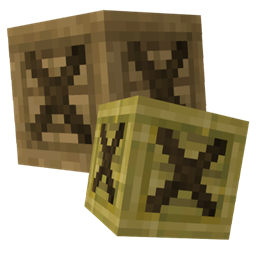
New ways to protect and store your items using cosmetic storage crates

Community voices
Reviews
No reviews yet. Be the first to review this project!
Get it on
Available Platforms
Compatibility
Supported Environments
Must be installed on both the client and the server.
About
Project Details
For authors
Embed Badge
If you're the author of this project, you can embed a live badge anywhere that supports HTML or Markdown. It updates automatically whenever ratings change.
Use HTML for any page that supports it, or Markdown for README files and Markdown-based descriptions.
Identifiers
Platform IDs
About
Description
Critical Crates focuses on storage improvements for a variety of different types of players by providing a new crate block. These crates have a large number of variations from each type of vanilla wood to all current forms of glass. Some types may even have their own features! In addition, they can even be customized further with a decent assortment of upgrades to allow the player to attempt to solve a variety of storage issues, such as item destruction. However, pick your upgrade carefully as a crate can only handle being upgraded once.
This mod is currently only developed and maintained for NeoForge 1.21.1, 26.1.x, 26.2, and 26.3, but may be updated to newer and different versions/loaders in the future.
Below is the current list of features with possibly more to come!
Critical Crates uses a system to change between crates called foundations. There are currently four types of crates in the mod: Wood, Glass, Iron, and Dirt. While wood crates can be crafted normally, the others cannot. To swap or change between any of these at a time, simply craft a foundation using pliers and right click on any crate with it. All currently stored items will seemlessly transfer between the old and new crate type so don't worry about removing them!
To view recipes for all the above, visit the GitHub wiki.
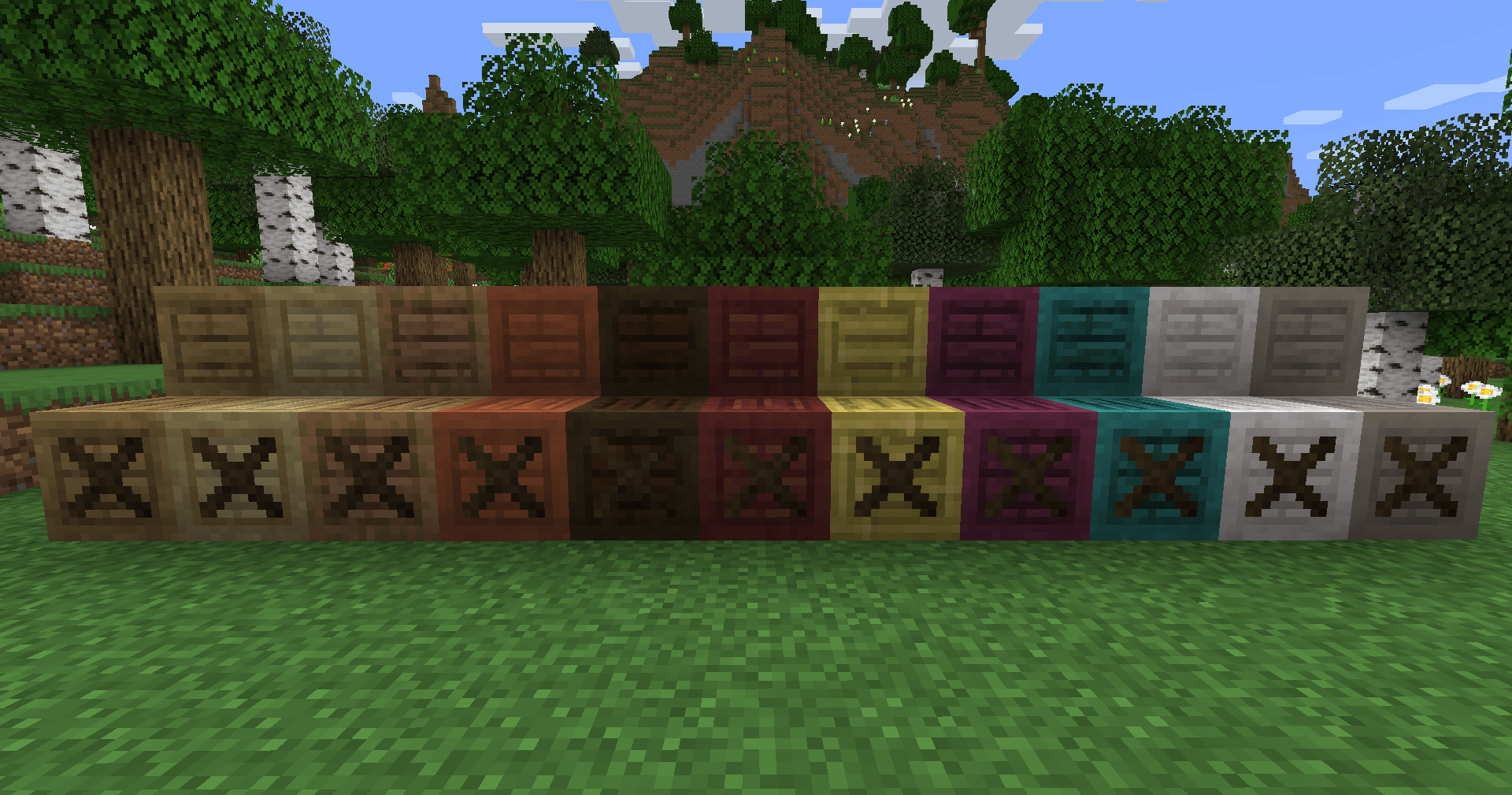
All Vanilla Wood Crate Variants:
Oak, Spruce, Birch, Jungle, Acacia, Dark Oak, Mangrove, Cherry, Bamboo, Crimson, Warped, Pale Oak, and Poplar
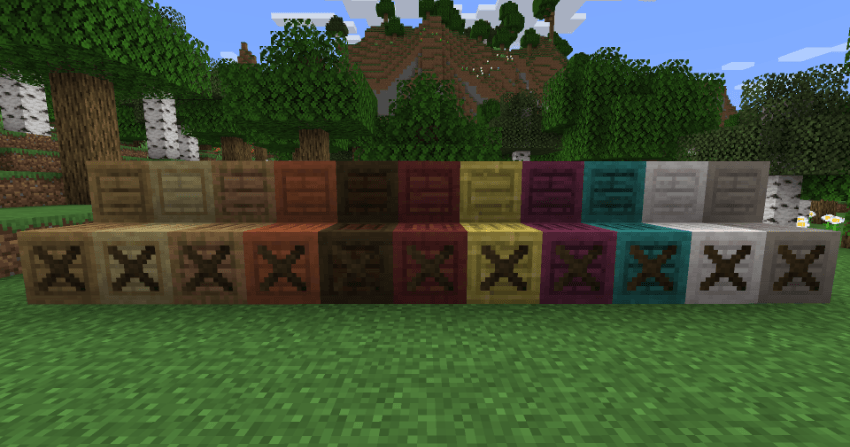
Although, be warned wood crates can light on fire and destroy all of your items if not handled properly! Upgrade them or pick an appropriate type to prevent this disaster. Note, crimson and warped crates are in fact fire, but not lava, resistant despite being part of the wood crate group.
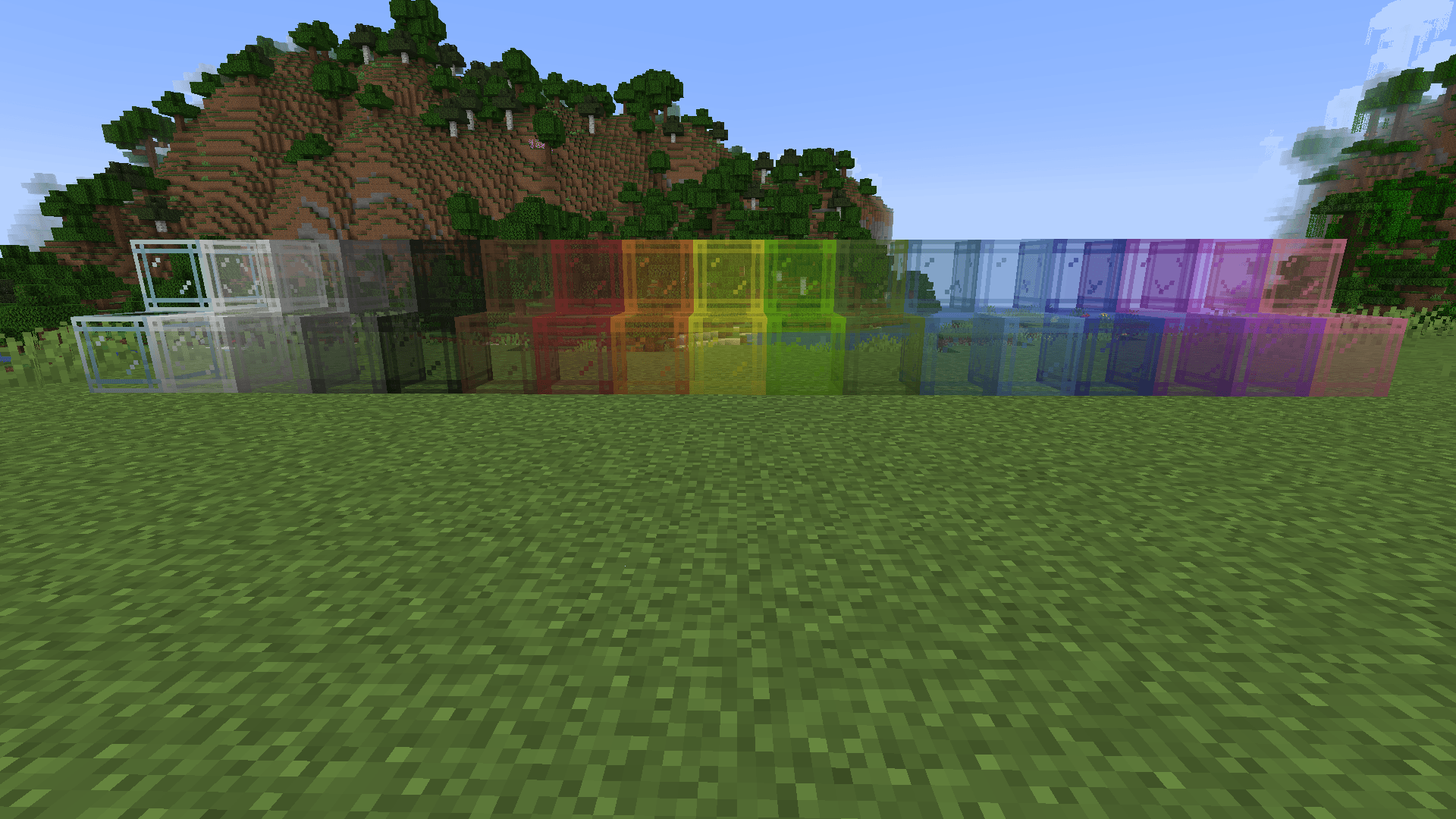
All Vanilla Stained Glass Crate Variants (from left to right): Normal, White, Light Gray, Gray, Black, Brown, Red, Orange, Yellow, Lime, Green, Cyan, Light Blue, Blue, Purple, Magenta, and Pink
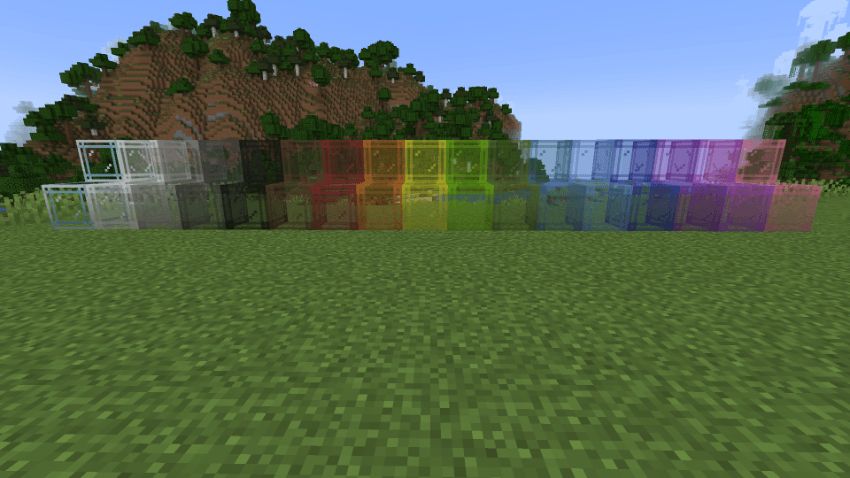
The color can be changed by right clicking on any glass crate with a different dye and can be removed by right clicking on a stained glass crate with a soap item.
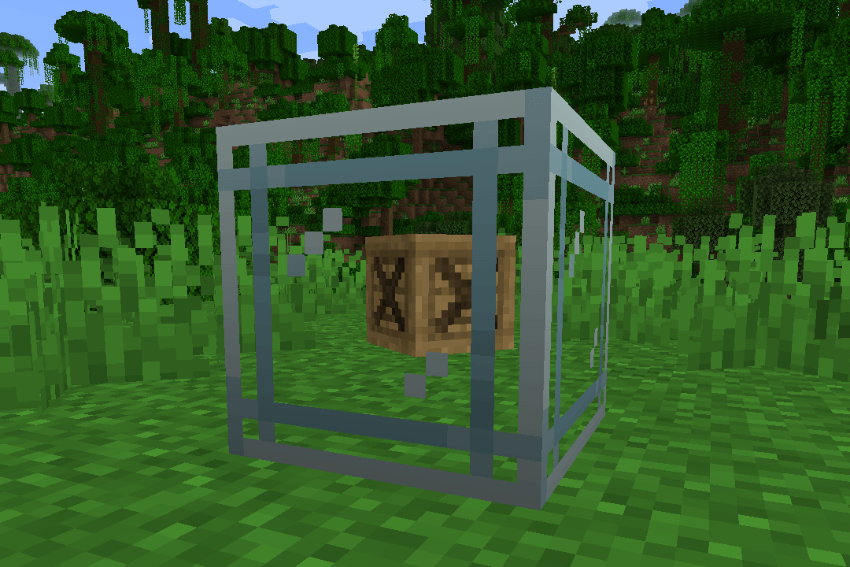
In addition, glass crates also show or render the item put in their top left inventory slot as if it was inside the block. Change it to label what items are in this crate or just have something there for fun!
Iron Crates
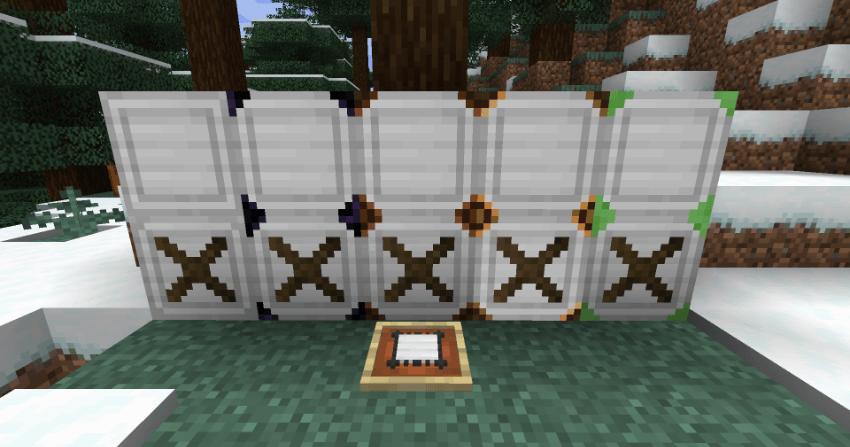
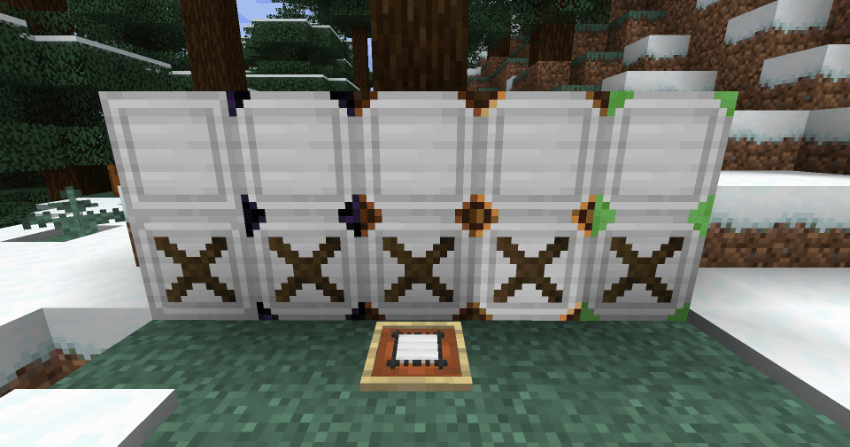
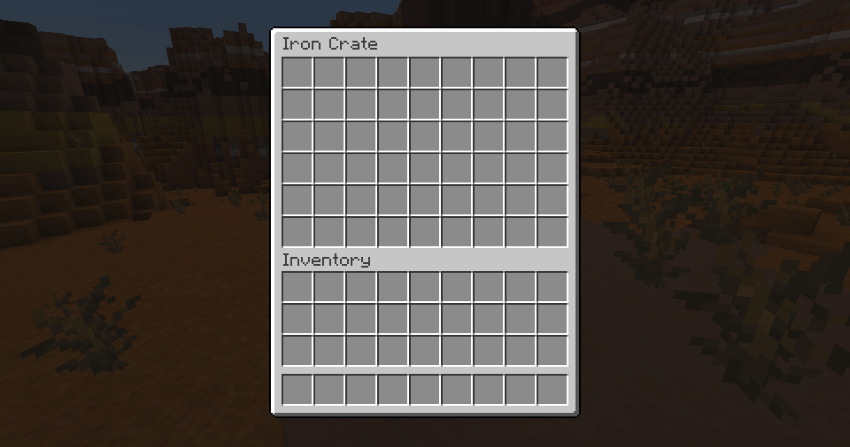
Iron crates function exactly as you would expect by expanding the traditional crate size of a single chest to that of a double chest.
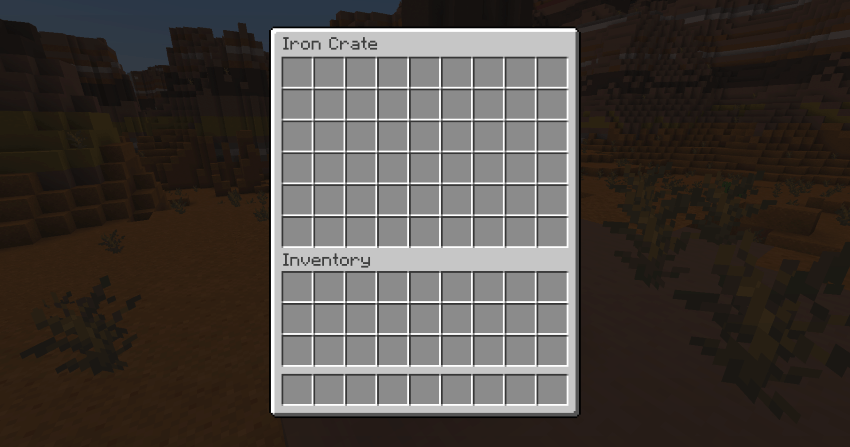
Additionally, iron crates are more durable. They have a higher toughness value than any base level crate type and will not catch on fire.
Dirt Crates
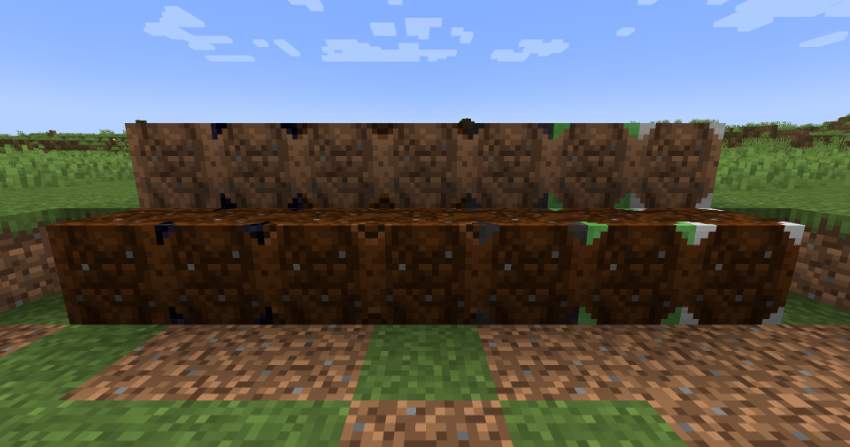
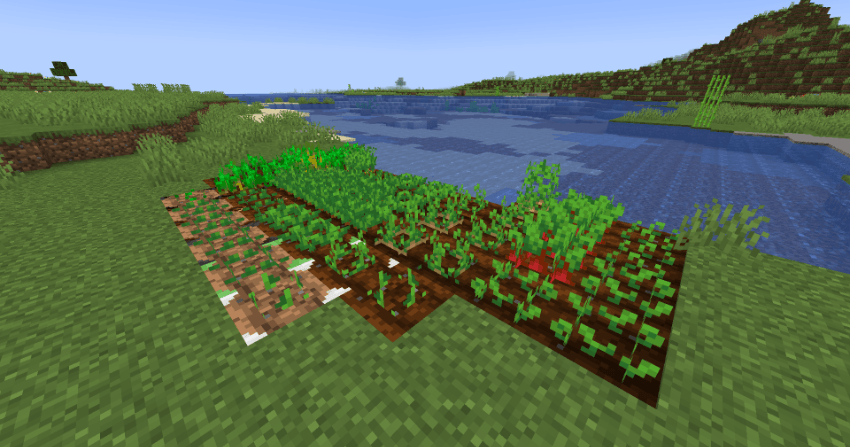
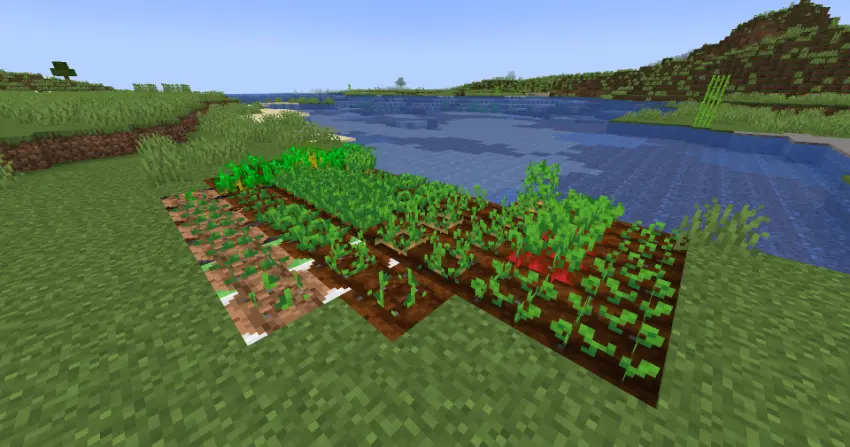
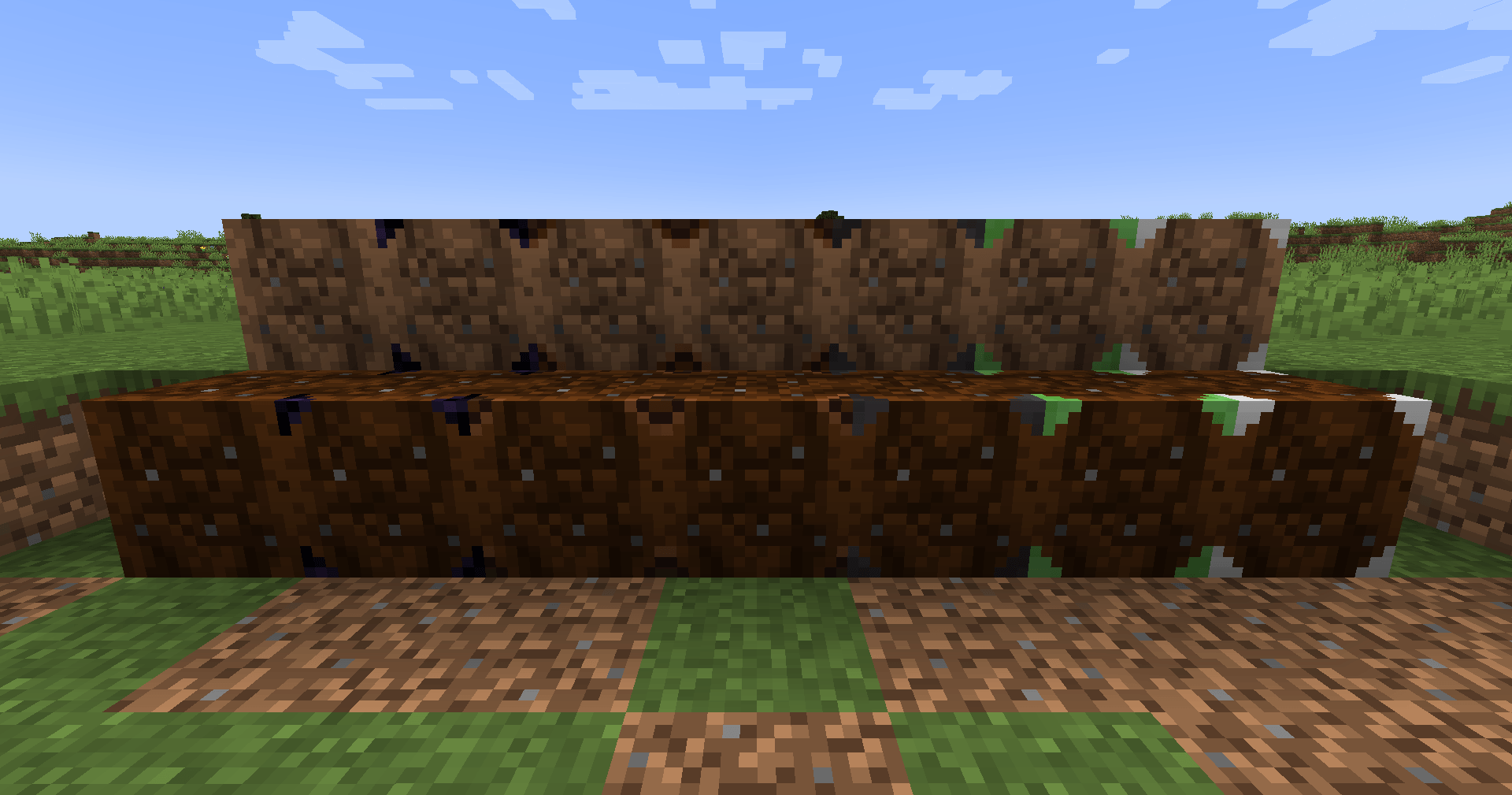
Dirt crates behave very close to how farmland does, but with a few differences. These crates allow for crops to be placed on top of them while either moisturized or not. Being moisturized will only speed up the growth process and nothing more. Additionally, crops will not pop off of dirt crates when not lit correctly, but the crops will still not grow. The inventory size of these crates is the standard single chest worth, but provides a more seamless way to grow crops and store items. These dirt crates can also be upgraded with the same upgrades as wood and glass.
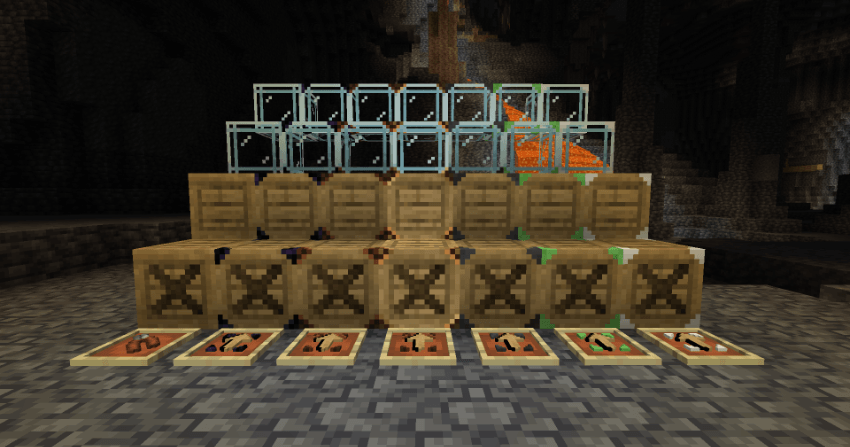
Five Current Crate Upgrades (from left to right): Obsidian Reinforcement, Lamp Simulator, Fireproofing, Slimy Framing, and Iron Supports
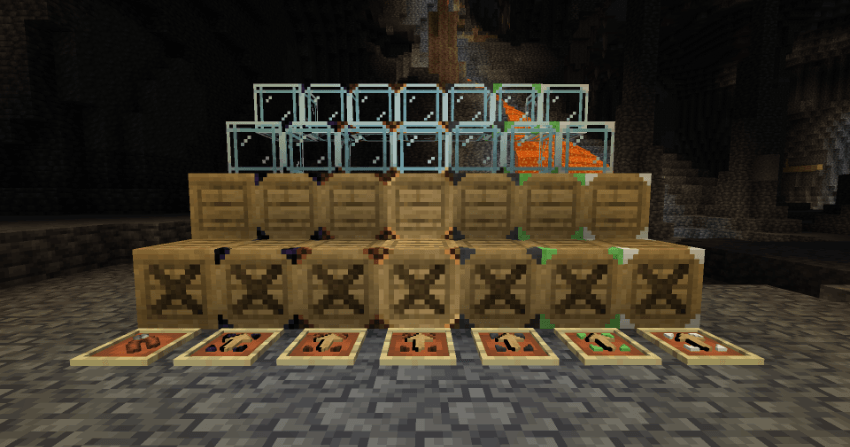
To add or remove an upgrade, simply right click with the correct item in hand and watch as it is seamlessly applied to or removed from the crate!
Here is what each one does, choose carefully as you can only pick one!
1. Obsidian Reinforcement
Keep your items safe while creepers or other explosive enemies are about. Makes the crate blast or explosion resistant as with an actual obsidian block! No more easily destroyed storage systems or tons of items on the ground from one small explosion.
2. Lamp Simulator
Remove every single dark spot without having to place a single torch. Light up your base with ease by providing a light source hidden and tucked away. It functions almost exactly the same as a copper bulb, but with an inventory! One redstone signal and no more scary monsters spawning around this crate.
3. Fireproofing
No one likes a fast-spreading fire. Protect your wood crates from fire by adding this upgrade, but it also makes any crate completely resistant to lava as well! Don't believe me? Give it a toss into lava and try it for yourself.
4. Slimy Framing
Cleaning up storage areas can take way too long. Designed for base cleanup, these crates are instantly breakable using a player’s bare hands! However, due to the bouncy nature of slimes, they also provide tons of bouncy fall damage reducing fun.
5. Iron Supports
Storage space is everyone's worst nightmare. This upgrade operates exactly as the iron crate by adding three more additional rows to the base crate inventory. Try it out to gain way more room! Don't worry, if removed later, all items in the extra rows will simply drop onto the ground. However, note that while gaining more space, it does not give fire resistance as with the actual iron crate.
Each upgrade is also removable by default with the pliers item (far left in the photo). It is crafted with just one iron and two leather! However, if you want a real challenge try disabling the removal of these upgrades in the config files. The pliers are also used to craft each upgrade using their respective blocks or items.
For crafting recipes or more mod information, visit the wiki.
This is actually my first mod and is currently in its earlier stages of public release so if you have any suggestions or find any bugs, please let me know using Github or another communication method below!
You may add this to any modpack or record any video with this mod, but please give credit somewhere in the description!
If you want to support me or have any additional questions, check out:
CriticalPickle's Discord: https://discord.gg/BSqy276THC
CriticalPickle's YouTube: https://www.youtube.com/@thecriticalpickle
Critical Crates focuses on storage improvements for a variety of different types of players by providing a new crate block. These crates have a large number of variations from each type of vanilla wood to all current forms of glass. Some types may even have their own features! In addition, they can even be customized further with a decent assortment of upgrades to allow the player to attempt to solve a variety of storage issues, such as item destruction. However, pick your upgrade carefully as a crate can only handle being upgraded once.
This mod is currently only developed and maintained for NeoForge 1.21.1, 26.1.x, 26.2, and 26.3, but may be updated to newer and different versions/loaders in the future.
Below is the current list of features with possibly more to come!
Current Features (Spoilers)
Critical Crates uses a system to change between crates called foundations. There are currently four types of crates in the mod: Wood, Glass, Iron, and Dirt. While wood crates can be crafted normally, the others cannot. To swap or change between any of these at a time, simply craft a foundation using pliers and right click on any crate with it. All currently stored items will seemlessly transfer between the old and new crate type so don't worry about removing them!
To view recipes for all the above, visit the GitHub wiki.
All Vanilla Wood Crate Variants: Oak, Spruce, Birch, Jungle, Acacia, Dark Oak, Mangrove, Cherry, Bamboo, Crimson, Warped, Pale Oak, and Poplar

Although, be warned wood crates can light on fire and destroy all of your items if not handled properly! Upgrade them or pick an appropriate type to prevent this disaster. Note, crimson and warped crates are in fact fire, but not lava, resistant despite being part of the wood crate group.
All Vanilla Stained Glass Crate Variants (from left to right): Normal, White, Light Gray, Gray, Black, Brown, Red, Orange, Yellow, Lime, Green, Cyan, Light Blue, Blue, Purple, Magenta, and Pink

The color can be changed by right clicking on any glass crate with a different dye and can be removed by right clicking on a stained glass crate with a soap item.
In addition, glass crates also show or render the item put in their top left inventory slot as if it was inside the block. Change it to label what items are in this crate or just have something there for fun!

Iron Crates
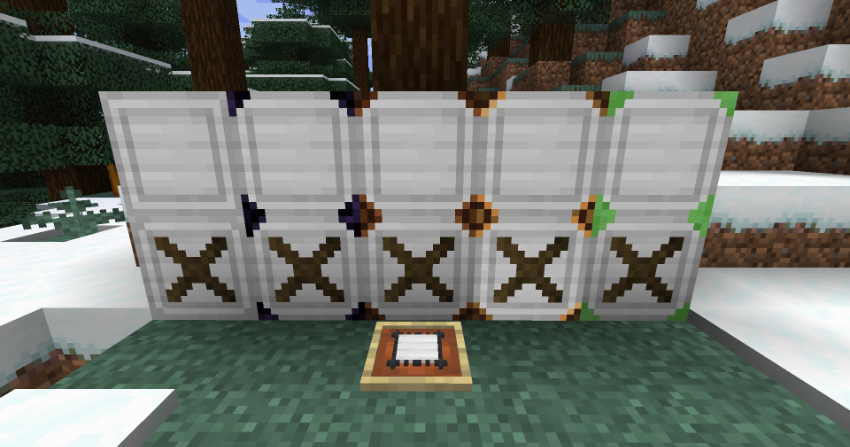
Iron crates function exactly as you would expect by expanding the traditional crate size of a single chest to that of a double chest.
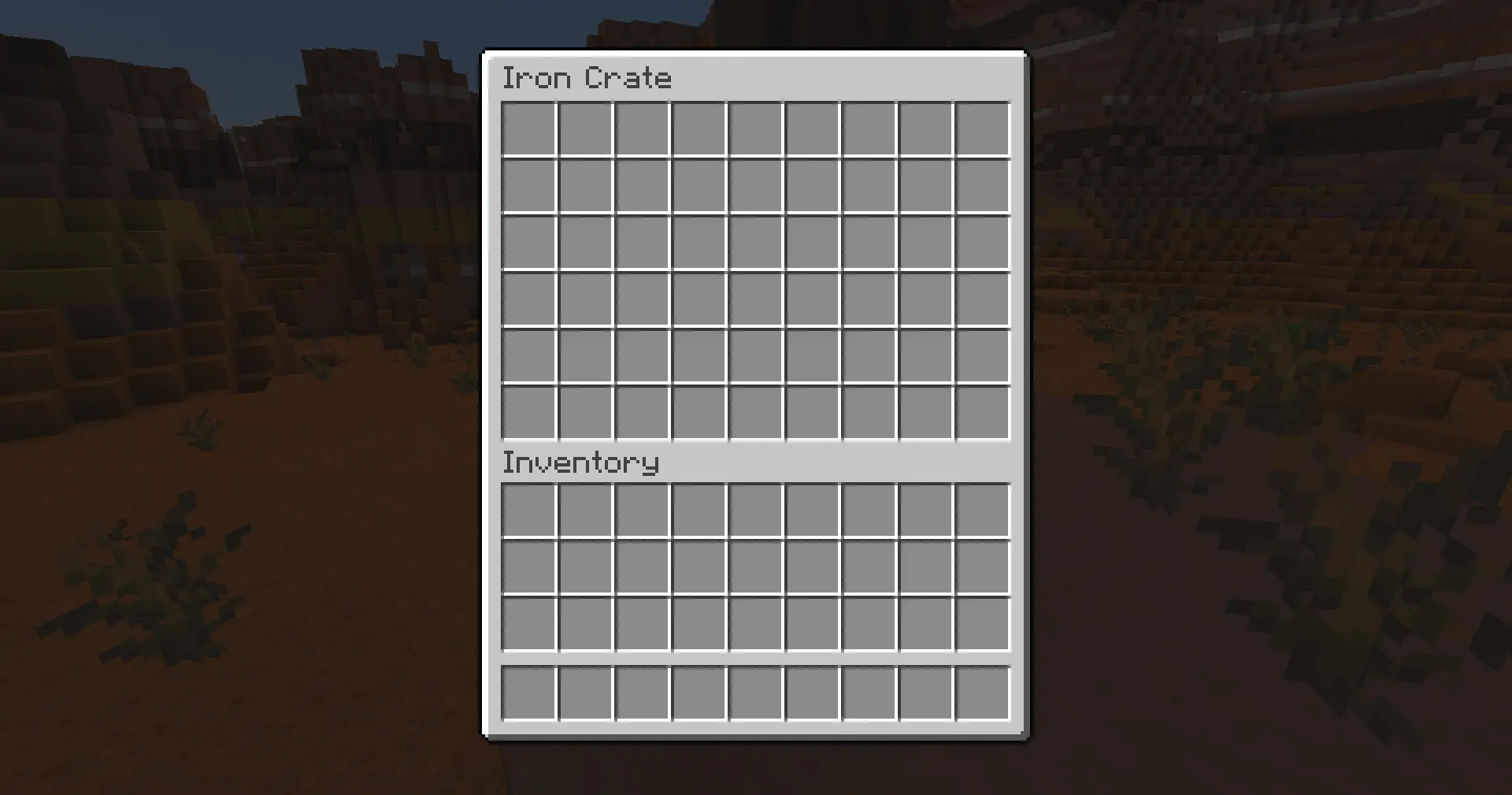
Additionally, iron crates are more durable. They have a higher toughness value than any base level crate type and will not catch on fire.
Dirt Crates
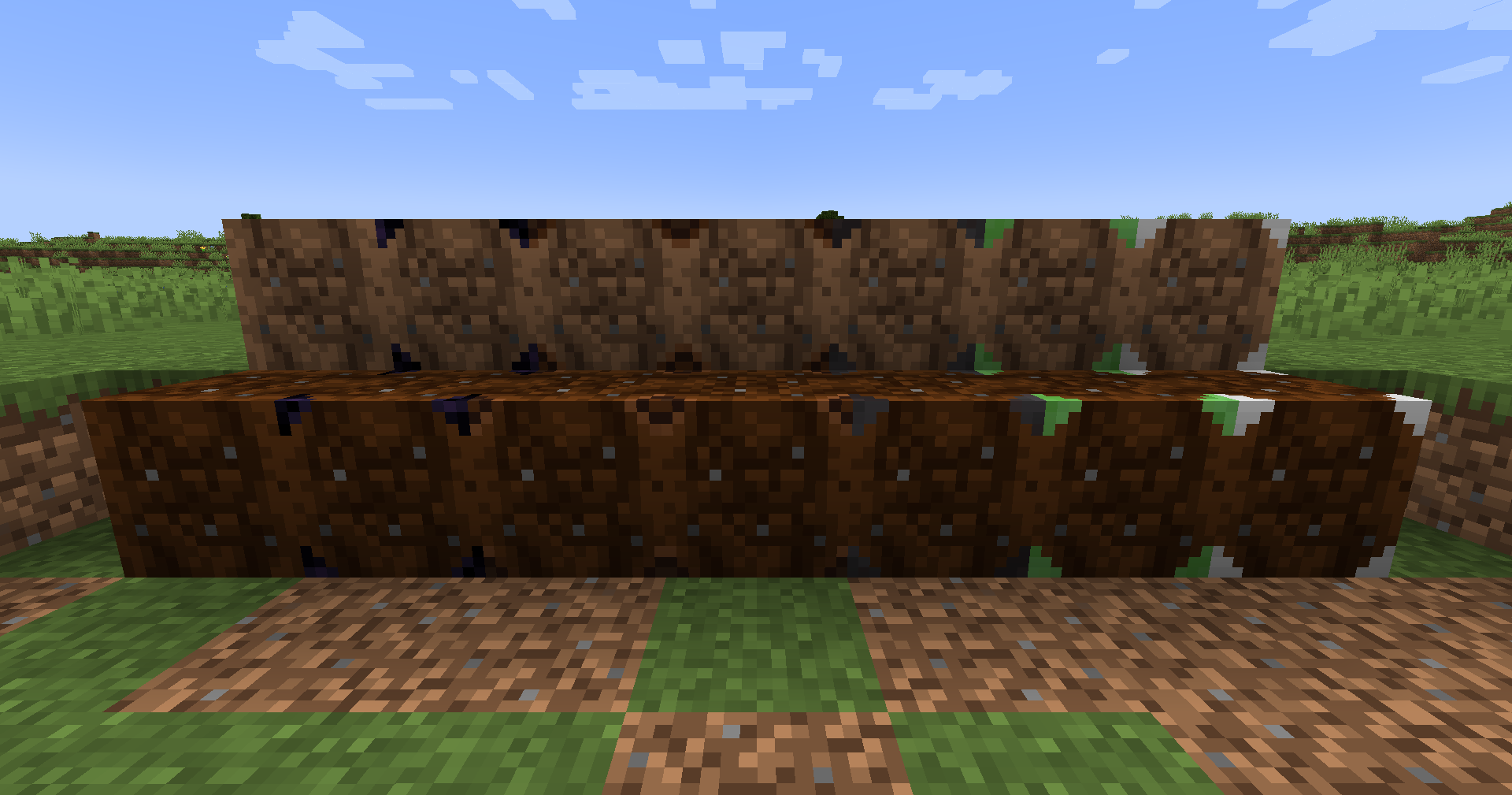
Dirt crates behave very close to how farmland does, but with a few differences. These crates allow for crops to be placed on top of them while either moisturized or not. Being moisturized will only speed up the growth process and nothing more. Additionally, crops will not pop off of dirt crates when not lit correctly, but the crops will still not grow. The inventory size of these crates is the standard single chest worth, but provides a more seamless way to grow crops and store items. These dirt crates can also be upgraded with the same upgrades as wood and glass.
Five Current Crate Upgrades (from left to right): Obsidian Reinforcement, Lamp Simulator, Fireproofing, Slimy Framing, and Iron Supports
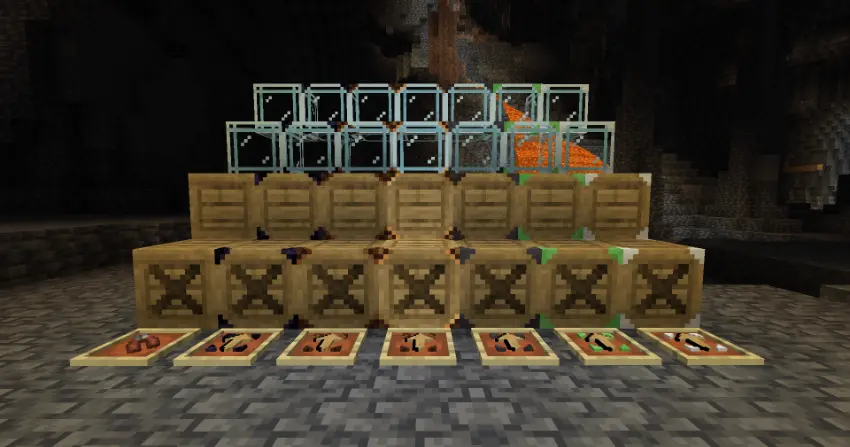
To add or remove an upgrade, simply right click with the correct item in hand and watch as it is seamlessly applied to or removed from the crate!
Here is what each one does, choose carefully as you can only pick one!
1. Obsidian Reinforcement - Keep your items safe while creepers or other explosive enemies are about. Makes the crate blast or explosion resistant as with an actual obsidian block! No more easily destroyed storage systems or tons of items on the ground from one small explosion.
2. Lamp Simulator - Remove every single dark spot without having to place a single torch. Light up your base with ease by providing a light source hidden and tucked away. It functions almost exactly the same as a copper bulb, but with an inventory! One redstone signal and no more scary monsters spawning around this crate.
3. Fireproofing - No one likes a fast-spreading fire. Protect your wood crates from fire by adding this upgrade, but it also makes any crate completely resistant to lava as well! Don't believe me? Give it a toss into lava and try it for yourself.
4. Slimy Framing - Cleaning up storage areas can take way too long. Designed for base cleanup, these crates are instantly breakable using a player’s bare hands! However, due to the bouncy nature of slimes, they also provide tons of bouncy fall damage reducing fun.
5. Iron Supports - Storage space is everyone's worst nightmare. This upgrade operates exactly as the iron crate by adding three more additional rows to the base crate inventory. Try it out to gain way more room! Don't worry, if removed later, all items in the extra rows will simply drop onto the ground. However, note that while gaining more space, it does not give fire resistance as with the actual iron crate.
Each upgrade is also removable by default with the pliers item (far left in the photo). It is crafted with just one iron and two leather! However, if you want a real challenge try disabling the removal of these upgrades in the config files. The pliers are also used to craft each upgrade using their respective blocks or items.
For crafting recipes or more mod information, visit the wiki.
This is actually my first mod and is currently in its earlier stages of public release so if you have any suggestions or find any bugs, please let me know using Github or another communication method such as discord!
You may add this to any modpack or record any video with this mod, but please give credit somewhere in the description!
If you want to support me or have any additional questions, check out:
- CriticalPickle's YouTube: https://www.youtube.com/@thecriticalpickle
Screenshots
Gallery
-
 crate_upgrades.png crate_upgrades.png
 -
 all_types_of_wood_crates.png all_types_of_wood_crates.png
 -
 all_types_of_glass_crates.png all_types_of_glass_crates.png
 -
 iron_crates.png iron_crates.png
 -
 dirt_crates.png dirt_crates.png
 -
 iron_crate_inventory.png iron_crate_inventory.png
 -
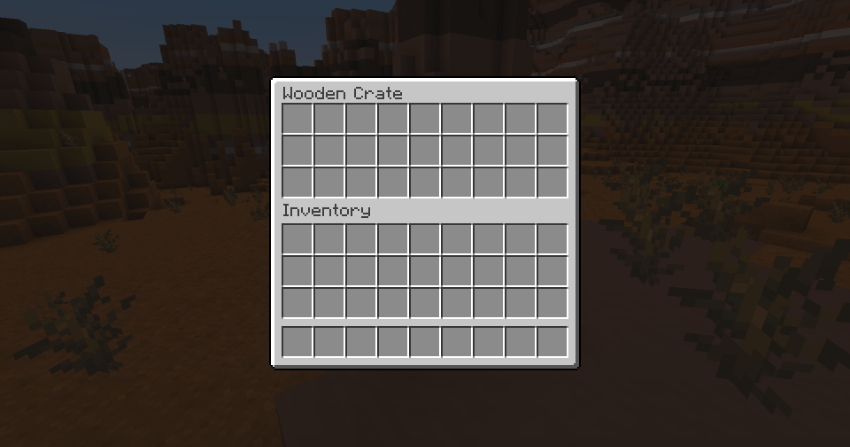 crate_inventory.png crate_inventory.png
 -
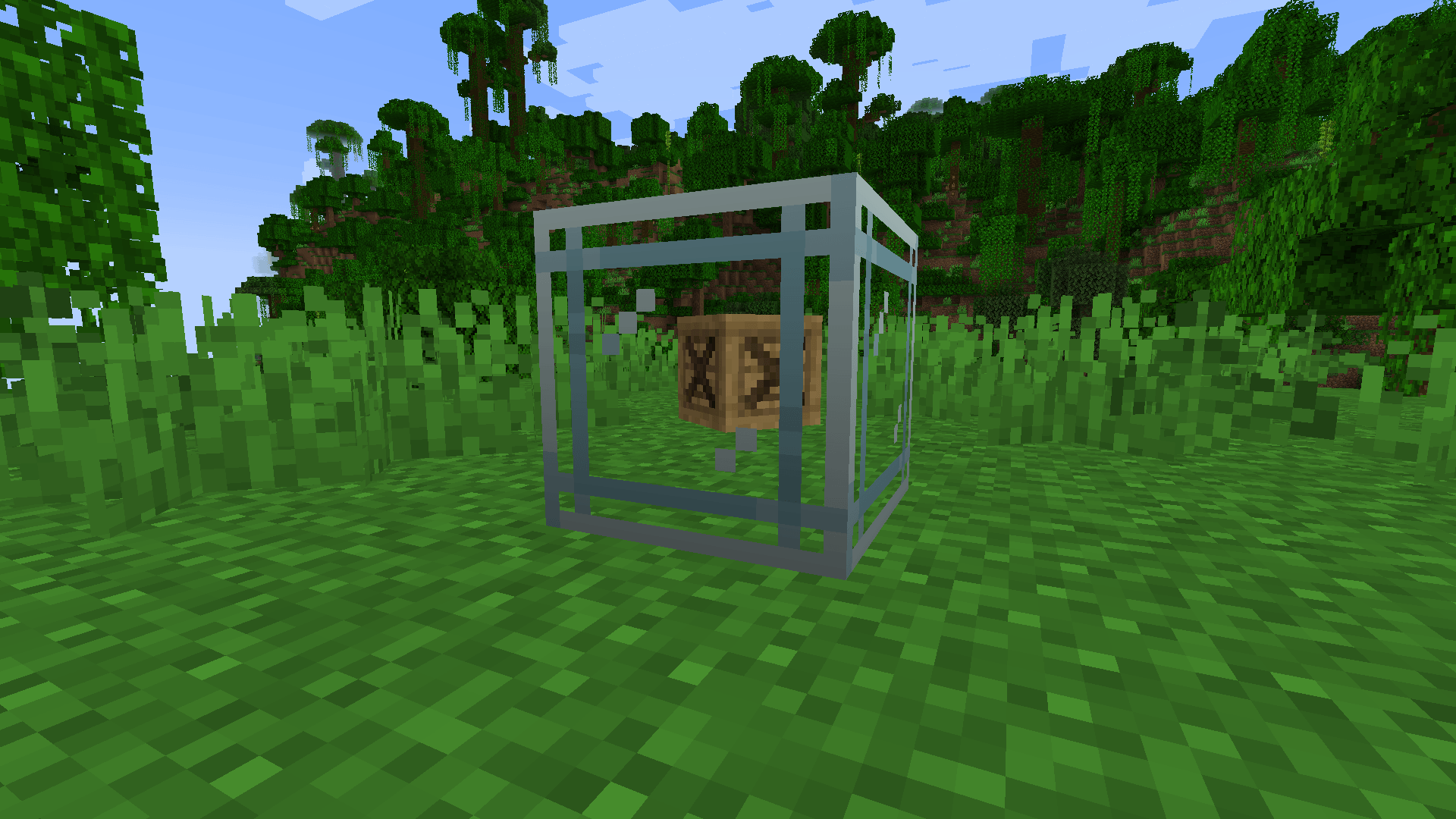 glass_crate_with_item_inside.png glass_crate_with_item_inside.png
 -
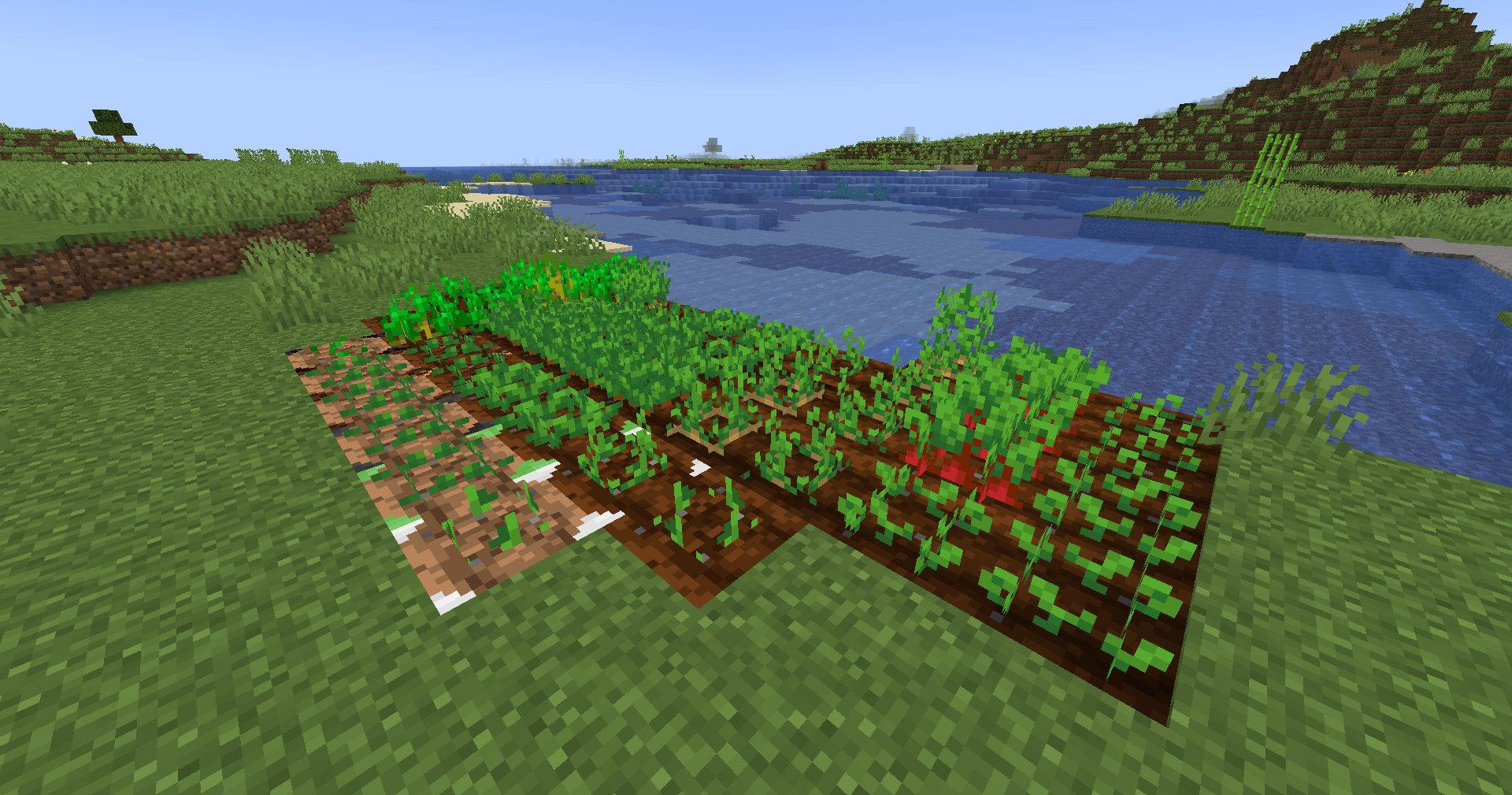 dirt_crates_crops.png dirt_crates_crops.png
 -
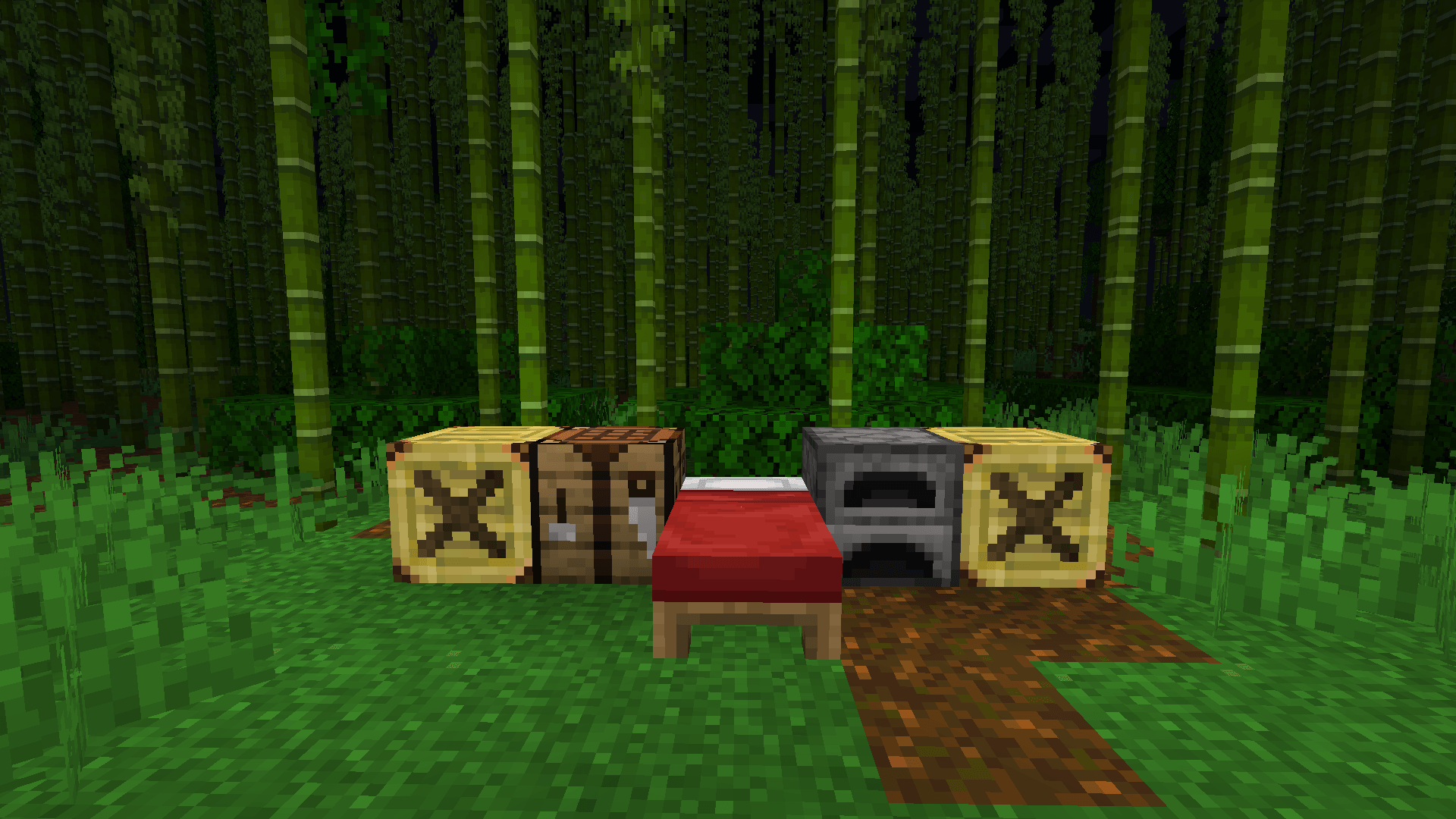 bamboo_jungle_crate_base.png bamboo_jungle_crate_base.png
-
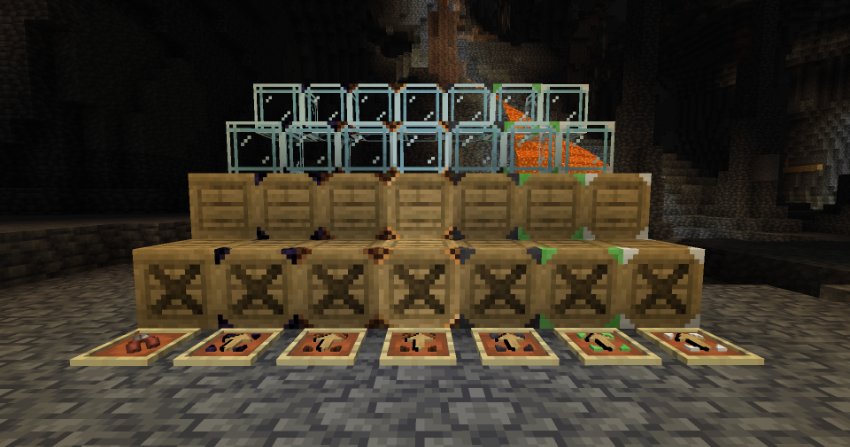 Crate Upgrades All crate upgrades, showing that they can be applied to both glass and wood crates while also featuring the pliers item
 -
 All Vanilla Wood Crates All vanilla wood crates in a line
 -
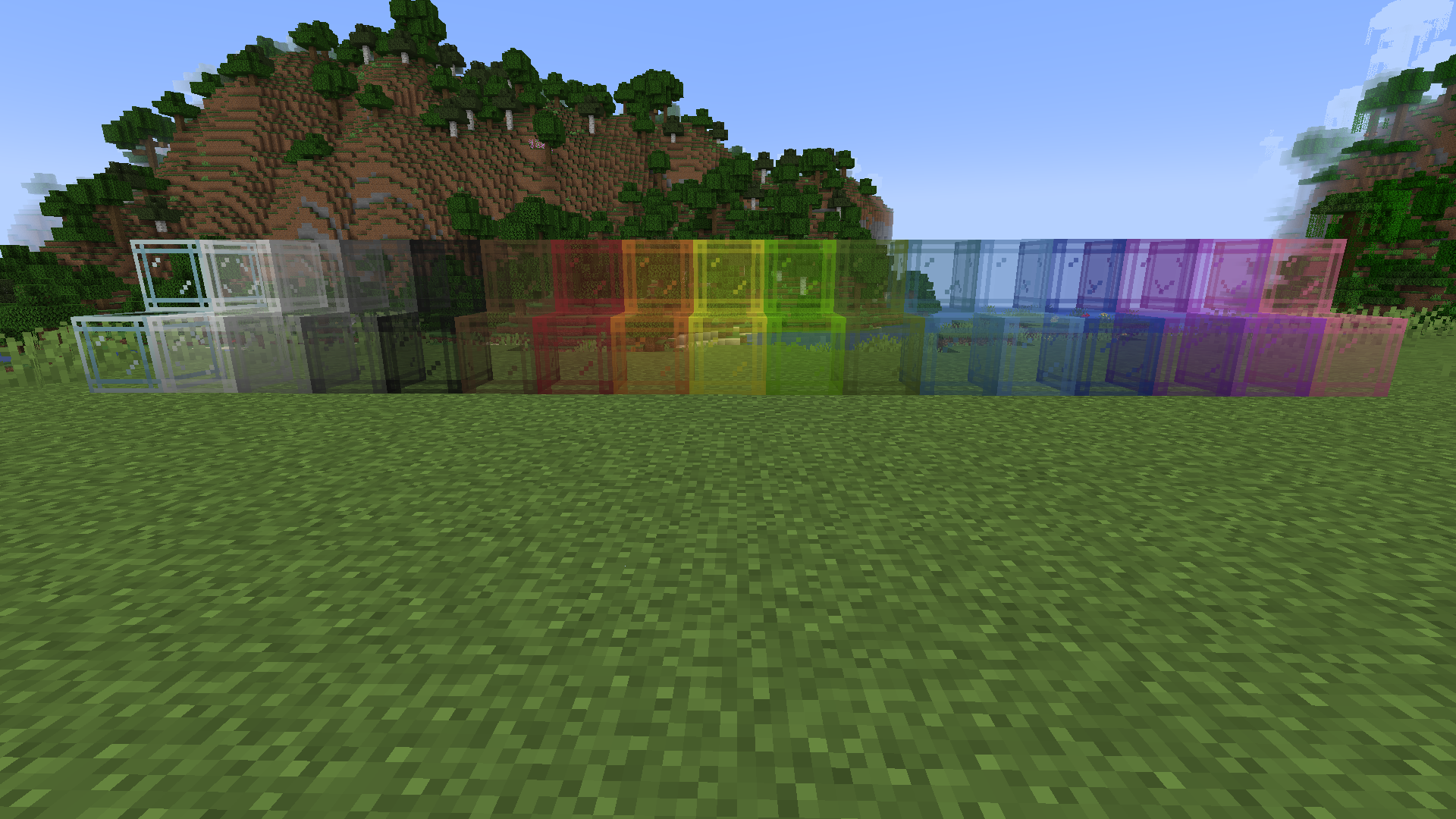 All Vanilla Glass Crates All vanilla stained glass crates in a line
 -
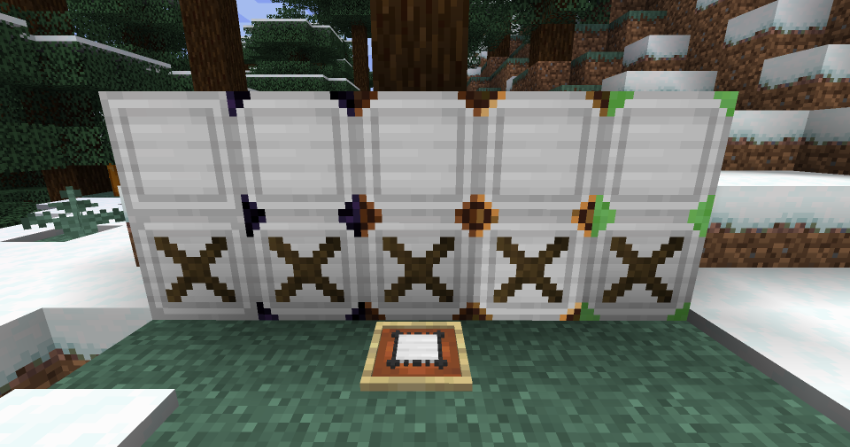 Iron Crates All iron crates in a line
 -
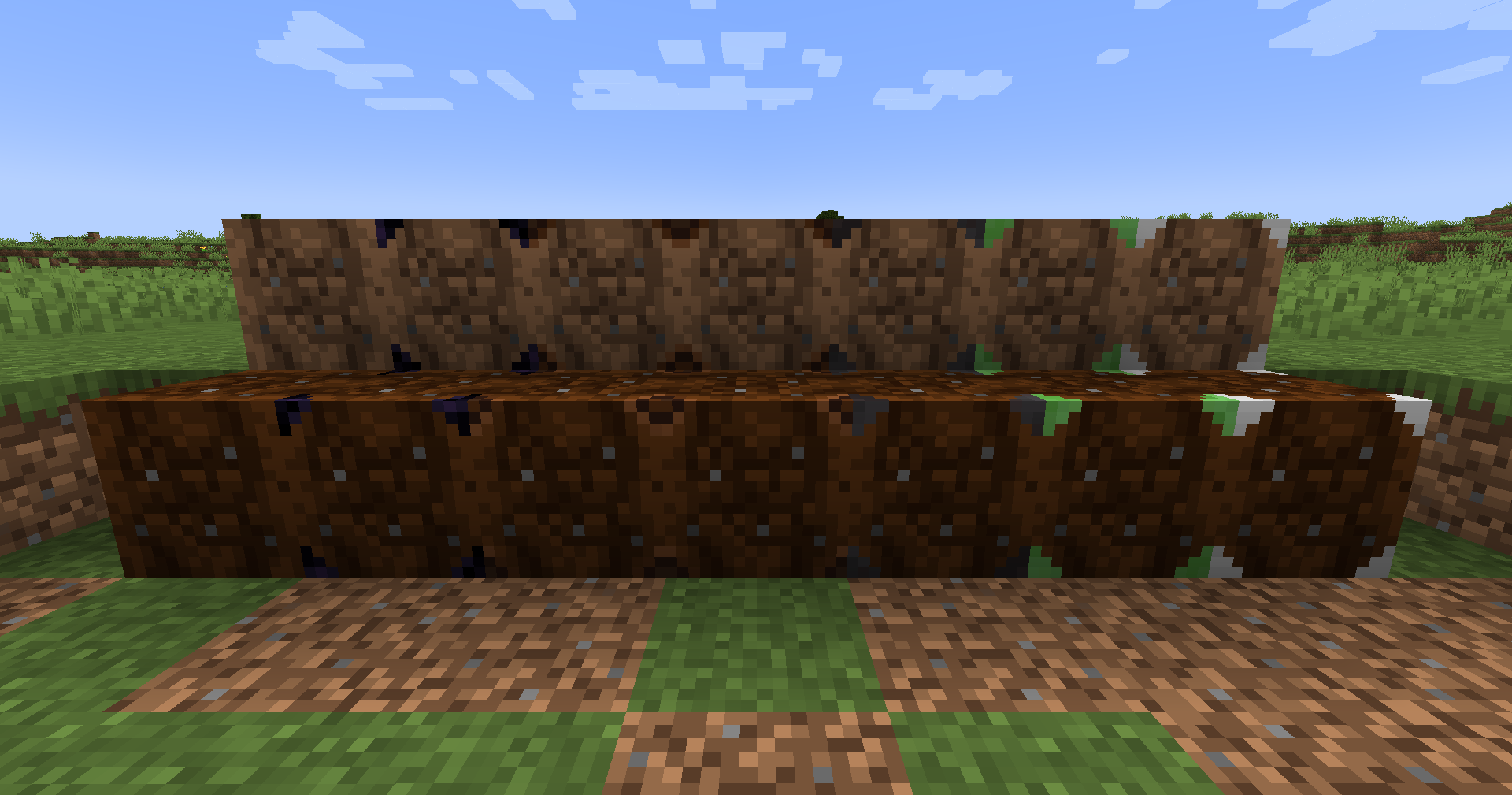 Dirt Crates All dirt crates in a line
 -
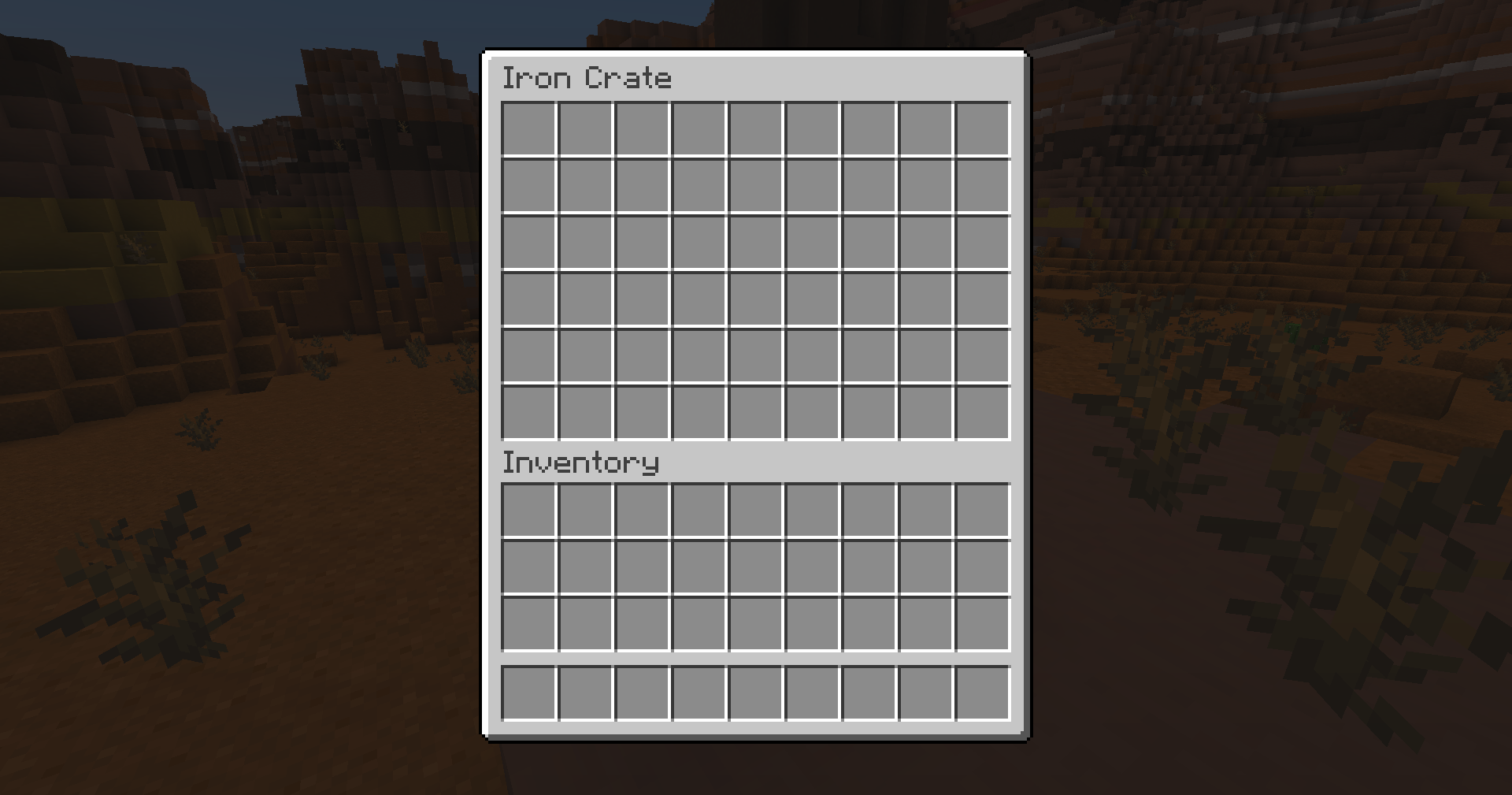 Iron Crate Inventory The inventory space of an iron or iron supported crate
 -
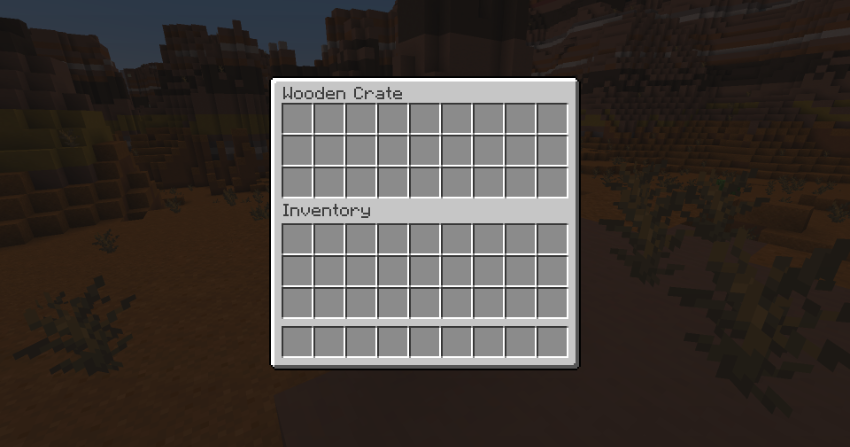 Normal Crate Inventory The inventory space of a wood or glass crate
 -
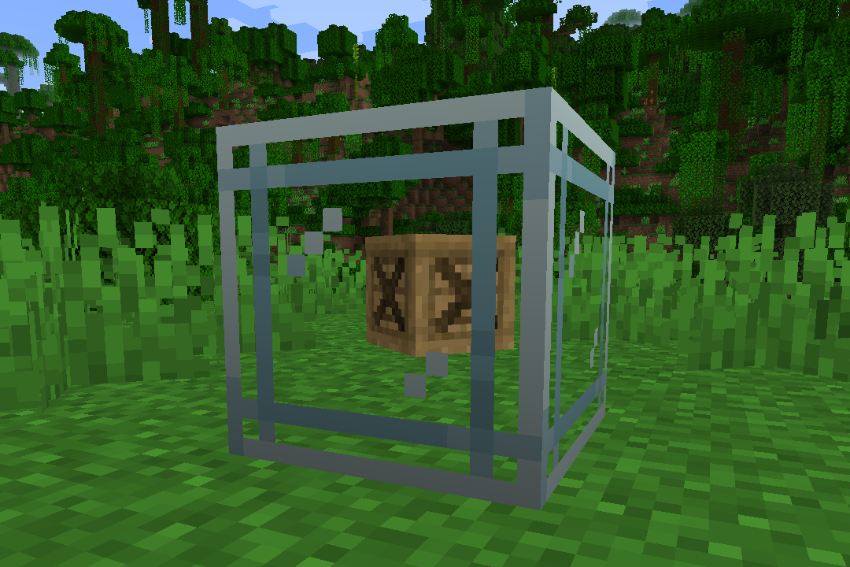 Glass Crate with Item Inside Glass crate with oak crate inside of it
 -
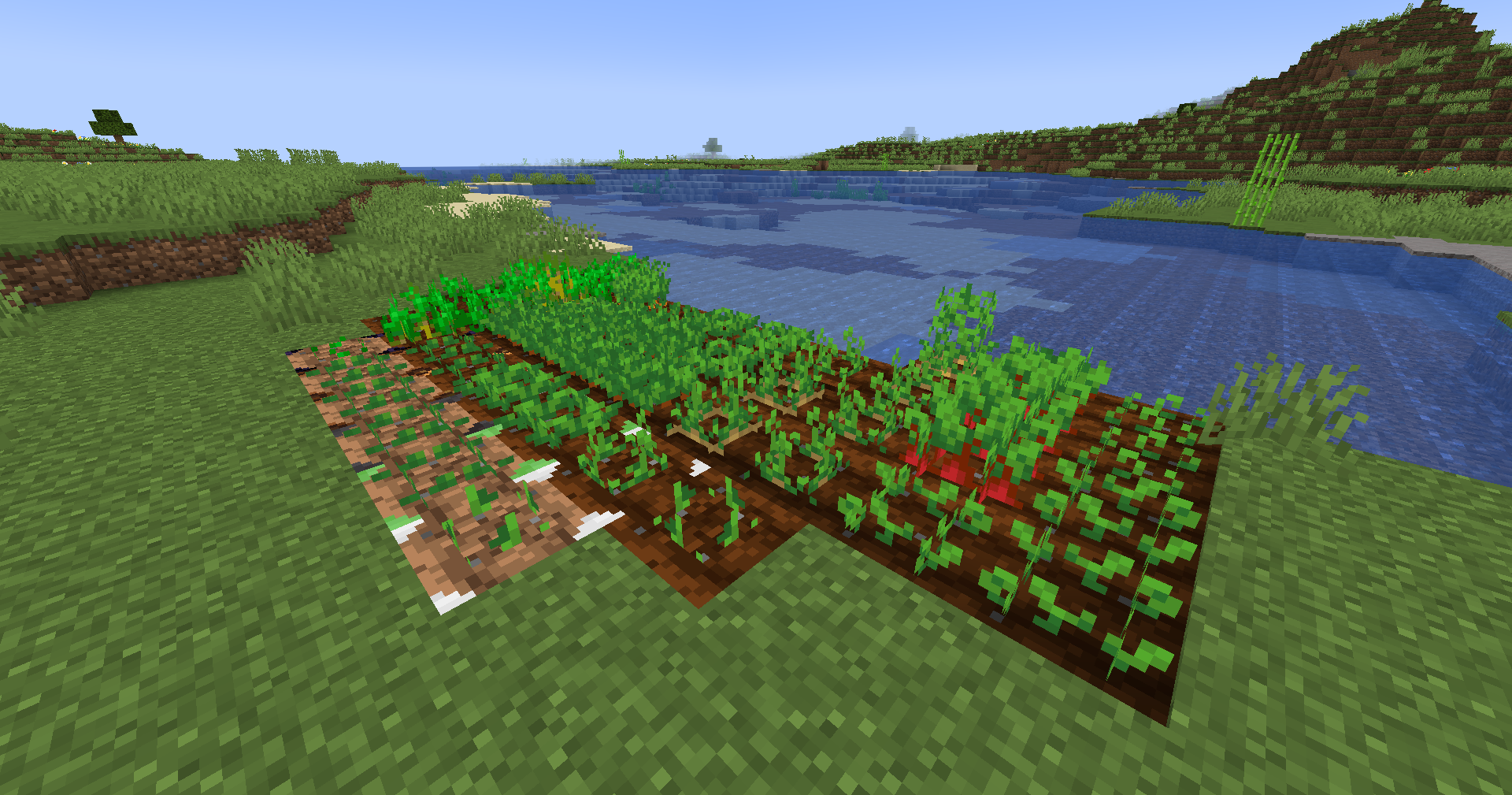 Dirt Crates with Crops Dirt crates with many different crops
 -
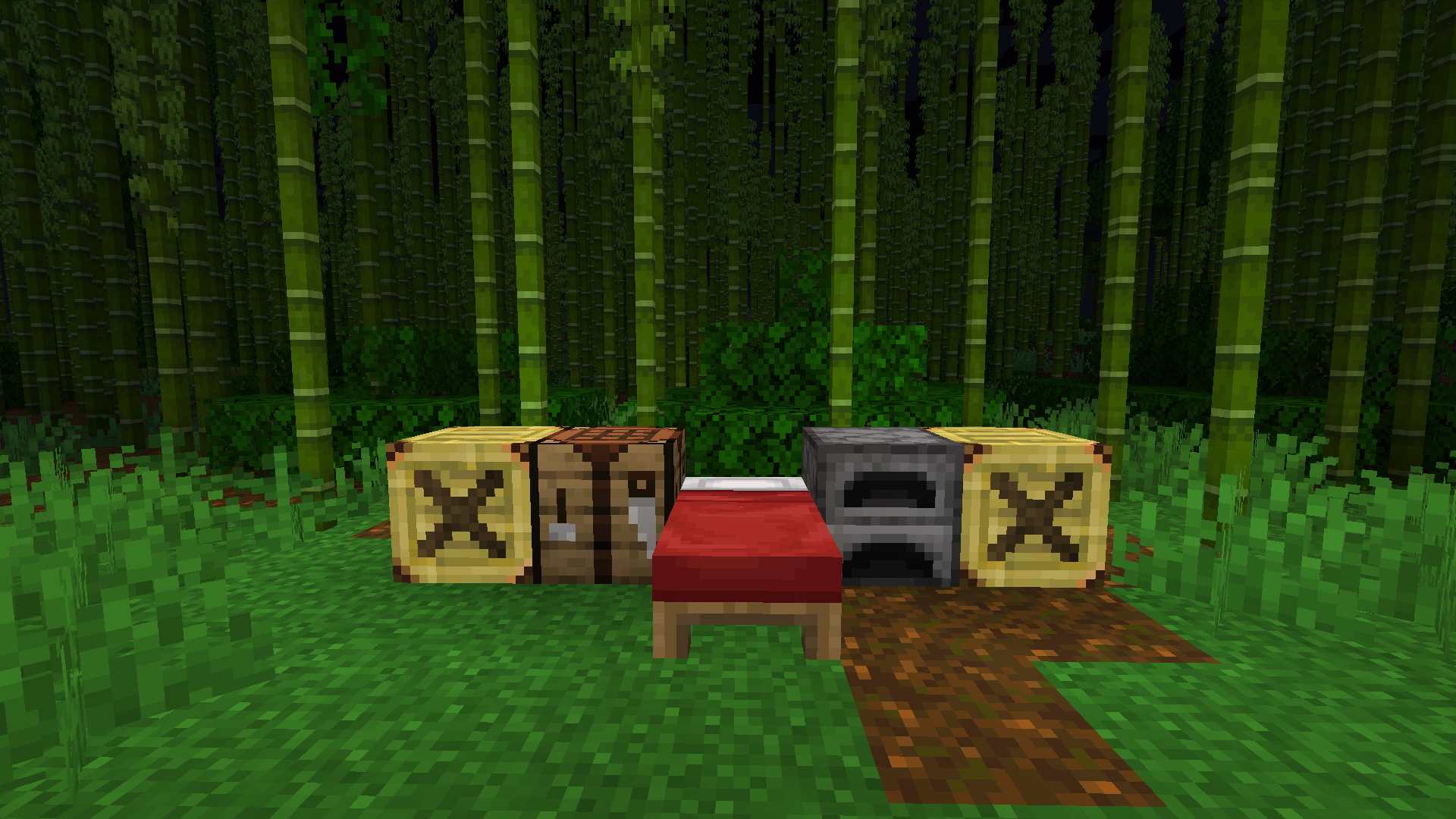 Bamboo Jungle Base with Lamp Crates A base in the bamboo jungle with lit up lamp crates
Versions
Files
Relations
Project Relations
More like this
Similar Mods
Suggestions use data such as tags, dependencies, dependents, descriptions, titles, and more to rank how much they overlap with this mod.
On ModDex
Community snapshot
By the numbers
Statistics

Get it on
Available Platforms
On ModDex
Community snapshot
By the numbers