CritIndicator
No reviews yet
Flashes a big "CRIT!" on screen on every critical hit and tracks your crit streak + personal best in a bottom-right HUD. Toggle with V, reset with Shift+V.
Fabric is a mod loader for versions 1.14+ of Minecraft, particularly popular for client side and optimization mods.
Community voices
Reviews
Click once to include, again to exclude, again to clear
No reviews yet. Be the first to review this project!
Get it on
Available Platforms
 Modrinth
Compatibility
Supported Environments
About
Project Details
For authors
Embed Badge
If you're the author of this project, you can embed a live badge anywhere that supports HTML or Markdown. It updates automatically whenever ratings change.
Use HTML for any page that supports it, or Markdown for README files and Markdown-based descriptions.
Identifiers
Platform IDs
Resources
External Links
About
Description
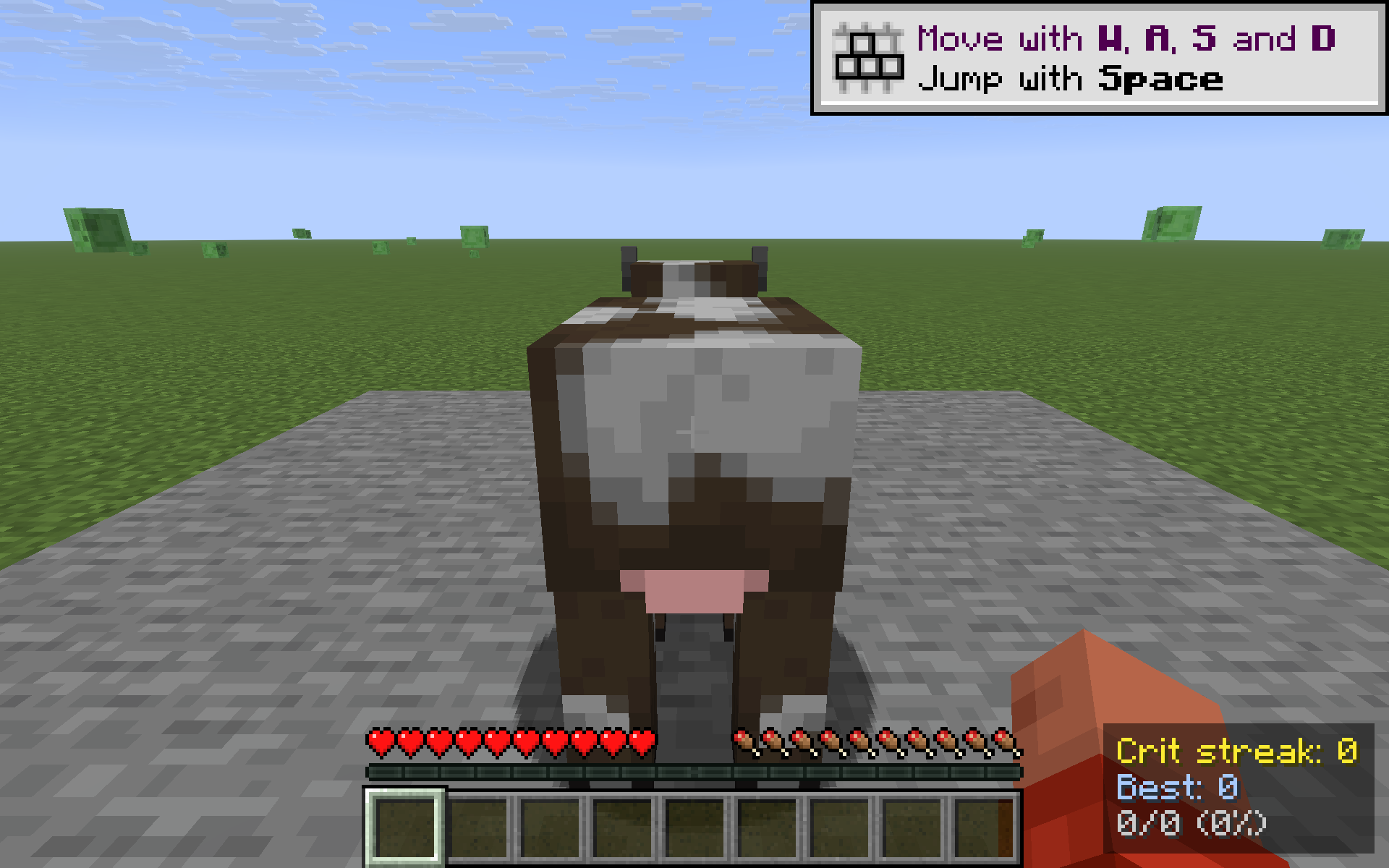
CritIndicator turns vanilla's nearly invisible crit sparkle into something you can actually feel. When you land a critical hit on a living entity, a large yellow CRIT! flashes in the upper-third of your screen and fades out over 1.5 seconds — and a small bottom-right counter ticks up your current streak. Miss a crit and the streak resets; nail a clean run and you'll watch your personal best climb.
What it shows
Crit streak: 7
Best:        21
14/26 (54%)
- Crit streak — consecutive crits since your last non-crit attack on a mob.
- Best — highest streak this session.
hits/total (%)— running crit ratio: how many of your attacks were crits.
How it detects crits
Same conditions vanilla uses when computing critical hits, evaluated the moment you swing at a living entity:
- Player is falling (
fallDistance > 0) - Player is not on ground, climbing, in water, in a vehicle or sprinting
- Player is not under Blindness
- Attack cooldown is at least ~90% recharged
- Target is a
LivingEntity
This means the indicator agrees with the server's actual crit calculation — if vanilla would crit, CRIT! flashes; if not, nothing fires and your streak breaks.
Controls
- V — toggle the HUD on / off
- Shift + V — reset streak, best, and ratio counters
Both keys are read via raw GLFW polling, so they work the same on every supported Minecraft version without a rebind UI.
Compatibility
Works on Minecraft 1.21.8, 1.21.9, 1.21.10, and 1.21.11 (Fabric Loader 0.16+). One JAR for all four versions — install with Fabric API and drop into your mods/ folder.
- Pure client-side — install on the client only, works on any server, no game-state changes, no anti-cheat impact.
- Hides automatically when you press F1 to hide the rest of the HUD.
- Counters live in memory only — they reset when you quit (this is a session streak, not a lifetime stat).
Why
Critical hits in vanilla are subtle: a small particle puff and a slightly higher damage number. CritIndicator gives you instant, glanceable feedback that your timing was right — and a streak counter you can chase.
Screenshots
Gallery
Versions
Files
Relations
Project Relations
More like this
Similar Mods
Suggestions use data such as tags, dependencies, dependents, descriptions, titles, and more to rank how much they overlap with this mod.
On ModDex
Community snapshot
By the numbers
Statistics

Want to reach Minecraft players?
We're looking for a server hosting partner to feature here and other parts of the site. Interested? Send us a message!
Get in touchGet it on
Available Platforms
On ModDex
Community snapshot
By the numbers
Statistics
Resources