
Combined Resource Loader
No reviews yet
Edit, Create, Combine and HEAVILY customize resourcepacks. Download/Upload DIRECTLY to and from the server.
Fabric is a mod loader for versions 1.14+ of Minecraft, particularly popular for client side and optimization mods.
Community voices
Reviews
Click once to include, again to exclude, again to clear
No reviews yet. Be the first to review this project!
Get it on
Available Platforms
 Modrinth
Compatibility
Supported Environments
About
Project Details
For authors
Embed Badge
If you're the author of this project, you can embed a live badge anywhere that supports HTML or Markdown. It updates automatically whenever ratings change.
Use HTML for any page that supports it, or Markdown for README files and Markdown-based descriptions.
Identifiers
Platform IDs
Resources
External Links
About
Description
Combined Resource Loader gives your average Minecraft player full control over specific resources without needing to edit or create a full resource pack. (For visual learners) Video does NOT display the latest version:
- This desc is for the frontier versions (>=CRL 26.07.22 AND >=MC 1.21.11)
Warrit do?
A lotta things:
- Lets you specify what textures you need from any texturepack you have installed for any block.
- Swap/replace/reuse textures and audio (such as those in minecraft prank videos).
- CREATE and EXPORT a texturepack out of the textures you have just created/combined.
- A more buff system for Minecraft's vanilla "Required packs" for servers.
- 2D and 3D TEXTURE EDITOR!!!
- Import/Export individual textures.
- Change the textures of others in your server in real time (as admin).
- Import and replace Audio files.
- Audio packs (not really complete)
- Lets normal players suggest server textures, if OP approves, texture will get uploaded to the server automtically.
- Downloads/Upload packs DIRECTLY from and to the server.
- Browse every single texture and audio used by the game.
- Clipboard for textures and audio.
- Delete texturepacks.
- Audio editor (NOWHERE NEAR COMPLETE AND EXTREMELY BUGGY)
All of the above in game in a simple mod for your average player (user friendly) since not everybody wants to manually edit stuff.
Planned:
- Better Audio editor
- Texture editor revamp
- increase and decrease size of 2D texture canvas
- model editting and creation
- datapacks somehow?
- More materials
- Resourcepack syncing
Clarification
"buff system for Minecraft's vanilla "Required packs""
CRL has its own system where there are "required packs" and "optional packs". All of these packs are on the server. OP can set certain packs that are installed on the server as "required" and the rest are optional. As a user joins the server, they will be prompted to select and install packs from a list of the server's required/recommended packs. Required packs can't be unchecked, optional packs can be installed or ignored. As the user clicks on the download button, the files may be pulled directly from the server OR from a seperate web URL (compared to minecraft only letting you use a single web URL). This helps you bypass the file limit that those websites have (usually 10-50mb) for your server side texturepacks as they are already on your server. The owner may specify what packs are pulled from the server and what are pulled from another website.
2D and 3D editor
YES DAWG I MADE A 3D EDITOR.
Audio files and packs
Yes this is a "resource" loader, not just a texture loader, so you are able to upload your own audio files. I plan on adding a simple audio editor. Yes I am also planning on supporting a sound pack system like I do for texturepacks.
"suggest server textures"
Since OP can already upload packs from their computers directly to the server, they can enable this feature to allow normal players to suggest their packs that they have, to be used on the server too (after OP's approval). After OP enables this feature, a player can suggest a pack to the server, OP will see that suggested pack so long as the player who suggested is still online. When this happens, OP may inspect the pack before uploading it to the server pc. CRL, by default, pulls images one by one and sends them to the server and OP can see what the contents of the pack are before actually downloading that pack to the server from that player's computer. OP may also let the full thing be uploaded at once but this may be a bit risky.
"Change the textures of others in your server"
YES YOU CAN DO THAT. You can edit textures or whatever and the moment you click "refresh universal", EVERYONE on your server will have their textures refreshed and changed to whatever you editted it to. This is only for OP obviously. One thing to note is that yes it may take a couple of seconds before the refresh happens for everyone.
"CREATE and EXPORT a texturepack"
Yep, it creates a new pack in your resourcepack folder with a press of a button.
First point
"Lets you specify what textures you need from any texturepack you have installed for any block." For example, you need blocks to use textures from texturepack A but you want entities to use textures from texturepack B. In vanilla minecraft, you have a hierarchy system so if you are using pack B over pack A, both entities and blocks will use textures from pack A and vice versa, so you really can't SPECIFY what you want unless you edit the packs manually which is too much work. CRL fixes this, you can browse for a full category, even other mods, and batch apply textures to them or change textures individually if you want.
Clipboard
The clipboard is a place where you can copy a texture and have that texture be swapped with a texture from another item/entity/whatever. Or can have that texture replace a bunch of other textures so they look the same.
FAQ
Why does CRL crash minecraft?
Probably because I have compiled it against Java 26 for some of them instead of 25 or 21. If you want to get it running, you have to update to the latest version of java. Also make sure that the game versions are correct. I will fix this for the latest versions soon. I think I properly compiled all against 25 except for 1.21.11's version which is 21 though. Maybe check the loader and dependencies. It also could be that you have made a massive canvas too big for your pc to handle.
When I click on "Refresh universal", it only refreshes for me.
Click on Refresh universal again. Usually this happens because you haven't saved the texture to the combined pack, the moment you have the new textures, press the refresh universal button.
3D editor is laggy
idk man I have tried to optimize it but my pc is just as bad if not worse than yours but it still is bareable.
Why is X feature broken/buggy?
If the feature is blatantly broken or an eye sore, I am probably fixing it. I just ship the barebones to something I would be working in the next update because I'd rather you have somewhat of a working feature soon than wait for a long time for me to polish the full thing. If it is a persistent bug, then let me know on the CRL github or on my youtube video.
I have safety concerns with ....
A few solutions, one is to not join random servers. Two (for server admins) you can block suggestions from certain players or you can have the textures be extracted on their pc and then be fed to the server one by one.I have tried to keep the networking as safe as I can.
"I don't like this project"
Ok :p
NOTE: I have uploaded one unique jar for each version individually as there were way too many bugs when I attempted to have multi-version support for some of them. If you try making the mod that supports version X of minecraft onto version Y of minecraft, you MAY get bugs even though most of it is functional. So just get the version specified. Also frontier development would always be the latest version family. I plan to keep it this way for most if not all of my future projects. So for example I do have 1.20, 1.21 and 26 version families supported but I'd only bring new features to the latest version family (so currently 26). Bug fixes will PROBABLY be supported for a the 2nd latest family (so 1.21) but idk if I want to implement big features for these versions. Planned "Category select" will be replaced by paint select mode with "select all". A lot of these features only support the LATEST version family.
Screenshots
Gallery
-
 Icon
Icon -
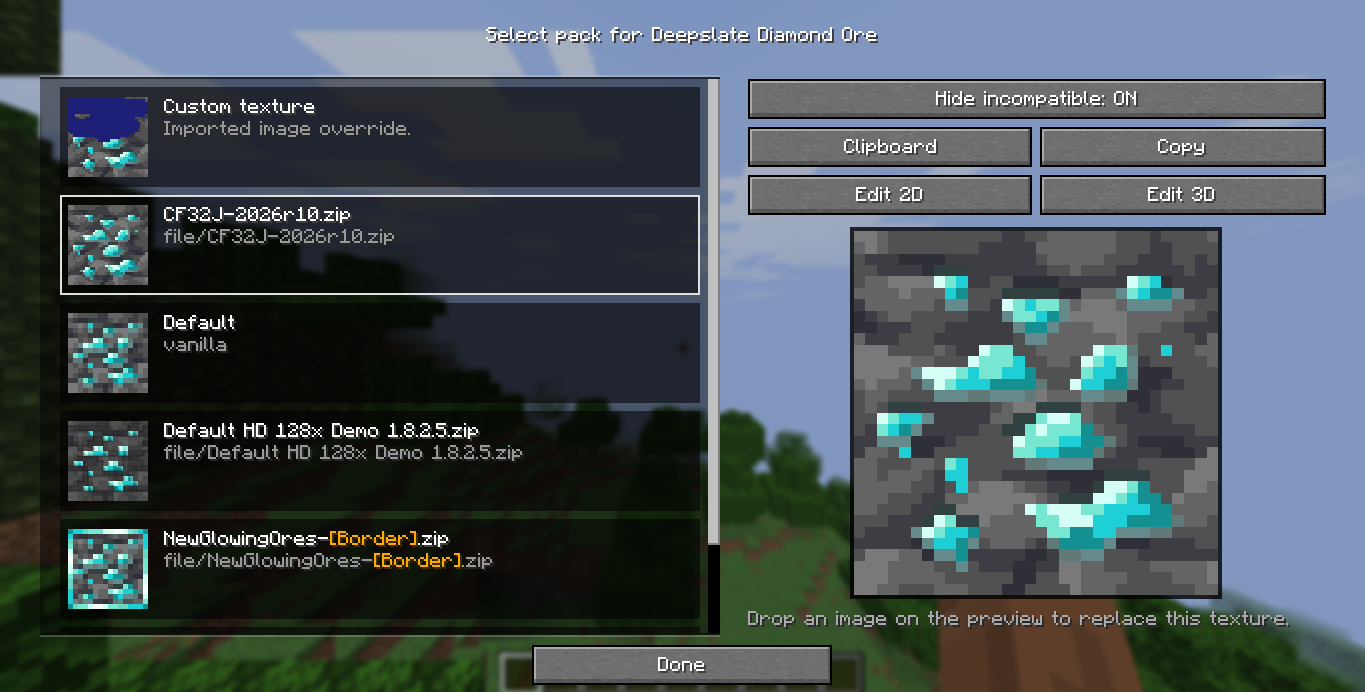 Select texturepack per item. The main reason I made this mod. Lets you specify what texturepack each game texture uses.
 -
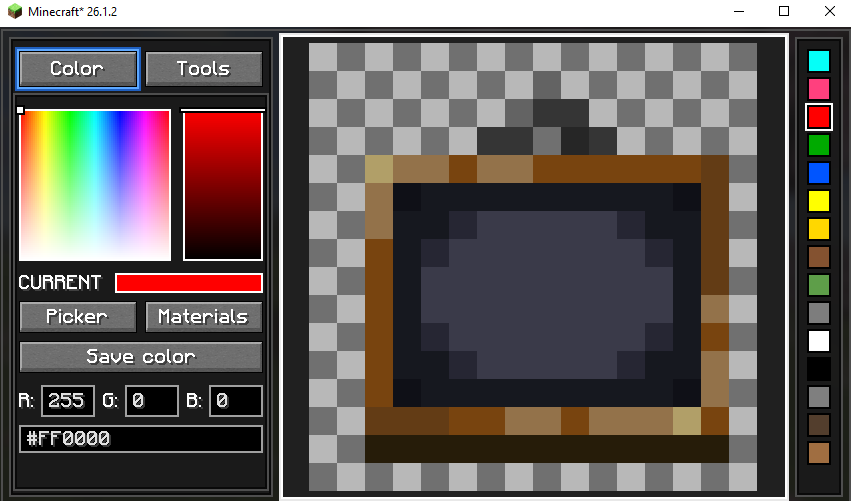 Texture Editor (Beta Lite) Extremely basic texture editor for quick editing. Materials section isn't finished yet.
 -
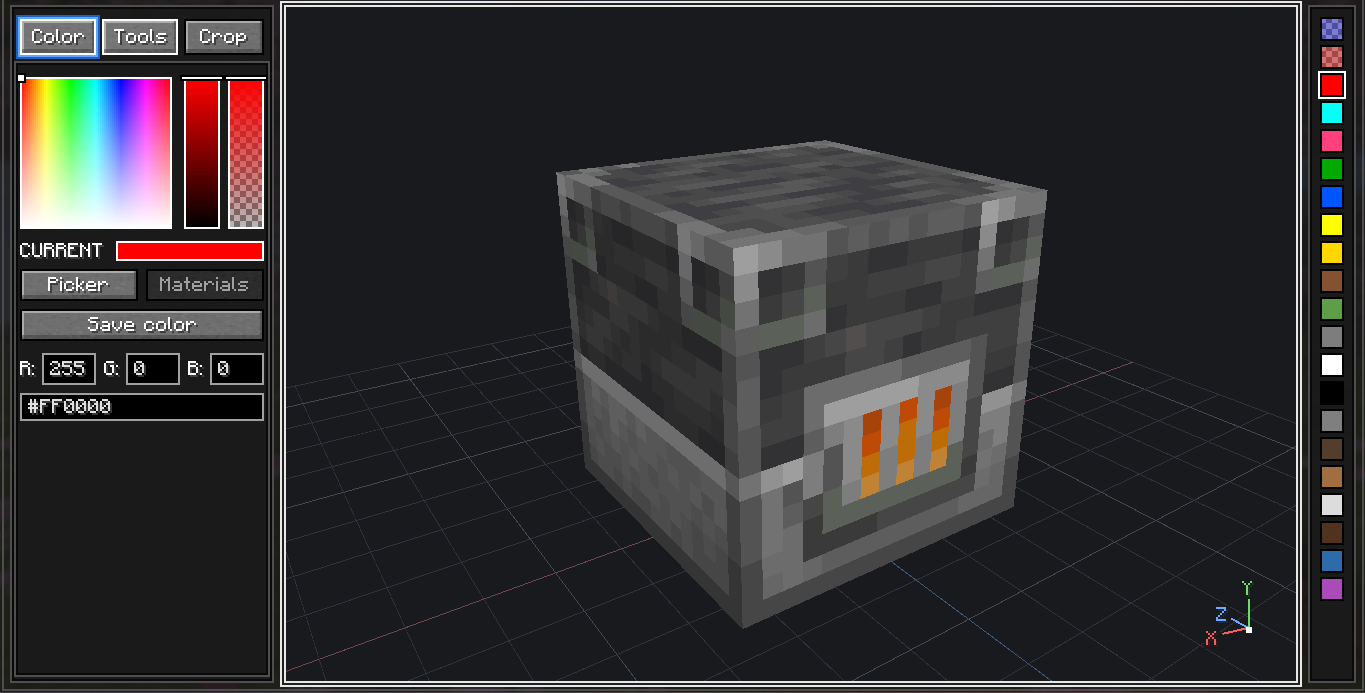 3D EDITOR!!!! Now comes with TRANSPARENT TEXTURES. (can be a bit laggy on older computers)
 -
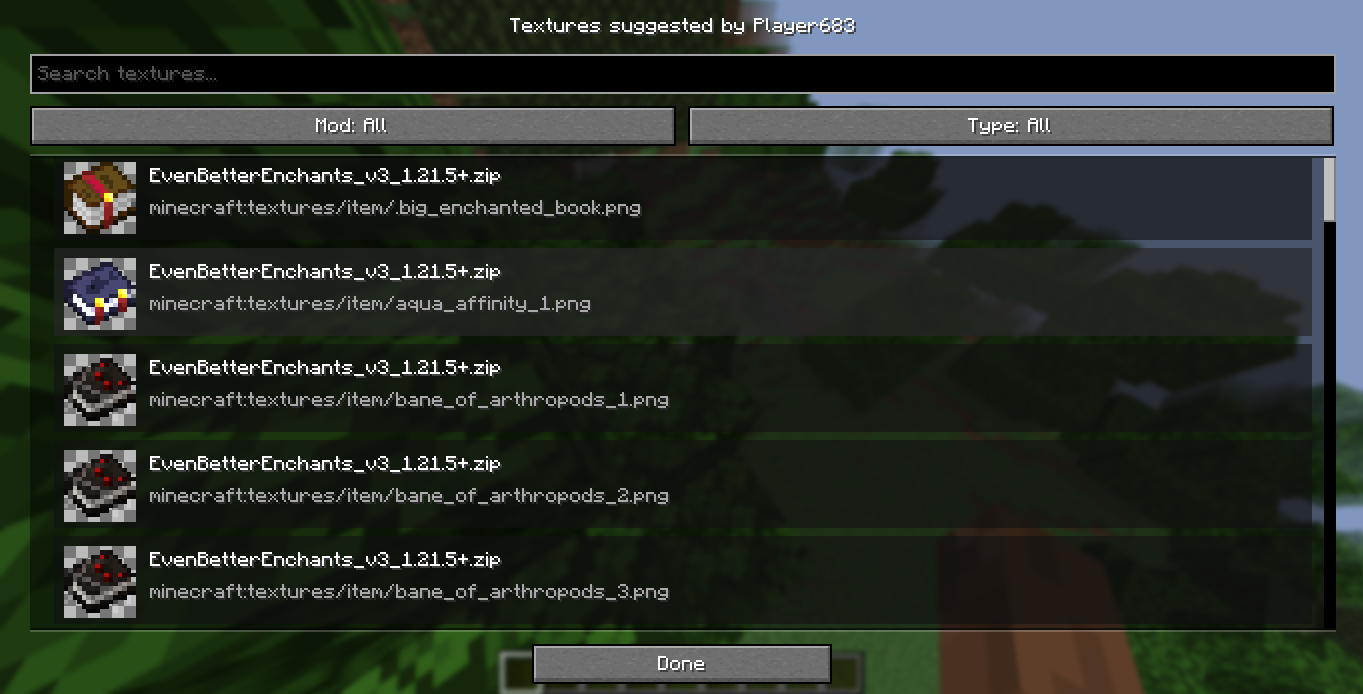 Suggested textures preview Lets you pull image by image, the contents of the texturepack requested safely.
 -
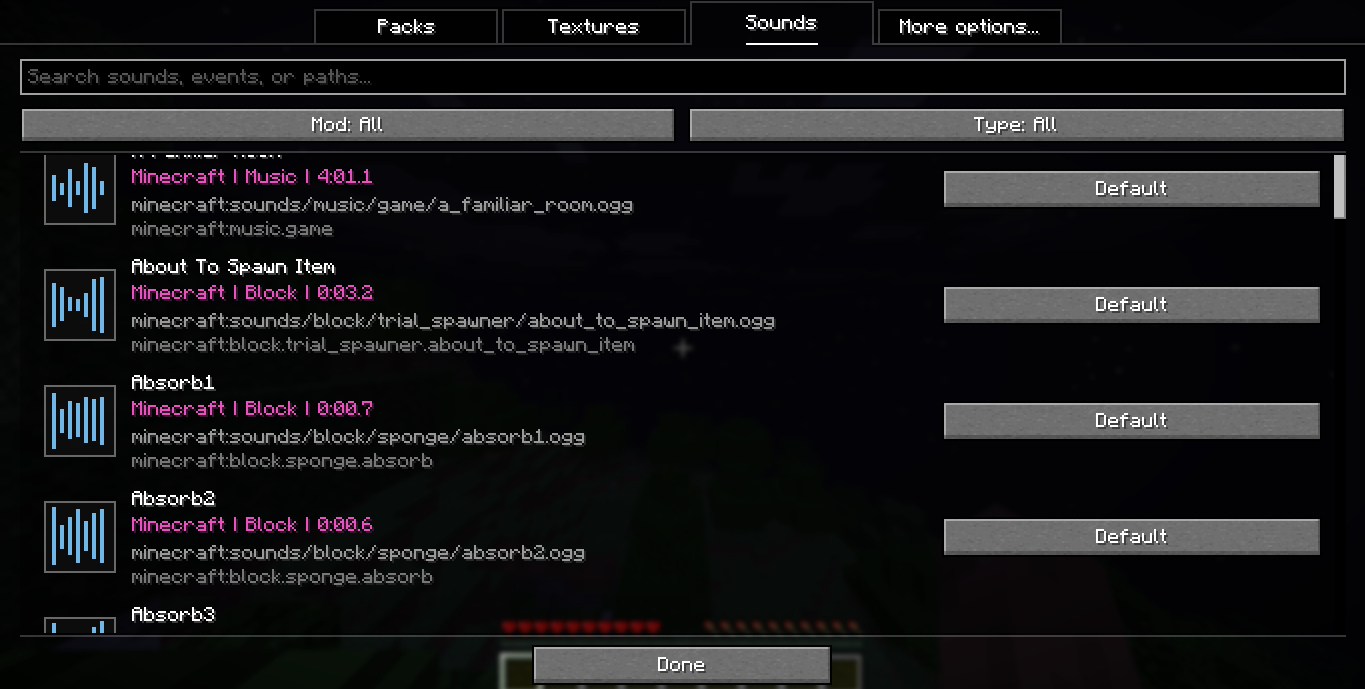 Browse sounds
 -
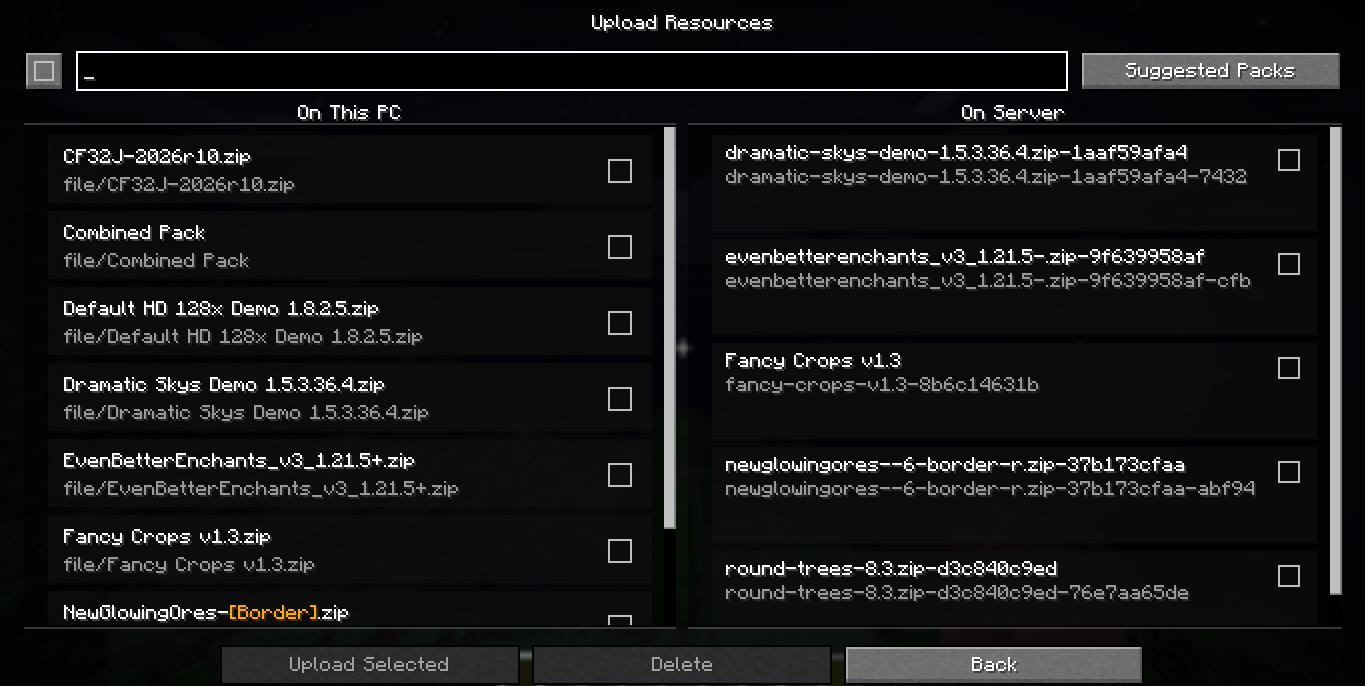 Upload textures FROM YOUR OWN PC
 -
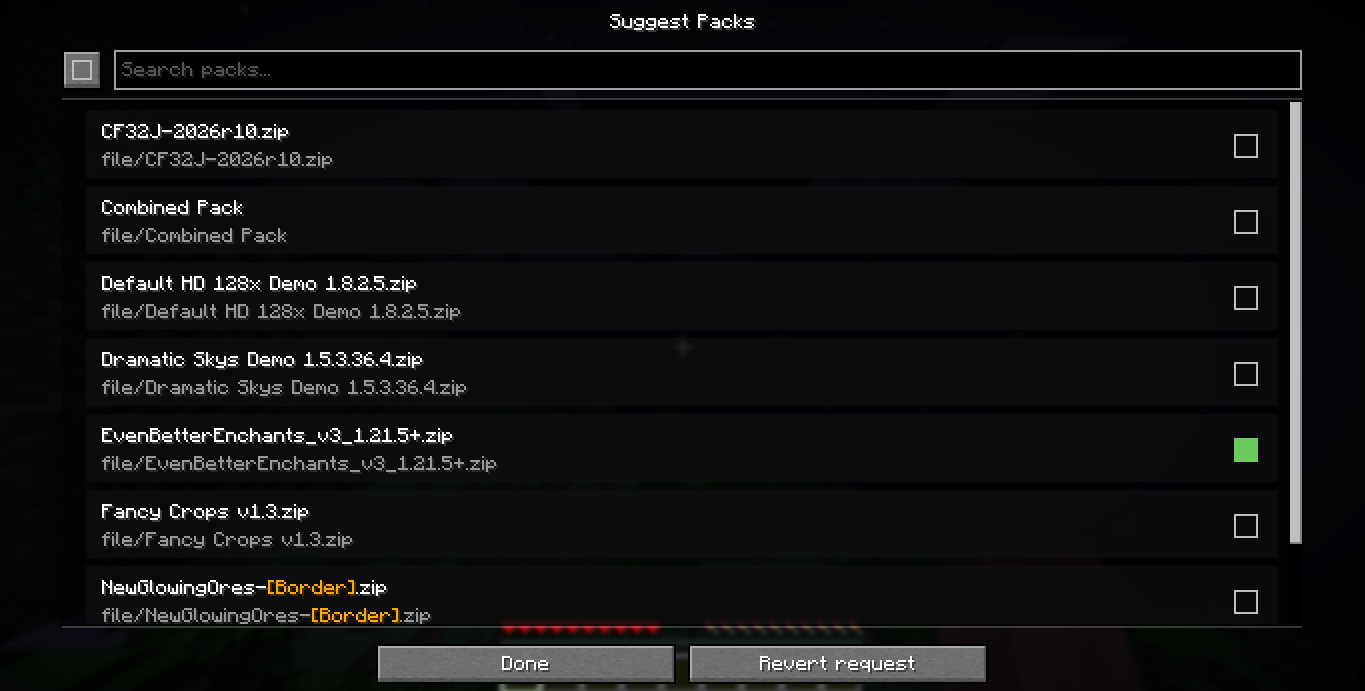 Suggest Packs Normal users can suggest texturepacks to OPs.
 -
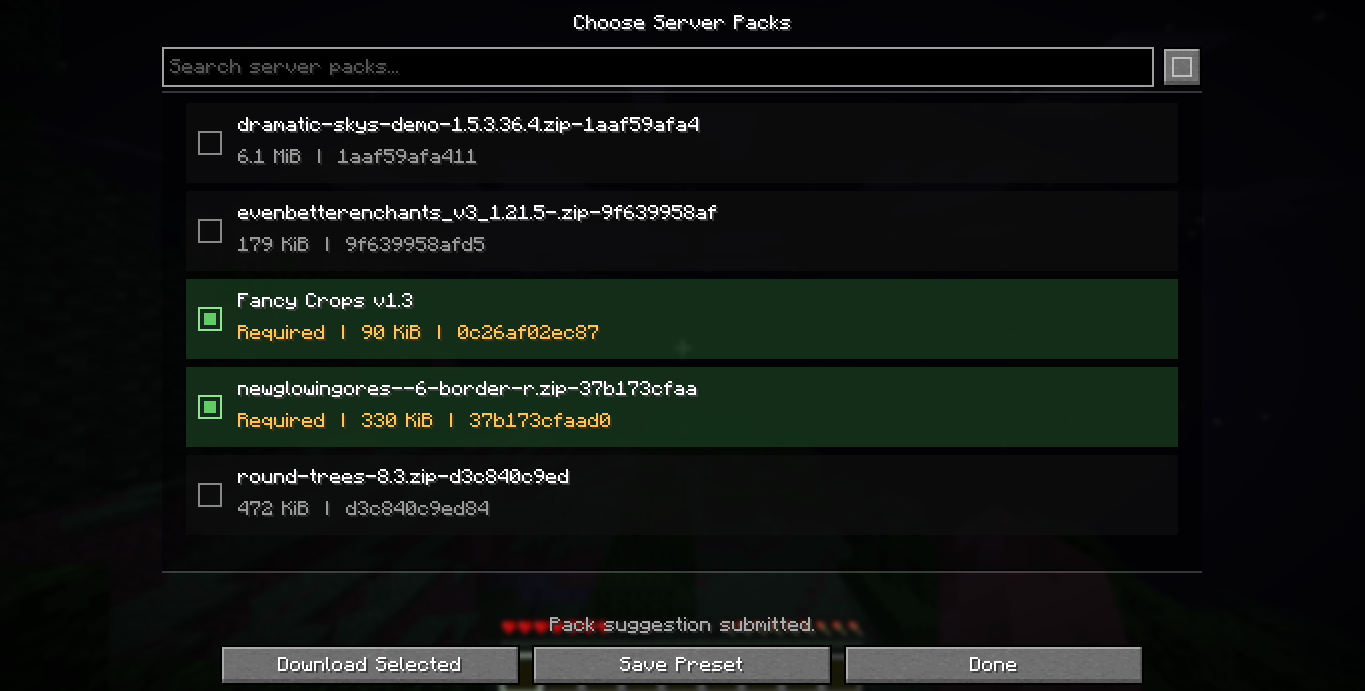 User server side packs Pull and install packs recommended by the server.
 -
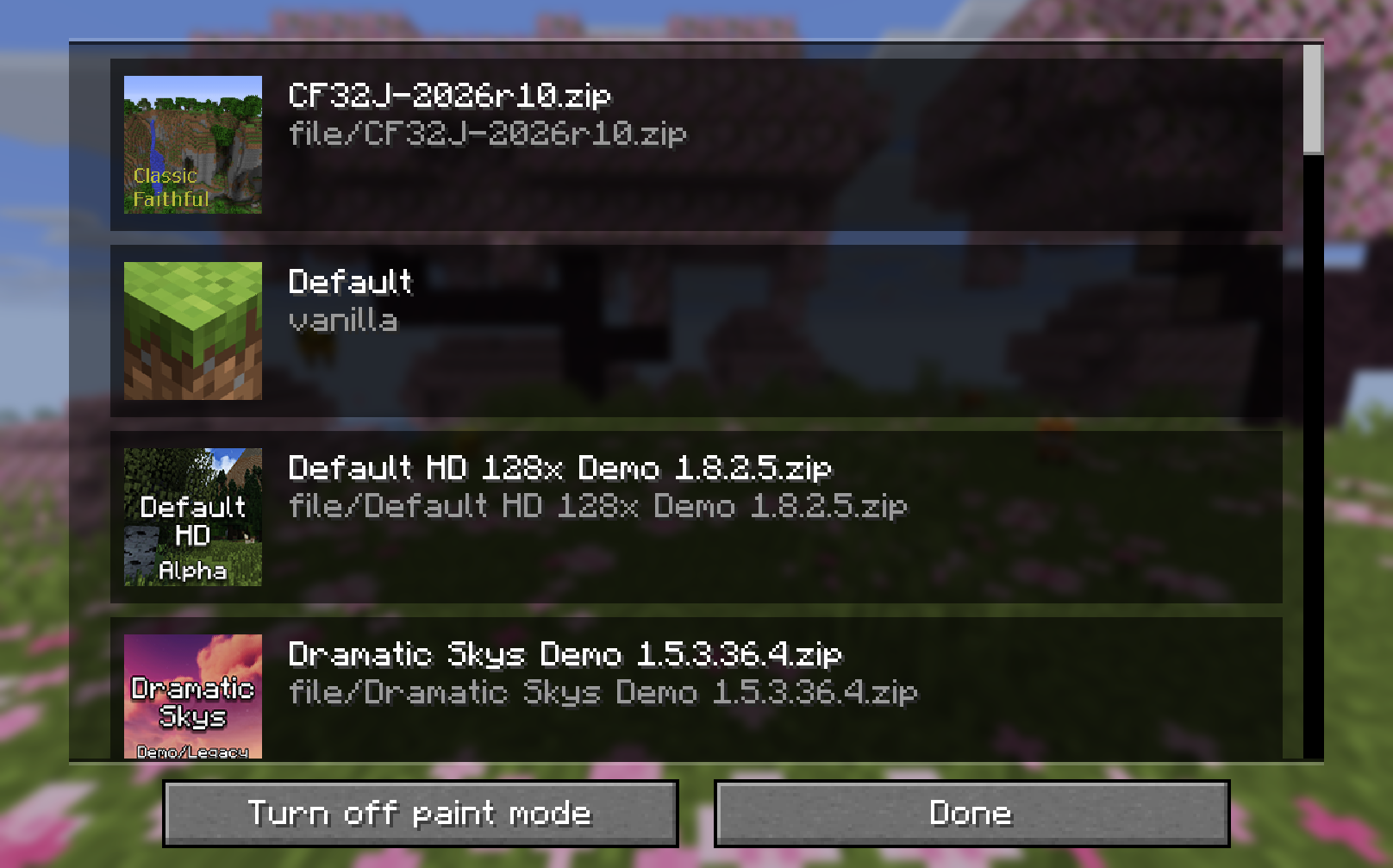 Batch apply mode Instead of applying a texturepack for each block by manually selecting them, batch apply lets you select a texturepack and apply it to whatever you select.
 -
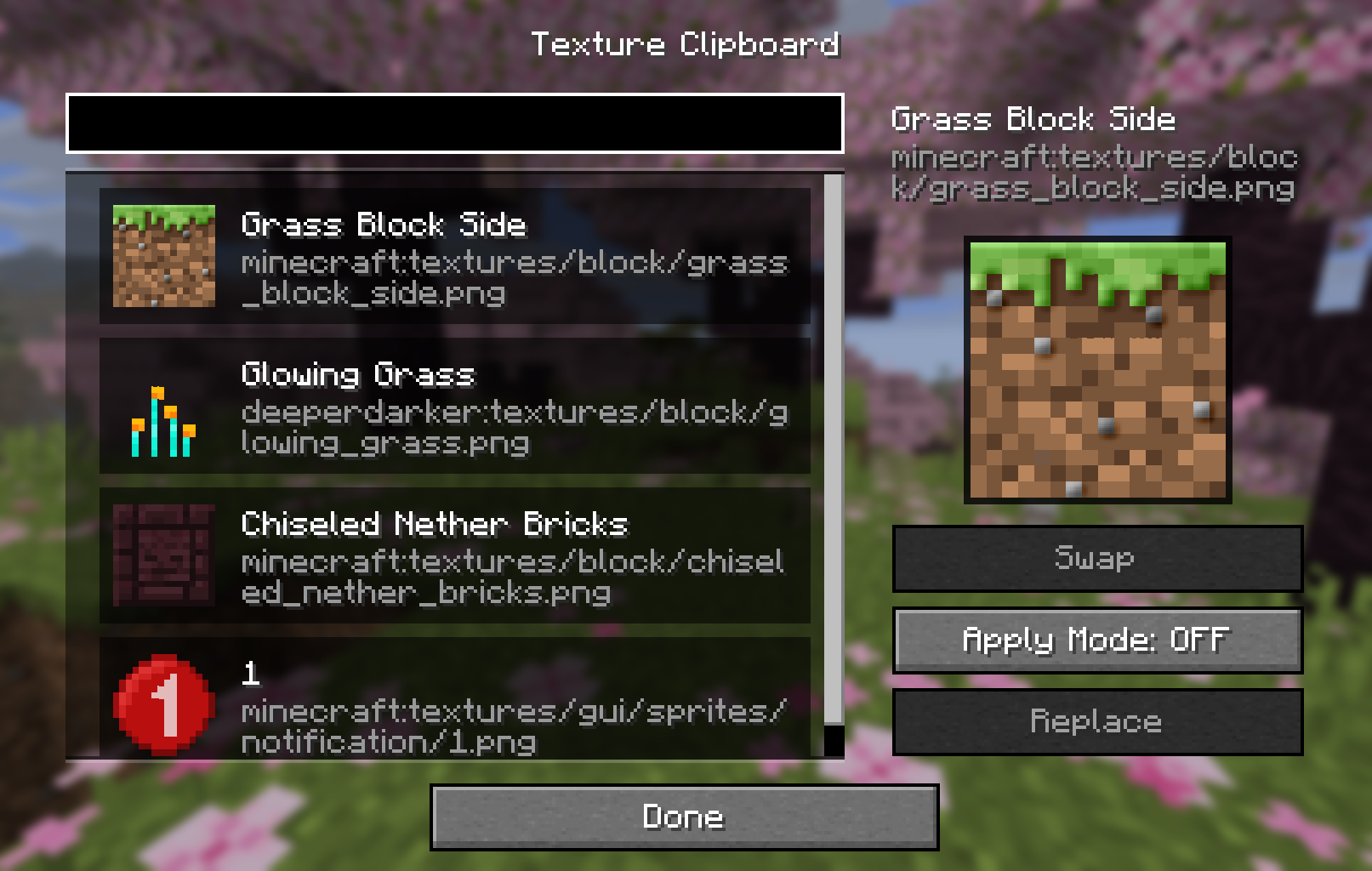 Clipboard
 -
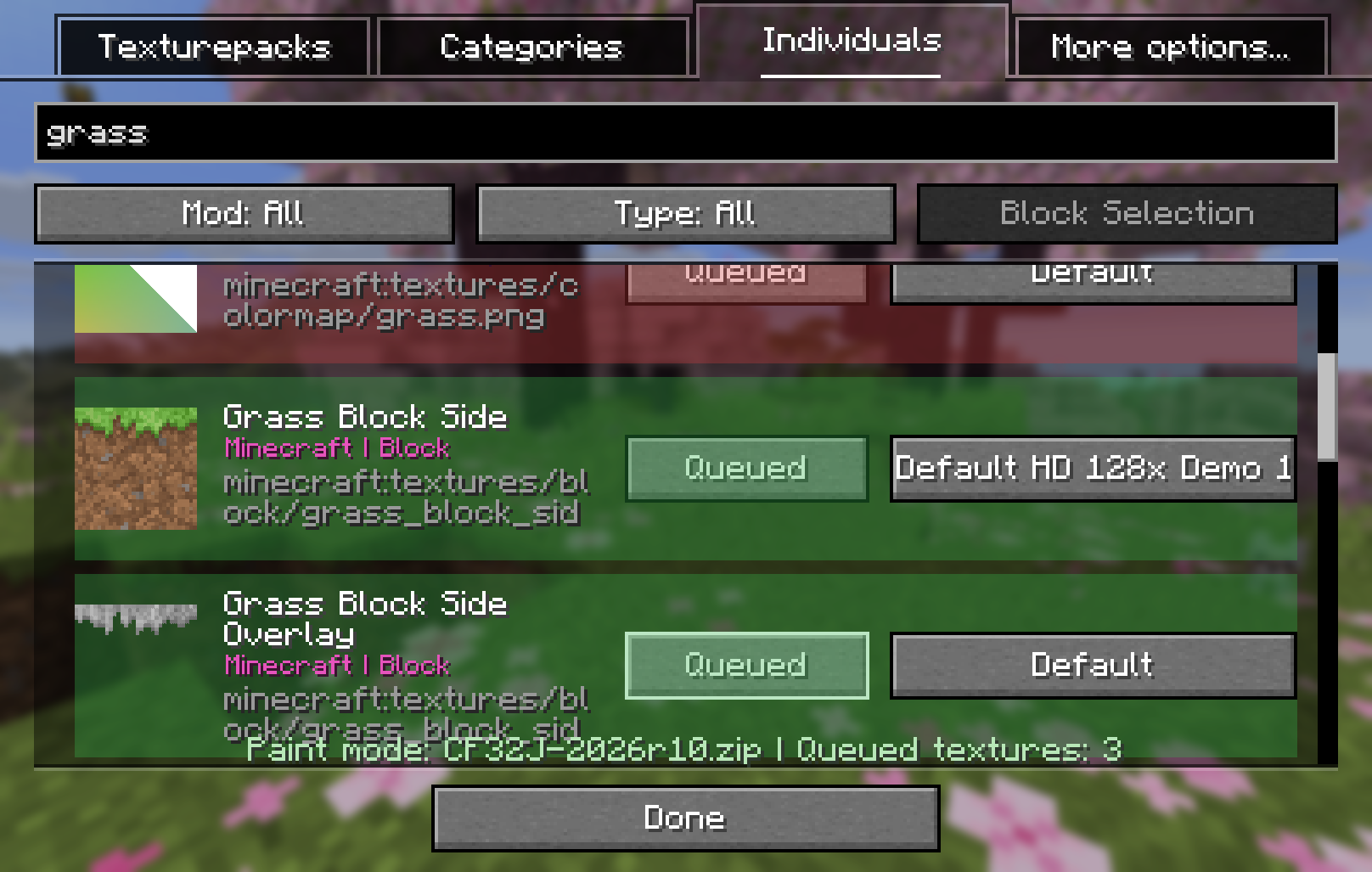 Batch apply mode in action I should really rename "paint select" to "Batch apply"
 -
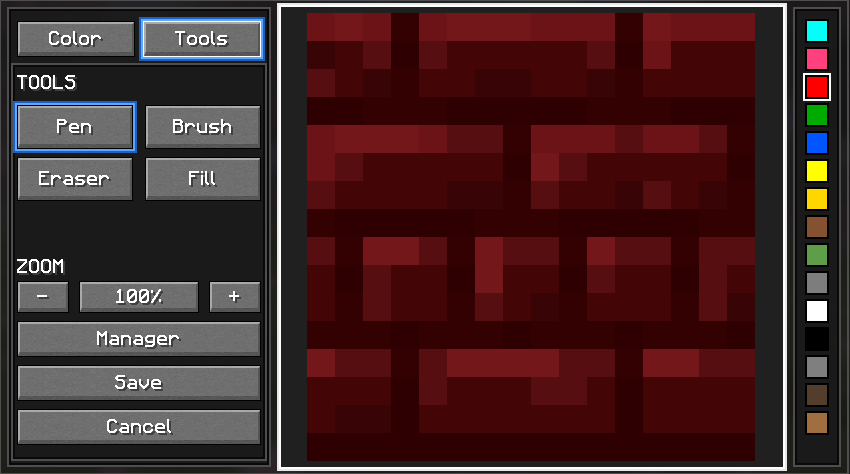 Editting tools I gotta add more I think. Maybe even make proper icons.
 -
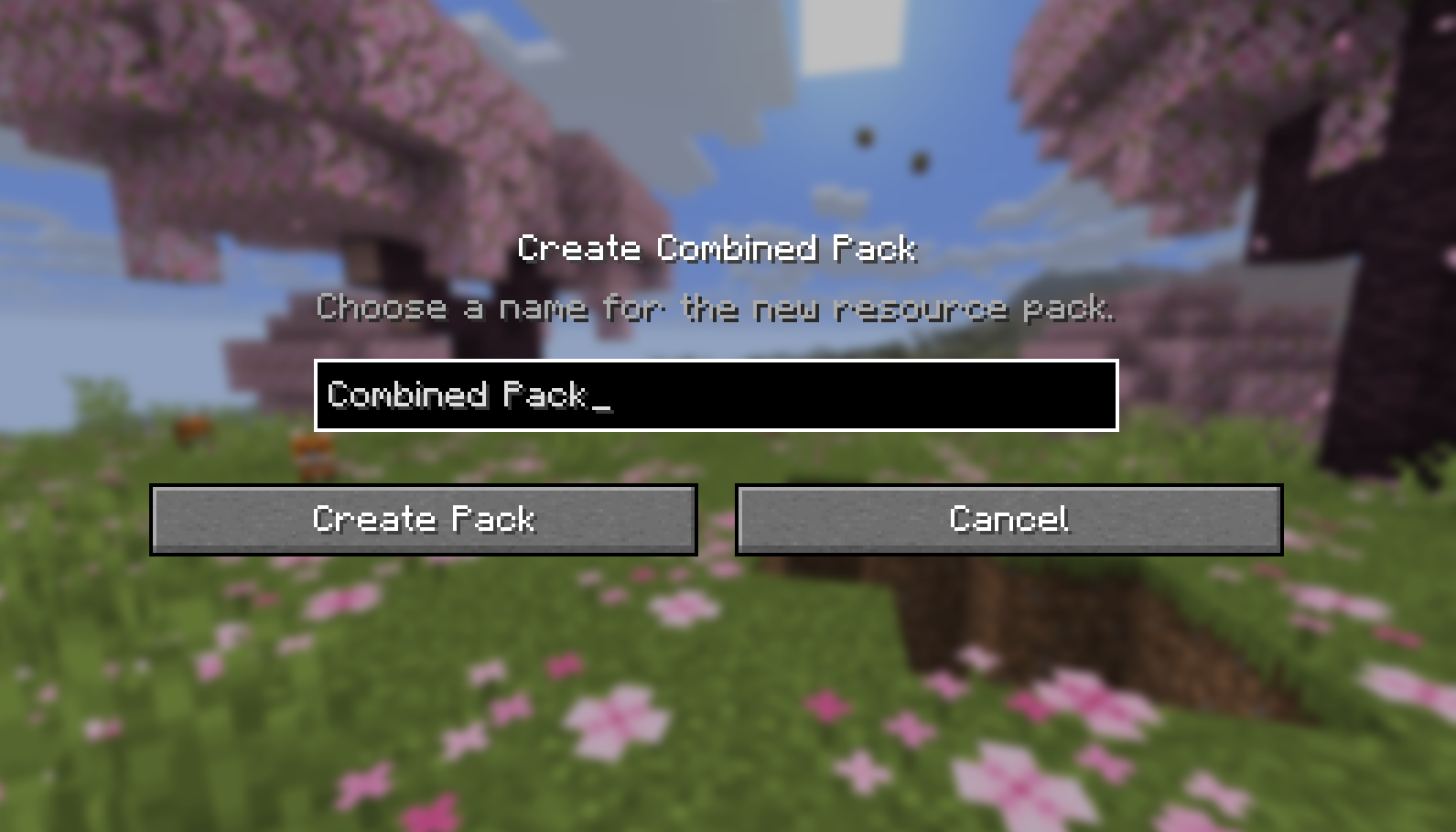 Export combined texturepack
 -
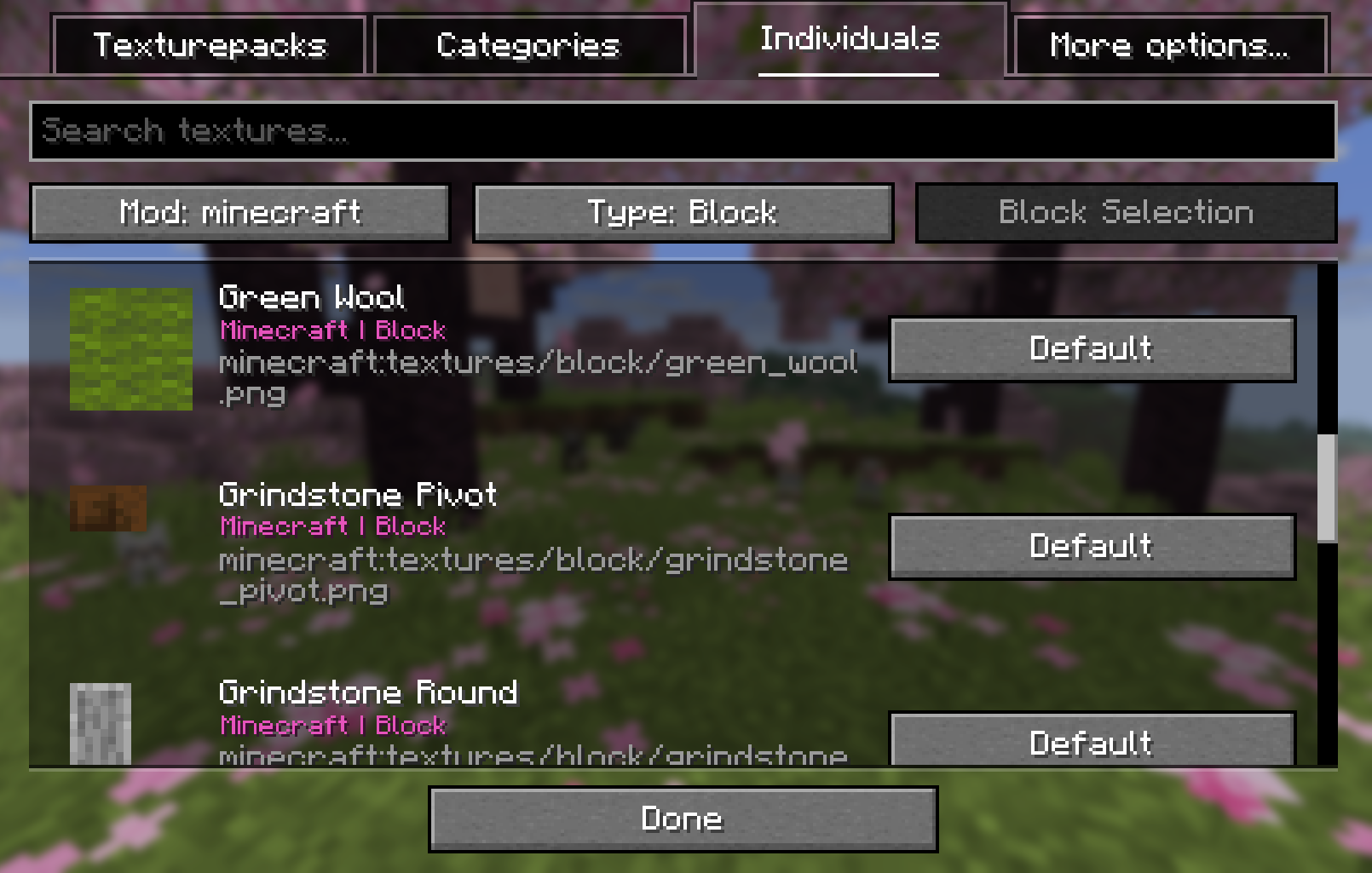 Individual things selection screen Easy searching and all
 -
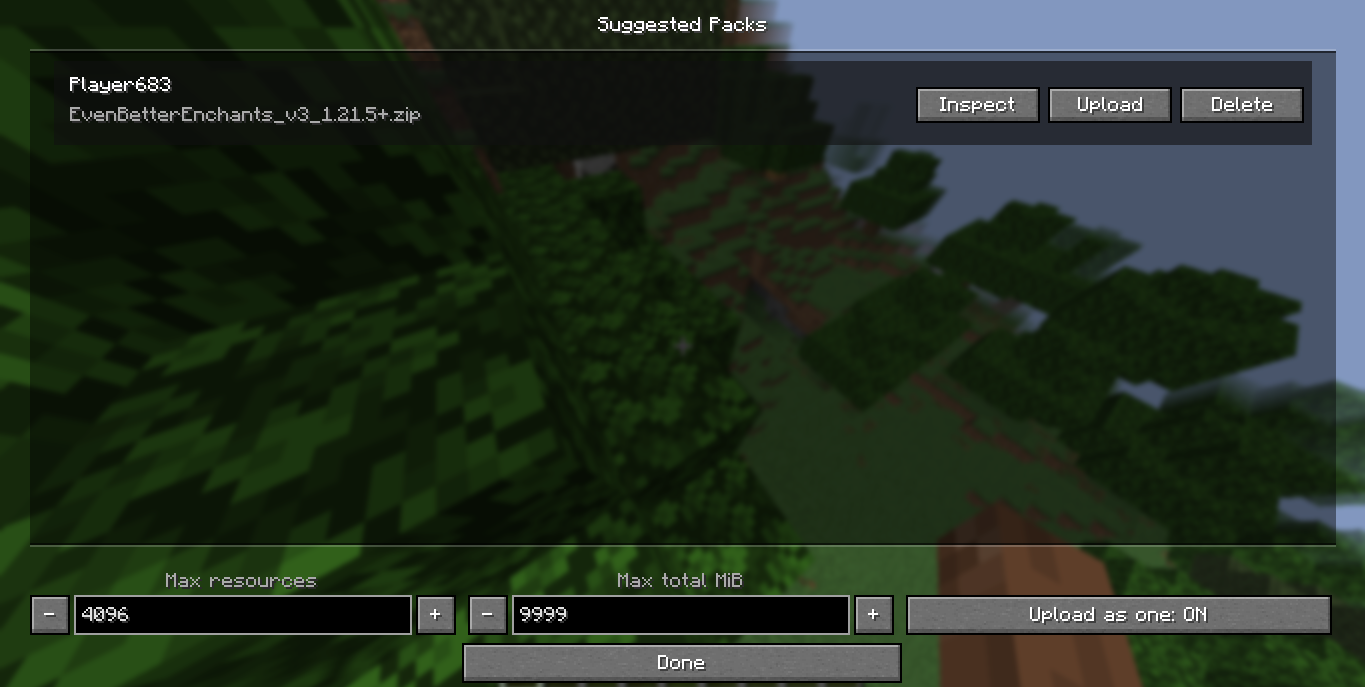 Suggested packs
 -
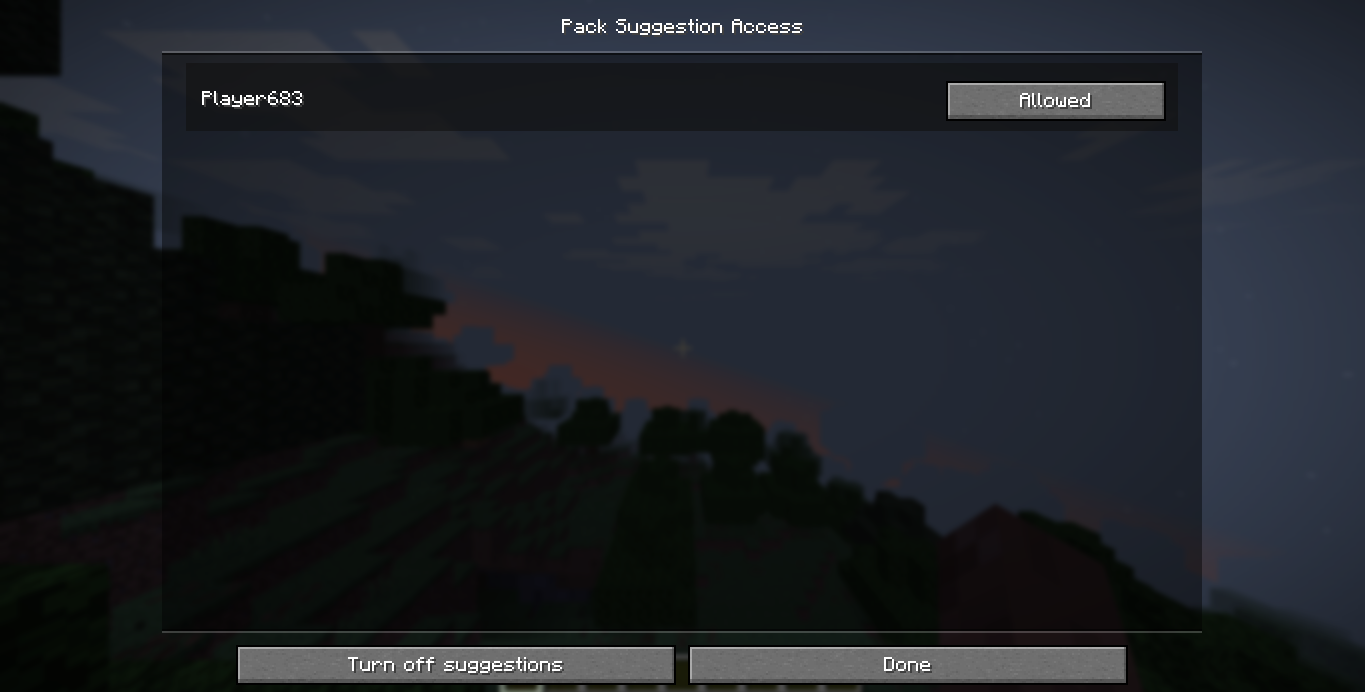 Allow/restrict players from suggesting
Versions
Files
Relations
Project Relations
More like this
Similar Mods
Suggestions use data such as tags, dependencies, dependents, descriptions, titles, and more to rank how much they overlap with this mod.
On ModDex
Community snapshot
By the numbers
Statistics

Want to reach Minecraft players?
We're looking for a server hosting partner to feature here and other parts of the site. Interested? Send us a message!
Get in touchGet it on
Available Platforms
On ModDex
Community snapshot
By the numbers
Statistics
Resources