CropGrowthHUD
No reviews yet
Displays crop growth progress as a percentage directly in your HUD
Forge is a popular mod loader for versions 1.1+ of Minecraft.
Neoforge is a fork of the Minecraft Forge available for versions 1.20.1+ of Minecraft. Many Forge mods are compatible with Neoforge and vice versa.
Fabric is a mod loader for versions 1.14+ of Minecraft, particularly popular for client side and optimization mods.
Community voices
Reviews
Click once to include, again to exclude, again to clear
No reviews yet. Be the first to review this project!
Get it on
Available Platforms
 CurseForge
 Modrinth
Compatibility
Supported Environments
About
Project Details
For authors
Embed Badge
If you're the author of this project, you can embed a live badge anywhere that supports HTML or Markdown. It updates automatically whenever ratings change.
Use HTML for any page that supports it, or Markdown for README files and Markdown-based descriptions.
Identifiers
Platform IDs
Resources
External Links
About
Description

A lightweight client-side quality-of-life mod that shows crop growth progress directly in your HUD. No more guessing, no opening debug tools, and no extra UI windows — just aim at a crop and instantly see exactly how close it is to full maturity.
Client-side only (no server installation required). Fully compatible with singleplayer and multiplayer.
What it does:
- Displays the exact growth progress of any targeted crop as a percentage directly on your screen.
- Updates in real-time as the crop grows, giving you perfect harvest timing.
- Automatically calculates progress by reading the crop block’s internal
agestate. - Features a clean, unobtrusive overlay that only appears when you look at a valid crop block.
- Extremely useful for survival farming, field checks, and technical setups.
Configuration: This mod works immediately out of the box with zero configuration required. Just install it, look at a crop, and the minimal HUD overlay will handle the rest!
Details:
- Client-side only. Safe to use on any vanilla or modded server.
- Purely visual — it does not change crop behavior, growth speeds, or drops.
- Fully translated into 10 languages: English, Russian, Simplified Chinese, Spanish, French, German, Japanese, Brazilian Portuguese, Korean, and Italian.
Please report any bugs, errors, or feature suggestions on Discord: https://discord.gg/4XUPywnEyE
A lightweight client-side quality-of-life mod that shows crop growth progress directly in your HUD. No more guessing, no opening debug tools, and no extra UI windows — just aim at a crop and instantly see exactly how close it is to full maturity.
Client-side only (no server installation required). Fully compatible with singleplayer and multiplayer.
What it does:
- Displays the exact growth progress of any targeted crop as a percentage directly on your screen.
- Updates in real-time as the crop grows, giving you perfect harvest timing.
- Automatically calculates progress by reading the crop block’s internal
agestate. - Features a clean, unobtrusive overlay that only appears when you look at a valid crop block.
- Extremely useful for survival farming, field checks, and technical setups.
Configuration: This mod works immediately out of the box with zero configuration required. Just install it, look at a crop, and the minimal HUD overlay will handle the rest!
Details:
- Client-side only. Safe to use on any vanilla or modded server.
- Purely visual — it does not change crop behavior, growth speeds, or drops.
- Fully translated into 10 languages: English, Russian, Simplified Chinese, Spanish, French, German, Japanese, Brazilian Portuguese, Korean, and Italian.
Please report any bugs, errors, or feature suggestions on Discord: https://discord.gg/4XUPywnEyE
Screenshots
Gallery
-
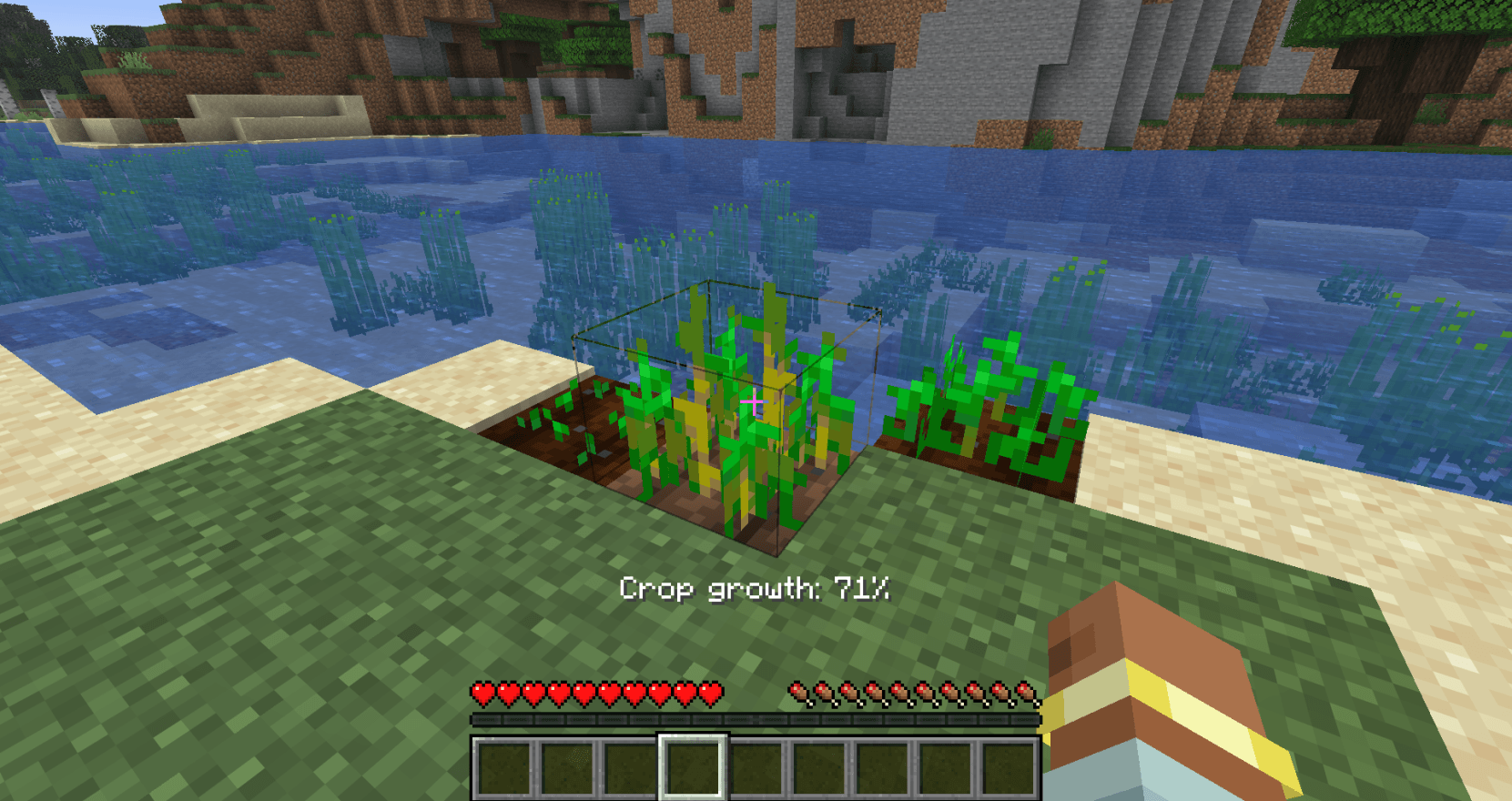 Crop growth indication in HUD
-
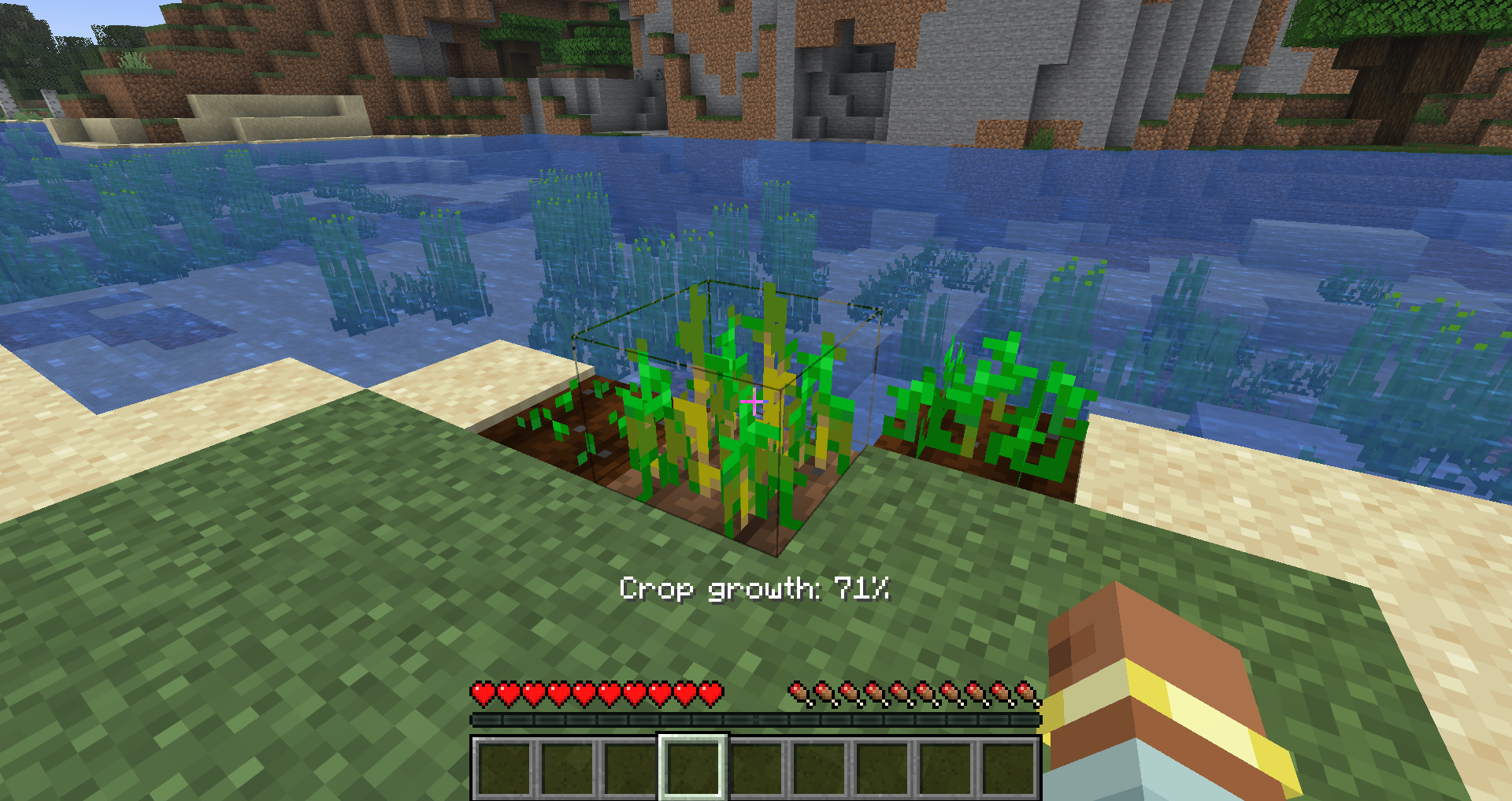 Crop growth indication in HUD
Versions
Files
Relations
Project Relations
More like this
Similar Mods
Suggestions use data such as tags, dependencies, dependents, descriptions, titles, and more to rank how much they overlap with this mod.
On ModDex
Community snapshot
By the numbers
Statistics
Want to reach Minecraft players?
We're looking for a server hosting partner to feature here and other parts of the site. Interested? Send us a message!
Get in touchGet it on
Available Platforms
On ModDex
Community snapshot
By the numbers
Statistics
Resources