
Community listing page, reviews here may not be monitored by the author.
Crosshair Health Indicator

No reviews yet
Displays your health as a number underneath your crosshair
Community voices
Reviews
No reviews yet. Be the first to review this project!
Get it on
Available Platforms
Compatibility
Supported Environments
Runs entirely on the client. Works on vanilla servers.
About
Project Details
For authors
Embed Badge
If you're the author of this project, you can embed a live badge anywhere that supports HTML or Markdown. It updates automatically whenever ratings change.
Use HTML for any page that supports it, or Markdown for README files and Markdown-based descriptions.
Identifiers
Platform IDs
About
Description
I was asked by a friend if I knew of a mod that shows your health at your crosshair. So I replied with no and created this mod for them.
This mod displays your health as a number underneath your crosshair, with decimals if below 10. The color of the display can switch to a different color if health drops below a selected value.
It requires the Cloth Config mod and you need to have ModMenu installed to change the mod's settings from within the game.
Available settings
-
Enable Mod:Enabledby default, disables the indicator when disabled
-
Show Health in Hearts:Disabledby default, shows the amount of full hearts that you have instead of half hearts when enabled
-
Show in all Gamemodes:Disabledby default, renders your health even when in creative or spectator when enabled
-
Color:#FFFFFFby default, RGB color in hexadecimal format that changes the color of the displayed text
-
Precise Health:Enabledby default, displays the number of health shown above your hotbar instead of showing the actual health if disabled
-
Change Position:-
Horizontal offset:0by default, changes the horizontal position of the display
-
Vertical offset:0by default, changes the vertical position of the display
-
-
Change color at low Health:-
Enable Waring Color:Enabledby default, changes the color of the text display at low health
-
Warning Color:#FF0000by default, color to use when health is low
-
Waring Health:6by default, health at which to use the warning color
-
Screenshots
Gallery
-
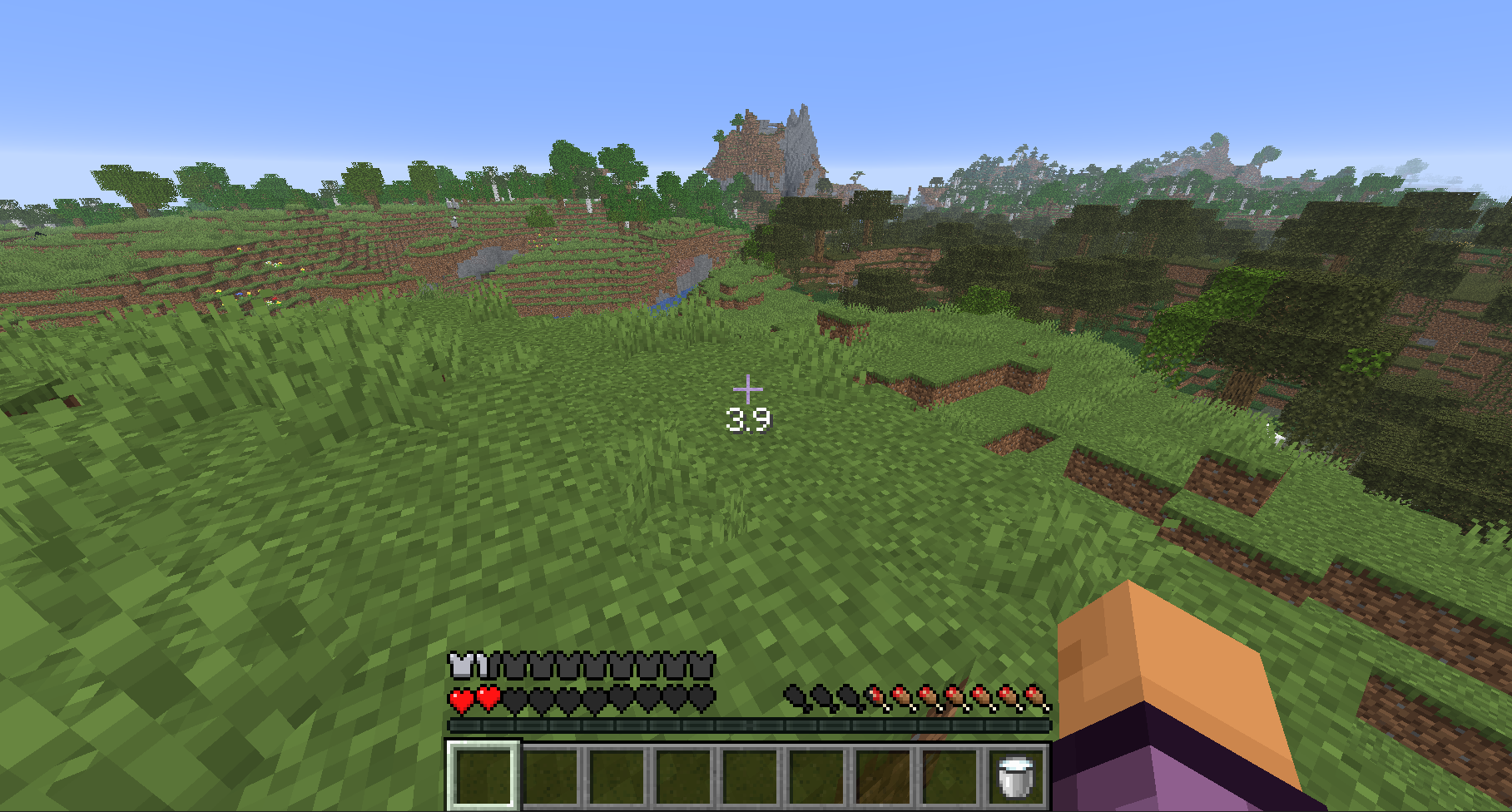 Health displayed under crosshair
 -
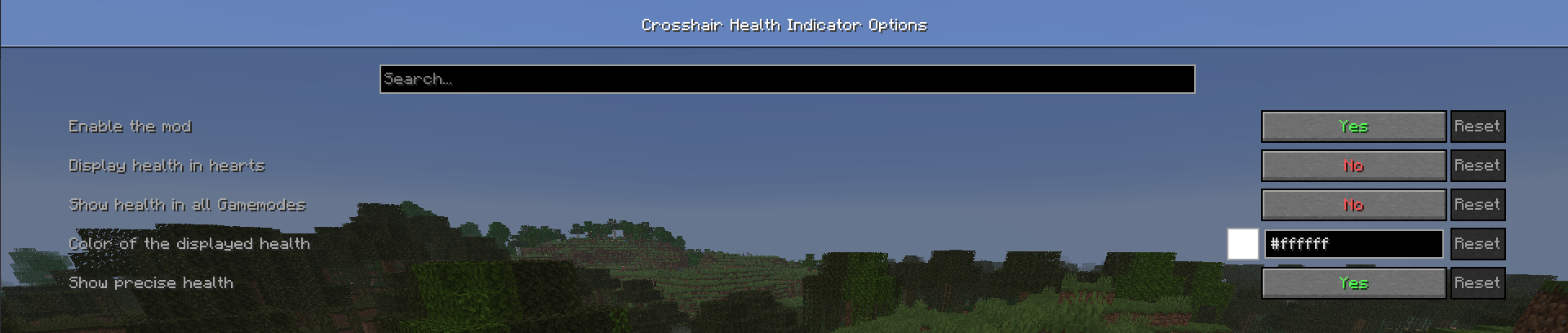 Configurability via cloth config
Versions
Files
Relations
Project Relations
More like this
Similar Mods
Suggestions use data such as tags, dependencies, dependents, descriptions, titles, and more to rank how much they overlap with this mod.
On ModDex
Community snapshot
By the numbers
Statistics

Want to reach Minecraft players?
We're looking for a server hosting partner to feature here and other parts of the site. Interested? Send us a message!
Get in touchGet it on
Available Platforms
On ModDex
Community snapshot
By the numbers