
Community listing page, reviews here may not be monitored by the author.
Crossnotes

No reviews yet
A highly customizable client-side Minecraft Fabric mod for easily taking and managing notes in-game, cross server&worlds, with markdown rendering, HUD display, interactive control and quick command to write notes.
Community voices
Reviews
No reviews yet. Be the first to review this project!
Get it on
Available Platforms
Compatibility
Supported Environments
Runs entirely on the client. Works on vanilla servers.
About
Project Details
For authors
Embed Badge
If you're the author of this project, you can embed a live badge anywhere that supports HTML or Markdown. It updates automatically whenever ratings change.
Use HTML for any page that supports it, or Markdown for README files and Markdown-based descriptions.
Identifiers
Platform IDs
About
Description
CrossNotes
A client-side Minecraft Fabric mod for easily taking and managing notes in-game, cross server&worlds, with markdown rendering, HUD display, interactive control and quick command to write notes.
Features
- In-Game Note Editor — Create, edit, and delete notes without leaving the game. Full text editor with click-to-position, arrow key navigation, text selection, and clipboard support (Ctrl+C/X/V).
- Markdown Rendering — Notes support headers, bold, italic, inline code, links, lists, blockquotes, and interactive checkboxes.
- HUD Overlay — Pin a note to your screen as a customizable HUD widget. Adjust position, width, height, and choose whether overflow shows first or last lines.
- Cross-World Persistence — Notes are stored locally in your config folder, so they follow you across singleplayer worlds and multiplayer servers.
- Quick-Access Slots — Bind up to 3 notes to keyboard shortcuts for instant HUD toggling.
- Commands — Manage notes entirely from chat with the
/cncommand.
This project is still under active development and debugging. If you encounter any new-found bugs or have feature suggestions, please submit an issue on GitHub.
Keybinds
All keybinds are rebindable under Options → Controls → CrossNotes.
| Action | Default Key | Description |
|---|---|---|
| Open Notebook | Ctrl+C | Opens the notebook screen. If a note is pinned to the HUD, opens that note's view instead. |
| Toggle HUD | H | Show or hide the HUD note overlay. |
| Notebook Slot 1–3 | Unbound | Toggle the bound note on the HUD. |
Commands
All commands use the /cn prefix.
| Command | Description |
|---|---|
/cn new [title] |
Create a new note. Uses a timestamp title if omitted. |
/cn add <content> |
Append text to the currently displayed HUD note. Creates a new note if none is active. |
/cn list |
List all saved notes with titles, previews, and IDs. |
/cn show [id] |
Toggle the HUD, or pin a specific note by its ID. |
/cn delete [id] |
Delete the currently displayed note, or a specific note by ID. |
/cn bind <slot> <noteId> |
Bind a note to a quick-access slot (1–3). |
Markdown Support
The note viewer and HUD render the following markdown elements(Some might not work normally due to minecraft display settings):
| Syntax | Result |
|---|---|
**bold** |
Bold text |
*italic* |
Italic text |
`code` |
Inline code |
[text](url) |
Clickable link |
- item |
Bulleted list |
> quote |
Blockquote |
- [ ] task |
Unchecked checkbox |
- [x] task |
Checkboxes are interactive — click them in the note view or directly on the HUD(open Chat or use other mods to free cursor) to toggle their state.
Settings
Open the settings screen from the notebook UI. Available options:
- HUD Toggle — Enable or disable the HUD overlay.
- HUD X / Y Position — Slide to position the HUD anywhere on screen.
- HUD Width — Adjust the HUD width (100–500 px).
- HUD Height — Adjust the HUD height (50–400 px).
- HUD Overflow — Choose whether to show the first lines or last lines when the note is too long for the HUD.
- Slot Bindings — View and clear note-to-slot bindings.
Storage
Notes are saved as individual JSON files under:
.minecraft/config/crossnotes/notes/
Configuration (HUD settings, slot bindings) is stored in:
.minecraft/config/crossnotes/config.json
All data is client-side and persists across worlds and servers.
Demo Images
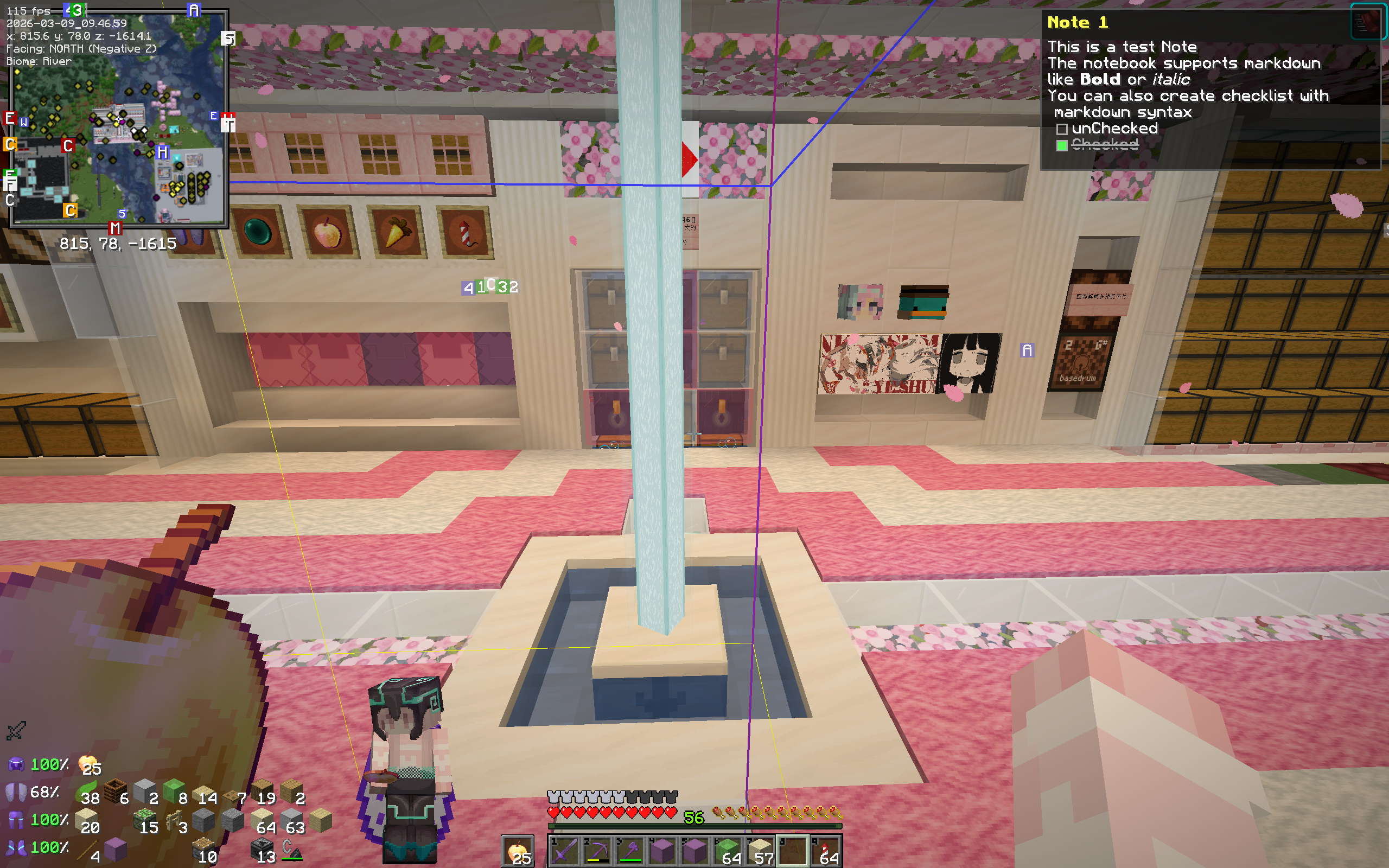
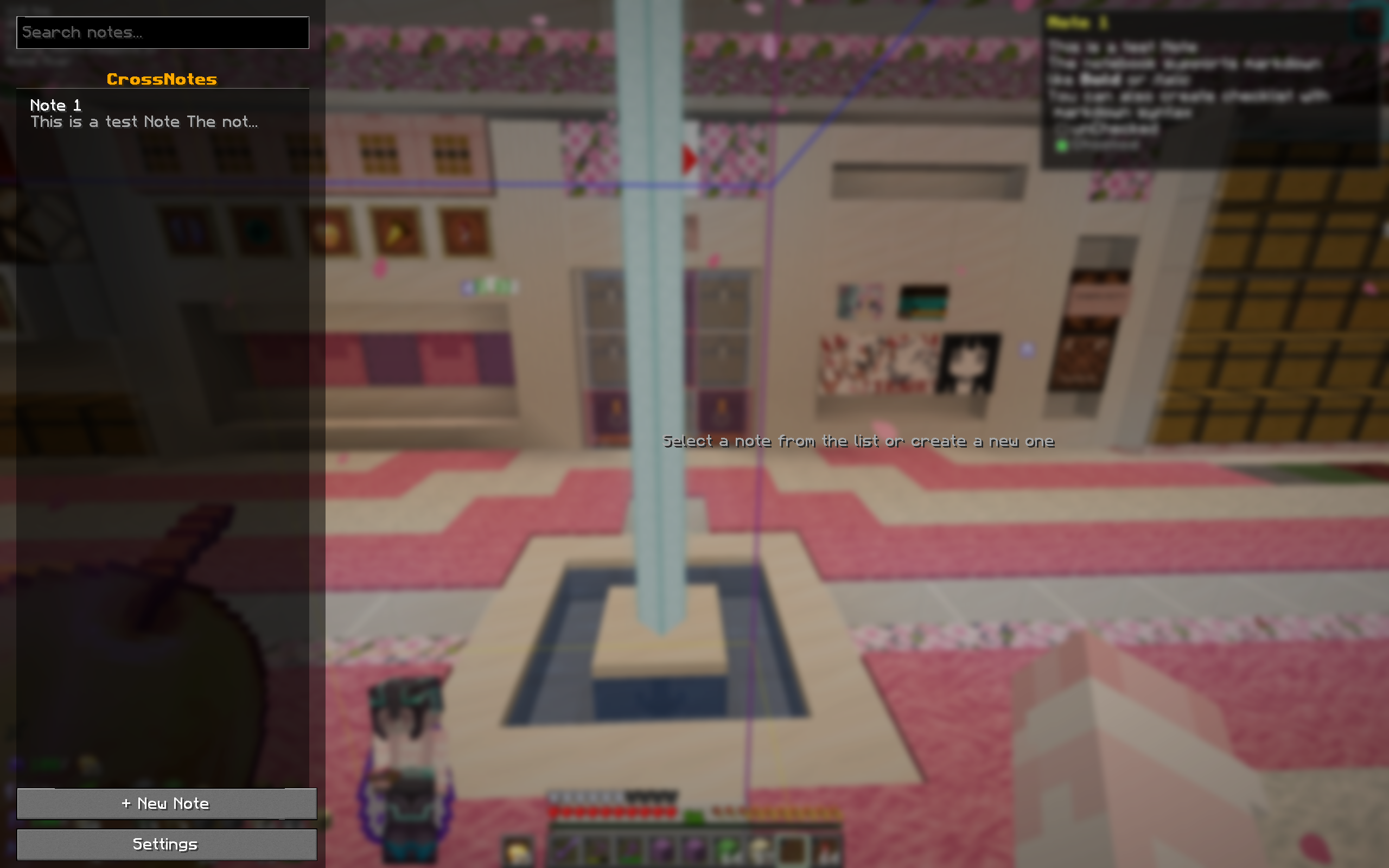
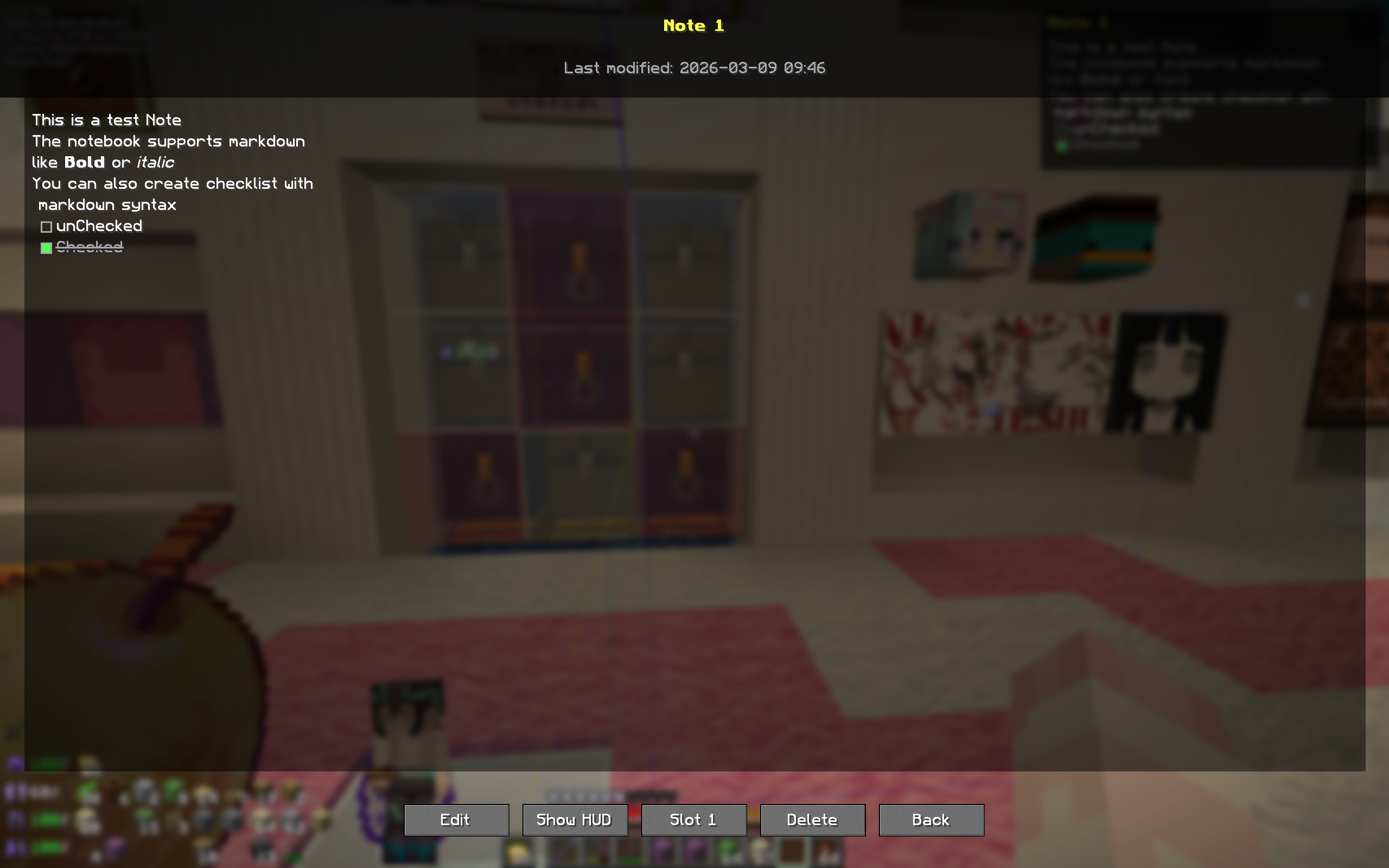
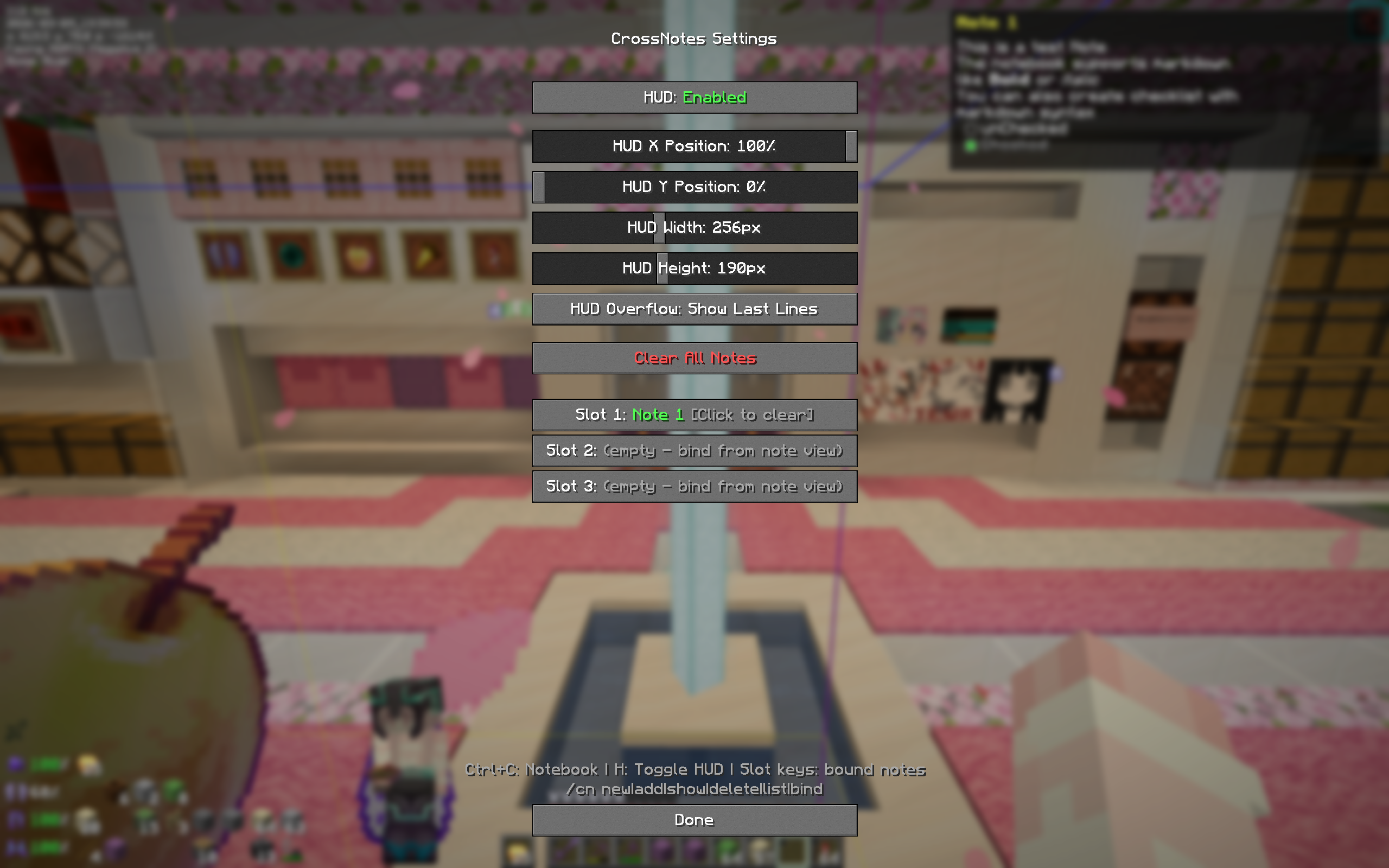
Disclaimer
Portions of this project were generated or assisted by AI tools. All code has been reviewed and integrated by the author.
This mod is provided as-is. Do not use it to store important or valuable content. Users are responsible for any data loss or issues that may occur while using this mod.
License
This project is licensed under the MIT License.
Screenshots
Gallery
-
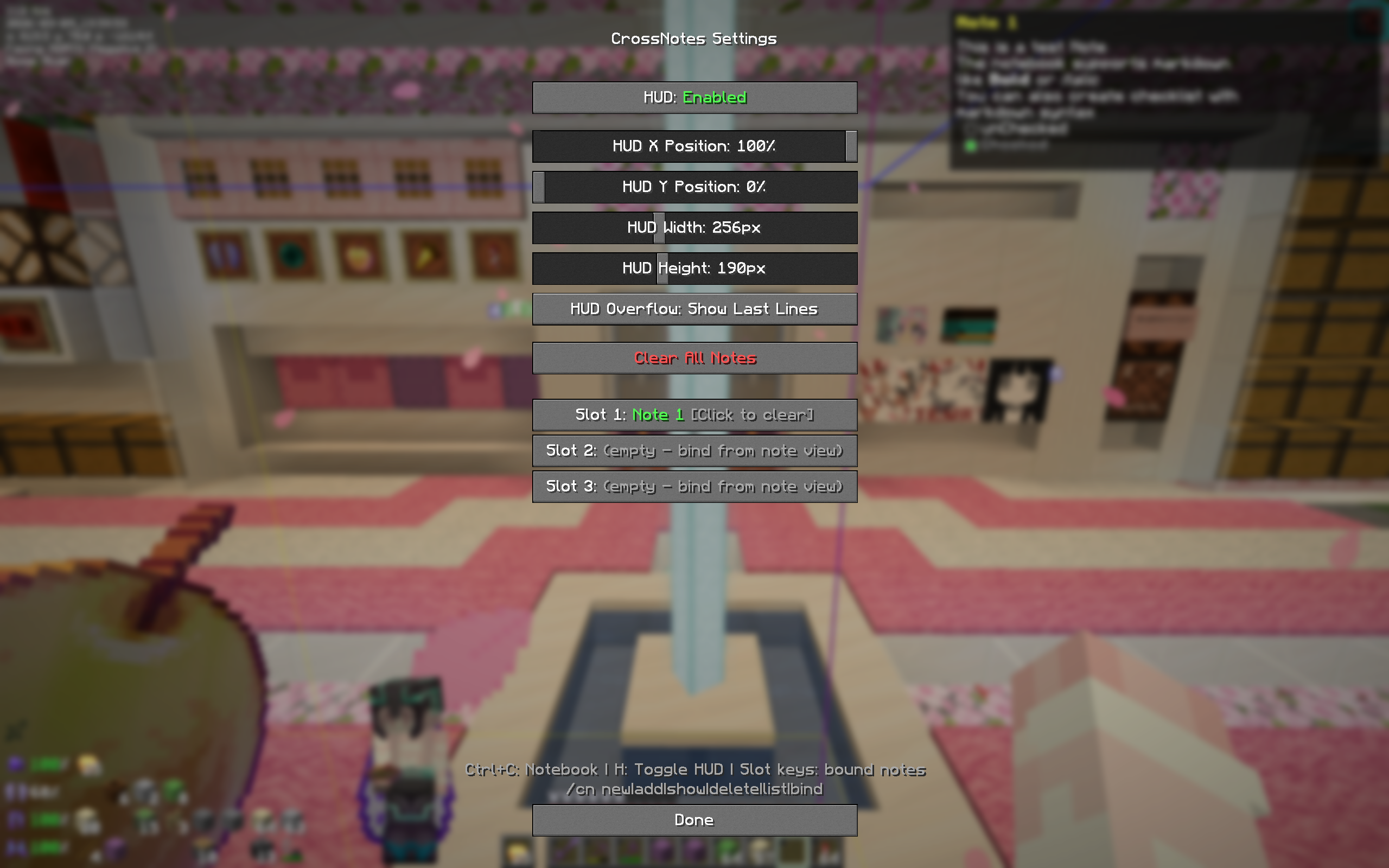 Settings
 -
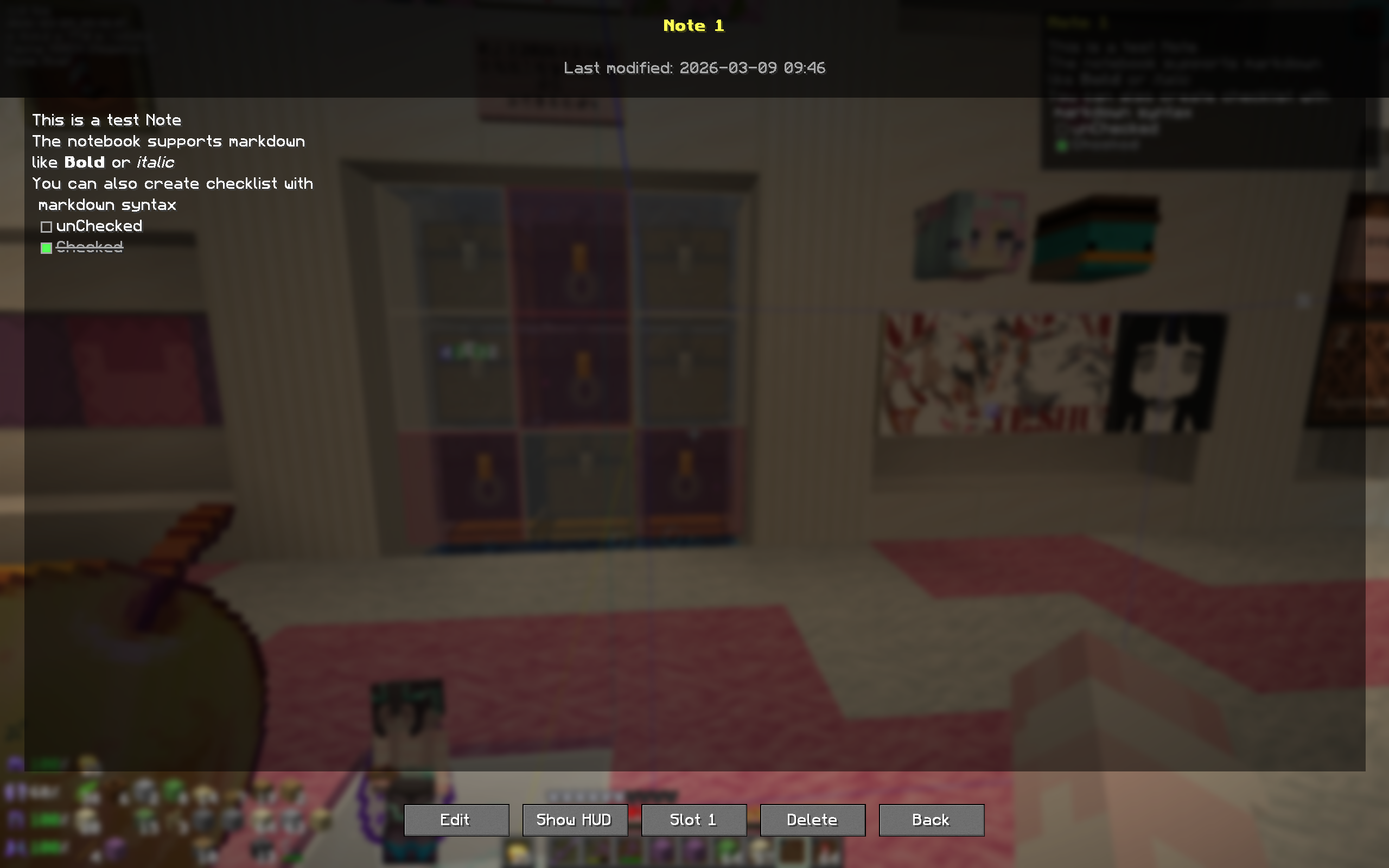 Note
Note -
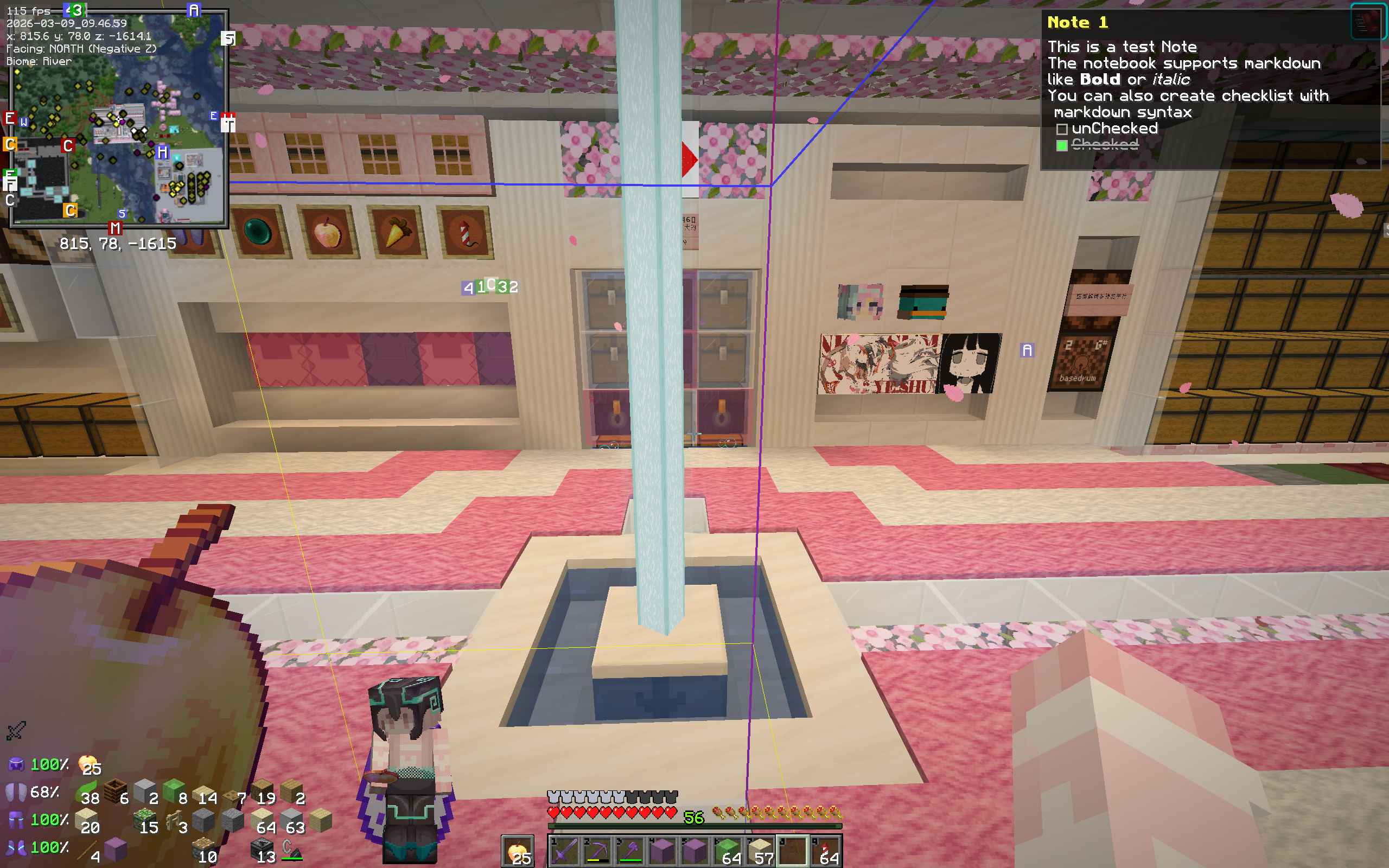 HUD
HUD -
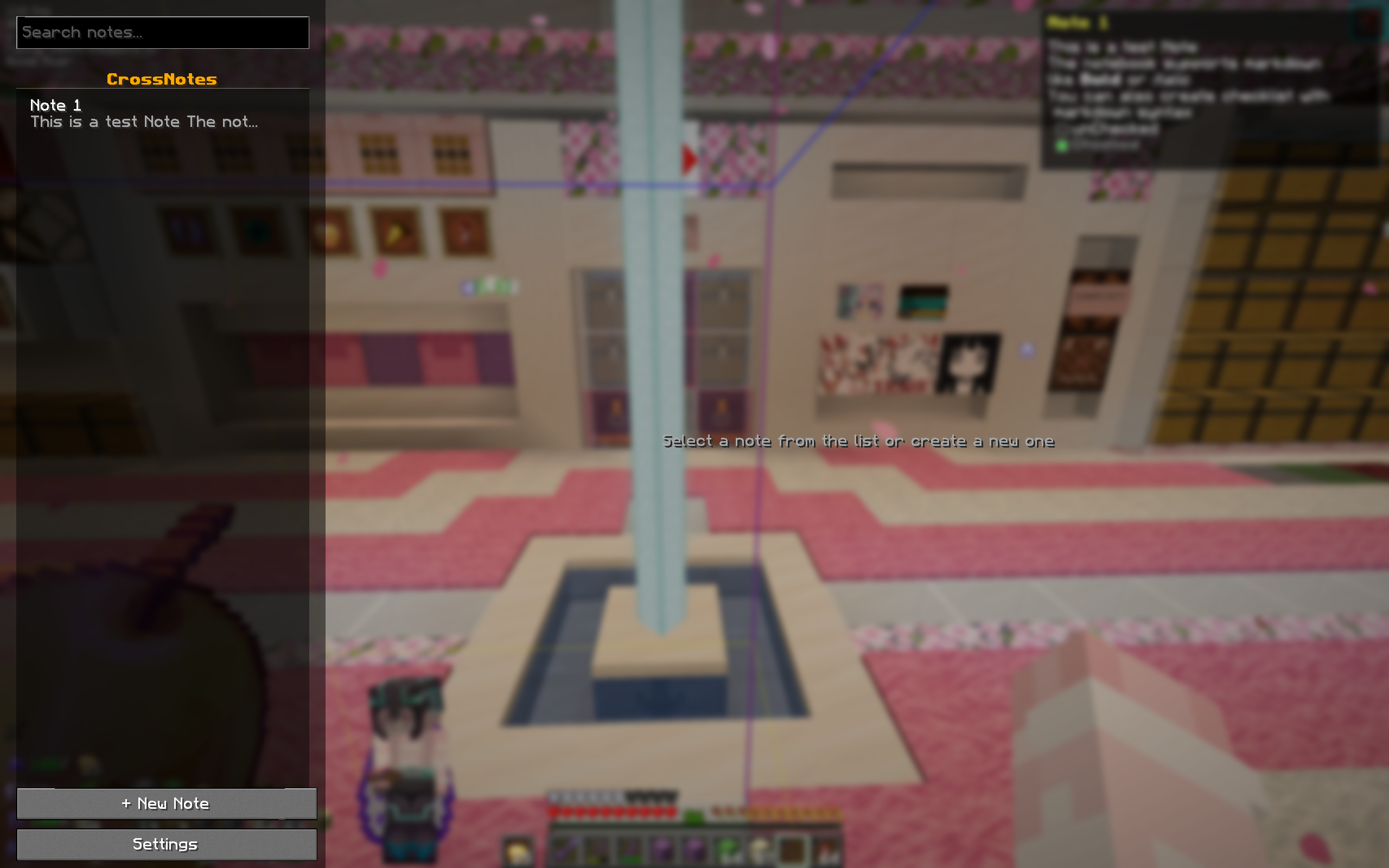 Notes list
Versions
Files
Relations
Project Relations
More like this
Similar Mods
Suggestions use data such as tags, dependencies, dependents, descriptions, titles, and more to rank how much they overlap with this mod.
On ModDex
Community snapshot
By the numbers
Statistics

Want to reach Minecraft players?
We're looking for a server hosting partner to feature here and other parts of the site. Interested? Send us a message!
Get in touchGet it on
Available Platforms
On ModDex
Community snapshot
By the numbers