
Community listing page, reviews here may not be monitored by the author.
Crusalis Cappinger

No reviews yet
A simple, client sided, QoL mod made for Crusalis, and other Nodes Servers, that watches your chat for war alerts and instantly sends a clean embed to your Discord webhook to inform you.
Community voices
Reviews
No reviews yet. Be the first to review this project!
Get it on
Available Platforms
Compatibility
Supported Environments
Required on the client. Installing it on the server adds functionality.
About
Project Details
For authors
Embed Badge
If you're the author of this project, you can embed a live badge anywhere that supports HTML or Markdown. It updates automatically whenever ratings change.
Use HTML for any page that supports it, or Markdown for README files and Markdown-based descriptions.
Identifiers
Platform IDs
Resources
External Links
About
Description
Crusalis CapPinger
A tiny, client-side Fabric mod that watches your chat for war alerts and fires a clean Discord embed with a live map image so your team can react instantly.
Update: It is now outdated on Crusalis.

What it does
-
Detects war messages like:
"[War] <player> is attacking <town> at (x, y, z)""[War] <player> captured chunk (cx, cz) from <town>""[War] <player> captured territory (id=ID) from <town>"
-
Sends a Discord embed with:
- Attacker name
- Target town
- Coordinates
- Timestamp
- A generated map image showing the attack location with nation colors from Dynmap
-
Different embed styles for different events:
- Chunk Attacked - Red, for ongoing attacks
- Chunk Captured - Orange, for when a chunk is taken
- Territory Captured - Purple, with a striped visualization showing attacker vs defender
No commands, no server plugin required—just drop it in your client.
Configuration (Cloth Config)
Open Mods → Crusalis Cap Pinger → Config (Mod Menu), then:
- Discord Webhook URL — paste your channel webhook.
- Broadcast All (default ON) — forward every matching alert.
- Target Names — when Broadcast is OFF, only send if the target matches one of these names (exact match, case-insensitive).
- Ping Role ID (optional) — paste a Discord Role ID to @mention your defense squad.
Settings are saved locally; you can change them in-game anytime.
How it works
The mod listens to client message events on Fabric 1.21.7-1.21.8, parses each line, matches regex patterns for [War] messages, and—if allowed by your config—generates a map image from Dynmap data and POSTs a Discord embed. Map generation runs on a background thread so there's no FPS impact.
Requirements
- Minecraft 1.21.7 or 1.21.8
- Fabric Loader + Fabric API
- Cloth Config
- Mod Menu (for the config button)
Installation
- Install Fabric Loader and Fabric API.
- Drop Crusalis CapPinger into
mods/. - Add Mod Menu and Cloth Config.
- Launch → Mods → Crusalis Cap Pinger → Config → paste webhook.
- Keep Broadcast All ON or add Target Names if you only care about certain towns.
- (Optional) Add Role ID to ping a specific role.
You're live the moment a war alert hits chat.
The Map Image
Each alert includes an auto-generated map showing:
- Nation territories in their actual Dynmap colors
- Chunk grid overlay for reference
- Blue ocean background
- The attacked/captured chunk or territory highlighted
- Territory captures show stripes to indicate attacker vs defender
Privacy & Safety
- The mod reads incoming chat locally to find alerts.
- It only sends matched war alerts to your webhook.
- Your webhook URL stays on your PC.
- Dynmap data is fetched from the public Crusalis map API.
Filtering behavior
- Broadcast All = ON: every matching
[War]message goes to Discord. - Broadcast All = OFF: only send if the parsed target equals one of your Target Names (case-insensitive).
Compatibility
- Client-side only. No server permissions required.
- Works alongside optimization mods (Sodium, etc.).
- Doesn't modify gameplay—just listens for messages and posts webhooks.
Modpack & server policy
- Allowed in modpacks.
- Safe for client-only use (it doesn't automate gameplay, just relays alerts you can already see).
Summary
Paste webhook → choose Broadcast All or targets → (optional) role ping → done.
Crusalis CapPinger gives your team fast, clean Discord alerts with map images the moment a war event happens.
Special thanks to:
oreotrollturbo for providing me his original dynmap fetcher code from Crusalis Utils.
Screenshots
Gallery
-
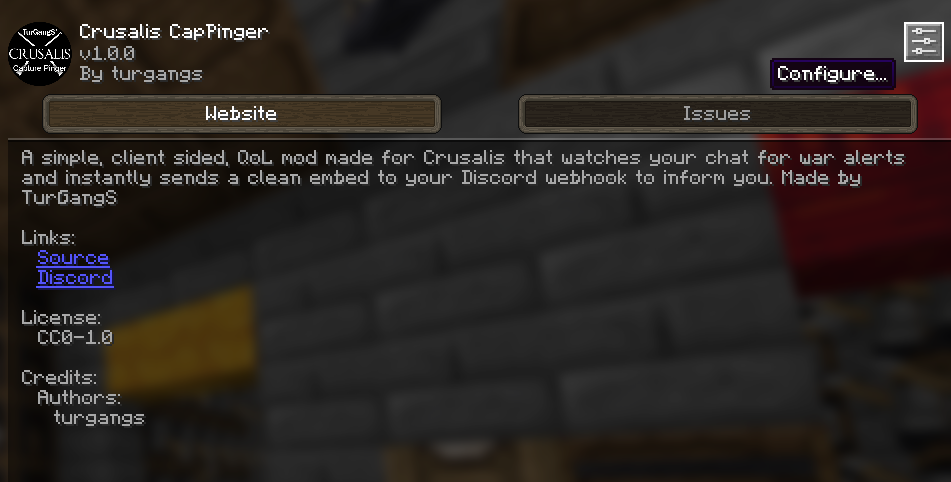 The ModMenu View
 -
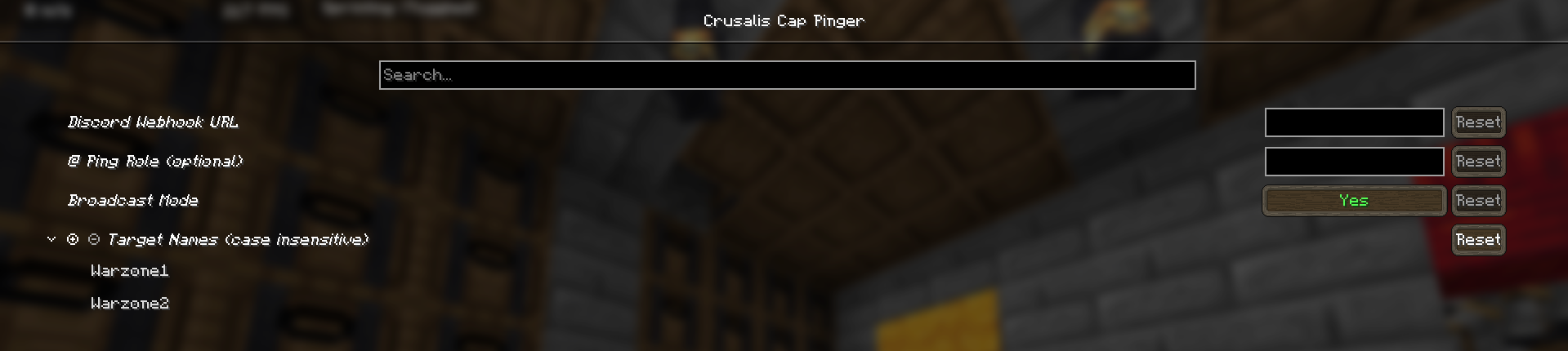 The Config Screen
 -
 Discord Embed Webhook With pinging
 -
 Discord Embed Webhook Without pinging
 -
 Territory Capture
 -
 Chunk Capture
 -
 Chunk Attack
Versions
Files
Relations
Project Relations
More like this
Similar Mods
Suggestions use data such as tags, dependencies, dependents, descriptions, titles, and more to rank how much they overlap with this mod.
On ModDex
Community snapshot
By the numbers
Statistics

Want to reach Minecraft players?
We're looking for a server hosting partner to feature here and other parts of the site. Interested? Send us a message!
Get in touchGet it on
Available Platforms
On ModDex
Community snapshot
By the numbers
Statistics
Resources