
Community listing page, reviews here may not be monitored by the author.

Community voices
Reviews
No reviews yet. Be the first to review this project!
Get it on
Available Platforms
About
Project Details
For authors
Embed Badge
If you're the author of this project, you can embed a live badge anywhere that supports HTML or Markdown. It updates automatically whenever ratings change.
Use HTML for any page that supports it, or Markdown for README files and Markdown-based descriptions.
Identifiers
Platform IDs
About
Description
This mod is marked WIP
Since modern CTM has stopped maintaining and original CTM gets patches via fix mods, it is still recommended to use the original one, if you do not need json ctm features.
CTM Vintage
A fork of Chisel Team's ConnectedTexturesMod with backported features.
Now you can use some new ctm types like ctm_horizontal in 1.12.2. The json loading system is also backported, though it needs a ctm.json file as index in the mod's domain. The logic format should be the same as the one in modern versions.
For developers, there should not be any resource format changes needed. But you may need to update java codes since some logic is moved to ConnectionCheck. Also, IFacade now supports custom connection block state. Implement it if needed.
Sadly Chisel Team haven't updated their Wiki yet. Here are some examples for reference.
Json Logic
To load customized json ctm logic, there should be a "ctm.json" file in the mod's root domain like "assets/modid/ctm.json". The "ctm.json" will be loaded like sounds.json, so resource pack can contain their own types without writting the old items from the original file.
assets/ctm/ctm.json in CTM Vintage
{ "logics": [ "ctm", "optifine_full" ] }
CTM Vintage will search the items in "assets/modid/ctm_logic", according to "assets/ctm/ctm.json", and register them ctm type in "modid:item".
You can also write items in sub folders like "mylogic/ctm" and put json logic file in "assets/modid/ctm_logic/mylogic/ctm.json". It will be "modid:mylogic/ctm" in ctm type.
In the case above, it will search for "assets/ctm/ctm_logic/ctm.json" "assets/ctm/ctm_logic/optifine_full.json", and "ctm:ctm" "ctm:optifine_full" is registered.
assets/ctm/ctm_logic/ctm.json in CTM Vintage, copied from the original CTM
{ "positions": [ {"id": "TOP", "directions": ["up"]}, {"id": "TOP_RIGHT", "directions": ["up","east"]}, {"id": "RIGHT", "directions": ["east"]}, {"id": "BOTTOM_RIGHT", "directions": ["down","east"]}, {"id": "BOTTOM", "directions": ["down"]}, {"id": "BOTTOM_LEFT", "directions": ["down","west"]}, {"id": "LEFT", "directions": ["west"]}, {"id": "TOP_LEFT", "directions": ["up","west"]} ], "submaps": { "": { "type": "grid", "width": 4, "height": 4 }, "original": { "type": "grid", "width": 2, "height": 2 } }, "faces": { "": { "type": "grid", "width": 2, "height": 2 } }, "rules": [ {"output":"0,0", "from":1, "at":"0,0", "connected":["TOP","LEFT","TOP_LEFT"]}, {"output":"1,0", "from":1, "at":"1,0", "connected":["TOP","RIGHT","TOP_RIGHT"]}, {"output":"2,0", "from":1, "at":"0,0", "connected":["TOP"],"unconnected":["LEFT"]}, {"output":"3,0", "from":1, "at":"1,0", "connected":["TOP"],"unconnected":["RIGHT"]}, {"output":"0,1", "from":1, "at":"0,1", "connected":["BOTTOM","LEFT","BOTTOM_LEFT"]}, {"output":"1,1", "from":1, "at":"1,1", "connected":["BOTTOM","RIGHT","BOTTOM_RIGHT"]}, {"output":"2,1", "from":1, "at":"0,1", "connected":["BOTTOM"],"unconnected":["LEFT"]}, {"output":"3,1", "from":1, "at":"1,1", "connected":["BOTTOM"],"unconnected":["RIGHT"]}, {"output":"0,2", "from":1, "at":"0,0", "connected":["LEFT"],"unconnected":["TOP"]}, {"output":"1,2", "from":1, "at":"1,0", "connected":["RIGHT"],"unconnected":["TOP"]}, {"output":"2,2", "from":1, "at":"0,0", "connected":["TOP","LEFT"],"unconnected":["TOP_LEFT"]}, {"output":"3,2", "from":1, "at":"1,0", "connected":["TOP","RIGHT"],"unconnected":["TOP_RIGHT"]}, {"output":"0,3", "from":1, "at":"0,1", "connected":["LEFT"],"unconnected":["BOTTOM"]}, {"output":"1,3", "from":1, "at":"1,1", "connected":["RIGHT"],"unconnected":["BOTTOM"]}, {"output":"2,3", "from":1, "at":"0,1", "connected":["BOTTOM","LEFT"],"unconnected":["BOTTOM_LEFT"]}, {"output":"3,3", "from":1, "at":"1,1", "connected":["BOTTOM","RIGHT"],"unconnected":["BOTTOM_RIGHT"]}, {"output":"original0,0", "from":0, "at":"0,0", "unconnected":["TOP","LEFT"]}, {"output":"original1,0", "from":0, "at":"1,0", "unconnected":["TOP","RIGHT"]}, {"output":"original0,1", "from":0, "at":"0,1", "unconnected":["BOTTOM","LEFT"]}, {"output":"original1,1", "from":0, "at":"1,1", "unconnected":["BOTTOM","RIGHT"]} ] }
There are changes in optifine_full.json. The grid is changed to 12x12 (192x192px or multiple), a square. Otherwise, forge will recognize it as an animated texture and stop it from loading.
Proxy
The proxy loading logic is updated, allowing you to write them like this from Mekanism.
assets/mekanism/textures/block/thermal_evaporation_block_1.png(16x16px)

assets/mekanism/textures/block/thermal_evaporation_block_1.png.mcmeta
{ "ctm": { "ctm_version": 1, "proxy": "mekanism:ctm/thermal_evaporation_block_1_full", "type": "CTM", "layer": "SOLID", "textures": [ "mekanism:ctm/thermal_evaporation_block_1" ] } }
assets/mekanism/textures/ctm/thermal_evaporation_block_1.png(16x16px)

assets/mekanism/textures/ctm/thermal_evaporation_block_1_full.png(192x192px)
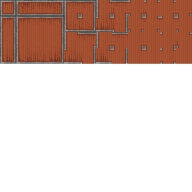
assets/mekanism/textures/ctm/thermal_evaporation_block_1_full.png.mcmeta
{ "ctm": { "ctm_version": 1, "type": "ctm:optifine_full" } }
The final texture will be thermal_evaporation_block_1_full.png loaded in ctm:optifine_full.
Screenshots
Gallery
Versions
Files
Relations
Project Relations
More like this
Similar Mods
Suggestions use data such as tags, dependencies, dependents, descriptions, titles, and more to rank how much they overlap with this mod.
On ModDex
Community snapshot
By the numbers
Statistics
Want to reach Minecraft players?
We're looking for a server hosting partner to feature here and other parts of the site. Interested? Send us a message!
Get in touchGet it on
Available Platforms
On ModDex
Community snapshot
By the numbers