
Community listing page, reviews here may not be monitored by the author.
CubeCraft AutoVote

No reviews yet
AutoVote for different gamemodes.
Community voices
Reviews
No reviews yet. Be the first to review this project!
Get it on
Available Platforms
Compatibility
Supported Environments
Runs entirely on the client. Works on vanilla servers.
About
Project Details
For authors
Embed Badge
If you're the author of this project, you can embed a live badge anywhere that supports HTML or Markdown. It updates automatically whenever ratings change.
Use HTML for any page that supports it, or Markdown for README files and Markdown-based descriptions.
Identifiers
Platform IDs
Resources
External Links
About
Description
Cube Auto Vote
Stop clicking through the voting menu every single game.
When CubeCraft hands you the Voting item at the start of a match, Cube Auto Vote picks your preferred options for you — Overpowered chests, Normal health, whatever you've configured — and confirms the vote before the game starts.
Voting happens headlessly. No menu flashes open, nothing steals your screen, and your camera never gets yanked away. The whole thing takes a couple of seconds and you'll only notice it because your vote is already in.
Features
- Automatic voting — detects the Voting item the moment it appears and votes for every category you've configured
- Invisible by default — the voting menus are handled in the background; you can turn this off if you'd rather watch it happen
- Interference-proof — while the short vote sequence runs, movement and gameplay clicks are frozen exactly as if a GUI were open, so nothing you press can cancel the vote halfway through. Camera look and the ESC menu keep working
- Automatic retry — if the server never confirms your vote, the mod tries again when the game announces it's starting in 5 seconds
- In-game settings screen — configure everything from
/cubeautovote settingsor the config button in Mod Menu - Per-category choices — every game's categories are configurable individually, and any category can be set to Don't vote
- Only on CubeCraft — the mod checks the server address and does nothing anywhere else. It never touches your inventory in singleplayer or on other servers
Demo video
Supported games
| Game | Categories |
|---|---|
| Team EggWars | Perks · Items · Health |
| Solo SkyWars | Chest Items · Projectiles · Time |
| Lucky Islands (Solo & Team) | Blocks · Time |
| BedWars | Modifier |
| Pillars of Fortune | Game Mode · Map Mode |
| Lucky Pillars | Item Modifier · Block Mode |
| Disasters | Mode |
| Ender | Team |
Sensible defaults are pre-selected, so the mod is useful the moment you install it — but you'll probably want to set your own picks.
Configuration
Open the settings with /cubeautovote settings, or through Mod Menu. You can adjust:
- Auto Vote — on/off
- Headless — vote invisibly, or let the menus open on screen
- Delay — how long to wait after the Voting item appears (0–5000 ms)
- Menu timeout — how long to wait for each menu before giving up
- Game options — your preferred option for every voting category
Settings are saved to config/cubeautovote.json.
Commands
| Command | What it does |
|---|---|
/cubeautovote settings |
Open the settings screen |
/cubeautovote status |
Debug info: current state, detected game, open menu |
/cubeautovote enable · disable · toggle |
Turn auto-voting on or off |
/cubeautovote headless |
Toggle invisible voting |
/cubeautovote delay <ms> · timeout <ms> |
Adjust timings |
/cubeautovote options |
List every game, category and your current picks |
/cubeautovote set <category> <option> |
Set a pick from chat (with tab completion) |
Installation
- Install Fabric Loader for your Minecraft version
- Download the jar matching your exact Minecraft version from the Versions tab
- Drop it in your
modsfolder together with Fabric API
Client-side only — nothing to install on any server.
Requirements
| Minecraft | Java |
|---|---|
| 1.21.10 · 1.21.11 | 21+ |
| 26.1.x · 26.2 | 25+ |
Fabric Loader 0.16 or newer and Fabric API are required. Mod Menu is optional and only adds the config button to the mod list.
If CubeCraft changes their menus
Voting menu layouts are read from a data file bundled in the jar, and you can override it
without recompiling anything: drop your own config/cubeautovote_catalog.json using the
same structure and the mod will use it instead. The mod also verifies an item's name before
clicking it and searches the menu if a slot moved, so small layout changes usually fix
themselves.
Note
This mod automates an in-game interaction. That may be against CubeCraft's rules — use it at your own risk. It only clicks the voting menus, does nothing that affects gameplay itself, and stays completely inactive outside CubeCraft.
Credits
Voting menu layout and behavior reference: Cubepanion, licensed under MIT.
Screenshots
Gallery
-
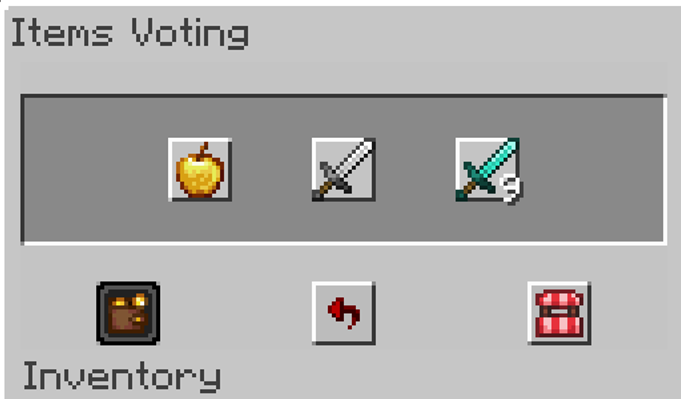 AutoVote icon
Versions
Files
Relations
Project Relations
More like this
Similar Mods
Suggestions use data such as tags, dependencies, dependents, descriptions, titles, and more to rank how much they overlap with this mod.
On ModDex
Community snapshot
By the numbers
Statistics

Want to reach Minecraft players?
We're looking for a server hosting partner to feature here and other parts of the site. Interested? Send us a message!
Get in touchGet it on
Available Platforms
On ModDex
Community snapshot
By the numbers
Statistics
Resources