
Community listing page, reviews here may not be monitored by the author.
Cullify


No reviews yet
Grass and foliage culling mod for performance
Community voices
Reviews
No reviews yet. Be the first to review this project!
Get it on
Available Platforms
Compatibility
Supported Environments
Runs entirely on the client. Works on vanilla servers.
About
Project Details
For authors
Embed Badge
If you're the author of this project, you can embed a live badge anywhere that supports HTML or Markdown. It updates automatically whenever ratings change.
Use HTML for any page that supports it, or Markdown for README files and Markdown-based descriptions.
Identifiers
Platform IDs
About
Description
🍃 What is Cullify?
Cullify is an advanced, ultra-optimized, client-side culling system for Minecraft. It drastically improves your rendering performance by intelligently and dynamically culling decorative vegetation (grass, flowers, ferns, algae, kelp, etc.) based on your distance and customizable geometric shapes — without ever altering or removing the actual blocks in the world.

✨ Features
- 🚀 Massive FPS Boost: Substantially reduces vertex throughput and draw calls by culling non-visible or distant vegetation.
- 🟩 8 Geometric Culling Shapes: Fully customizable boundaries to control culling behavior exactly how you want around the player.
- 📉 LOD Density Filter: Deterministic, hash-based density filtering that thins out outer vegetation (75%, 50%, or 25%) to save CPU overhead near the boundary.
- 🌿 Double-Tall Vegetation Support: Perfectly synchronizes culling between the bottom and top halves of double-tall blocks (like sunflowers or tall grass) to prevent any visual glitching.
- ⚙️ In-Game Config Menu: Fully custom configuration screen accessible via the
Kkeybind, chat commands, or the NeoForge mods menu. - 📊 Real-Time Statistics HUD: On-screen overlay tracking culled blocks, water replacements, chunk updates, and draw calls.
- 🧪 Native Sodium Compatibility: Direct hooks into Sodium's internal LevelSlice rendering pipeline and Sodium Options API.
📐 Geometric Culling Shapes
Unlike traditional culling mods, Cullify offers flexible mathematical boundary checks on both the horizontal plane (X/Z) and the vertical axis (Y):
| Icon | Shape | Geometry Mode | Description |
| 🟢 | Sphere | 3D Sphere | Culls blocks outside a 3D spherical radius. |
| 🌀 | Cylinder | Cylinder | Culls blocks outside a horizontal circular radius (infinite Y). |
| 📦 | Box | 3D Box | Culls blocks outside a 3D cubical bounding box. |
| 🔺 | Triangle | Triangle | Culls blocks outside an equilateral triangular boundary centered on the player. |
| ⬡ | Hexagon | Hexagon | Culls blocks outside a hexagonal boundary. |
| ⭐ | Star | Star | Culls blocks outside a 6-point star (union of two intersecting triangles). |
| ⏹️ | Square | Square | Culls blocks outside a flat square grid. |
| 🔵 | Circle | Circle | Culls blocks outside a flat horizontal circular boundary. |
🎮 Controls & Commands
Configuring and inspecting Cullify in-game is effortless:
⌨️ Keybinds
K— Opens the custom Cullify GUI Config Screen.
💬 Chat Commands
/cullify menu— Opens the configuration GUI menu./cullify debug— Toggles the real-time statistics HUD overlay./cullify stats— Prints current performance statistics directly into the chat./cullify verbose— Toggles verbose logging for debugging./cullify reload— Forces a complete reload of the client level renderer chunks.
🔌 Compatibility & Requirements
- Sodium / Embeddium: Fully integrated. Hooks directly into Sodium's internal LevelSlice rendering pipeline to batch-cull blocks in MDI (Multi-Draw Indirect) buffers. The Culling Shape options and configurations are also registered directly inside Sodium's Video Settings menu!
- Vanilla Renderer: Fallback compatibility included for the standard Minecraft block rendering pipeline.
- 🔒 100% Client-Side: This mod runs entirely on your client. You can join any server (Vanilla, Spigot, Forge, Paper, etc.) without any issues!
📄 License & Modpack Usage
This mod is available under the GNU General Public License v3 (GPL-3.0).
📦 Modpack Permissions: Feel free to include Cullify in any of your modpacks on CurseForge, Modrinth, or private launchers! Credits are always appreciated but not required.
⚡ Vibe Coding
This mod was built 100% using Vibe Coding! Developed entirely through AI-assisted pair programming, dynamic prompt iterations, and automated compilation loops. Let the vibes render!
- Developed by Fluxsyum Studios


🍃 What is Cullify?
Cullify is a client-side mod that culls decorative vegetation blocks (such as grass, flowers, ferns, algae, and kelp) based on distance from the player and customizable geometric shapes. By preventing distant or non-visible vegetation blocks from rendering, it reduces rendering load (vertex throughput and draw calls) without altering or removing the actual blocks in the world.

✨ Features
- ⚙️ Vegetation Culling — Reduces rendering load by hiding vegetation blocks that are beyond a configured distance.
- 📐 8 Geometric Culling Shapes — Customizable boundaries to control culling behavior around the player.
- 📉 LOD Density Filter — Deterministic, hash-based density filtering that thins out outer vegetation (75%, 50%, or 25%) to save CPU overhead near the boundary.
- 🌿 Double-Tall Vegetation Support — Synchronizes culling between the bottom and top halves of double-tall blocks (like sunflowers or tall grass) to prevent visual discrepancies.
- ⚙️ In-Game Config Menu — A configuration screen accessible via the
Kkeybind, chat commands, or the NeoForge mods menu. - 📊 Real-Time Statistics HUD — On-screen overlay tracking culled blocks, water replacements, chunk updates, and draw calls.
- 🧪 Native Sodium Compatibility — Direct hooks into Sodium's internal LevelSlice rendering pipeline and Sodium Options API.
📐 Geometric Culling Shapes
Unlike traditional culling mods, Cullify offers flexible mathematical boundary checks on both the horizontal plane (X/Z) and the vertical axis (Y):
| Icon | Shape | Geometry Mode | Description |
|---|---|---|---|
| 🟢 | Sphere | 3D Sphere | Culls blocks outside a 3D spherical radius. |
| 🌀 | Cylinder | Cylinder | Culls blocks outside a horizontal circular radius (infinite Y). |
| 📦 | Box | 3D Box | Culls blocks outside a 3D cubical bounding box. |
| 🔺 | Triangle | Triangle | Culls blocks outside an equilateral triangular boundary centered on the player. |
| ⬡ | Hexagon | Hexagon | Culls blocks outside a hexagonal boundary. |
| ⭐ | Star | Star | Culls blocks outside a 6-point star (union of two intersecting triangles). |
| ⏹️ | Square | Square | Culls blocks outside a flat square grid. |
| 🔵 | Circle | Circle | Culls blocks outside a flat horizontal circular boundary. |
🎮 Controls & Commands
Configuring and inspecting Cullify in-game is straightforward:
⌨️ Keybinds
K— Opens the custom Cullify GUI Config Screen.
💬 Chat Commands
/cullify menu— Opens the configuration GUI menu./cullify benchmark— Performs a benchmark of the mod and displays the results in chat./cullify debug— Toggles the real-time statistics HUD overlay./cullify stats— Prints current performance statistics directly into the chat./cullify verbose— Toggles verbose logging for debugging./cullify reload— Forces a complete reload of the client level renderer chunks.
🔌 Compatibility & Requirements
- Sodium / Embeddium: Fully integrated. Hooks directly into Sodium's internal LevelSlice rendering pipeline to batch-cull blocks in MDI (Multi-Draw Indirect) buffers. The Culling Shape options and configurations are also registered directly inside Sodium's Video Settings menu!
- Vanilla Renderer: Fallback compatibility included for the standard Minecraft block rendering pipeline.
- 🔒 100% Client-Side: This mod runs entirely on your client. You can join any server (Vanilla, Spigot, Forge, Paper, etc.) without any issues!
📄 License & Modpack Usage
This mod is available under the GNU General Public License v3 (GPL-3.0).
📦 Modpack Permissions: Feel free to include Cullify in any of your modpacks on CurseForge, Modrinth, or private launchers! Credits are appreciated but not required.
⚡ Vibe Coding
This mod was built 100% using Vibe Coding! Developed entirely through AI-assisted pair programming, dynamic prompt iterations, and automated compilation loops. Let the vibes render!
Developed by Fluxsyum Studios


Screenshots
Gallery
-
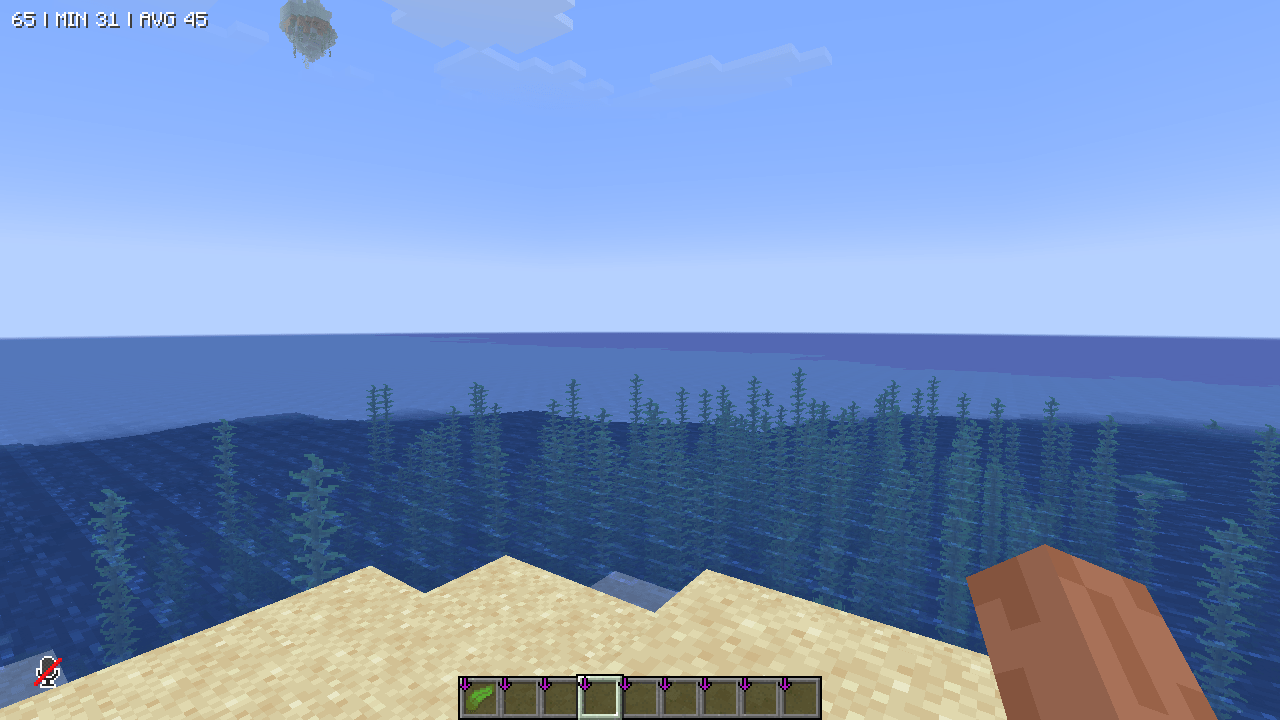 With Cullify ✅ With Cullify
 -
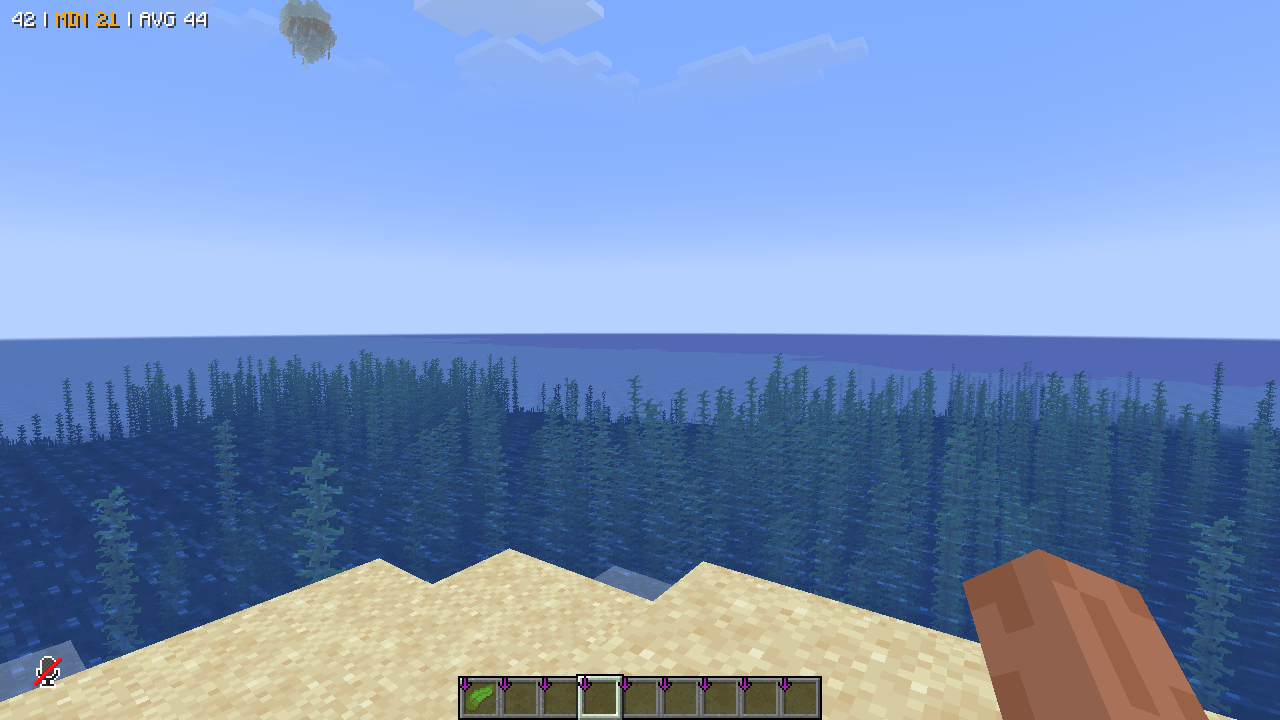 Without Cullify ❌ Without Cullify
 -
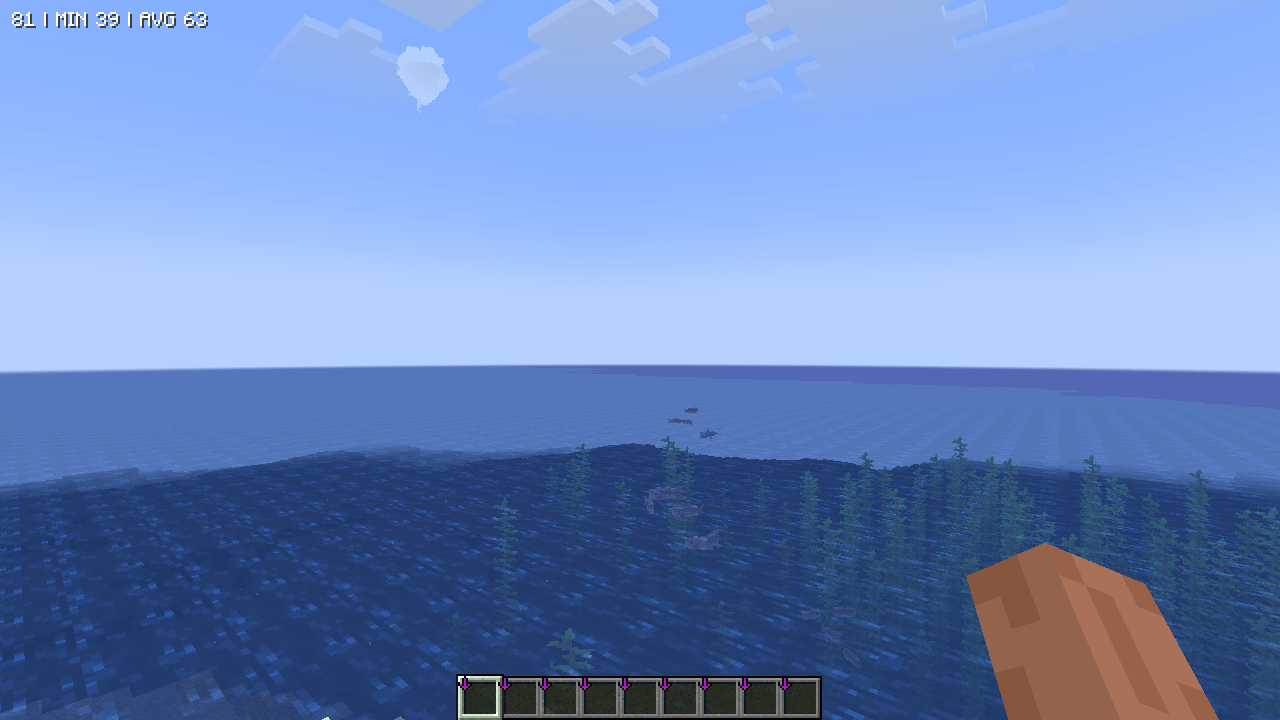 With Cullify ✅ With Cullify
 -
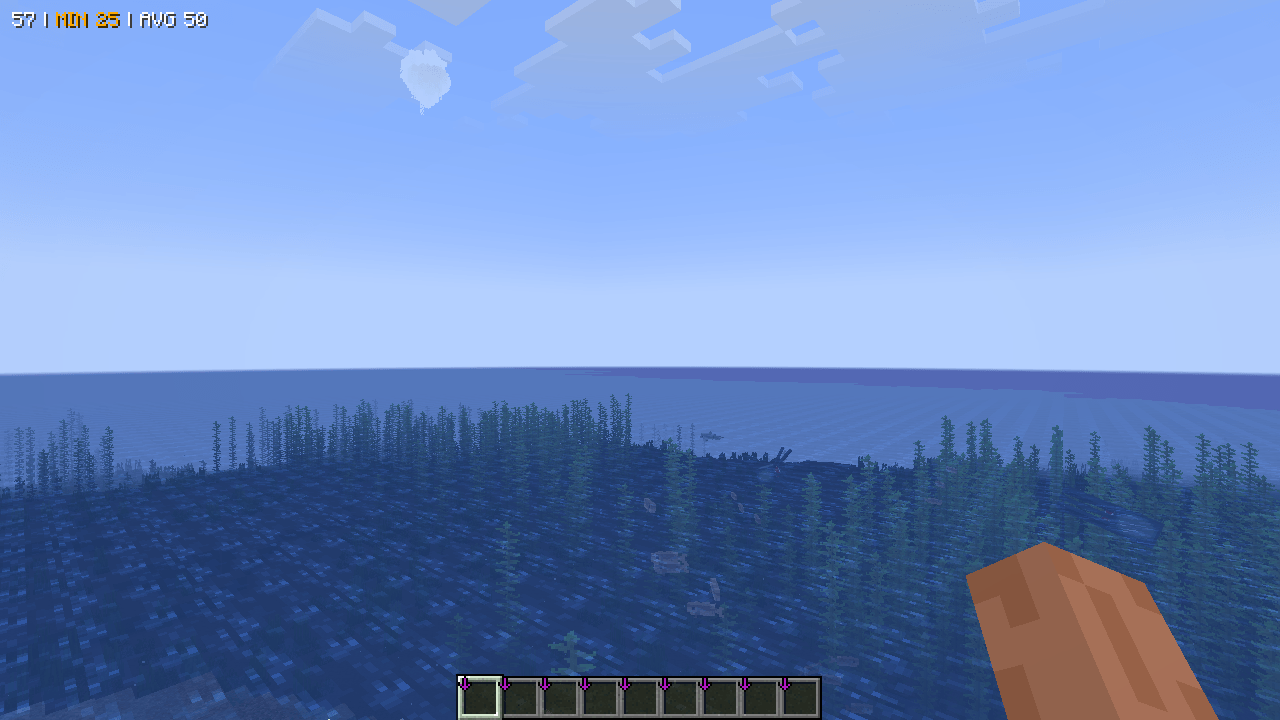 Without Cullify ❌ Without Cullify
 -
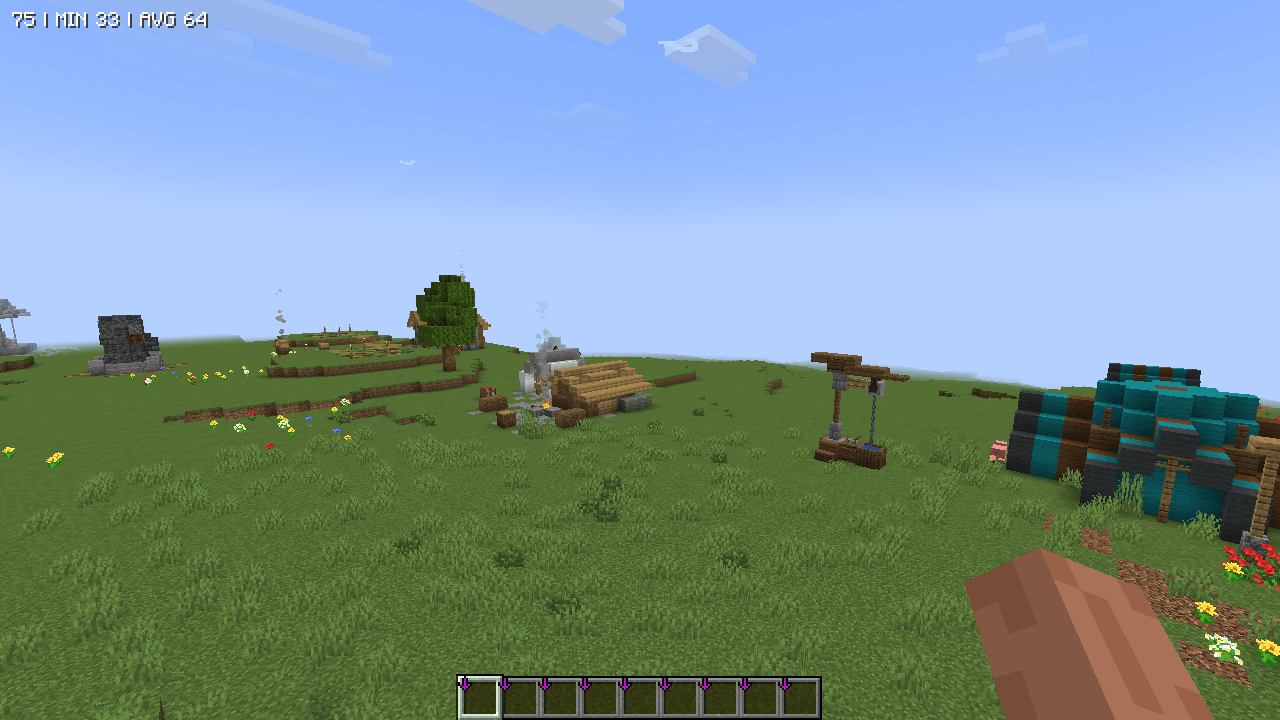 With Cullify ✅ With Cullify
 -
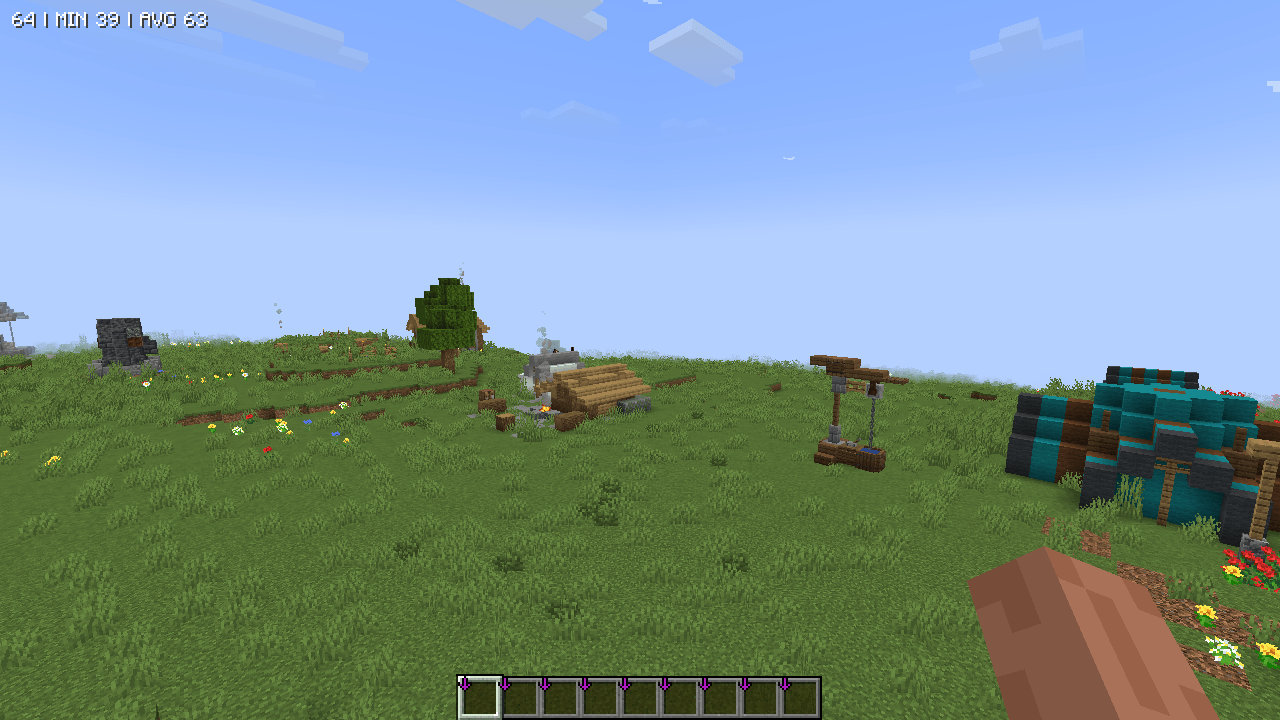 Without Cullify ❌ Without Cullify
-
 Cullify
 -
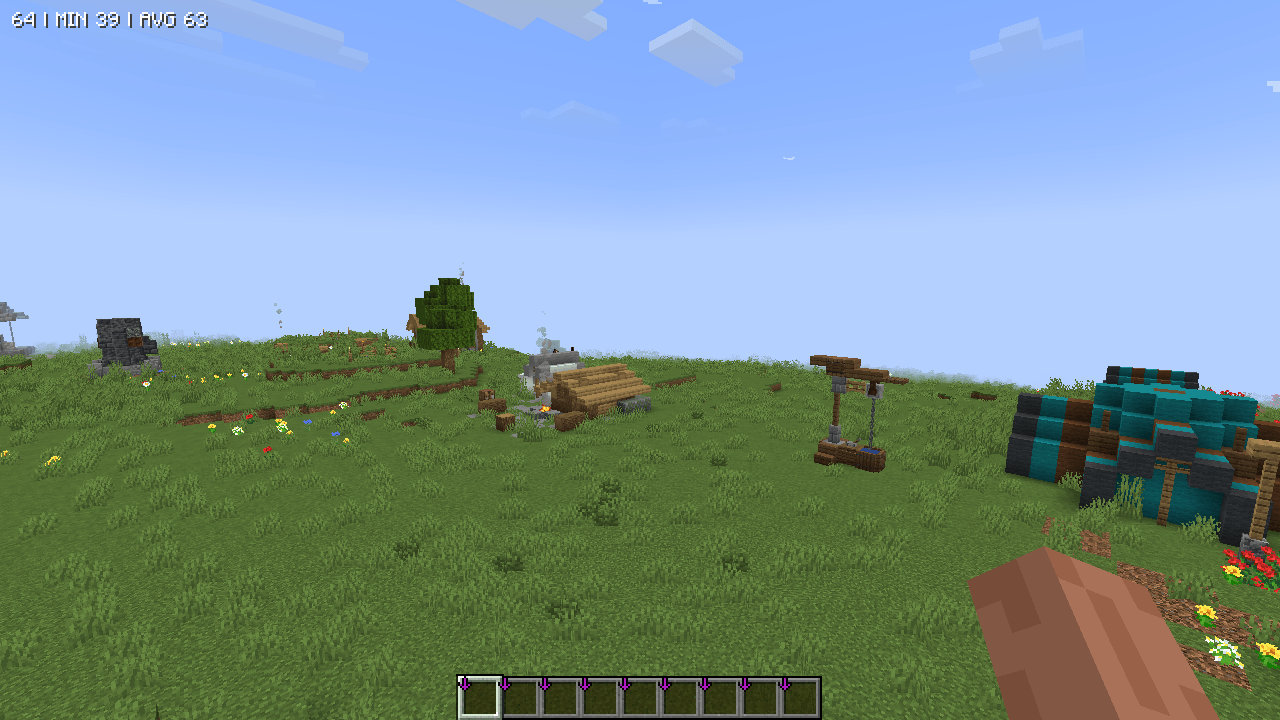 ❌ Without Cullify
 -
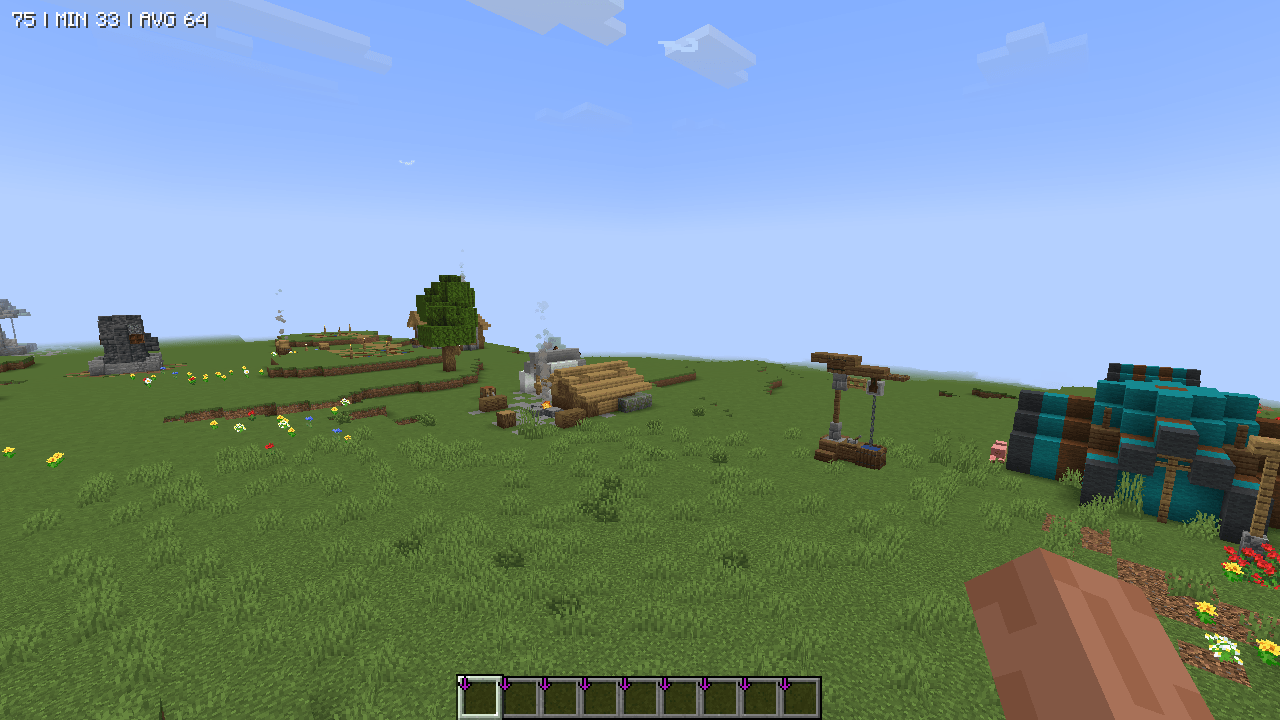 ✅ With Cullify
 -
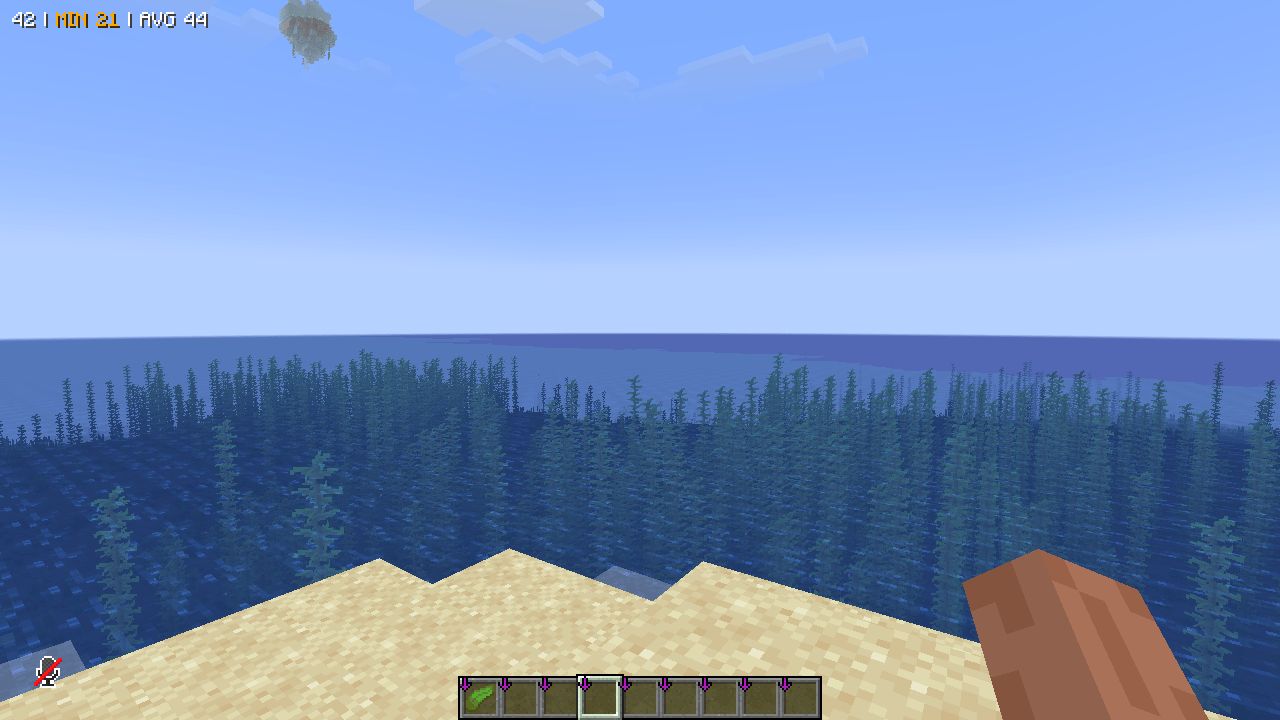 ❌ Without Cullify
 -
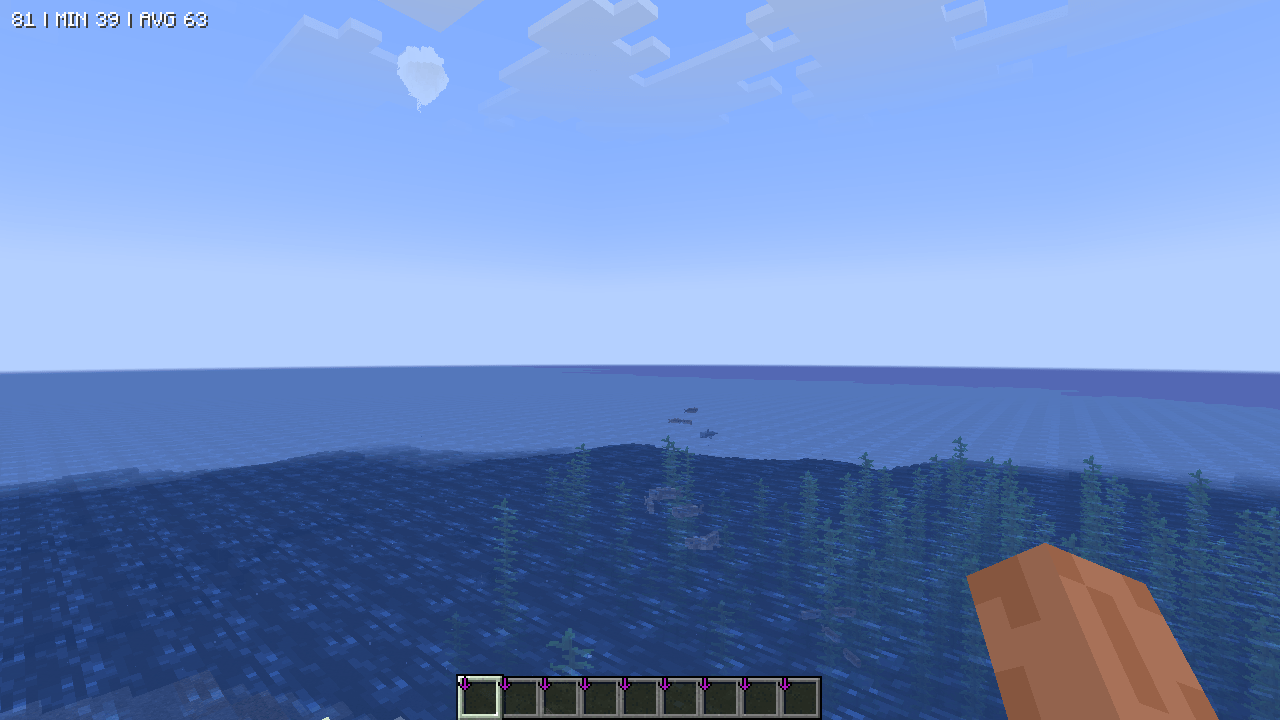 ✅ With Cullify
Versions
Files
Relations
Project Relations
More like this
Similar Mods
Suggestions use data such as tags, dependencies, dependents, descriptions, titles, and more to rank how much they overlap with this mod.
On ModDex
Community snapshot
By the numbers
Statistics
Want to reach Minecraft players?
We're looking for a server hosting partner to feature here and other parts of the site. Interested? Send us a message!
Get in touchGet it on
Available Platforms
On ModDex
Community snapshot
By the numbers