
CursedAddons
No reviews yet
A chat utility mod for modern Fabric Minecraft
Fabric is a mod loader for versions 1.14+ of Minecraft, particularly popular for client side and optimization mods.
Community voices
Reviews
Click once to include, again to exclude, again to clear
No reviews yet. Be the first to review this project!
Get it on
Available Platforms
 Modrinth
Compatibility
Supported Environments
About
Project Details
For authors
Embed Badge
If you're the author of this project, you can embed a live badge anywhere that supports HTML or Markdown. It updates automatically whenever ratings change.
Use HTML for any page that supports it, or Markdown for README files and Markdown-based descriptions.
Identifiers
Platform IDs
About
Description
CursedAddons
Description
CursedAddons is a Minecraft Fabric mod that enhances chat functionality with keybindings, aliases, chat notifiers, and the ability to view onClick actions for rich messages.
Features
- Command Keybindings: Define custom hotkeys and key combinations (e.g., Shift+F1) to instantly send predefined chat messages or commands.
- Command Aliases: Create shortcuts for frequently used commands or messages (e.g.,
/s→/sayor/about→Hello, my name is John Smith). - Click Events Preview: When hovering over clickable text in chat, preview what actions will occur (opening URLs, running commands, copying to clipboard, etc.) before clicking.
- Image Hover Preview: Preview images directly in chat by hovering over image URLs. Supports PNG, JPG, GIF, and WebP with domain whitelisting.
- Chat Notifications: Set up custom notifications for specific chat messages using string matching or regex patterns. Notifications can play sounds, set window titles, or execute commands when triggered.
- Fake Chat Messages: Send custom formatted messages to chat using tellraw JSON syntax, including colors, links, and interactive elements.
- Fixes MC-122477: Fixes a bug on Unix systems where the key to open commands and/or chat can sometimes be doubled when pressed.
Installation
Prerequisites
- Minecraft Java Edition
1.21.11(currently supported; future versions may be supported in updates) - Fabric Loader
0.18.2or newer - Fabric API
0.141.3+1.21.11or newer
Steps
- Install Fabric Loader: If you haven't already, download and install the Fabric Loader for Minecraft
1.21.11from the Fabric website. - Download Fabric API: Download the Fabric API for
1.21.11from its Modrinth page. - Download CursedAddons
- Place Mods in
modsfolder:- Locate your Minecraft installation directory.
- Navigate to the
modsfolder. If it doesn't exist, create one. - Place the downloaded
fabric-api-*.jarandcursedaddons-*.jarfiles into themodsfolder.
- Launch Minecraft: Start the Minecraft launcher, select the Fabric profile, and launch the game.
Usage
CursedAddons can be configured through its configuration screen, accessible in two ways:
- Via ModMenu: If you have ModMenu installed, go to Mods → CursedAddons → Config
- Via Command: Type
/cursedaddonsin chat to open the configuration screen
For per-feature setup instructions, see the Feature Guide.
Regex Tester
For debugging ChatNotifications regex patterns, use the online regex tester. It allows you to:
- Test patterns against Minecraft chat messages with § color codes
- See capture groups in the same format used by the mod ($0, $1, etc.)
- Preview how color codes will appear visually
- Convert & color codes to § automatically (like the mod does)
Contributing
Contributions are welcome! If you have suggestions, bug reports, or want to contribute code, please feel free to open an issue or pull request!
License
This project is licensed under the GNU General Public License v3.0. See the LICENSE file for more details.
Big shout out to 70CentsApple for the original concept!
Screenshots
Gallery
-
 Chat Notifier Options Options for Chat Notifiers. Text/Regex, Sound, Title, Command, Toggles
 -
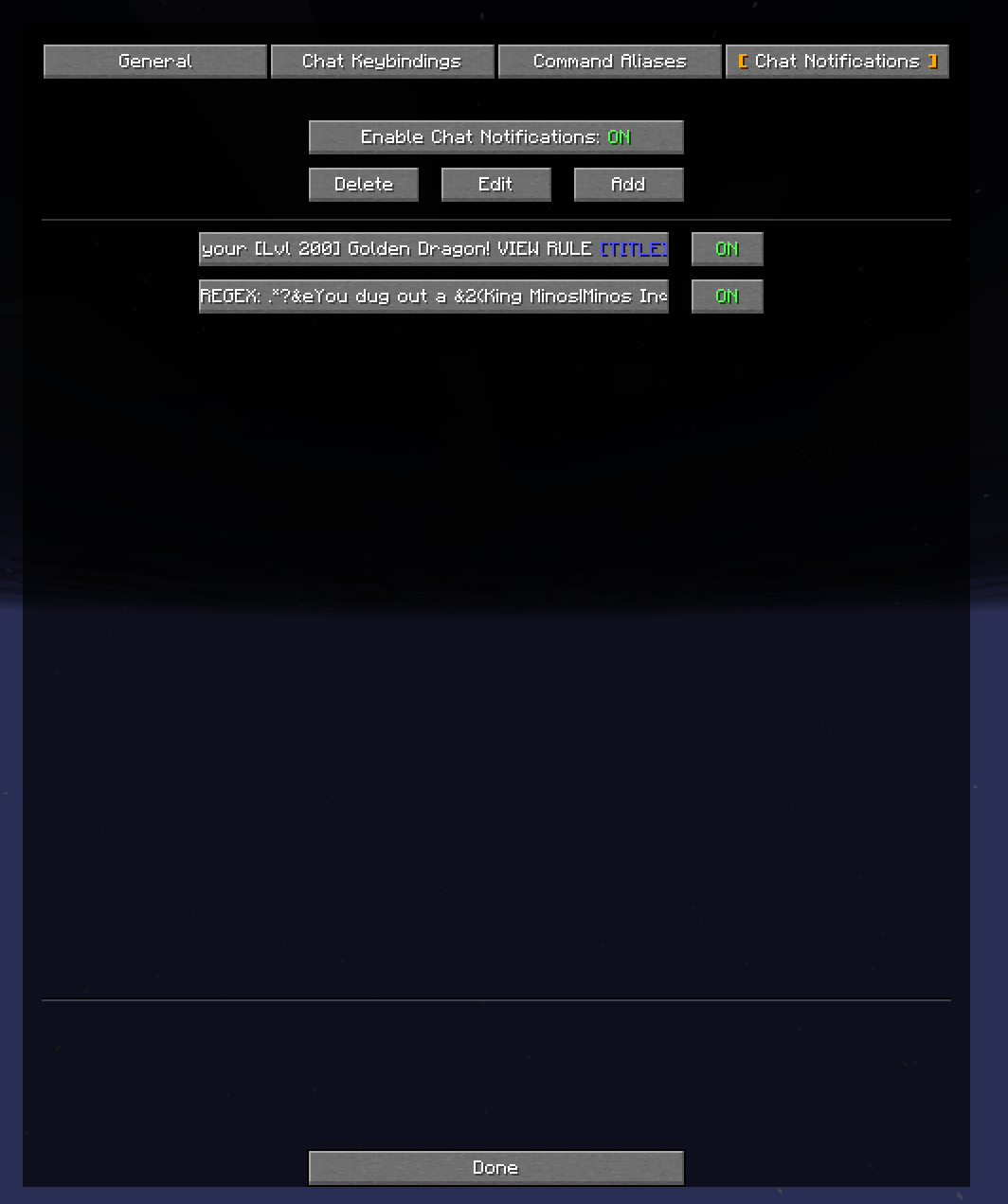 Chat Notifiers Examples of Chat Notifiers
 -
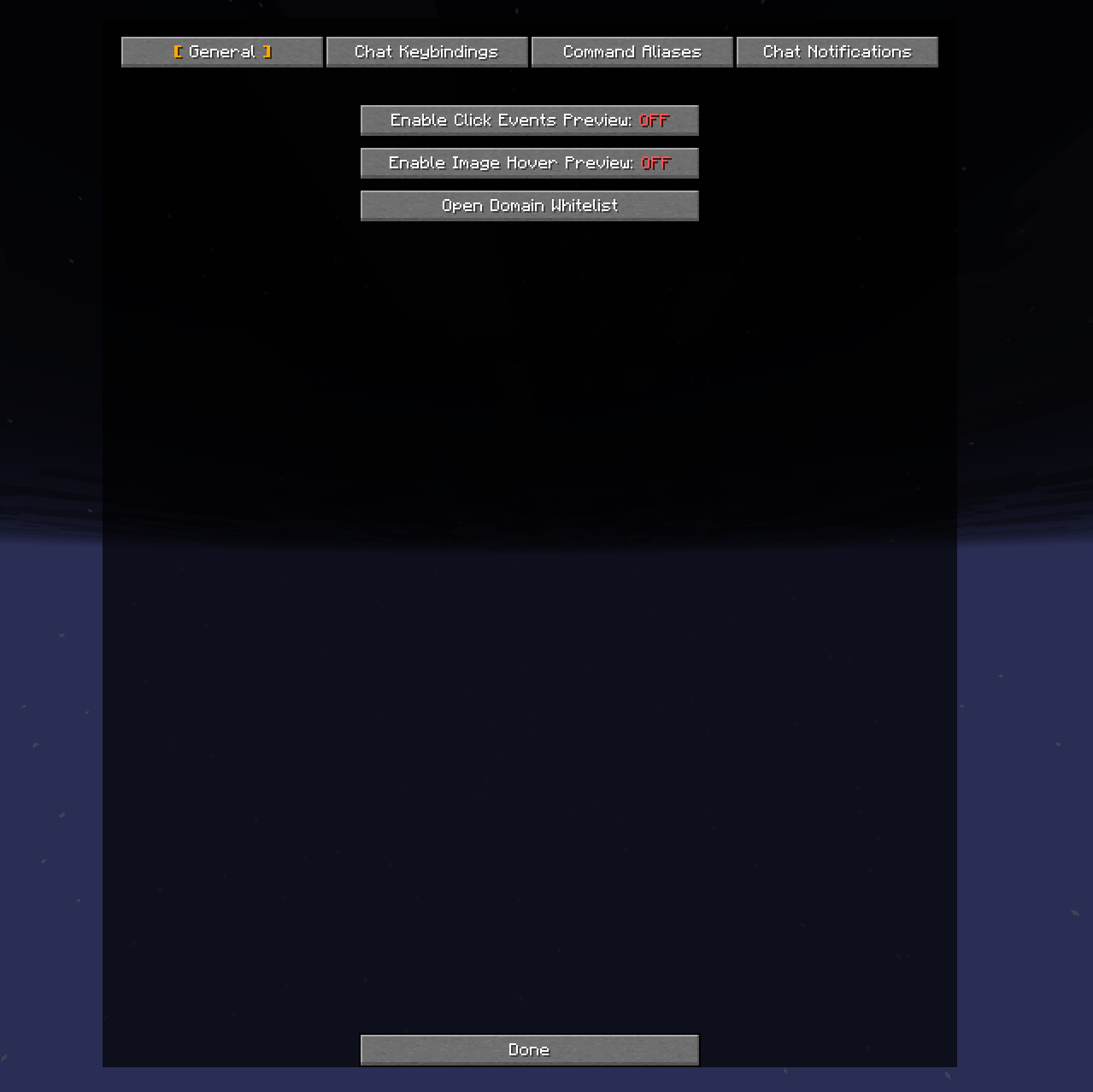 General Settings Click Events Preview, Image Preview Tooltip
 -
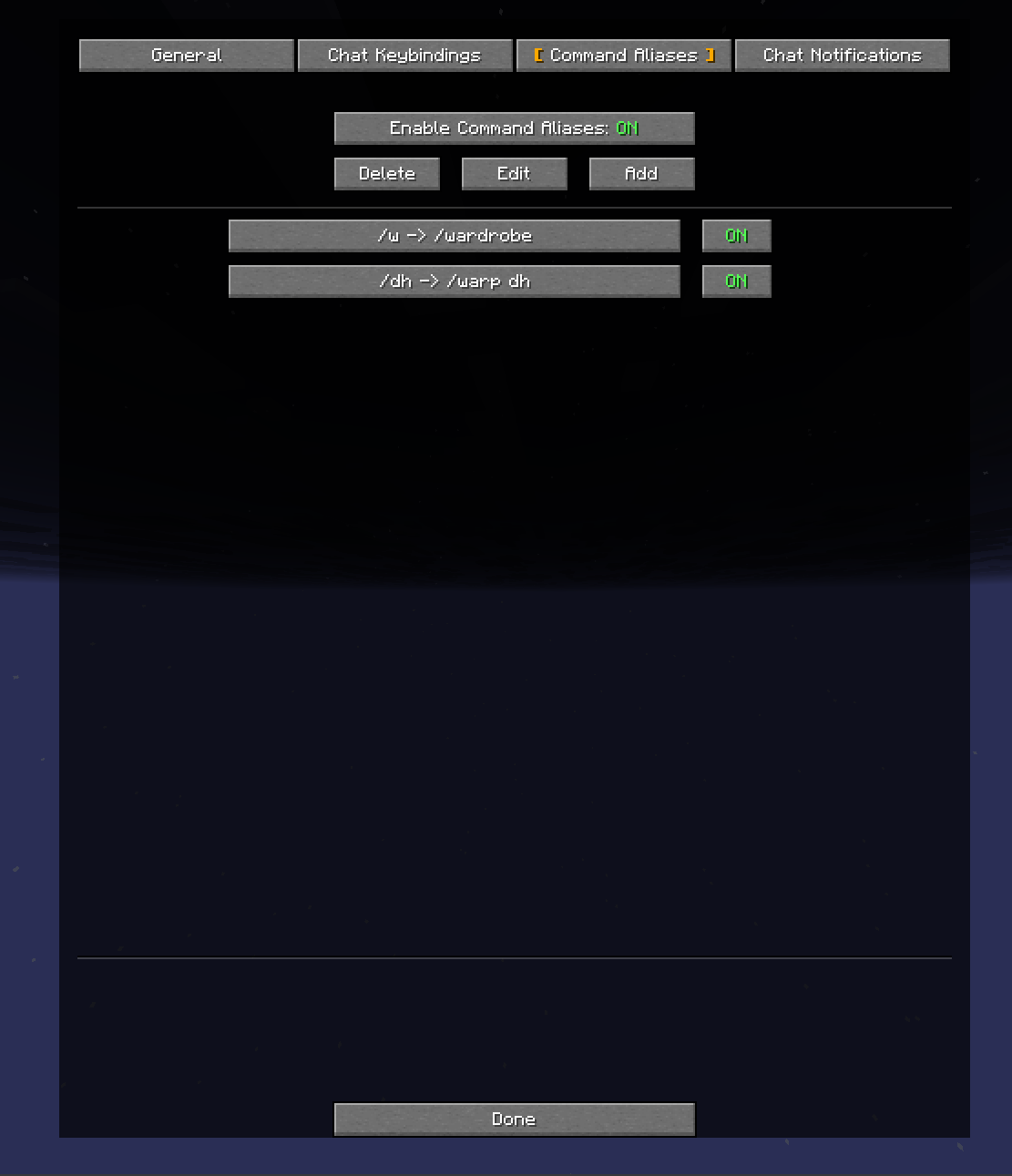 Command Aliases Examples of Command Aliases
 -
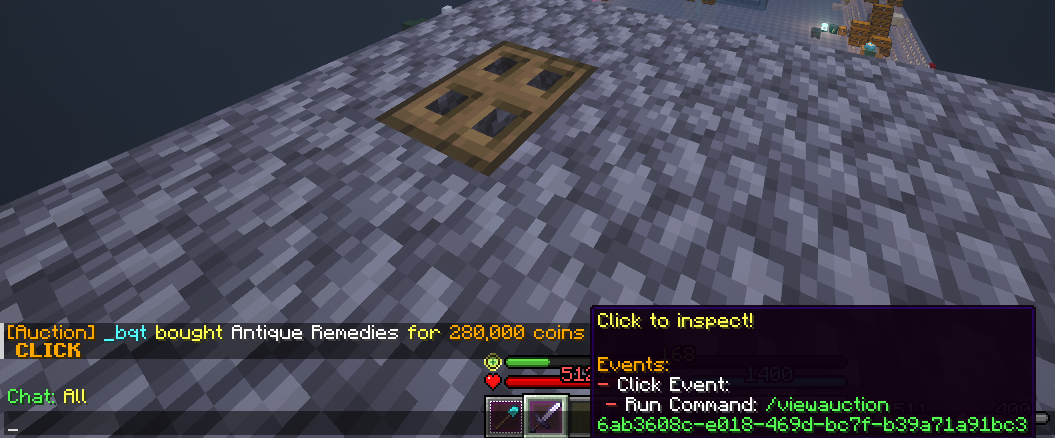 Click Event Preview Example
 -
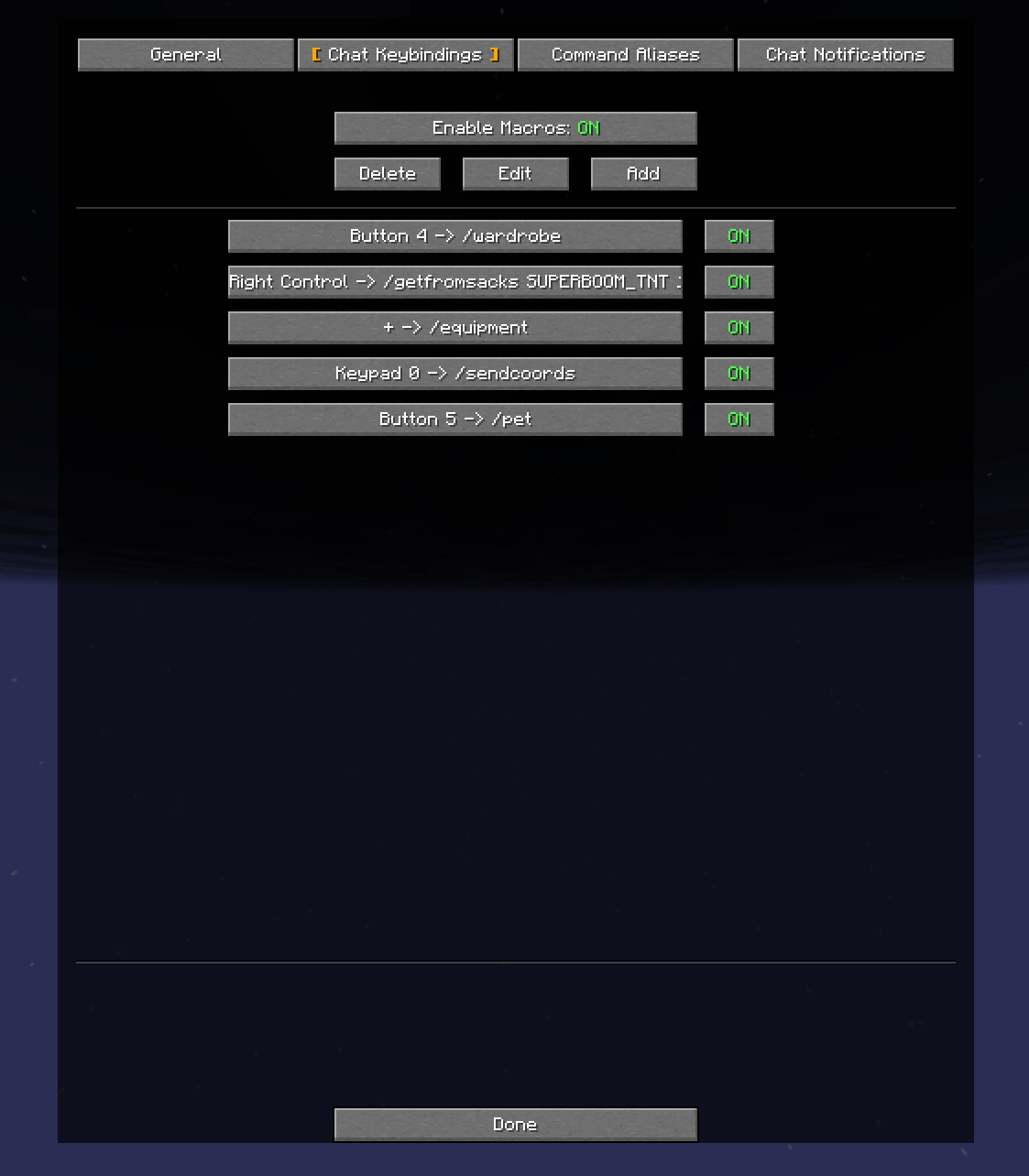 Chat Keybindings List Chat Keybinding Examples
Versions
Files
Relations
Project Relations
More like this
Similar Mods
Suggestions use data such as tags, dependencies, dependents, descriptions, titles, and more to rank how much they overlap with this mod.
On ModDex
Community snapshot
By the numbers
Statistics

Want to reach Minecraft players?
We're looking for a server hosting partner to feature here and other parts of the site. Interested? Send us a message!
Get in touchGet it on
Available Platforms
On ModDex
Community snapshot
By the numbers