
Custom Chat Alerts
No reviews yet
This mod allows players to create and customize their own alerts, based on incoming chat messages. Players can automate audio and text alerts, including adding delay, using regex, and more.
Fabric is a mod loader for versions 1.14+ of Minecraft, particularly popular for client side and optimization mods.
Community voices
Reviews
Click once to include, again to exclude, again to clear
No reviews yet. Be the first to review this project!
Get it on
Available Platforms
 Modrinth
Compatibility
Supported Environments
About
Project Details
For authors
Embed Badge
If you're the author of this project, you can embed a live badge anywhere that supports HTML or Markdown. It updates automatically whenever ratings change.
Use HTML for any page that supports it, or Markdown for README files and Markdown-based descriptions.
Identifiers
Platform IDs
Resources
External Links
About
Description
Cosmic Chat Alerts
A client-side Fabric mod that lets you create custom chat notifications through a fully in-game UI. Set a phrase or regex pattern to watch for, choose a sound, and the mod plays it whenever a matching message appears. Works on any server with no server-side installation required.
Features
Sound Alerts
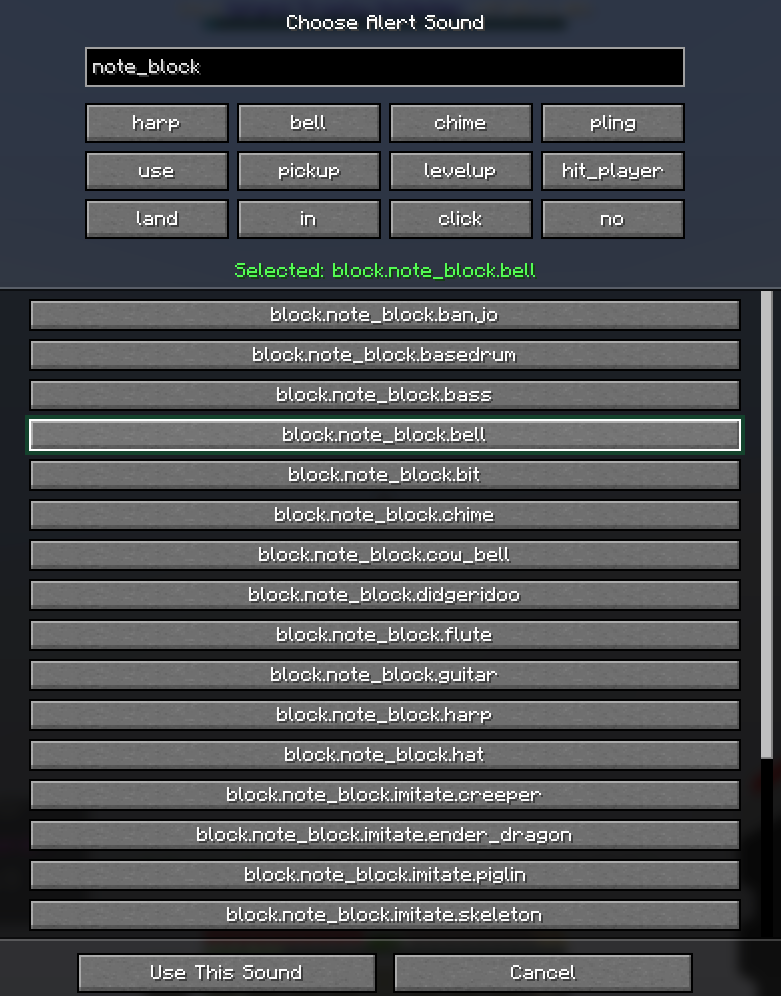
Choose any in-game sound as your alert tone from a searchable picker with a quick-pick row for common choices. Sounds can be previewed before confirming. Volume is configurable per alert (0–200%) with automatic preview playback as you adjust the slider.
Pattern Matching
Alerts can match by plain text substring or full Java regular expression, with an optional case-sensitive toggle per alert.
On-Screen Text Alerts
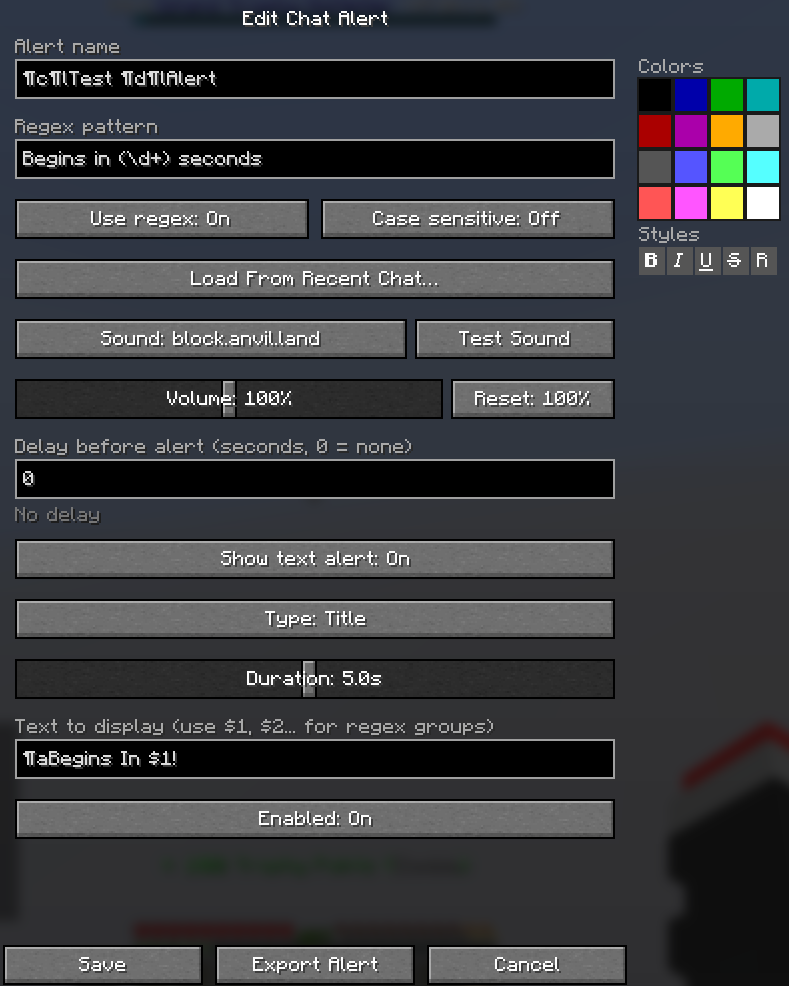
Pair any alert with on-screen text displayed as a Title, Subtitle, or Action Bar
message. Use $1, $2, … to embed regex capture groups into the displayed text —
for example, detect "(\d+) seconds left" and display the number as a subtitle.
Time Delay
Trigger an alert a set number of seconds after a message is detected, with decimal precision. Useful for countdowns — detect the start of an event and receive a reminder when it is about to end.
Formatting Palette
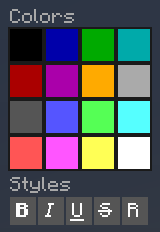
An inline color and style palette sits directly in the alert editor. Click any of the 16 color swatches or 5 style buttons to insert the formatting code at your cursor — no manual color codes required.
Load From Recent Chat
Browse your last 100 chat messages and load any one directly into the pattern field when creating or editing an alert.
Import & Export
Share alerts with other players using a compact JSON export code. Copy it from the editor, send it however you like, and the recipient can paste it directly into the Import screen.
Alert Management
- Name alerts for easy identification
- Enable or disable alerts individually without deleting them
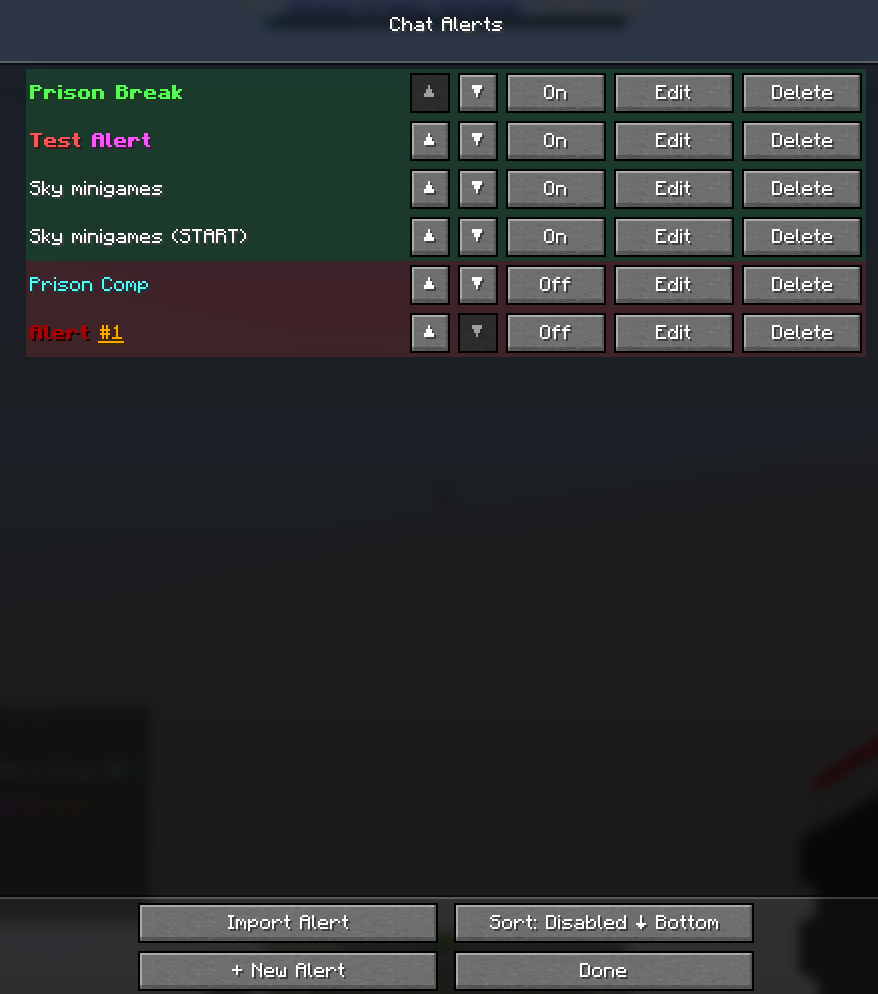
- Reorder alerts with per-row ▲ / ▼ buttons, or sort all disabled alerts to the bottom in one click
- Green and red row tinting provides an instant visual overview of active alerts
Getting Started
Bind a key to "Open Chat Alerts" under the Chat Alerts category in Controls — it is unbound by default. The UI can be opened from anywhere, including the main menu.
Example Use Cases
- Server event starting soon — plain text match on
"begins in 30 seconds" - Time remaining on screen — regex
"(\d+) seconds left"with display text$1 - Name mention detection — regex
"(?i)YourName"with case-sensitive off - Delayed reminder — detect an event start message, set a 300-second delay
- Multiple keywords — regex
"(keyword1|keyword2|keyword3)"
Installation
- Download the .jar file from this Modrinth project
- Add the Cosmic Chat Alerts jar to your mods folder
Client-side only. No server installation required. Settings are stored in
config/cosmic-chat-alerts.json.
Requires: Fabric API
Environment: Client only
Minecraft: 1.21.11
Screenshots
Gallery
-
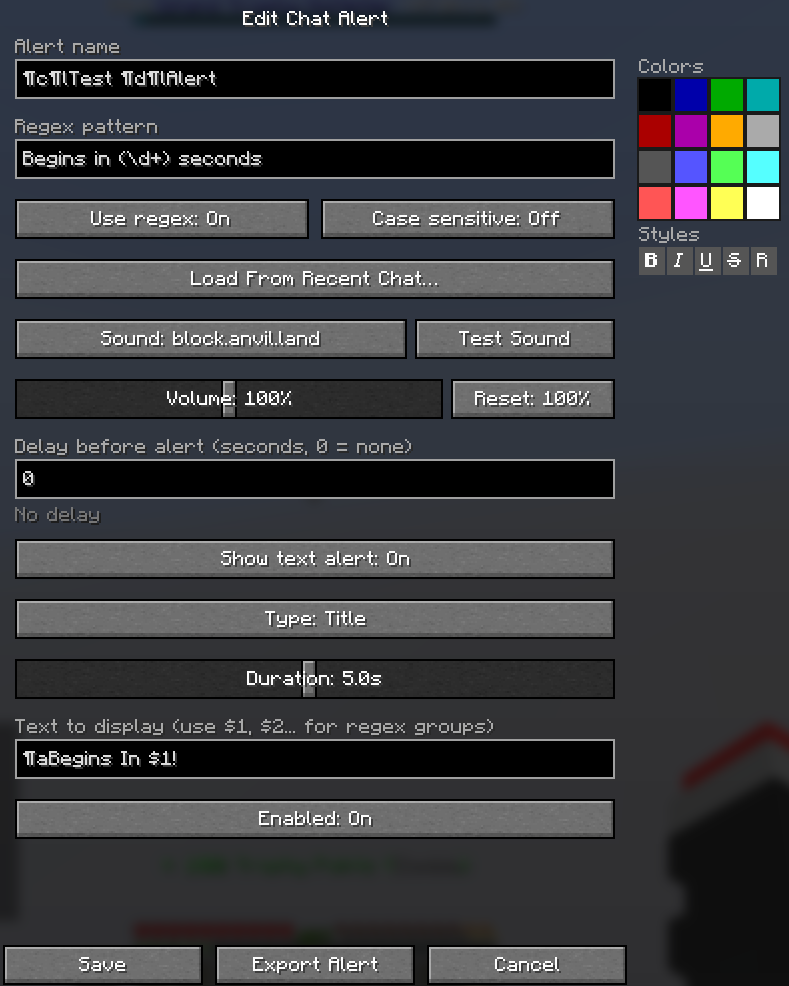 Chat Alert Screen On this screen, the user can create and customize their alert.
 -
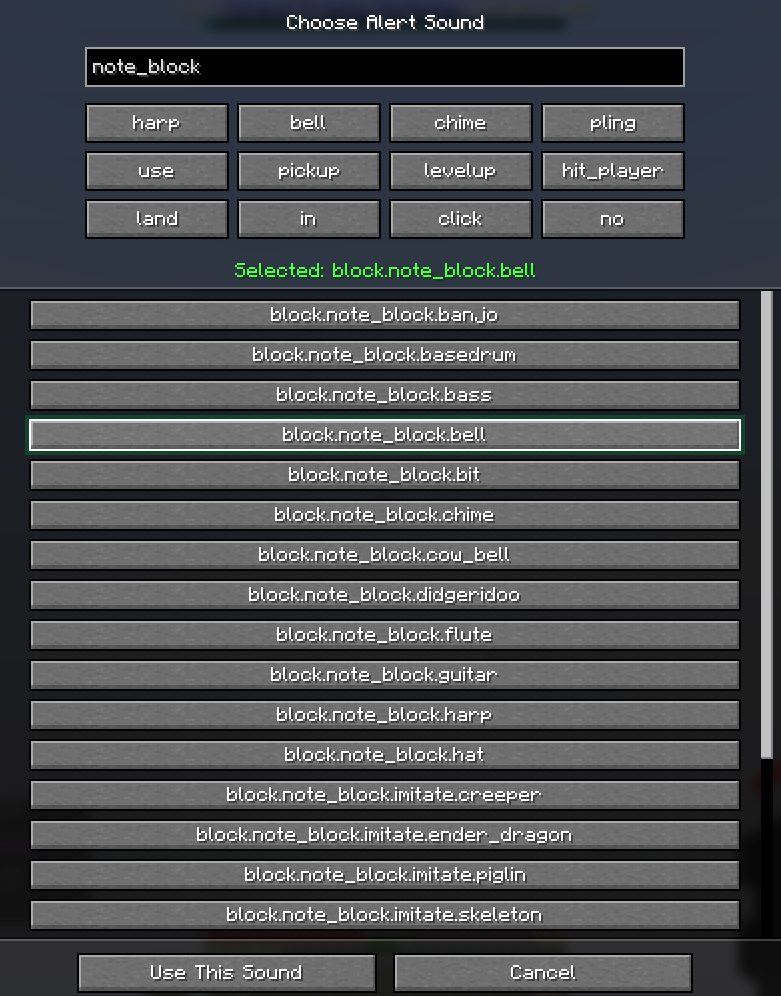 Sound Selection List Select from a handful of common alert sounds, or choose any Minecraft sound effect for the alert.
Versions
Files
Relations
Project Relations
More like this
Similar Mods
Suggestions use data such as tags, dependencies, dependents, descriptions, titles, and more to rank how much they overlap with this mod.
On ModDex
Community snapshot
By the numbers
Statistics

Want to reach Minecraft players?
We're looking for a server hosting partner to feature here and other parts of the site. Interested? Send us a message!
Get in touchGet it on
Available Platforms
On ModDex
Community snapshot
By the numbers
Statistics
Resources