Community listing page, reviews may not be monitored by the author.


Community voices
Reviews
No reviews yet. Be the first to review this project!
Get it on
Available Platforms
About
Project Details
For authors
Embed Badge
If you're the author of this project, you can embed a live badge anywhere that supports HTML or Markdown. It updates automatically whenever ratings change.
Use HTML for any page that supports it, or Markdown for README files and Markdown-based descriptions.
Identifiers
Platform IDs
Resources
External Links
About
Description
Custom Text Fireworks
Custom Text Fireworks is a Minecraft mod that expands the vanilla system by allowing players to display custom text in the sky. By buying a new CustomStar and crafting it into a CustomFirework, players can simply use an Anvil to rename their rocket. Upon detonation—whether launched by hand or via a dispenser—the chosen name explodes into a brilliant particle display, turning the night sky into a customizable canvas for messages, announcements, and celebrations.
How it Works
1. Create the Custom Star
The journey starts with the CustomStar. This new item acts as the core of your advanced firework.
-
You can buy it from the cleric or the wandering merchant
2. Craft the Custom Firework
Once you have your star, head to the crafting table to assemble the final rocket:
-
Recipe:
CustomStar+Gunpowder+Paper= CustomFirework
3. Set Your Message
This is where the magic happens. Take your CustomFirework to an Anvil and rename it (13 characters max). The name you give the item is exactly what will appear in the sky!
-
Example: Rename it to "HAPPY BIRTHDAY" or "BOOM!"
4. Launch & Admire
Fire your rocket by hand or via a Dispenser. When it reaches its peak, it will explode into a brilliant display of particles forming your custom text.
Key Features
-
Dynamic Text Rendering: Any name given in the anvil is rendered in-game upon explosion.
-
Automation Friendly: Works perfectly with Dispensers.
Current Limitations & Future Improvements
-
Orientation: Currently, the text is rendered on a fixed axis. For the best reading experience, players should be facing North when looking at the explosion.
-
Character Support: At this stage, the mod supports standard alphanumeric characters (A-Z, 0-9). Special characters and symbols (such as
!,§, or symbols) are not yet supported but are planned for future updates. -
Future Plans: I am working on making the text dynamic so it rotates to face the player regardless of their position, as well as expanding the library of available characters.
Installation
-
Ensure you have the correct version of NeoForge (1.21.8) installed.
-
Drop the
.jarfile into yourmodsfolder. -
Launch Minecraft and start your own light show!
Screenshots
Gallery
-
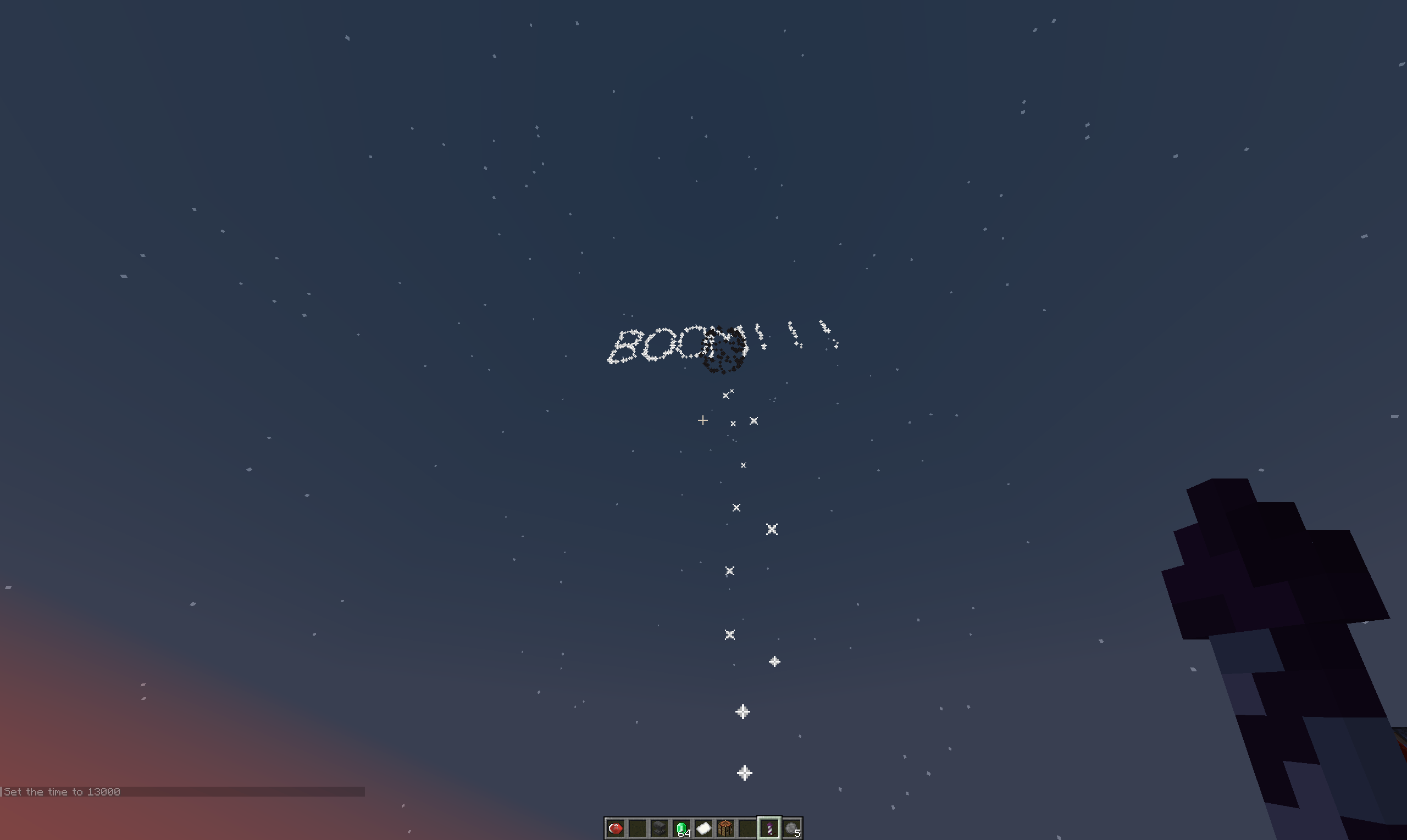 Custom text in sky 1
 -
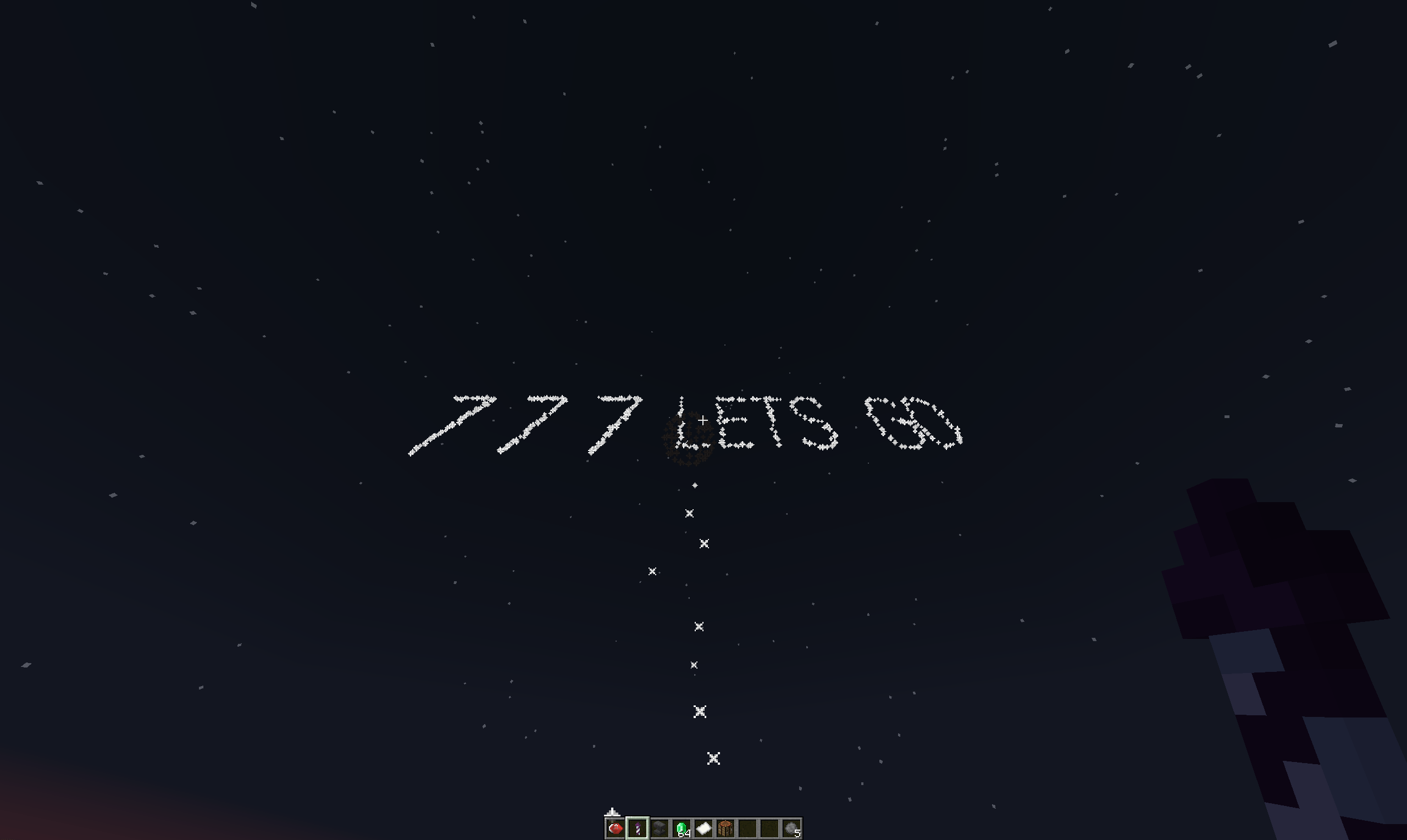 Custom text in sky 3
 -
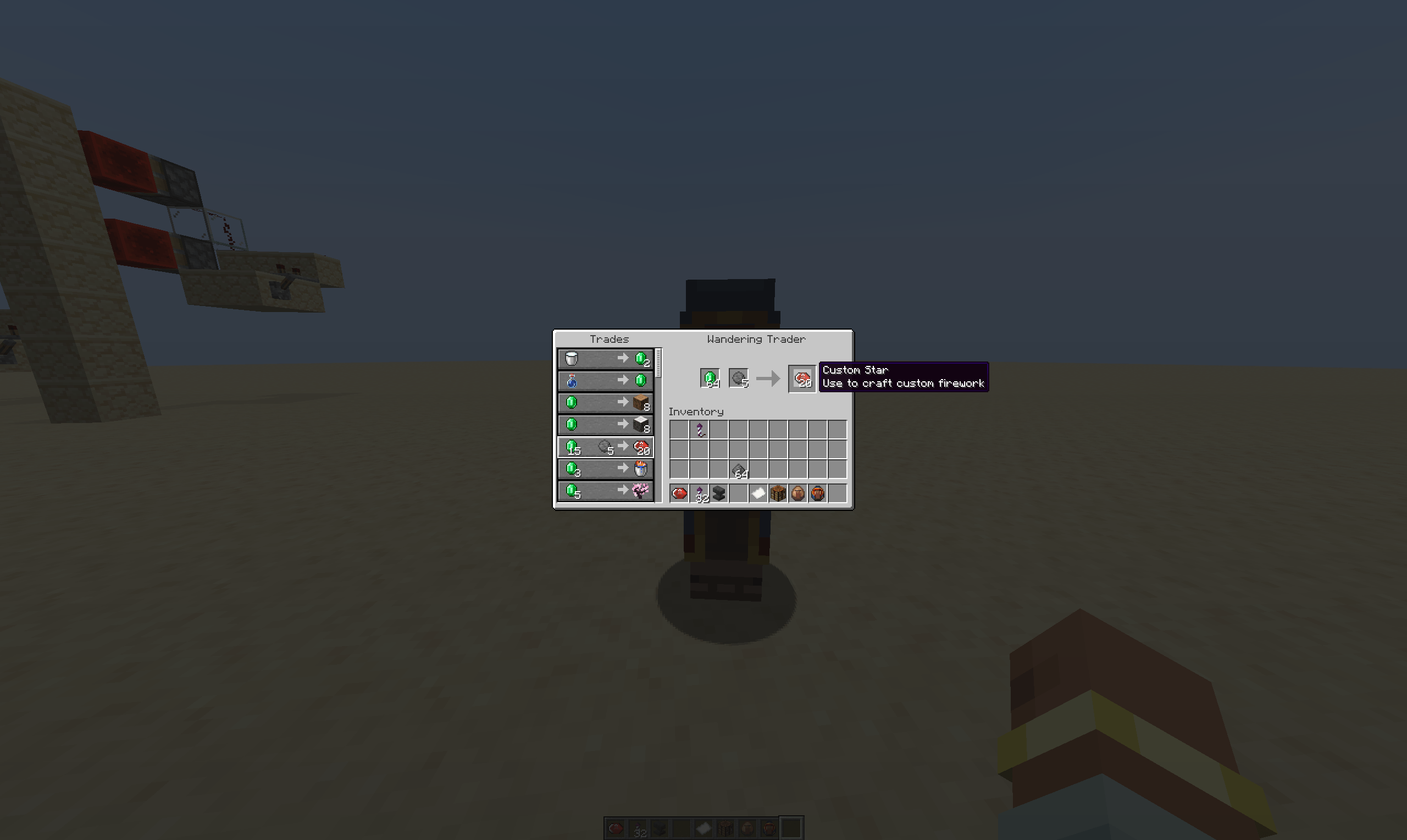 Wandering trader
 -
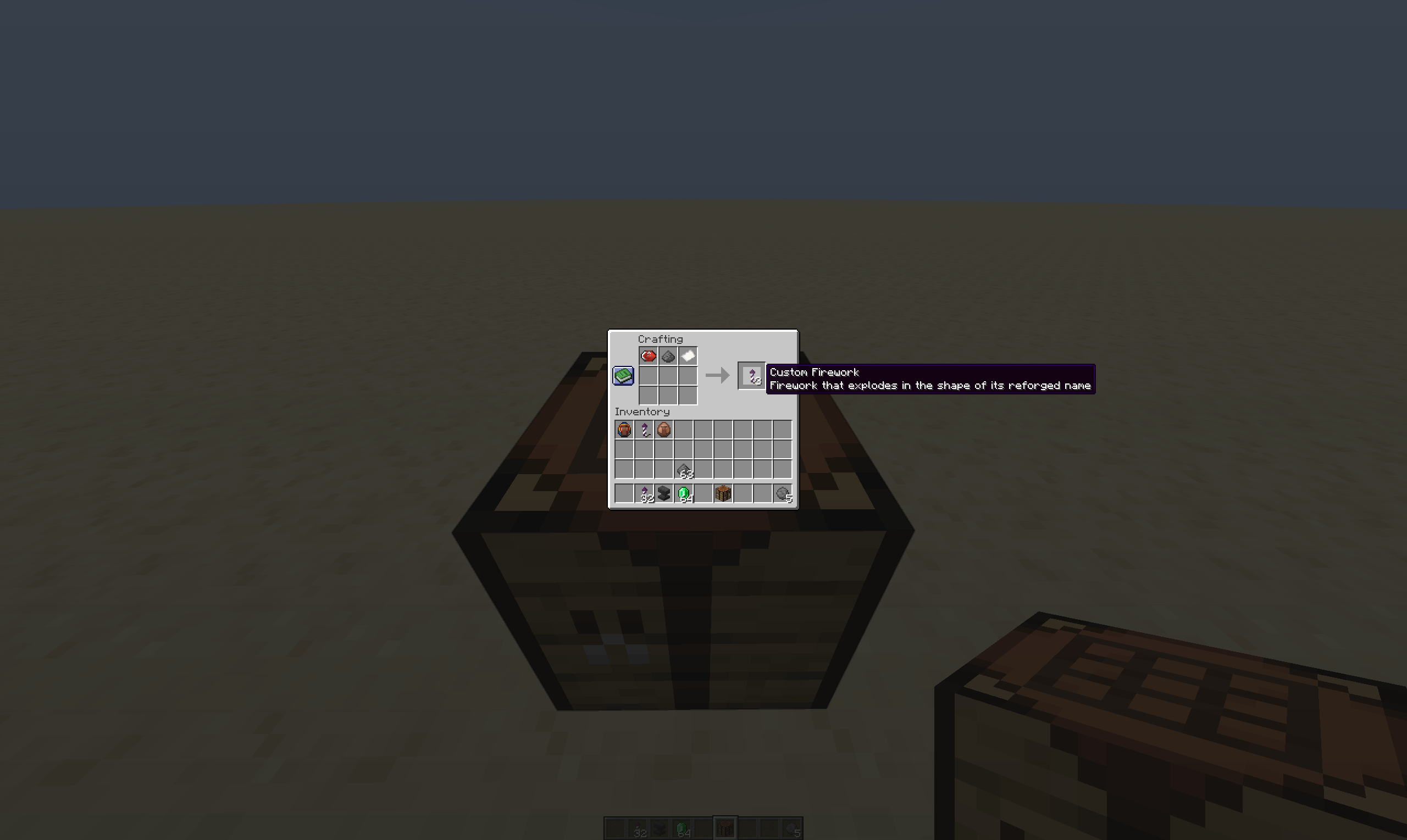 Craft Custom Firework
 -
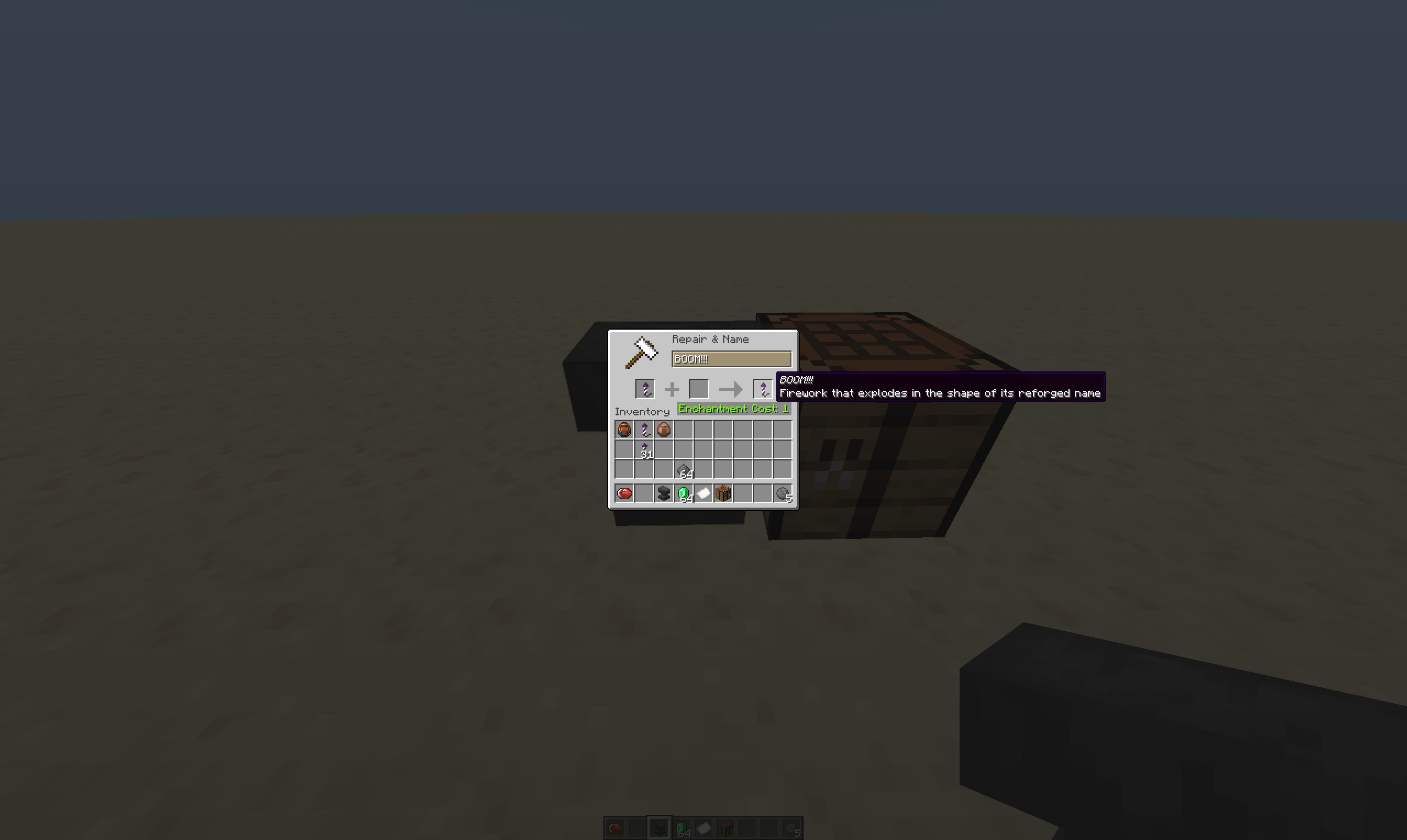 Edit Text in Anvil
 -
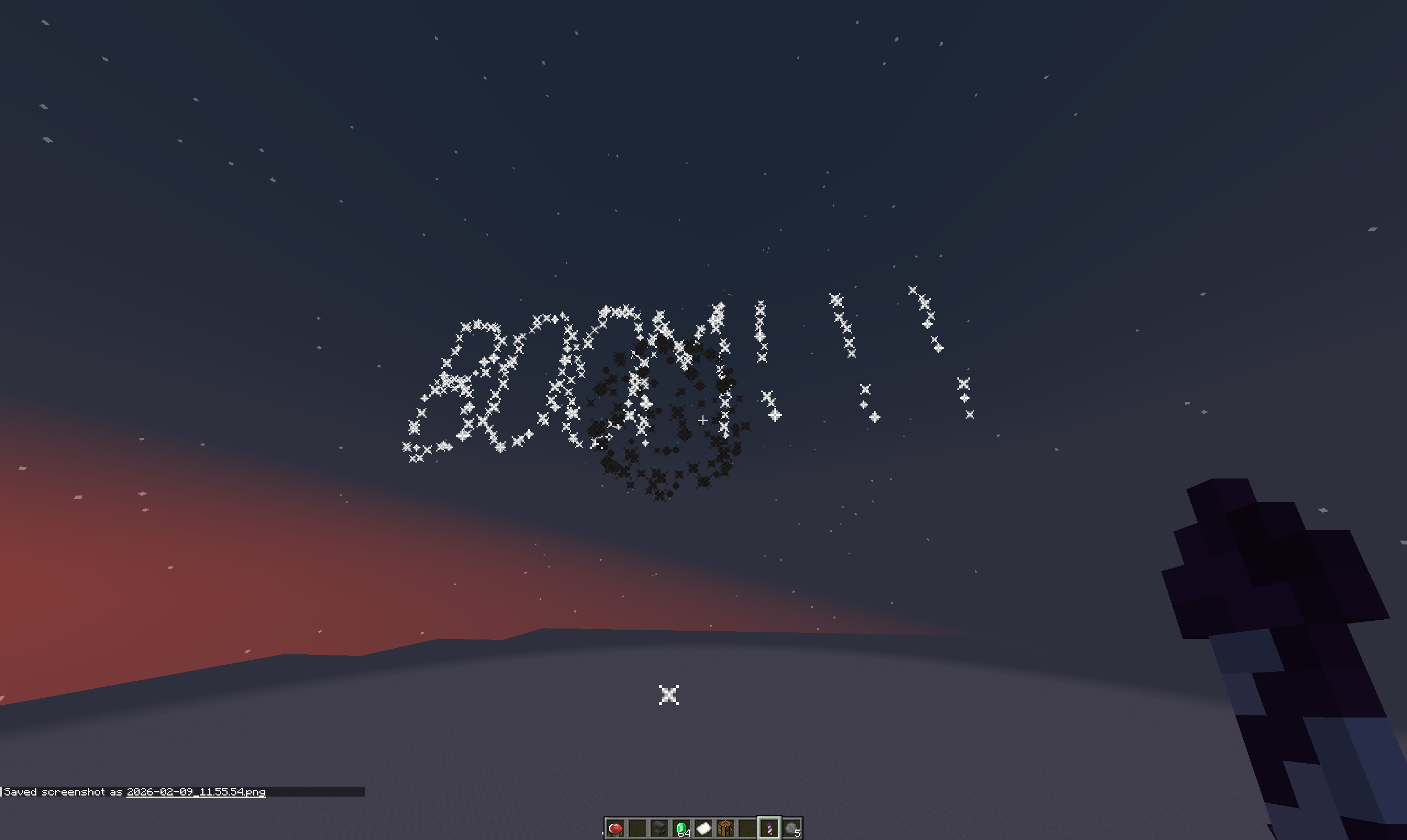 Custom text in sky 2
 -
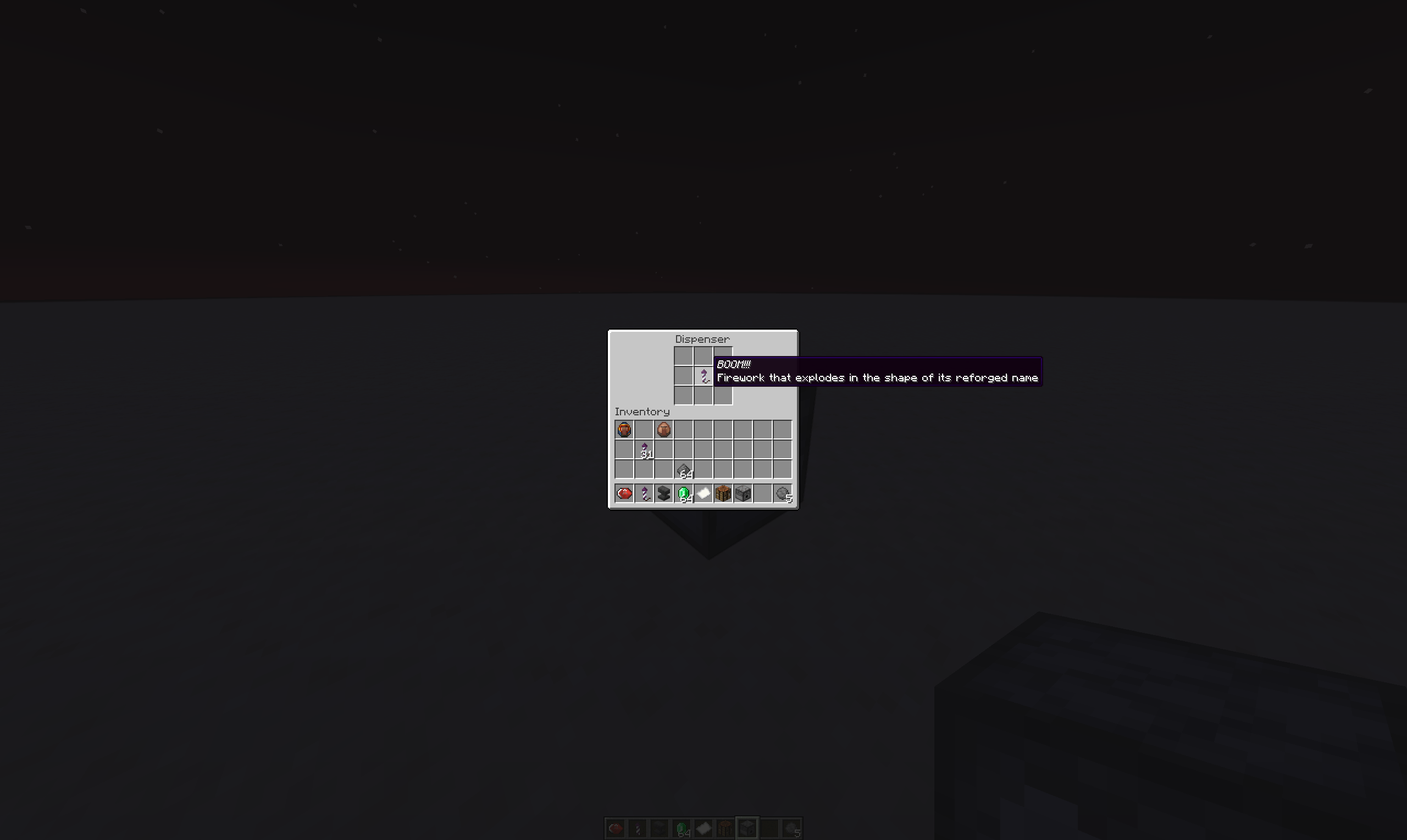 Custom Firework in Dispenser
 -
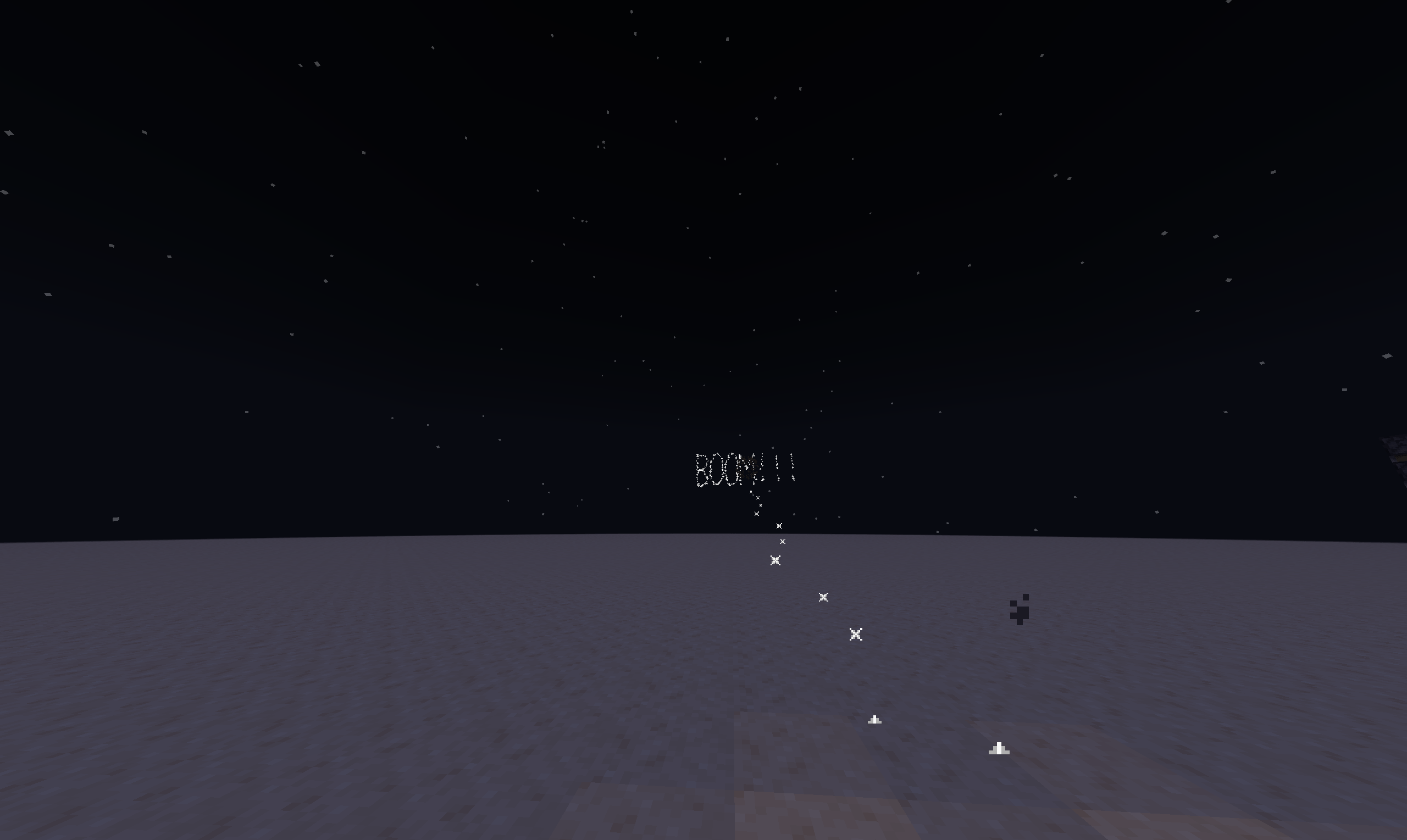 Explosion From dispenser
Versions
Files
Relations
Project Relations
More like this
Similar Mods
Suggestions use data such as tags, dependencies, dependents, descriptions, titles, and more to rank how much they overlap with this mod.
On ModDex
Community snapshot
By the numbers
Statistics

Get it on
Available Platforms
On ModDex
Community snapshot
By the numbers
Statistics
Resources