
Community listing page, reviews here may not be monitored by the author.
Custom Hitsounds

No reviews yet
Custom sounds for Minecraft. Import any MP3, WAV or OGG, or record your own. Customize hits, crits, totem pops, kills and 14 total actions.
Community voices
Reviews
No reviews yet. Be the first to review this project!
Get it on
Available Platforms
Compatibility
Supported Environments
Runs entirely on the client. Works on vanilla servers.
About
Project Details
For authors
Embed Badge
If you're the author of this project, you can embed a live badge anywhere that supports HTML or Markdown. It updates automatically whenever ratings change.
Use HTML for any page that supports it, or Markdown for README files and Markdown-based descriptions.
Identifiers
Platform IDs
Resources
External Links
About
Description
Custom Hitsounds
Any sound, on most actions, open the menu, click import, pick any MP3, WAV or OGG straight from your downloads, or skip files entirely and record your own voice with your mic, directly in-game.
14 Combat Actions
Give every action its own sound:
- Hit / Crit
- Kill
- Totem Pop
- Arrow Hit
- Bow Shoot, Shield Block, Pearl Throw
- Crystal Break, Anchor Break, Anchor Charge
- Eating, Block Place, Block Break
Each action has its own volume slider and a choice to replace the vanilla sound or play on top of it.
Import Anything
The Import button opens your file explorer. Pick a sound, and it's instantly ready to assign. Files are checked when you import them, so a broken file just tells you why instead of silently not working.
Record Your Own
Hit Record New Sound, get a 3-2-1 countdown, say anything, click to finish. Your recording shows up in your sound library like any other sound assign it to a kill, a totem pop, whatever you want.
Requirements
- Fabric Loader
- Fabric API
Screenshots
Gallery
-
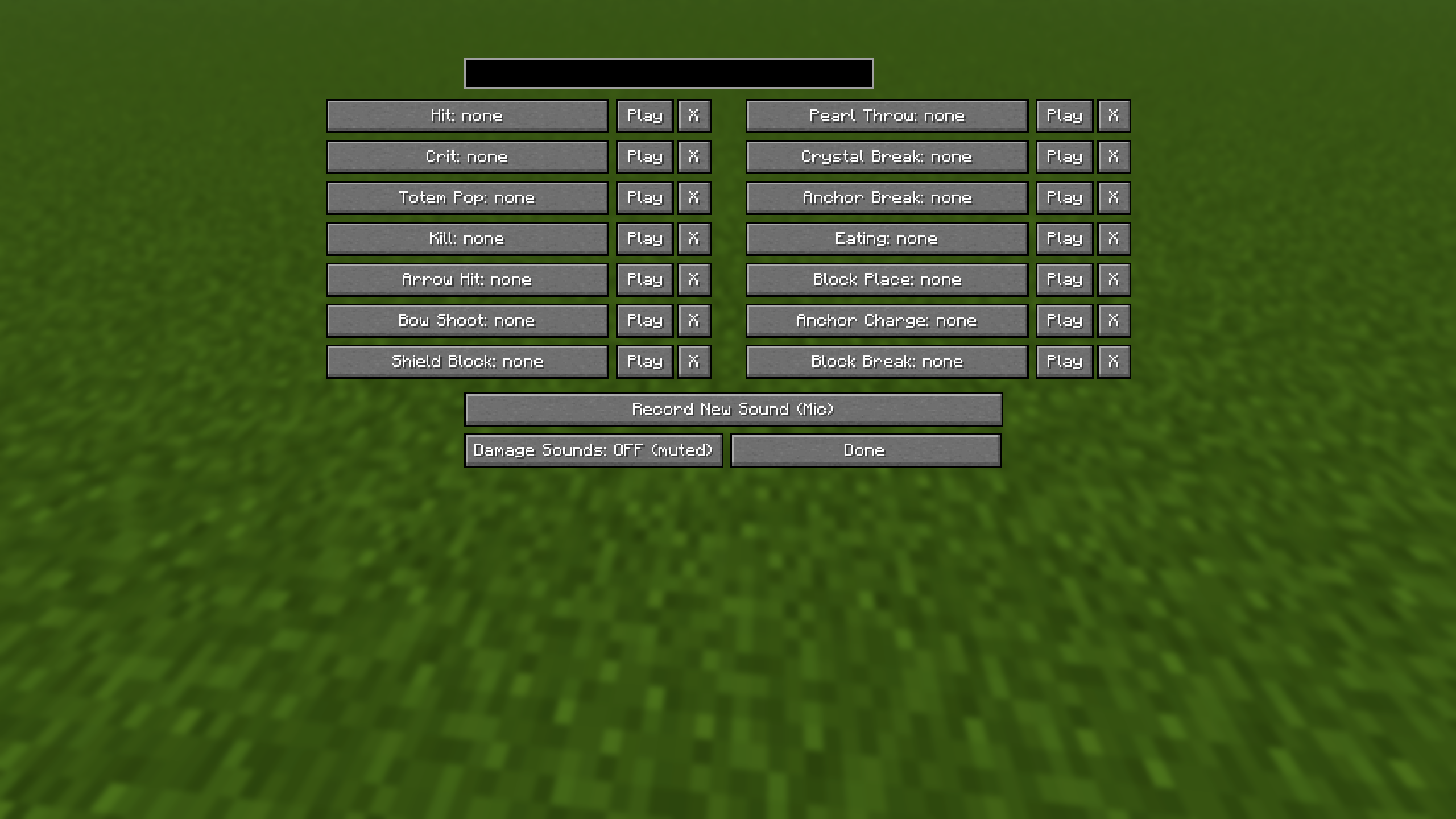 Actions All the actions you can change the sound to.
 -
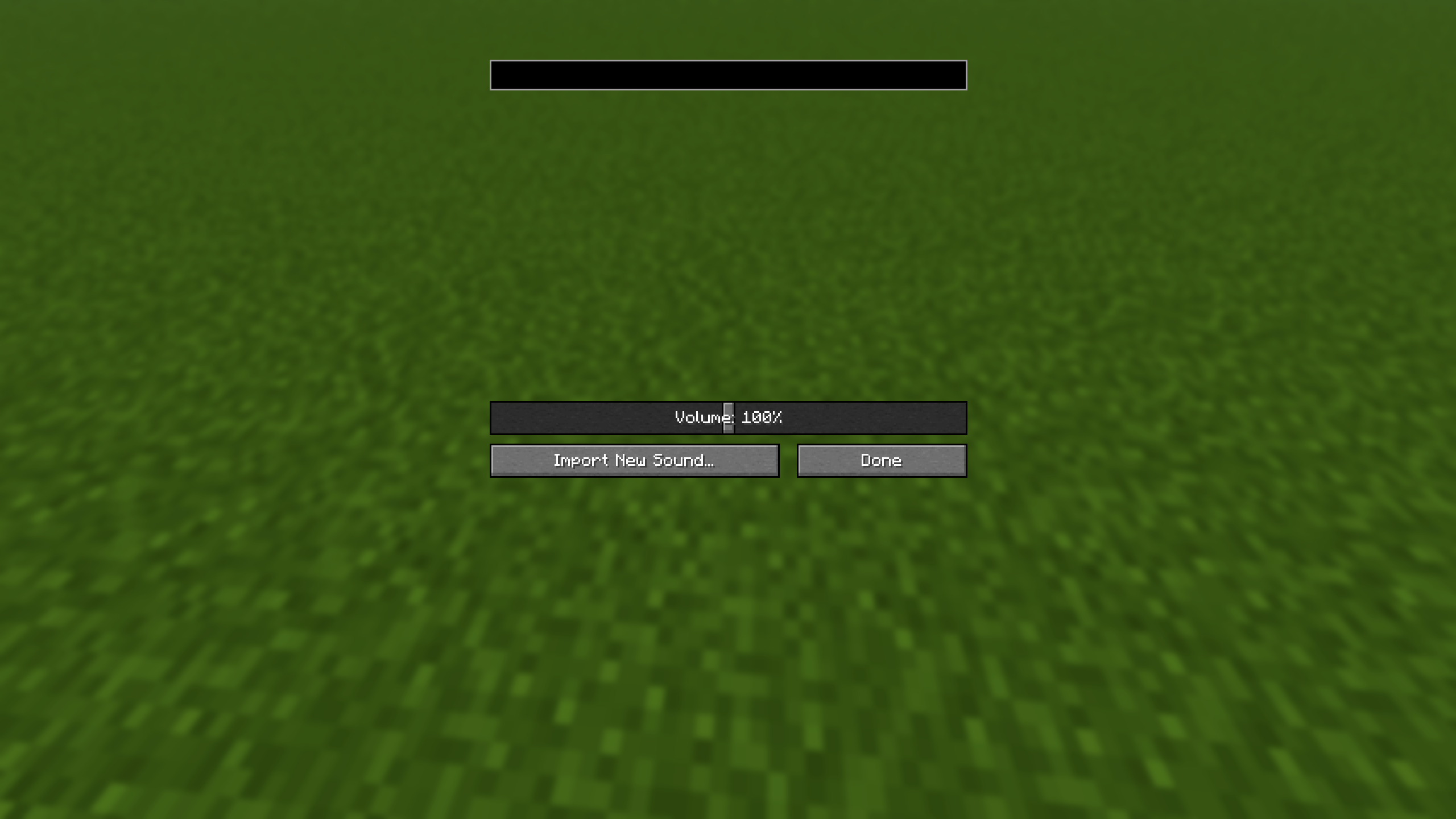 Action Menu After you click an action here will be ur sounds.
Versions
Files
Relations
Project Relations
More like this
Similar Mods
Suggestions use data such as tags, dependencies, dependents, descriptions, titles, and more to rank how much they overlap with this mod.
On ModDex
Community snapshot
By the numbers
Statistics

Want to reach Minecraft players?
We're looking for a server hosting partner to feature here and other parts of the site. Interested? Send us a message!
Get in touchGet it on
Available Platforms
On ModDex
Community snapshot
By the numbers
Statistics
Resources