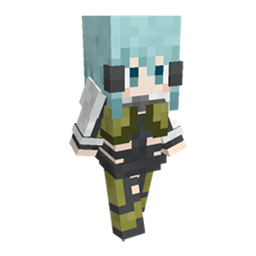
Community listing page, reviews may not be monitored by the author.
Custom Player Model (CPM) Remake

No reviews yet
Customize your player model in Minecraft.

Community voices
Reviews
No reviews yet. Be the first to review this project!
Get it on
Available Platforms
About
Project Details
For authors
Embed Badge
If you're the author of this project, you can embed a live badge anywhere that supports HTML or Markdown. It updates automatically whenever ratings change.
Use HTML for any page that supports it, or Markdown for README files and Markdown-based descriptions.
Identifiers
Platform IDs
About
Description
CustomPlayerModel
Customize your player model in Minecraft.

Description
This is a remake version of Minecraft mod Custom Player Model (CPM). It allows you to customize ingame models using JSON files, with advanced features including scripting, particle systems and physics simulation.
Note: Although this mod is named Custom "Player" Model, it also allows you to apply custom models on animals or monsters.
Installation
Download the mod jar file and put it in the "mods" directory under your minecraft main directory. When ingame, press Ctrl+M to open the model selection gui.
Each model is a .zip file. Model files should be put in "custom-model/models" directory under your minecraft main directory. If this directory does not exist, create one yourself or launch the game to create it automatically.
Features
Custom models are applicable on players and mobs. There are currently 3 ways to apply a model:
- Press the model selection gui (Ctrl+M by default) and click model entries, and use the slider to adjust scale.
- Use the select command e.g. /cpm select <model_id> @e[type=cow]. Where <model_id> is acquired by right-clicking in the model selection gui. Use the scale command e.g. /cpm scale 0.5 @p to adjust scale. Use the clear command e.g. /cpm clear @a to clear applied models.
- Use the transformation item (creative only). Get the transformation wand in the creative inventory, right-click in the model selection gui while holding the wand will copy model id into the wand. Right-clicking entities with this wand to apply models. This will also copy the current scale.
Some example models can be found at Github for reference.
FAQ
I want some new features / find some bugs!
You can rise new issues at github issue tracker. Or you can contact me at Custom Player Model Discord.
Is this mod client side or server side?
I would say both. You can have this only at client side so that only yourself can see custom models. Or you can have a modded server which enables every player with this mod to see the models.
Acknowledgements
- This mod is inspired by Optifine and More Player Models.
- Some of the models come from Touhou Little Maid.
- Minecraft modeling software Blockbench.
Screenshots
Gallery
Versions
Files
Relations
Project Relations
More like this
Similar Mods
Suggestions use data such as tags, dependencies, dependents, descriptions, titles, and more to rank how much they overlap with this mod.
On ModDex
Community snapshot
By the numbers
Statistics

Get it on
Available Platforms
On ModDex
Community snapshot
By the numbers