Community listing page, reviews here may not be monitored by the author.
Custom Portal Builder


No reviews yet
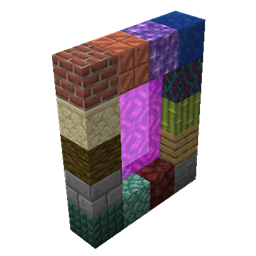
Utilizes the Custom Portal Api to allow the user to create portals easily
Community voices
Reviews
No reviews yet. Be the first to review this project!
Get it on
Available Platforms
Compatibility
Supported Environments
Runs entirely on the server. Also works in singleplayer.
About
Project Details
For authors
Embed Badge
If you're the author of this project, you can embed a live badge anywhere that supports HTML or Markdown. It updates automatically whenever ratings change.
Use HTML for any page that supports it, or Markdown for README files and Markdown-based descriptions.
Identifiers
Platform IDs
Resources
External Links
About
Description
Forge:
This mod uses the Custom Portal API to allow the user to configure custom portals to existing dimensions using existing blocks and items.
this is an example of the config to make a portal to the nether, that has stone as the frame, and a diamond as the igniter:
{
  "isFlat": false,
  "frameBlock": "minecraft:stone",
  "isFluidIgniter": false,
  "itemIgniter": "minecraft:diamond",
  "dimension": "minecraft:the_nether",
  "r": 200,
  "g": 50,
  "b": 50
}
all the options are as follows:
isFlat: determines if you want a nether like portal or one like the end portal
frameBlock: you designated block to make the portal from. DO NOT use the same block for multiple portals
isFluidIgniter: determines whether you want to light the portal with an item or with a liquid(lava, water, etc.)
itemIgniter: if isFluidIgniter is false then use this to sellect the item you want to use to ignite the portal
fluidIgniter: if isFluidIgniter is true then use this to sellect the fluid you want to use to ignite the portal
dimension: the id of the dimension you want the portal to lead to.
r, g, and b: These are the RGB values for the color of the portal.
Please note that on forge it the Custom Portal API Reforged by AzureDoomC is a required dependancy
This mod uses the Custom Portal API to allow the user to configure custom portals to existing dimensions using existing blocks and items.
This is an example of the config to make a portal to the nether, that has stone as the frame, and a diamond as the igniter:
{
  "isFlat": false,
  "frameBlock": "minecraft:stone",
  "isFluidIgniter": false,
  "itemIgniter": "minecraft:diamond",
  "dimension": "minecraft:the_nether",
  "r": 200,
  "g": 50,
  "b": 50
}
Config Options
isFlat: determines if you want a nether like portal or one like the end portal
frameBlock: you designated block to make the portal from. DO NOT use the same block for multiple portals
isFluidIgniter: determines whether you want to light the portal with an item or with a liquid(lava, water, etc.)
itemIgniter: if isFluidIgniter is false then use this to sellect the item you want to use to ignite the portal
fluidIgniter: if isFluidIgniter is true then use this to sellect the fluid you want to use to ignite the portal
dimension: the id of the dimension you want the portal to lead to.
r, g, and b: These are the RGB values for the color of the portal.
Please note that on forge it the Custom Portal API Reforged by AzureDoomC is a required dependancy
Screenshots
Gallery
-
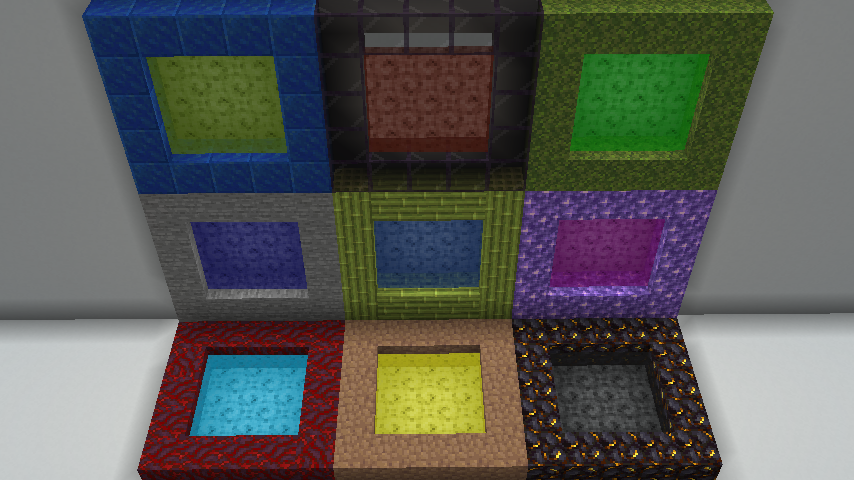 PortalExamples Some examples of configured portals
Versions
Files
Relations
Project Relations
More like this
Similar Mods
Suggestions use data such as tags, dependencies, dependents, descriptions, titles, and more to rank how much they overlap with this mod.
- PortalJS
- Create Trains + CustomPortalAPI (1.20.1)
- VerseWorks: A Mystcraft Inspired Mod
- Custom Portal API [Forge]
- Custom Portal API Reforged
- Custom Portal Tweaks
- Simple Custom Portal
- Create Trains and Custom Portal API Integration
- Create Locomotion & Custom Portal API Integration
- Twilight Forest Portal Catalyst
- BBL Portals
- Potato SMP Dimension
On ModDex
Community snapshot
By the numbers
Statistics
Want to reach Minecraft players?
We're looking for a server hosting partner to feature here and other parts of the site. Interested? Send us a message!
Get in touchGet it on
Available Platforms
On ModDex
Community snapshot
By the numbers
Statistics
Resources