
Community listing page, reviews here may not be monitored by the author.
Custom Potions


No reviews yet
Allows adding custom potions and potion recipes through datapacks
Community voices
Reviews
No reviews yet. Be the first to review this project!
Get it on
Available Platforms
Compatibility
Supported Environments
Required on the server. Installing it on the client adds functionality.
About
Project Details
For authors
Embed Badge
If you're the author of this project, you can embed a live badge anywhere that supports HTML or Markdown. It updates automatically whenever ratings change.
Use HTML for any page that supports it, or Markdown for README files and Markdown-based descriptions.
Identifiers
Platform IDs
About
Description
Custom Potions
Provides a server side only way to add custom potions using datapacks.
When installed on the client, it provides integration with REI and EMI. (Only up to 1.21.1. If you experience issues with it, you can disable it starting with 2.1.2+1.21.1 in config/custompotions.json)
Adding a potion
In a datapack, make a data/id/custom_potions/id.json file for your potion.
The available parameters are "fallback" for the fallback name of the potion, if translations are unvailable (Potion of {fallback}, Arrow of {fallback}, Splash {fallback}, Lingering {fallback}), an array of effects following the vanilla format, and an optional color using the same format as vanilla.
For example:
{
    "fallback": "Bad Luck",
    "effects": [
        {
            "id": "minecraft:unluck",
            "duration": 6000,
            "amplifier": 1
        }
    ],
    "color": 5841183
}
Adding a potion recipe
In your datapack, make a data/id/potion_recipes/id.json file for your recipe. The available parameters are "reagent", which takes in an item id, and is the ingredient used in the top of the brewing stand to make the potion. There are also "base" and "result", which both use the same format, and define the input and output potions used in the recipe. They have the parameters "type", which takes in either "custompotions:vanilla" for vanilla (or modded) potions, and "custompotions:custom" for potions added by datapack using this mod.
For example:
{
    "reagent": "minecraft:poisonous_potato",
    "base": {
        "type": "custompotions:vanilla",
        "potion": "minecraft:awkward"
    },
    "result": {
        "type": "custompotions:custom",
        "potion": "potionstuffs:bad_luck"
    }
}
{
"reagent": "minecraft:nautilus_shell",
"base": {
"type": "custompotions:vanilla",
"potion": "minecraft:awkward"
},
"result": {
"type": "custompotions:vanilla",
"potion": "minecraft:luck"
}
}Translating
The translation key follows the format of custompotion.namespace.id.type. For example, custompotion.mypotions.bad_luck.normal, custompotion.mypotions.bad_luck.splash, custompotion.mypotions.bad_luck.lingering,
and custompotion.mypotions.bad_luck.arrow.
You can use these in a language json file like so:
{
"custompotion.mypotions.bad_luck.normal": "Unlucky Potion",
"custompotion.mypotions.bad_luck.splash": "Throwable Unlucky Potion",
"custompotion.mypotions.bad_luck.lingering": "Lingering Unlucky Potion",
"custompotion.mypotions.bad_luck.arrow": "Unlucky Arrow"
}Custom Potions
Provides a server side only way to add custom potions using datapacks.
When installed on the client, it provides integration with REI and EMI. (Only up to 1.21.1. If you experience issues with it, you can disable it starting with 2.1.2+1.21.1 in config/custompotions.json)
Adding a potion
In a datapack, make a data/id/custom_potions/id.json file for your potion.
The available parameters are "fallback" for the fallback name of the potion, if translations are unvailable (Potion of {fallback}, Arrow of {fallback}, Splash {fallback}, Lingering {fallback}), an array of effects following the vanilla format, and an optional color using the same format as vanilla.
For example:
{
"fallback": "Bad Luck",
"effects": [
{
"id": "minecraft:unluck",
"duration": 6000,
"amplifier": 1
}
],
"color": 5841183
}
Adding a potion recipe
In your datapack, make a data/id/potion_recipes/id.json file for your recipe. The available parameters are "reagent", which takes in an item id, and is the ingredient used in the top of the brewing stand to make the potion. There are also "base" and "result", which both use the same format, and define the input and output potions used in the recipe. They have the parameters "type", which takes in either "custompotions:vanilla" for vanilla (or modded) potions, and "custompotions:custom" for potions added by datapack using this mod.
For example:
{
"reagent": "minecraft:poisonous_potato",
"base": {
"type": "custompotions:vanilla",
"potion": "minecraft:awkward"
},
"result": {
"type": "custompotions:custom",
"potion": "potionstuffs:bad_luck"
}
}
{
    "reagent": "minecraft:nautilus_shell",
    "base": {
        "type": "custompotions:vanilla",
        "potion": "minecraft:awkward"
    },
    "result": {
        "type": "custompotions:vanilla",
        "potion": "minecraft:luck"
    }
}
Translating
The translation key follows the format of custompotion.namespace.id.type. For example, custompotion.mypotions.bad_luck.normal, custompotion.mypotions.bad_luck.splash, custompotion.mypotions.bad_luck.lingering,
and custompotion.mypotions.bad_luck.arrow.
You can use these in a language json file like so:
{
    "custompotion.mypotions.bad_luck.normal": "Unlucky Potion",
    "custompotion.mypotions.bad_luck.splash": "Throwable Unlucky Potion",
    "custompotion.mypotions.bad_luck.lingering": "Lingering Unlucky Potion",
    "custompotion.mypotions.bad_luck.arrow": "Unlucky Arrow"
}
Screenshots
Gallery
-
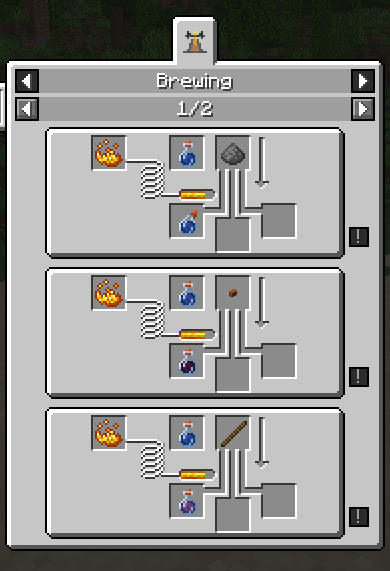 REI Some custom recipes in REI
 -
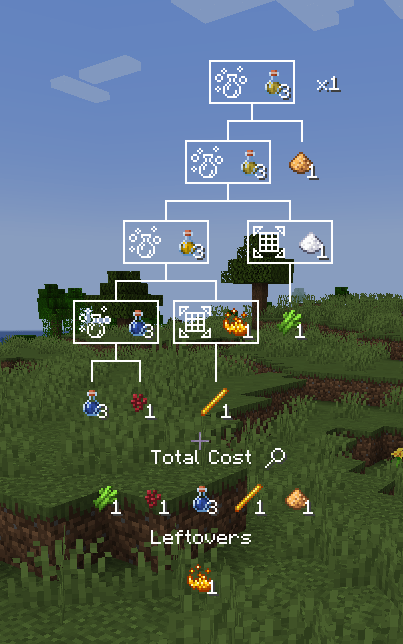 EMI Recipe tree for a custom potion
 -
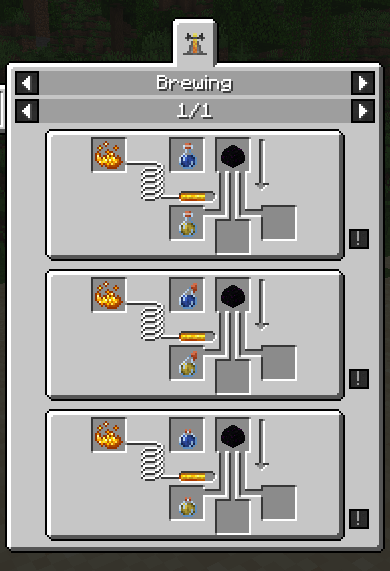 Expensive
-
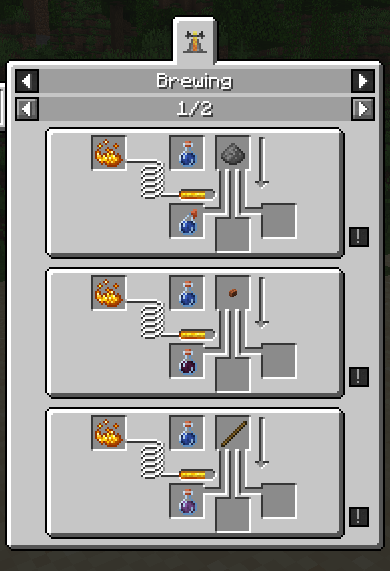 REI REI showing off some odd recipes
 -
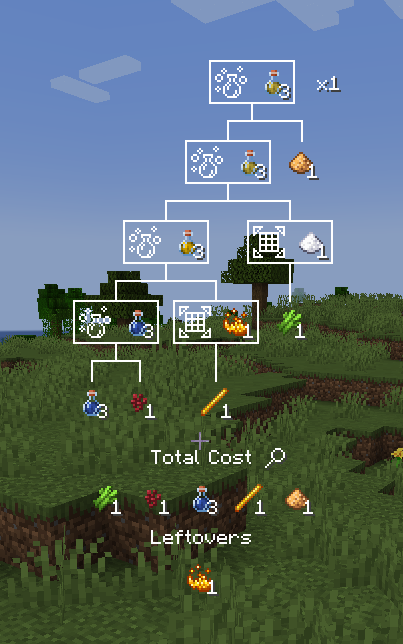 EMI A recipe tree for a custom potion
 -
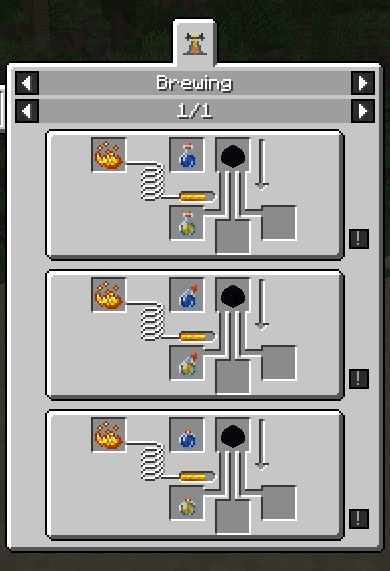 Expensive That's... probably not worth it...
Versions
Files
Relations
Project Relations
More like this
Similar Mods
Suggestions use data such as tags, dependencies, dependents, descriptions, titles, and more to rank how much they overlap with this mod.
On ModDex
Community snapshot
By the numbers
Statistics
Want to reach Minecraft players?
We're looking for a server hosting partner to feature here and other parts of the site. Interested? Send us a message!
Get in touchGet it on
Available Platforms
On ModDex
Community snapshot
By the numbers