Community listing page, reviews here may not be monitored by the author.
Custom World by Voxivale

No reviews yet
Create custom continents with your choice of biomes, rivers, and lakes. Preview different seeds and generate finite land surrounded by endless ocean.
Community voices
Reviews
No reviews yet. Be the first to review this project!
Get it on
Available Platforms
About
Project Details
For authors
Embed Badge
If you're the author of this project, you can embed a live badge anywhere that supports HTML or Markdown. It updates automatically whenever ratings change.
Use HTML for any page that supports it, or Markdown for README files and Markdown-based descriptions.
Identifiers
Platform IDs
Resources
External Links
About
Description
Custom World
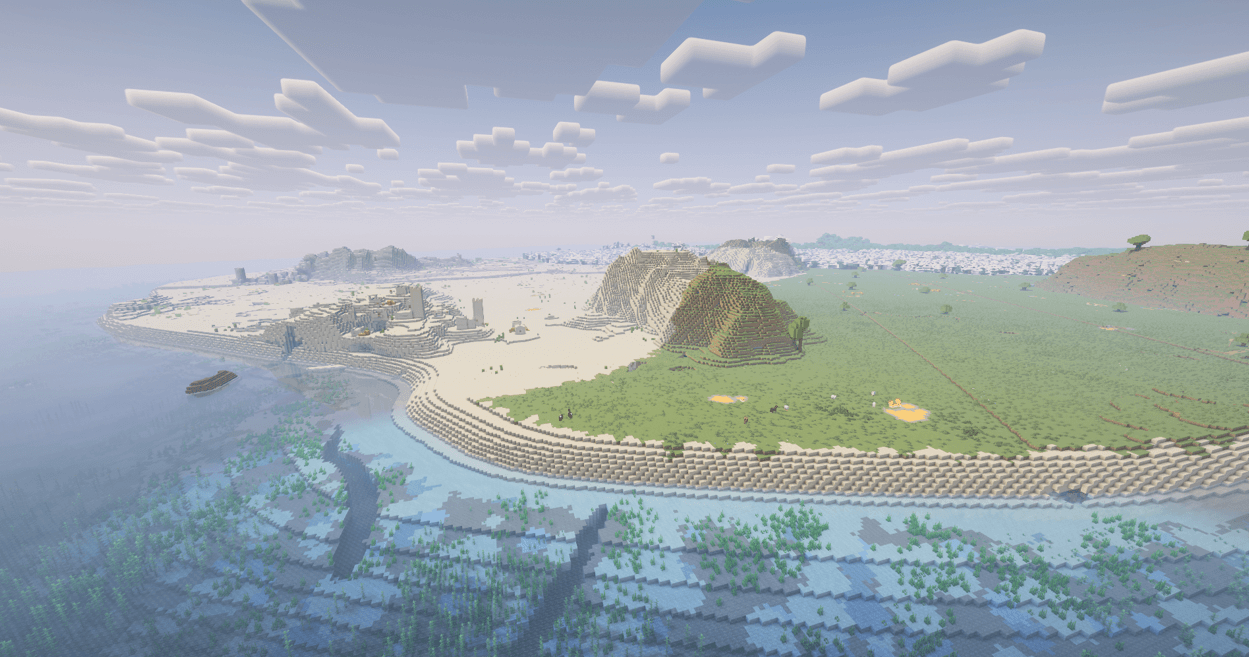
Custom World gives you control over the shape and layout of your next Minecraft world.
Choose the size of your land, select its biomes, configure rivers and lakes, and explore different seeds through a built-in map preview. Create a single continent or three large mainlands around a central sea—all surrounded by endless ocean.
Every world is procedurally generated from its seed. These are not fixed maps or prebuilt islands.
Choose your world’s shape
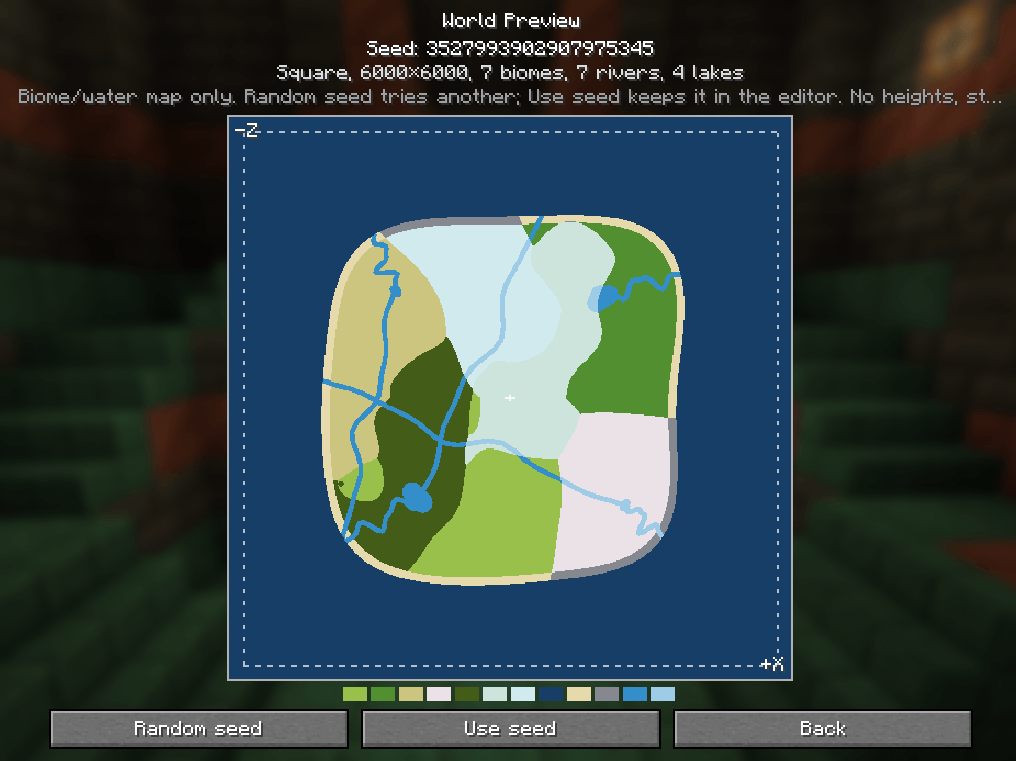
- Square — A rounded, square-shaped landmass with an ocean margin.
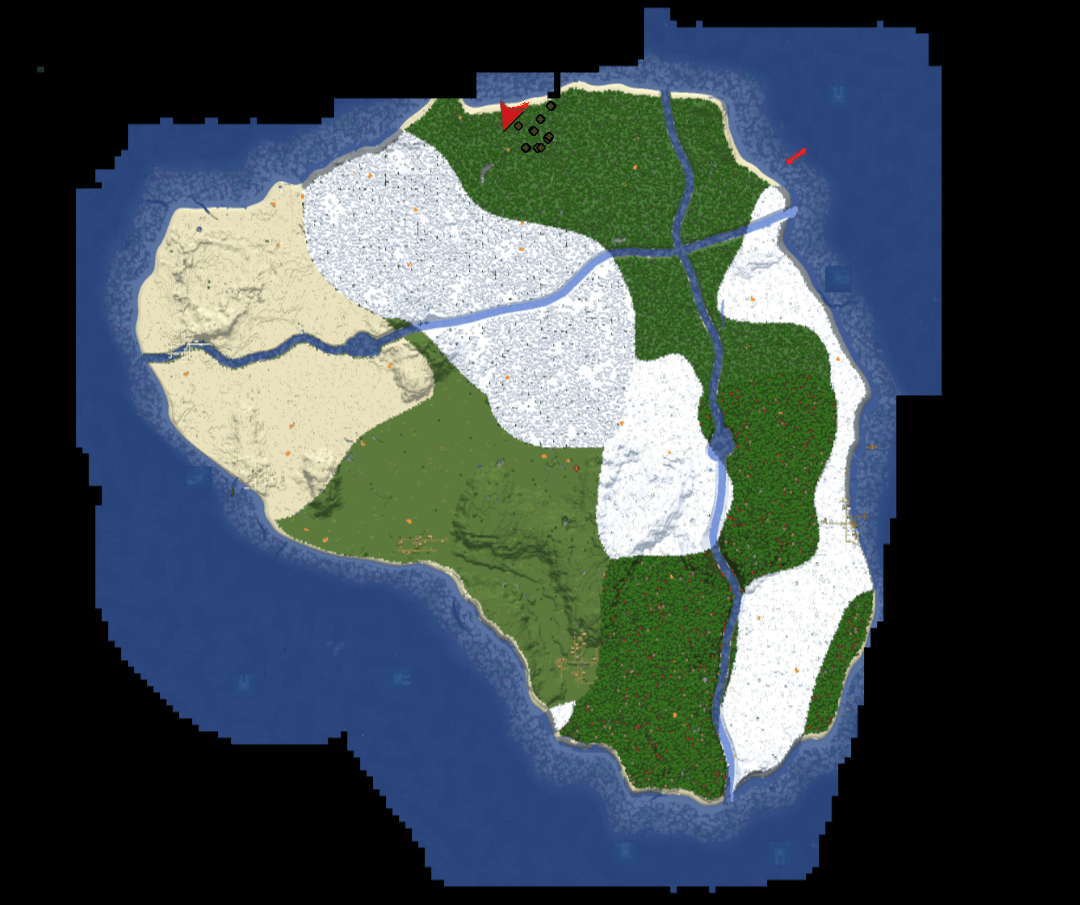
- Continent — One natural-looking continent with irregular coastlines, bays, and peninsulas. Its coastline may extend slightly beyond the selected nominal size.
- Continents — Three large continents surrounding a central sea, with small coastal islands. The landmasses fit inside the configured area without their coastlines being cut along square boundaries.
Pick your biomes
Set a size between 2,048 and 30,000 blocks and choose 1–32 land biomes.
Every selected land biome is included. The layout aims for balanced land areas and sensible climate transitions, giving each biome room without turning the map into a patchwork of tiny regions.
Search by biome name or resource ID. Eligible Overworld biomes from installed mods and datapacks can also appear in the selection list.
Add rivers and lakes
Configure 0–32 river routes and 0–32 lakes independently across the whole world.
In Continents mode, river routes are divided evenly between the three mainlands, with a difference of no more than one. Small islands do not receive separate river networks.
Shorelines adapt to nearby biomes: cold and mountainous regions use stony shores, while warmer regions use beaches. Cold waterways can freeze.
Find your world before creating it
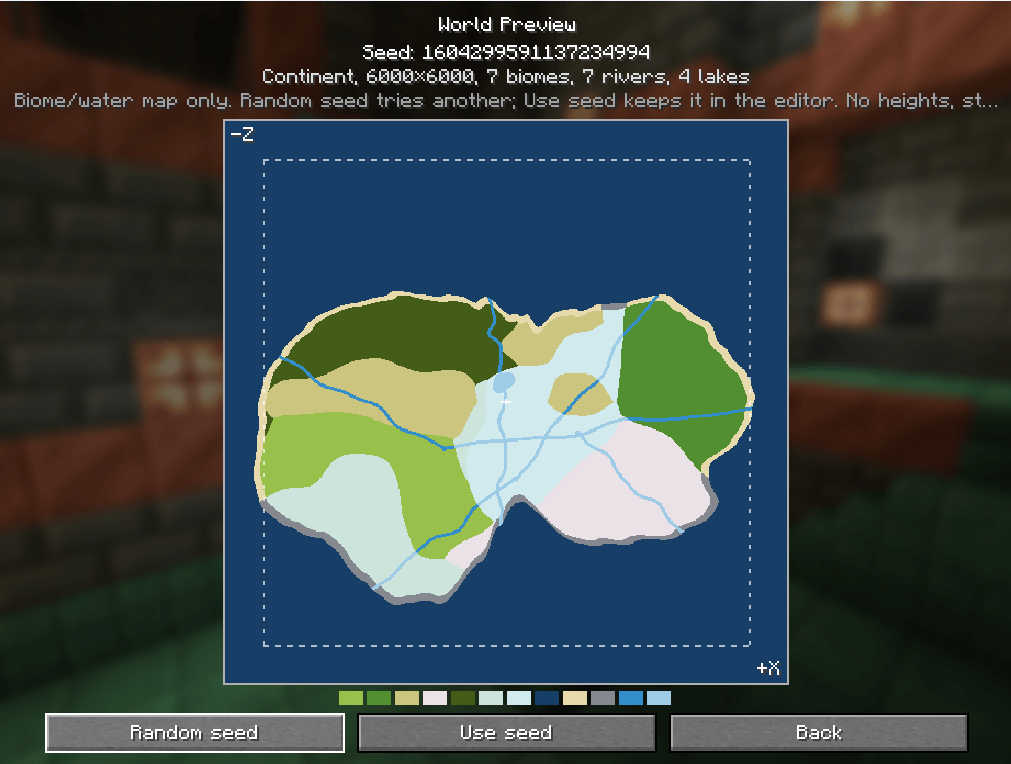
Open Preview to see a top-down map of the planned land, biomes, coastlines, rivers, and lakes—without generating chunks.
Click Random seed to explore another layout while keeping your settings. Once you find a world you like, click Use seed, then Done to apply it.
The preview shows the planned layout, not the finished terrain. Heights, caves, trees, and structures are not displayed.
Familiar Minecraft underneath
Custom World builds on Minecraft’s existing generation systems for caves, aquifers, ores, biome features, and mob spawning.
Structures follow normal placement rules. Their availability depends on the seed, biomes, and available land, so not every structure is guaranteed to appear.
The Nether and End remain unchanged. Normal, Flat, and Amplified worlds are unaffected when the finite preset is not selected.
How to start
- Install the mod for Minecraft 1.21.1 with NeoForge 21.1.249 or a compatible newer 21.1 release.
- Install any biome mods or datapacks you want to use.
- Create a new world, select Finite World, and click Customize.
- Choose the size, landmass type, biomes, and water settings.
- Open Preview and try different seeds.
- Click Use seed → Done, then create your world.
For dedicated servers, install the mod on the server too and keep the required biome dependencies consistent.
The configuration interface supports English and Russian.
Alpha status and limitations
Custom World is currently in alpha. Use test worlds and keep backups before updating.
- Land is finite; the ocean is not. Exploring beyond the continents continues generating ocean chunks. There is no automatic WorldBorder or save-size limit.
- Minecraft controls spawn selection. A custom safe land spawn is not guaranteed.
- Rivers and lakes share sea level; this is not a full erosion or watershed simulation.
- Compatibility with complex third-party terrain systems, surface rules, and biome modifiers is best effort.
- Generation may be slower than vanilla.
- Updates do not reshape existing chunks. Create a new world to experience new generation layouts.
Do not remove the mod or dependencies that provide your selected biomes from an existing world. Those dependencies are required to load its generation settings. Keep backups and avoid downgrading without restoring a compatible save.
Reporting problems
Include your Minecraft, NeoForge, and mod versions, seed, world settings, installed biome mods/datapacks, and the coordinates of the issue. Screenshots and relevant logs are welcome.
Screenshots
Gallery
-
 T435.png T435.png
 -
 234234.png 234234.png
 -
 234.png 234.png
 -
 23234.png 23234.png
 -
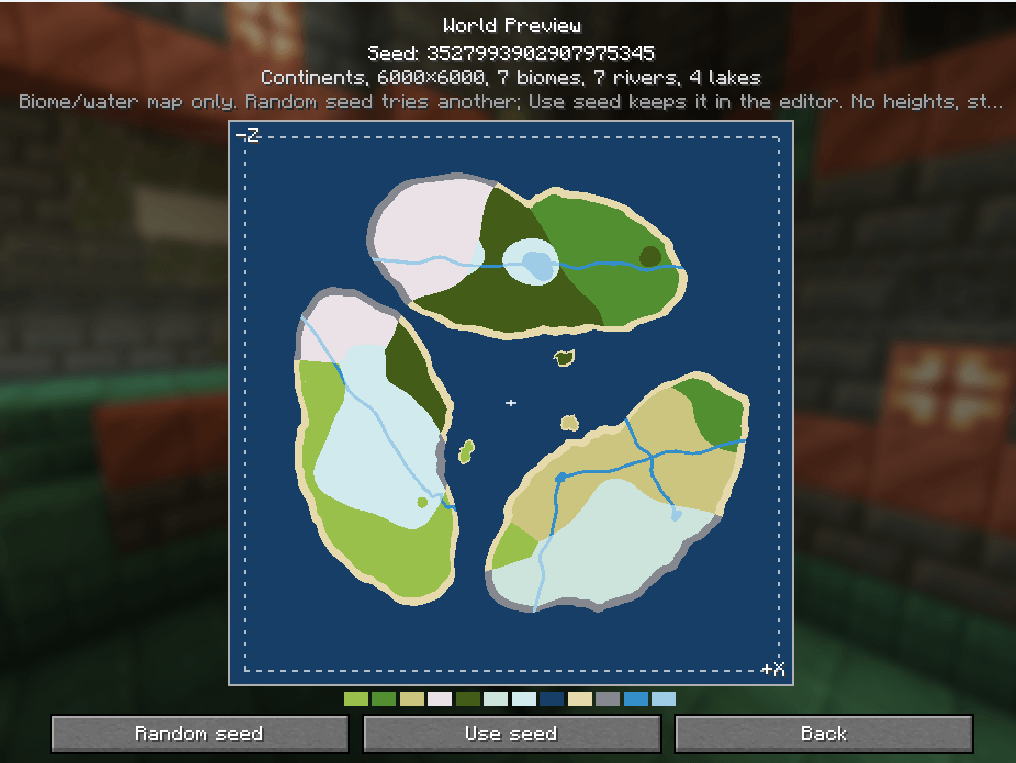 image.png image.png
Versions
Files
Relations
Project Relations
More like this
Similar Mods
Suggestions use data such as tags, dependencies, dependents, descriptions, titles, and more to rank how much they overlap with this mod.
On ModDex
Community snapshot
By the numbers
Statistics
Want to reach Minecraft players?
We're looking for a server hosting partner to feature here and other parts of the site. Interested? Send us a message!
Get in touchGet it on
Available Platforms
On ModDex
Community snapshot
By the numbers
Statistics
Resources