Community listing page, reviews here may not be monitored by the author.
CustomButton


No reviews yet
Change the buttons to suit your taste
Community voices
Reviews
No reviews yet. Be the first to review this project!
Get it on
Available Platforms
Compatibility
Supported Environments
Runs entirely on the client. Works on vanilla servers.
About
Project Details
For authors
Embed Badge
If you're the author of this project, you can embed a live badge anywhere that supports HTML or Markdown. It updates automatically whenever ratings change.
Use HTML for any page that supports it, or Markdown for README files and Markdown-based descriptions.
Identifiers
Platform IDs
Resources
External Links
About
Description
CustomButton
Environment: Client-side
Loader: Fabric
The ultimate GUI customization mod for Fabric — now with crosshair, hotbar, and item name customization, support for multiple languages, and various visual tweaks.
📖 What is this mod?
Does Minecraft’s default interface feel a bit dull? Want to tweak buttons, checkboxes, sliders, crosshairs, hotbars, or item names to match your personal style—perhaps a sleek modern vibe or bold, vibrant colors? CustomButton makes it possible!
This client-side Fabric mod offers a powerful in-game configuration screen, allowing full customization of Minecraft’s GUI elements. With intuitive controls, you can create a unique interface that feels truly yours.
✅ Features
🎨 Deep GUI Customization
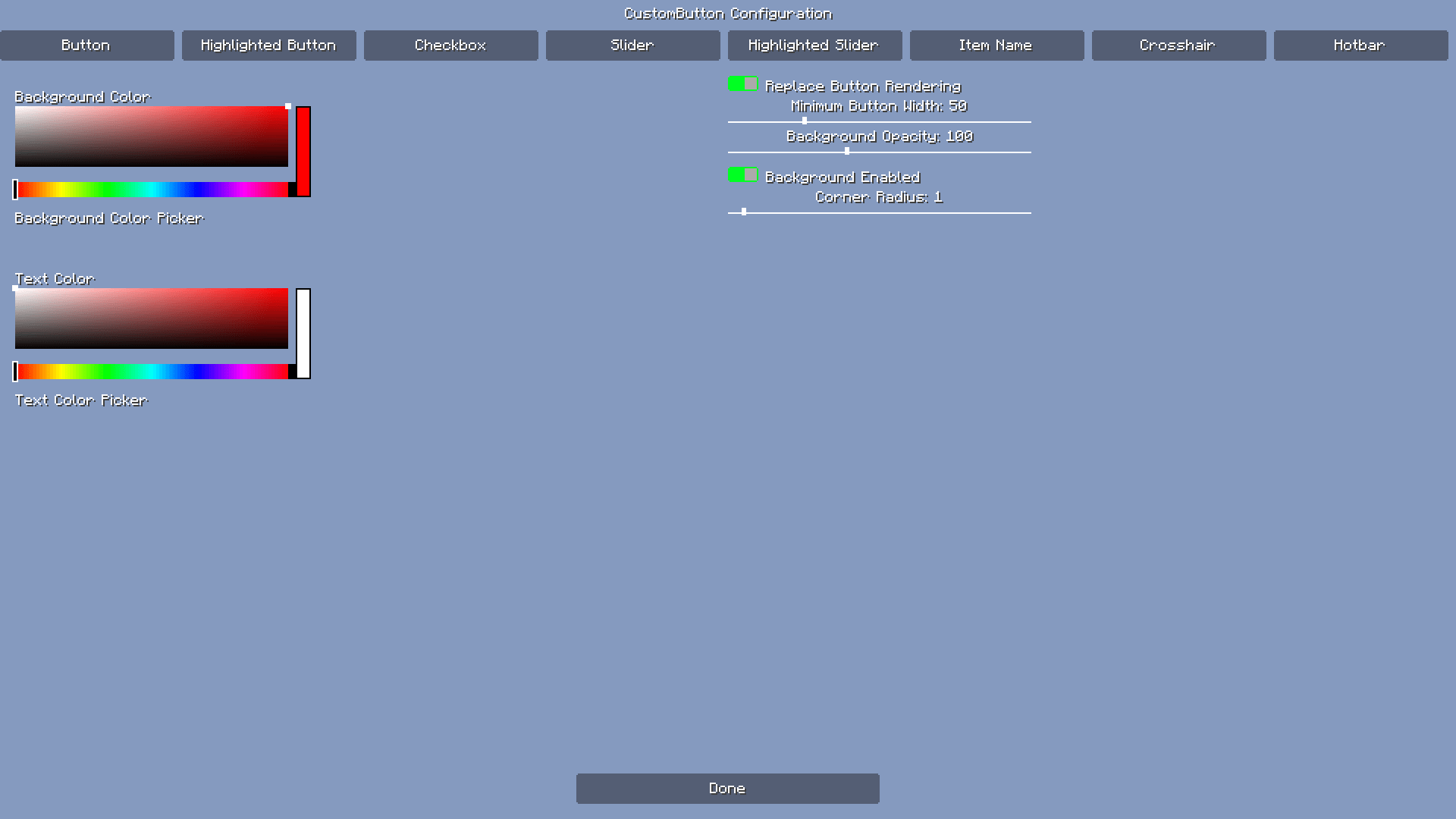
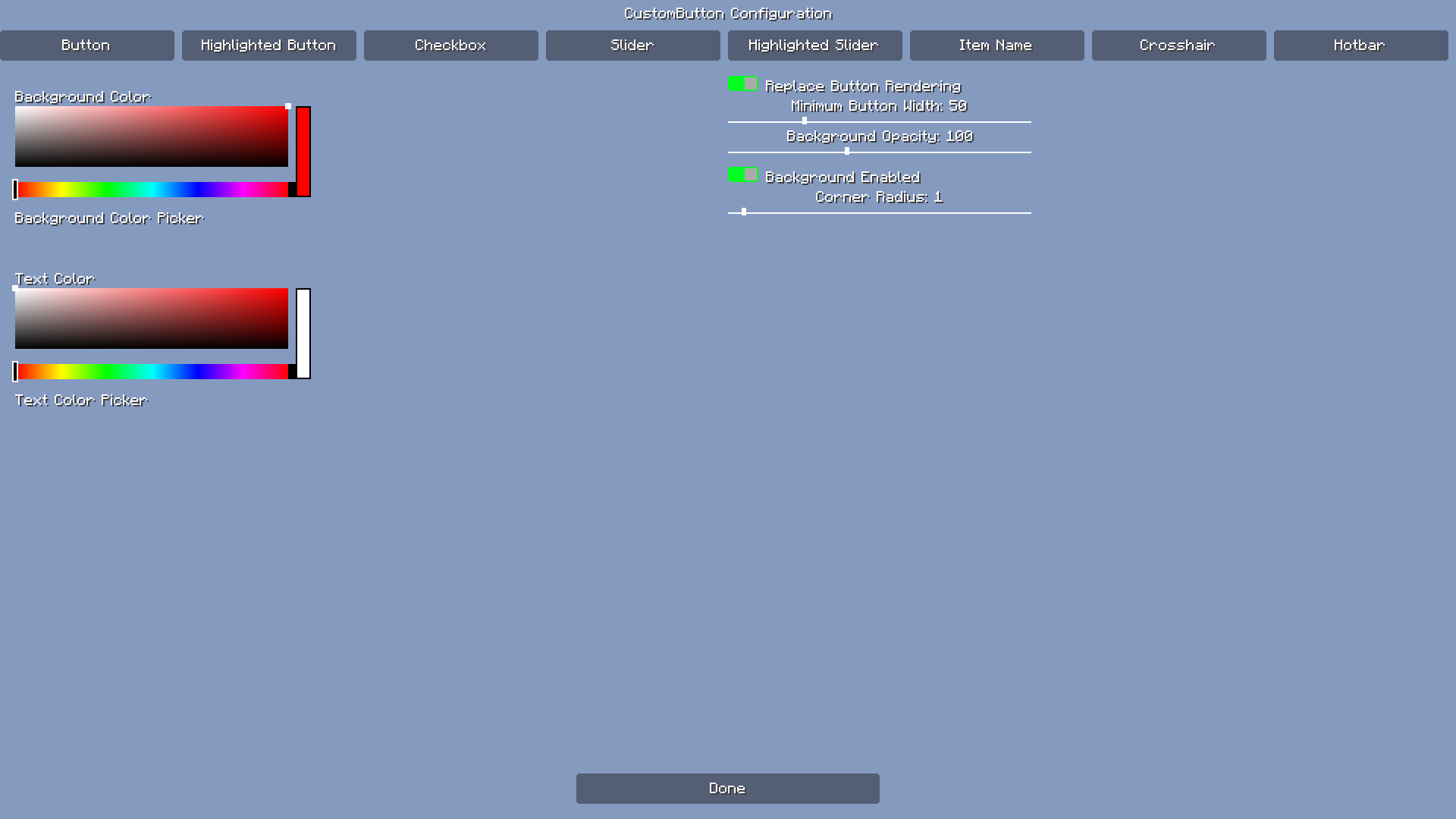
- Customize background and text colors for buttons, checkboxes, sliders, hotbars, and item names using an intuitive HSV color picker.
- Adjust transparency (opacity) for backgrounds, slider handles, and active hotbar slots.
- Modify corner radius for rounded or sharp designs across buttons, checkboxes, sliders, and hotbars.
- Fine-tune slider settings like handle size and text offset.
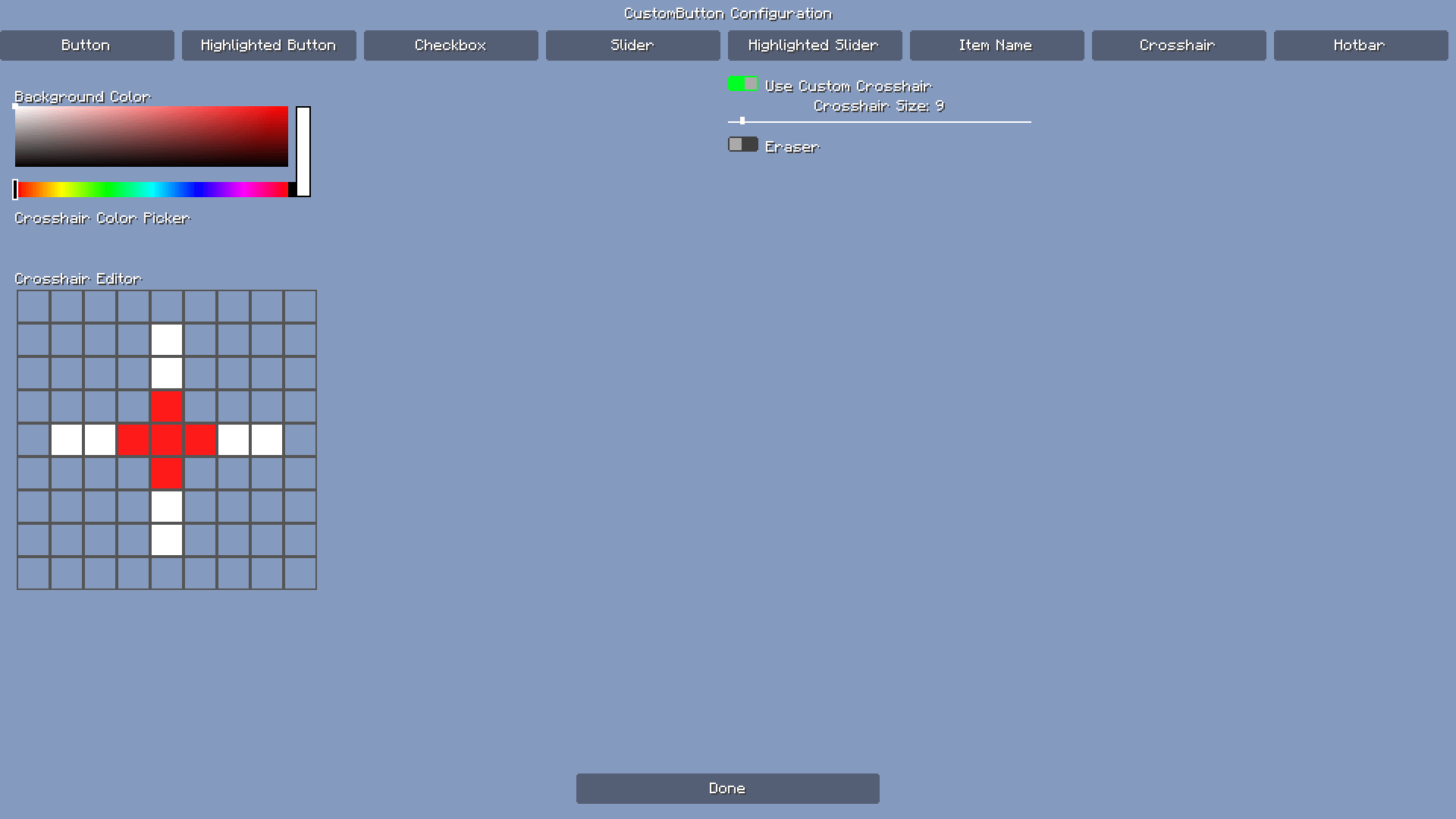
- Design your own crosshair with a pixel-based editor, including size and color customization.
- Adjust item name rendering with fade time and vertical offset settings.
- Configure hotbar appearance, including background and active slot styling.
🛠 In-Game Configuration Screen
- Access the configuration menu via the game menu (default key:
P) to customize elements in real-time. - Organized tabs for buttons, highlighted buttons, checkboxes, sliders, highlighted sliders, crosshairs, hotbars, and item names.
- All changes are saved automatically to a JSON config file for seamless session persistence.
👁️ Visual Feedback
- Instantly preview color choices with a live preview box.
- Real-time crosshair editing with grid-based pixel editor and eraser mode for precision.
🌍 Localization Support
- Supports multiple languages in the configuration screen to accommodate a global audience.
⚡ Lightweight and Efficient
- Optimized for Fabric with minimal performance impact.
- No server-side installation required — ideal for both singleplayer and multiplayer.
🧩 Usage Examples
- Customizing a Button: Create a sleek, modern look by adjusting background color and corner radius.
- Tuning a Slider: Fine-tune the handle size and text offset for precise GUI control.
- Designing a Crosshair: Use the pixel editor to craft a custom crosshair with your preferred colors and shape.
- Styling the Hotbar: Personalize the hotbar’s background and active slot styling.
- Customizing Item Names: Adjust tooltip fade time and vertical position for item names.
📖 How to Use
- Install the mod and Fabric API in your
modsfolder. - Launch Minecraft and press
Pin the game menu to open the CustomButton configuration screen. - Use the tabbed interface to customize any GUI element with real-time previews.
⚙️ How It Works Internally
CustomButton uses Mixin to hook into Minecraft’s GUI rendering system, overriding the default rendering for buttons, checkboxes, sliders, crosshairs, hotbars, and item names. It uses Minecraft’s widget system to provide a custom config screen and stores settings in a JSON file (config/custombutton.json). The crosshair customization is powered by a pixel-based editor for maximum flexibility.
✅ Compatibility
- Requires: Fabric API
- Fully Compatible: Sodium
- Supports: ModMenu (for easy config access)
- Note: Avoid using multiple GUI-rendering mods simultaneously to prevent conflicts.
CustomButton
Environment: Client-side
Loader: Fabric
The ultimate GUI customization mod for Fabric — now with crosshair, hotbar, and item name customization, support for multiple languages, and various visual tweaks.
📖 What is this mod?
Does Minecraft’s default interface feel a bit dull? Want to tweak buttons, checkboxes, sliders, crosshairs, hotbars, or item names to match your personal style—perhaps a sleek modern vibe or bold, vibrant colors? CustomButton makes it possible!
This client-side Fabric mod offers a powerful in-game configuration screen, allowing full customization of Minecraft’s GUI elements. With intuitive controls, you can create a unique interface that feels truly yours.
✅ Features
🎨 Deep GUI Customization
- Customize background and text colors for buttons, checkboxes, sliders, hotbars, and item names using an intuitive HSV color picker.
- Adjust transparency (opacity) for backgrounds, slider handles, and active hotbar slots.
- Modify corner radius for rounded or sharp designs across buttons, checkboxes, sliders, and hotbars.
- Fine-tune slider settings like handle size and text offset.
- Design your own crosshair with a pixel-based editor, including size and color customization.
- Adjust item name rendering with fade time and vertical offset settings.
- Configure hotbar appearance, including background and active slot styling.
🛠 In-Game Configuration Screen
- Access the configuration menu via the game menu (default key:
P) to customize elements in real-time. - Organized tabs for buttons, highlighted buttons, checkboxes, sliders, highlighted sliders, crosshairs, hotbars, and item names.
- All changes are saved automatically to a JSON config file for seamless session persistence.
👁️ Visual Feedback
- Instantly preview color choices with a live preview box.
- Real-time crosshair editing with grid-based pixel editor and eraser mode for precision.
🌍 Localization Support
- Supports multiple languages in the configuration screen to accommodate a global audience.
⚡ Lightweight and Efficient
- Optimized for Fabric with minimal performance impact.
- No server-side installation required — ideal for both singleplayer and multiplayer.
🧩 Usage Examples
- Customizing a Button: Create a sleek, modern look by adjusting background color and corner radius.
- Tuning a Slider: Fine-tune the handle size and text offset for precise GUI control.
- Designing a Crosshair: Use the pixel editor to craft a custom crosshair with your preferred colors and shape.
- Styling the Hotbar: Personalize the hotbar’s background and active slot styling.
- Customizing Item Names: Adjust tooltip fade time and vertical position for item names.
📖 How to Use
- Install the mod and Fabric API in your
modsfolder. - Launch Minecraft and press
Pin the game menu to open the CustomButton configuration screen. - Use the tabbed interface to customize any GUI element with real-time previews.
⚙️ How It Works Internally
CustomButton uses Mixin to hook into Minecraft’s GUI rendering system, overriding the default rendering for buttons, checkboxes, sliders, crosshairs, hotbars, and item names. It uses Minecraft’s widget system to provide a custom config screen and stores settings in a JSON file (config/custombutton.json). The crosshair customization is powered by a pixel-based editor for maximum flexibility.
✅ Compatibility
- Requires: Fabric API
- Fully Compatible: Sodium
- Supports: ModMenu (for easy config access)
- Note: Avoid using multiple GUI-rendering mods simultaneously to prevent conflicts.
Screenshots
Gallery
-
 Crosshair
 -
 Menu
Menu
-
 Menu
Menu -
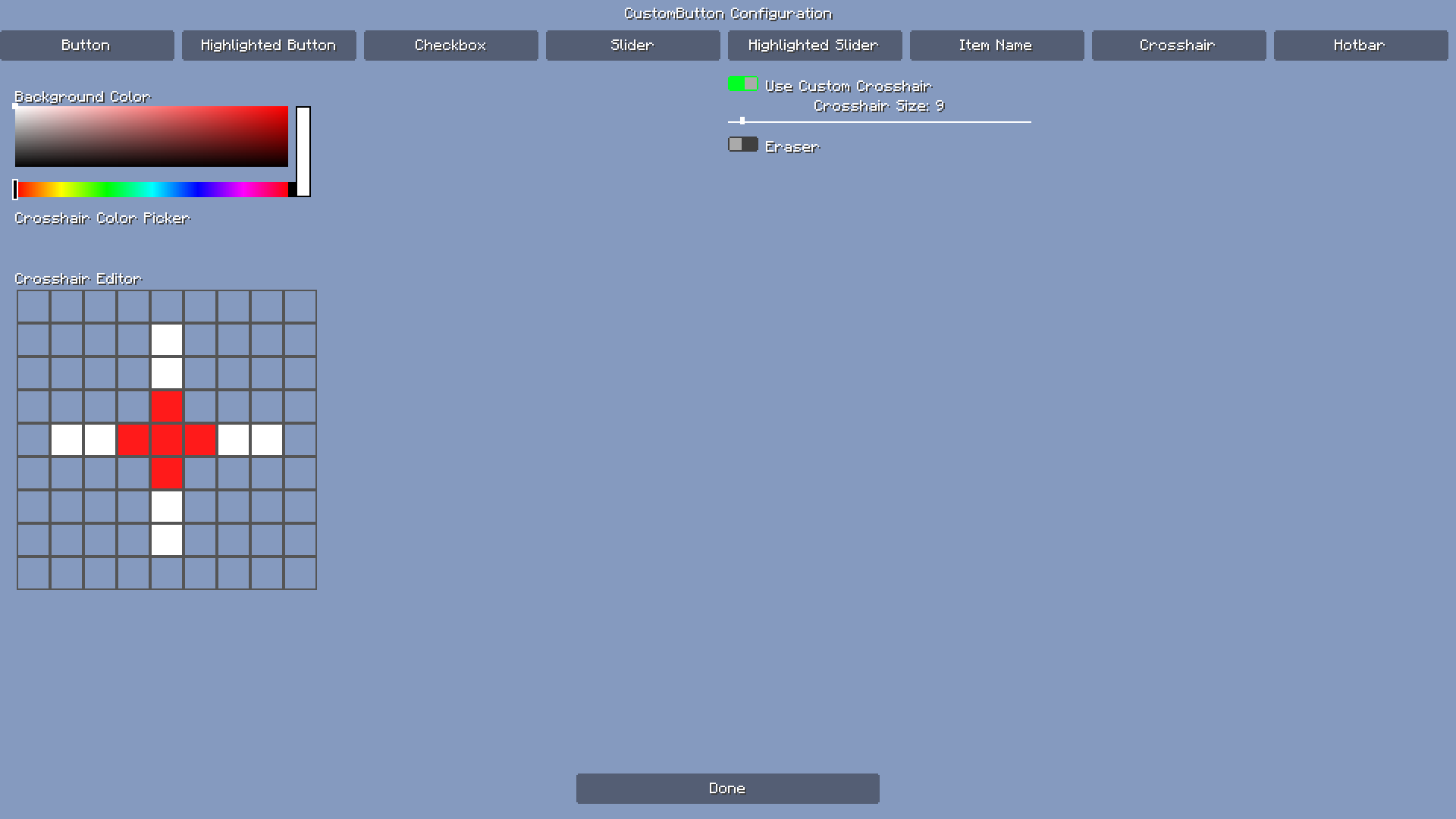 Crosshair
Versions
Files
Relations
Project Relations
More like this
Similar Mods
Suggestions use data such as tags, dependencies, dependents, descriptions, titles, and more to rank how much they overlap with this mod.
On ModDex
Community snapshot
By the numbers
Statistics
Want to reach Minecraft players?
We're looking for a server hosting partner to feature here and other parts of the site. Interested? Send us a message!
Get in touchGet it on
Available Platforms
On ModDex
Community snapshot
By the numbers
Statistics
Resources