
Community listing page, reviews here may not be monitored by the author.
CustomCrosshair

No reviews yet
Take full control of your crosshair — draw any shape, pick any color, and add hit effects, all with an Insanely clean and easy to use GUI.

Community voices
Reviews
No reviews yet. Be the first to review this project!
Get it on
Available Platforms
Compatibility
Supported Environments
Runs entirely on the client. Works on vanilla servers.
About
Project Details
For authors
Embed Badge
If you're the author of this project, you can embed a live badge anywhere that supports HTML or Markdown. It updates automatically whenever ratings change.
Use HTML for any page that supports it, or Markdown for README files and Markdown-based descriptions.
Identifiers
Platform IDs
Resources
External Links
About
Description
🎯 CustomCrosshair
For any suggestions or Bug Reports, Please DM @SupRani on Discord.
Take full control of your crosshair — draw any shape, pick any color, and add hit effects, all from a simple in-game menu. No resource packs needed.
✏️ Pixel Editor
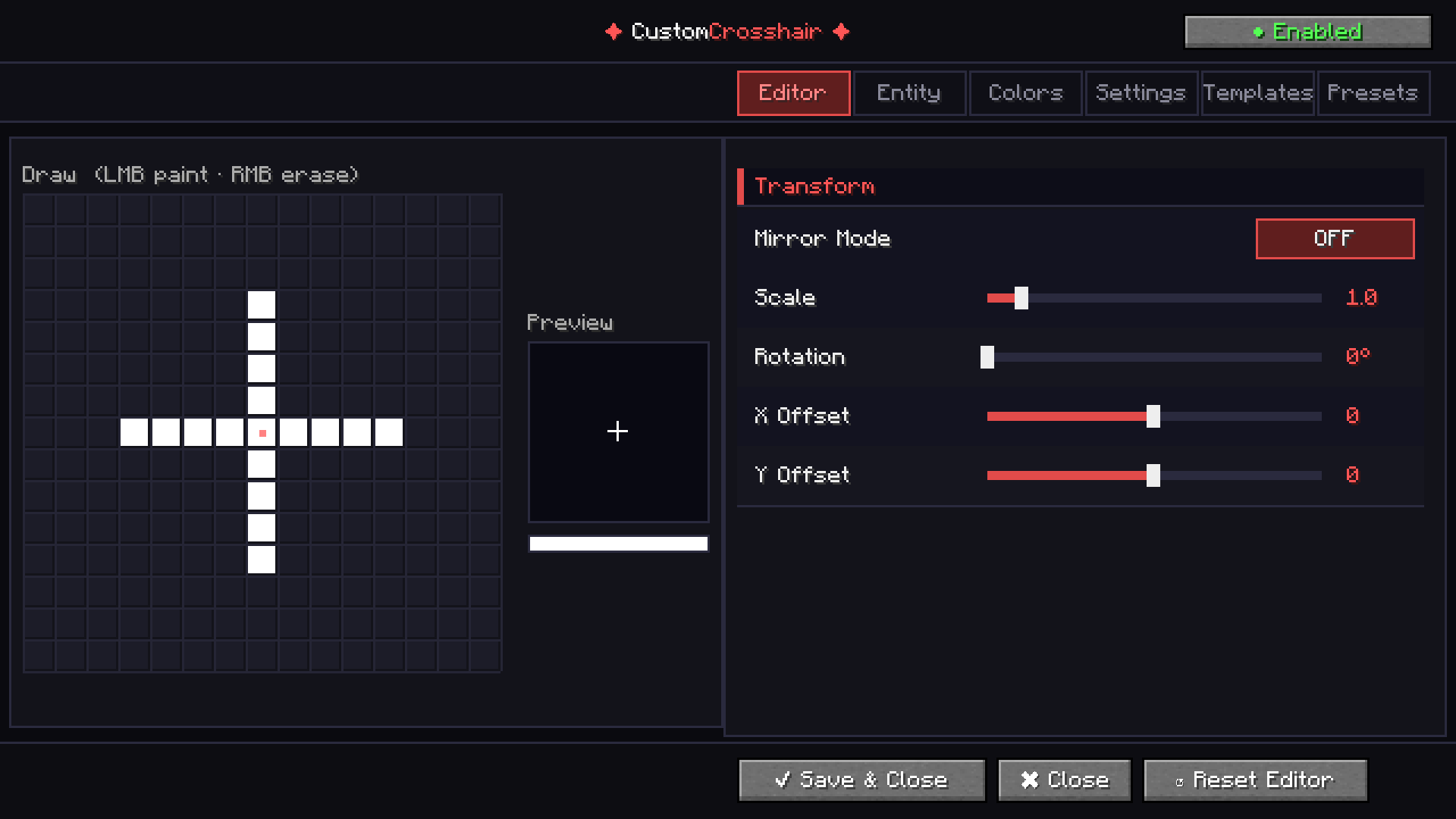
Draw your crosshair pixel by pixel on a 15×15 canvas with left-click to paint and right-click to erase. Every change shows up instantly in the live preview — what you see is exactly what you get.
🎨 Color & Blending
A full HSV color picker, RGB sliders, and alpha control give you complete freedom over your crosshair's look. Vanilla Blend Mode keeps the classic Minecraft feel while still letting you customize — the best of both worlds.
👾 Entity Crosshair
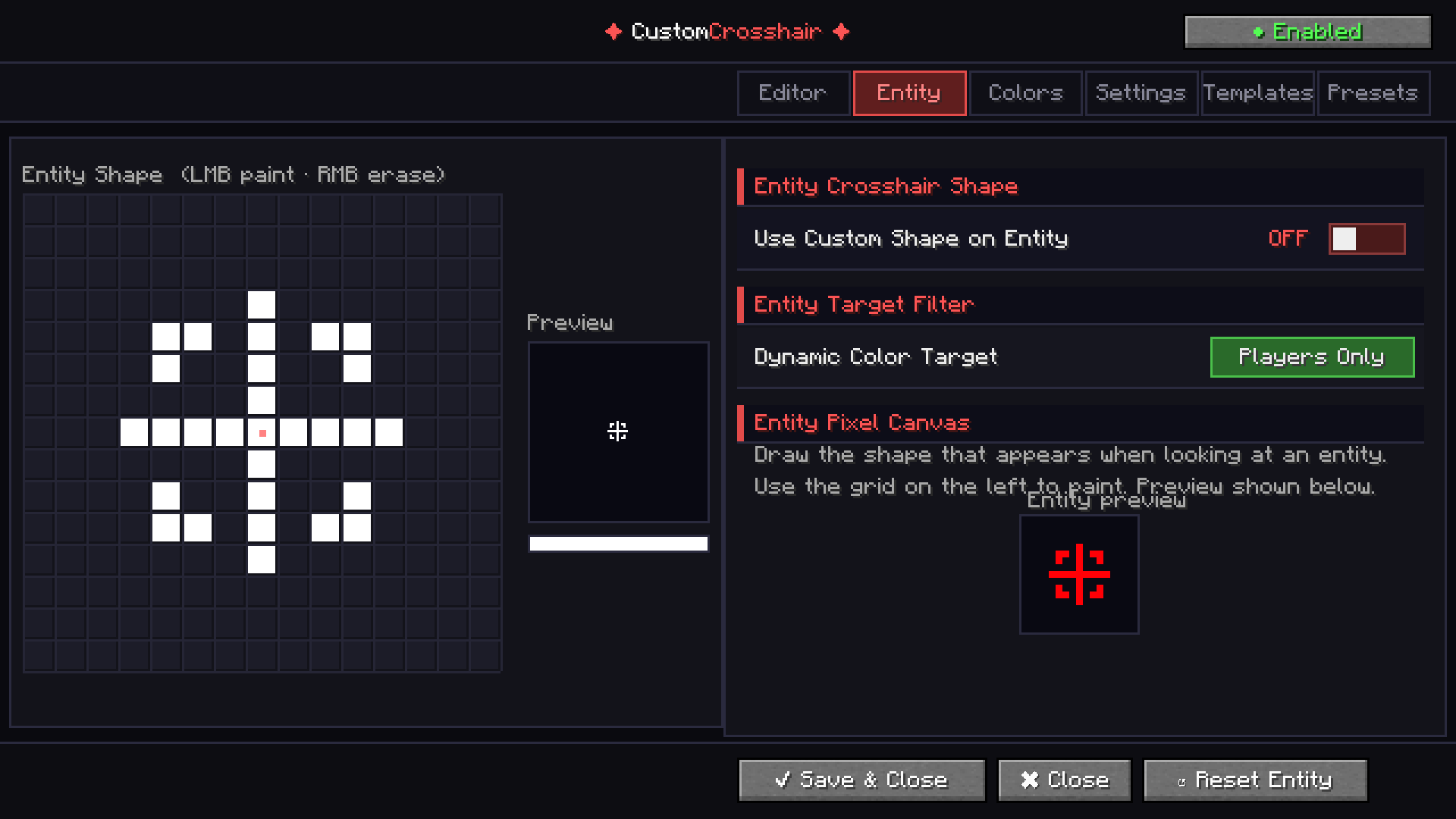
Set a completely separate crosshair shape that automatically swaps in whenever you look at a mob. Perfect for PvP players who want instant visual feedback without any effort.
⚡ Dynamic Effects
- Attack Flash — your crosshair flashes a custom color every time you swing
- Dynamic Color — automatically switches color when targeting an entity
- Invert Mode — flips your crosshair color against any background
- Outline — adds a clean border around every pixel for maximum visibility
🔧 Transform Controls
Scale, rotate, and offset your crosshair with precision sliders. Mirror modes (horizontal, vertical, or both) let you build perfectly symmetric designs in seconds.
💾 Preset System
Save unlimited named crosshair configurations and switch between them instantly. Your entire setup — shape, color, effects — stored in one click.
📦 Built-in Templates
Not sure where to start? Choose from 10 built-in templates including Classic Cross, Sniper, Circle, Diamond, X Shape, and more.
🖥️ The GUI
This is not your average Minecraft settings screen. CustomCrosshair features a fully custom-built dark UI with tabbed navigation, live previews, a real color picker, scrollable panels, and toggle switches — all inside the game, no external tools, no config file hunting.
Fabric 1.21.4 // 1.21.11
Screenshots
Gallery
-
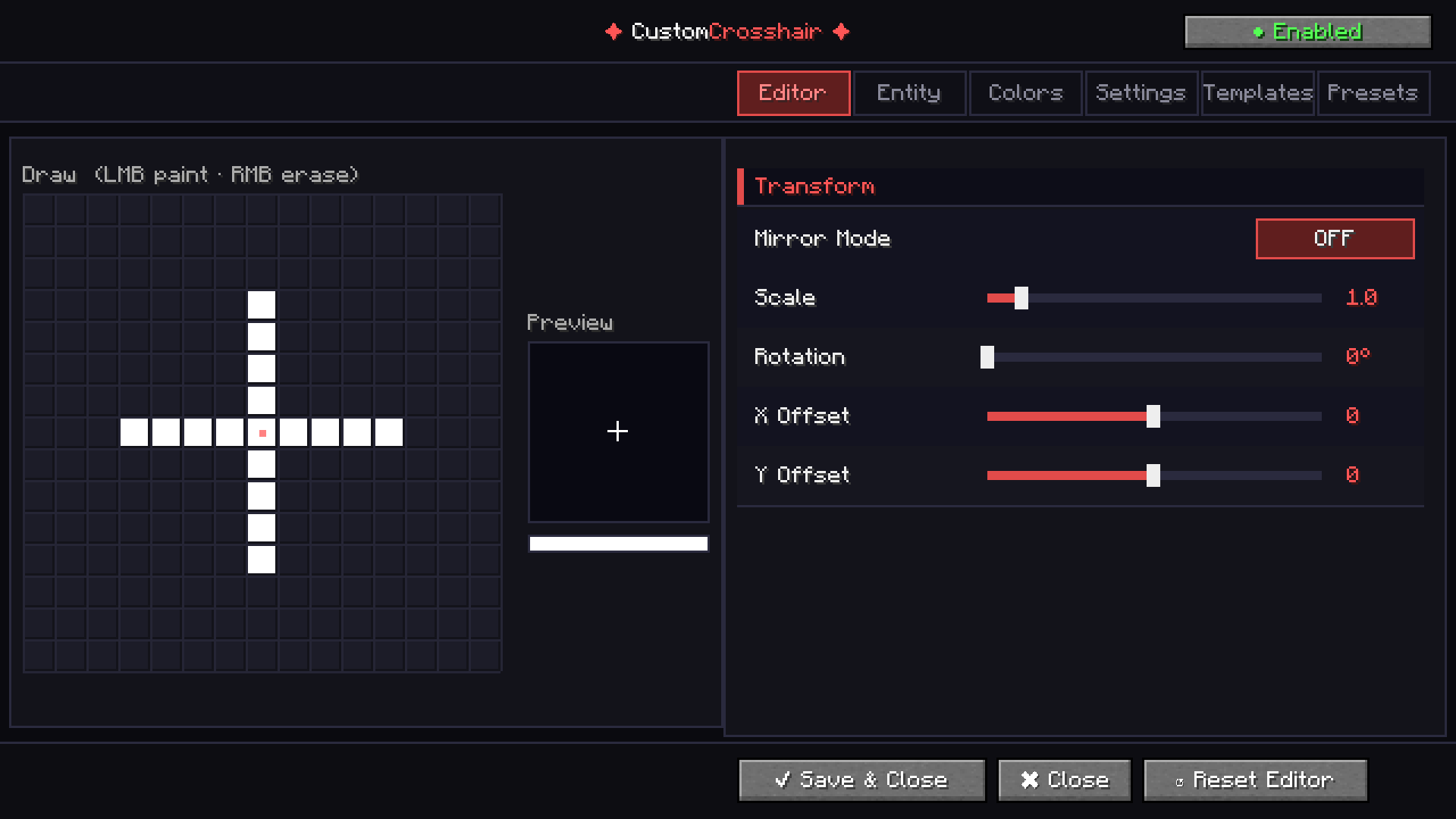 GUI The Editor GUI Screen
 -
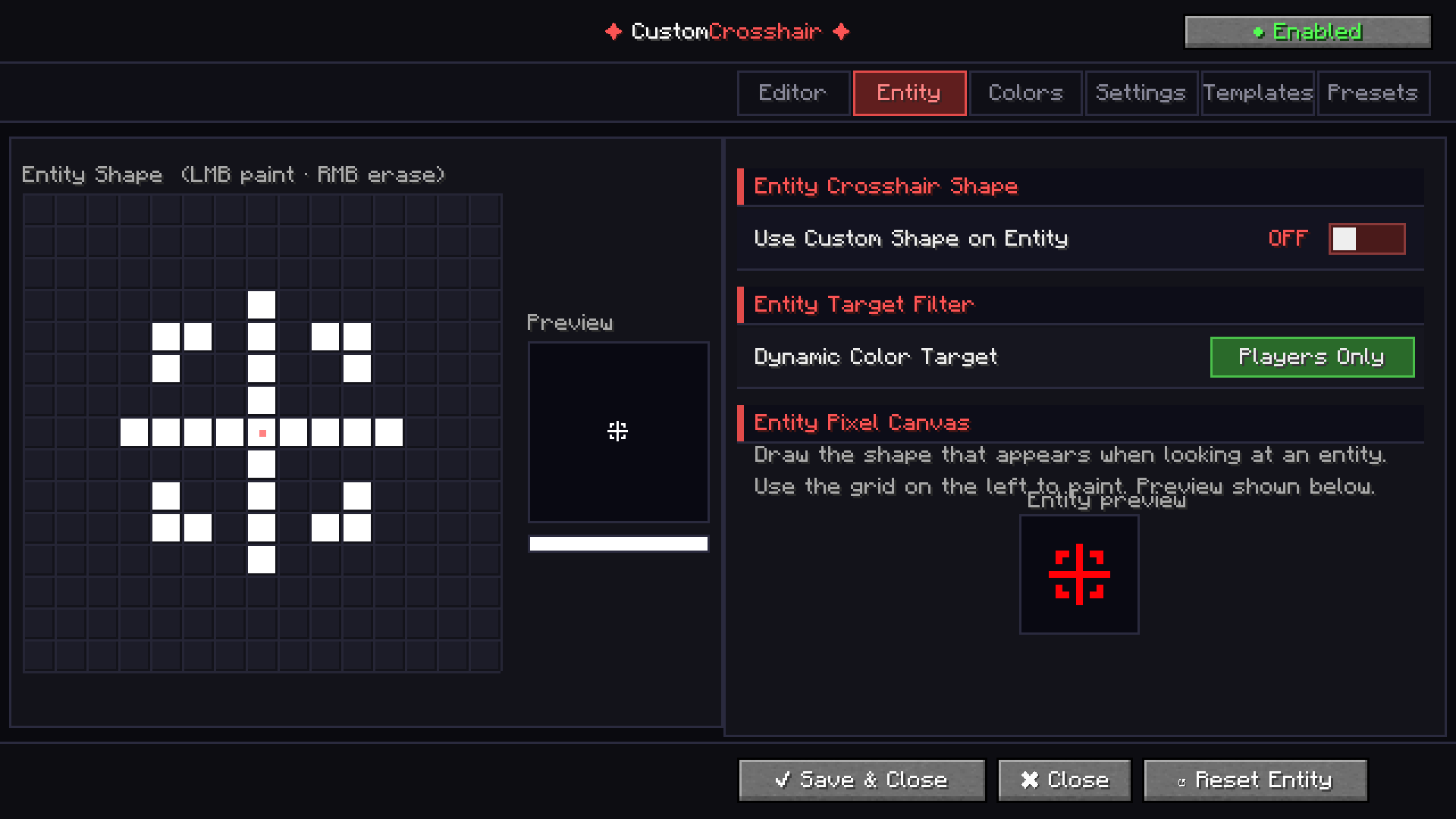 Entity GUI Screen
Versions
Files
Relations
Project Relations
More like this
Similar Mods
Suggestions use data such as tags, dependencies, dependents, descriptions, titles, and more to rank how much they overlap with this mod.
On ModDex
Community snapshot
By the numbers
Statistics

 (opens in a new tab)
Get it on
Available Platforms
On ModDex
Community snapshot
By the numbers
Statistics
Resources