
Community listing page, reviews here may not be monitored by the author.
CustomEmoji

No reviews yet
Create Emoji to use on your Minecraft

Community voices
Reviews
No reviews yet. Be the first to review this project!
Get it on
Available Platforms
About
Project Details
For authors
Embed Badge
If you're the author of this project, you can embed a live badge anywhere that supports HTML or Markdown. It updates automatically whenever ratings change.
Use HTML for any page that supports it, or Markdown for README files and Markdown-based descriptions.
Identifiers
Platform IDs
Resources
External Links
About
Description
自定义表情 CustomEmoji
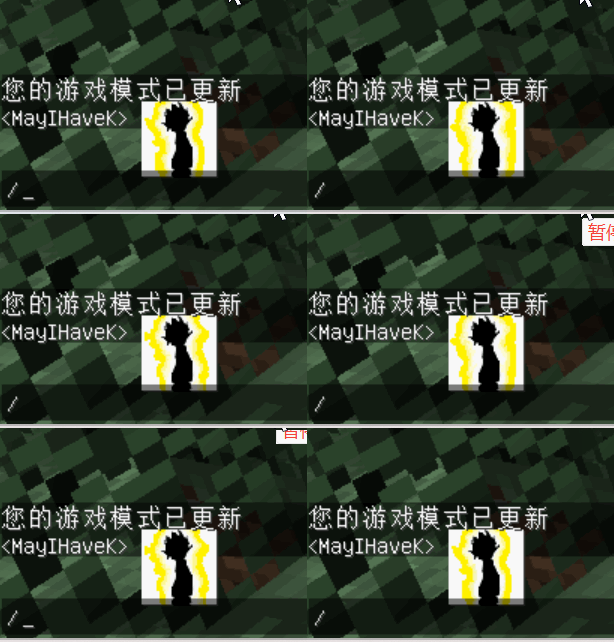
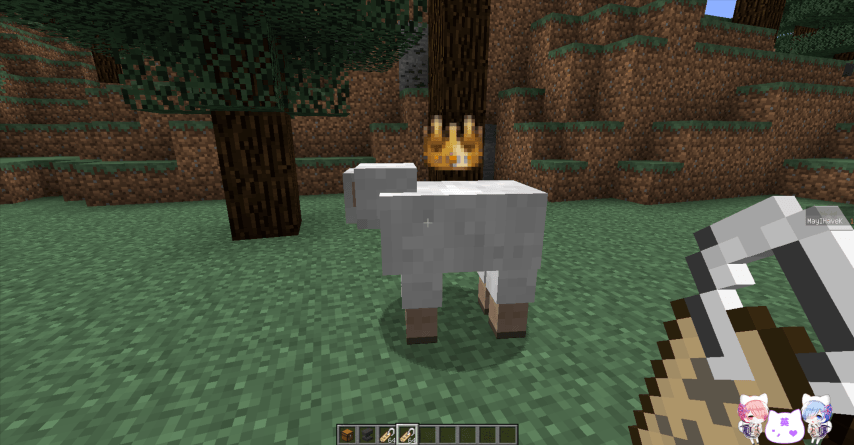
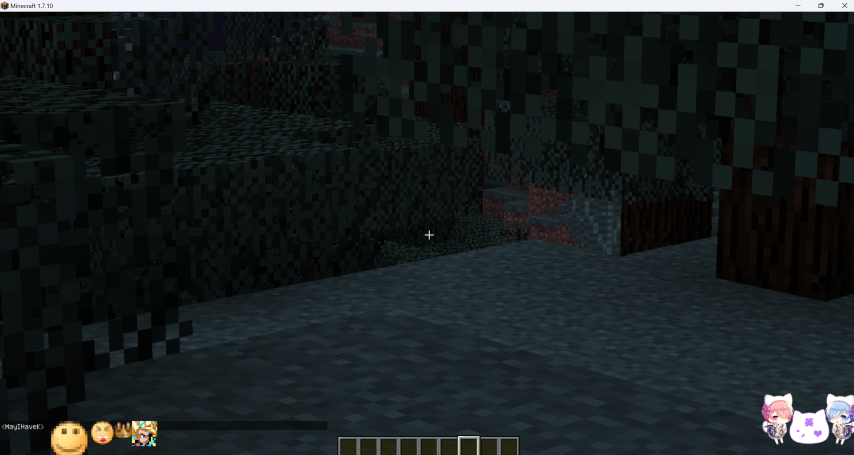
这个 mod 可以让你通过修改配置文件以及在Mod内添加资源,来制作可以在游戏中被使用的表情。
如何制作表情 CustomEmoji
制作表情的步骤如下:
- 将 mod 使用压缩软件打开,找到 “assets\customemoji\textures” 目录,将表情需要使用到的贴图素材添加到其中(.png)。
- 在 “.minecraft\config" 目录下找到文件 ”customemoji.cfg“ 进行修改.
配置文件
# Configuration file

general {
    # 自定义表情偏移 - 全局的X轴 [range: -100.0 ~ 100.0, default: 0.0]
    S:OffsetX=0.0

    # 自定义表情偏移 - 全局的Y轴 [range: -100.0 ~ 100.0, default: 1.0]
    S:OffsetY=1.0

    # 自定义表情列表 - 表情名:表情索引:显示的宽度:显示的高度:类型:(如果是gif需要填帧率) [default: [1:65537:32:32:png], [2:65538:16:16:png], [wd/6:65539:8:8:png], [dbc/73:65540:16:16:png], [gif/Run:65541:16:16:gif:10], [gif/Run2:65542:16:16:gif:10]]
    # 这里的 emoji_01 和 emoji_02 既是在游戏中使用的名称,同时也需要与对应的贴图素材名称保持一致。
    # 例如: 表情名为 emoji_01,贴图素材名为 emoji_01.png,则在配置文件中需要写成 emoji_01:65537。
    # 在游戏中使用为 :emoji_01:
    # 65537 是表情索引,用于 检测的,可以随意,但是不要低于 65536。
    # 32:32 是表情显示的宽度和高度,可以根据需要进行修改。
    # png 是表情类型,可以是 png 或者 gif
    # 如果表情类型是 jpg,则需要填
    S:emojiList <
        1:65537:32:32:png
        2:65538:16:16:png
        wd/6:65539:8:8:png
        dbc/73:65540:16:16:png
        gif/Run:65541:16:16:gif:10
        gif/Run2:65542:16:16:gif:10
     >

    # 自定义表情尺寸 - 高度 [range: 1.0 ~ 100.0, default: 9.0]
    S:height=9.0

    # 判断字符 - 用于判断是否为表情符号 [default: :]
    # 这里的 : 就是判断字符,在游戏中输入 :emoji_01: 即可显示表情。
    S:judgeChar=:

    # 自定义表情尺寸 - 宽度 [range: 1.0 ~ 100.0, default: 9.0]
    S:width=9.0
}
Screenshots
Gallery
-
 recording.gif recording.gif
 -
 img_3 (å°).png img_3 (å°).png
 -
 img (å°).png img (å°).png
Versions
Files
Relations
Project Relations
More like this
Similar Mods
Suggestions use data such as tags, dependencies, dependents, descriptions, titles, and more to rank how much they overlap with this mod.
On ModDex
Community snapshot
By the numbers
Statistics
 (opens in a new tab)
Get it on
Available Platforms
On ModDex
Community snapshot
By the numbers
Statistics
Resources