
CustomHealthHUD
No reviews yet
With this mod, you can customize your HUD.
Does not follow a specific thematic focus apart from vanilla Minecraft.
Used for mods with little to no gameplay elements.
Includes aesthetic items like decoration, clothing, and visual effects.
Includes quality of life improvements and small tweaks to enhance and customize gameplay.
Adds tools to customize the user interface and menus.
Forge is a popular mod loader for versions 1.1+ of Minecraft.
Community voices
Reviews
Click once to include, again to exclude, again to clear
No reviews yet. Be the first to review this project!
Get it on
Available Platforms
 Modrinth
Compatibility
Supported Environments
About
Project Details
For authors
Embed Badge
If you're the author of this project, you can embed a live badge anywhere that supports HTML or Markdown. It updates automatically whenever ratings change.
Use HTML for any page that supports it, or Markdown for README files and Markdown-based descriptions.
Identifiers
Platform IDs
Resources
External Links
About
Description
Custom Health HUD
A highly customizable HUD mod for Minecraft Forge that lets you personalize your health bar, experience bar, and other interface elements with full color control and positioning.
✨ Features
Full Customization
Custom Health Bar: Replace the vanilla hearts with a fully customizable version RGB Color Control: Adjust colors for hearts, hotbar, experience bar, and level number Position Control: Drag and drop elements anywhere on your screen Scale Options: Resize hearts and experience numbers to your preference Spacing Adjustment: Control the spacing between hearts
HUD Elements Control
Toggle visibility of:
Custom Health Bar Vanilla Health Bar (independent control) Hotbar Food Bar Armor Bar Air Bubbles Mount Health Experience Bar Experience Level Number
Easy Configuration
In-game GUI: Open with /hud command (requires OP) Live Preview: See changes in real-time before saving Drag & Drop: Move elements by dragging them in the preview panel Color Sliders: Visual RGB sliders for easy color picking Two Tabs: Separate "Tools" and "Colors" tabs for organized settings
How to Use
Install the mod in your Forge mods folder Launch Minecraft Type /hud in-game (requires operator permissions) Customize to your liking using the intuitive interface Click "Save" to apply changes
Perfect For
Players who want a cleaner HUD Streamers seeking a unique interface style Anyone wanting better control over their game UI Modpack creators looking for HUD customization options
Screenshots
Gallery
-
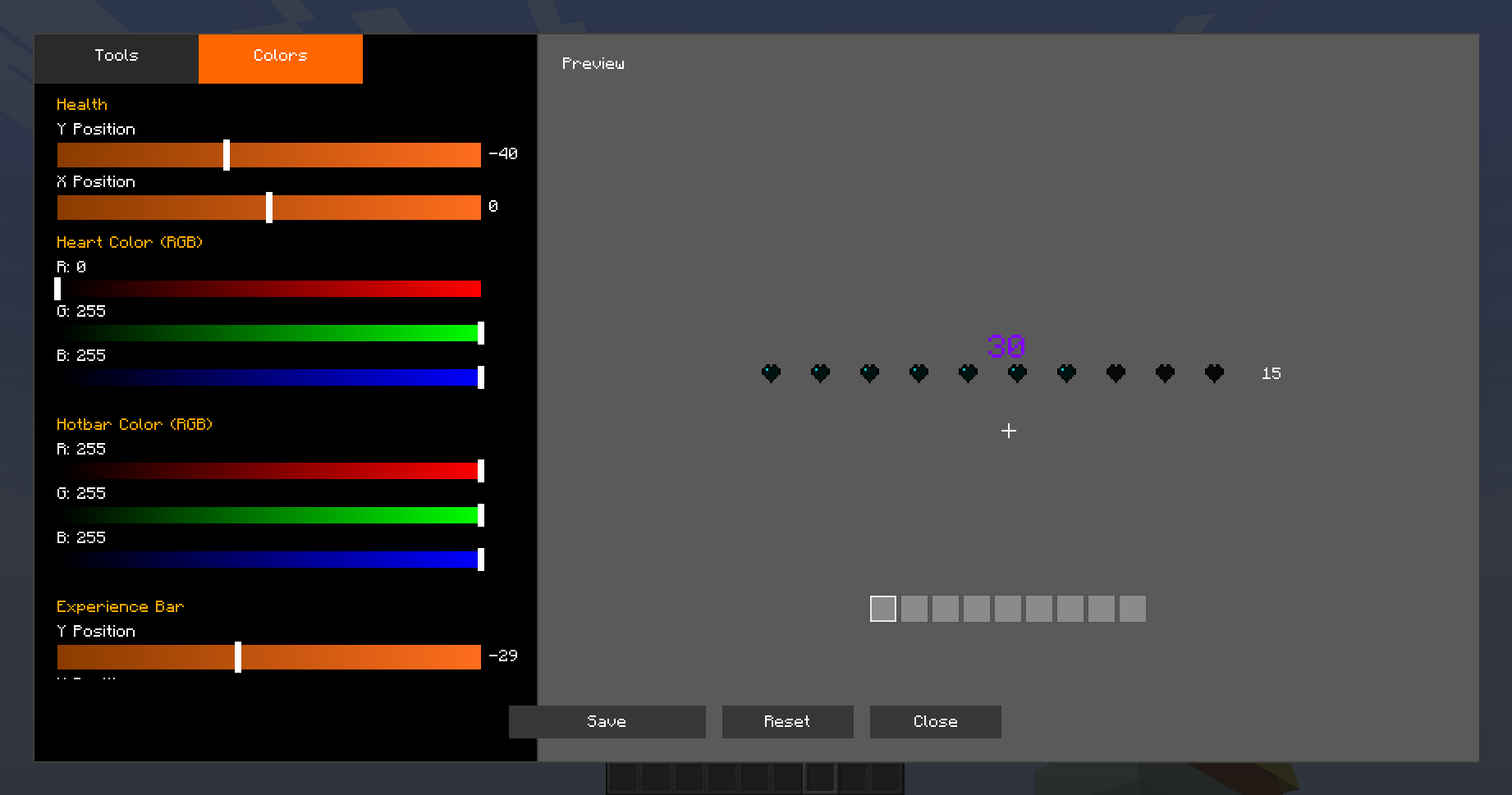 Custom config
 -
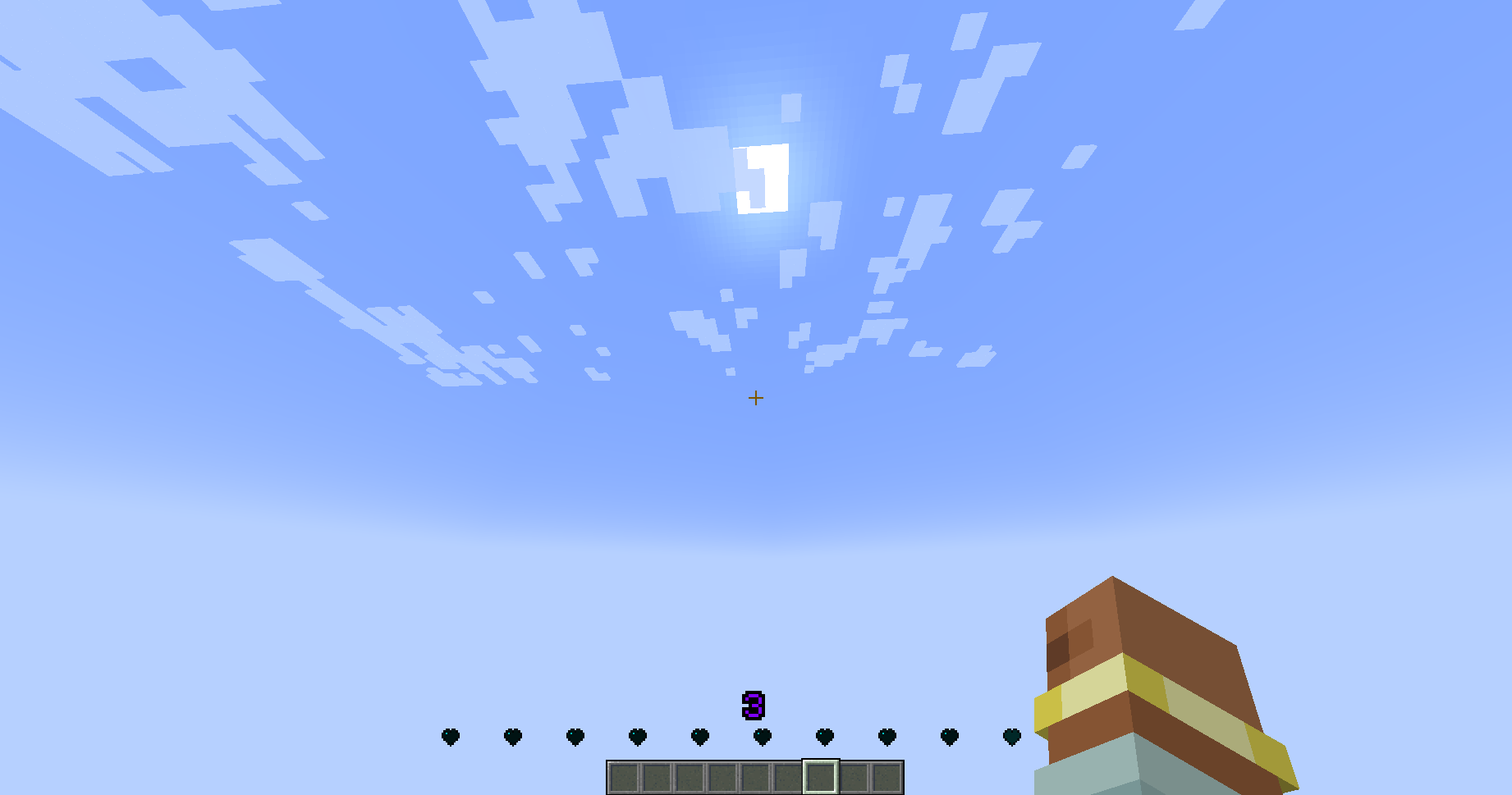 Example in game
Versions
Files
Relations
Project Relations
More like this
Similar Mods
Suggestions use data such as tags, dependencies, dependents, descriptions, titles, and more to rank how much they overlap with this mod.
On ModDex
Community snapshot
By the numbers
Statistics

Want to reach Minecraft players?
We're looking for a server hosting partner to feature here and other parts of the site. Interested? Send us a message!
Get in touchGet it on
Available Platforms
On ModDex
Community snapshot
By the numbers
Statistics
Resources