
Customizable Elevators
No reviews yet
Build an elevator from your own blocks! There is support for doors and rope.
Includes a large focus on traversing worlds with enhanced world generation, structures, dungeons, and more for players to find unique loot.
Data Packs were introduced to vanilla Minecraft in version 1.13 and allow the server to modify data about the game, or run commands. Data Packs are compatible with all mod loaders.
Neoforge is a fork of the Minecraft Forge available for versions 1.20.1+ of Minecraft. Many Forge mods are compatible with Neoforge and vice versa.
Fabric is a mod loader for versions 1.14+ of Minecraft, particularly popular for client side and optimization mods.
Quilt is a fork of the Fabric mod loader. Many Fabric mods are compatible with Quilt and vice versa.
Community voices
Reviews
Click once to include, again to exclude, again to clear
No reviews yet. Be the first to review this project!
Get it on
Available Platforms
 Modrinth
Compatibility
Supported Environments
About
Project Details
For authors
Embed Badge
If you're the author of this project, you can embed a live badge anywhere that supports HTML or Markdown. It updates automatically whenever ratings change.
Use HTML for any page that supports it, or Markdown for README files and Markdown-based descriptions.
Identifiers
Platform IDs
Resources
External Links
About
Description
Search for important errors and bugs for survival, help with translations is required (currently only Russian, English, Polish and Russian Pre-Reform).
⚙️ Installation
For the datapack to WORK, you need to install the MIDWUT(click) core datapack!
📖 About
With this data pack, you can turn ordinary blocks into a working elevator! All elevator elements consist of your blocks.
Features:
- Clone movement of blocks and teleportation of entities in/above/below the elevator;
- Handling all possible errors during the creation and operation of the elevator;
- The elevator speed is adjustable;
- Support for your texts on buttons(signs);
🧊 Blocks & Crafts
New block — Elevator Station
The player will receive a recipe in the recipe book if they receive a copper ingot or redstone.
- There is a screenshot of the recipe in the gallery.
- Recipe visualization on the misode generator website: Click
It's a container block with elevator configuration tools inside.
There is an elevator speed setting and a display of the current speed. On the technical side, speed is a delay in ticks between movements (1 sec = 20 ticks), so it is impossible to set the exact speed in some ranges. The formula for converting the delay in ticks to blocks per second: 20/(delay)
Old Lodestone recipe has been returned
Now a netherite ingot is used in crafting, as in version 1.21.4 and earlier.
This is due to the fact that the Lodestone is used as a winch, and I decided to return the more expensive craft.
🧰 Tools
General Usage Information
Selectors set points that select areas. The points are placed by right-clicking. The color of the second point is darker.
The button and stop setter select one block by right-clicking. Button and Door setters requires the copied floor ID by holding down Sprint key and right-clicking on the block with the stop set.
Any point can be removed by holding down Sneak key and right-clicking on the block.
Elevator Selector
Places global two green points, selects elevator cabin. There is a height limit for points: not reaching the bedrock and not close to the world ceiling.
Rope Selector
Places two purple points, selects elevator rope(s). Each of the ropes must consist of one block along its entire length. The first point is fixed to the roof of the elevator, the second to the winch(Lodestone). I note that block entity are not supported.
Floor Selection Button
Places one yellow point, only inside the elevator cabin. Modifies the sign so that the front side becomes clickable.
Stop Setter
Places blue points, one for each Y coordinate. For other tools, the floor ID will need to be copied from these blocks.
Call Buttons
Places golden points, needs to copy the floor ID. Modifies the sign so that the front side becomes clickable.
Doors Selector
It has two types of door placement - for elevator and floor.
For the elevator door, two red points are placed inside the cabin, selects the door.
For the floor door, you need to copy the floor ID, then two gray dots are placed, selects the door.
I note that block entity are not supported.
🏗️ Elevator Elements
Elevator Cabin
The cabin moves by moving blocks.
- When moving up, entities inside the cabin and on the roof are teleported up;
- When moving down, entities inside the cabin and below the cabin are teleported down.
If a block is detected in the direction of movement, the elevator will stop and tell the players in the elevator about it.
Rope
When the elevator is moving, the correctness of the cable blocks on the roof of the elevator with the blocks saved is checked. The elevator will stop and tell you an error if an incompleteness or an incorrect cable block is detected.
Doors
Any doors are checked for the absence of an block entity before opening, and then they will open. When closing, the absence of any block or mob in place of the doors is checked.
The doors will open in the following situations:
- The elevator arrived on the floor;
- The player pressed the elevator call button if the elevator is already on the floor with the doors closed;
- The player inside the elevator pressed the door open button.
The doors will try to close after 15 seconds, but if the doors cannot close, the closing will be repeated after 3 seconds.
Buttons
The elevator call buttons send a signal to the non-moving elevator with the floor ID and the elevator ID. The value is encoded using the formula: {(eID * 1000) + (height + 400)}0
If you specify a number in the first line of the sign, it will be considered the floor number, then you can write any text in the other three lines. Otherwise, the contents of the sign will be replaced with the text with the height of the floor.
The floor selection button stores only the elevator ID. When player clicks on it, the player is shown a list of floors and a door opening button. The doors can only be opened when the elevator is not moving. The value of the floor buttons is calculated using the same formula as for call buttons, but at the end the number is 1: {(eID * 1000) + (height + 400)}1. The elevator will not receive a signal if the player presses the floor button outside the elevator cabin.
🧩 Add-ons & Technical info
Entities
By default, the elevator can only move all vanilla living entities, but this is configurable.
- Add the
ignore.customizable_elevatorstag to the living entity and the elevator will ignore it. - For living entities from mods, you need to add the entity ID to the
#customizable_elevators:livingentity_type tag. - For non-living entities, you need to add the entity ID to the
#customizable_elevators:not_livingentity_type tag and also add thenotice.customizable_elevatorsmob tag.
Height limit for points
If you need elevator support in your dimension, you need to add the #customizable_elevators:dimension_for_y_check function tag with your function to handle your dimension in your datapack.
Example:
# function from dimension_for_y_check tag
execute if dimension <dimension_id> run return run function <custom_path>/dimension_for_elevator/<dimension>


# <dimension> function
## The #y main_score score stores the Y coordinate of point
## Do not change these functions, they contain a ready-made error message. If you need to, then create your own functions, don't forget about the `return fail` command

execute if score #y main_score matches ..-60 run return run function customizable_elevators:zzz/block/elevator_station/selector/raycast/dimension/below
execute if score #y main_score matches 317.. run return run function customizable_elevators:zzz/block/elevator_station/selector/raycast/dimension/above
return 1
If you need to change the limits for vanilla dimensions, then you also need to add the #customizable_elevators:redefining_validation_for_vanilla_dimension function tag with your function, use the command in it:
data modify storage midwut:main dimension append value {id:"<dimension_id>"}
🔗 Links
You can leave a comment on the PMC page!

Russian discord server of datapackers / Русский дискорд сервер датапакеров
Если вы датапакер, ищите адекватной помощи, полезных ресурсов и возможности поделиться проектами, то вам на СвинСоюз: Датапаки! Это сервер-ответвление от изначального заброшенного сервера ZeroCaty "СвинСоюз". Сейчас мы не имеем к нему никакого отношения.

Screenshots
Gallery
-
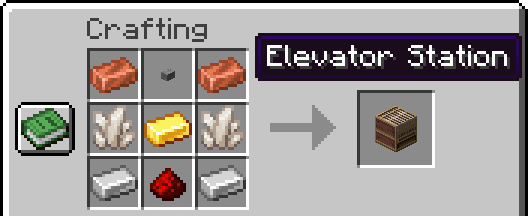 Elevator Station recipe There is a link to visualization in description.
 -
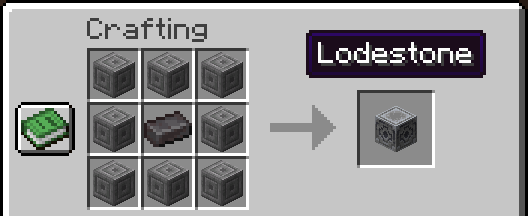 The old Lodestone recipe With netherite ingot.
 -
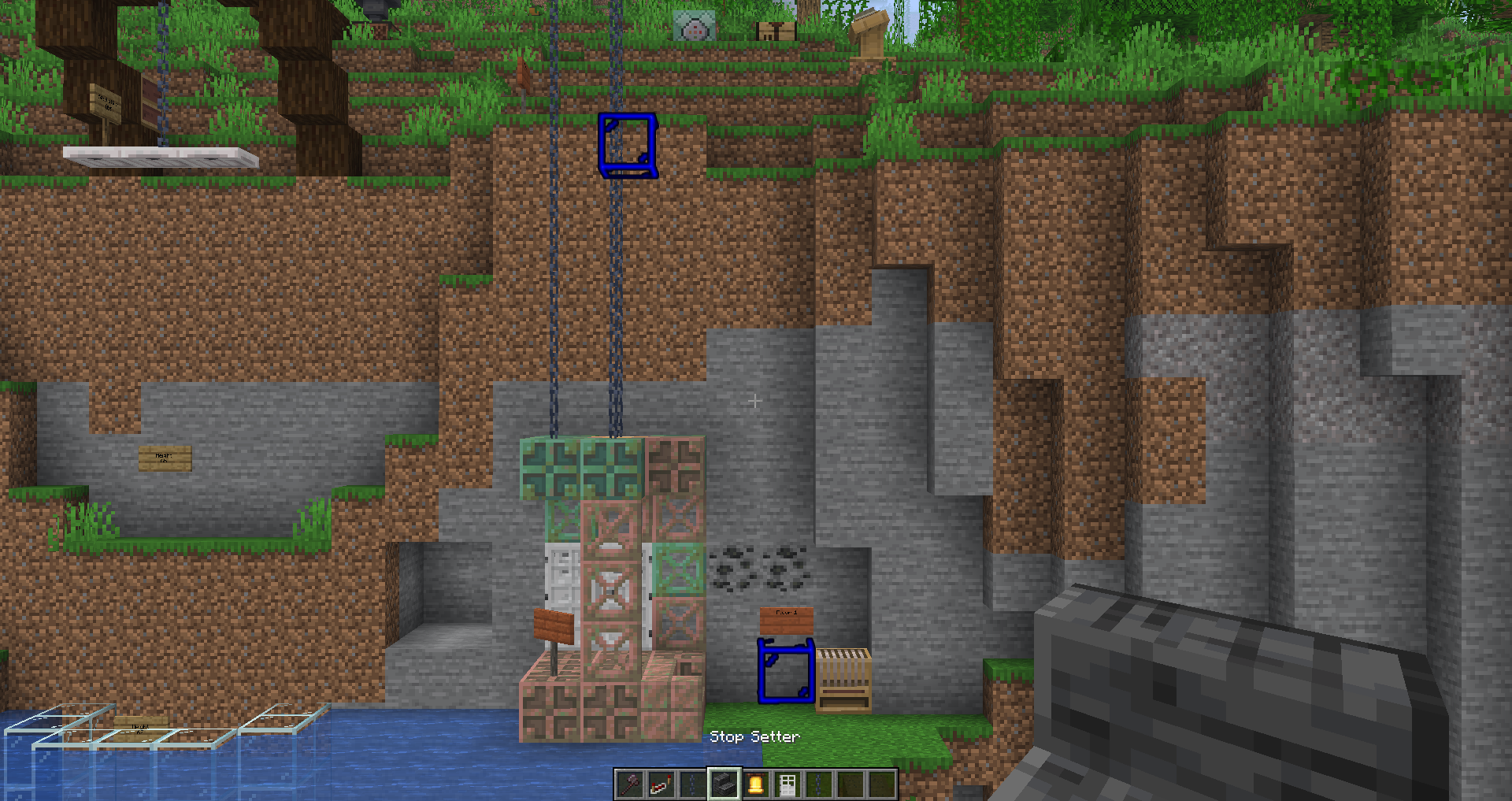 Stop Setter Stops are floors, they mark the height.
 -
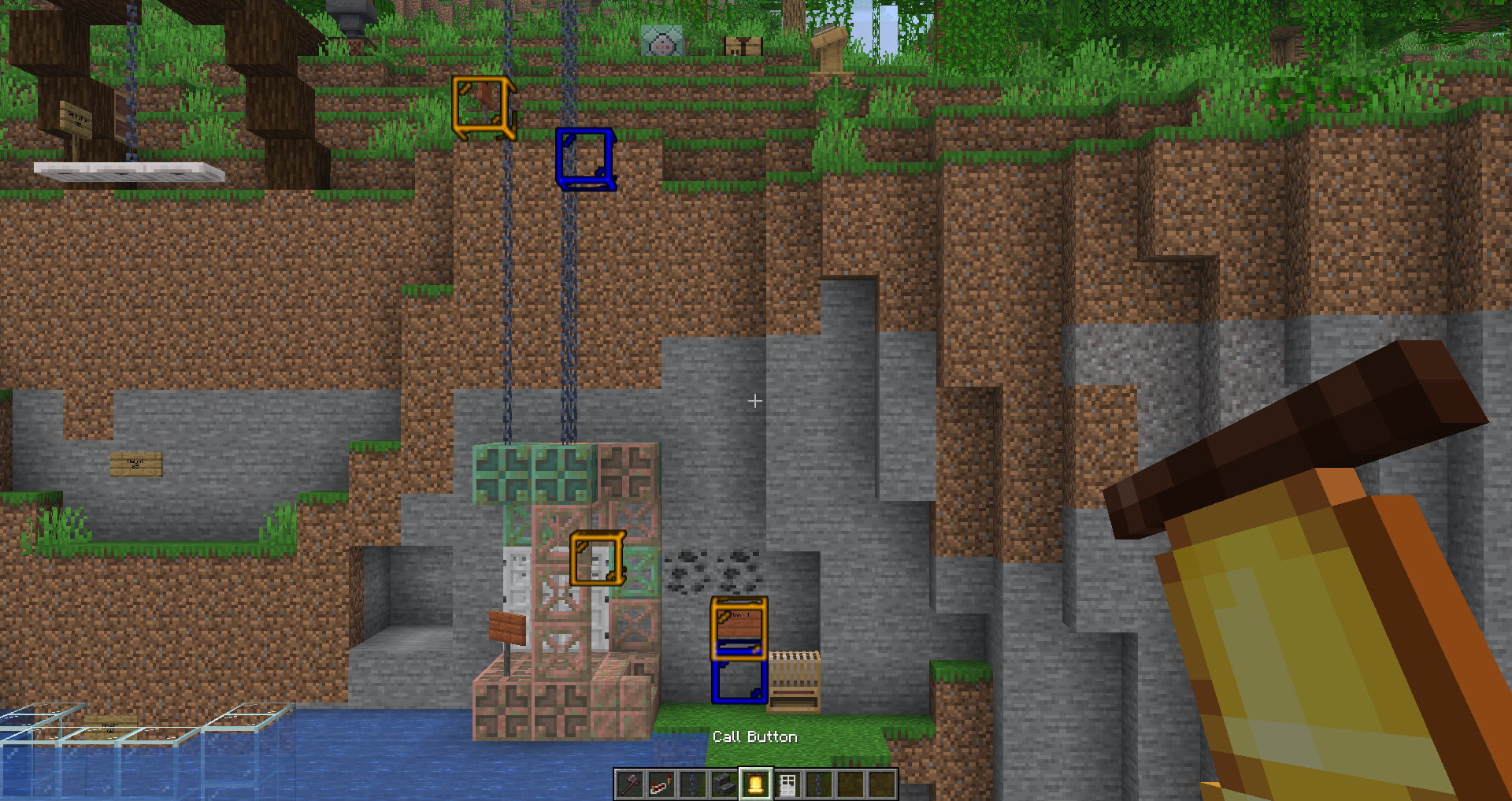 Call buttons Buttons for each floor with your texts support.
 -
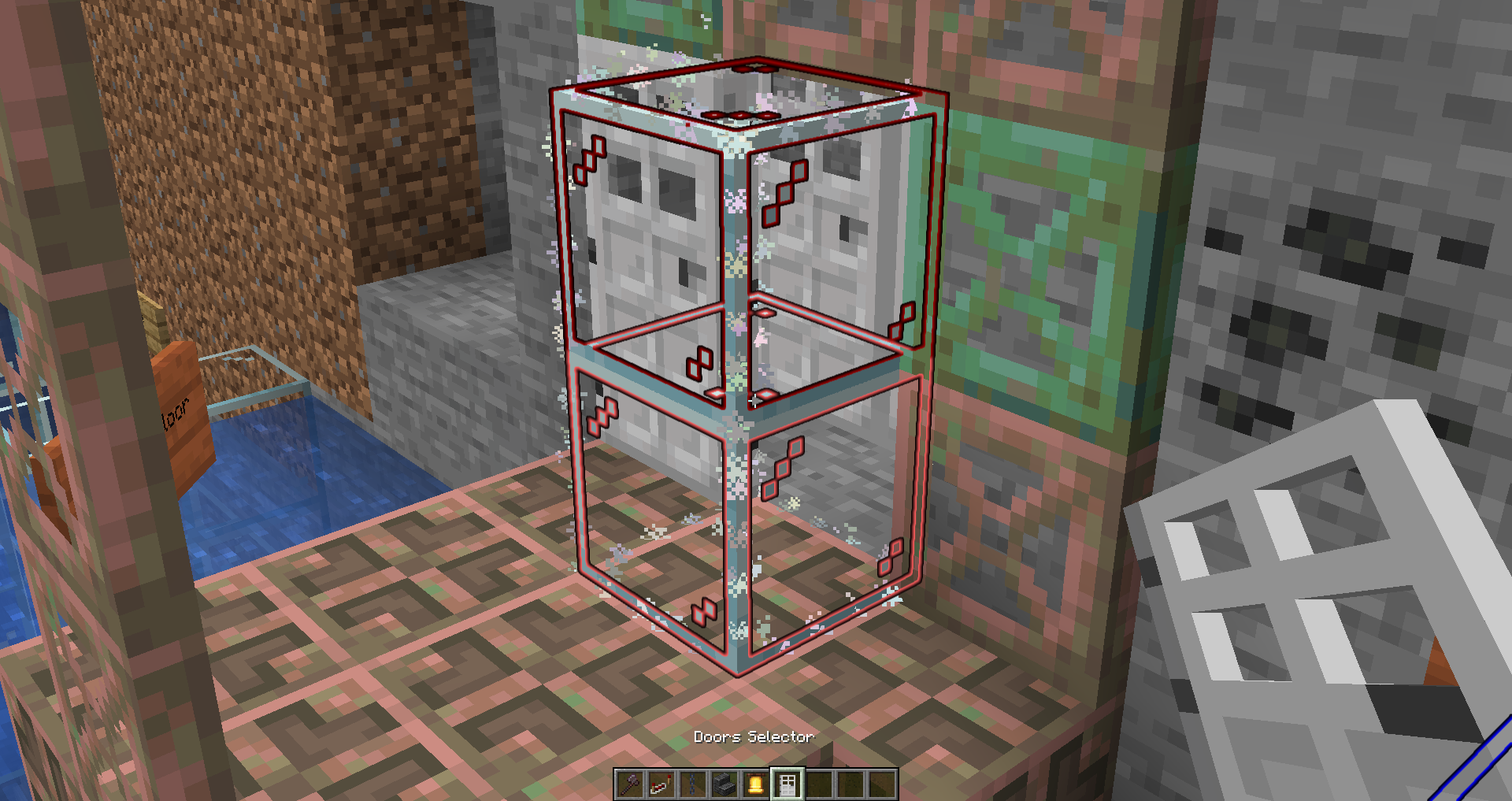 Doors selector: Elevator By selecting an area in the elevator, the elevator door is selected.
 -
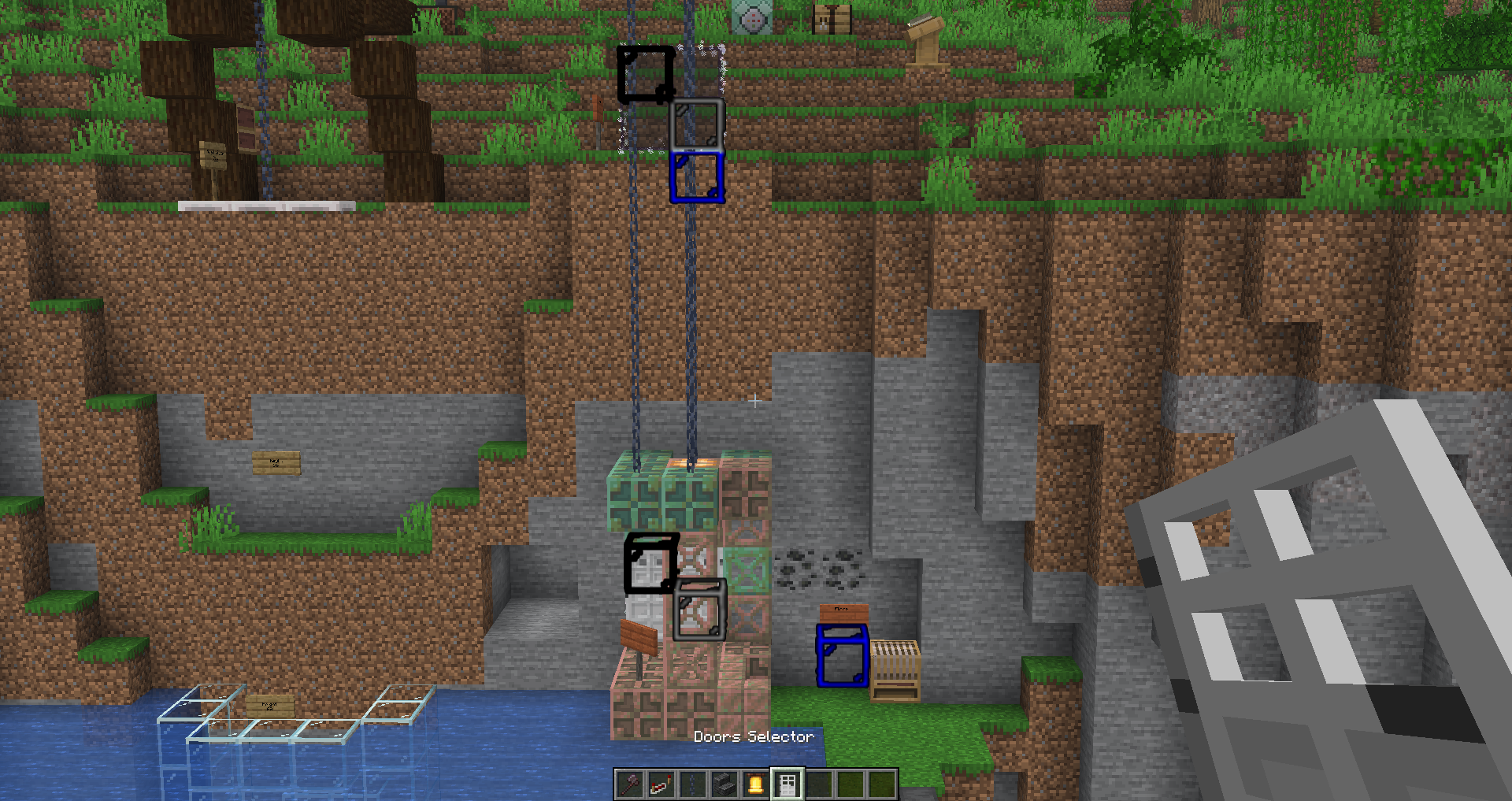 Doors selector: Floors A door for each floor.
 -
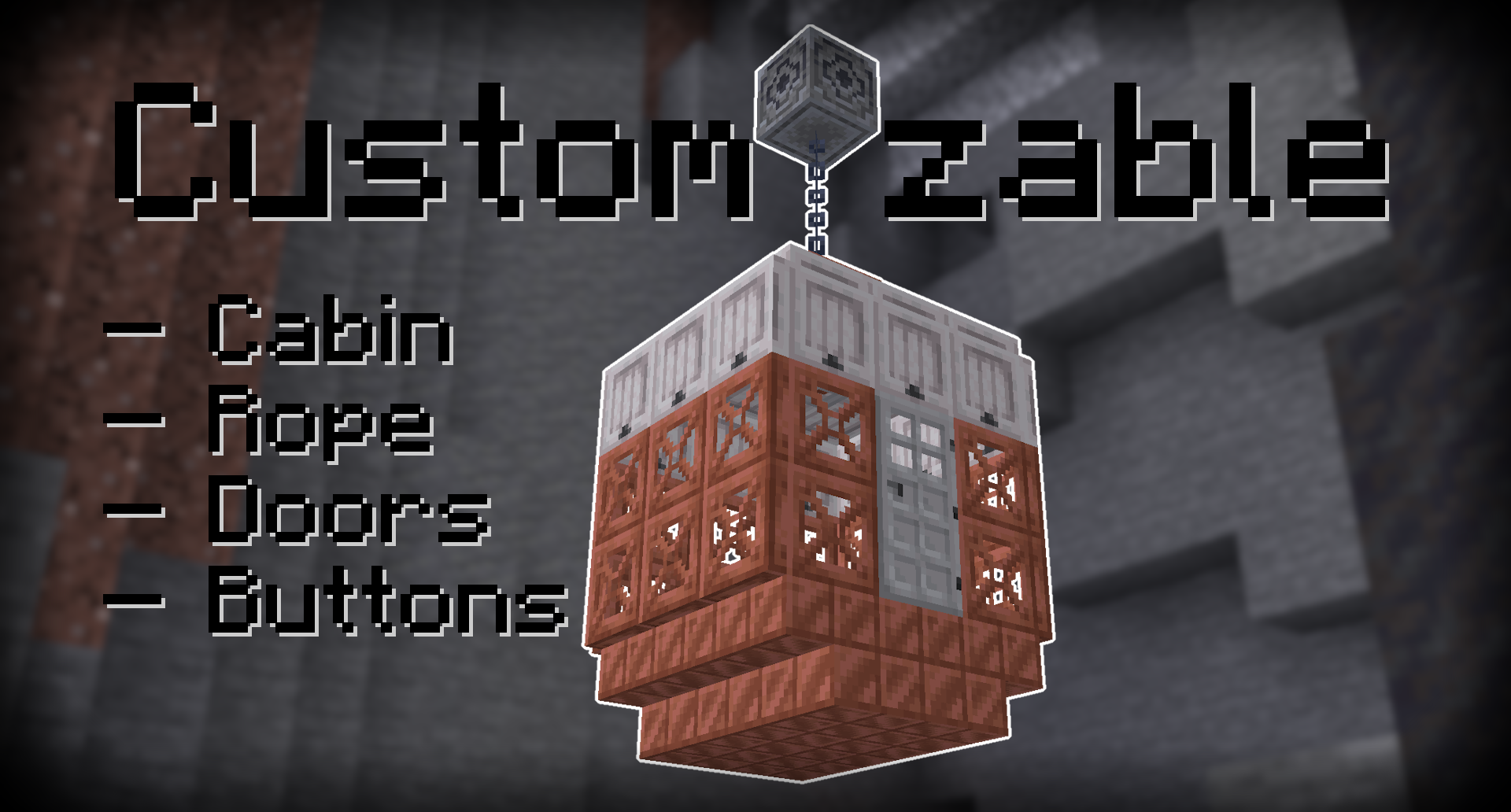 Preview
 -
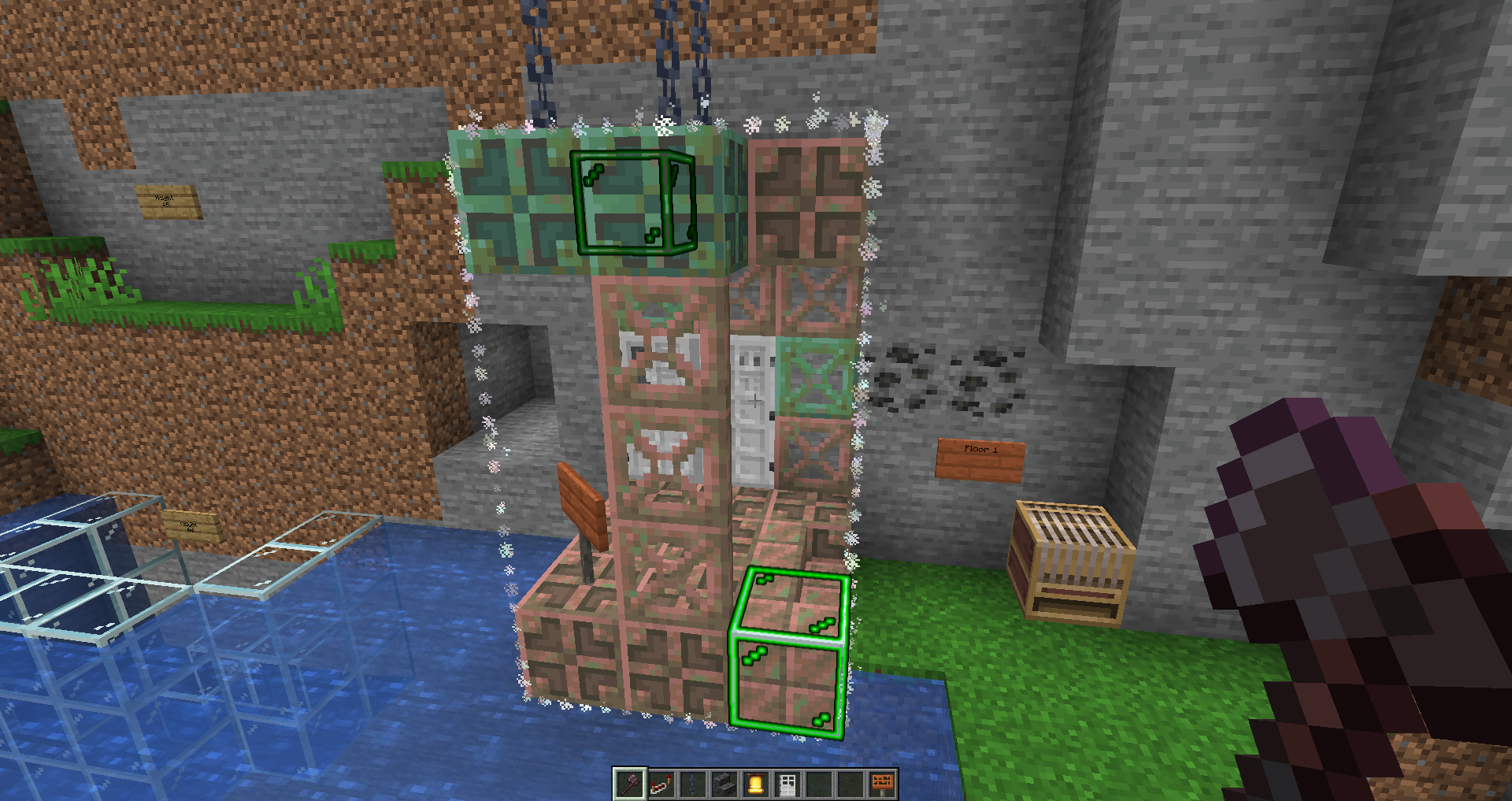 Elevator Selector You can select any area for the elevator cabin.
 -
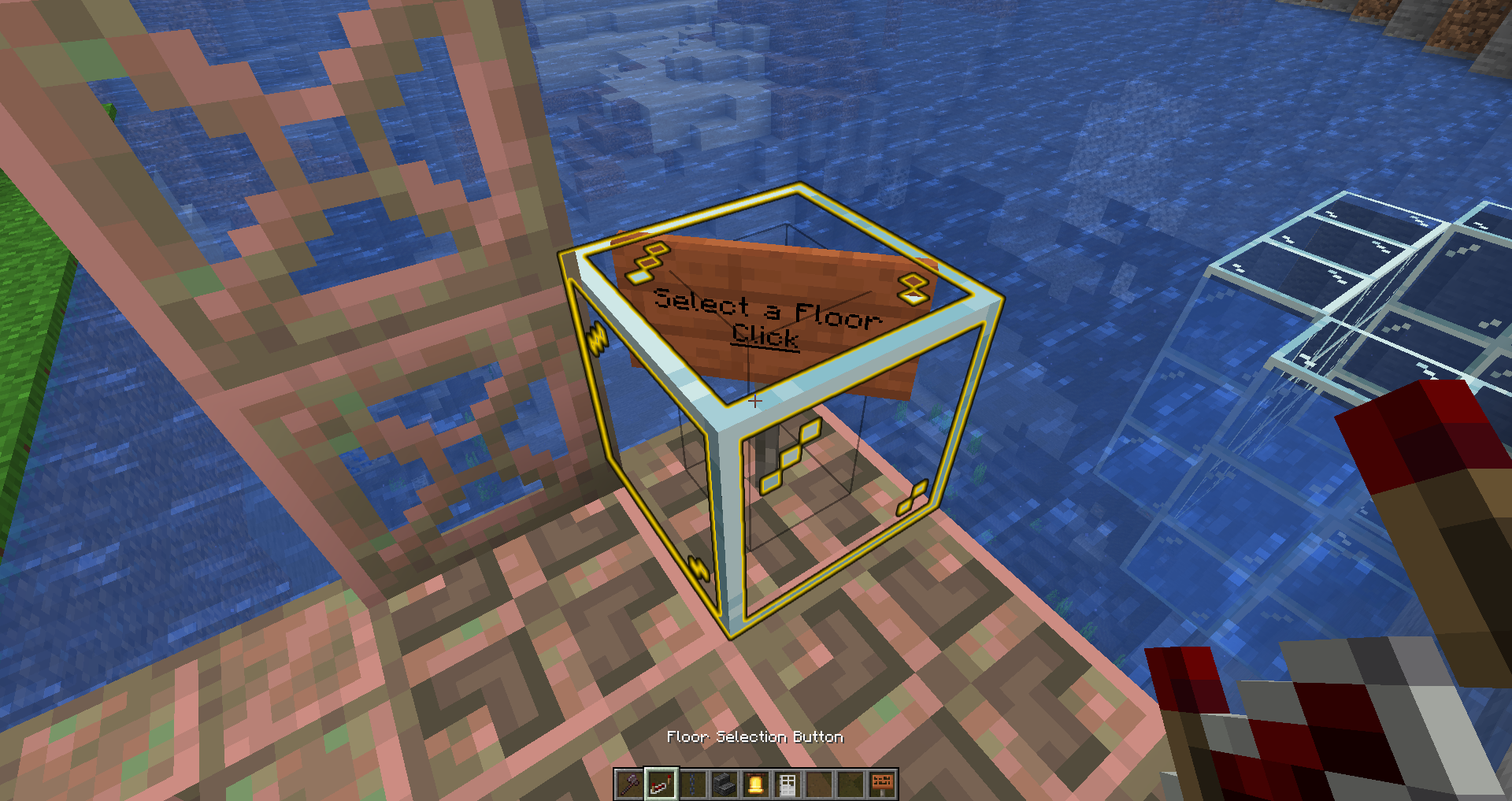 Floor Selection Button The button inside the elevator.
 -
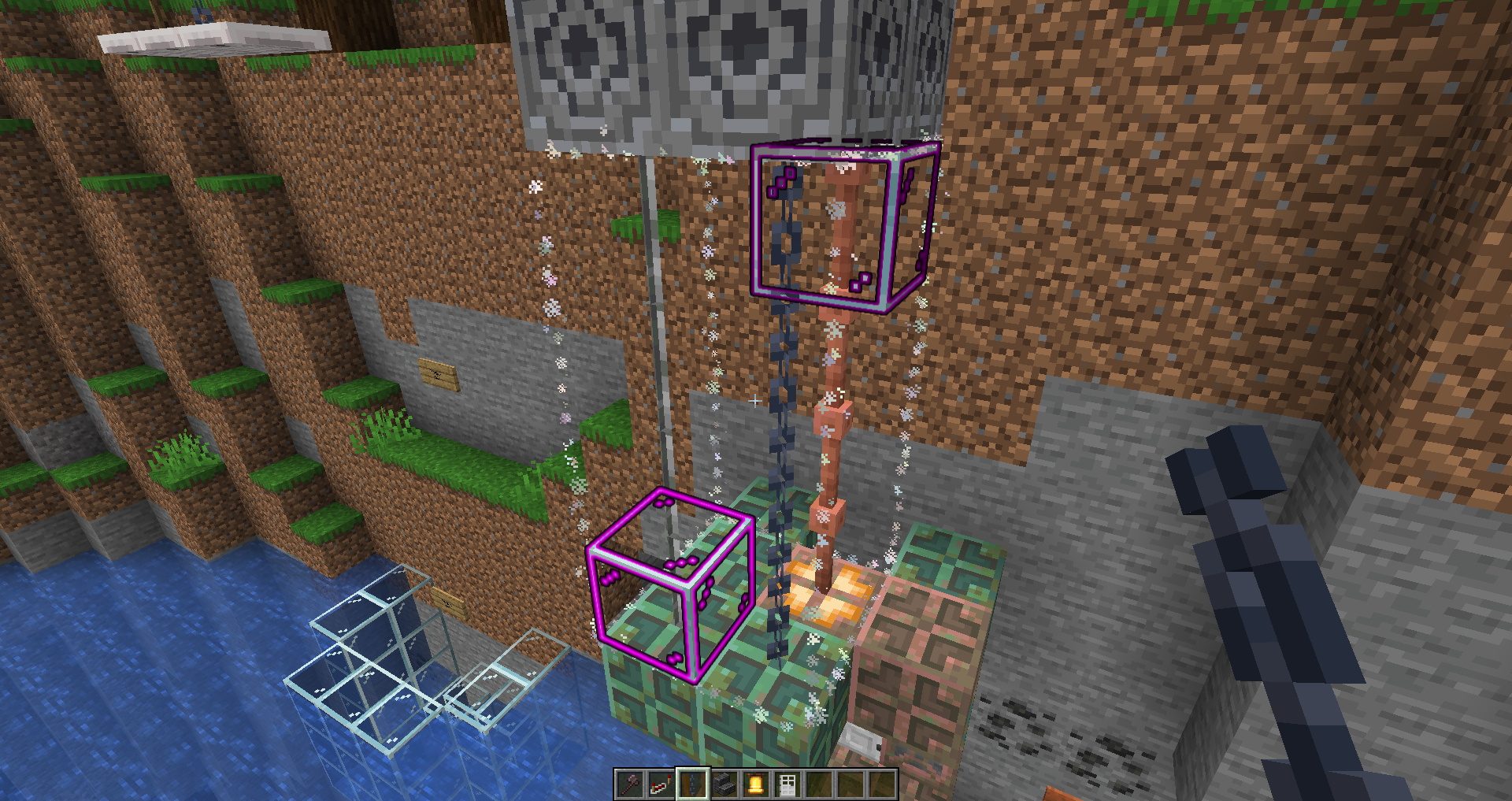 Rope Selector You can select any number of ropes from any block.
Versions
Files
Relations
Project Relations
More like this
Similar Mods
Suggestions use data such as tags, dependencies, dependents, descriptions, titles, and more to rank how much they overlap with this mod.
On ModDex
Community snapshot
By the numbers
Statistics

Want to reach Minecraft players?
We're looking for a server hosting partner to feature here and other parts of the site. Interested? Send us a message!
Get in touchGet it on
Available Platforms
On ModDex
Community snapshot
By the numbers
Statistics
Resources