Community listing page, reviews may not be monitored by the author.
Cyberwares | Cyberpunk Implants

No reviews yet
Upgrade your body with five cybernetic implants: double jump, fall protection, threat detection, item attraction, and extra underwater air.

Community voices
Reviews
No reviews yet. Be the first to review this project!
Get it on
Available Platforms
About
Project Details
For authors
Embed Badge
If you're the author of this project, you can embed a live badge anywhere that supports HTML or Markdown. It updates automatically whenever ratings change.
Use HTML for any page that supports it, or Markdown for README files and Markdown-based descriptions.
Identifiers
Platform IDs
Resources
External Links
About
Description
Upgrade your body
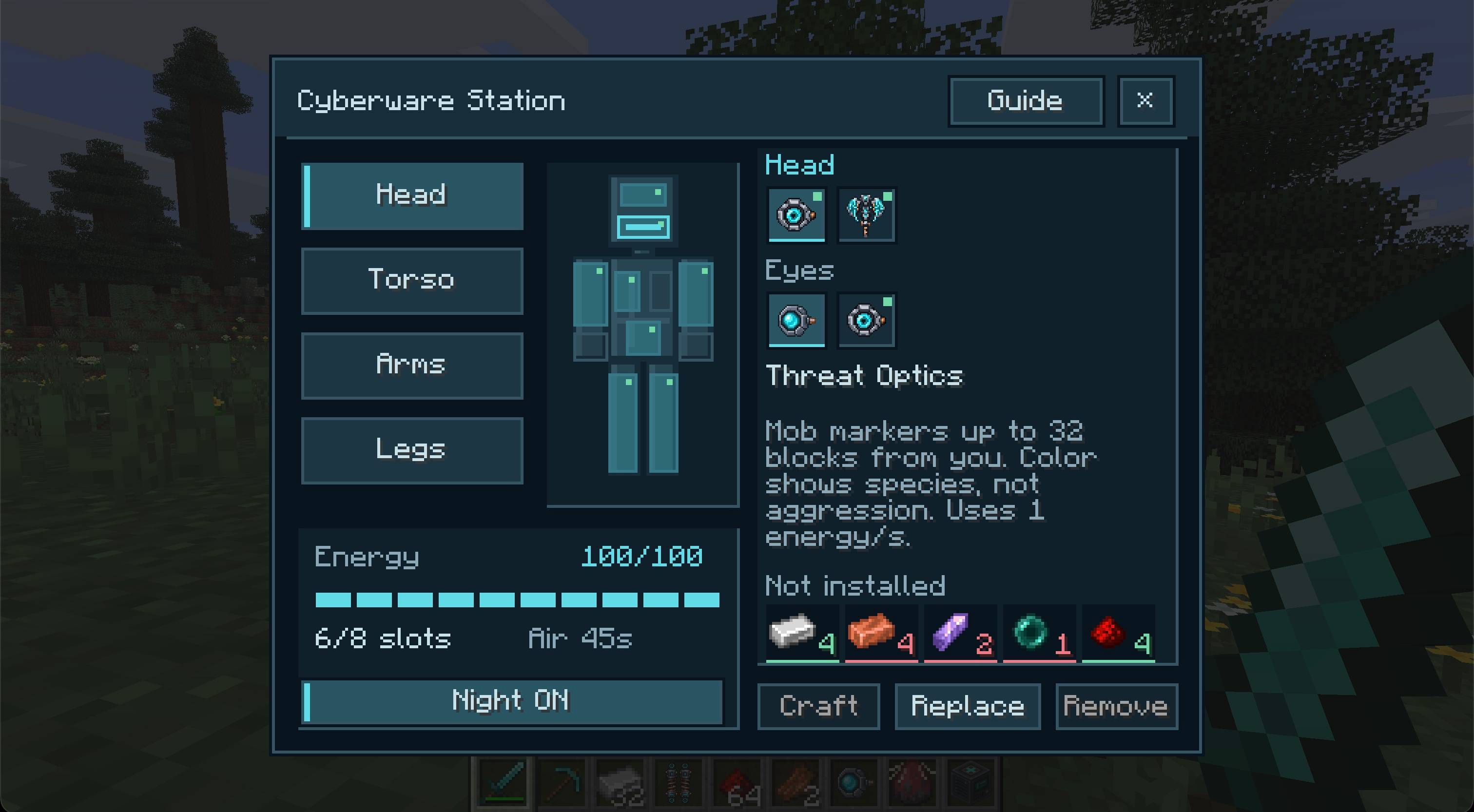
Build a Cyberware Station and fit your character with ten cybernetic implants across eight body regions. Jump again in midair, survive dangerous falls, spot nearby mobs, attract dropped items, or stay underwater longer. Active abilities draw from a rechargeable battery, so choose your implants and keep an eye on your charge.
Ten implants
| Implant | What it does |
|---|---|
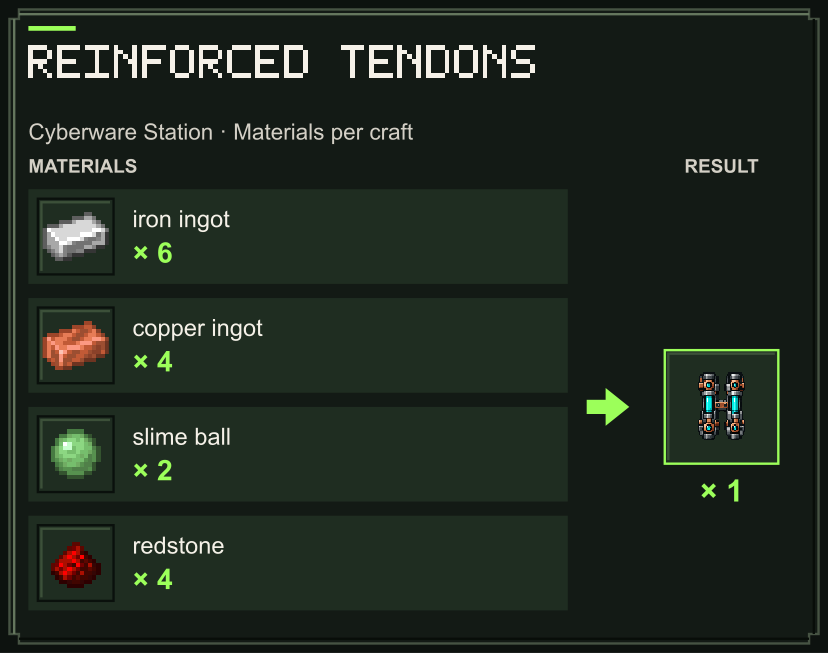
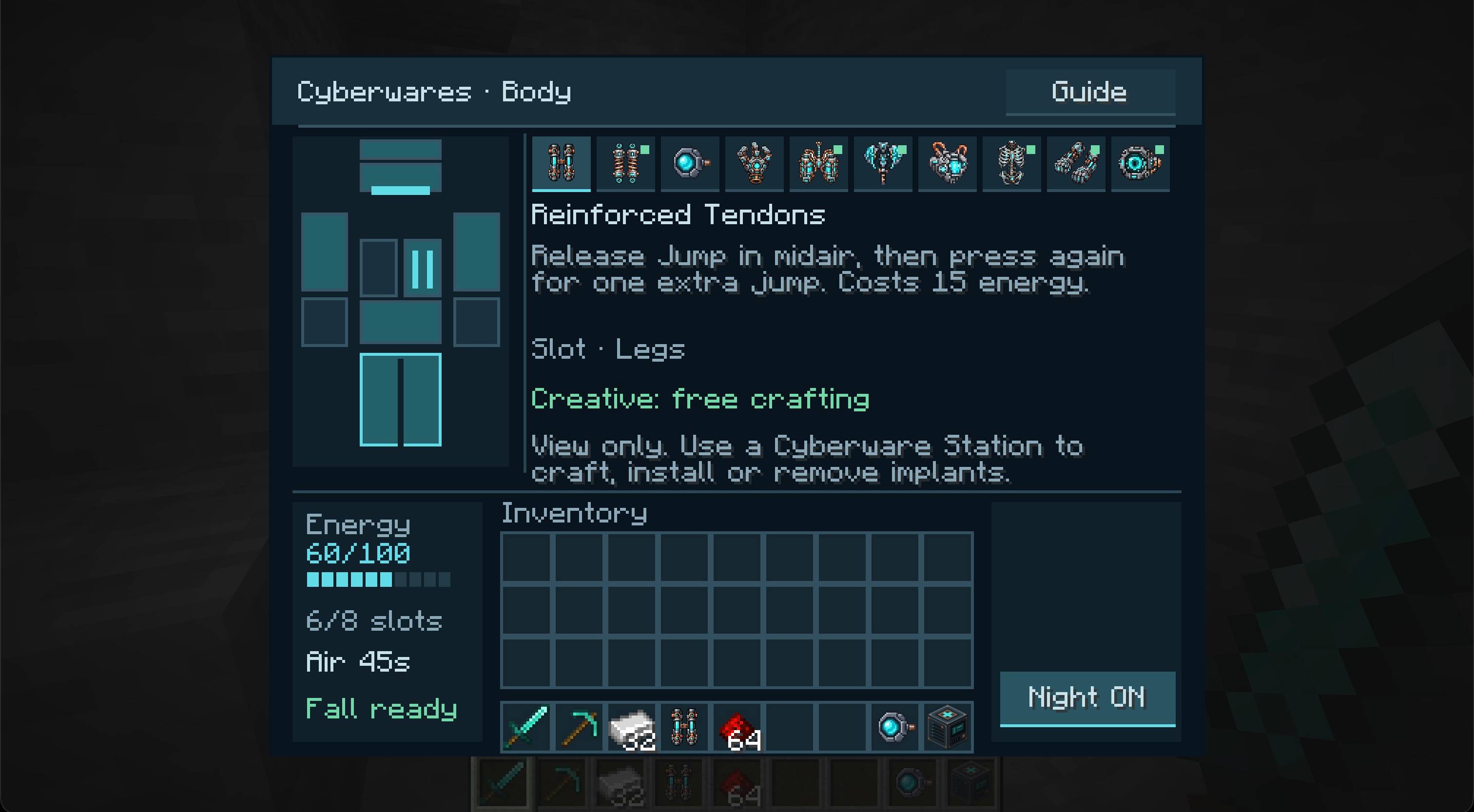
| Reinforced Tendons | Gives you one extra jump in midair. Release Jump after takeoff, then press it again. |
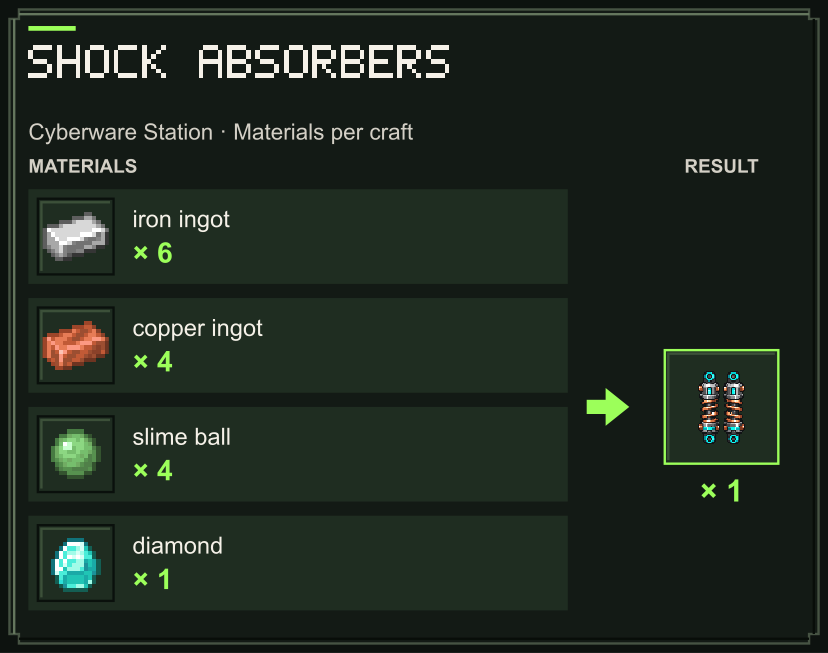
| Shock Absorbers | Cancels a fall hit, including a lethal fall, when at least 25 energy is available. |
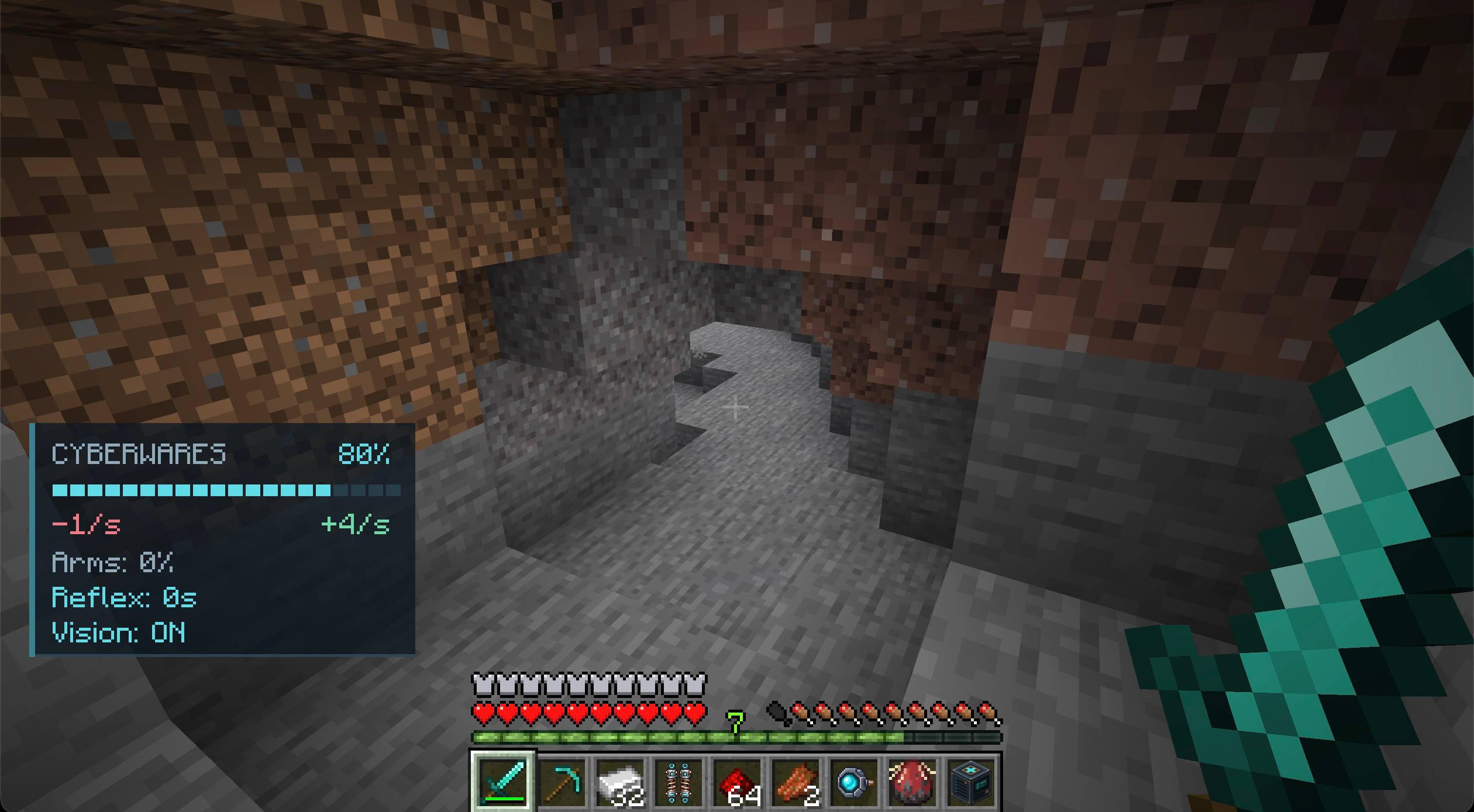
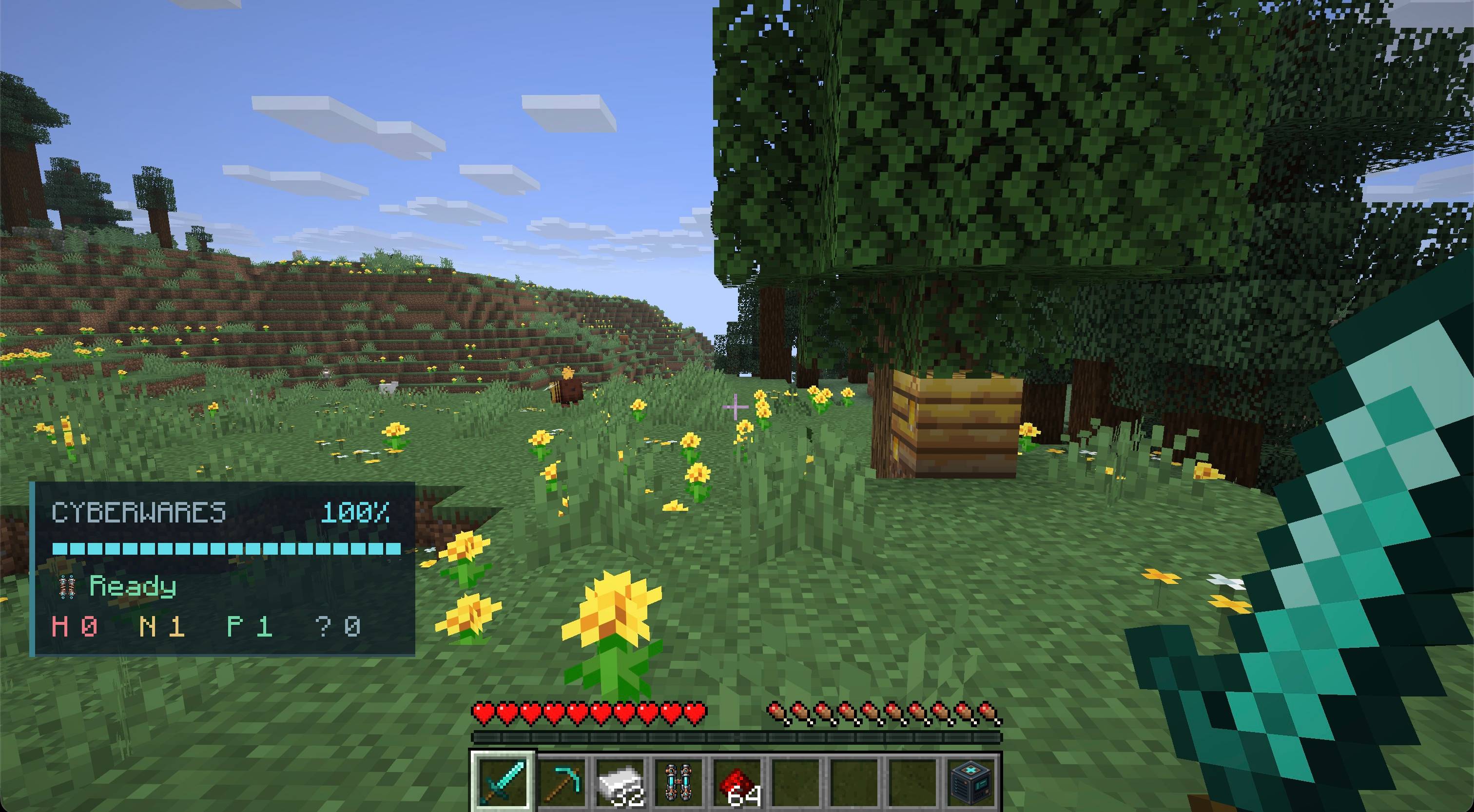
| Threat Optics | Marks visible nearby mobs with colored particles and shows nearby mob counts on your display. |
| Magnetic Grip | Pulls visible dropped items toward you when your inventory has room. |
| Artificial Lungs | Provides up to 45 extra seconds of underwater air while energy is available. |
| Reflex Accelerator | Getting hurt by a mob grants 30% extra movement speed for 3 seconds. Costs 15 energy with a 15-second cooldown. |
| Adrenaline Pump | Surviving damage below 30% health grants Resistance I and Speed I for 5 seconds. Costs 30 energy with a 60-second cooldown. |
| Reinforced Skeleton | Adds 2 armor and 50% knockback resistance without using energy. |
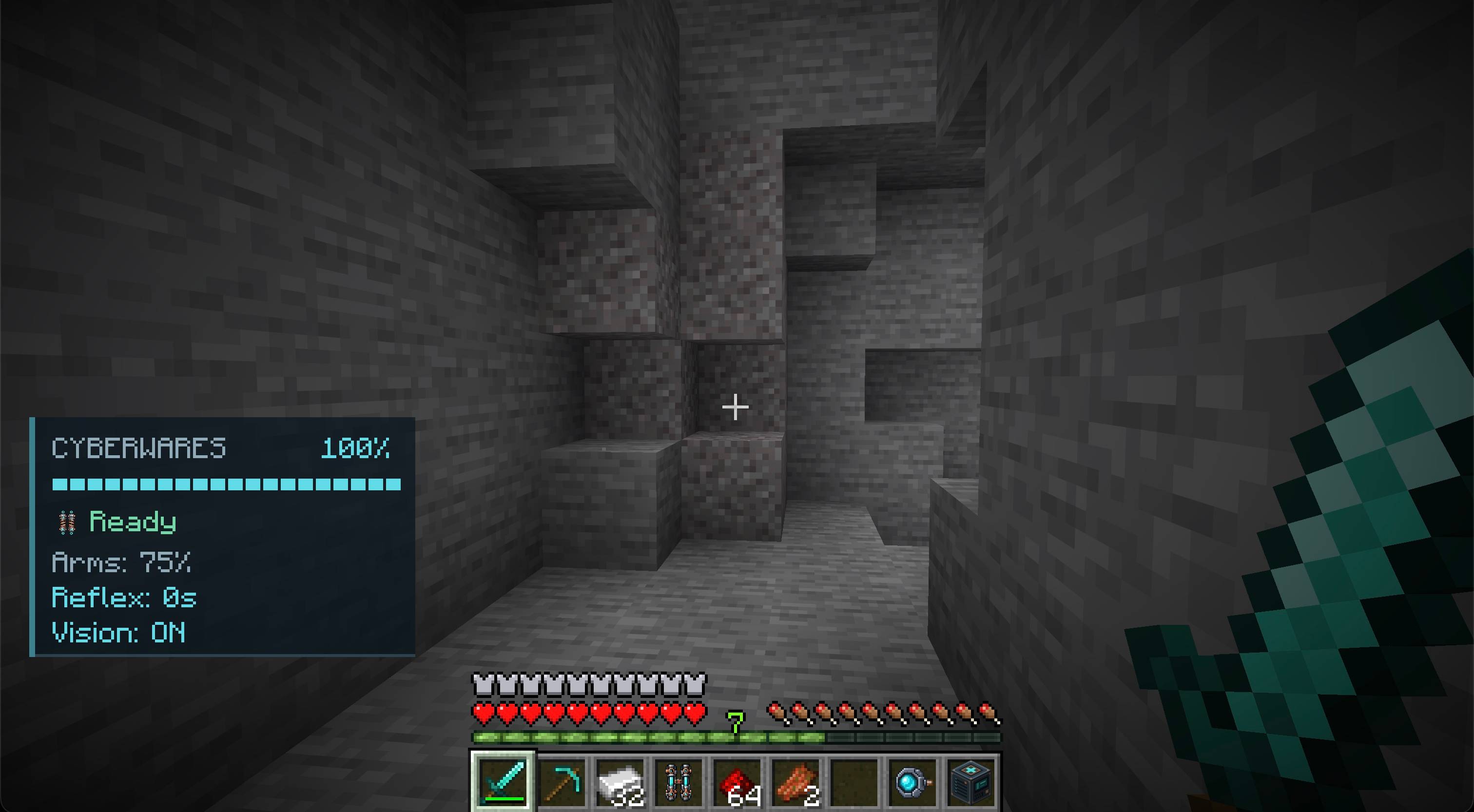
| Hydraulic Arms | Four damaging melee hits charge a powered strike with extra damage and knockback. Costs 20 energy. |
| Night Optics | Switch night vision on or off from your body viewer. Costs 1 energy per second. |
Choose one implant per body region. Reinforced Tendons and Shock Absorbers both occupy the legs, so you must choose between extra jumps and fall protection. Threat Optics and Night Optics are alternatives for your eyes. Implants can be removed at the station and installed again later.
Getting started
Craft a Cyberware Station with five iron ingots, one copper ingot, two redstone dust and one diamond:
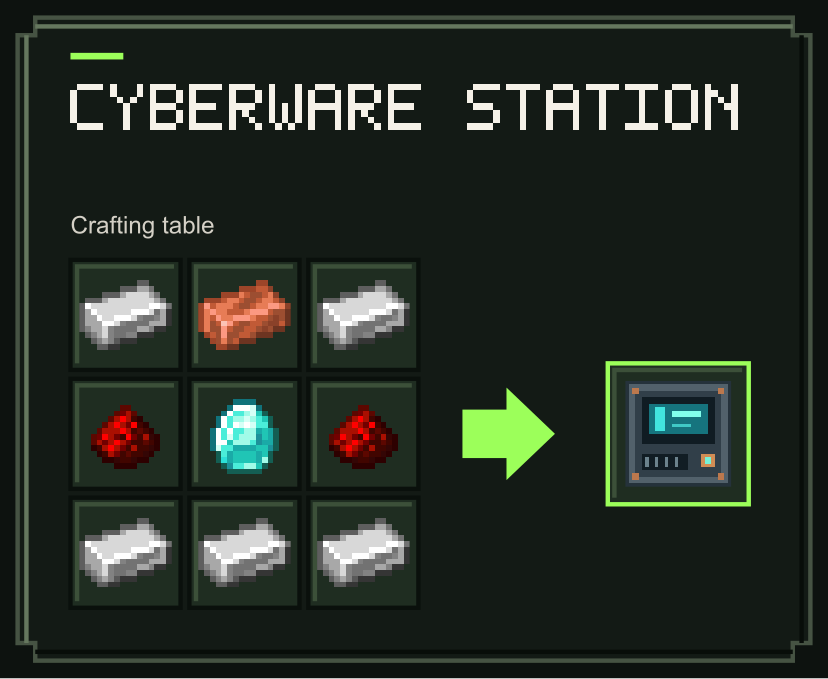
Right-click the station to see implant recipes, craft implants, and install or remove them. Keep an empty inventory slot when crafting or removing an implant. Recipe tooltips show the materials you have and the amounts you need.
Press B or use /cyberbody anywhere to inspect your implants on an interactive body diagram. The key can be changed in Minecraft Controls. The viewer shows your equipment, energy and air; installing and removing implants requires the station. An in-game guide explains the abilities and their costs.
Implant recipes
Craft these implants at the Cyberware Station, using the materials shown below. Each recipe makes one implant.
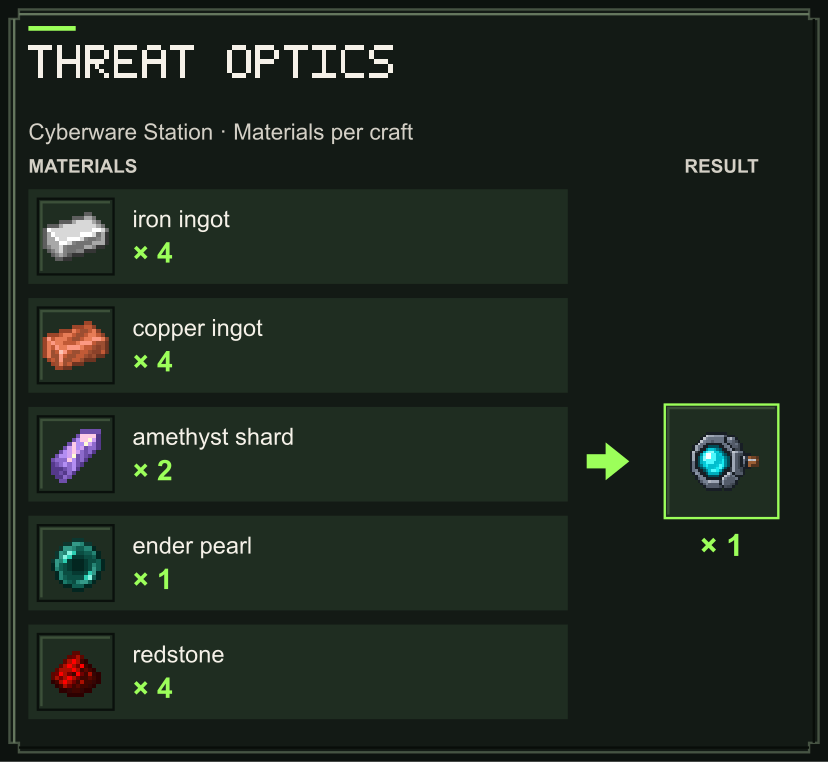
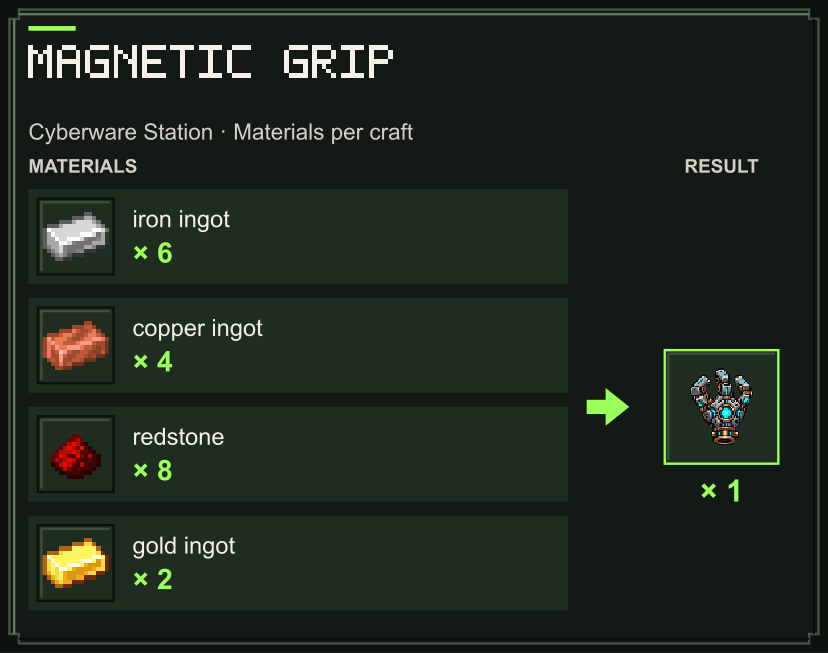
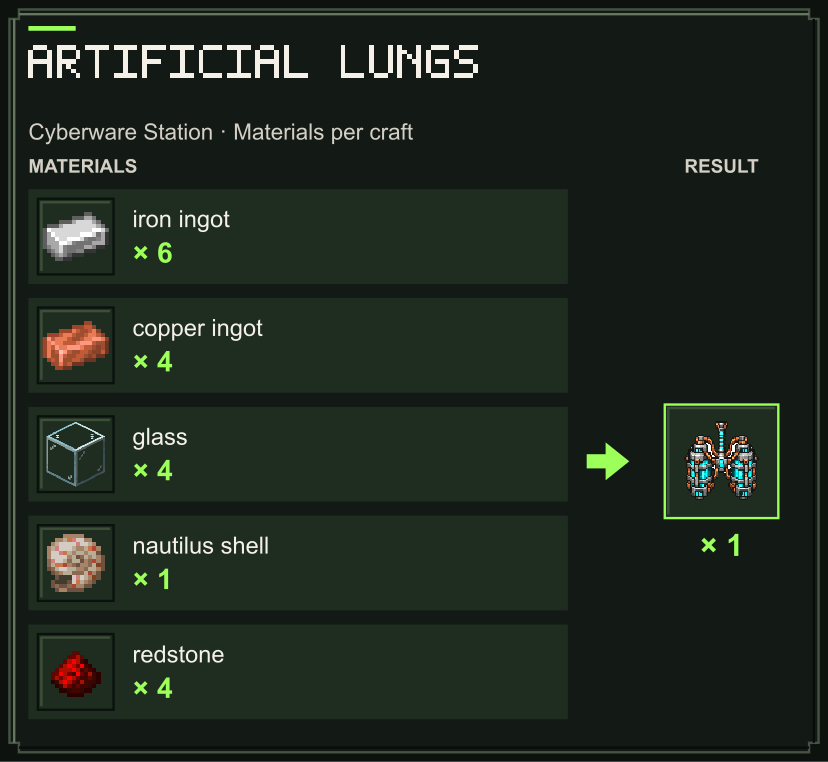
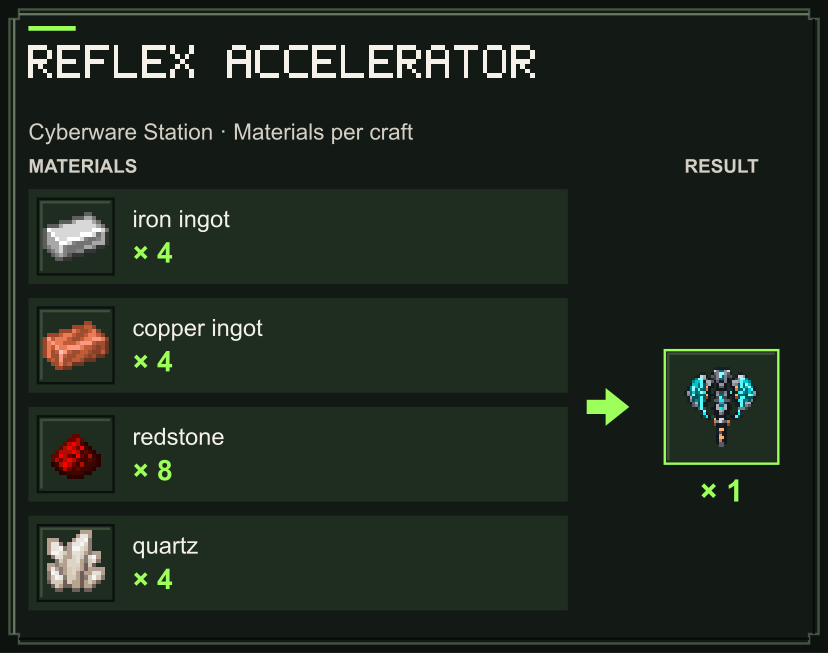
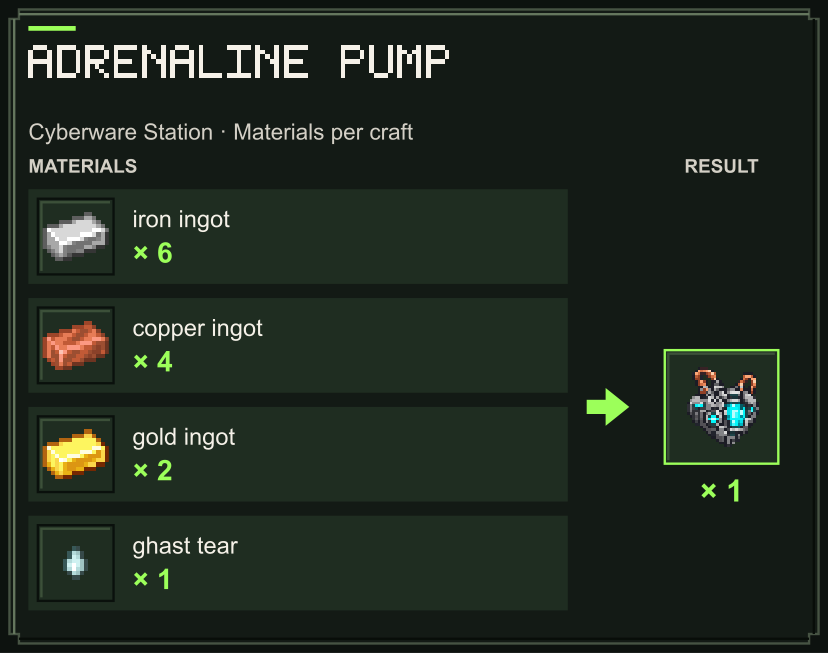
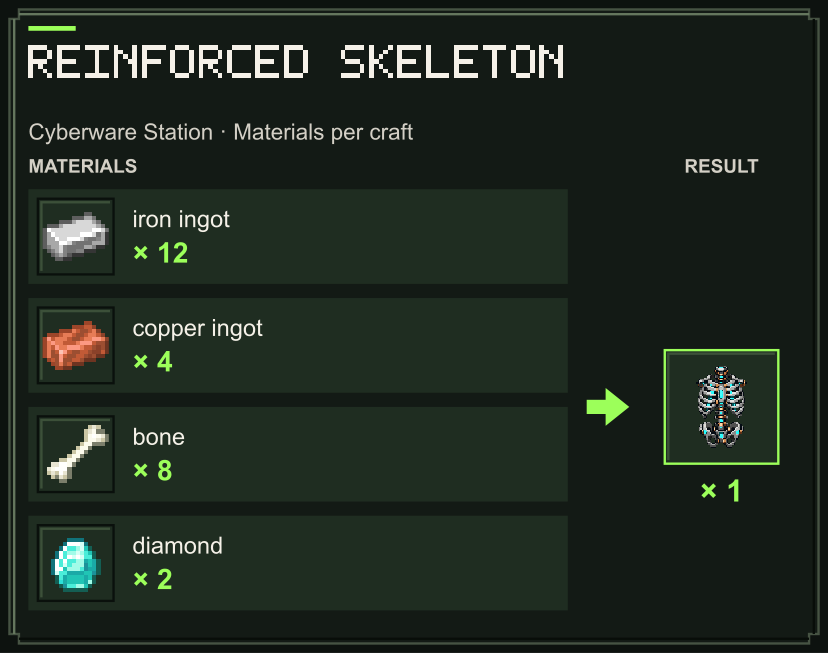
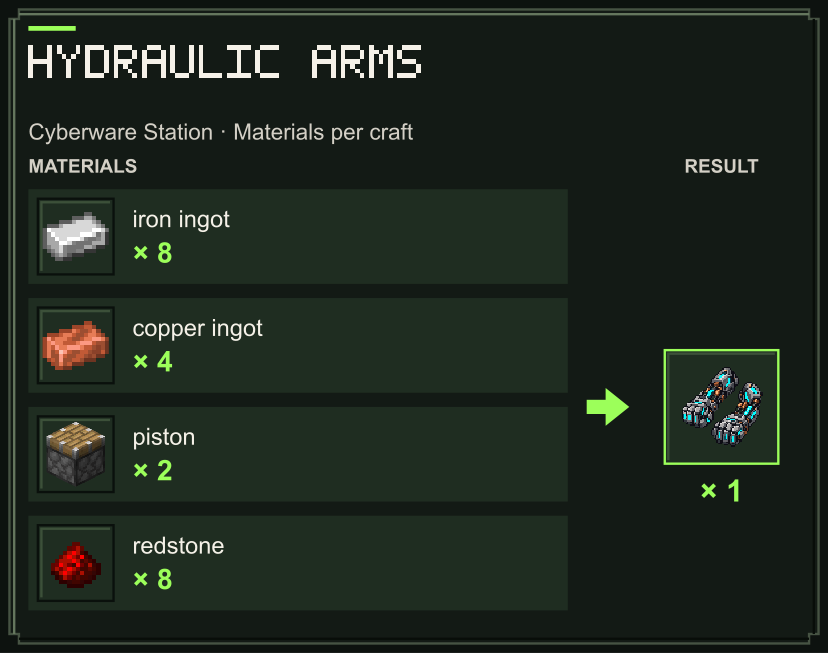
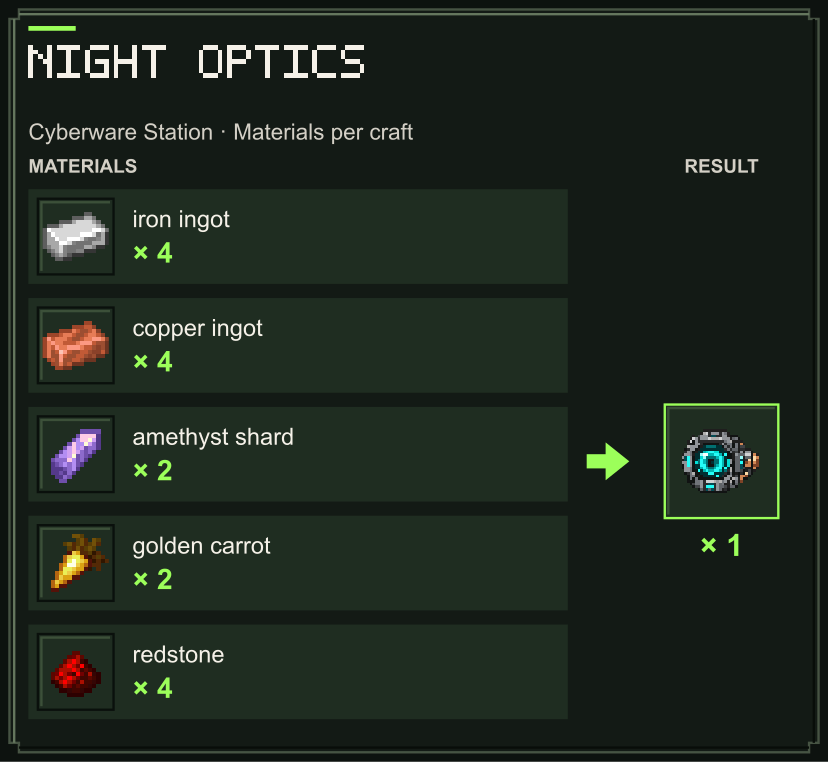
Power and survival
Your battery holds 100 energy and recharges while you are on land: 4 energy per second normally, or 12 per second while using a nearby station. It does not recharge underwater or in midair. An extra jump, absorbed fall or combat activation pauses charging for two seconds.
Extra jumps cost 15 energy and absorbed falls cost 25. Threat Optics and Artificial Lungs each use 1 energy per second while active. Magnetic Grip uses 0.5 energy per active scan, up to four scans per second. Automatic utility abilities preserve the last 25 energy when Shock Absorbers are installed, keeping a charge ready for a fall. Emergency combat activations may spend that reserve; Reflex Accelerator triggers before Adrenaline Pump when both are available.
Your implants, battery charge, air reserve and combat cooldowns persist through death, reconnecting and changing dimensions. Removing and reinstalling an implant does not refill its reserves.
Know your surroundings
Threat Optics uses red for hostile species, yellow for neutral species, green for peaceful species and grey for unknown mobs. Colors describe the species, rather than whether a particular mob is currently attacking. Players are excluded.
Particles appear only over visible mobs and are shown only to you. The display counts a limited sample of nearby mobs, including mobs behind walls. Magnetic Grip respects walls, pickup delays and available inventory space.
Installation
- Minecraft Java Edition 26.2 or 26.3, with Java 25 or newer.
- Fabric or NeoForge; use the file for your Minecraft version and loader.
- Install Cyberwares, Zero Lib and Architectury API on both client and server.
- Fabric also requires Fabric API.
- Zero Lib 1.0.5 or newer for Minecraft 26.2, or 1.0.6 or newer for Minecraft 26.3, using a build for that Minecraft version.
Accessories is optional. When its Cloud in a Bottle or Lucky Horseshoe is equipped, the corresponding accessory takes precedence without spending implant energy.
English and Russian translations are included. Works in single-player and multiplayer.
Known issue
Night Optics can cause night-vision flickering. A fix is planned for a future update.
License
Copyright © 2026 Zero Team. All rights reserved. Personal play, multiplayer servers, screenshots, videos and free modpacks using official releases are permitted under the included license. Rehosting or redistributing the files elsewhere requires prior written permission.
Screenshots
Gallery
-
 Screen 1.jpg Screen 1.jpg
 -
 Screen 2.jpg Screen 2.jpg
 -
 Screen 2 Screen 2.jpg
 -
 Screen 1 (v1.1.0) Screen 1.jpg
 -
 Screen 3 Screen 2.jpg
Versions
Files
Relations
Project Relations
More like this
Similar Mods
Suggestions use data such as tags, dependencies, dependents, descriptions, titles, and more to rank how much they overlap with this mod.
On ModDex
Community snapshot
By the numbers
Statistics

Get it on
Available Platforms
On ModDex
Community snapshot
By the numbers
Statistics
Resources