
Community listing page, reviews may not be monitored by the author.
D&S Heartstone

No reviews yet
Bind a charm to an anchor and return to it after a three-second use, within the same dimension.

Community voices
Reviews
No reviews yet. Be the first to review this project!
Get it on
Available Platforms
About
Project Details
For authors
Embed Badge
If you're the author of this project, you can embed a live badge anywhere that supports HTML or Markdown. It updates automatically whenever ratings change.
Use HTML for any page that supports it, or Markdown for README files and Markdown-based descriptions.
Identifiers
Platform IDs
Resources
External Links
About
Description
D&S Heartstone
D&S Heartstone adds a craftable Heartstone Charm and Heartstone Anchor for returning to a chosen place during your adventures. Set an anchor at home, bind a charm to it, and hold the charm to return within the same dimension.
For Minecraft: Java Edition 1.20.1, using Forge 47.4.10 and Java 17. Mod version: 0.0.1. No additional mods are required.
How to use
- Craft an Anchor and a separate Charm. Crafting the Anchor consumes one Charm, so you need two Charms in total to make your first working pair.
- Place the Anchor at your chosen destination with two clear blocks above it.
- Hold use (right-click by default) with an unbound Charm on the free Anchor for 3 seconds to bind them.
- Later, hold use with the bound Charm in the air for 3 seconds to return to the block above the Anchor.
An empty-hand interaction with an Anchor shows whether it is free or occupied. Items are available in the DS Modules creative tab. Both recipes are unlocked when you join a world and can be viewed in the crafting table recipe book.
Crafting recipes
Use a 3×3 crafting table. Each recipe produces one item.
Heartstone Charm
| String | Redstone dust | String |
| Gold ingot | Any bed | Gold ingot |
| Iron ingot | Ender pearl | Iron ingot |
Heartstone Anchor
| Cobblestone | Cobblestone | Cobblestone |
| Cobblestone | Heartstone Charm | Cobblestone |
| Cobblestone | Cobblestone | Cobblestone |
Rules and limits
- A Charm binds once; a bound Charm cannot be rebound, and an occupied Anchor cannot accept another binding.
- Returning works only within the same dimension. The Anchor must still exist, and the destination must pass the mod's lava and standing-space checks. These checks do not protect against every hazard or interaction with other mods.
- Cooldowns: 1 second after binding, 10 seconds after returning, and 2 seconds after an unsafe-destination check fails.
- Returning does not consume XP, durability, or crafting materials. Movement and damage do not have a custom channel-cancellation mechanic in this version.
- Player block placement in the two blocks above an Anchor is prevented. Anchors are tough, but can be destroyed and drop no item, including with Silk Touch.
- Bindings use coordinates. Replacing a destroyed Anchor at the same position may restore an existing Charm's link.
Installation and compatibility
Install Minecraft Java Edition 1.20.1 with Forge 47.4.10, use Java 17, and place dsheartstonemod-0.0.1.jar in that profile's mods folder. Keep backups of worlds you use for testing this early version.
The declared Forge dependency range is [47.4.10,48); verification so far used 47.4.10. Other Forge builds have not been verified. This version does not provide Fabric, NeoForge, Bedrock, or support for other Minecraft versions.
Ordinary client and dedicated-server testing of the packaged JAR is still pending. For a server test, install the same mod version on both the client and the server; multiplayer support is not yet verified. Sixteen headless Forge regression tests passed, but do not replace that testing.
License
The mod is free to download and use. You may include the unmodified mod in CurseForge modpacks through the official project file. Modifications and separate re-uploads require prior permission from the authors. See the full custom license included in the JAR and on this project's license page.
Credits and AI disclosure
Authors: Dad Sergei, Son David. The owner defined the requirements and selected the visual direction. A substantial part of the initial code was generated with Gemini; Codex assisted with review, fixes, regression tests, and publication materials. The two in-game textures were created using ImageGen and then technically prepared for Minecraft. The page icon was constructed from SVG geometry and text with Codex. This page text was prepared with AI assistance and has been reviewed and accepted by the owner.
The page icon is branding, not an in-game screenshot. No generated concept image is presented as gameplay.
Screenshots
Gallery
-
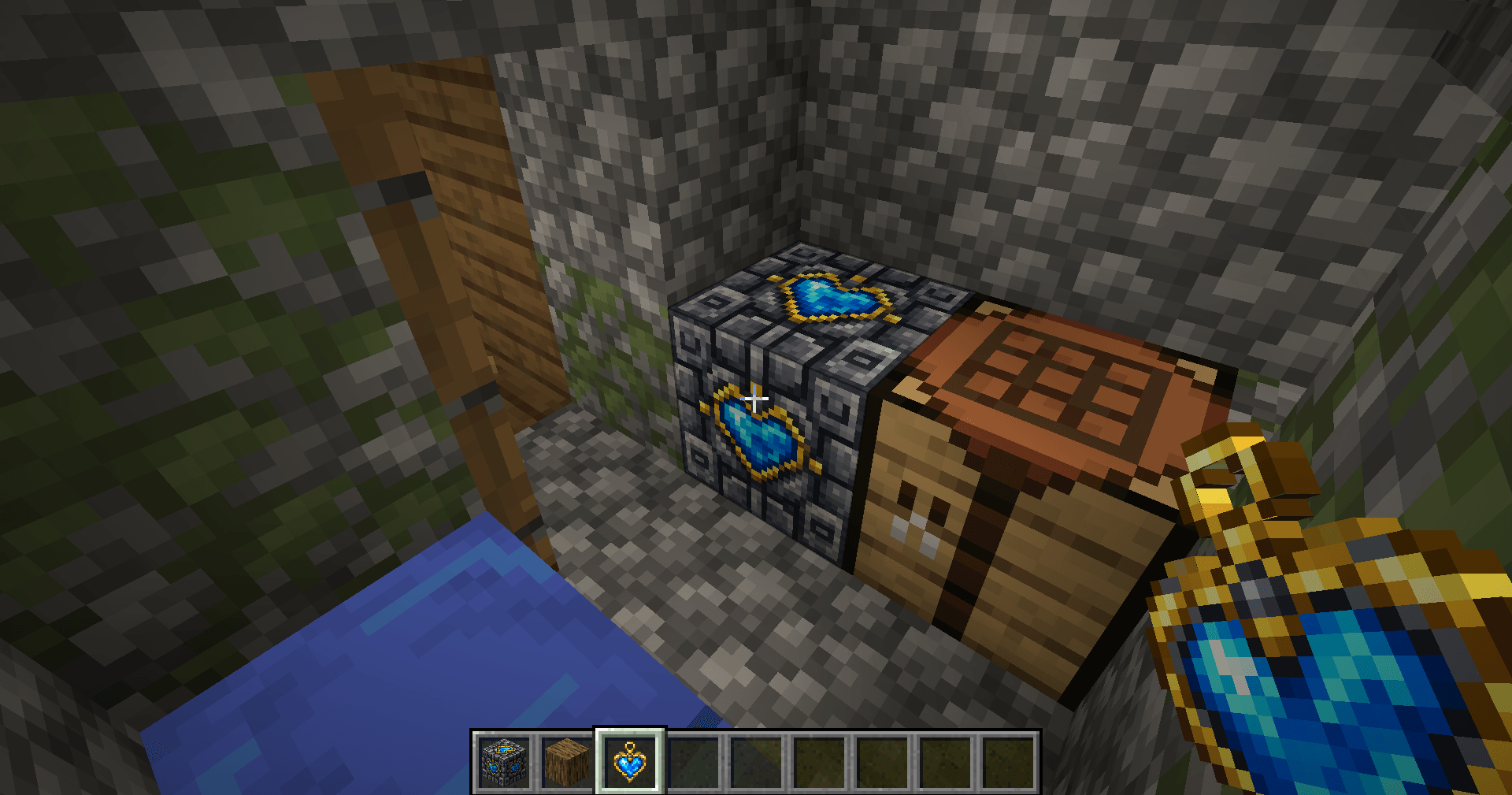 Heartstone Anchor and Charm Heartstone Anchor placed beside a crafting table, with a Charm held by the player.
-
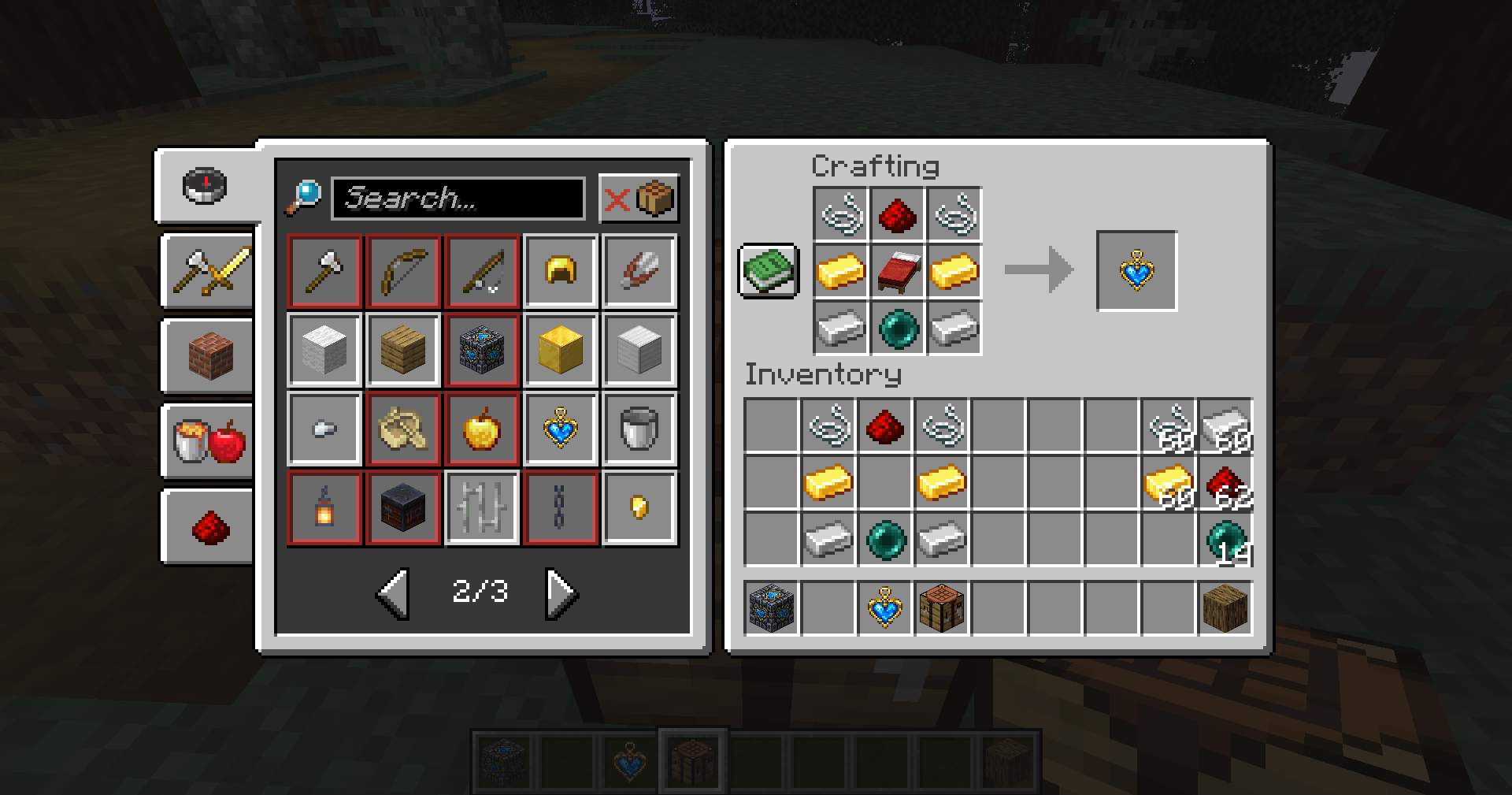 Heartstone Charm recipe Heartstone Charm recipe shown in the crafting table recipe book.
-
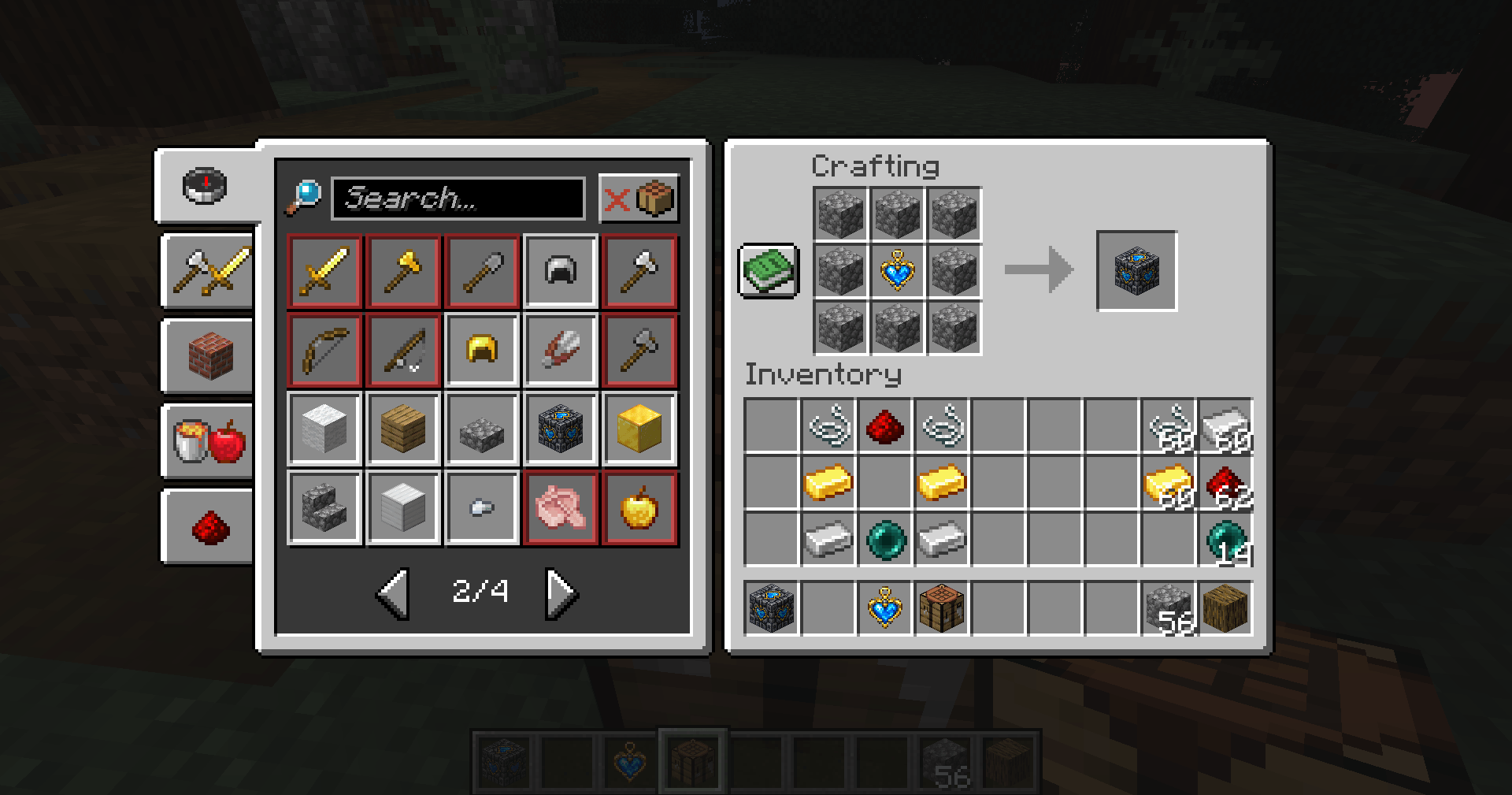 Heartstone Anchor recipe Heartstone Anchor recipe: eight cobblestone and one Heartstone Charm.
-
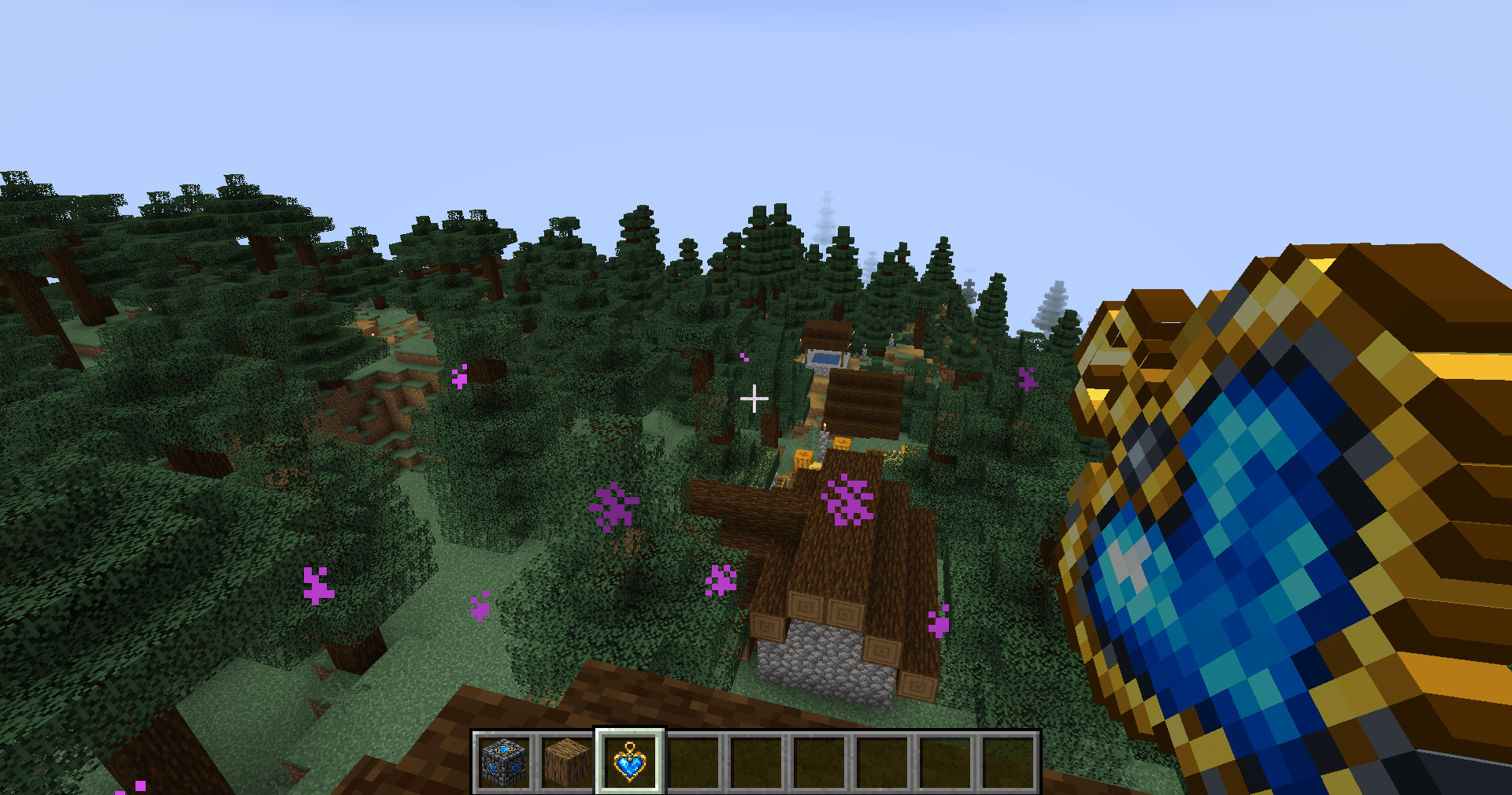 Using the Heartstone Charm Using the Charm, with portal particles visible around the player.
-
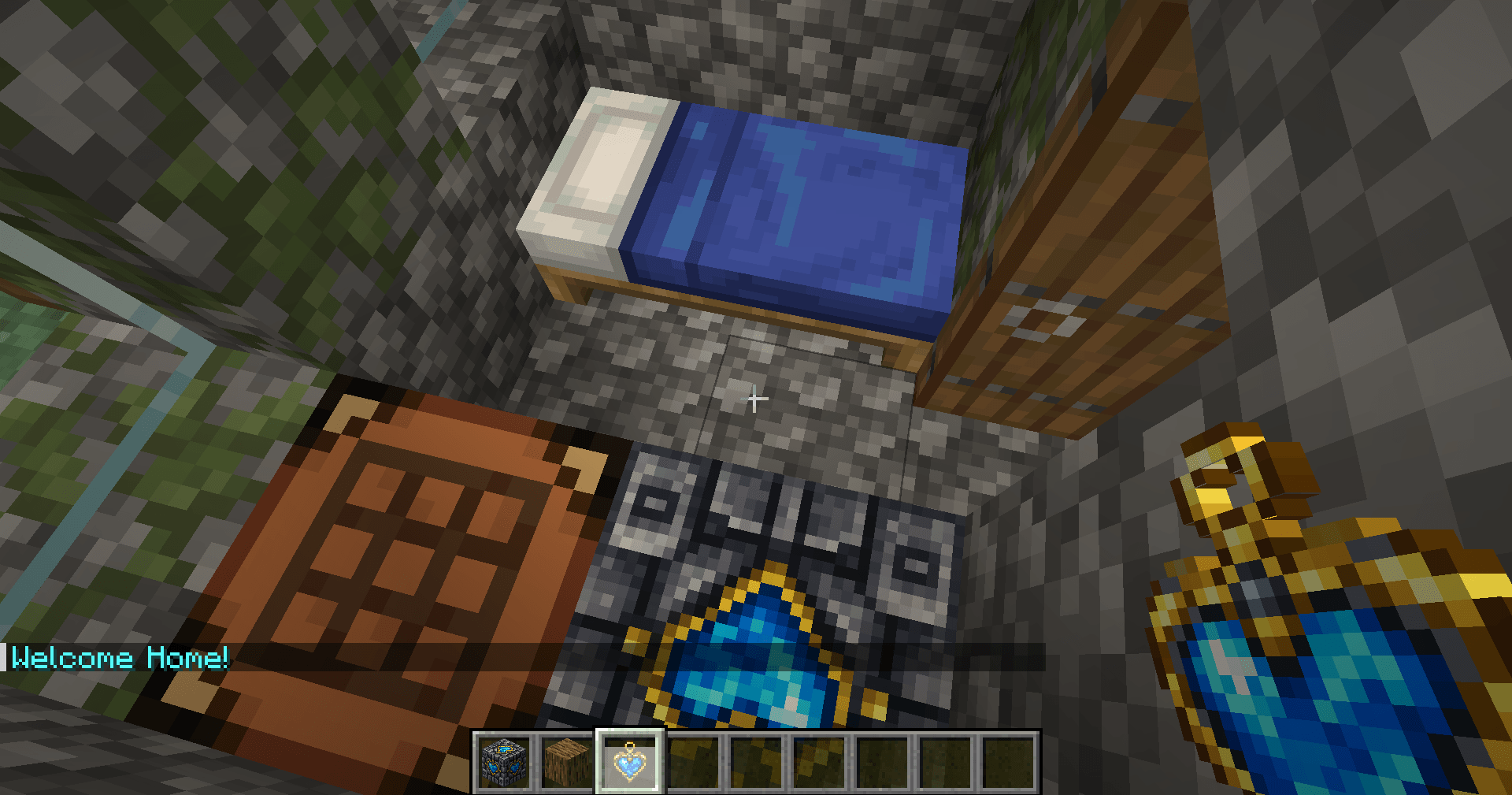 Welcome home The player above an Anchor, with the Welcome Home! message visible after returning.
Versions
Files
Relations
Project Relations
More like this
Similar Mods
Suggestions use data such as tags, dependencies, dependents, descriptions, titles, and more to rank how much they overlap with this mod.
On ModDex
Community snapshot
By the numbers
Statistics

Get it on
Available Platforms
On ModDex
Community snapshot
By the numbers
Statistics
Resources