Community listing page, reviews here may not be monitored by the author.
Damage Info

No reviews yet
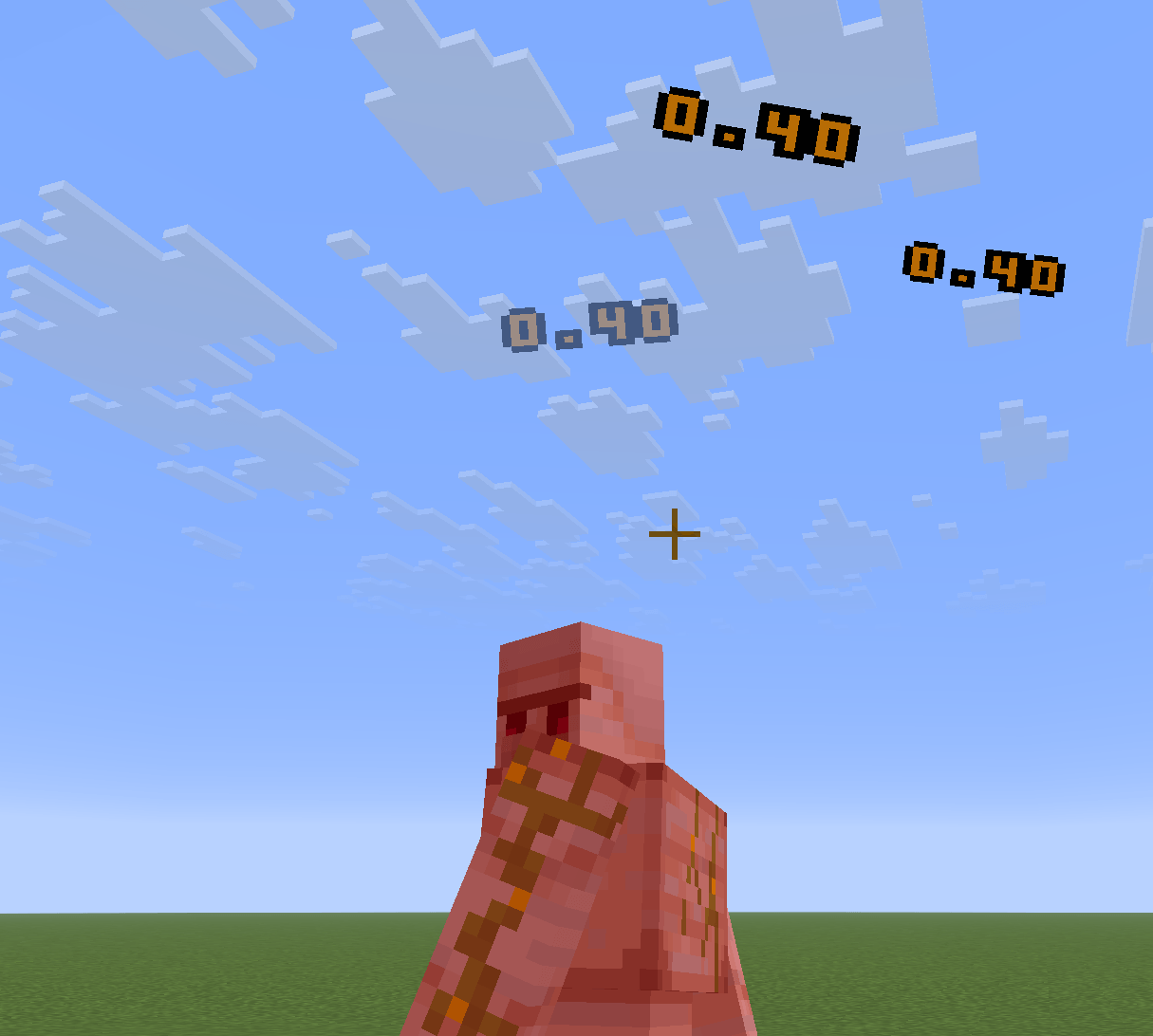
Displays floating damage numbers when entities take damage, with fully customizable styles.

Community voices
Reviews
No reviews yet. Be the first to review this project!
Get it on
Available Platforms
About
Project Details
For authors
Embed Badge
If you're the author of this project, you can embed a live badge anywhere that supports HTML or Markdown. It updates automatically whenever ratings change.
Use HTML for any page that supports it, or Markdown for README files and Markdown-based descriptions.
Identifiers
Platform IDs
Resources
External Links
About
Description
High performance — damage records are batched per tick and rendered through the modern submission pipeline, with negligible impact on client performance.
Customizing the Damage Display
All damage number styles are defined in a JSON file:
- Path:
assets/damage_info/damage_info/damage_info.json(resource location:damage_info:damage_info/damage_info.json) - Reload with
/reloadafter editing.
Example
{
  "default": {
    "damage_type": "default",
    "texture": "damage_info:textures/damage_font.png",
    "texture_width": 55,
    "texture_height": 7,
    "glyph_spacing": 0,
    "render_size": 0.2,
    "max_life": 40,
    "color": "ff9104",
    "critical_color": "ff5a28"
  },
  "entries": [
    {
      "damage_type": "lyra:servant",
      "texture": "damage_info:textures/damage_font.png",
      "texture_width": 55,
      "texture_height": 7,
      "glyph_spacing": 0,
      "render_size": 0.2,
      "max_life": 40,
      "color": "68dfff",
      "critical_color": "049fff"
    }
  ]
}
Fields
| Field | Description |
|---|---|
damage_type |
Damage type id. default is the fallback style for all unlisted types. |
texture |
Glyph texture. Layout: digits 0-9 in order, followed by a decimal point (index 10). |
texture_width / texture_height |
Texture size in pixels. Glyph width is derived as texture_width / 11. |
glyph_spacing |
Horizontal spacing between glyphs, in pixels. |
render_size |
Render size in the world. |
max_life |
Lifetime of a damage number, in ticks. |
color / critical_color |
Normal / critical color, hex RGB (no #). |
Screenshots
Gallery
-
 48467755-ffb6-4c58-aada-751e02e9ac66.png 48467755-ffb6-4c58-aada-751e02e9ac66.png
Versions
Files
Relations
Project Relations
More like this
Similar Mods
Suggestions use data such as tags, dependencies, dependents, descriptions, titles, and more to rank how much they overlap with this mod.
On ModDex
Community snapshot
By the numbers
Statistics
 (opens in a new tab)
Get it on
Available Platforms
On ModDex
Community snapshot
By the numbers
Statistics
Resources