
Damage Vignette
No reviews yet
A Minecraft Mod who adds a fully-customizable vignette when you are low health.
Fabric is a mod loader for versions 1.14+ of Minecraft, particularly popular for client side and optimization mods.
Community voices
Reviews
Click once to include, again to exclude, again to clear
No reviews yet. Be the first to review this project!
Get it on
Available Platforms
 Modrinth
Compatibility
Supported Environments
About
Project Details
For authors
Embed Badge
If you're the author of this project, you can embed a live badge anywhere that supports HTML or Markdown. It updates automatically whenever ratings change.
Use HTML for any page that supports it, or Markdown for README files and Markdown-based descriptions.
Identifiers
Platform IDs
Resources
External Links
About
Description
Damage Vignette
A client-side Fabric mod for Minecraft 1.21 that renders a customizable vignette overlay when your health is low — with support for status effect tints, hex color picking, and a live preview GUI.
Features
- Health-based vignette — activates when your health drops below a configurable percentage of your max HP
- Oval-shaped overlay — the effect appears only in the corners, following an ellipse that touches all 4 screen edges; the center stays clean
- Status effect tints — automatically switches color when you have Poison (green) or Wither (gray)
- Fully customizable via ModMenu GUI or in-game commands
- Live preview in the settings screen — see exactly how your vignette will look before closing the menu
- Preset system — export and import configurations by name
Configuration
ModMenu GUI
Open the settings screen from the ModMenu mod list. The interface is split into three sections:
| Section | Controls |
|---|---|
| COLOR | R / G / B sliders + hex input field (#RRGGBB) |
| PREVIEW | Live preview of the vignette with the selected color |
| EFFECT | Health threshold (%), intensity (%), and enable toggle |
The R, G, B sliders are color-coded and sync bidirectionally with the hex field.
Commands
All commands are client-side (no server required).
/damagevignette color hex #RRGGBB       — set color by hex code
/damagevignette color <r> <g> <b>       — set color by RGB values (0–255)
/damagevignette health <1–100>          — set health threshold (percentage)
/damagevignette intensity <1–100>       — set vignette intensity (percentage)
/damagevignette toggle                  — enable or disable the vignette
/damagevignette preset export <name>    — save current config as a named preset
/damagevignette preset import <name>    — load a saved preset
Default Settings
| Setting | Default | Range |
|---|---|---|
| Color | #FF0000 (red) |
any hex color |
| Health threshold | 30% | 1–100% |
| Intensity | 100% | 1–100% |
| Enabled | true | — |
Dependencies
- Fabric Loader ≥ 0.15.11
- Fabric API for Minecraft 1.21
- YACL 3 3.x for GUI Menu
- ModMenu 11.x (optional, for GUI settings)
Author
Made by Indifferenzah
Screenshots
Gallery
-
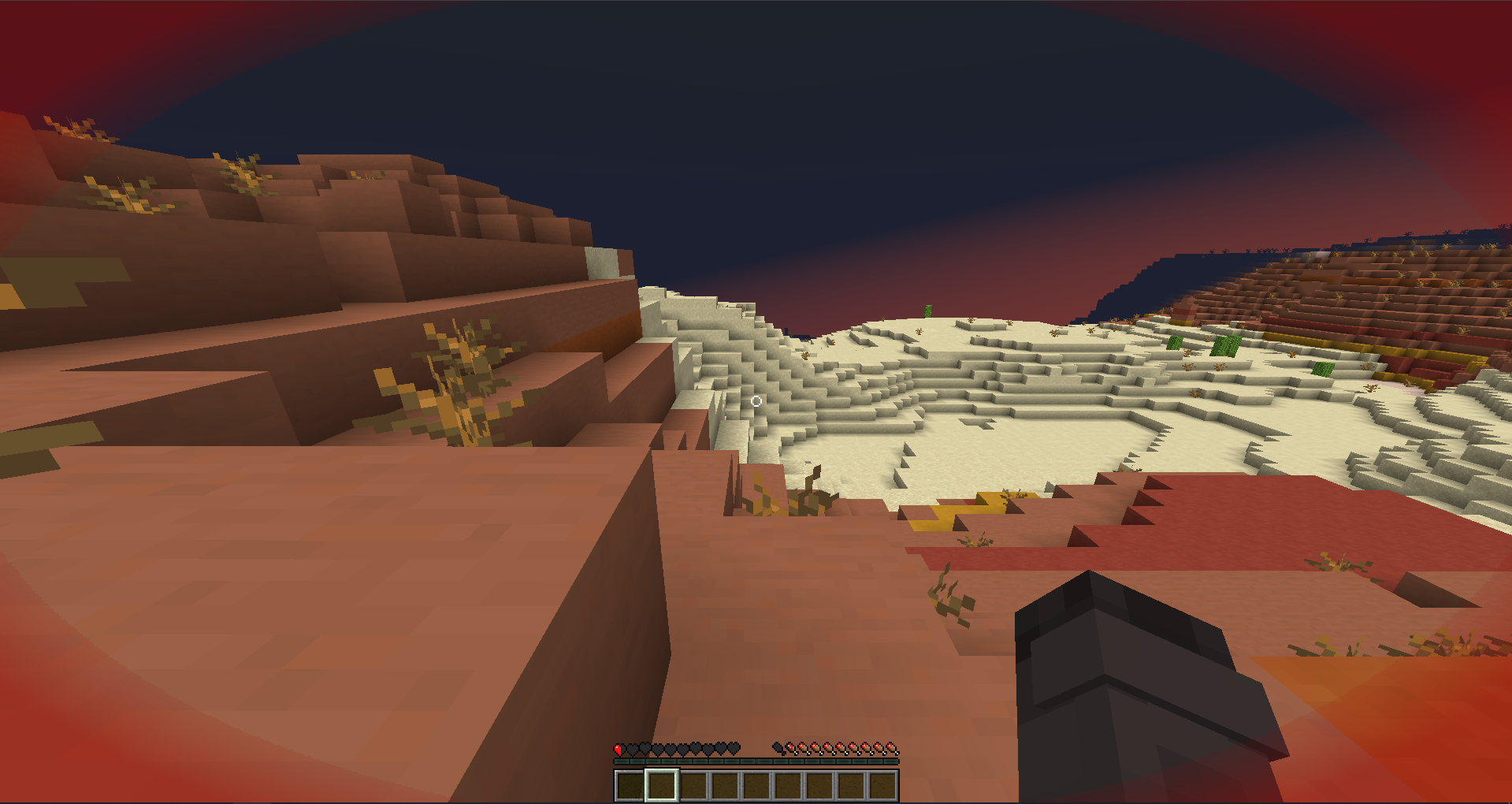 Damage Vignette How the damage vignette shows in-game.
 -
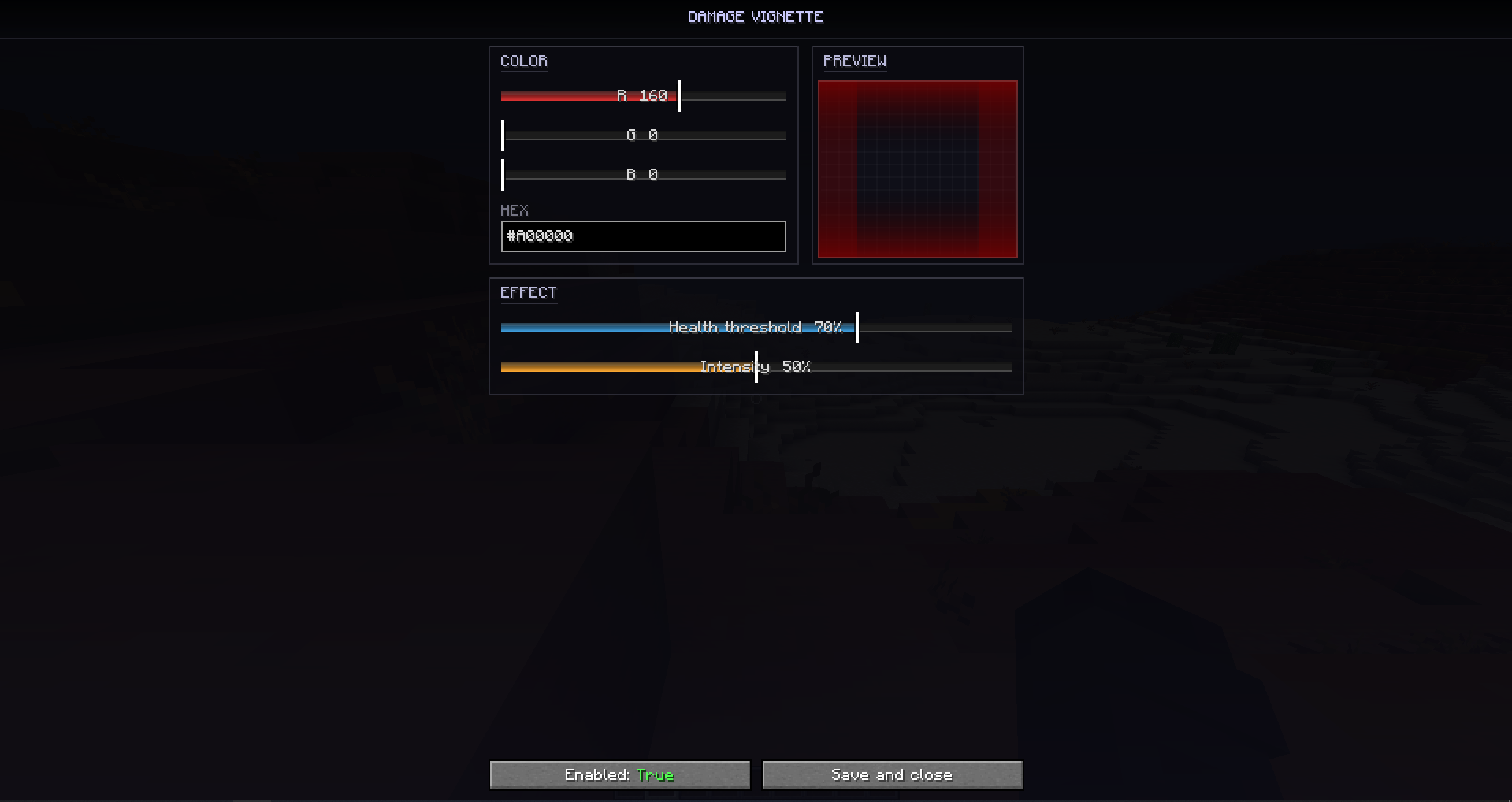 GUI Menu How the gui menu shows in-game. You need to have ModMenu installed for this to appear.
Versions
Files
Relations
Project Relations
More like this
Similar Mods
Suggestions use data such as tags, dependencies, dependents, descriptions, titles, and more to rank how much they overlap with this mod.
On ModDex
Community snapshot
By the numbers
Statistics

Want to reach Minecraft players?
We're looking for a server hosting partner to feature here and other parts of the site. Interested? Send us a message!
Get in touchGet it on
Available Platforms
On ModDex
Community snapshot
By the numbers
Statistics
Resources