
Community listing page, reviews here may not be monitored by the author.
Danmaku Chat

No reviews yet
I recreated the barrage of comments on Nico Nico Douga in Minecraft.
Community voices
Reviews
No reviews yet. Be the first to review this project!
Get it on
Available Platforms
Compatibility
Supported Environments
Runs entirely on the client. Works on vanilla servers.
About
Project Details
For authors
Embed Badge
If you're the author of this project, you can embed a live badge anywhere that supports HTML or Markdown. It updates automatically whenever ratings change.
Use HTML for any page that supports it, or Markdown for README files and Markdown-based descriptions.
Identifiers
Platform IDs
About
Description
DanmakuChat is a client-side mod for Minecraft that implements "danmaku comments" similar to those on Nico Nico Douga.
Main Features
Chat messages flow from right to left on the screen, with multiple messages displayed simultaneously. A unique collision avoidance algorithm prevents overlapping and ensures easy readability.
1. Nico Nico Douga-style Danmaku Display
Chat messages flow from right to left across the top of the screen.
Features:
- Appears from the right edge of the screen
- Scrolls left at a constant speed
- Disappears when it reaches the left edge of the screen
2. Collision Avoidance Algorithm
Position-based collision avoidance system.
How it works:
- Lane Management: Places 10 lanes (horizontal lines) on the game screen.
- Spacing Check: Checks the spacing between each lane and the previous message before placing a new message.
- Optimal Lane Selection: Automatically selects the least crowded lane.
- Overlap Prevention: Places messages with at least 50px of spacing between them.
- Results:
- Messages do not overlap.
- Easy-to-read display.
- No breakdowns even with high density.
3. Message Filtering
User chat and system chat can be controlled separately.
User Chat
Chat messages sent by players.
Format: <Player Name> Message
Example:
<Player685> Hello<Steve> Thank you
Default: Display ON
System Chat
Messages from the server or game system.
Example:
Player joined the gamePlayer left the gameTime set to day- Command execution result Default: Display OFF
Screenshots
Gallery
-
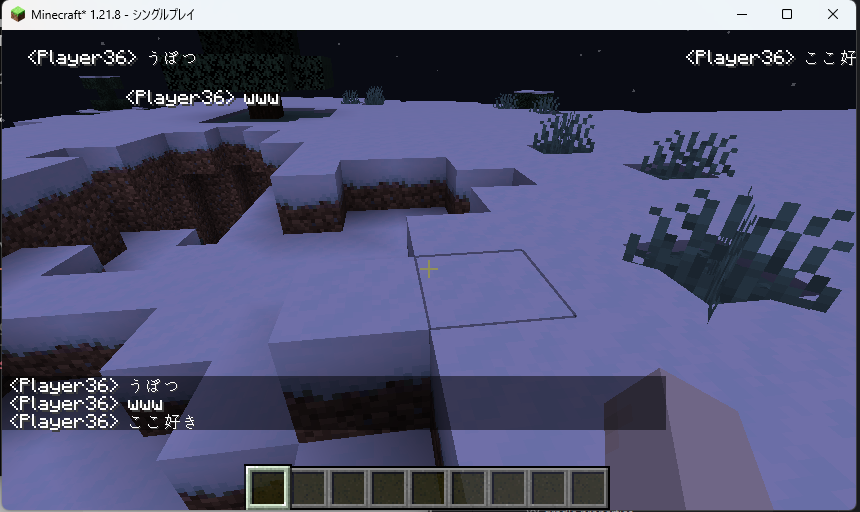 The flow of the chat Algorithm Updates
 -
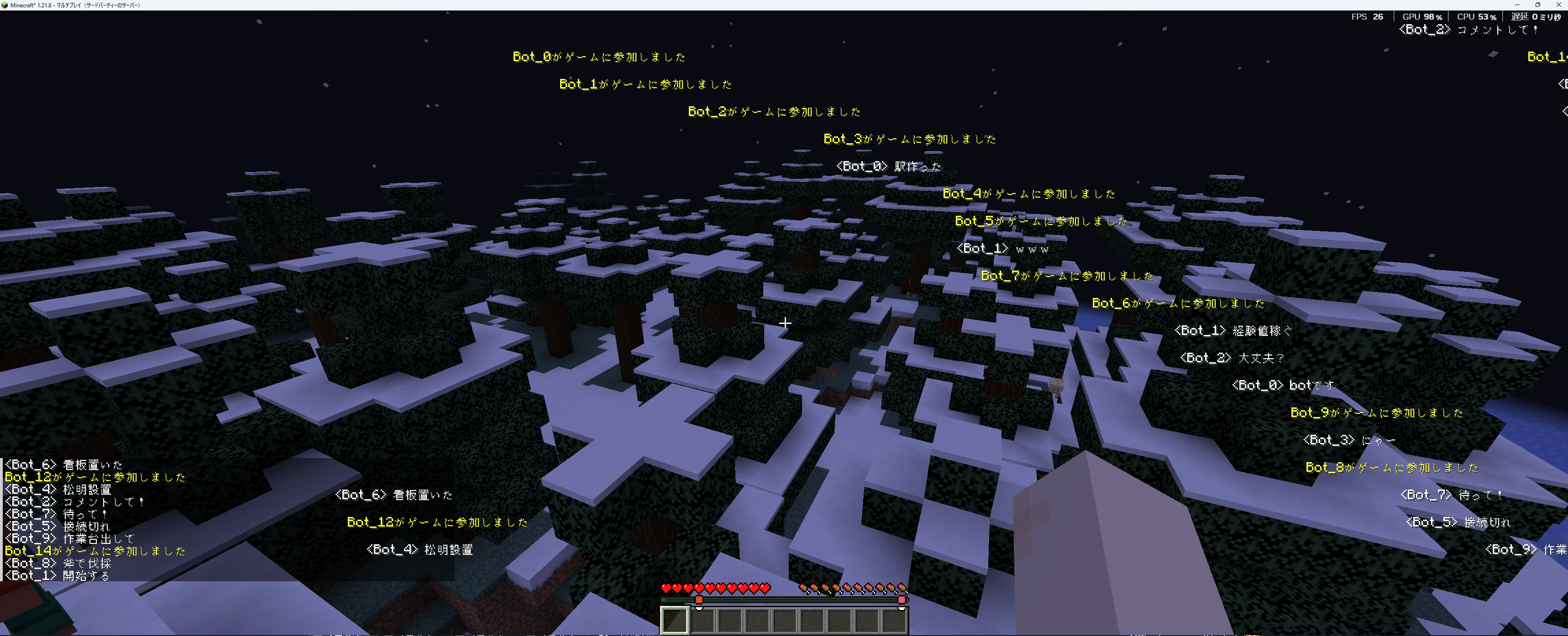 early early This is a chat before the algorithm was implemented.
Versions
Files
Relations
Project Relations
More like this
Similar Mods
Suggestions use data such as tags, dependencies, dependents, descriptions, titles, and more to rank how much they overlap with this mod.
On ModDex
Community snapshot
By the numbers
Statistics

Want to reach Minecraft players?
We're looking for a server hosting partner to feature here and other parts of the site. Interested? Send us a message!
Get in touchGet it on
Available Platforms
On ModDex
Community snapshot
By the numbers