
Community listing page, reviews here may not be monitored by the author.
Dark Client

No reviews yet
Ever wanted all the perks of a premium client without juggling another launcher? With Custom Client, you get client-side features baked straight into your mods—performance boosts, HUD mods, and quality-of-life tweaks—loaded right alongside Fabric API
Community voices
Reviews
No reviews yet. Be the first to review this project!
Get it on
Available Platforms
Compatibility
Supported Environments
Runs entirely on the client. Works on vanilla servers.
About
Project Details
For authors
Embed Badge
If you're the author of this project, you can embed a live badge anywhere that supports HTML or Markdown. It updates automatically whenever ratings change.
Use HTML for any page that supports it, or Markdown for README files and Markdown-based descriptions.
Identifiers
Platform IDs
About
Description
Report Bugs Here -> https://hexi-blue.github.io/Hexi/?v=3
Dark Client
Looking for a cleaner, more customizable Minecraft experience? Dark Client brings together a powerful collection of HUD modules, customization tools, and quality-of-life features in one lightweight package.
Whether you're a PvP player who needs important information at a glance or someone who loves personalizing every part of their game, Dark Client gives you complete control over your Minecraft interface.
Fully Customizable HUD
Dark Client allows you to build your perfect HUD layout from the ground up.
Move, resize, and organize every module exactly where you want it. Create a minimal setup, a competitive PvP layout, or an information-packed display tailored to your playstyle.
Available HUD Modules
Dark Client includes a growing collection of useful HUD elements, including:
- FPS Counter
- Ping Display
- Direction Indicator
- Keystrokes
- Armor Durability
- Coordinates
- CPS Counter
- Clock
- Speed Display
- Biome Information
- Session Statistics
- And much more
HUD Organization
Managing your HUD has never been easier.
The built-in organization system allows you to quickly:
- Enable and disable modules
- Reposition HUD elements
- Create clean layouts
- Customize visibility settings
- Keep your screen clutter-free
Everything is designed to be intuitive and accessible directly from within Minecraft.
Custom Panorama Selection
Give your Minecraft menu a completely new look.
Dark Client includes a customizable panorama system that lets you choose from multiple background panoramas for your main menu. Switch between different styles and create an experience that matches your preferences.
Features
- Multiple panorama backgrounds
- Easy selection menu
- Instant preview support
- Personalized main menu appearance
Built for Everyday Gameplay
Dark Client focuses on providing useful information without unnecessary clutter.
Benefits
- Lightweight and optimized
- Clean modern interface
- Easy-to-use customization tools
- Useful HUD information at a glance
- Suitable for PvP, Survival, and Multiplayer
- Designed for both casual and competitive players
Easy Customization
Every player uses Minecraft differently.
Dark Client allows you to customize your experience by choosing exactly which information you want displayed and where it appears on your screen.
Whether you need FPS and Ping for competitive gameplay or durability and coordinates for survival adventures, Dark Client adapts to your needs.
Installation
- Install Fabric Loader.
- Install Fabric API.
- Install Dark Client.
- Launch Minecraft.
- Open the Dark Client settings and start customizing.
No complicated setup required—just install and personalize your Minecraft experience.
Screenshots
Gallery
-
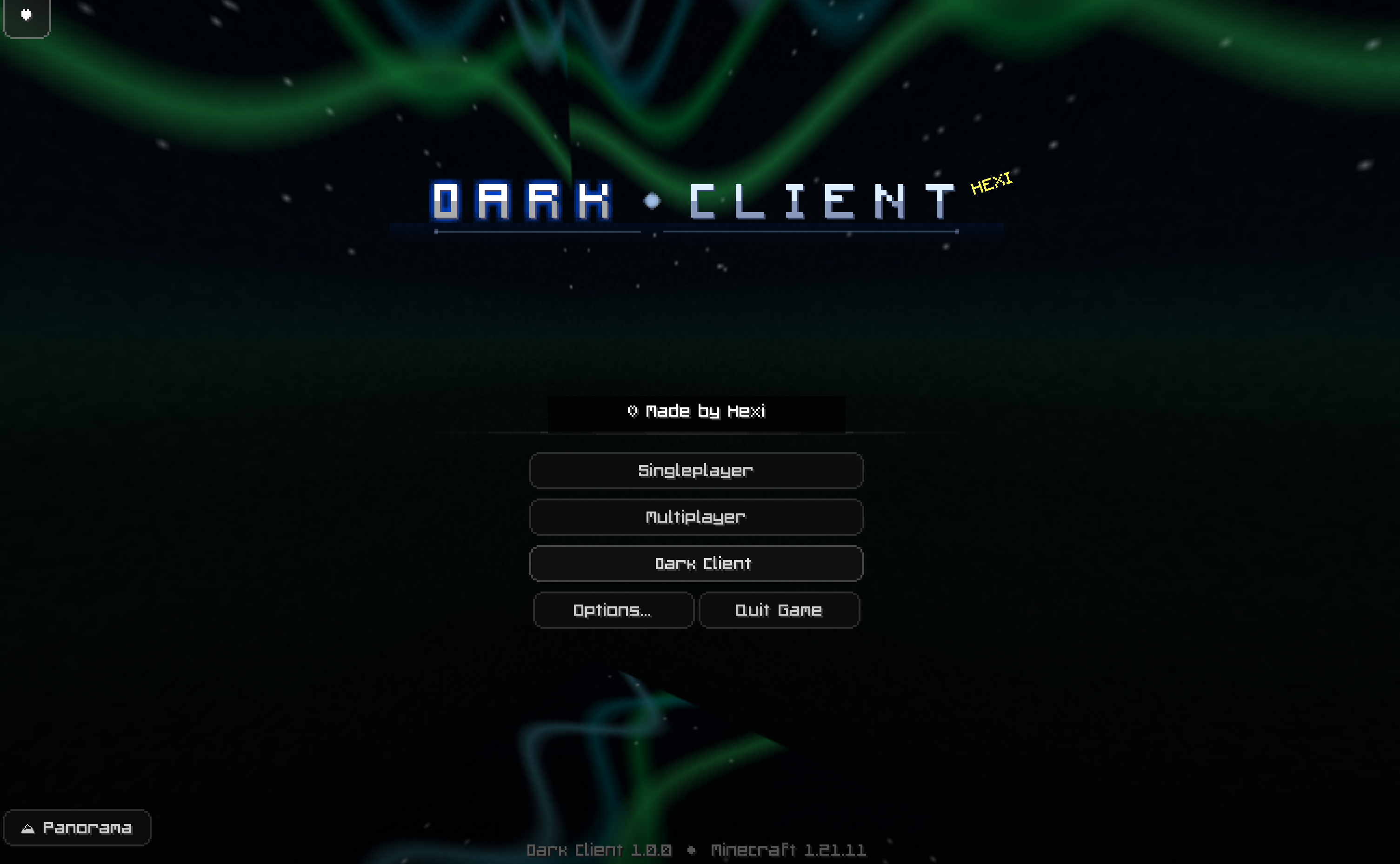 Home Screen Custom Home Screen
 -
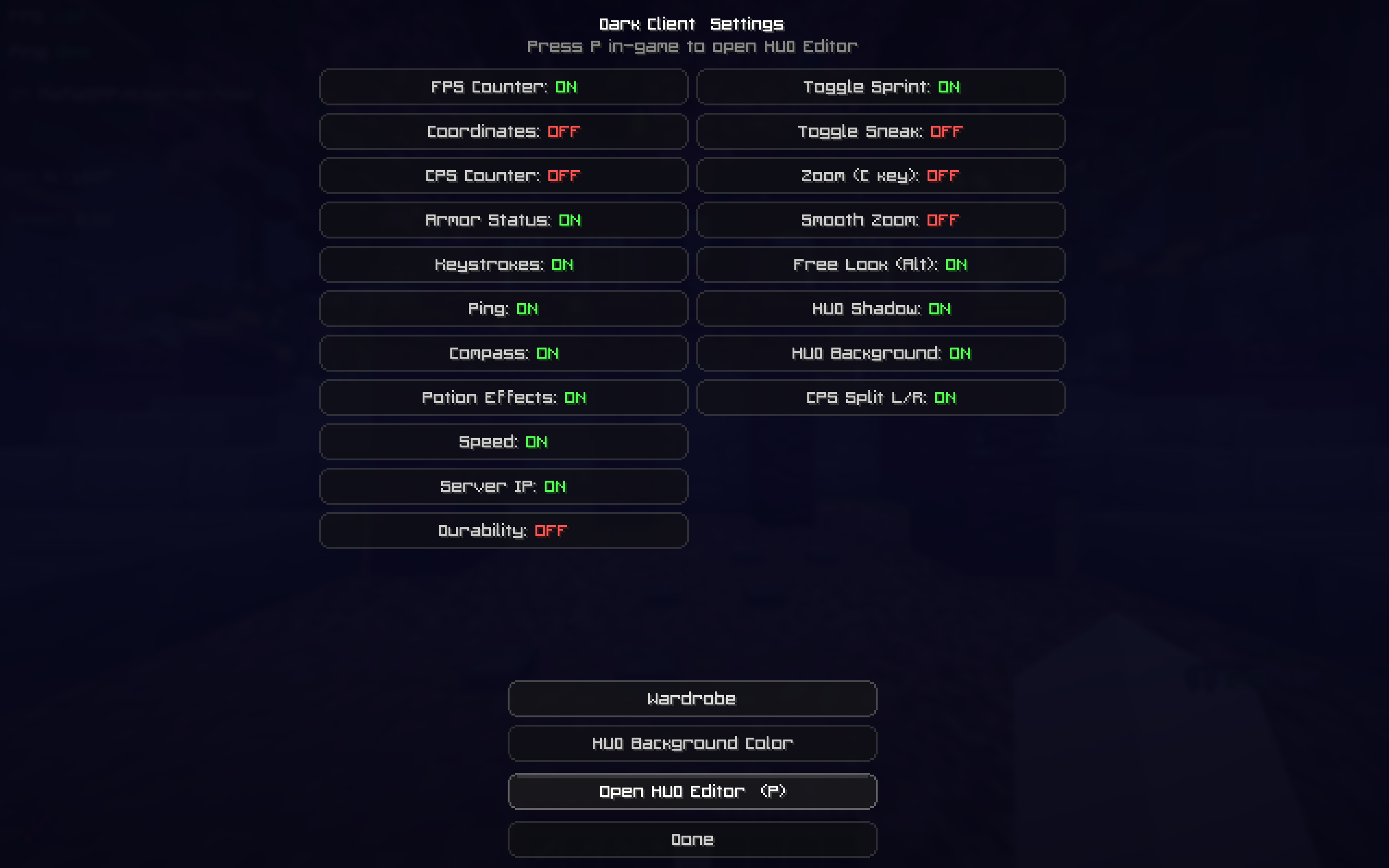 Hud Editor and Selector The HUD selector where you can turn features on and off
 -
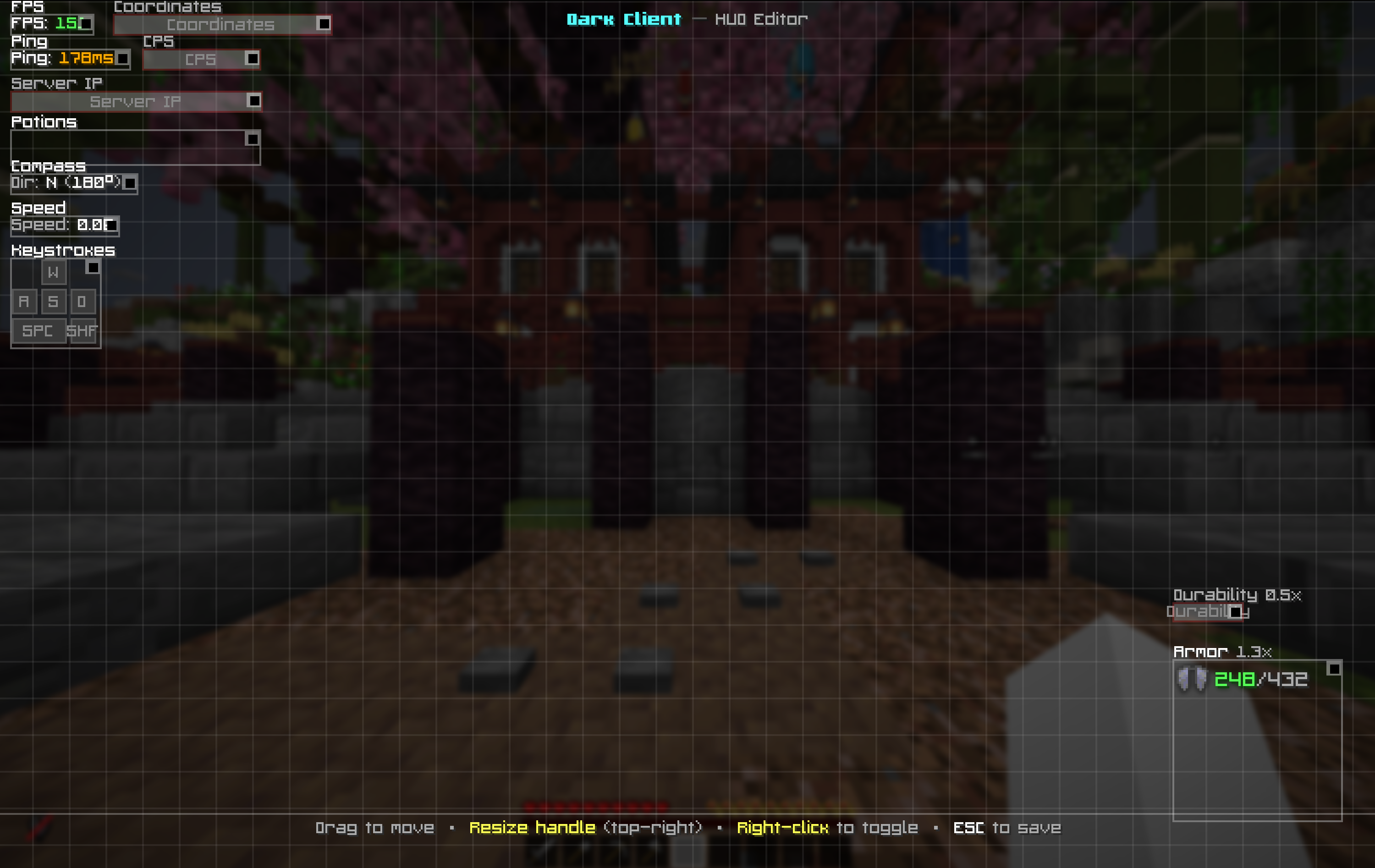 Hud Placement Editor the ablility to change where you HUD placement is
 -
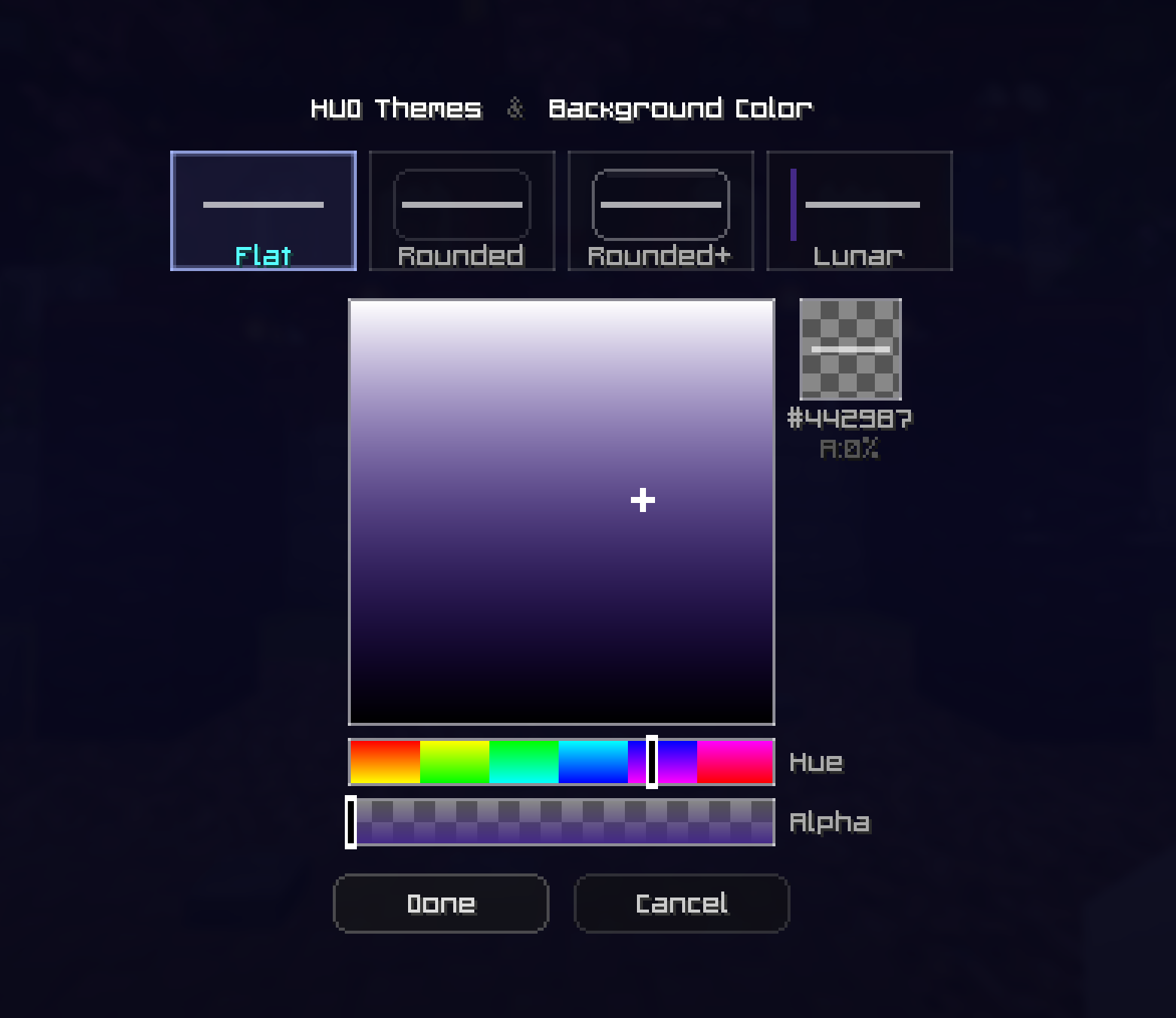 Hud Background Color Change the color of your HUD background from transparent all the way to whatever color you want!
Versions
Files
Relations
Project Relations
More like this
Similar Mods
Suggestions use data such as tags, dependencies, dependents, descriptions, titles, and more to rank how much they overlap with this mod.
On ModDex
Community snapshot
By the numbers
Statistics

Want to reach Minecraft players?
We're looking for a server hosting partner to feature here and other parts of the site. Interested? Send us a message!
Get in touchGet it on
Available Platforms
On ModDex
Community snapshot
By the numbers