Community listing page, reviews here may not be monitored by the author.
DASAO UI


No reviews yet
Link Start! Enter an SAO-inspired RPG world with sword skills, immersive HUDs, progression, combat effects, and the Cardinal System.
Community voices
Reviews
No reviews yet. Be the first to review this project!
Get it on
Available Platforms
Compatibility
Supported Environments
Runs entirely on the client. Works on vanilla servers.
Must be installed on both the client and the server.
Varies by version.
About
Project Details
For authors
Embed Badge
If you're the author of this project, you can embed a live badge anywhere that supports HTML or Markdown. It updates automatically whenever ratings change.
Use HTML for any page that supports it, or Markdown for README files and Markdown-based descriptions.
Identifiers
Platform IDs
Resources
External Links
About
Description
⚔️ DASWORDARTONMINE ⚔️
SWORD ART ONLINE × MINECRAFT
A client and server interface overhaul mod for Minecraft 1.20.1 Forge that brings the iconic UI from Sword Art Online directly into your game. Includes SAO HUD, an Equipment tab with integrated armor durability, Guilds, Friends, Party system, equipment-based Immortal protection, skill progression, dynamic enemy scaling, COL economy and multiplayer synchronization.
FORGE 1.20.1 CLIENT + SERVER
📡 UPCOMING UPDATE — CODEX, MAP & CUSTOM FLOORS 09 / 21 / 2026
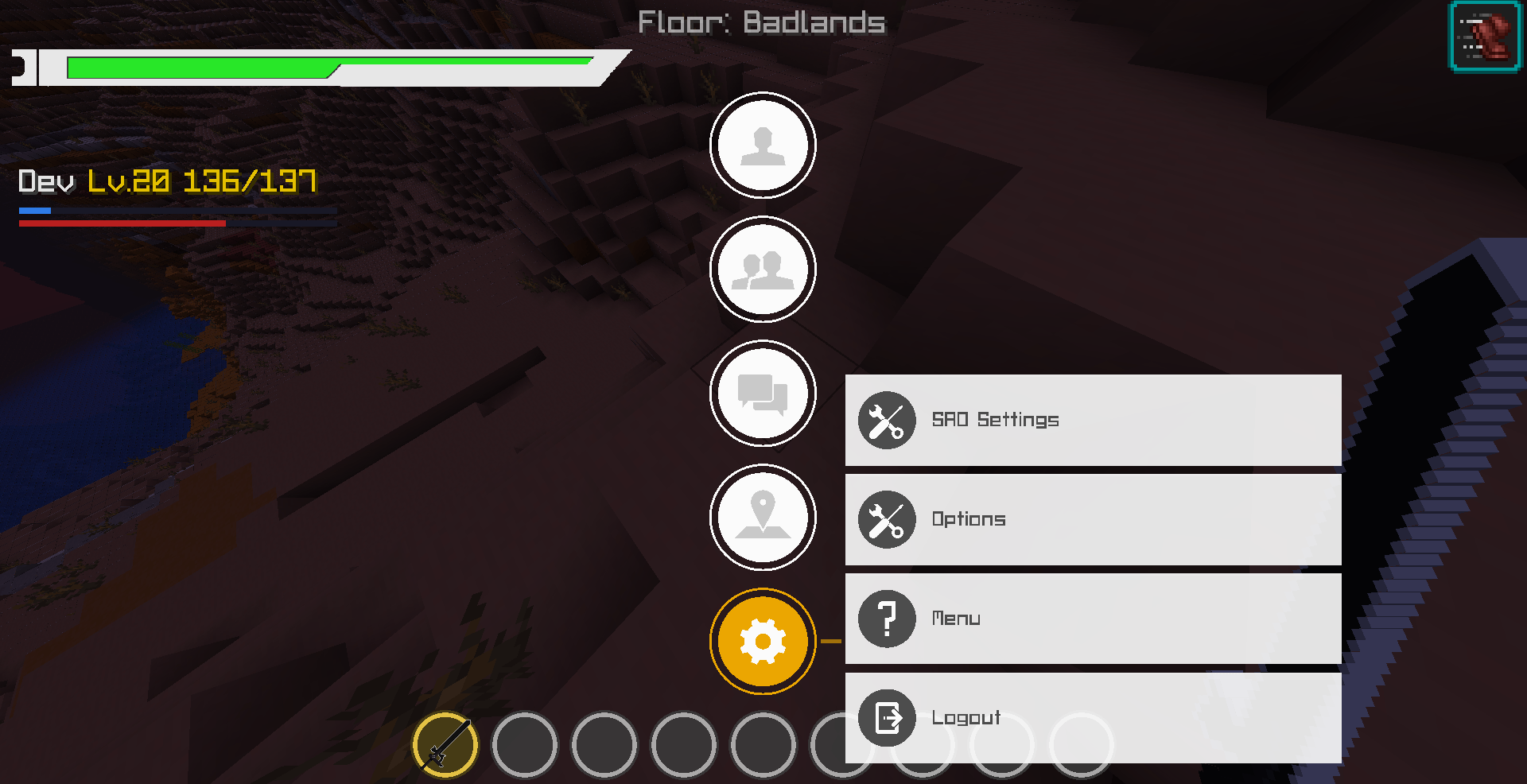
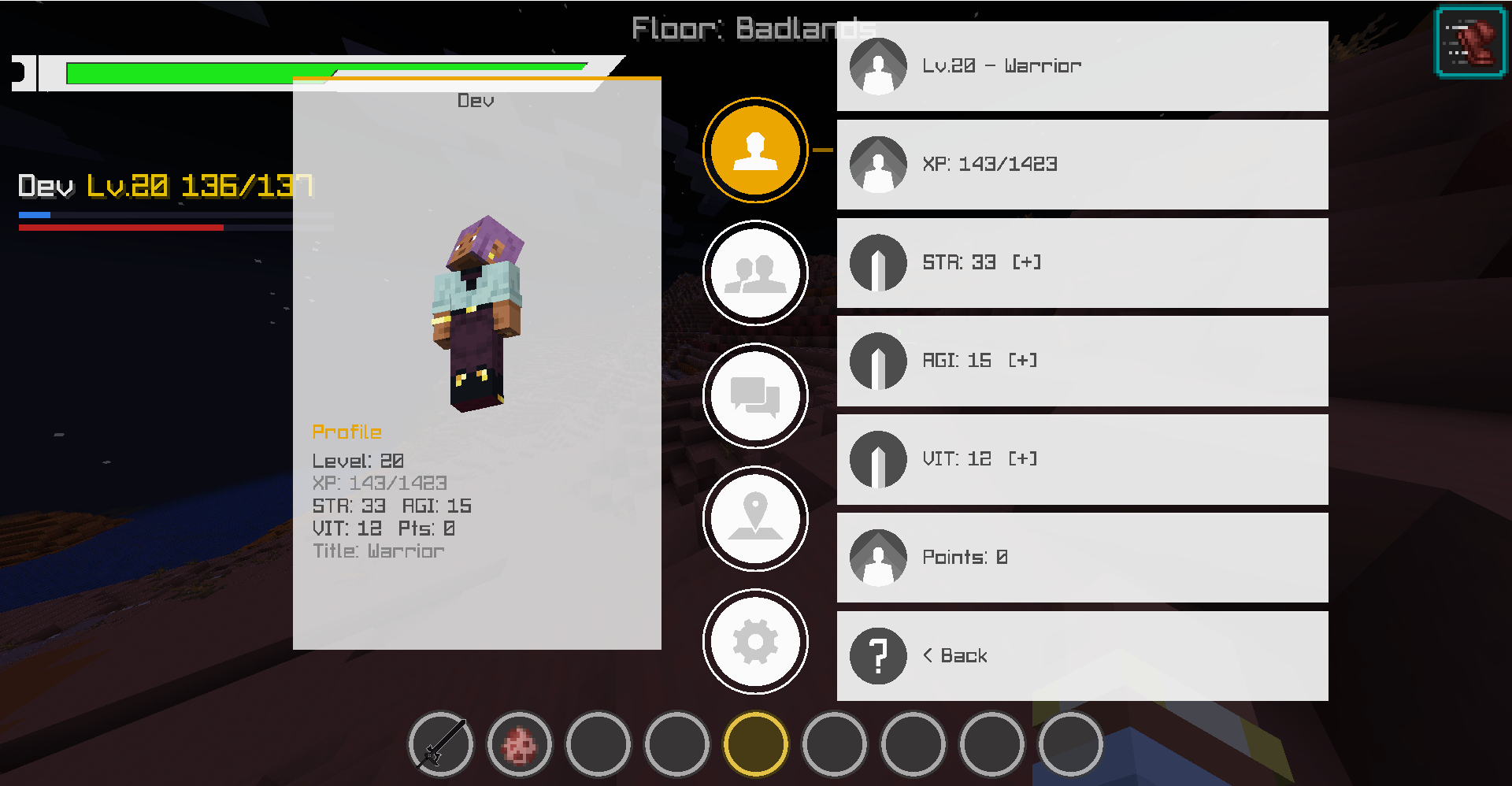
- Transparent SAO Themes — Switch between white and black panels while keeping yellow accents and the original font assets. The central menu opens from bottom to top; the left profile panel appears after selecting Stats.
- Entity Codex — Browse registered entity types, including modded entities, with search, mod filtering and saved favorites. Compatible living entities have a 3D preview without a background panel; unsupported renderers use a fallback message.
- Entity Drops — View item icons and names from supported server loot tables, nested tables, item tags and configured SAO bonuses. Drops actually generated after your credited kills are recorded separately with cumulative counts. These are not guaranteed drops or calculated probabilities; custom mod code may add unlisted loot.
- Adventure Journal — Track discoveries, kills by species, completed hunts and cosmetic ranks. Start one hunt for 10 new kills of a discovered species. Progress begins with this update; ranks and milestones do not award items, XP or COL.
- Last-Known Locations — Save the last observed position of a discovered entity type as a map pin in the same dimension. This is a recorded location, not live creature tracking.
- Skills and Saved Loadouts — Adds offensive and support skills, including healing, mobility and defensive effects, with server-side level and cooldown checks. Save three profiles of four shortcuts and view cooldowns above the hotbar. Open Skill Bindings from the ESC profile menu or its configurable shortcut (K by default). Choose Hidden, 50%, 75% or 100% for the skill bar; 75% is the default. The display preference is saved per player and world/server, independently of the selected profile. Shortcuts remain active when the bar is hidden.
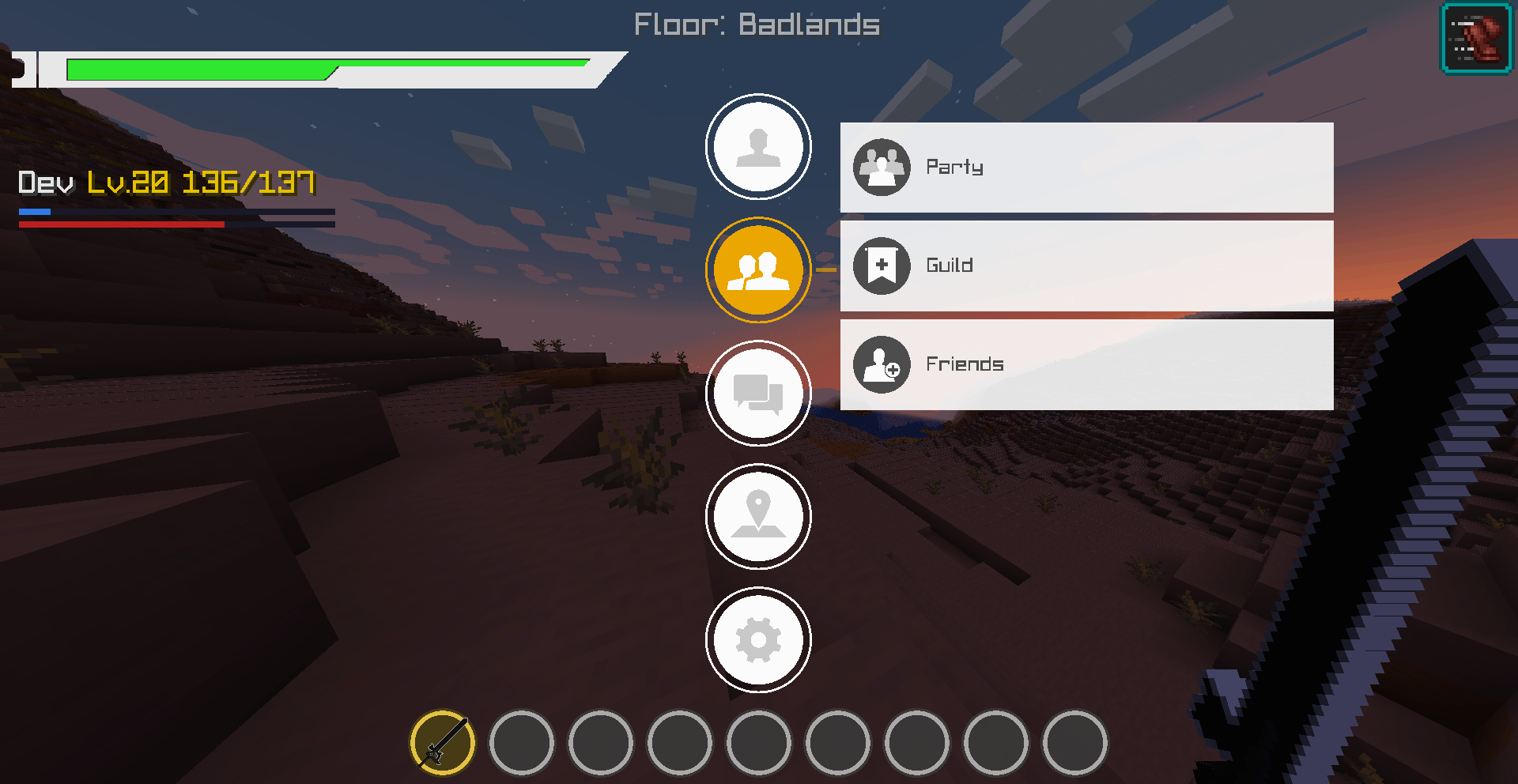
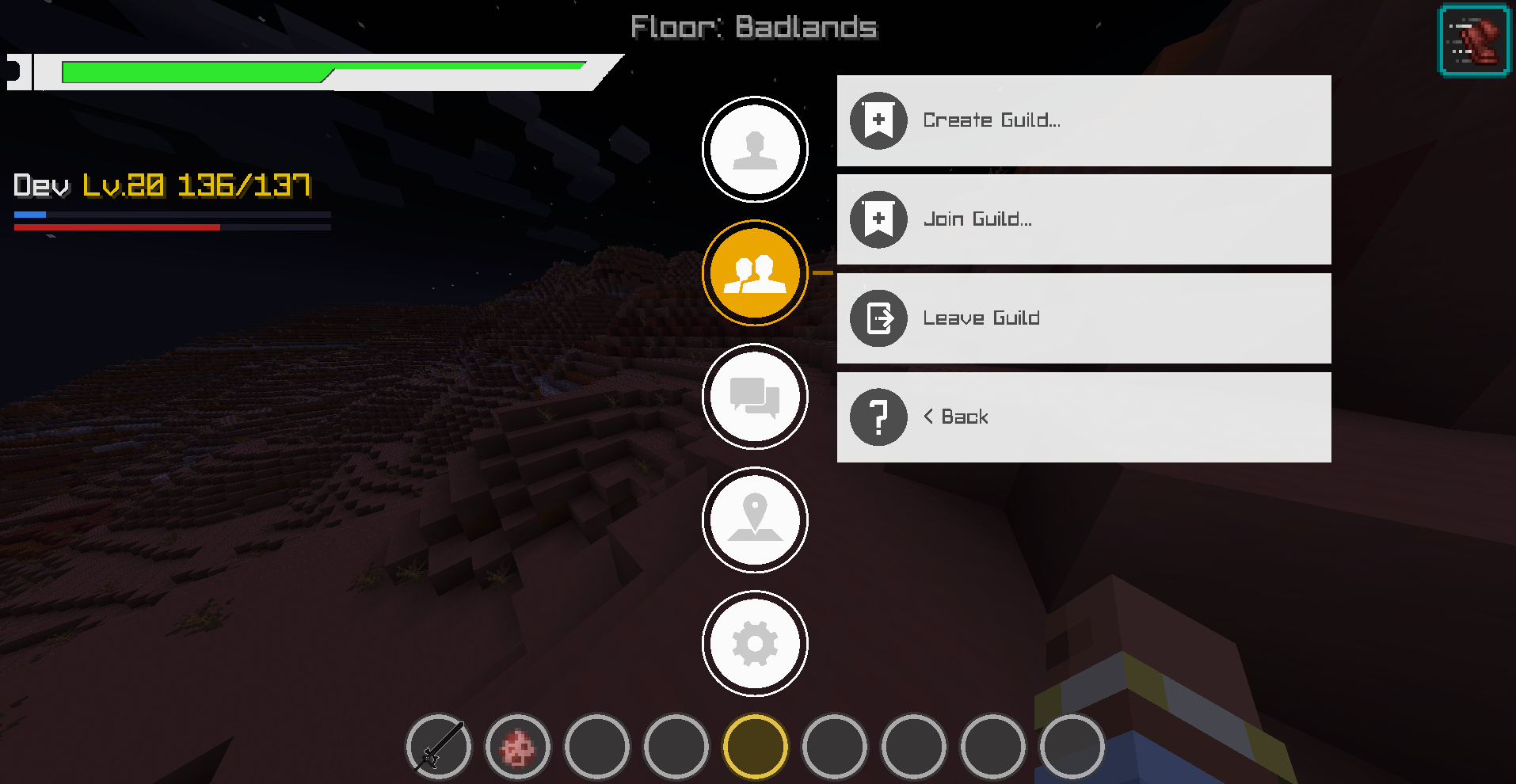
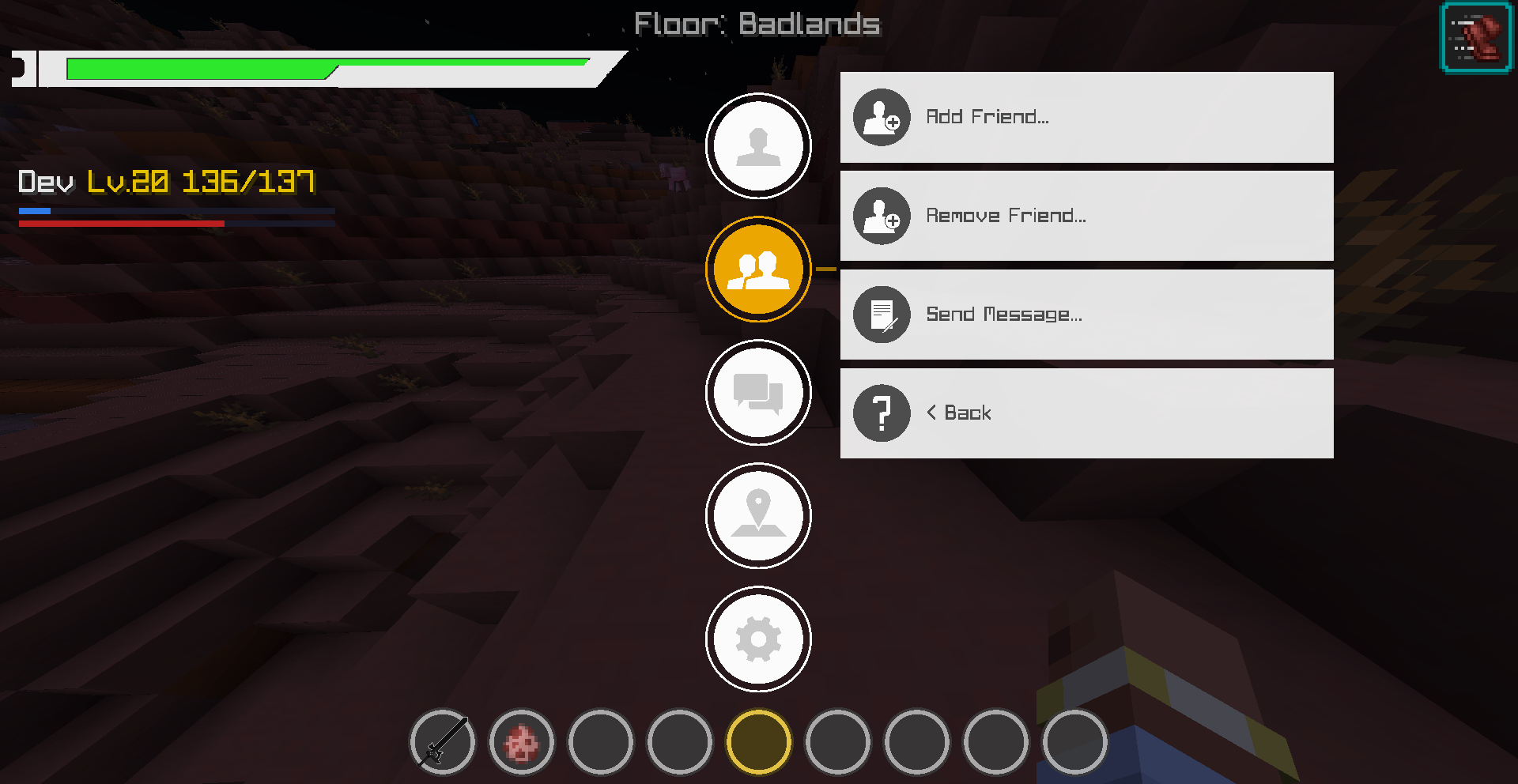
- Duels in the Social Menu — Access Duel only from the Friends/Social category (two-person icon) in the ESC menu. The entry has been removed from the main profile category. Challenge a player through a prefilled chat command, accept or decline a pending invitation, or cancel a duel. Accept and decline now process the request on the server. Invitations expire according to the configured timeout and are cleared on disconnect. Acceptance validates player availability, distance, dimension and existing duels.
- Skill Bar and Shortcut Fixes — All four slots remain visible when the bar is enabled, including empty slots. The bar sits closer to the hotbar and can be reduced or hidden from Skill Bindings. Cooldown displays stop during a true single-player pause, queued skill presses are discarded while menus are open, and known active cooldowns prevent repeated activation attempts. The binding screen closes with its configured shortcut and returns to the ESC menu when opened from there.
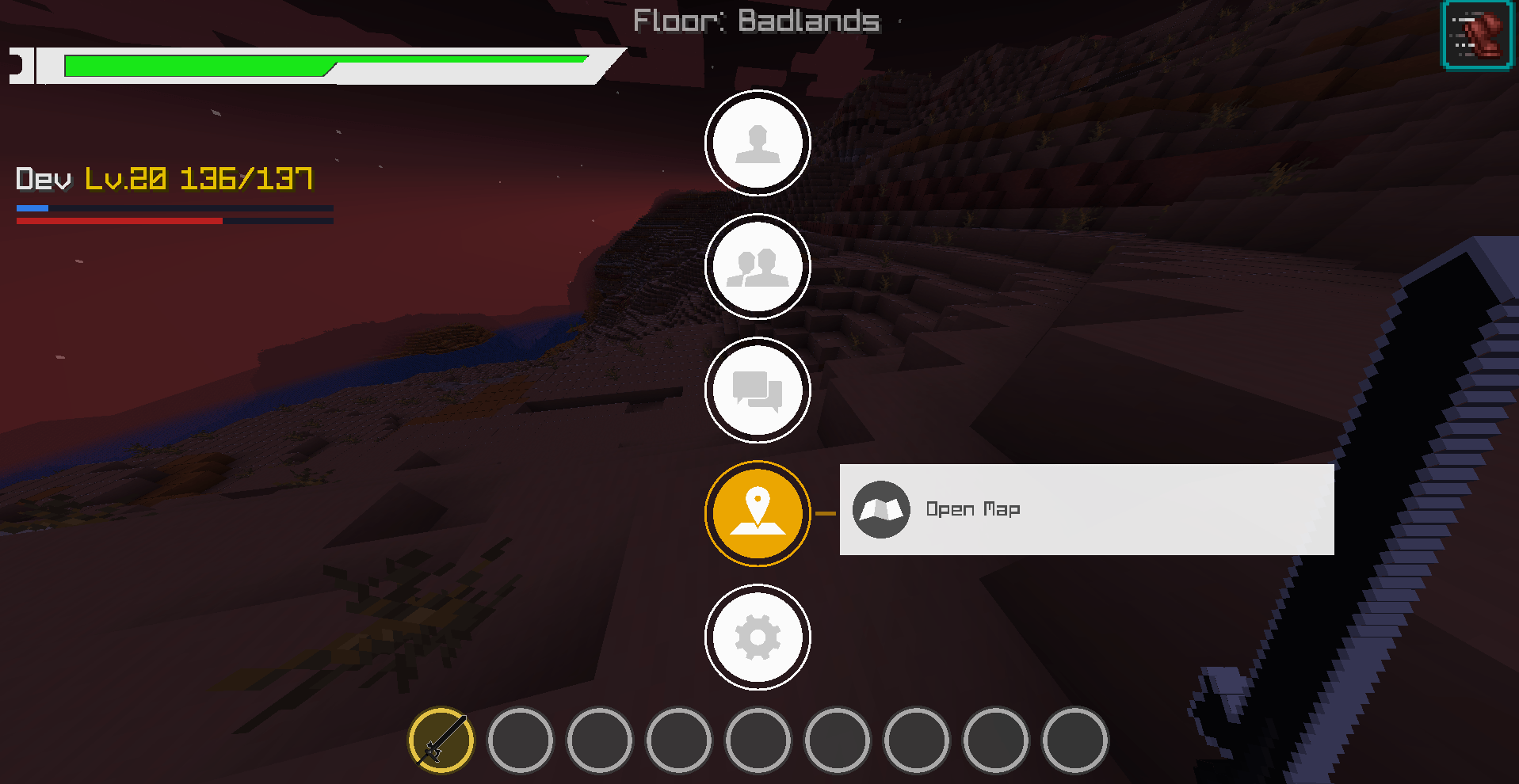
- Map Navigation — Pan by dragging, zoom around the cursor, recenter on the player, create named pins and follow a distance/direction indicator. Pins persist per world and dimension. Terrain is limited to client-loaded chunks; guidance does not calculate obstacle-avoiding routes.
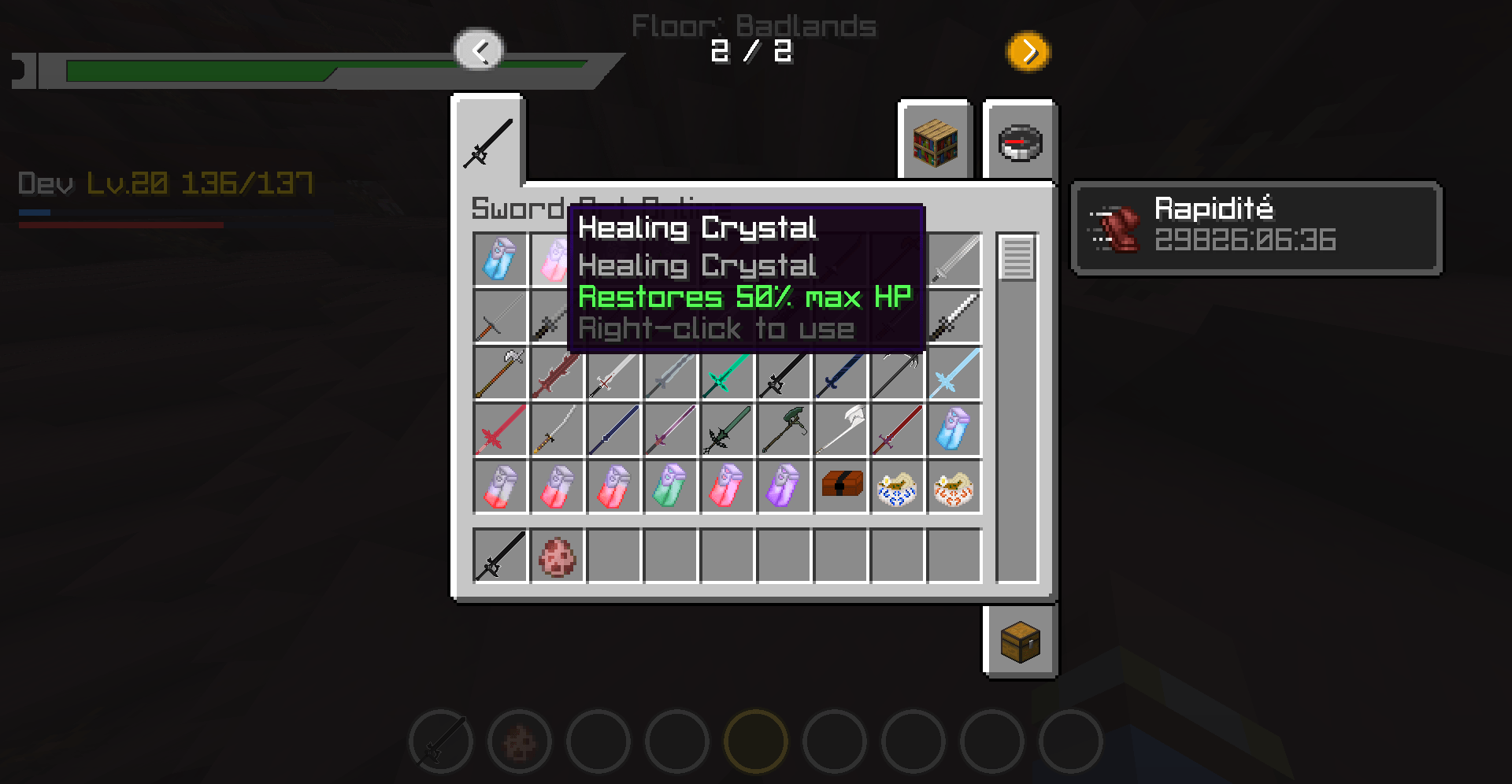
- Objects and Equipment — Vertical category-based Objects browser, redesigned Equipment screen and armor durability integrated into its slots. The floating armor HUD has been removed.
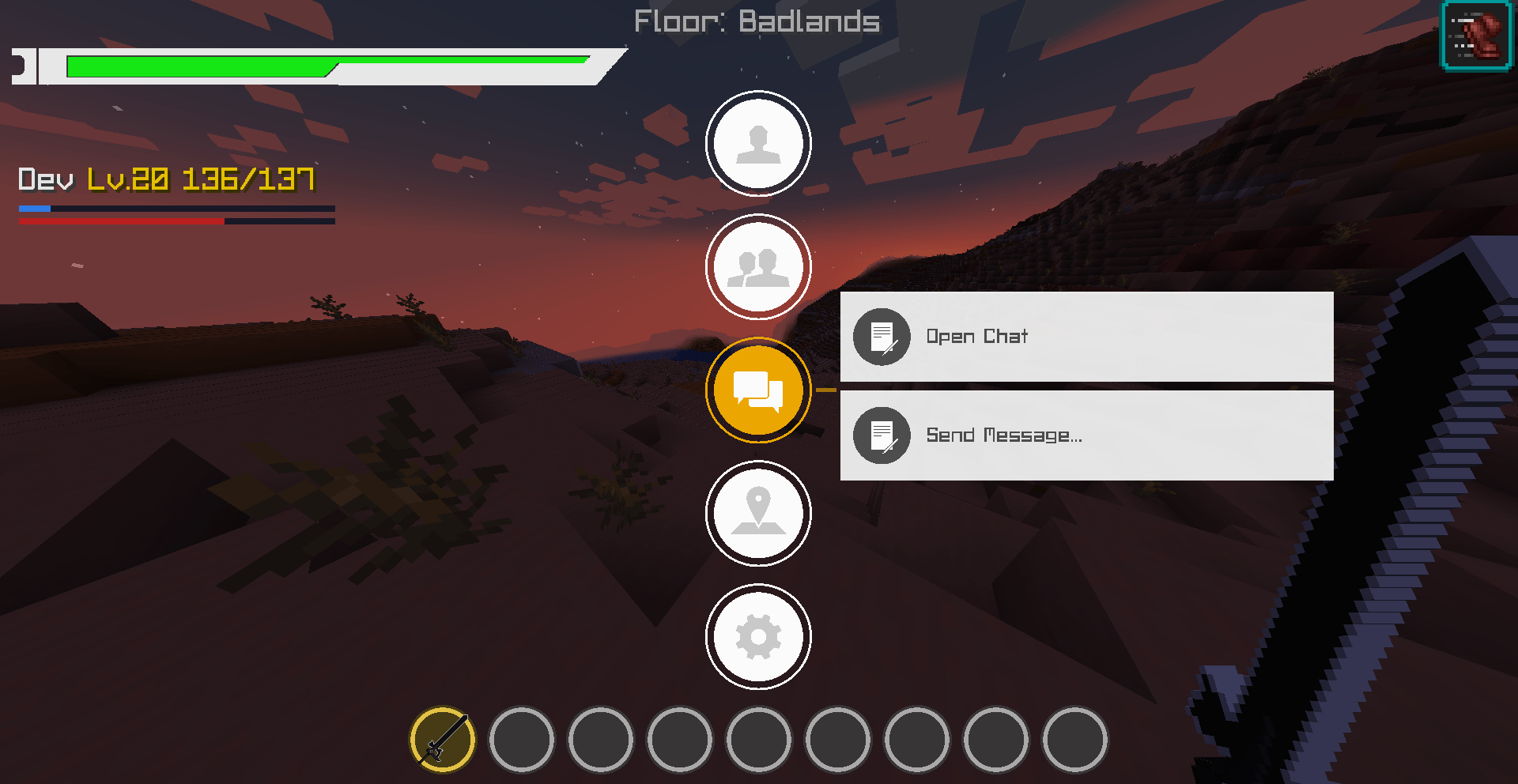
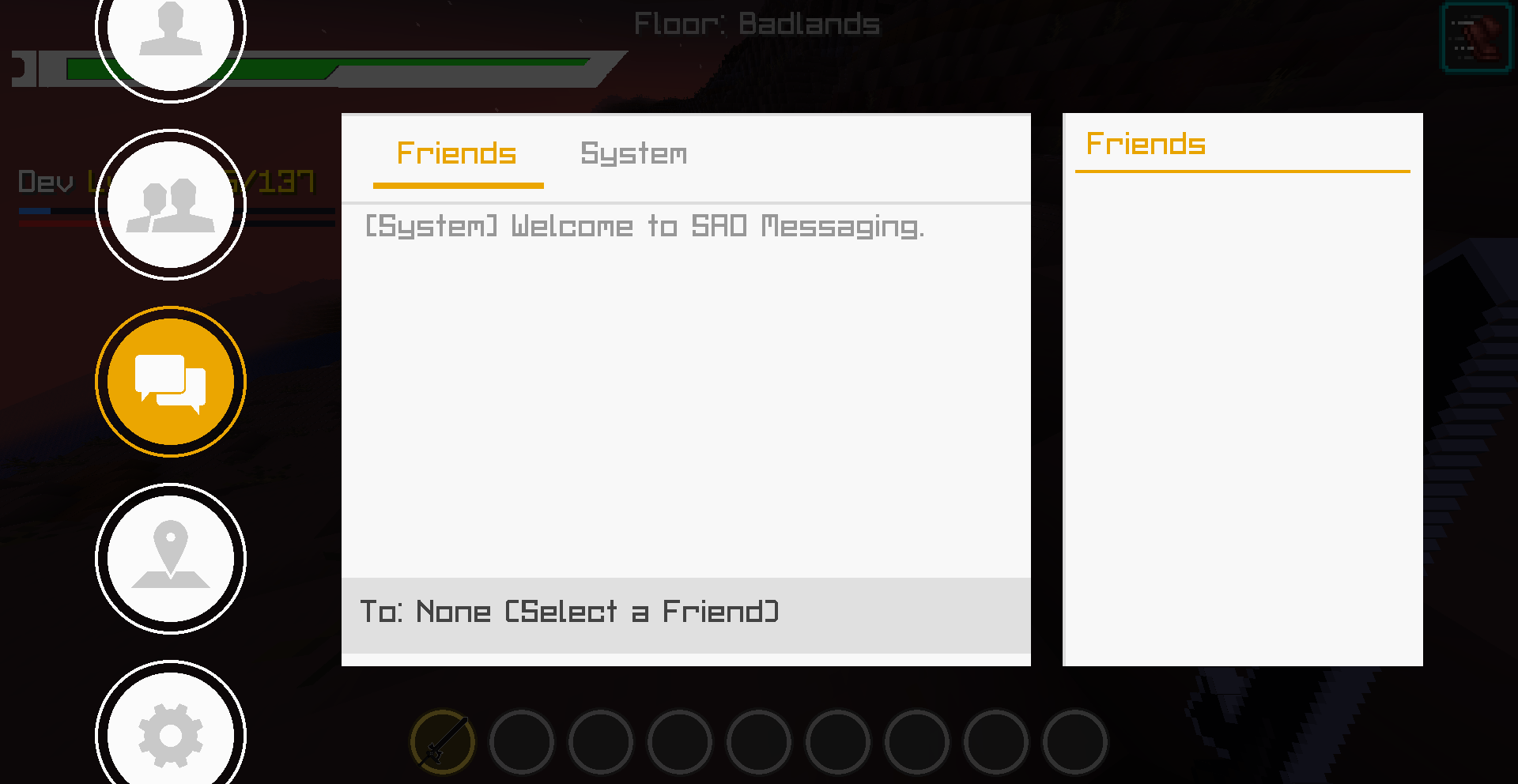
- Chat and Menu Navigation — Reworked message history, scrolling, public/private sending and left-side navigation. Private sending uses the server’s /msg command; received messages remain in one shared history.
- Custom Floor Names —
floor1becomes Floor 1;floor1-testingnamebecomes Floor 1 - Testing Name. Biome paths such asmymod:floor2/forestare recognized. Use separators for other multiword names, such asfloor3-ruined_highlands. - Floor Detection — Priority: current biome identifier, dimension identifier, then the Overworld save-folder name. Empty folders do not create biomes or dimensions. Existing 2000 × 2000 builds can use these names; this update does not generate or import those maps.
- OP-Only Floor Toggle —
/sao admin floors automatic falsedisables legacy biome/altitude numbering;/sao admin floors automatic truerestores it as a fallback. Run/sao admin floors automaticto view its state. Requires operator permission level 2 or the server console. Changes are saved and applied within about one second; explicitly named floors remain visible.
📡 PREVIOUS UPDATE ARCHIVED 3.7.5 09 / 03 / 2026
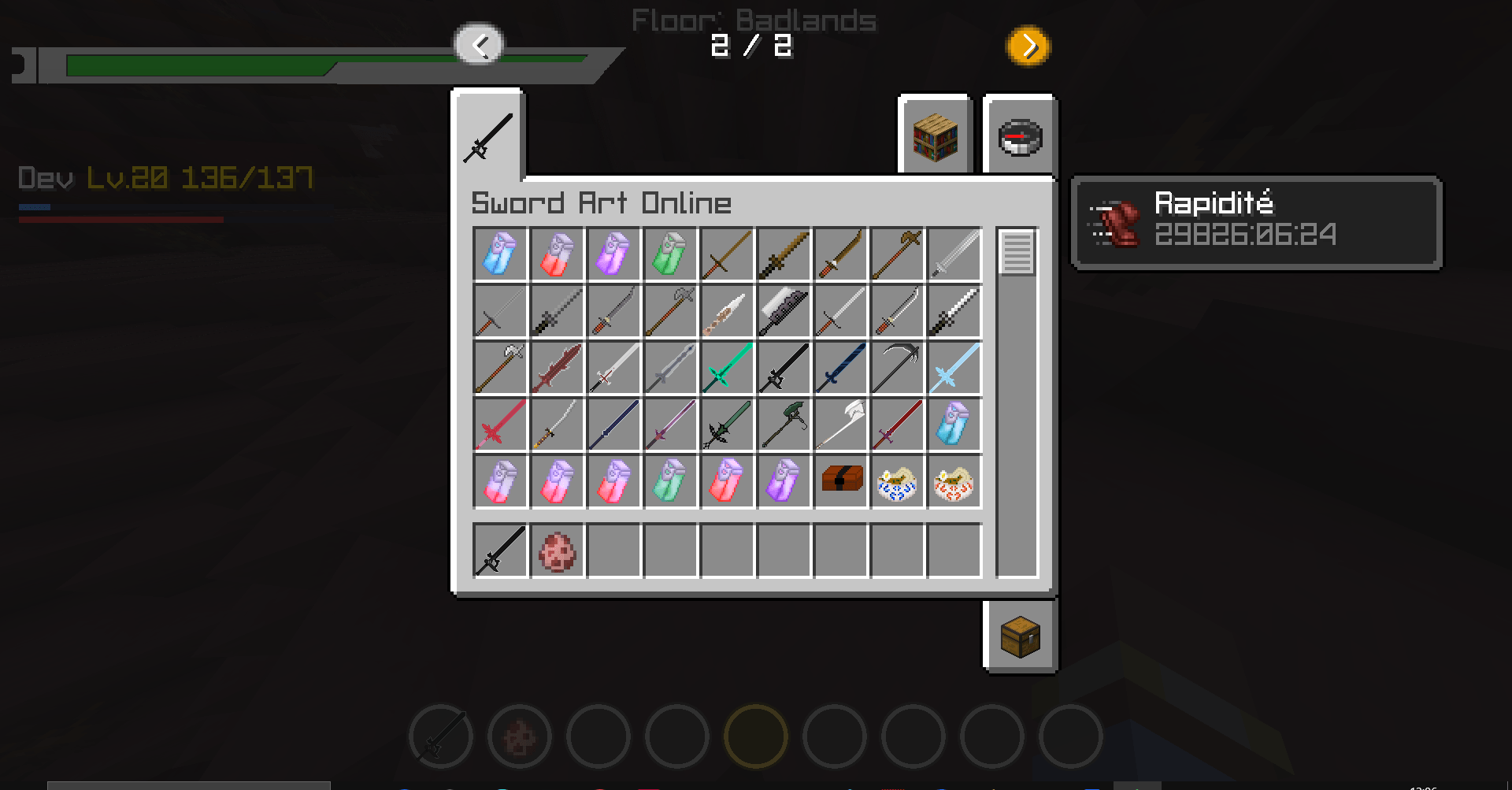
NEW Vertical Armor HUD — Added a compact four-slot armor monitor on the right side of the screen for Helmet, Chestplate, Leggings and Boots.
UI Matching Empty Equipment Icons — Empty armor slots use the same Minecraft empty armor-slot icons as the SAO crafting / inventory interface. When equipment is worn, the real equipped item is rendered in the slot.
NEW Durability Monitor — Every armor slot now has a vertical durability gauge with a red → yellow → green state and a percentage indicator.
NEW Protection Monitor — A second vertical gauge displays the protection contribution of each equipped armor piece as a percentage based on its armor points.
CONFIG Movable Armor HUD — The complete armor HUD can be dragged anywhere with the mouse and its position is saved client-side in config/daswordartonmine/armor_hud.json.
CONTROL Armor HUD Editor Keybind — Added a configurable Armor HUD Editor control to Minecraft's Controls menu. Default key: O.
CONFIG Armor HUD Toggle — Added a dedicated SAO option to show or hide the armor HUD independently from the main health HUD.
FIX Skill Key Labels — Added readable translated names for the four SAO skill-slot controls instead of displaying raw translation keys.
UI Armor Editor Text Wrapping — Long instructions in the Armor HUD editor now wrap across multiple lines instead of overflowing off-screen.
📡 PREVIOUS UPDATE 3.7.408 / 27 / 2026
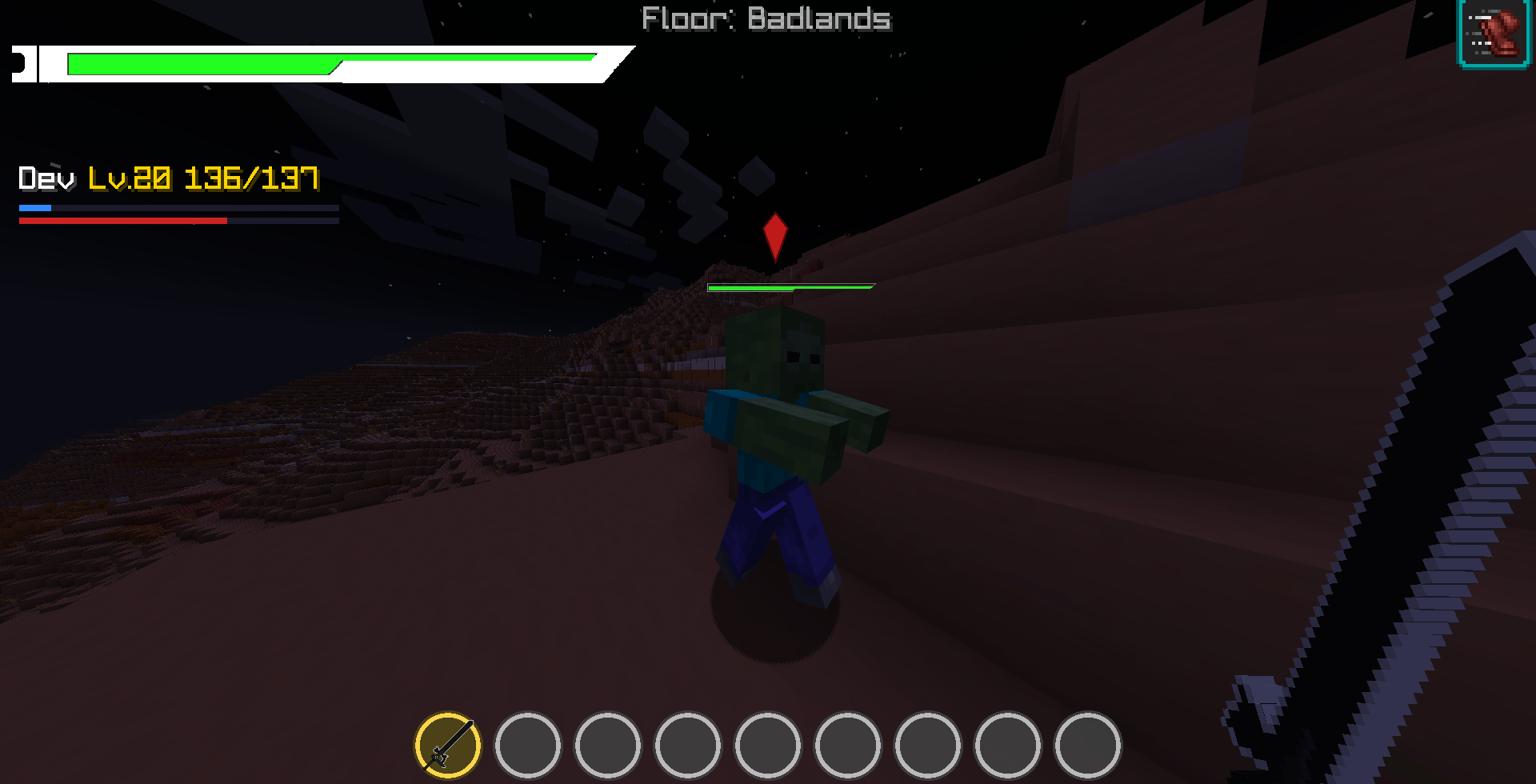
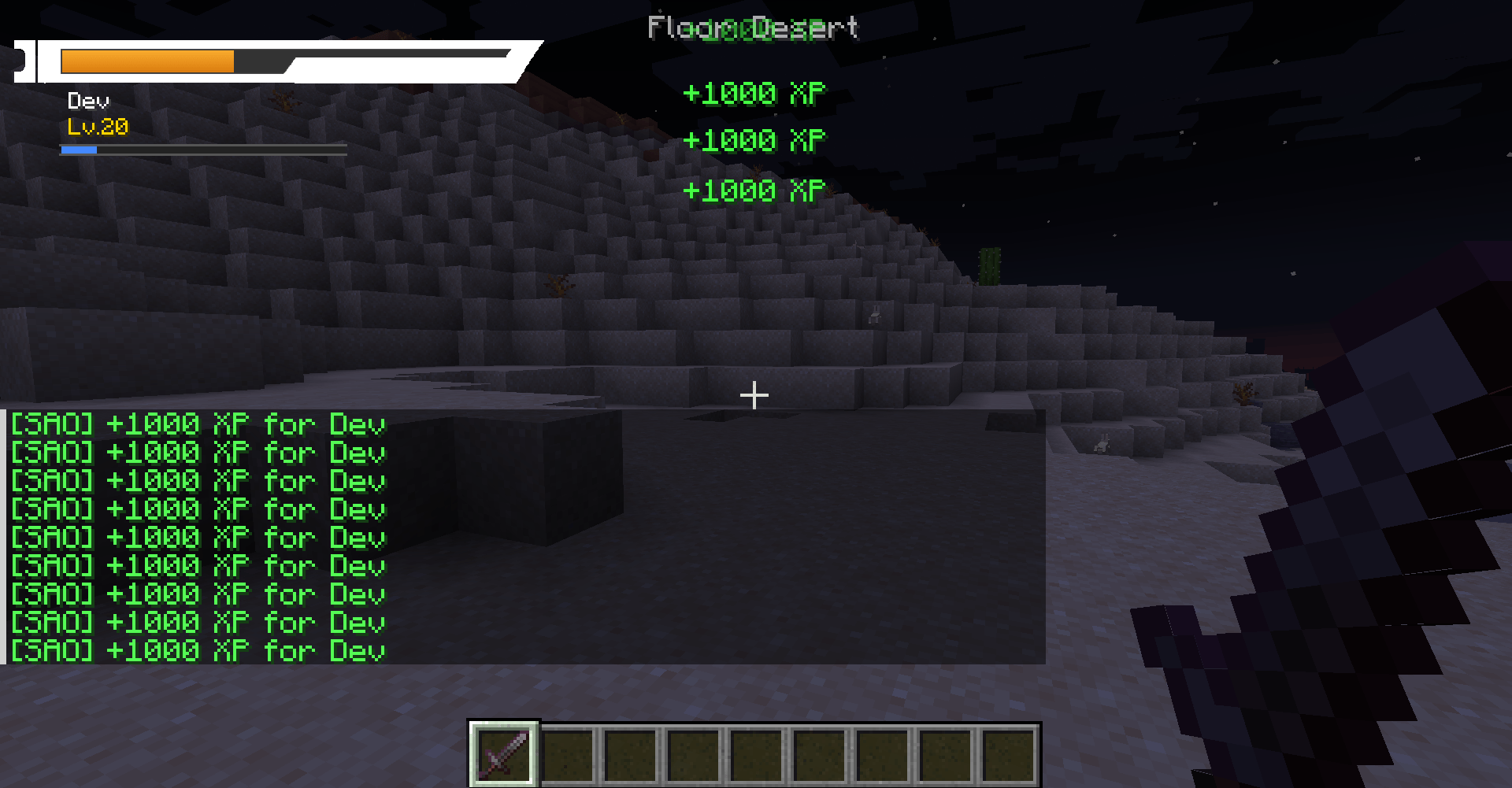
REWORK SAO Player HUD — The health HUD now uses the dedicated user_bar.png geometry with corrected HP / level alignment, white text and the XP bar integrated directly below the orange hunger bar.
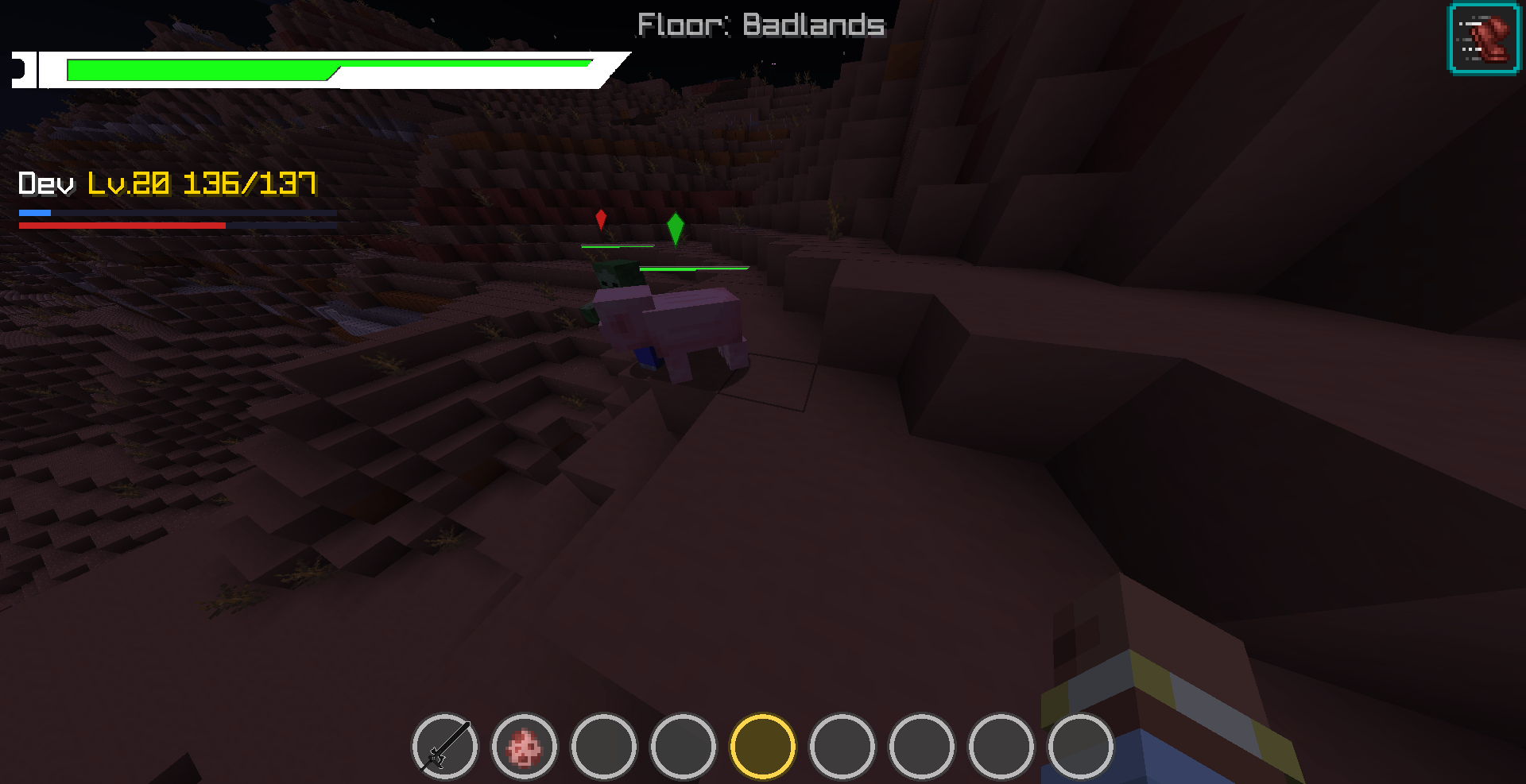
NEW 3D SAO Health Bars — The player's own health bar can be seen above the character in third-person view, and nearby entities use the same camera-facing SAO-style 3D geometry.
UPDATE Party Health HUD — Party members now use the dedicated user_barparty.png frame and display real HP values such as 7897984/9789797 instead of percentages.
UI Floor Indicator Position — The current floor and biome label has been moved from the top center of the screen to directly above the circular hotbar.
REWORK Sword Skill Interface — The skill tree and skill binding screens now use an inventory-like white panel with an orange top border for a cleaner SAO layout.
SKILL Slant + Horizontal — Slant remains available on R. Horizontal is now available as a functional sword skill with a horizontal slash and dedicated blue / cyan particle effects.
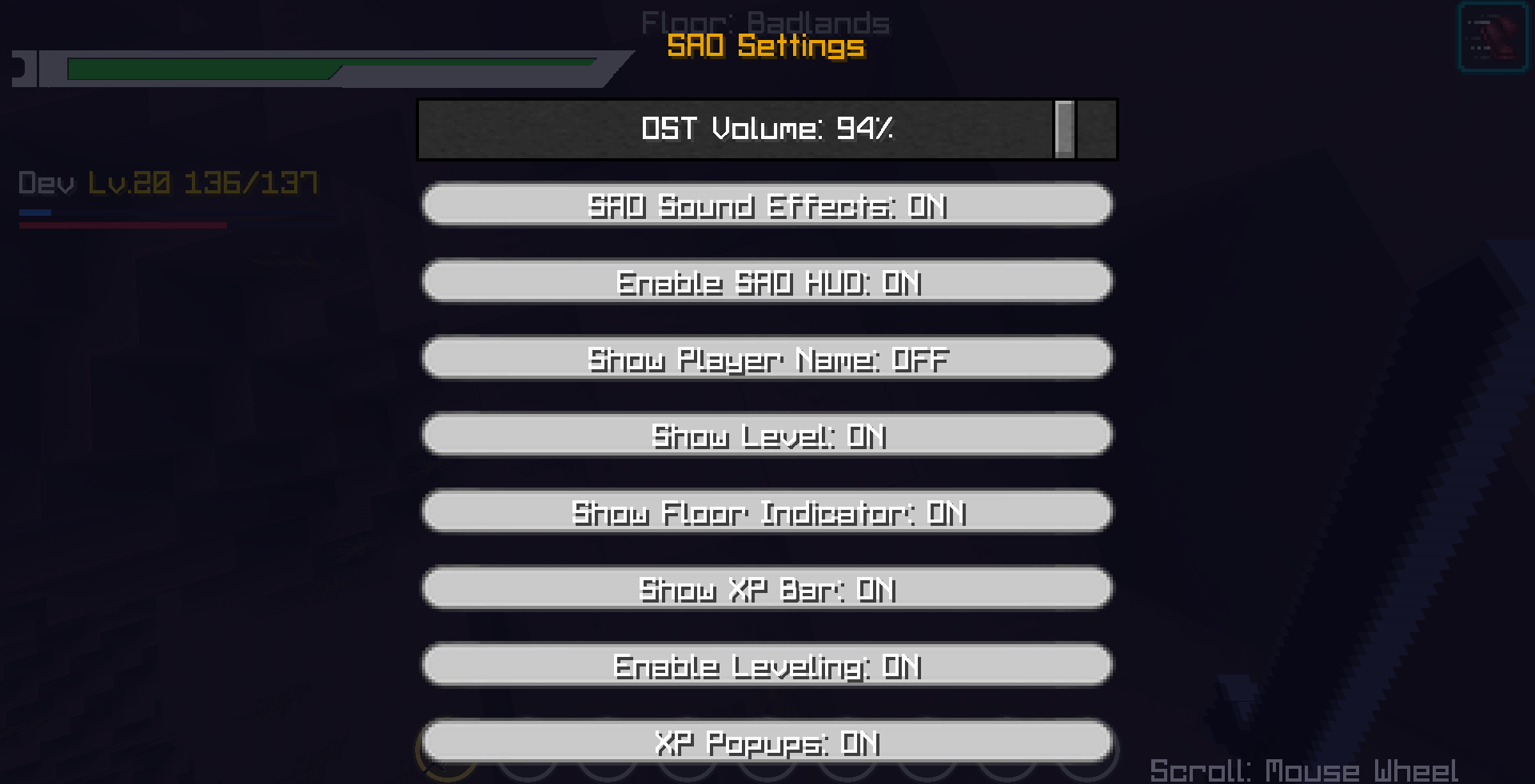
SECURITY OP-Only SAO Settings — The SAO Settings entry is locked by default. Only a server operator can open it with /DAsettings; non-OP players remain blocked even if they execute the command directly.
REMOVED Wild Boar and Little Nepenthes — The Wild Boar and Little Nepenthes entities, spawn eggs, models, textures, spawner references and dedicated loot hooks have been removed.
REMOVED Assassin Armor Set — The Assassin Helmet, Chestplate, Leggings and Boots have been removed together with their recipes, models, textures, translations and creative-tab entries.
📡 PREVIOUS UPDATE 3.7.208 / 03 / 2026
COMPAT XP: Attribute Core Compatibility — Killing an entity or gaining experience no longer causes the player to lose health when XP: Attribute Core is installed.
FIX Safe Maximum Health Updates — SAO health bonuses now update without temporarily removing maximum-health modifiers or reducing the player's current HP.
CHANGE Health Bars Enabled by Default — Entity health bars are now visible by default and can still be disabled from the SAO HUD settings.
📡 PREVIOUS UPDATE 3.7.107 / 17 / 2026
NEW Gemstone Crafting Upgrades — Gemstones can now be combined with compatible equipment in a crafting table to improve damage, durability, efficiency, Fortune, protection or Mending.
BALANCE Drastically Reduced Bonus Drops — Bonus loot is now substantially rarer and can be adjusted from the SAO configuration menu.
CHANGE No Weapon Drops — Enemies no longer receive bonus sword, katana, blade or rapier drops from the SAO loot system.
FIX Day-Based Mob Scaling — Enemy maximum health and attack damage now update correctly according to elapsed Minecraft days.
CHANGE Merchant Spawn Egg — Natural SAO merchant spawning is disabled by default. Merchants can instead be created with the dedicated SAO Merchant Spawn Egg.
UPDATE Slant Skill — Slant now has a 30-second cooldown and a larger, brighter diagonal particle effect.
REWORK Immortal Object Association — Immortal Object no longer grants permanent inventory invulnerability. It can be associated through crafting with Liberator or Liberator Shield.
NEW PvP Protection Charge — Associated Liberator equipment cancels one incoming attack from another player. It does not protect against monsters or other entities.
UPDATE Liberator Shield Blocking — While actively blocking with Liberator Shield, entity attacks deal no damage.
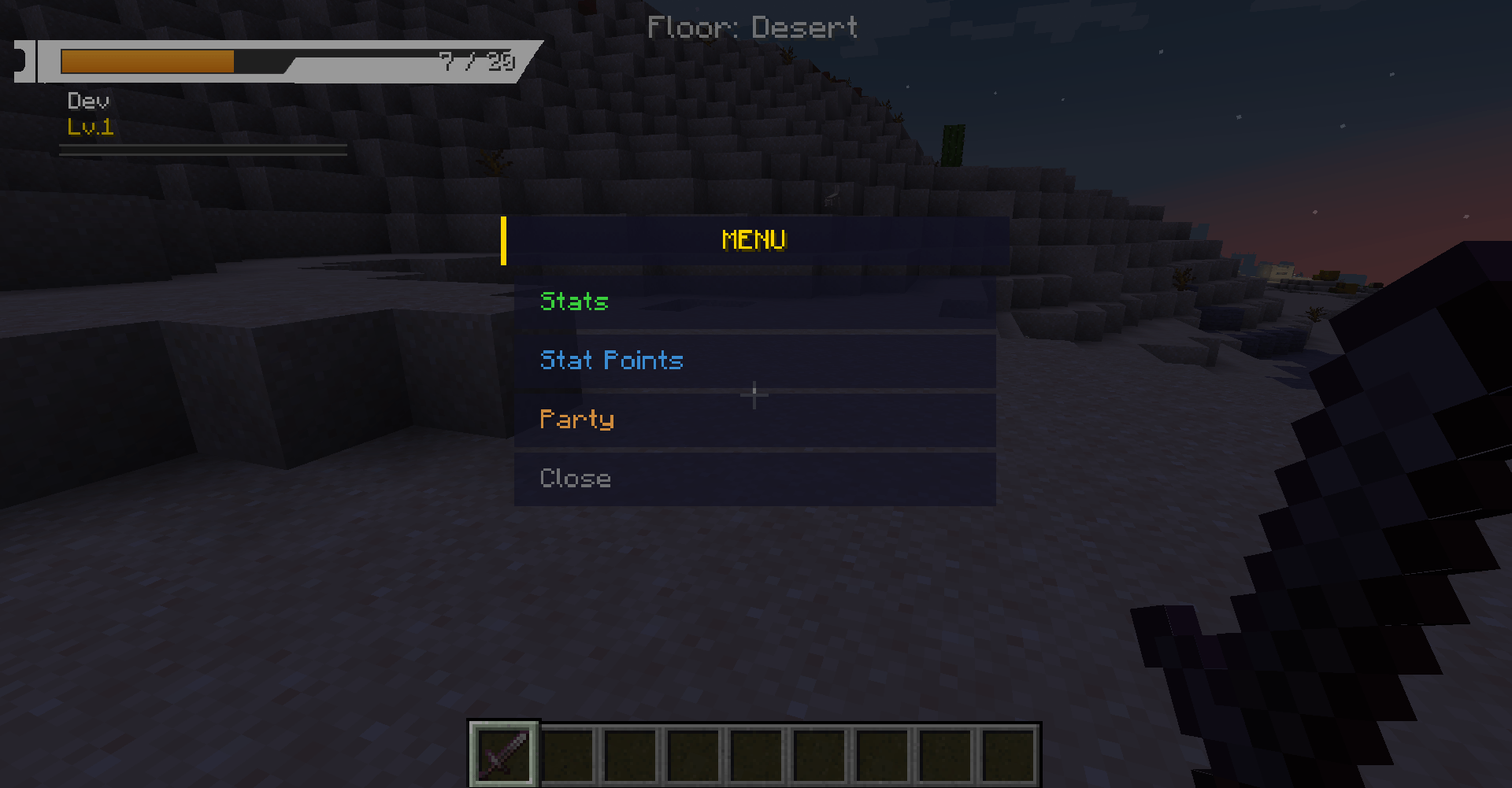
UI Stats and Inventory Toggle — The ESC menu now displays Stats instead of Skills and includes an Inventory: SAO / Vanilla switch directly below Skill Tree.
CONFIG Expanded SAO Options — Added menu controls for loot chances, mob scaling, merchant spawning, gemstone upgrades, Immortal association, shield protection and inventory mode.
📡 PREVIOUS UPDATE 3.707 / 13 / 2026
NEW Critical Health Warning Sound — The SAO low-health alarm now plays while the player remains in the red health zone and stops once health recovers above the configured threshold.
NEW Damage Sound — looseHP.ogg plays whenever the player loses actual health.
NEW Day-Based Enemy Scaling — Hostile mobs gain extra maximum health and attack damage as Minecraft days pass, keeping late-game combat challenging.
NEW Organized Bonus Loot — Stronger enemies can drop categorized bonus rewards such as potions, crystals, materials and weapons.
NEW COL Currency System — Added a persistent SAO currency used to buy equipment and sell unwanted items.
NEW Village Merchant NPC — A dedicated SAO merchant can spawn in villages and provides Buy and Sell menus using COL.
📡 PREVIOUS UPDATE 3.607 / 12 / 2026
NEW Universal Weapon Stat Scaling — Strength and Intelligence bonuses now apply to vanilla weapons and most modded weapons instead of being limited to DASWORDARTONMINE items.
NEW Intelligence Damage Bonus — Intelligence now grants additional weapon damage. The calculated bonus is displayed directly in compatible item tooltips.
COMPAT Modded Weapon Support — Stat damage is now detected from the player responsible for the hit, including melee attacks, bows, crossbows and most player-owned projectiles from other mods.
NEW SAO Crafting Grid — Added a functional vanilla-style 2×2 crafting grid inside the SAO Survival Inventory, compatible with vanilla and modded recipes.
CHANGE Enemy Loot Auto Pickup — Drops from defeated enemies can now be collected automatically, reducing the need to confirm every item while fighting multiple enemies.
FIX Projectile Owner Detection — Improved shooter, owner and caster detection so player stats are applied more reliably to ranged and modded attacks.
📡 PREVIOUS UPDATE 3.506 / 14 / 2026
NEW SAO Survival Inventory — The vanilla E inventory is now replaced in Survival mode by a SAO-styled inventory with grid, hotbar, item movement and cursor-based item handling.
NEW Vanilla-Like Inventory Actions — Left-click picks an item to the cursor, left-click another slot moves or swaps it, right-click places one item from a stack and double-click collects matching items into the same stack.
NEW Item Context Menu — Right-clicking an item opens a SAO dropdown menu with Use when possible and Drop with a quantity input.
NEW Recent Objects Menu — Added a separate Objects screen showing the last 5 loots obtained by the player.
NEW Equipment Screen — Added a dedicated SAO equipment menu for Helmet, Chestplate, Leggings, Boots and Shield/off-hand equipment.
NEW Effects Panel — Active potion/effect names and remaining durations are now available from the Survival inventory interface.
NEW Skill Tree Placeholder — Added a white SAO skill tree placeholder screen with icons and the message: Not working for now. I actually working on it.
CHANGE Stack Handling — The SAO inventory system supports custom stacks up to 1028 items.
FIX Chat Overflow — Long chat messages, player names and input text are now clipped properly to prevent UI overflow.
CHANGE Health Bar Colors — Health colors were adjusted to a softer SAO palette with less aggressive green, orange and red states.
CHANGE SAO Settings Cleanup — Removed the visible Damage per Strength option from the SAO settings screen.
FIX Loot Pickup Window — Reduced confirmation buttons and adjusted item/text positioning for a cleaner SAO loot popup.
📡 PREVIOUS UPDATE 3.406 / 08 / 2026
FIX Party Permissions — Fixed party commands requiring operator permission. Non-OP players can now create, invite, accept, deny, leave and disband parties correctly.
NEW Entity Health Bar Toggle — Added separate options for entity cursors and entity health bars. Entity cursors can stay enabled while health bars are disabled to avoid screen spam from armor stand bosses or multi-part entities.
FIX Vanilla Crosshair — The vanilla crosshair is no longer hidden by default. A dedicated option is available to hide it only when desired.
NEW Air / Oxygen Bar — Added a custom air bar while underwater so players can clearly track remaining breath.
NEW HUD Part Toggles — Added toggles for the main health HUD, hunger bar, air bar, circular hotbar, entity cursors, entity health bars and crosshair behavior.
FIX UI Config Saving — HUD scale, offsets and option sliders now save and apply correctly.
BALANCE Strength Damage — Reduced default damage gained per Strength point from 0.25 to 0.10 to prevent high-level players from becoming too overpowered.
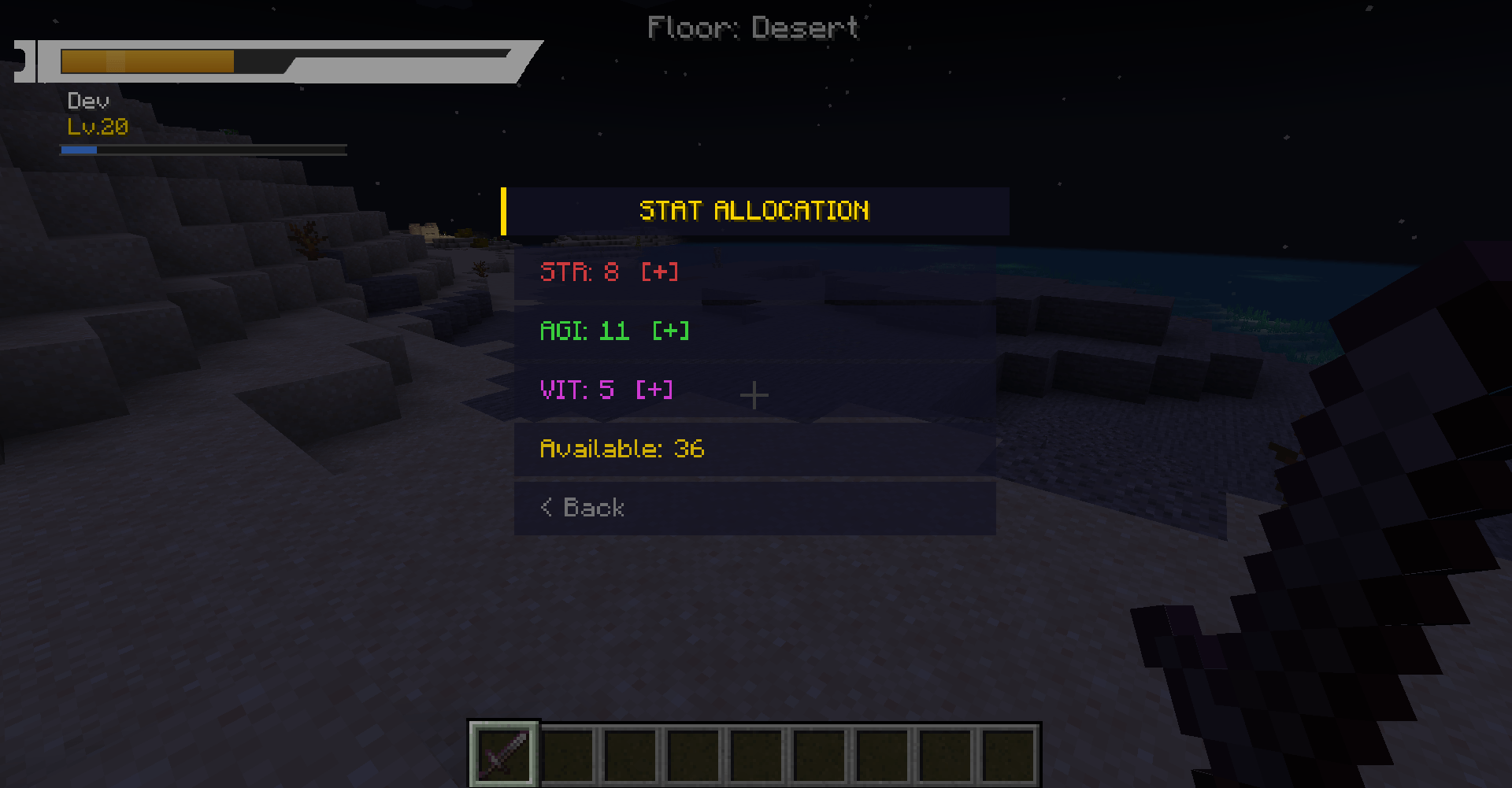
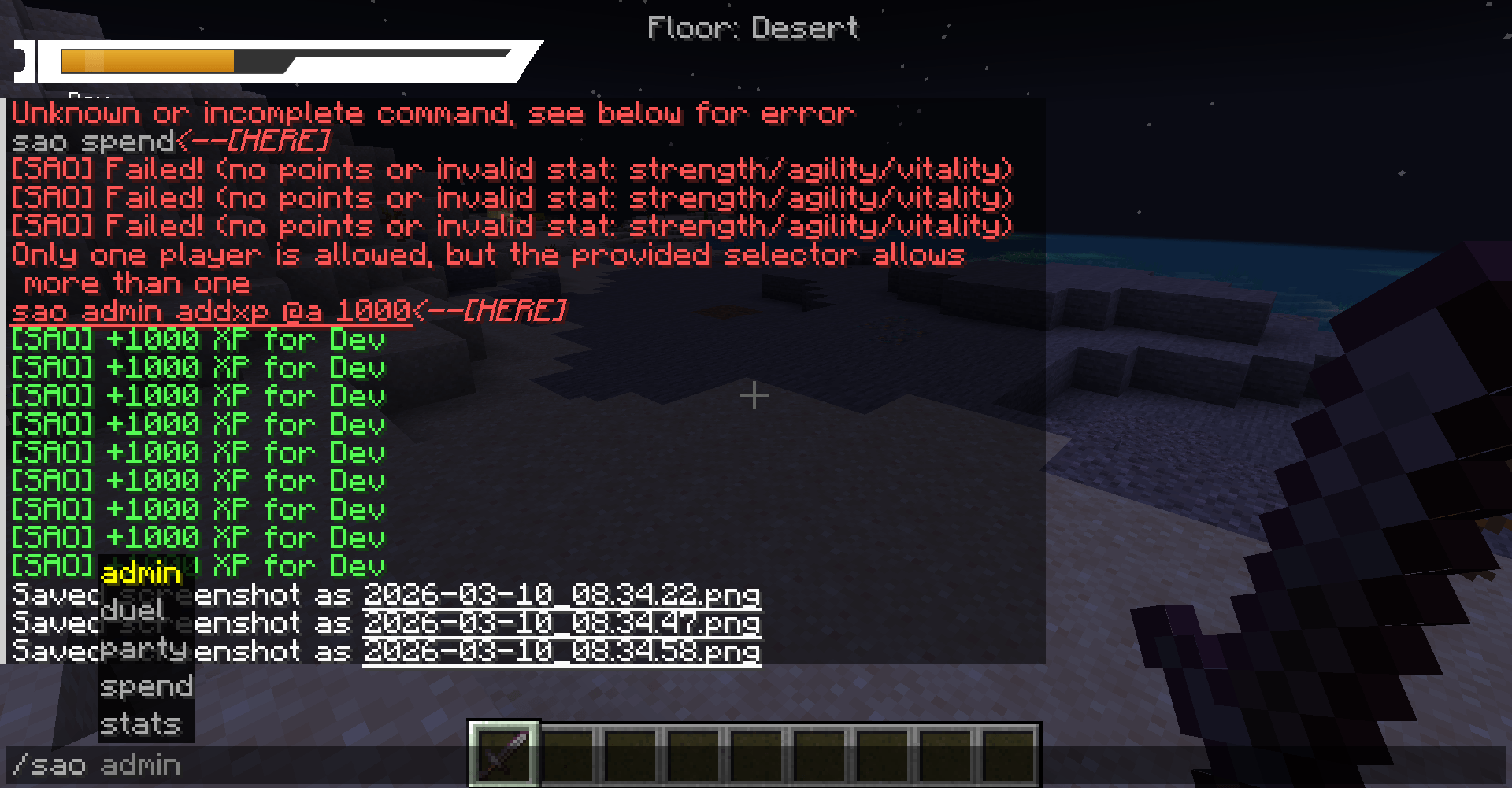
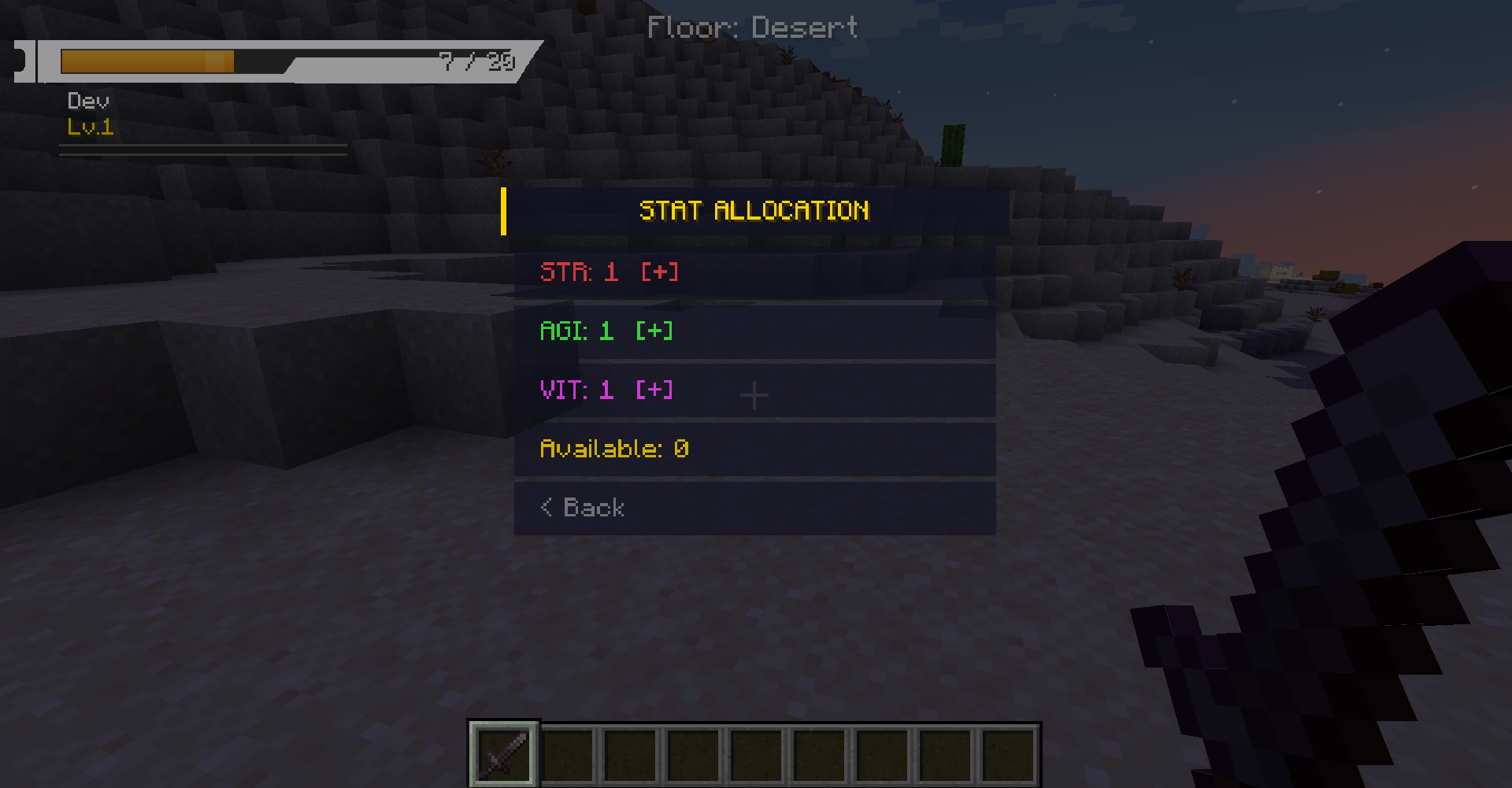
FIX Stat Allocation — Improved stat allocation commands and accepted aliases such as str, agi, vit, force, vitesse and vie. Success and error feedback now displays properly.
NEW Custom Menu Toggle — Added a top-left button to switch between the SAO main menu and the vanilla Minecraft menu. The setting is saved in the config.
📡 PREVIOUS UPDATE 3.205 / 15 / 2026
NEW Persistent Guild System — The Guild system has been rebuilt. Players can now create, join, leave and manage guilds directly from the SAO menu.
NEW Guild Member Management — Guild leaders can promote, demote and kick members from the guild member menu.
NEW Guild Sync Button — The Guild screen automatically requests server synchronization when opened.
NEW Immortal Object Visual System — When a player owns the Immortal Object and reaches the protection threshold, the Immortal Object banner appears above their head.
FIX Guild Menu Display — Fixed an issue where the Guild menu continued to show Create Guild, Join Guild and Leave Guild even when the player was already inside a guild.
FIX Guild and Friend Commands — Fixed missing command registration for /sao guild and /sao friend.
NEW Skill Point Reset — Players can reset their allocated Strength, Agility and Vitality points and recover spent skill points.
NEW Configurable Party XP Sharing — Party experience can now be distributed between eligible party members.
📡 PREVIOUS UPDATE 2.705 / 01 / 2026
NEW Immortal Object — A legendary SAO item. When present anywhere in your inventory, your HP can never drop below 50% of your maximum health.
NEW Party-Only Display Mode — New toggle in SAO Settings: partyOnlyDisplay.
FIX Party XP Distribution — XP sharing now works correctly. The distance check now compares party members to the killer instead of the dead mob.
FIX Liberator Shield Durability — Shield durability increased from 336 to 999999.
📡 PREVIOUS UPDATE 2.604 / 20 / 2026
REWORK Strength System — Strength now grants a flat damage bonus on every weapon attack, including bare hand.
REWORK Agility System — Speed is now player-controlled. Every 10 Agility unlocks a new speed tier, up to 5 tiers.
NEW Functional Fishing Rod — The Canne à Pêche is fully functional, with vanilla casting and reeling mechanics.
NEW Expanded Config — Added configurable HP per level, HP per Vitality, damage per Strength, agility per speed tier, max speed tier, speed bonus per tier and fishing rod multiplier.
📡 PREVIOUS UPDATE 2.504 / 16 / 2026
NEW Multi-Language Support — The interface is translated in 7 languages: English, Français, 日本語, 한국어, Español, Italiano and Русский.
CHANGE All hardcoded GUI text has been migrated to the I18n translation system using Component.translatable().
📡 PREVIOUS UPDATE 1.1 / 1.1504 / 15 / 2026
FIX Fixed logout bug causing Saving World freeze when disconnecting.
NOTE Version 1.15 is Client Side Only. It replaces the Minecraft interface with the SAO UI, but does not include server commands, Guild system, Friends system or Party system.
👥 CREDITS
Stoshka
Beta Tester Beater — Testing the mod and ensuring everything runs smoothly.
HannyaNoIkari
3D Artist — Providing the incredible 3D models for the project.
🖥️ HUD & INTERFACE
- SAO Health Bar REWORKED in 3.7.4 — Uses
user_bar.pngas the frame with animated HP fill, corrected HP / level placement and the XP gauge integrated below the hunger strip. - Dynamic Health Status — Softer green for high HP, darker orange for mid HP and darker red for critical HP.
- Critical Health Alarm NEW in 3.7 — Plays the SAO low-health sound while HP remains in the red zone.
- Health Loss Sound NEW in 3.7 — Plays
looseHP.oggwhenever actual health decreases. - Circular Hotbar — Replaces vanilla hotbar using
slot_bg.pngwith gold tint on selected slot. - Equipment Durability — Armor durability is now displayed directly in the Equipment tab, with item icons, numerical values and condition bars. The floating armor monitor has been removed.
- Equipment Slots — View equipped items and available replacements in a vertical SAO layout, with a player preview without a background panel.
- Configurable Vanilla HUD Replacement — Hearts, armor, hunger, XP, air, jump bar and mount health can be replaced by the SAO interface.
- XP, Hunger and Air Bars — XP, hunger and underwater oxygen bars can be displayed through the SAO HUD.
- Player HP / Level Panels UPDATED in 3.7.4 — HP and level are positioned directly inside the dedicated SAO HUD information panels; the old standalone player-name line has been removed.
- Custom Floor Indicator — Displays the server-resolved floor name above the hotbar and in the map title. Explicit biome and dimension names take priority over the Overworld save-folder name.
- Party-Only Display — Toggle in SAO Settings to hide the main HUD and only show the party window.
- Party Player Bars UPDATED in 3.7.4 — Party members use
user_barparty.pngand display current / maximum HP values instead of a percentage. - 3D Entity / Player Health Bars REWORKED in 3.7.4 — Camera-facing SAO health-bar geometry is rendered above nearby entities and above the local player in third-person view, with entity cursors remaining separately configurable.
- SAO Mob Death Effect — Adds SAO-style particles and fast entity disappearance after death.
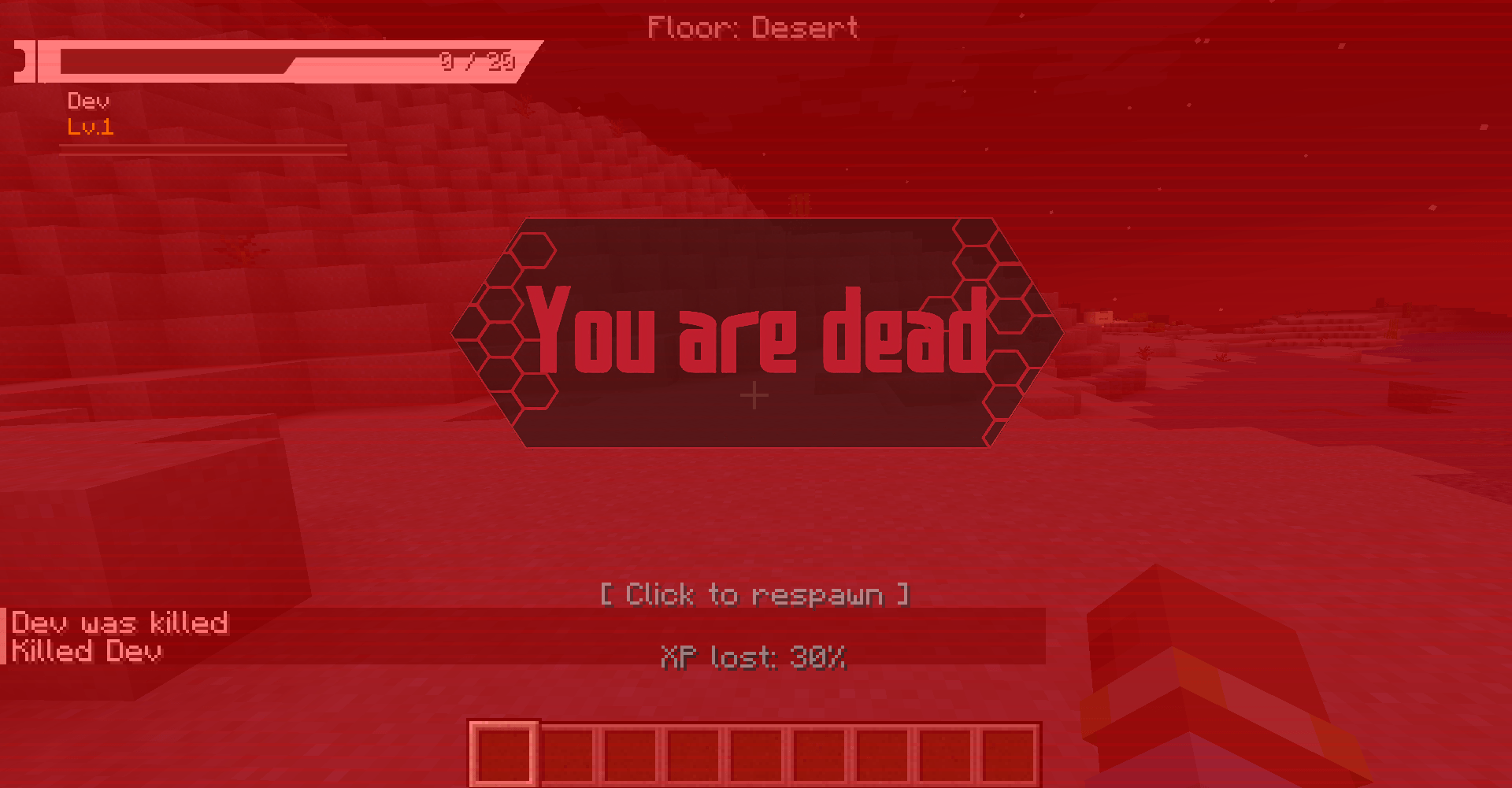
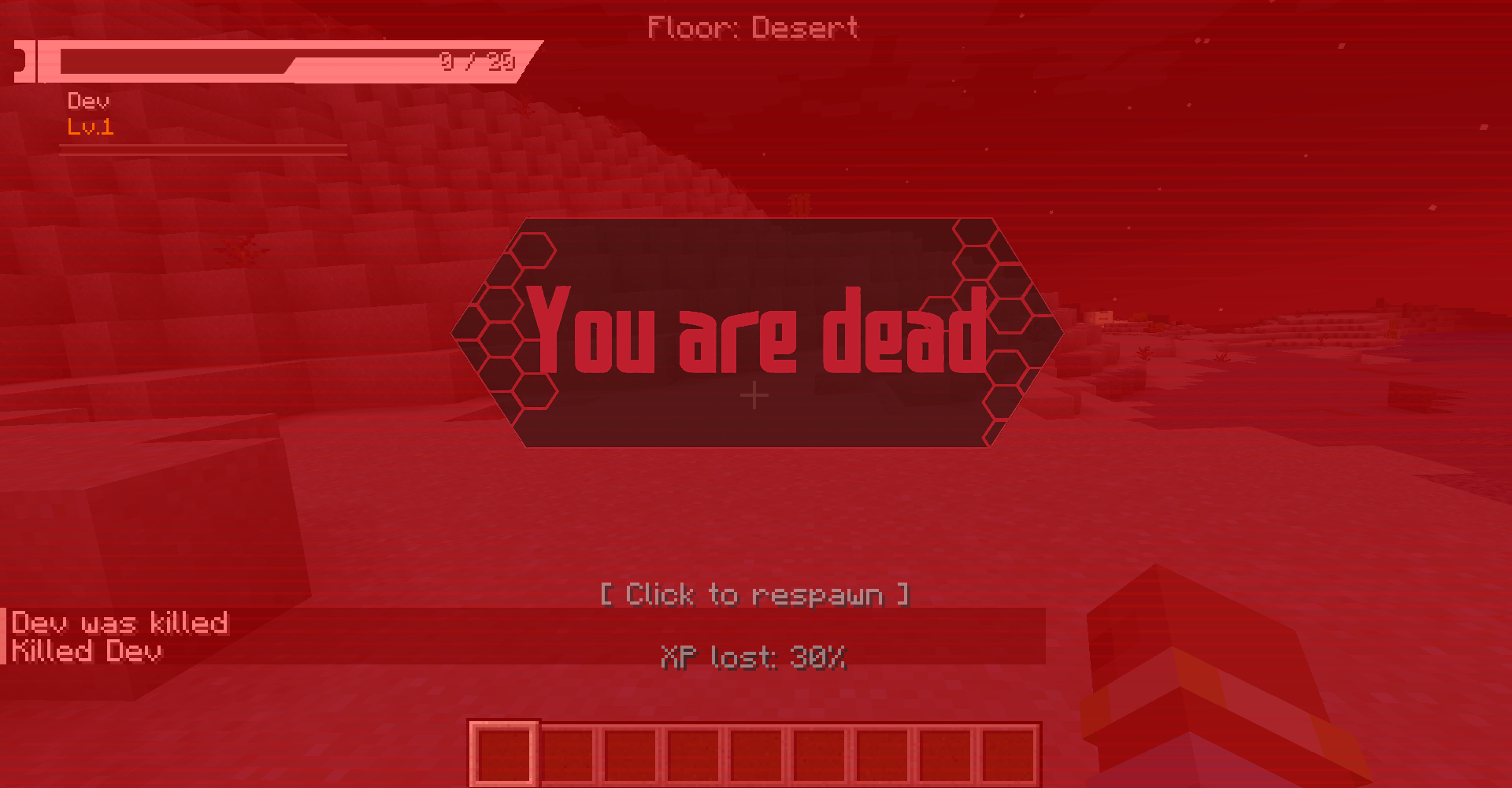
- Immersive Death Screen — Custom You Are Dead SAO-style screen with red atmospheric filter.
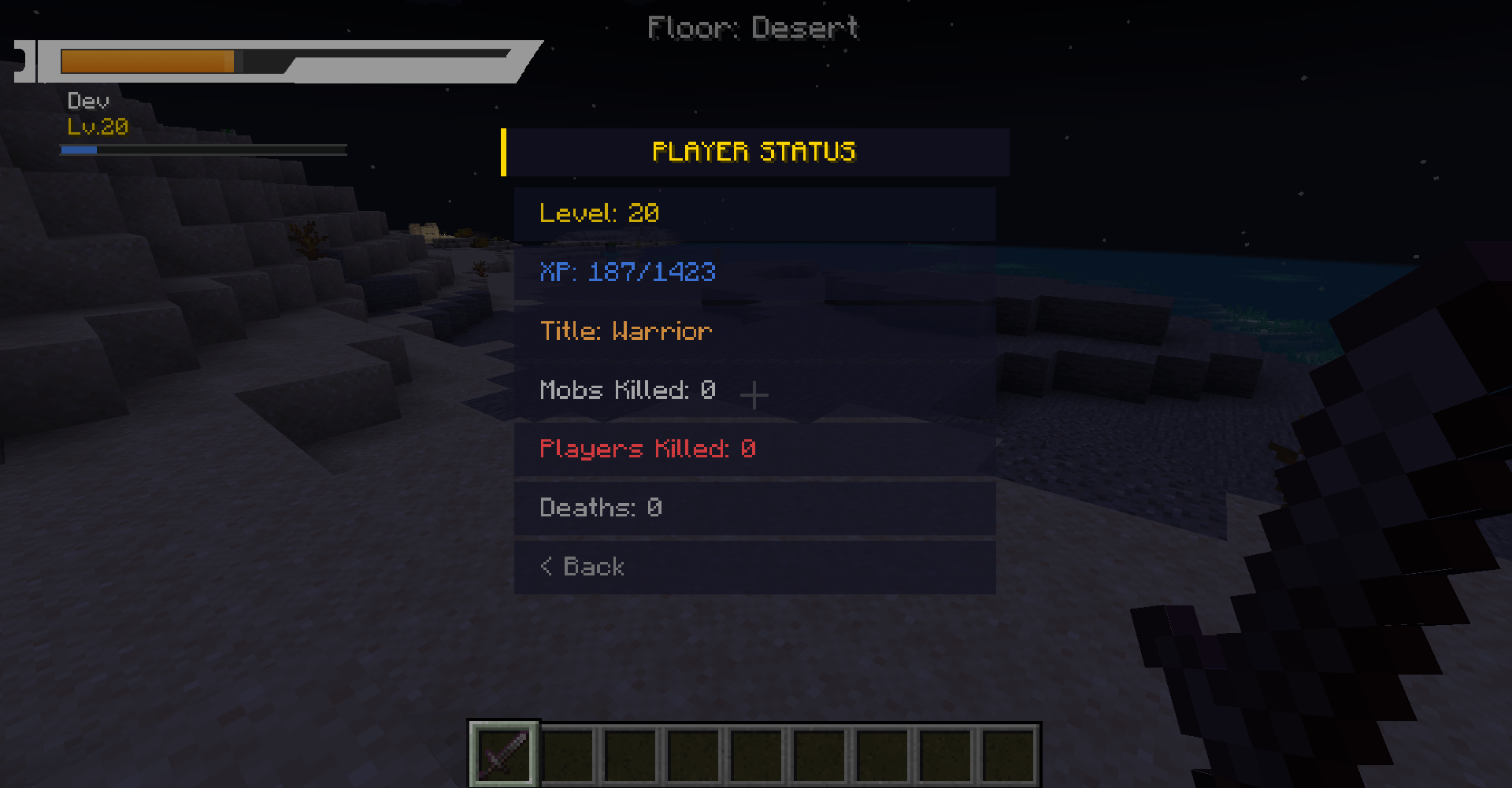
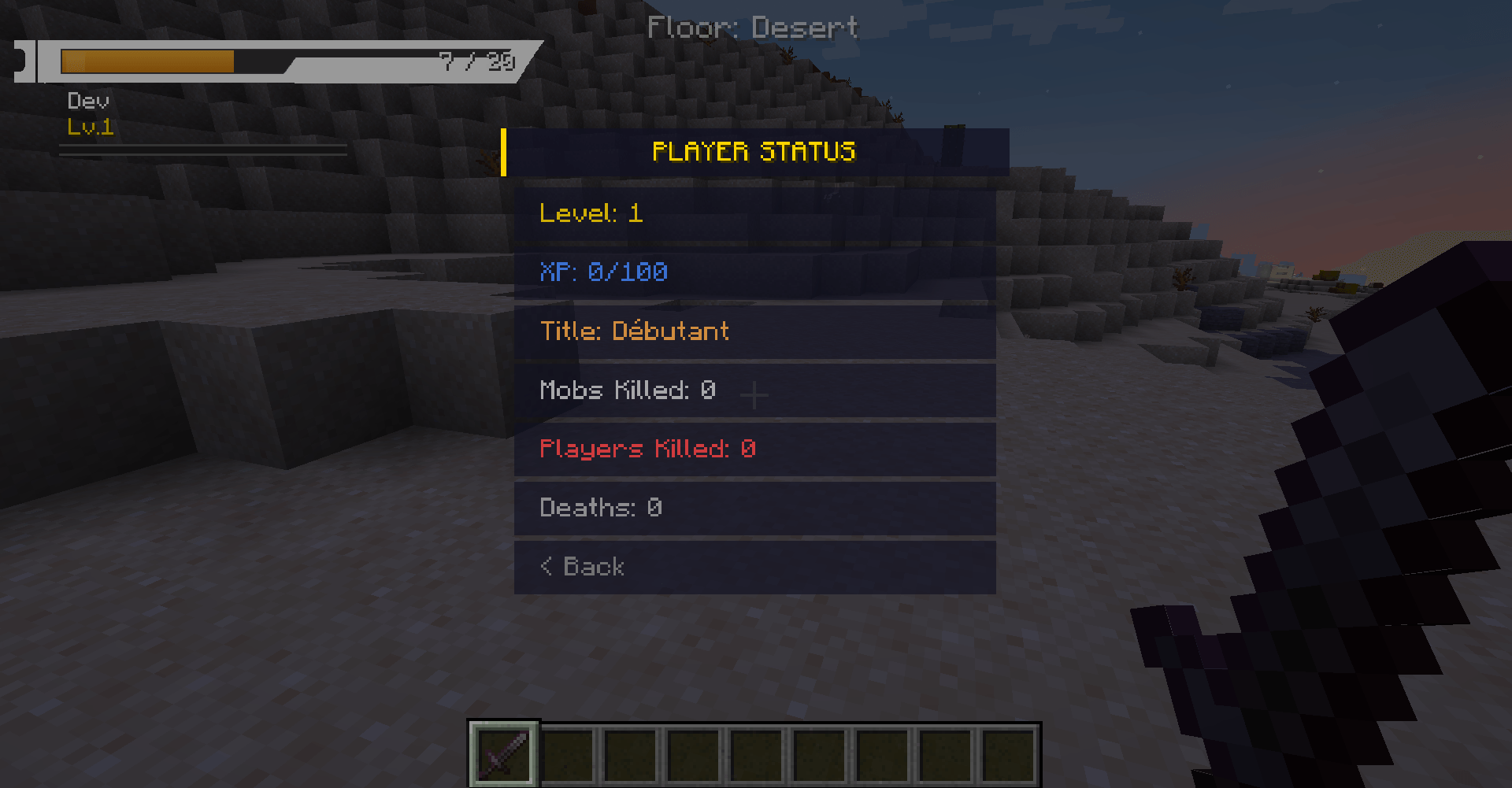
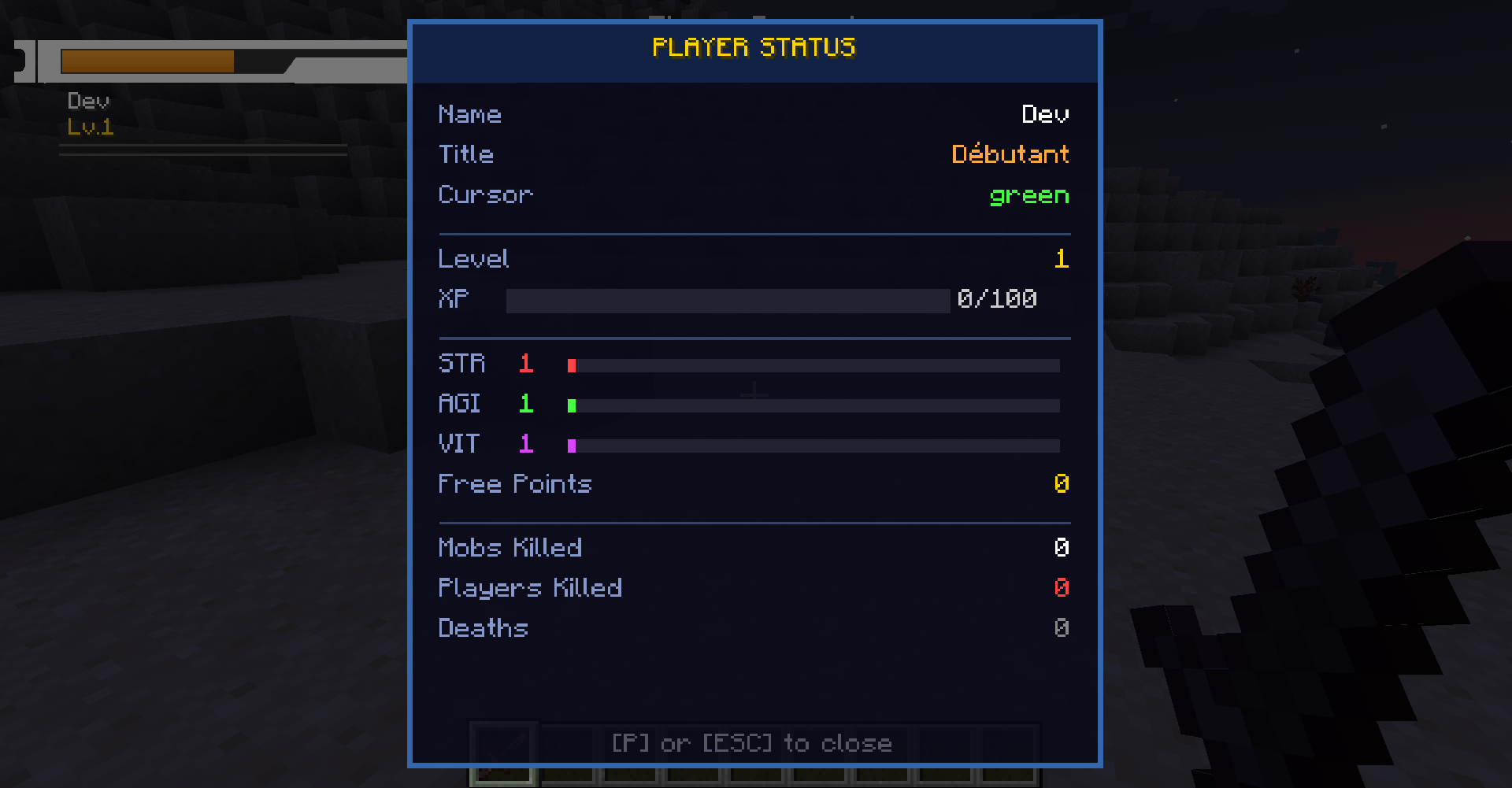
- Stats Menu Label UPDATED in 3.7.1 — The former Skills entry in the ESC menu is now named Stats.
- Inventory Mode Button — Switch between SAO and vanilla inventory directly from the ESC interface.
🏰 GUILDS UPDATED in 3.2
- Guild Creation — Create a guild from the SAO menu or with
/sao guild create. - Guild Overview — Displays guild name, player rank and full member list.
- Member Actions — Leaders can promote, demote and kick members. Officers can kick regular members.
- Client Sync — The guild screen automatically syncs with the server when opened.
- Commands — Includes create, join, leave, info, sync, promote, demote and kick commands.
💬 FRIENDS & CHAT
- Duels in the Social Menu — Access Duel only from the Friends/Social category (two-person icon) in the ESC menu. The entry has been removed from the main profile category. Challenge a player through a prefilled chat command, accept or decline a pending invitation, or cancel a duel. Accept and decline now process the request on the server. Invitations expire according to the configured timeout and are cleared on disconnect. Acceptance validates player availability, distance, dimension and existing duels.
- Friend Commands — Add, remove and list friends with SAO commands.
- SAO Chat Screen — Reworked received-message history, scrolling, online player list, public messages and private messages through /msg. Left-side navigation opens the corresponding screens.
- Overflow Protection — Long messages, input text and names are clipped to prevent UI overflow.
- Fixed Command Registration — Friend actions no longer trigger incomplete or unknown command errors.
🎒 SAO INVENTORY & EQUIPMENT NEW in 3.5
- Selectable Inventory Mode UPDATED in 3.7.1 — Choose between the SAO Survival Inventory and Minecraft's vanilla inventory from the ESC menu or SAO settings.
- ESC Inventory Toggle — The current mode is displayed as Inventory: SAO or Inventory: Vanilla directly below Skill Tree.
- Vanilla-Like Item Handling — Move, swap, merge and double-click collect matching item stacks.
- Right-Click Stack Splitting — Hold right-click while carrying a stack to place one item into slots.
- Item Action Menu — Right-click an item to use it when possible or drop a chosen quantity.
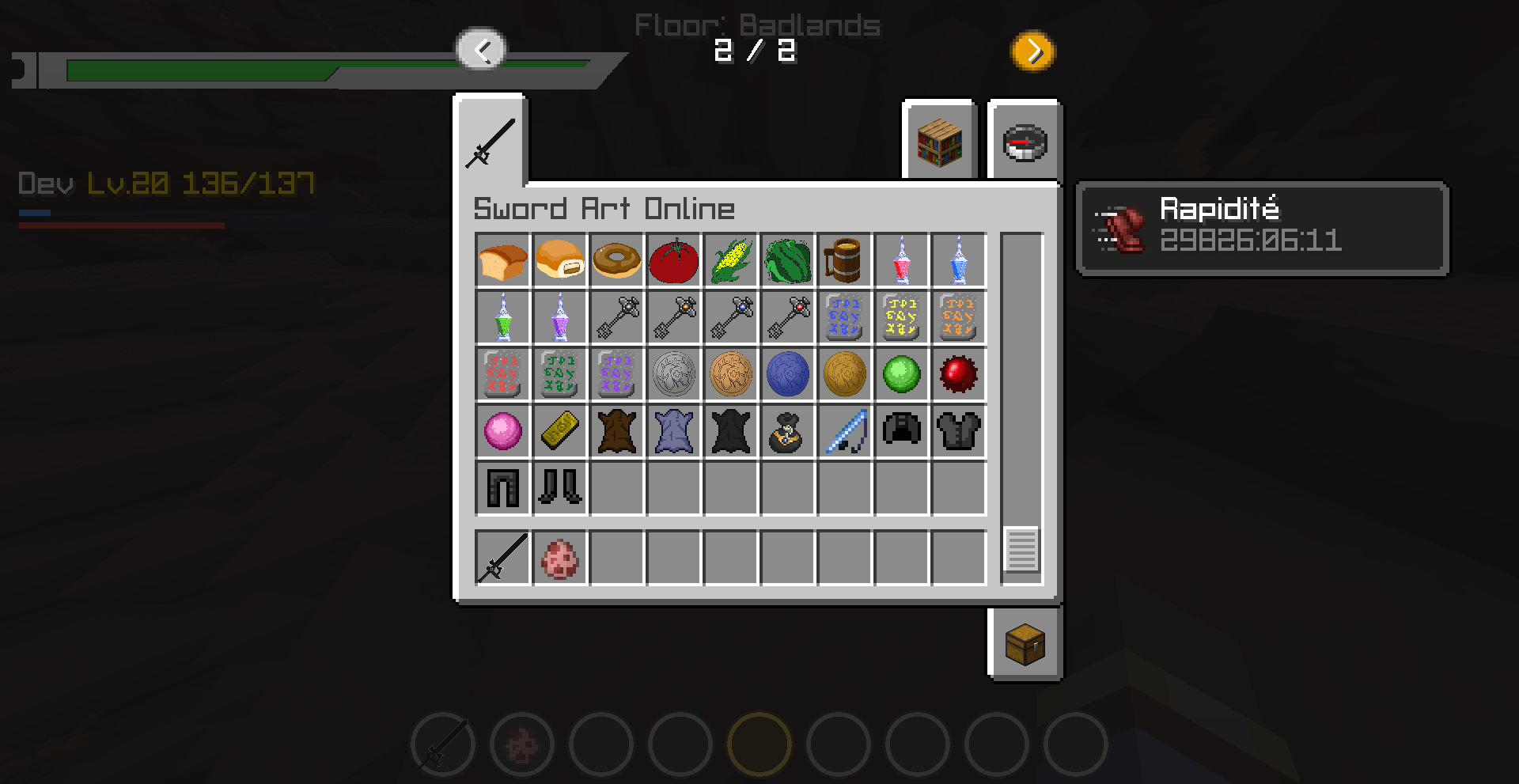
- Vertical Objects Browser — Browse actual inventory items by category: All, Equipment, Food, Blocks and Miscellaneous. Select an item to inspect its quantity and wear.
- Effects Panel — Active effects are listed with their remaining duration from the inventory interface.
- Equipment Menu — Equip Helmet, Chestplate, Leggings, Boots and Shield/off-hand through a SAO-style screen.
- 2×2 Crafting Grid NEW in 3.6 — Craft vanilla and modded recipes directly from the SAO Survival Inventory.
- Expanded Stack Limit — SAO inventory logic supports stacks up to 1028 items.
🎁 LOOT PICKUP WINDOW
- Loot Pickup Screen — Intercepts item pickup and shows a SAO-style confirmation window.
- Compact Layout — Confirmation buttons were reduced and item/text placement was adjusted for cleaner visuals.
- Enemy Loot Auto Pickup NEW in 3.6 — Enemy drops can bypass manual confirmation and enter the inventory automatically during combat.
- Inventory-Based Objects List — The Objects screen now reads the current inventory instead of displaying only the five most recent pickups.
- Rare Organized Bonus Drops UPDATED in 3.7.1 — Bonus loot rates are drastically reduced. Eligible rewards are limited to configured potions, crystals and materials.
- No Bonus Weapon Drops — The SAO bonus loot system never adds swords, katanas, blades or rapiers to monster drops.
- Full Networking — Server-to-client pickup request and client-to-server response packets.
📈 DYNAMIC WORLD DIFFICULTY NEW in 3.7
- Day-Based Scaling FIXED in 3.7.1 — Hostile mobs correctly gain health and attack damage according to elapsed Minecraft days.
- Health Scaling — Enemies receive additional maximum health to prevent permanent late-game one-shots.
- Damage Scaling — Enemy attack damage increases over time to preserve combat risk.
- Configurable Limits — Scaling intervals, growth values and maximum multipliers can be adjusted.
🪙 COL ECONOMY & VILLAGE MERCHANT NEW in 3.7
- Persistent COL Balance — Each player has a synchronized COL balance saved by the server.
- SAO Merchant Spawn Egg UPDATED in 3.7.1 — Natural merchant spawning is disabled by default. Use the dedicated spawn egg to create a merchant.
- Buy Menu — Spend COL on potions, crystals, materials, food and equipment.
- Sell Menu — Exchange supported unwanted items and excess loot for COL.
- Organized Categories — Shop entries are separated into clear categories for easier navigation.
- Configurable Prices — Server owners can control buy prices, sell values and merchant spawning.
🏠 TITLE SCREEN
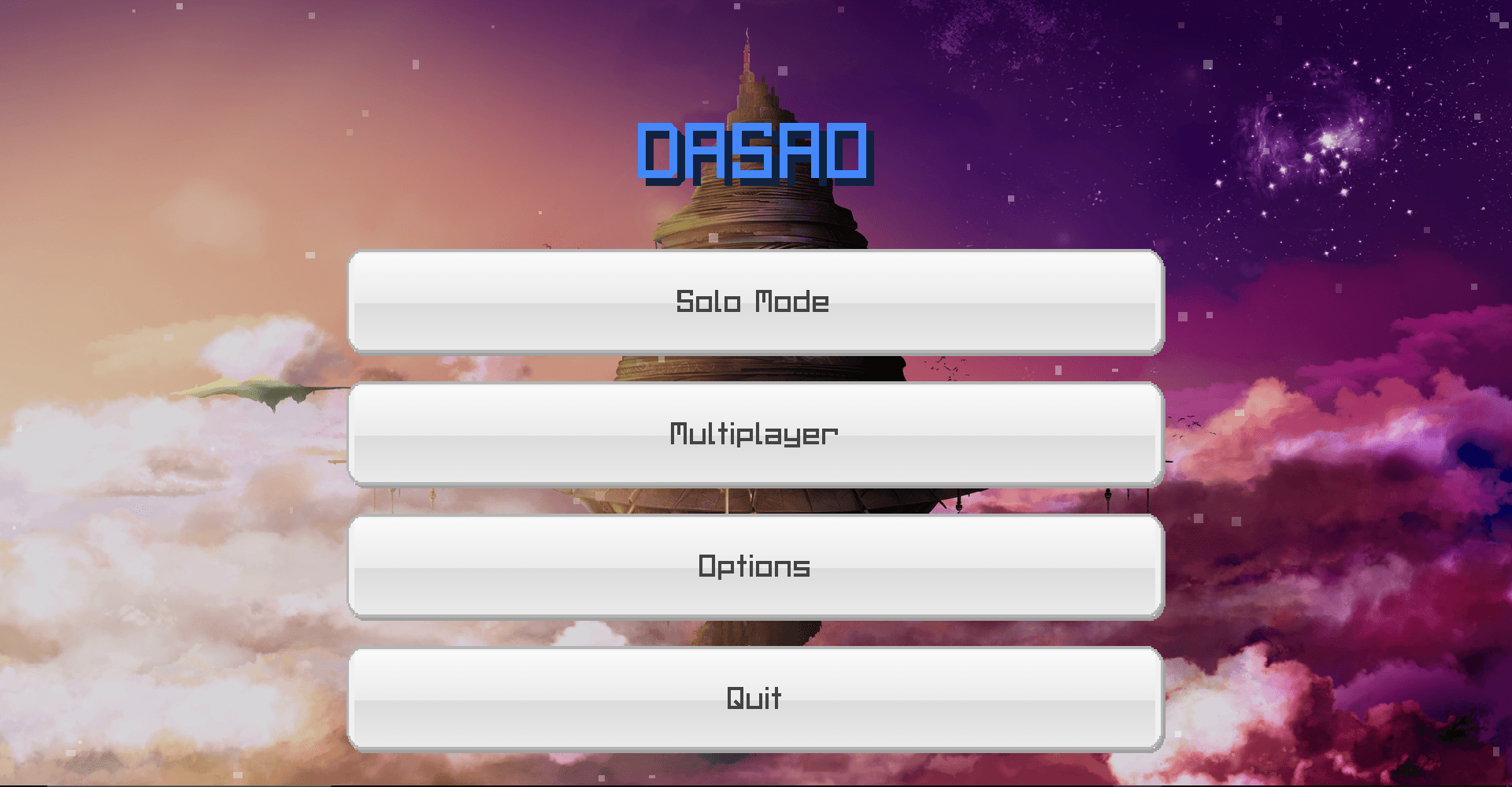
- DASAO Title — Large blue title rendered on the main menu.
- Custom Buttons — Custom textures for normal and hover states.
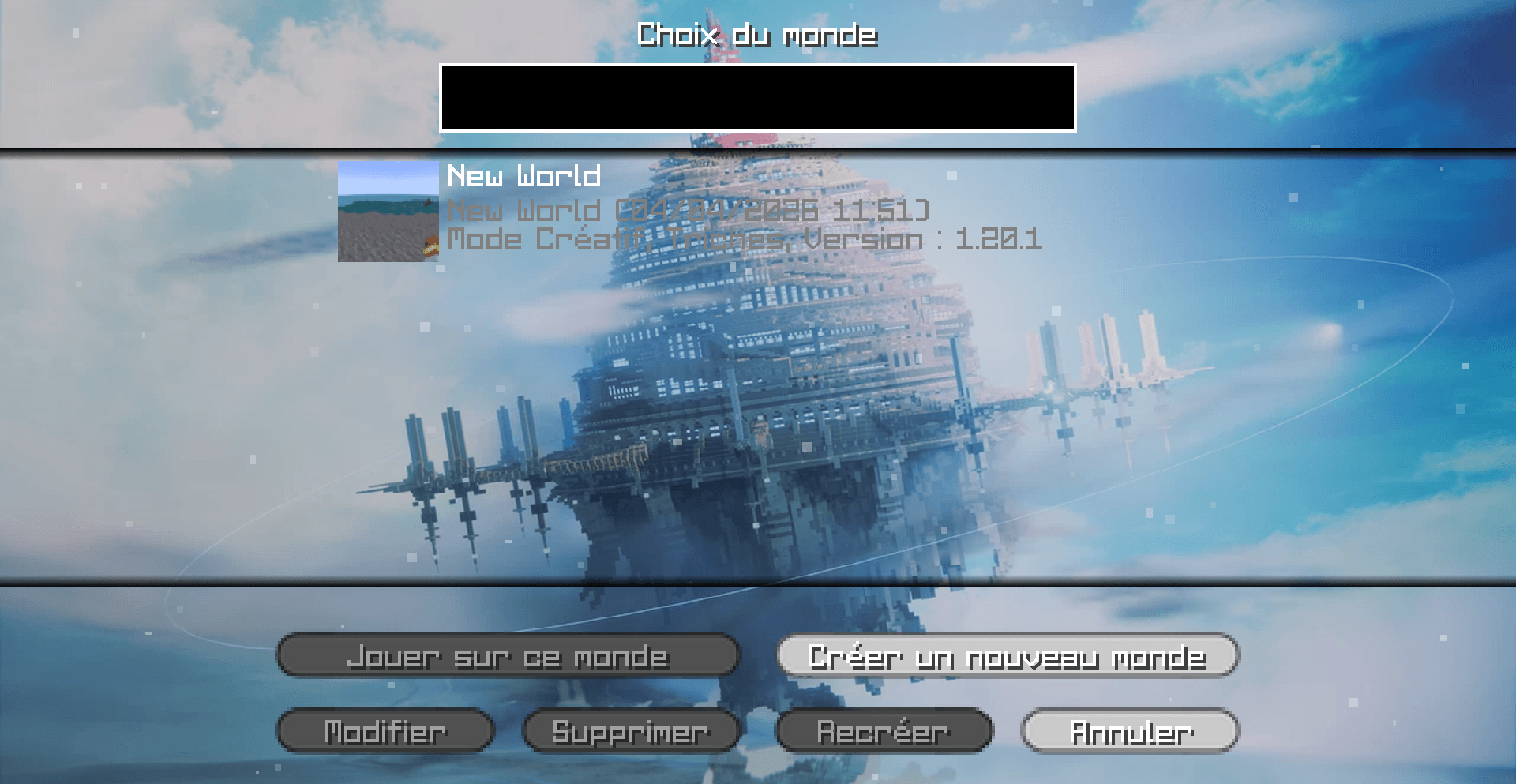
- SAO Background — Featuring the floating castle of Aincrad.
🌐 MULTI-LANGUAGE SUPPORT
- 7 Supported Languages — English, Français, 日本語, 한국어, Español, Italiano and Русский.
- Translation Coverage — Existing language files are preserved. New interface strings are provided in English and French; other languages fall back to English for untranslated additions.
- Automatic Detection — The mod follows your Minecraft language setting.
- I18n System — GUI text uses translatable components instead of hardcoded text.
🎵 MUSIC
- Vanilla Music Blocked — Vanilla music is stopped to keep the SAO atmosphere active.
⚡ LEVEL SYSTEM
- Level Progression — Players gain max HP and skill points while leveling.
- Vitality — Increases max HP.
- Strength — Adds flat bonus damage to attacks.
- Intelligence NEW in 3.6 — Adds configurable bonus damage to vanilla and compatible modded weapons.
- Agility — Unlocks speed tiers controlled by the player.
- Skill Reset NEW in 3.2 — Reset allocated stats and recover spent skill points without losing level, XP or kills.
- Slant / スラント UPDATED in 3.7.4 — A simple diagonal sword strike assigned to the default R skill slot, with the SAO diagonal particle slash and 30-second cooldown.
- Horizontal NEW in 3.7.4 — A horizontal sword-art slash with dedicated blue and cyan particle trails.
- Compact Skill Interface — Screen-fitted skill tree and binding panels, transparent light/dark themes, three saved shortcut profiles and server-confirmed cooldown displays. The bar can be hidden or scaled to 50%, 75% or 100% from Skill Bindings (75% by default). Display preferences persist per player and world/server. Hiding the bar leaves shortcuts active. The binding screen closes with its configured shortcut and returns to the ESC menu when opened from there. Cooldown displays pause during a true single-player pause, and queued skill presses are discarded while menus are open.
🗡️ ITEMS
▸ SWORDS
- Multiple tiers from Wood to Legendary. Includes iconic SAO weapons such as Elucidator and Dark Repulser.
- Live stat tooltips showing the additional Strength and Intelligence damage bonus on compatible weapons.
▸ GEMSTONES UPDATED in 3.7.1
- Crafting Table Upgrades — Combine gemstones with compatible weapons, tools or armor to apply equipment upgrades.
- Available Upgrade Types — Damage, durability, efficiency, Fortune, protection and Mending.
- Configurable Limits — Upgrade availability and limits can be controlled through the SAO options.
▸ CRYSTALS
- Teleport, Heal, Antidote, Regen and Regen Ally crystals. Activated by right-click.
▸ IMMORTAL OBJECT UPDATED in 3.2
- Equipment Association REWORKED in 3.7.1 — Combine Immortal Object with Liberator or Liberator Shield through crafting.
- Single PvP Protection — Associated equipment cancels one attack received from another player.
- No Entity Invulnerability — Immortal Object association does not protect the player from monsters, environmental damage or other non-player sources.
- Consumed Protection Charge — The association is removed after successfully blocking its PvP attack.
▸ FOOD
- Bento, Ramen, Brioche and more. Right-click to eat with animation and restore HP or hunger.
▸ POTIONS
- Healing, Mana, Antidote and Ally Regen potions.
▸ SHIELD
- Liberator Shield UPDATED in 3.7.1 — While actively blocking, entity attacks deal no damage. It can also receive an Immortal Object PvP protection charge.
▸ FISHING ROD
- Canne à Pêche — Full vanilla casting and reeling mechanics with configurable loot multiplier.
▸ MISC ITEMS
- Gemstones, keys, necklaces, orbs and materials. Includes textures, JSON models and translations.
⚙️ CONFIG
- Stats Section — Configure HP per level, HP per Vitality, agility per speed tier, max speed tier, speed bonus per tier, skill points per level and Intelligence weapon scaling. The visible Damage per Strength option remains hidden from the SAO settings screen.
- Compatibility Section NEW in 3.6 — Configure universal player-based stat damage and automatic enemy loot pickup behavior.
- HUD Section — Configure HUD scale, offsets, health display, hunger, air, circular hotbar, crosshair, entity cursors and entity health bars. Armor durability is accessed through Equipment.
- Skill Bar Display — In Skill Bindings (K by default, also accessible from the ESC profile menu), choose Hidden, 50%, 75% or 100%. The default is 75%. This personal setting persists per player and world/server, independently of the selected skill profile. Skill shortcuts continue to work with the bar hidden.
- Floor Numbering Configuration — Automatic floor numbering is disabled by default. Operators can change it in game; the setting is saved per world in
serverconfig/dasao-floors-server.toml. - OP-Only Settings Access NEW in 3.7.4 — The visible SAO Settings menu is locked by default and can only be opened by a server operator with
/DAsettings. - Menu Section NEW in 3.4 — Toggle the SAO custom menus on or off and return to the vanilla Minecraft menu.
- Items Section — Configure fishing rod loot multiplier.
- Difficulty Section NEW in 3.7 — Configure day intervals, enemy health growth, enemy damage growth and maximum scaling limits.
- Economy Section NEW in 3.7 — Configure COL rewards, shop entries, buy prices, sell values and village merchant spawning.
- Audio Section NEW in 3.7 — Configure critical-health audio, volume and the red-health threshold.
- Loot Section UPDATED in 3.7.1 — Configure the drastically reduced potion, crystal and material drop chances. Bonus weapon drops remain disabled.
- Gemstone Section — Configure crafting upgrade behavior and limits for damage, durability, efficiency, Fortune, protection and Mending.
- Protection Section — Configure Immortal Object association, PvP protection and Liberator Shield entity blocking.
- Inventory Mode — Select the SAO or vanilla inventory from the options screen or ESC menu.
- Party Section — Configure party display and party XP sharing behavior.
- Party XP Sharing NEW in 3.2 — Party XP can be divided between eligible members instead of duplicated at 100% for everyone.
- Party-Only Display — Toggle to hide all HUD elements except the party window.
📋 VERSION HISTORY
Upcoming update (09/21/2026) — Transparent light/dark UI, entity codex and drops, adventure journal, hunts, favorites, saved skill profiles, map pins and guidance, reworked equipment/chat, custom floor names and an OP-only automatic numbering toggle. Also includes a Friends/Social-only Duel menu, working accept/decline commands, invitation expiry and cleanup, a skill bar with Hidden/50%/75%/100% display modes (75% by default), saved display preferences, configurable shortcut handling, return navigation and pause-aware cooldown displays. Release number pending.
3.7.5 (09/03/2026) — New compact right-side armor HUD with Helmet, Chestplate, Leggings and Boots slots, matching empty equipment icons, live equipped item rendering, durability and protection gauges with percentages, draggable JSON-saved layout, configurable Armor HUD Editor keybind on O, independent armor HUD toggle, translated skill-slot control names and wrapped editor instructions.
3.7.4 (08/27/2026) — SAO player HUD rebuilt around user_bar.png, third-person and entity 3D health bars, party user_barparty.png with real HP values, floor indicator moved above the hotbar, white/orange Sword Skill UI, Slant on R, functional Horizontal with blue/cyan particles, OP-only /DAsettings access, removal of Wild Boar and Little Nepenthes content, and removal of the Assassin armor set.
3.7.2 (08/03/2026) — XP: Attribute Core compatibility fix, safe maximum-health updates without current HP loss, restored classic rectangular entity health bar, improved crystal and health-bar opacity, and entity health bars enabled by default.
3.7.1 (07/17/2026) — Gemstone crafting upgrades, drastically reduced bonus loot, removal of bonus weapon drops, corrected day-based mob scaling, merchant spawn egg, 30-second Slant cooldown with a larger effect, Immortal Object equipment association, PvP-only protection, Liberator Shield entity blocking, Stats menu label and SAO/vanilla inventory toggle.
3.7 (07/13/2026) — Critical-health warning sound, looseHP damage sound, day-based mob health and damage scaling, organized bonus drops, persistent COL currency, village merchant NPC and Buy/Sell menus.
3.6 (07/12/2026) — Universal Strength and Intelligence scaling for vanilla and most modded weapons, player-owned projectile support, Intelligence damage tooltips, 2×2 SAO crafting grid, automatic enemy loot pickup and improved shooter/owner/caster detection.
3.5 (06/14/2026) — SAO Survival inventory replacement, vanilla-like item movement, stack splitting, double-click collection, recent Objects menu, equipment menu, effects panel, 1028 stack handling, chat overflow fix, loot popup cleanup, softer health colors and settings cleanup.
3.4 (06/08/2026) — Party permission fix for non-OP players, entity health bar toggle, crosshair restored by default, air bar, HUD part toggles, config saving fixes, Strength damage balance, stat allocation aliases and top-left SAO/vanilla menu toggle.
3.2 (05/15/2026) — Guild system synchronization, guild member list, promote/demote/kick actions, fixed Guild/Friend commands, fixed Guild menu display, Immortal Object visual banner, skill point reset and configurable party XP sharing.
2.7 (05/01/2026) — Immortal Object item, HP protection at 50%, party XP distribution fix, Liberator Shield durability 336→999999 and Party-Only Display mode.
2.6 (04/20/2026) — Strength and Agility system rework, functional fishing rod with loot multiplier, expanded config for stat values and live strength tooltips on swords.
2.5 (04/16/2026) — Multi-language support with 7 languages, translation keys and I18n migration.
1.15 (04/15/2026) — Client Side Only version with SAO interface only, without server commands, Guild, Friends or Party.
1.1 (04/15/2026) — Logout bug fix and full Client + Server version with commands, Guild, Friends and Party.
" Link Start! "
DASWORDARTONMINE — Full Dive Interface
All text translated to English — titles ("Beginner", "Warrior", "Beater"...), menus, items, commands, chat messages, death screen, toast notifications.
GUIs scaled down — The HUD now uses a configurable hudScale (default 0.75 = 25% smaller). The SAO menu and stats screen render at 0.85x scale. More compact and less intrusive.
Sword Skills removed — No more PacketUseSwordSkill, no more Z/X/C/V keybinds, no more "Sword Skills" section in the menu, no more skill cooldown in the capability. Only M (menu) and P (stats) keys remain.
Many new config options added:
hudScale (0.3–2.0), hudOffsetX, hudOffsetY — HUD position and size
hideVanillaArmor, hideVanillaHunger, hideVanillaXpBar, hideVanillaHotbar, hideVanillaCrosshair — hide each vanilla element individually
showHpText, showXpBarOnHud — toggle individual HUD elements
deathScreenShowXpLoss, deathScreenDelayTicks — death screen control
mobXpMultiplier, minXpPerKill — fine-tune XP gain
duelMaxDistance, duelRequestTimeout — duel settings
partyXpShareRadius, partyShowOnHud — party options
cursorPkThreshold — PK threshold for orange cursor
healingCrystalPercent, teleportCrystalCooldown, healingCrystalCooldown — item tuning
enableTitleSystem, enableToastNotifications, enableXpPopup, enableLevelUpAnimation — individual feature toggles
Obviously i don't have texture + models for item.
I uploaded this next month.
DASWORDARTONMINE is overhaul mod for Minecraft 1.20.1 (Forge) that brings the iconic User Interface (UI) from the anime Sword Art Online directly into your game.
✨ Key Features
SAO Style HUD: The vanilla heart system has been completely removed and replaced with a sleek, high-definition Health Bar located in the top-left corner of the screen.
Dynamic Health Status: The HP bar reacts to your current health, changing colors dynamically just like in the anime:

    🟢 Green: High Health (> 50%)

    🟠 Orange: Mid Health (< 50%)

    🔴 Red: Critical Danger (< 25%)

Immersive Death Screen: Experience a dramatic "Game Over". The standard death screen is replaced with the iconic "You Are Dead" hexagonal prompt, overlaid with a dramatic red atmospheric filter.

Seamless Respawn: No more "Title Screen" buttons. Simply click once anywhere on the screen to respawn immediately and get back into the action.
⚙️ Technical Info
Loader: Forge

Version: 1.20.1

Side: Client-side and Server-side.
Link Start!
Screenshots
Gallery
-
 1.PNG 1.PNG
 -
 2026-03-10_08.26.11.png 2026-03-10_08.26.11.png
 -
 7.PNG 7.PNG
 -
 4.PNG 4.PNG
 -
 8.PNG 8.PNG
 -
 10.PNG 10.PNG
 -
 11.PNG 11.PNG
 -
 12.PNG 12.PNG
 -
 13.PNG 13.PNG
 -
 15.PNG 15.PNG
 -
 16.PNG 16.PNG
 -
 17.PNG 17.PNG
 -
 18.PNG 18.PNG
 -
 19.PNG 19.PNG
 -
 20.PNG 20.PNG
 -
 21.PNG 21.PNG
 -
 22.PNG 22.PNG
 -
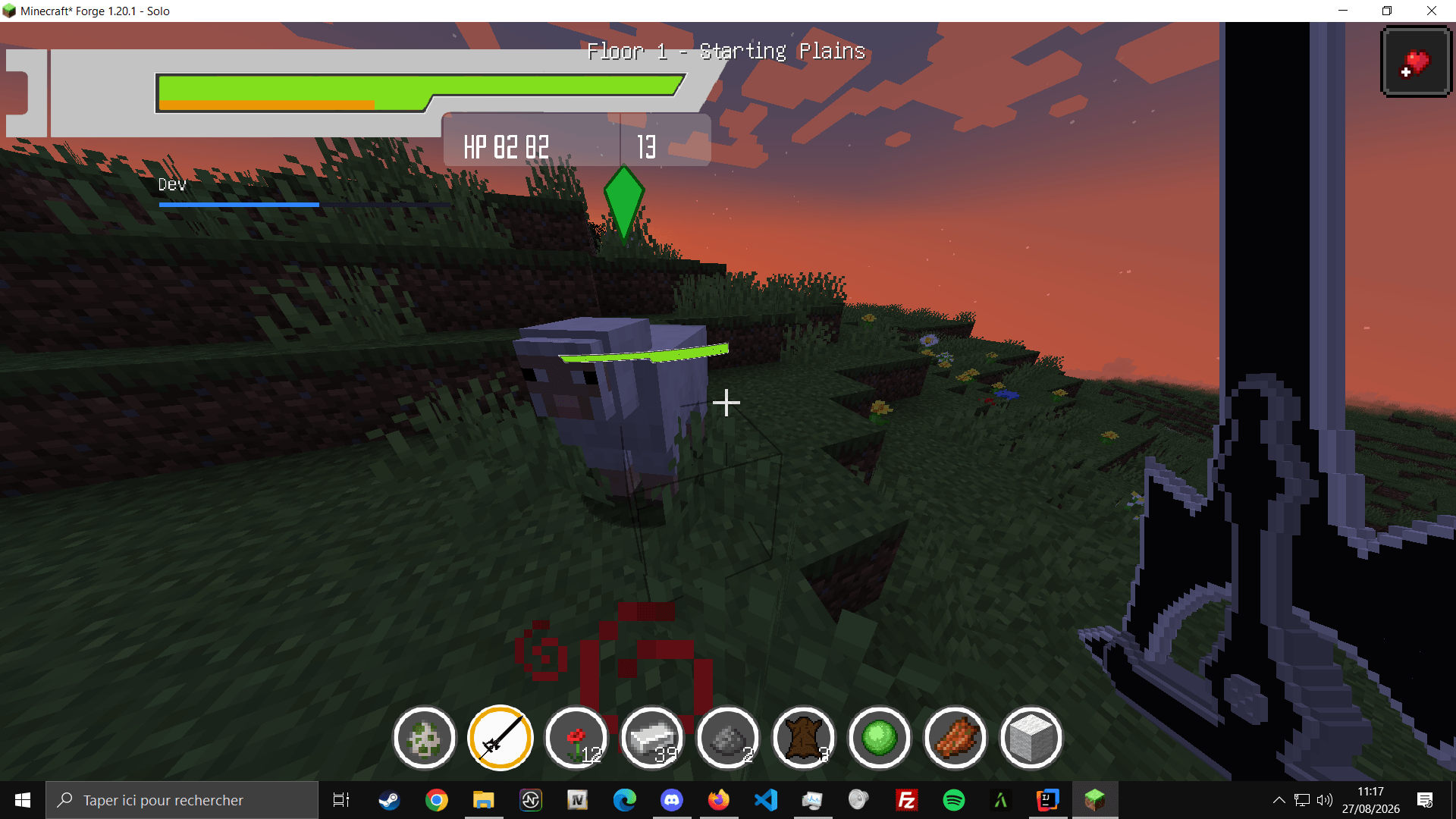 image-attachment_54025e7c-5e76-4411-ae23-42531d555078.png
 -
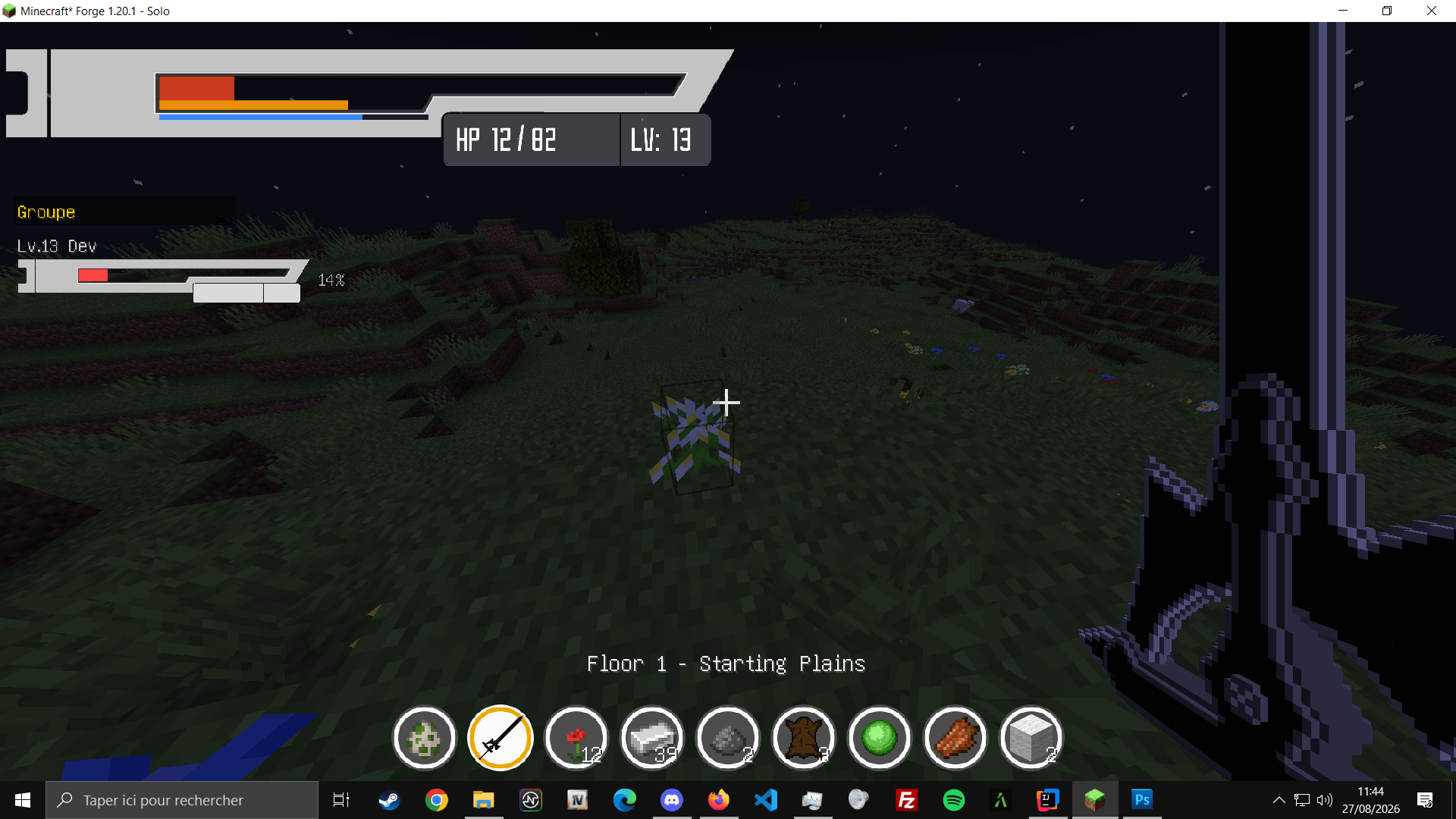 image-attachment_9d50fab5-fb72-4c87-8526-37d4619701d4.png
Versions
Files
Relations
Project Relations
More like this
Similar Mods
Suggestions use data such as tags, dependencies, dependents, descriptions, titles, and more to rank how much they overlap with this mod.
On ModDex
Community snapshot
By the numbers
Statistics
Want to reach Minecraft players?
We're looking for a server hosting partner to feature here and other parts of the site. Interested? Send us a message!
Get in touchGet it on
Available Platforms
On ModDex
Community snapshot
By the numbers
Statistics
Resources