
Community listing page, reviews here may not be monitored by the author.
Datapacks Menu

No reviews yet
Inspired by the ModMenu mod but for datapacks..
Community voices
Reviews
No reviews yet. Be the first to review this project!
Get it on
Available Platforms
About
Project Details
For authors
Embed Badge
If you're the author of this project, you can embed a live badge anywhere that supports HTML or Markdown. It updates automatically whenever ratings change.
Use HTML for any page that supports it, or Markdown for README files and Markdown-based descriptions.
Identifiers
Platform IDs
About
Description
- A datapack inspired by ModMenu, this datapack allows multiple datapacks to share space in the pause screen allowing players to enable/disable datapacks, and go into their specific menus etc.
📝 Examples:
To use the datapack features you'll need to add a button to the datapack settings sub-menu if you want players to be able to use your menu from the pause menu.
- Run command example
data modify storage datapack.menu add.button append value {label:"(Button Name)",width:120,action:{type:"minecraft:run_command",command:"(The command you wish to run)"}}
- Show dialog example
data modify storage datapack.menu add.button append value {label:"(Button Name)",width:120,action:{type:"minecraft:show_dialog",dialog:"namespace:(dialog)"}}
- Built-in Example (The one which comes pre-loaded)
data modify storage datapack.menu add.button append value {label:"Datapacks Menu Settings",width:150,action:{type:"minecraft:show_dialog",dialog:"datapack_menu:config"}}
📗 Guide:
-
When setting up this system into your datapack you only need to run a simple data modify command, this will allow the datapack to merge the button you add into the settings menu, I do plan on adding more features for other developers, but as of the moment this is the current system we have,
-
As for setting this system up, copy from the prior examples and add it to your setup function, then on reload this datapack will reload and update the storages!
-
With the Run Command: example I suggest having a trigger command so that non-oped players can run this, with this I'd suggest having it show a dialog based on the trigger e.g: My other datapack Inventory Pets has a command /trigger inventory_pets which shows a dialog and allows players to run sub-commands via the trigger commands, like controlling their sound/particle settings, open an in-game wiki and report issues via this sub-menu.
-
With the Show Dialog: Example if you have a simple dialog baked-in your datapack that just leads players to a bug-report/Guide/Uninstall function then this would be more preferable if you don't need players to run sub-command functions for non-oped players.
🐛 Bugs - Issues:
-
Currently this datapack has one major issue which is that if you open the main menu and try to enter the settings sub-menu you need to leave the escape menu and go from there, however with the nature of this pack and how it works I'm unsure of a way to fix it.
-
If you come across any bugs please report them in the issues.
⛳ Misc:
- There is a smithed datapack with similar features however, to my knowledge it's hard coded and a more difficult setup, althought both are viable if you prefer that version,
Screenshots
Gallery
-
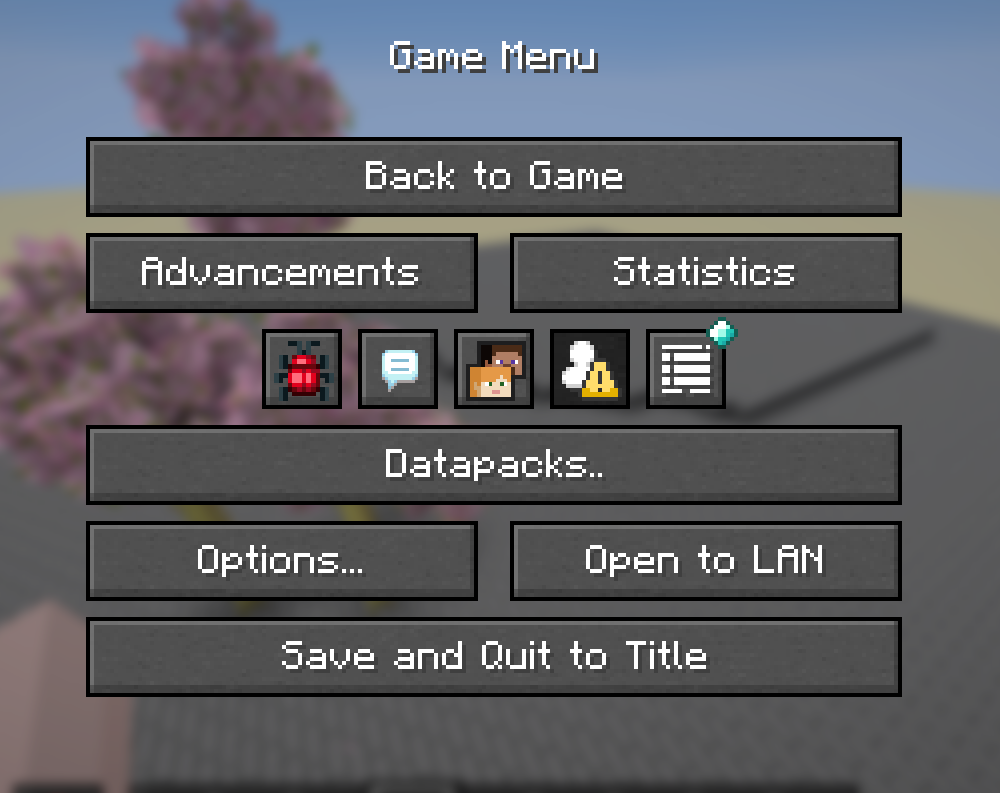 Pause Menu Screen.
 -
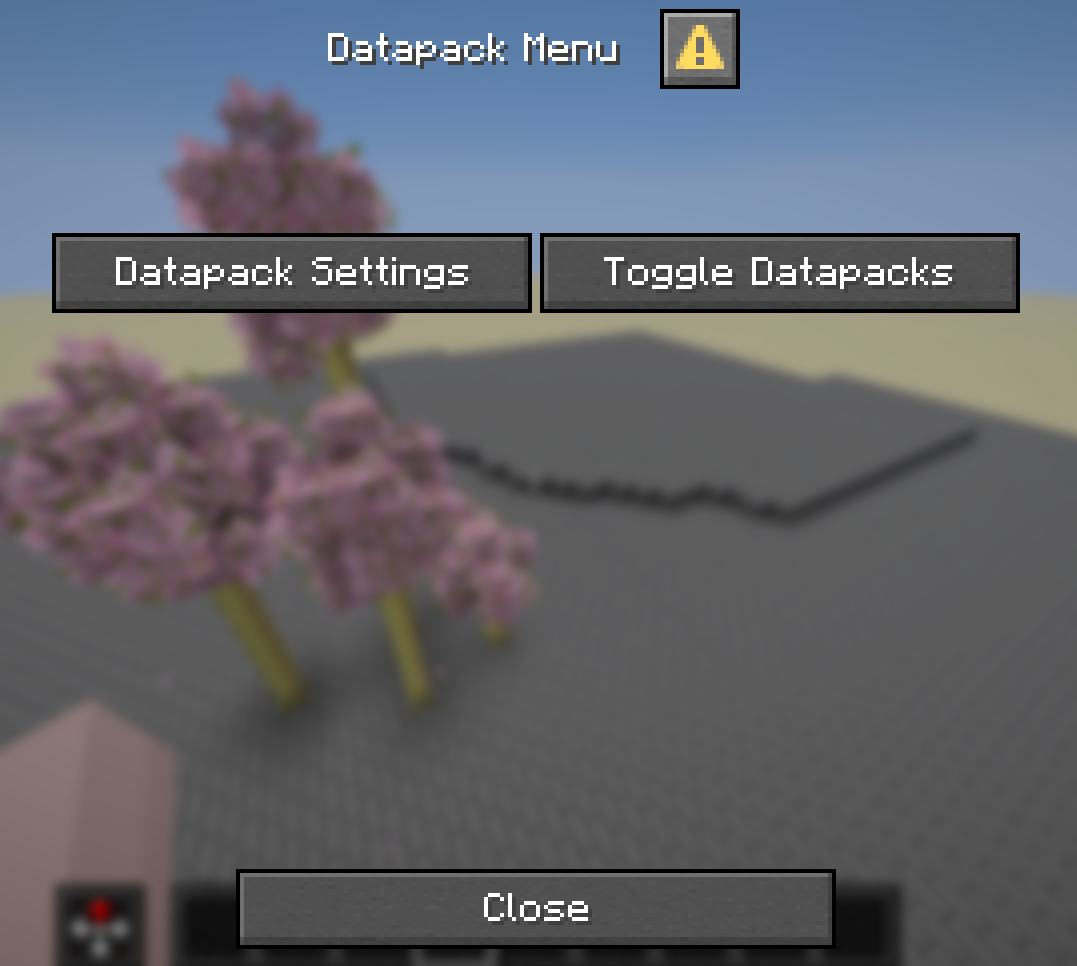 Sub-Menu from pause screen.
 -
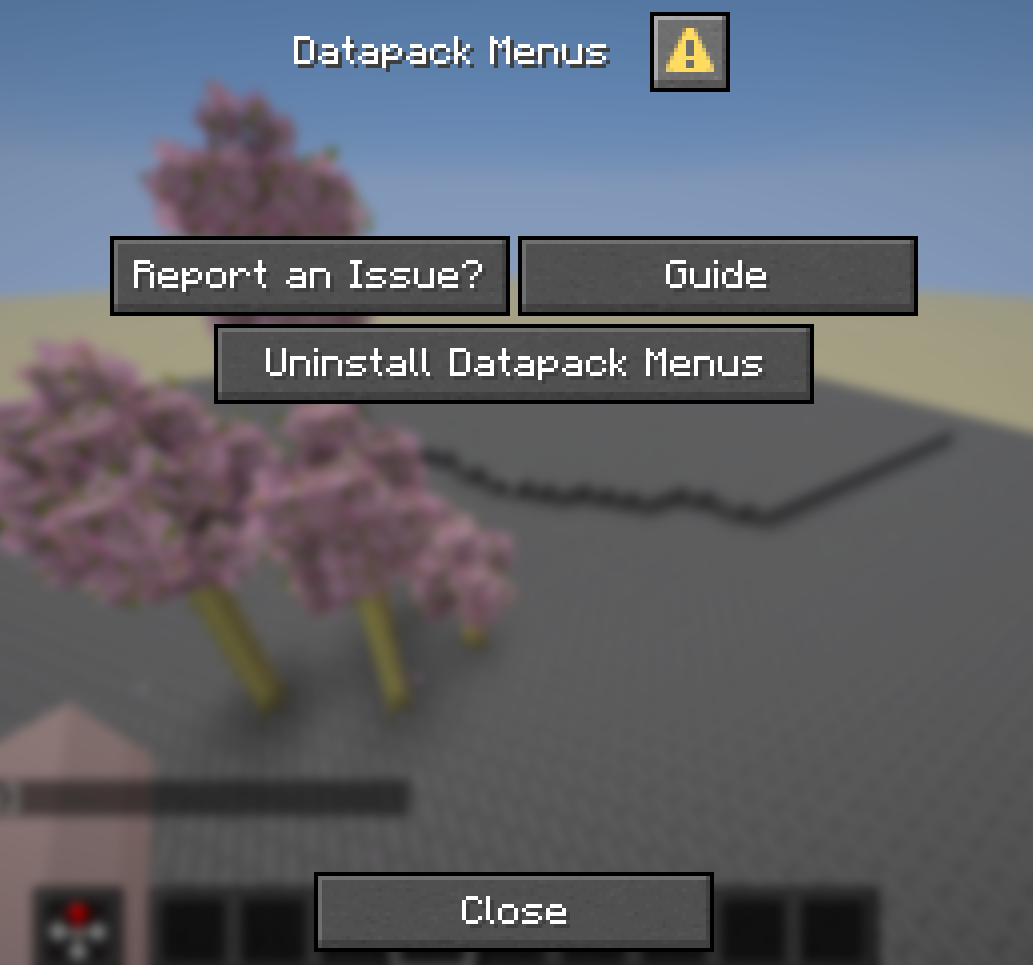 Baked-in Example.
 -
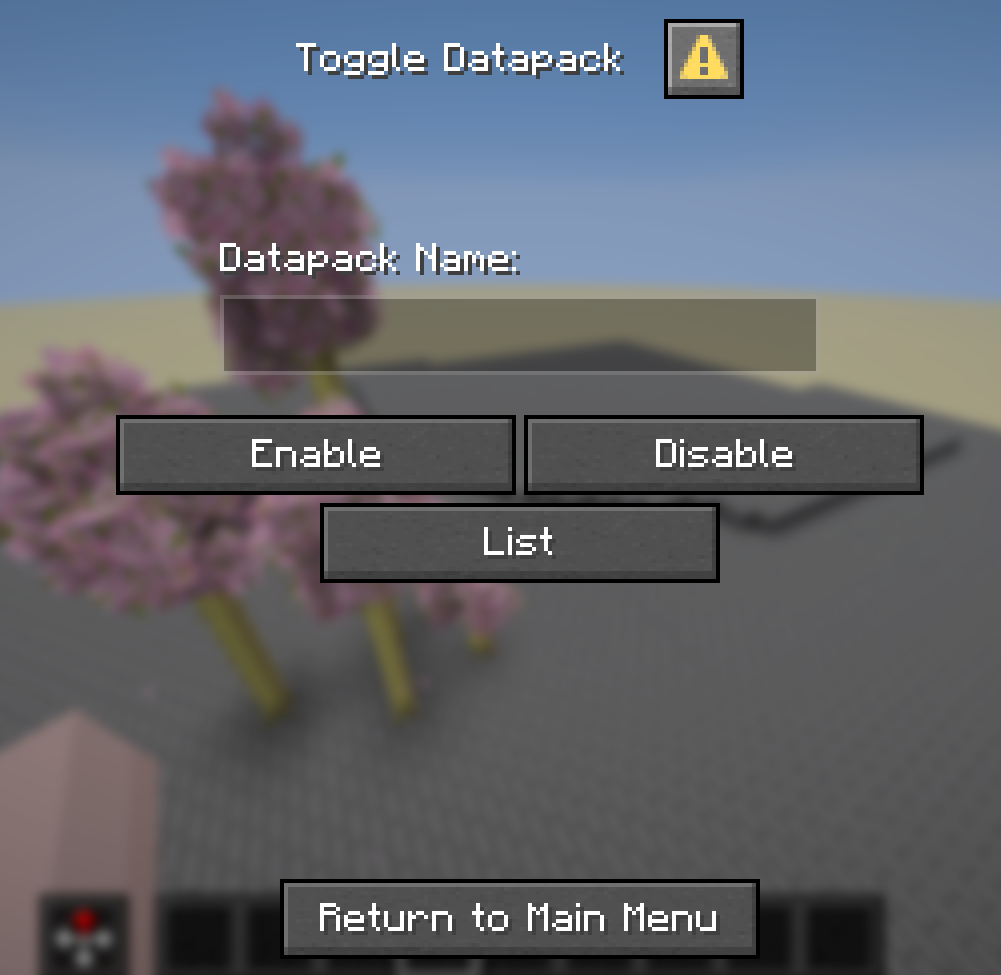 Toggle datapacks by in-putting their name.
 -
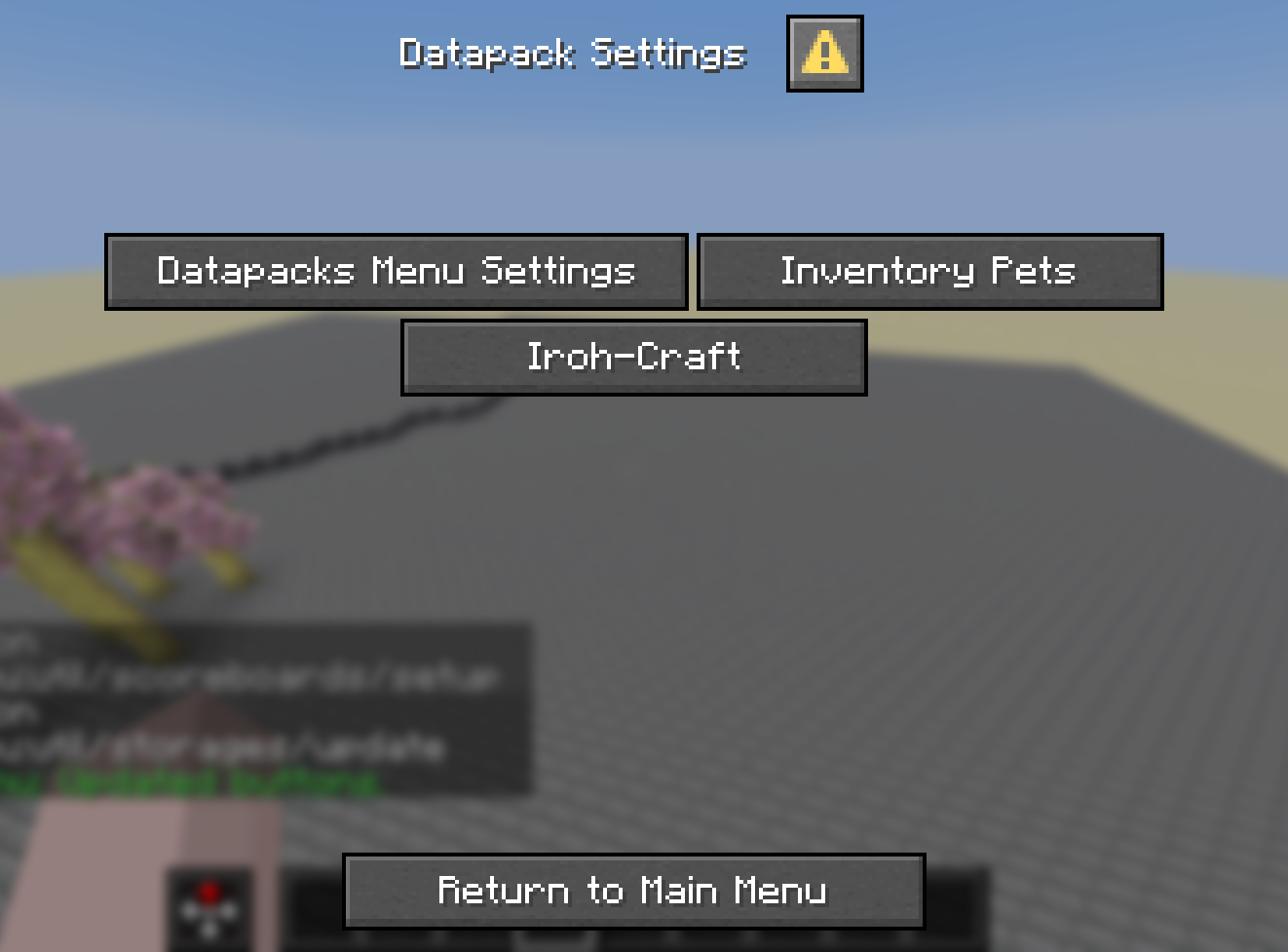 Button added by storage (There can be an infinate amount)
 -
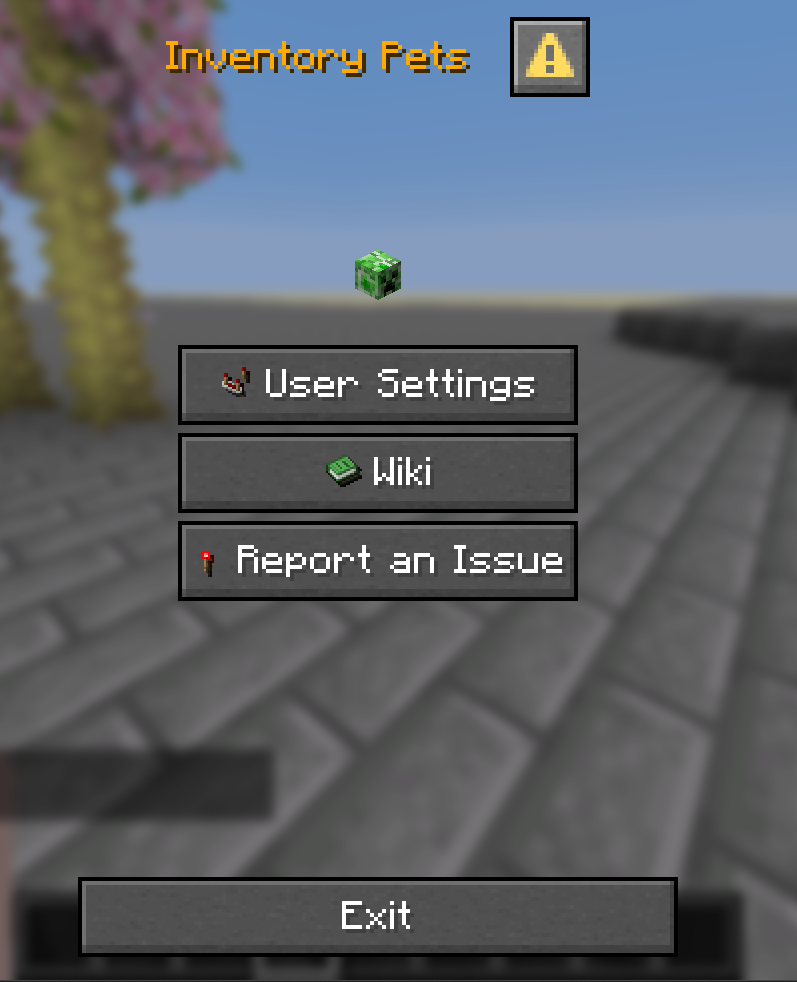 Baked-in example of external datapack added.
Versions
Files
Relations
Project Relations
More like this
Similar Mods
Suggestions use data such as tags, dependencies, dependents, descriptions, titles, and more to rank how much they overlap with this mod.
On ModDex
Community snapshot
By the numbers
Statistics

Want to reach Minecraft players?
We're looking for a server hosting partner to feature here and other parts of the site. Interested? Send us a message!
Get in touchGet it on
Available Platforms
On ModDex
Community snapshot
By the numbers