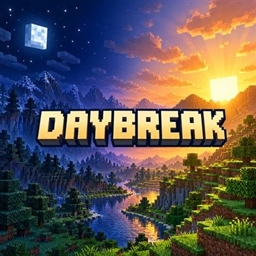
Community listing page, reviews may not be monitored by the author.
Daybreak

No reviews yet
Regional day and night: the time of day follows how far east or west you are, with the sky, monsters, sunlight and beds following the local time. Server-side only.

Community voices
Reviews
No reviews yet. Be the first to review this project!
Get it on
Available Platforms
About
Project Details
For authors
Embed Badge
If you're the author of this project, you can embed a live badge anywhere that supports HTML or Markdown. It updates automatically whenever ratings change.
Use HTML for any page that supports it, or Markdown for README files and Markdown-based descriptions.
Identifiers
Platform IDs
Resources
External Links
About
Description
Regional day and night for Minecraft servers. Walk far enough east and the sun sets; walk west and it rises again.
Daybreak makes the time of day depend on where you are. It can be noon at spawn, sunset a few thousand blocks east and midnight further on, all in the same world at the same moment. The change is smooth (no time zones), and every place keeps going through its own normal day and night.
Server-side only. Players join with a completely unmodified game: each player is simply told their own local time, through the same packet vanilla uses. In single-player, install it like any other mod.
Fabric and NeoForge, Minecraft 26.3.
What follows the local time
- The sky: sun, moon, stars and sky colour, right where each player stands.
- Monsters: they spawn on the surface at local night, not by local day. Caves, mob caps and spawn rules are vanilla.
- Burning undead: zombies and skeletons burn in local daylight; helmets, shade and rain still protect them.
- Beds: you can sleep when it is night (or storming) where you are.
- Daylight detectors, villager schedules, bees, foxes, phantoms, pillager patrols, zombie sieges and every other day/night behaviour, for modded mobs too.
Redstone, crops, tick speed and world age are not changed. The Nether and End keep their normal time.
Sleeping
There is still one world clock, so skipping a night moves it for everyone:
- The night is skipped only when every player in the Overworld is in local night and enough of them sleep (the playersSleepingPercentage game rule). Otherwise beds still work (spawn point, phantoms) and sleepers are told why the night can't be skipped.
- The clock moves until the sleeper furthest from morning reaches 6 AM.
- Sleeping through a daytime thunderstorm clears the storm without moving the clock.
- After a skip, the next one has to wait 10 minutes, so nobody can skip, travel west and skip again to race the clock (and seasons) ahead.
- Night skipping can be switched off.
Settings
config/daybreak.json, with a comment on every option: how many blocks make one day of difference (24000 by default),
which way is later, which dimensions, night skipping and its cooldown. Reload it with /daybreak reload.
Commands (operators): /daybreak time [x] (local time at a position), /daybreak info, /daybreak debug <player>
(what that player's game is showing) and /daybreak reload.
Works with
- Seasonfall: every place gets its own seasonally longer or shorter day.
- Stormcell: storms over a player count as night for sleeping.
- Enhanced Celestials 2: one lunar event per night for the whole world, arriving with each place's own night, so a blood moon sweeps from east to west. (Enhanced Celestials currently needs a Data Anchor fix to run on NeoForge 26.3.)
No new items, blocks or screens.
Screenshots
Gallery
Versions
Files
Relations
Project Relations
More like this
Similar Mods
Suggestions use data such as tags, dependencies, dependents, descriptions, titles, and more to rank how much they overlap with this mod.
On ModDex
Community snapshot
By the numbers
Statistics

Get it on
Available Platforms
On ModDex
Community snapshot
By the numbers
Statistics
Resources